Highlights: PDF Reader & Notes
Edit Research Documents/Books
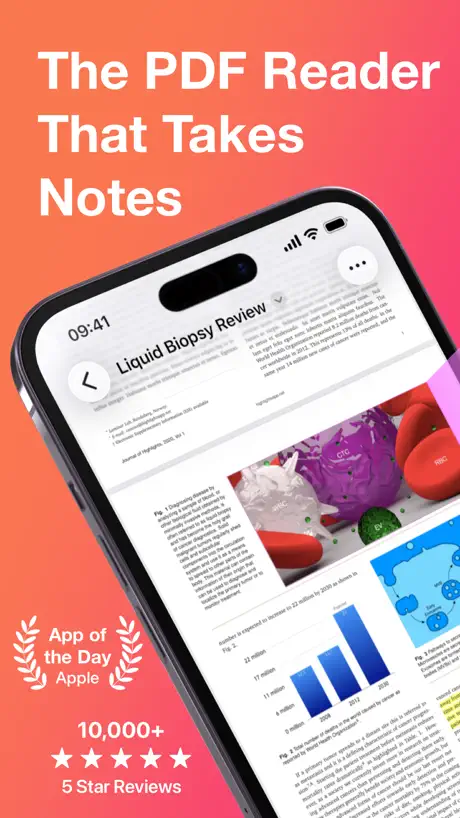
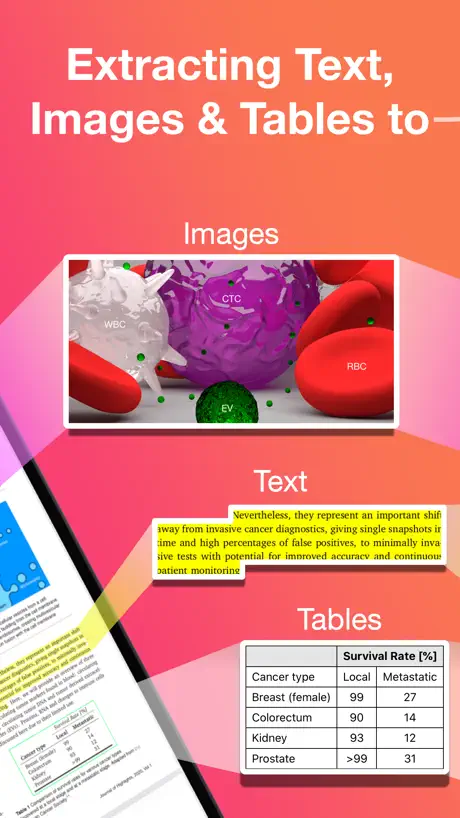
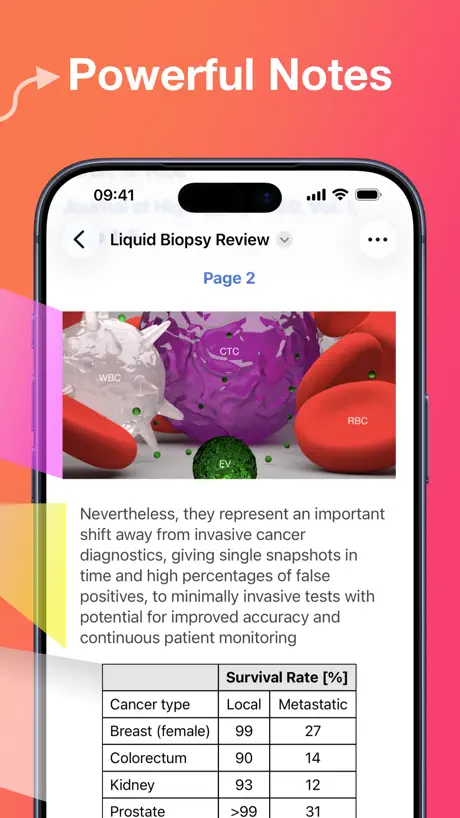
How much does Highlights: PDF Reader & Notes cost?
Prices are current as of 28 Sept 2026.
3 subscriptions from $4.99
In the United States, Highlights: PDF Reader & Notes has 3 subscriptions priced $4.99 – 29.99. It comes with a 14 days free trial.
| Subscription | Period | Price |
|---|---|---|
| Highlights Pro: Monthly | Monthly | $4.99 |
| Highlights Pro | AnnualTrial: 14 days | $29.99 |
| Highlights Pro: Legacy Upgrade | Annual | $29.99 |
See what Highlights: PDF Reader & Notes costs in all 175 countries →
10+ alternatives to Highlights: PDF Reader & Notes
| Highlights: PDF Reader & Notes |   MarginNote 3 MarginNote 3 | 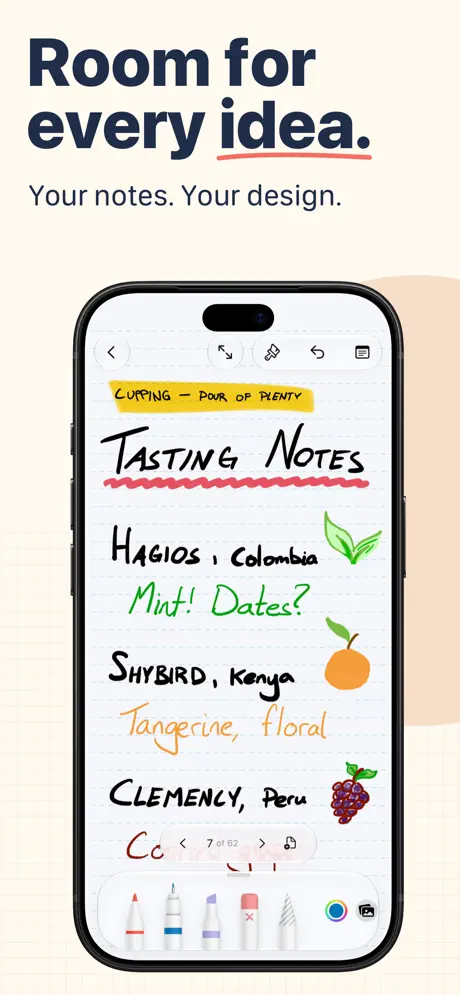  Penbook: Paper Planner & Notes Penbook: Paper Planner & Notes | 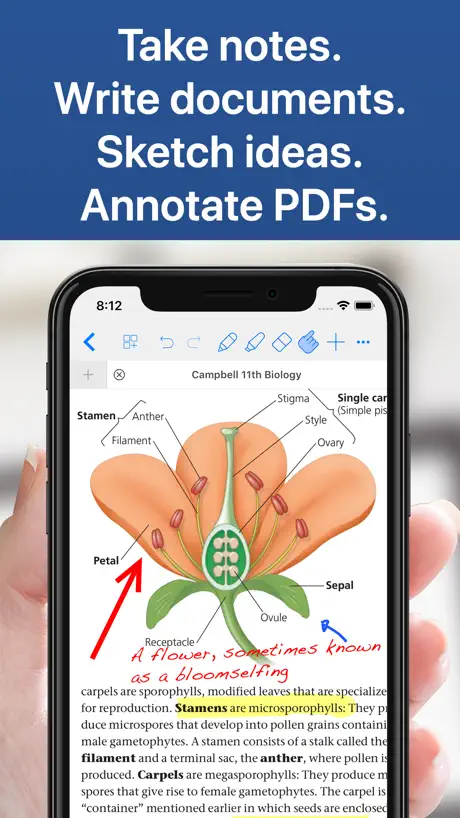  Notes Writer: PDF, Voice, AI Notes Writer: PDF, Voice, AI |   PDF Viewer by Nutrient PDF Viewer by Nutrient |   LiquidText LiquidText | 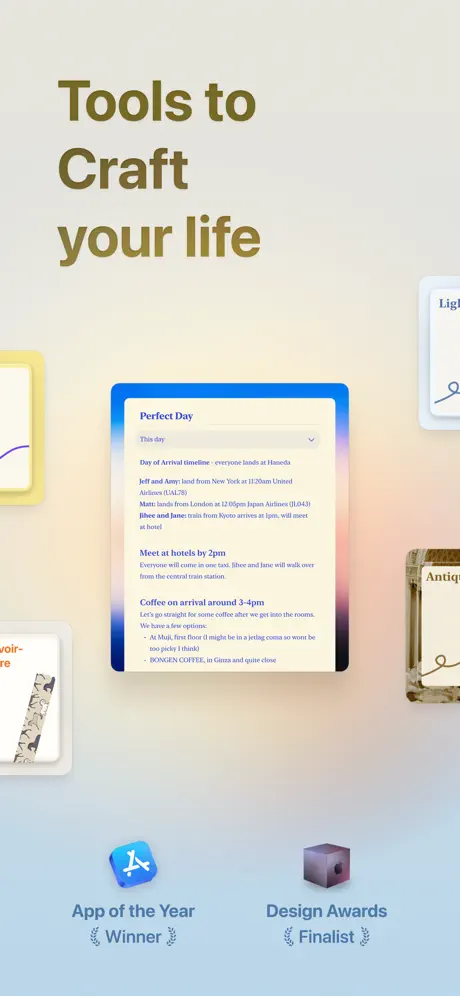  Craft: Notes, Documents, AI Craft: Notes, Documents, AI | 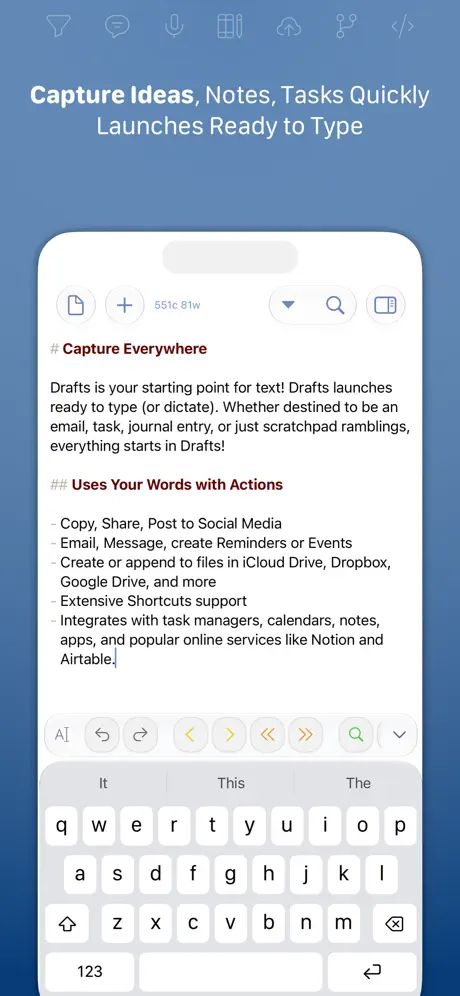  Drafts Drafts |   Flexcil Note & Good PDF Reader Flexcil Note & Good PDF Reader |   Agenda: Notes meets Calendar Agenda: Notes meets Calendar |   Element Note Element Note | |
|---|---|---|---|---|---|---|---|---|---|---|---|
| Rating / 5 | 4.5 | 4.7 | 4.5 | 4.5 | 4.7 | 4.6 | 4.8 | 4.7 | 4.4 | 4.5 | 4.6 |
| Reviews | 6.4K | 195K | 78K | 59K | 41K | 41K | 32K | 23K | 13K | 13K | 12K |
| Released | 2020 | 2018 | 2019 | 2018 | 2016 | 2015 | 2020 | 2018 | 2020 | 2018 | 2022 |
| Monthly price | $4.99 | $0.99 | $4.99 | $3.99 | — | $10.90 | $17.99 | $1.99 | — | — | — |
| Annual price | $29.99 | $9.49 | $14.99 | $14.99 | $19.99 | $99.99 | $99.99 | $19.99 | — | $39.99 | $3.49 |
| One-time price | — | $12.99 | $49.99 | $14.99 | — | $89.99 | — | — | $12.99 | $34.99 | $14.99 |
The going rate for each plan in United States, in its own currency, shaded from the cheapest price on the row to the dearest. Plans fewer than four in ten of the priced apps sell are left out.
Highlights: PDF Reader & Notes reviews
4.5 out of 5, based on 6,445 reviews.
What people like
- Syncs seamlessly across all your devices
- Exporting notes to markdown is very useful
- Dark mode looks fantastic and easy on eyes
What they complain about
- App crashes often and drains battery
- Subscription model feels too expensive for many
- Support team ignores user complaints
- Highlights get lost or disappear randomly
Most useful app ever!!
Best app ever!!! Everyone should have this on their phone if they are going to stare at it!
Highlights Save Feature
Can’t figure how to save a document to file.
my because benefit
Greetings
Unacceptably complicated for form completion
I cannot use Highlights for submitting forms.
Why is there a subscription?
Okay so the app does what it is supposed to do. I can’t stand the UI. It’s literally just the Apple file system. I would like to organize my notes separately from… everything else on my computer. I guess I need the mental separation. Also, I don’t understand why there is a subscription for this app. It feels greedy. I’m not asking it to do anything extravagant, just highlight my pdfs. Won’t be renewing.
Love this reader
Does what it needs to do, and then some! Syncs across my devices, boom.
Don’t download
Was my favorite but nah it became useless when it had bugs
Super helpful! I have some gripes though
I love the usefulness of the app and I feel like it works really well. Highlighting between pages is still annoying sometimes and I really want to be able to use handwriting (I saw you reply to a review 5 years ago but it’s still not here). Great app, but please order stuff.
False Advertising
This app is the worst. The Reference Manager integration is outdated and does not work for Papers!
Done With Subscription-Based Apps
I really like this app and I have used it for a lot of things (the pro-version), but I cannot justify paying a subscription price every year. I hope apps that have no yearly updates or drastic changes to their software reconsider the subscription-based model. It’s killing those of us who need to look through all of our subscriptions each month and determine what is actually worth our money. I used it for very, very simple annotation tasks and really like the ability to highlight automatically, use hotkeys to switch between colors and the ability to easily export my notes—however, it’s not worth paying 30 dollars every year for. I’d much rather pay a one-time fee of even 60-70 dollars for an app like this, but not interested in paying forever. I have found an alternative one-time-payment app with more features (though honestly, I like the simplicity of this app) that benefit my studies so will be using that instead.
The best
This is the ONLY PDF reader I use on my MacBook and iPhone now
Cmd+F and “Find” in the menu don’t work
Can’t search in PDF documents
great app wish it had a markup tool
the app is almost perfect the onky thing mssing is a markup tool to write on the pdf
Drains a lot of battery
App is good but drains a lot of battery like my new Mac fell from 80 to 60% in a span of 1.5 hrs
The notes does not translate to preview
I like the app, but the notes are not visible when same pdf is opened in preview from highlights.
Great App for Students!
This app is great if you need to read + highlight texts/articles. I use it to help outline everything I have highlighted/underlined so I can take notes more easily. TOTALLY RECOMMEND!!!
Pricey for a simple needed tool.
I bit the bullet and subscribed to this app, knowing (and hoping) that something better comes along that doesn’t require a pricey subscription to do something so relatively simple. Exporting highlights and notes from a PDF shouldn’t cost an arm and a leg and should be better managed by native tools. For the price, it lacks some basic features like the ability to add bookmarks and makes navigating lengthy PDFs cumbersome. To the developers… please add different page options for viewing PDFs, like single page turns as opposed to continuous scrolling. Some of us don’t like scrolling, and prefer the hard clean transition of a traditional page turn. Having these options would at least make this feel like the most basic of PDF viewers. The app does it what it’s supposed to do well, namely exporting highlights and notes in markdown, but is overpriced for the main functionality. If it were more imaginative, and offered additional value, I’d consider something like this, but for now am hoping that tools like omnivore and others improve their PDF annotating.
Great Option
This is a great app! There are, though, two primary Isuues I have with it. The first isn't the program's fault at all. The quality of the PDF you're reading REALLY matters. One day, people will allow purchase of PDF textbooks, and things will get better; until then, scans will have to do. That said, the app does a really great job doing exactly what it says. The second issue is totally on the developer. The "Pro Version" of this app is only available by subscription. Now, I hate supscription apps as a rule, but this one is a real issue. $30/year. Not too bad, right? Well, if I go into academia at 18 and start subscribing that's $120 by the time I graduate my undergrad. Let's say I have a 3-year Master's program. another $90. Now I go into a doctoral program. 5 years? Another $150. Now I have paid $360 for this app. Let's say I'm staying in Academia and want to keep it. Let's just say I have a 30-year career ahead of me.That's another $900. Thgis is a GREAT piece of software. Truly. But it's not worth $1000. I would STRONGLY encourage the developer to reconsider the subscription model or, at least, the price of it.
Doesn’t Reopen Book to Where I Left Off?
Saving one’s place in a document would seem like a basic feature of a reading app, but it doesn’t seem to be a feature of Highlights, unfortunately.
Keeps crashing
I used this app for several years to read scientific papers and export notes. Now, it almost always freezes/crashes, doesn’t save my highlights. So frustrating. I can’t rely on it anymore.
Solves so many problems!
I read a ton of online material for research and person reading. PDFs are the standard from these days. I love the structure of the app that works so seamlessly across my devices. I love how easy it is to reference my thoughts as they interact with the PDF. One suggestion, it would be awesome if they could allow the background of the PDF to change as well as the font color when changing the theme.
No rotation lock?!
A well earned 0 stars!
Night mode on iPad?
Thanks for the nice app. Can you also support night mode on iPad that replaces the PDF background color to black?
No drawing
I really wanna love this app, but it’s a deal breaker for me that I can’t do handwriting annotations using Apple Pencil. I never expected an ipad pdf reader to not support Apple Pencil drawing annotations
Tired of subscription only apps
I wish developers would offer a one-time purchase price along with the subs....
Nice Job
I’ve encountered a bug with image annotation and have emailed the dev. Otherwise, it’s been great. The app is lightweight and the free version is very generous. Ty
SCAM!
I was using this app for about six months. It is buggy and unreliable. I cancelled my monthly subscription and somehow they ended up charging me for a year. Do not waste you money or time.
Good product
The only thing that would be better is a formatting option on the notes section that would allow for indentation to further section out the notes. Very beneficial for PA school
So close to being good
Almost amazing, has some issues with certain documents where text highlights are wayy off from where the text appears rendering the app useless for some documents. The pro version is subscription instead of a one time purchase which is upsetting, especially when other alternatives always have a one time purchase option. Reached out via email too but was never responded to. Might eventually switch over, I don’t need many advanced features but I would like enhancing features without having to pay for it forever.
Favorite annotation app, but….
I love this app so much but on the iPad it’s buggy. It clears annotations on its own which means you miss certain highlights. If this is fixed … I’ll pay for it and give it 5 stars
The only thing I have left is my phone charger in case I need it
I’m not sure how to explain this to the person who has a history with the English language and is very much aware that English is a major part of the culture in America
Legacy not honored
As a legacy (original) user and beta tester I was thrilled when the developer announced that original, first time supporters (legacy) users would receive the app for free once completed. This promise wasn't honoroed and worse: anyone who brought this to the developer's attn was attacked by the developer, called a liar and cut off from the app entirely. Whether this is a great app (there are better) or not, is it ok to support those who maim those who trusted and supported them? I don't want this app and I am not writing this to somehow get this app. I am also not writing this to harm anyone. I am writing this because it's true; do with it what you will. And don't complain when you experience the same thing. THINK honor Be
Good, but needs some refinements
The best thing about this app is the dark mode! That's fantastic. However, there are some minor and major issues, including memory management, in my mba with 8 gb of ram, I encounter the error, "out of the memory", just while using this app. Despite these issues, this app is a masterpiece.
Love the concept, frequent crashes make use difficult
I love the ease of use and would make note taking for online classes so much easier, but I get frequent slowing of the app that leads to crashing after a few annotations, and the loss of some annotations. This just leads to repeating work. I’ve tried every workaround I can think of to keep it running smoothly, and even reached out to the developer for help over a month ago with no response. I’m not going to pay for the pro version if I can’t get through a 2 page pdf without multiple crashes
Won’t open pdf from Dropbox when “File Name Not Valid”
Works great but it stopped opening pdfs from my Dropbox saying the file name was invalid… the file name it showed wasn’t even the actual file name. Not sure why it started doing that but I have to go find a different option since I’m in grad school and have to read 100 pages a week. Just can’t get behind trying to figure out what’s going wrong.
Great app!
Where have you been all my life, Highlights? I have been waiting for this app for years and years and years!!! Great app!
Too few features in free version
Apple files/preview/notes already does nearly everything this app does. For me to use your app on a regular basis, even if free, it has to provide some additional functionality over what the free Apple apps do. I was disappointed that export annotations is not available in the free version. You can export by using print and save to PDF. In short, there is no value add over Apple’s free apps, therefore, no incentive for me to use it, like it and reward the developer by upgrading to the pro version. With everyone vying for subscriptions rather than straight up selling an app the old way, you got to give me something of value before I break out my wallet. Thanks.
Fairly good
Fairly good but Skim reader is just what I was looking for that Highlights just doesn't have
Keeps crashing
Purchased the app two days back.now on trial period. On opening pdf it closes itself. Keeps on doing the same with all pdfs. Only once i could do my work of copying tables from pdf. After that keeps on crashing. Tired. Rectify it pls.
Bugs and unresponsive developer
I want to love this app but it has issues. Sometimes highlighting doesn’t work. Sometimes PDF files show locked in highlights but read in other apps fine. But most frustrating is I can’t use it for long reading sessions because every few minutes it misreads a swipe as a double tap and zooms. No other app I have does this. Multiple requests for help to vendor have gone unanswered. I expect more for an app I actually pay a subscription for.
Integrates seamlessly with DEVONthink3
I use DEVONthink3 and highlights integrates seamlessly with this program, giving me an amazing set of tools to organize and annotate my references. I cannot say enough good things about this program.
Terrible
Not worth it do not buy it
Freeze after 1min
Just doing highlight one image then freeze ,
So Close!
I am trained on research tools known as Computer-Assisted Qualitative Data Analysis Software, and specifically ATLAS.ti, but I have worked in MaxQDA and reviewed Dedoose. I don't believe Highlights is trying to be a full blown CAQDAS with all of their anlaysis tools, but they are so close to being a basic CAQDAS that it hurts to see that missed potential. Firstly, the Highlights App works with 1 document at a time. This might work for a single reading assignment in middle school, but a proper research tool should allow for the creation of "projects" to include multiple documents. This could be a simple matter of opening a "project" folder with the documents, instead of opening individual documents, and then creating a .hlts file that stores the highlights from across the documents. Secondly, there is no way to create tags and apply them to highlights (in CAQDAS "tags" are called "codes"), or notes that are like comments that aren't associated with a document for ideas and thoughts on the project. Next, there are no features that allow you to easily navigate to a specific highlight, or to skim or review highlights within a document (I mean project). In CAQDAS, they include a lefthand sidebar navigator with a tabbed navigation for quick skimming of highlights, tags, and notes within the whole project AND a separate "Manager" window pop-up for each that includes more advanced search and filter options. The UI of the manager windows include a righthand sidebar that brings up information of the selected item, like the source document, the text, the tags, any comments made on it, and other metadata of a selected highlight. You can also modify each item in the manager window's sidebar like add or remove tags, and add a comment of a selected highlight. The only way to navigate to a specific highlight in the Highlights App is by opening a document and manually scroll through the full highlights in the righthand sidebar until you've reached the highlight that you're looking for, and then click on the page number link. Oh, also CAQDAS create IDs for highlights like 3:46 for the 46th highlight in the third document for internal reference. Highlights use the page number as the reference ID, so highlights in pages with multiple highlights are all lumped together. I would complain that the sidebar in Highlights scrolls independently of the document, but if it didn't the amount of scrolling that you would have to do to get to any particular Highlight would be unbearable! A lefthand sidebar navigator would drastically improve the ability to navigate to a specific highlight. While the manager window pop-ups allow for a more in-depth review of all of your highlights. I don't expect the Highlights App to compete with full blown CAQDAS for reserach, but adding these features would bring it so close that it could serve as a simple CAQDAS for beginner and even intermediate researchers. Correct me if any of that is already possible, but as far as I'm concerned the features in both the free plan and pro plan offer crumbs compared to CAQDAS - not nothing - but crumbs. If you're used to a CAQDAS, all you see is a host of inconveniences and limitations when you open the Highlights App. I wrote to Highlights on June 2nd of 2020 with these same ideas, but they haven't implemented ANY of them that I can see. A harder ask would be to add the ability to build "Networks" and form relationships between highlights collected for a project. You basically drag and drop highlights into a canvas from the lefthand sidebar or a highlight manager and then connect them with directional arrows and optionally assign a relationship type like "continued by," "contadicts," "criticizes," "discusses," "expands," "explains," "justifies," "supports," etc. If that was implemented in the Highlights App it would be worth double what they're charging now (maybe a Highlights Scholar plan above the Pro plan). So close to a proper research tool, but no cigar.
Needs changes
I don’t see the words getting highlighted as I am doing it. I don’t like to see it getting highlighted after it’s done. I’d also like it if it can connect to google drive cloud and save the edits automatically.
Excellent PDf reader
There is a great deal of functionality in this PDF application, especially with the way it works with annotations and images. This app is highly recommended!
Scam app
No better features than Preview or Adobe Reader. The instant you try to use any feature described on their website, you have to purchase pro version for $4 per MONTH.
LOVE the product. HATE the Memnory leaks.
LOVE the product. HATE the Memnory leaks that crash my computer. Multi GB memory Hog! SUPPORT - Please Contact me for the Logs.
Stopped working all of a sudden
Loved this app and used it almost everyday to articles. It just stopped working on my iPad all of a sudden -- none of the PDFs open anymore. I keep tapping on files saved on the device, and they don't open either.
App crashes quite often
It’s an excellent app for note taking but the problem is if you open any pdf with more than 200 pages the app crashes a lot. And secondly it takes a lot of time to open a simple pdf of 5-6 MB even on a M1 chipped iPad.
Highlights: PDF Reader & Notes price by country
A monthly subscription costs $0.21 in Turkey and $5.95 in Denmark — 28× more for the same thing. Below is the going rate for each plan in every country that sells it — the middle price of what the app charges there, in the country's own currency with the dollar equivalent beneath it.
| Country | Monthly | Annual |
|---|---|---|
| Afghanistan | $1.99 | $14.99 |
| Albania | $2.39 | $17.99 |
| Algeria | $1.99 | $14.99 |
| Angola | $1.99 | $14.99 |
| Anguilla | $1.99 | $14.99 |
| Antigua And Barbuda | $1.99 | $14.99 |
| Argentina | $1.99 | $9.99 |
| Armenia | $1.99 | $14.99 |
| Australia | A$4.99$3.49 | A$39.99$27.97 |
| Austria | €3.99$4.63 | €29.99$34.79 |
| Azerbaijan | $1.99 | $14.99 |
| Bahamas | $1.99 | $14.99 |
| Bahrain | $1.99 | $14.99 |
| Barbados | $1.99 | $14.99 |
| Belarus | $1.99 | $17.99 |
| Belgium | €3.99$4.54 | €29.99$34.16 |
| Belize | $1.99 | $14.99 |
| Benin | $0.99 | $8.99 |
| Bermuda | $1.99 | $14.99 |
| Bhutan | $1.99 | $14.99 |
| Bolivia | $1.99 | $14.99 |
| Bosnia & Herzegovina | €1.99$2.27 | €14.99$17.07 |
| Botswana | $0.99 | $8.99 |
| Brazil | R$12.90$2.49 | R$79.90$15.39 |
| British Virgin Islands | $1.99 | $14.99 |
| Brunei Darussalam | $1.99 | $17.99 |
| Bulgaria | €1.49$1.70 | €9.99$11.38 |
| Burkina Faso | $0.99 | $8.99 |
| Cambodia | $1.99 | $14.99 |
| Cameroon | $0.99 | $8.99 |
| Canada | CA$4.99$3.62 | CA$34.99$25.36 |
| Cape Verde | $1.99 | $14.99 |
| Cayman Islands | $1.99 | $14.99 |
| Chad | $0.99 | $8.99 |
| Chile | CLP 1,400$1.45 | CLP 9,900$10.29 |
| China | CN¥22.00$3.27 | CN¥148.00$22.02 |
| Colombia | COP 4,900$1.47 | COP 39,900$11.97 |
| Congo | $0.99 | $8.99 |
| Congo, Democratic Republic | $0.99 | $8.99 |
| Costa Rica | $1.99 | $9.99 |
| Cote Divoire | $0.99 | $8.99 |
| Croatia | €2.65$3.02 | €19.91$22.68 |
| Cyprus | €2.99$3.41 | €19.99$22.77 |
| Czech Republic | CZK 69.00$3.22 | CZK 499.00$23.32 |
| Denmark | DKK 39.00$5.95 | DKK 249.00$37.96 |
| Dominica | $1.99 | $14.99 |
| Dominican Republic | $1.99 | $14.99 |
| Ecuador | $1.99 | $14.99 |
| Egypt | EGP 19.99$0.39 | EGP 149.99$2.90 |
| El Salvador | $1.99 | $14.99 |
| Estonia | €2.99$3.41 | €19.99$22.77 |
| Fiji | $1.99 | $17.99 |
| Finland | €3.99$4.54 | €29.99$34.16 |
| France | €3.99$4.54 | €29.99$34.16 |
| Gabon | $1.99 | $14.99 |
| Gambia | $0.99 | $8.99 |
| Georgia | $1.99 | $14.99 |
| Germany | €3.99$4.54 | €29.99$34.16 |
| Ghana | $0.99 | $8.99 |
| Greece | €3.99$4.54 | €27.99$31.88 |
| Grenada | $1.99 | $14.99 |
| Guatemala | $1.99 | $14.99 |
| Guinea-bissau | $0.99 | $8.99 |
| Guyana | $1.99 | $14.99 |
| Honduras | $1.99 | $14.99 |
| Hong Kong | HK$23.00$2.93 | HK$198.00$25.26 |
| Hungary | HUF 999$3.11 | HUF 6,990$21.78 |
| Iceland | $4.99 | $29.75 |
| India | ₹249.00$2.60 | ₹1,499.00$15.63 |
| Indonesia | IDR 19,000$1.06 | IDR 149,000$8.31 |
| Iraq | $1.99 | $14.99 |
| Ireland | €3.99$4.54 | €29.99$34.16 |
| Israel | ₪9.90$3.25 | ₪59.90$19.64 |
| Italy | €3.99$4.63 | €29.99$34.79 |
| Jamaica | $1.99 | $14.99 |
| Japan | ¥380$2.41 | ¥2,900$18.41 |
| Jordan | $1.99 | $14.99 |
| Kazakhstan | KZT 999.00$2.26 | KZT 6,990.00$15.79 |
| Kenya | $2.99 | $8.99 |
| Kosovo | €1.99$2.27 | €17.99$20.49 |
| Kuwait | $1.99 | $14.99 |
| Kyrgyzstan | $1.99 | $14.99 |
| Lao Peoples Democratic Republic | $1.99 | $14.99 |
| Latvia | €2.99$3.41 | €19.99$22.77 |
| Lebanon | $1.99 | $14.99 |
| Liberia | $0.99 | $8.99 |
| Libya | $1.99 | $14.99 |
| Lithuania | €2.99$3.41 | €19.99$22.77 |
| Luxembourg | €4.99$5.68 | €29.99$34.16 |
| Macao | $2.99 | $19.99 |
| Macedonia | $1.99 | $17.99 |
| Madagascar | $0.99 | $8.99 |
| Malawi | $0.99 | $8.99 |
| Malaysia | MYR 9.90$2.43 | MYR 79.90$19.63 |
| Maldives | $0.99 | $8.99 |
| Mali | $0.99 | $8.99 |
| Malta | €2.99$3.41 | €19.99$22.77 |
| Mauritania | $0.99 | $8.99 |
| Mauritius | $0.99 | $8.99 |
| Mexico | MX$59.00$3.33 | MX$399.00$22.49 |
| Micronesia | $1.99 | $14.99 |
| Moldova | $1.99 | $14.99 |
| Mongolia | $1.99 | $14.99 |
| Montenegro | €1.99$2.27 | €14.99$17.07 |
| Montserrat | $1.99 | $14.99 |
| Morocco | $1.99 | $14.99 |
| Mozambique | $0.99 | $8.99 |
| Myanmar | $1.99 | $14.99 |
| Namibia | $0.99 | $8.99 |
| Nauru | $1.99 | $14.99 |
| Nepal | $1.99 | $14.99 |
| Netherlands | €3.99$4.54 | €29.99$34.16 |
| New Zealand | NZ$5.99$3.38 | NZ$39.99$22.59 |
| Nicaragua | $1.99 | $14.99 |
| Niger | $0.99 | $8.99 |
| Nigeria | NGN 350.00$0.26 | NGN 2,700.00$2.03 |
| Norway | NOK 49.00$5.15 | NOK 349.00$36.70 |
| Oman | $1.99 | $14.99 |
| Pakistan | PKR 390$1.41 | PKR 2,900$10.47 |
| Palau | $1.99 | $14.99 |
| Panama | $1.99 | $14.99 |
| Papua New Guinea | $1.99 | $14.99 |
| Paraguay | $1.99 | $14.99 |
| Peru | PEN 6.90$2.04 | PEN 49.90$14.72 |
| Philippines | ₱99.00$1.59 | ₱799.00$12.81 |
| Poland | PLN 19.99$5.21 | PLN 129.99$33.85 |
| Portugal | €3.99$4.54 | €27.99$31.88 |
| Qatar | QAR 3.99$1.10 | QAR 29.99$8.24 |
| Romania | RON 14.99$3.24 | RON 99.99$21.60 |
| Russia | RUB 299.00$3.47 | RUB 1,990.00$23.12 |
| Rwanda | $0.99 | $8.99 |
| Sao Tome & Principe | $0.99 | $8.99 |
| Saudi Arabia | SAR 9.99$2.66 | SAR 59.99$16.00 |
| Senegal | $0.99 | $8.99 |
| Serbia | €2.99$3.41 | €17.99$20.49 |
| Seychelles | $1.99 | $14.99 |
| Sierra Leone | $0.99 | $8.99 |
| Singapore | SGD 4.98$3.89 | SGD 34.98$27.33 |
| Slovakia | €2.99$3.47 | €19.99$23.22 |
| Slovenia | €2.99$3.41 | €19.99$22.77 |
| Solomon Islands | $1.99 | $14.99 |
| South Africa | ZAR 49.99$3.06 | ZAR 299.99$18.38 |
| South Korea | ₩3,900$2.88 | ₩29,000$21.39 |
| Spain | €3.99$4.54 | €29.99$34.16 |
| Sri Lanka | $1.99 | $14.99 |
| St. Kitts and Nevis | $1.99 | $14.99 |
| St. Lucia | $1.99 | $14.99 |
| St. Vincent & The Grenadines | $1.99 | $14.99 |
| Suriname | $1.99 | $14.99 |
| Swaziland | $0.99 | $8.99 |
| Sweden | SEK 49.00$4.94 | SEK 349.00$35.18 |
| Switzerland | CHF 4.00$4.83 | CHF 29.00$34.98 |
| Taiwan | NT$130.00$4.09 | NT$990.00$31.16 |
| Tajikistan | $1.99 | $14.99 |
| Tanzania | TZS 4,500.00$1.69 | TZS 34,900.00$13.13 |
| Thailand | THB 99.00$2.96 | THB 699.00$20.92 |
| Tonga | $1.99 | $17.99 |
| Trinidad and Tobago | $1.99 | $14.99 |
| Tunisia | $1.99 | $14.99 |
| Turkey | TRY 9.99$0.21 | TRY 79.99$1.66 |
| Turkmenistan | $1.99 | $14.99 |
| Turks and Caicos | $1.99 | $14.99 |
| Uganda | $0.99 | $8.99 |
| Ukraine | $2.99 | $19.99 |
| United Arab Emirates | AED 7.99$2.18 | AED 59.99$16.35 |
| United Kingdom | £3.99$5.28 | £24.99$33.06 |
| United States | $4.99 | $29.99 |
| Uruguay | $1.99 | $14.99 |
| Uzbekistan | $1.99 | $14.99 |
| Vanuatu | $1.99 | $14.99 |
| Venezuela | $1.99 | $14.99 |
| Vietnam | ₫22,000$0.85 | ₫169,000$6.52 |
| Yemen | $0.99 | $8.99 |
| Zambia | $0.99 | $8.99 |
| Zimbabwe | $0.99 | $8.99 |
Highlights: PDF Reader & Notes FAQ
- Is Highlights: PDF Reader & Notes free?
- Yes. The app and its basic features are free, in all 175 countries it sells in. Premium features are paid: they start from $4.99 (US), across 3 subscriptions.
- How much does Highlights: PDF Reader & Notes cost per month?
- Highlights Pro: Monthly is $4.99 (US). The annual plan works out cheaper per month: $29.99 a year.
- Does Highlights: PDF Reader & Notes have a free trial?
- Yes — a 14 days free trial (US).
- Where is Highlights: PDF Reader & Notes cheapest?
- A monthly subscription costs TRY 9.99 (≈$0.21) in Turkey and DKK 39.00 (≈$5.95) in Denmark, its cheapest and dearest countries.
- What are the best alternatives to Highlights: PDF Reader & Notes?
- MarginNote 3 (4.7 from 194,991 reviews, premium from $0.99), Penbook: Paper Planner & Notes (4.5 from 78,263 reviews, premium from $4.99) and Notes Writer: PDF, Voice, AI (4.5 from 58,845 reviews, premium from $1.99).
Highlights: PDF Reader & Notes download
Last updated 23 days ago.
Highlights: PDF Reader & Notes sells in 175 countries. It was released 6 years and 6 months ago, on 26 Mar 2020. It holds a 4.5 rating from 6,445 reviews.
Supports 1 language: English.
How much does Highlights: PDF Reader & Notes make?
Third-party estimates for the last 30 days, worldwide — not the store's own figures, which Apple publishes for nobody.
Revenue by plan
- Annual 69%
- Monthly 31%
Revenue by country
- United States 39%
- Germany 5%
- United Kingdom 5%
- France 4%