
LiquidText
Annotate & review documents
How much does LiquidText cost?
Prices are current as of 29 Sept 2026.
9 subscriptions from $5.49
In the United States, LiquidText has 9 subscriptions priced $5.49 – 189.99. It comes with a 7 days free trial.
| Subscription | Period | Price |
|---|---|---|
| LiquidText Live, Monthly, StPr | MonthlyTrial: 7 days | $5.49 |
| LiquidText Live, Monthly, Stu | MonthlyTrial: 7 days | $5.49 |
| LiquidText Live, Monthly | MonthlyTrial: 7 days | $10.90 |
| LiquidText Live, Monthly, Upg | MonthlyTrial: 7 days | $10.90 |
| LiquidText Unlimited, Yr, Stu | MonthlyTrial: 7 days | $19.00 |
| LiquidText Live, Yearly, Stu | AnnualTrial: 7 days | $54.90 |
| LiquidText Live, Yearly | AnnualTrial: 7 days | $99.99 |
| LiquidText Live, Yearly, Upg | AnnualTrial: 7 days | $99.99 |
| LiquidText Unlimited, Yr | AnnualTrial: 7 days | $189.99 |
1 one-time purchase from $89.99
In the United States, LiquidText has 1 one-time purchase priced $89.99.
| Product | Price |
|---|---|
| LiquidText Pro II | $89.99 |
10+ alternatives to LiquidText
| LiquidText | 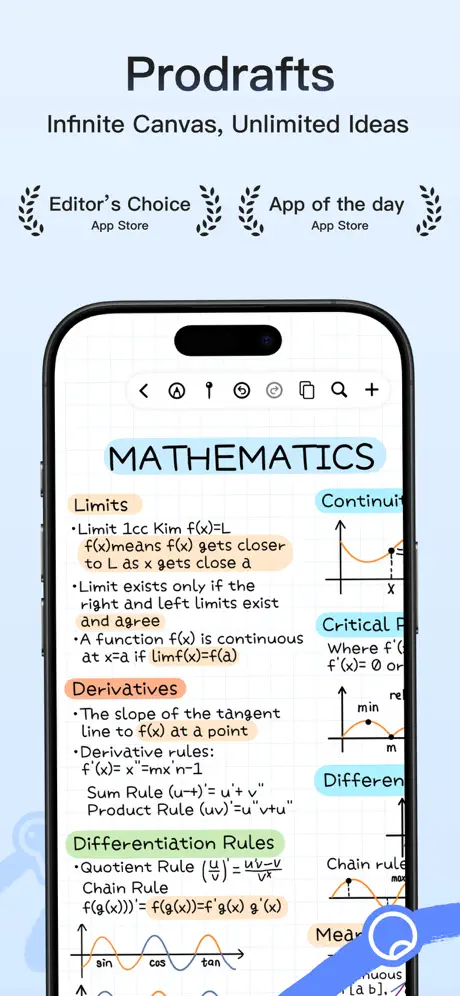  Prodrafts - Infinite Notes Prodrafts - Infinite Notes | 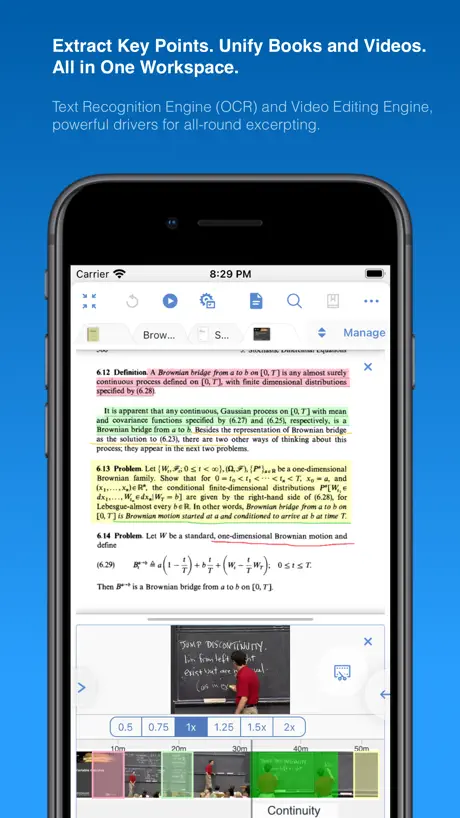  MarginNote 3 MarginNote 3 |   Noteful: Notes & PDF Markup Noteful: Notes & PDF Markup |   MyScript Notes: AI Handwriting MyScript Notes: AI Handwriting |   CollaNote: Notes & PDF Markup CollaNote: Notes & PDF Markup |   Penbook: Paper Planner & Notes Penbook: Paper Planner & Notes |   Notes Writer: PDF, Voice, AI Notes Writer: PDF, Voice, AI |   PDF Viewer by Nutrient PDF Viewer by Nutrient |   MarginNote 4: AI Notes·MindMap MarginNote 4: AI Notes·MindMap |   Flexcil Note & Good PDF Reader Flexcil Note & Good PDF Reader | |
|---|---|---|---|---|---|---|---|---|---|---|---|
| Rating / 5 | 4.6 | 4.8 | 4.7 | 4.8 | 4.7 | 4.6 | 4.5 | 4.5 | 4.7 | 4.6 | 4.4 |
| Reviews | 41K | 570K | 195K | 172K | 159K | 105K | 78K | 59K | 41K | 22K | 13K |
| Released | 2015 | 2020 | 2018 | 2021 | 2016 | 2020 | 2019 | 2018 | 2016 | 2024 | 2020 |
| Monthly price | $10.90 | — | $0.99 | — | $1.99 | — | $4.99 | $3.99 | — | — | — |
| Annual price | $99.99 | $6.99 | $9.49 | — | $7.99 | — | $14.99 | $14.99 | $19.99 | $12.99 | — |
| One-time price | $89.99 | $9.99 | $12.99 | $6.99 | $4.99 | $6.95 | $49.99 | $14.99 | — | $19.99 | $12.99 |
The going rate for each plan in United States, in its own currency, shaded from the cheapest price on the row to the dearest. Plans fewer than four in ten of the priced apps sell are left out.
LiquidText reviews
4.6 out of 5, based on 40,606 reviews.
What people like
- Great tool for annotating PDFs and research
- Excellent for connecting notes across documents
- Unique way to visualize and link ideas
What they complain about
- Support is hard to reach or unhelpful
- No dark mode available for night reading
- App crashes and freezes frequently during use
- Very expensive subscription model for students
Amazing and really useful app for lawyers
This is such thoughtfully designed app and I find it very useful and convenient.
The update is bad
After the new update for LiquidText for MacOS, the first folder/file in any folder or subfolder just goes and hides under the top bar. This problem wasn’t there before the update. I updated the app since it said that there would be ‘UI enhancement’. No change in the UI except that the above problem has now come up.
No Update provided
I purchased this application as soon as it Launched. It's proved to be of great help in my UPSC preparation journey. It's been a long time no update provided so far. I can't figure out if this app has achieved it's most stable version or I am lagging behind only.
Buggy app with no solution
I have been using LiquidText for years for professional reasons . It is the most buggy app which repeatedly crashes with poor syncing. Collaborate feature has also stopped working . Despite repeated follow up there is no solution in sight. It has very poor customer care and response
Unable to sync my iPad to my PC content
Unable to restore purchase in my iPad app, please assist , unable to sync
Exceptional Performance and Sync
I work on multiple platforms simultaneously and this app has been a game changer. There have been hiccups with the app but the team is proactive to resolve it. Thank you.
Very Disappointed
I am purchase member of liquid. Earlier it was functioning smoothly. But now it is freezing and becoming irresponsive. Support team also not reverting me on my issues.
pro version
Some more functionality required in pro version also
Bugs
It is extremely buggy. I have to regularly close the file and then reopen. My iPad is a month old with a m5. Please fix this.
Updates are slow
The app works well but despite being a paid app the updates are very slow. Features there were introduced to Apple Pencil and iPads year ago are not yet implemented. Expect only 1 semi-major update a year.
Awesome
Really amazing. Loving to use it.
Waste of money
I wasted buying it… It just get stuck sometimes while reading other time if we switch the app and come back it will show blue line on left side of ipad… Just buy some other product at much lesser price this one doesn’t worth to buy
No dark mode & No notion connectivity
Everything is great. But there is no dark mode for the whole app as well as for the PDF, where everything in the PDF is in the dark, except the image remains the original Picture. Can you also add Notion app connectivity?
Crashing
The application frequently crashes after opening. This issue is persisting despite updates.
Apple Pen keeps disconnect when using app
The apple pen keeps disconnecting when using the app - kindly fix the bug
App
It is very useful off for notes and PDF I am very happy use this app
Bad Product
Very bad. Don’t get proper support services and can’t be switched between Mac and iPad.
Images move while navigating
Amazing app for integrated study and research. One issue I observed is that the images move while navigating the workbook, especially if I am zoomed into the image. This is the only note app which lets me zoom into the images this much, allows writing on top of them as well as on the pdfs while allowing cross referencing. But this bug of moving images make this experience a bummer. Please add an option to fix the images in their place, or make the navigation smart enough to not move the images.
Great app designed for students with mindset of minting money.
The app has paid version and Then Paid Subscriptions. Every version of the app needs some subscription or payment. Even basic feature such as Bookmarking is not available after buying the basic version. You have to get a subscription for that ?You have to pay to get corresponding apps on any other device. Mind you the payment or subscriptions are not cheap. So how come this app is designed to promote EDUCATION ? It is just a beautiful way first getting you into the ecosystem and then asking more money for subscriptions. No wonder why has this app so highly rated by Apple, they get 30% from each transition.
Integration with Logitech Muse
There needs to be better integration with the Logitech muse and vision pro. I can write in free space, and I make links across the document, but the interface is clunky at the moment, I think developing this capability further will be a greatly enhance the use ability of LiquidText in the VisionPro space.
Best
Very useful
Very dangerous app
This is a very dangerous application. Many of its features can cause loss of data like collaboration, sharing, replacement of files etc., the app files to sync the files with the collaborators. The collaborated file also loads only the old file even when sent to the recycle bin. deleting the file from the recycle bin is the only way one can try to load the correctly reshared file but that results in the deletion of the file from the owners, which is ridiculous. The support is terrible. They keep claiming there are small team and not taking any responsibility for the loss suffered by the users, please do not use this app. Many a times replacement of files int eh project corrupts the project itself causing total data loss. The replacements only work on windows (that too only sometimes) though advertised on all platforms. It is really not worth the heart ache it gives you even if it were for free, which it is not.
Dark mode
There should be a dark mode
It has problems in opening pdf doesn’t open all pages some pages go missing
Please fix it why pdf not opening i am a pro memeber what is the money for
Fantastic idea, limited usefulness
Most developers treat their early adopters with respect, but not these guys. They charged quite a bit for the pro version before the app had realized its promise. Then they offered utopian pricing when they added a few new features, and so on... Below is my review of the original pro version. The one thing that's changed is annoying new links to features one needs to spend more for. Can't do it as an independent researcher. --- The way this app is marketed and designed, I would have thought it would make an excellent PDF reader for academic texts, including ebooks, but I was wrong. First and foremost, navigation is a problem. If the text actually has built-in structure that LT can see, great. But even then, one has to click to see the outline, and the outline immediately disappears after one clicks. Moving around the document becomes extremely cumbersome that way. Worse, with no bookmarking feature or ability to create one's own outline, accessing unlinked endnotes while reading becomes frustratingly time-consuming. In theory, one can use the app's excerpt feature to create such navigational tools, but those are nearly as useless on a 9.7" screen. I can't see much improvement on a bigger screen either. Navigation should be separate from the actual processing of articles and books that this software was designed for. Maybe those who find LT valuable are not overburdened with poorly formatted texts without good internal links between note references and endnotes. I don't have this luxury. Long story short, the one app that seemed to offer a potentially large productivity boost on the iPad does more to frustrate than help me get work done. And it cost a fair bit to find this out.
The best annotater on the market
I would go to the extent of saying that this is on the level of good notes, sometimes even better
-
Poor
Dark Theme Needed!
Dark theme when??? This is an incredible app that i pay for—just that its GUI looks SO dated
Could be good
This product has some amazing features, and it’s really an ingenious way to work with different PDFs. However, it’s horribly expensive, won’t allow you to move the pages or add/delete pages in your PDF, won’t let me excerpt one document to another, won’t always import my .PDF files, and won’t sync my documents between my iPad Air and my iPad mini.
Issue with importing documents from Zotero
There is an issue which the app crashes when I try to import documents from Zotero in a folder that contains subfolder. My Zotero is using webdav sync. Please fix this issue. Thanks!
UNMATCHED BETTER THEN GOOD NOTES OR PDFREADER
This is an unmatched handy tool. To annotate and use as pdf reader especially for advocates and researchers. The best part of them is their service and support in paid version wonderful team. Keep it up.
There is nothing for one time purchaser
it’s useless waste of money and also the app software is not good enough. Even other free apps are far better. I purchased their premium version but I got disappointed and no customer support. Their is no one to contact
Dark mode missing in an otherwise Excellent app
The app has so many great features, but the lack of a dark mode really stands out—especially when reading at night. Dark mode has become a standard feature in most modern apps, and it’s surprising that it still hasn’t been introduced, despite many user requests. Hopefully, it’s something the team is considering adding soon.
What used to be a helpful tool is now just another product nickel and diming me
I’ve used this product for years, however since taking a break a few years ago and recently coming back, I can now see that 90% of the useful features that made this app unique is now locked behind a paywall. And egregiously priced paywall that price is out its main audience STUDENTS! Whoever Green lit this subscription idea clearly does not understand the product, the audience, or the purpose of this app. While there are very, very few other apps like this happen, there will be some other developer that won’t develop something just as good if not better and not have such a grossly priced product And LiquidText will be forced to either adapt and change their pricing or fall further into obscurity.
Dark mode really required
An otherwise great app but lacking support for such essential features like Dark mode. Please bring it asap.
Excellent
Works perfectly butva bit expensive and available only on Apple that's very sad, everyone should be able to use it
Worst app
One of the worst app. Student discounts aren’t applicable at all. Scam
Training
Give me Training vedio
It is just too difficult to use.
I recognized it for Program is powerful as this one there might be a bit of a learning curve. However, it is incredibly difficult to do almost anything with this application. I really wanted to like this program and I think that it has wonderful capabilities, but the UI is terrible. It’s difficult to determine how to do something as simple as pasting into a text block which should be easy. I wanted to paste the results of ChatGPT next to what I copied from the document The devil shows drawing a line around some text and dragging it out into the workspace, but it doesn’t do that in the actual program It is one of the most frustrating programs I have used in my past 20 years in IT and that saying something.
To many IRRITATING bugs and glitches.
The app randomly has bugs and glitches. Have to always restart the app to get it working again. But it is really really IRRITATING.
No customer support, app crashes as soon as opened
App stopped working despite paying for the most premium subscription. Been trying to reach customer support for many days but there is no way to contact the app support or to solve the problem.
not able to login or create account
not able to login or create account so I had to purchase it without logging in, not how will I restore my purchase to my account ??
Feedback
It’s awesome product, but could be more useful to legal professionals if feature of addition and/or deletion of papers from the project file could be made available.
5 star to 2 star (DELETES MY NOTES)
I originally had my rating to a 5, but now it’s a 2 because I find myself not using it as much because of a major flaw of it deleting my notes. I took very important (with my apple pencil) and then out of nowhere the app just deleted all my notes!! I needed those for an upcoming exam. But this has been happening every single time. I have to write notes and then exit for it to save, and I even make duplicates to make sure I don’t lose notes. Honestly, this is pretty ridiculous to keep doing over and over. I shouldn’t have to exit projects to save it all the time. I’ve been with this app since 2022, and I’m now looking for other apps to replace this. If this company wants to keep my business, fix this problem ASAP. It was very useful when I started. Also, the AI on this is not the best. I paid to have tons AI usage, but it can never find what I’m looking for in my papers, I always have to look through document myself to find what I’m looking for. I have about 20,000 attempts to use, but it’s useless because it can’t find information.
App crashes and scrolling stops randomly bigger files crash often
Please look into it. I have been a pro user for a long time b
Language
Add Hindi
Useless and worst
It is the worst app I saw this in YouTube advertisement and decided to install it but it's useless
Restore purchase
Data not syncing on new iPad
Feels like a beta software with no updates for improvement
LiquidText is amazing in delivering most of the features that it promises but the buggy nature of the software and extremely slow updates holds it back tremendously. LiquidText asks for a massive premium compared to other note-taking apps but has still not implemented basic features that notability or Goodnotes have like Apple Pencil hover or squeeze. There is also still frequent crashes and freezes especially when working with any project 200+ MB’s in size. I can’t find any other app that can meet the current capabilities of LiquidText but for the massive price that they are asking (Subscription, one time is reasonable in my opinion), I wish it was more stable and had more basic feature updates (such as better handwriting support, hover, squeeze).
One big Issue
Huge miss Is a read mode too many distractions while trying only concentrate on the content.
LiquidText price by country
A monthly subscription costs $5.49 in Morocco and $19.00 in the Cayman Islands — 3× more for the same thing. Below is the going rate for each plan in every country that sells it — the middle price of what the app charges there, in the country's own currency with the dollar equivalent beneath it.
| Country | Monthly | Annual | One-time |
|---|---|---|---|
| Afghanistan | $8.19 | $81.90 | $9.99 |
| Albania | $9.99 | $99.90 | $11.99 |
| Algeria | $5.49 | $81.90 | $4.99 |
| Angola | $8.19 | $81.90 | $4.99 |
| Anguilla | $8.19 | $81.90 | $9.99 |
| Antigua And Barbuda | $8.19 | $81.90 | $9.99 |
| Argentina | $5.49 | $54.90 | $79.99 |
| Armenia | $6.99 | $99.90 | $99.99 |
| Australia | A$17.90$12.79 | A$149.99$107.14 | — |
| Austria | €11.90$13.55 | €99.99$113.88 | €99.99$113.88 |
| Azerbaijan | $9.99 | $99.90 | $99.99 |
| Bahamas | $11.90 | $119.99 | $79.99 |
| Bahrain | $11.90 | $99.99 | $99.99 |
| Barbados | $9.99 | $99.90 | $5.99 |
| Belarus | $6.99 | $69.90 | $99.99 |
| Belgium | €11.90$13.55 | €99.99$113.88 | €79.99$91.10 |
| Belize | $8.19 | $81.90 | $9.99 |
| Benin | $9.99 | $99.90 | $11.99 |
| Bermuda | $8.19 | $81.90 | $4.99 |
| Bhutan | $8.19 | $81.90 | $9.99 |
| Bolivia | $8.19 | $54.90 | $79.99 |
| Bosnia & Herzegovina | €5.99$6.82 | €99.90$113.78 | €5.99$6.82 |
| Botswana | $8.19 | $81.90 | $4.99 |
| Brazil | R$31.50$6.07 | R$304.90$58.75 | R$499.90$96.32 |
| British Virgin Islands | $8.19 | $81.90 | $9.99 |
| Brunei Darussalam | $10.90 | $107.99 | $4.99 |
| Bulgaria | €5.99$6.82 | €59.90$68.22 | €79.99$91.10 |
| Burkina Faso | $8.19 | $81.90 | $9.99 |
| Cambodia | $5.99 | $99.90 | $89.99 |
| Cameroon | $9.99 | $99.90 | $11.99 |
| Canada | CA$14.90$10.57 | CA$129.99$92.19 | — |
| Cape Verde | $8.19 | $81.90 | $9.99 |
| Cayman Islands | $19.00 | $107.99 | $71.99 |
| Chad | $8.19 | $81.90 | $9.99 |
| Chile | CLP 5,990$6.22 | CLP 59,990$62.34 | CLP 99,990$103.91 |
| China | CN¥43.00$6.40 | CN¥420.00$62.50 | CN¥598.00$88.99 |
| Colombia | COP 24,900$7.47 | COP 249,900$74.95 | COP 399,900$119.94 |
| Congo | $8.19 | $81.90 | $11.99 |
| Congo, Democratic Republic | $8.19 | $81.90 | $4.99 |
| Costa Rica | $5.49 | $54.90 | — |
| Cote Divoire | $9.99 | $99.90 | $11.99 |
| Croatia | €5.99$6.82 | €59.90$68.22 | €89.99$102.49 |
| Cyprus | €11.90$13.55 | €119.99$136.66 | — |
| Czech Republic | CZK 149.00$6.96 | CZK 1,490.00$69.63 | CZK 1,990.00$92.99 |
| Denmark | DKK 99.00$15.09 | DKK 499.00$76.07 | DKK 799.00$121.80 |
| Dominica | $8.19 | $81.90 | $9.99 |
| Dominican Republic | $5.49 | $54.90 | $79.99 |
| Ecuador | $5.49 | $54.90 | $79.99 |
| Egypt | EGP 299.99$5.80 | EGP 2,999.99$57.98 | EGP 3,999.99$77.31 |
| El Salvador | $8.19 | $54.90 | $79.99 |
| Estonia | €5.99$6.82 | €59.90$68.22 | €89.99$102.49 |
| Fiji | $8.19 | $81.90 | $9.99 |
| Finland | €5.99$6.82 | €99.99$113.88 | €99.99$113.88 |
| France | €11.90$13.82 | €99.99$116.13 | — |
| Gabon | $8.19 | $81.90 | $9.99 |
| Gambia | $8.19 | $81.90 | $9.99 |
| Georgia | $9.99 | $99.90 | $99.99 |
| Germany | €11.90$13.82 | €99.99$116.13 | €79.99$92.90 |
| Ghana | $6.99 | $69.90 | $99.99 |
| Greece | €11.90$13.55 | €99.99$113.88 | €99.99$113.88 |
| Grenada | $8.19 | $54.90 | $4.99 |
| Guatemala | $5.49 | $54.90 | $79.99 |
| Guinea-bissau | $8.19 | $81.90 | $9.99 |
| Guyana | $8.19 | $81.90 | $9.99 |
| Honduras | $8.19 | $81.90 | $71.99 |
| Hong Kong | HK$88.00$11.22 | HK$788.00$100.51 | HK$688.00$87.76 |
| Hungary | HUF 2,490$7.76 | HUF 24,990$77.87 | HUF 29,990$93.45 |
| Iceland | $6.99 | $121.51 | $3.99 |
| India | ₹549.00$5.72 | ₹5,499.00$57.32 | ₹6,900.00$71.93 |
| Indonesia | IDR 99,000$5.58 | IDR 999,000$56.32 | IDR 1,199,000$67.59 |
| Iraq | $8.19 | $81.90 | $79.99 |
| Ireland | €11.90$13.55 | €99.99$113.88 | — |
| Israel | ₪39.90$13.08 | ₪349.90$114.72 | ₪299.90$98.33 |
| Italy | €11.90$13.55 | €99.99$113.88 | €99.99$113.88 |
| Jamaica | $5.49 | $54.90 | $79.99 |
| Japan | ¥1,800$11.43 | ¥15,000$95.24 | ¥15,000$95.24 |
| Jordan | $10.90 | $107.99 | — |
| Kazakhstan | KZT 2,990.00$6.75 | KZT 29,990.00$67.75 | KZT 49,990.00$112.94 |
| Kenya | $6.99 | $69.90 | $99.99 |
| Kosovo | €9.99$11.38 | €99.90$113.78 | €5.99$6.82 |
| Kuwait | $10.90 | $99.99 | $89.99 |
| Kyrgyzstan | $9.99 | $99.90 | $79.99 |
| Lao Peoples Democratic Republic | $9.99 | $99.90 | $79.99 |
| Latvia | €5.99$6.82 | €59.90$68.22 | €89.99$102.49 |
| Lebanon | $8.19 | $81.90 | $4.99 |
| Liberia | $8.19 | $81.90 | $9.99 |
| Libya | $8.19 | $81.90 | $9.99 |
| Lithuania | €5.99$6.82 | €59.90$68.22 | €89.99$102.49 |
| Luxembourg | €5.99$6.82 | €99.99$113.88 | €79.99$91.10 |
| Macao | $8.19 | $81.90 | $79.99 |
| Macedonia | $5.49 | $81.90 | $4.99 |
| Madagascar | $8.19 | $81.90 | $9.99 |
| Malawi | $8.19 | $81.90 | $4.99 |
| Malaysia | MYR 24.90$6.12 | MYR 249.90$61.40 | MYR 399.90$98.26 |
| Maldives | $8.19 | $81.90 | $4.99 |
| Mali | $8.19 | $81.90 | $9.99 |
| Malta | €11.90$13.55 | €119.99$136.66 | €5.99$6.82 |
| Mauritania | $8.19 | $81.90 | $9.99 |
| Mauritius | $9.99 | $99.90 | $5.99 |
| Mexico | MX$185.00$10.43 | MX$1,109.00$62.51 | MX$1,799.00$101.41 |
| Micronesia | $8.19 | $81.90 | $9.99 |
| Moldova | $9.99 | $99.90 | $5.99 |
| Mongolia | $8.19 | $81.90 | $71.99 |
| Montenegro | €7.99$9.10 | €79.90$91.00 | €4.99$5.68 |
| Montserrat | $10.90 | $107.99 | $9.99 |
| Morocco | $5.49 | $81.90 | $99.99 |
| Mozambique | $8.19 | $81.90 | $4.99 |
| Myanmar | $8.19 | $81.90 | $9.99 |
| Namibia | $5.49 | $81.90 | $2.99 |
| Nauru | $8.19 | $81.90 | $9.99 |
| Nepal | $9.99 | $99.90 | $11.99 |
| Netherlands | €5.99$6.82 | €99.99$113.88 | €99.99$113.88 |
| New Zealand | NZ$19.90$11.24 | NZ$199.99$112.99 | — |
| Nicaragua | $8.19 | $81.90 | $4.99 |
| Niger | $8.19 | $81.90 | $9.99 |
| Nigeria | NGN 9,900.00$7.46 | NGN 89,900.00$67.73 | NGN 129,900.00$97.87 |
| Norway | NOK 149.00$15.67 | NOK 1,290.00$135.65 | — |
| Oman | $19.00 | $99.99 | $89.99 |
| Pakistan | PKR 2,200$7.94 | PKR 14,900$53.81 | PKR 19,900$71.86 |
| Palau | $8.19 | $81.90 | $9.99 |
| Panama | $5.49 | $81.90 | $79.99 |
| Papua New Guinea | $8.19 | $54.90 | $4.99 |
| Paraguay | $8.19 | $81.90 | $79.99 |
| Peru | PEN 24.90$7.35 | PEN 249.90$73.72 | PEN 349.90$103.22 |
| Philippines | ₱349.00$5.59 | ₱3,490.00$55.88 | ₱4,990.00$79.90 |
| Poland | PLN 24.99$6.51 | PLN 249.99$65.10 | PLN 399.99$104.16 |
| Portugal | €11.90$13.55 | €99.99$113.88 | — |
| Qatar | QAR 39.99$10.99 | QAR 399.99$109.89 | QAR 299.99$82.41 |
| Romania | RON 29.99$6.48 | RON 299.99$64.79 | RON 399.99$86.39 |
| Russia | RUB 499.00$5.93 | RUB 4,990.00$59.27 | RUB 6,990.00$83.03 |
| Rwanda | $8.19 | $81.90 | $9.99 |
| Sao Tome & Principe | $8.19 | $81.90 | $9.99 |
| Saudi Arabia | SAR 49.99$13.33 | SAR 409.99$109.33 | SAR 399.99$106.66 |
| Senegal | $9.99 | $99.90 | $99.99 |
| Serbia | €5.99$6.82 | €59.90$68.22 | €89.99$102.49 |
| Seychelles | $8.19 | $81.90 | $4.99 |
| Sierra Leone | $8.19 | $81.90 | $9.99 |
| Singapore | SGD 7.98$6.23 | SGD 149.98$117.17 | SGD 129.98$101.55 |
| Slovakia | €5.99$6.82 | €59.90$68.22 | €79.99$91.10 |
| Slovenia | €5.99$6.82 | €59.90$68.22 | €89.99$102.49 |
| Solomon Islands | $8.19 | $81.90 | $4.99 |
| South Africa | ZAR 99.99$6.20 | ZAR 999.99$62.03 | ZAR 1,499.99$93.05 |
| South Korea | ₩17,000$12.42 | ₩149,000$108.88 | ₩110,000$80.38 |
| Spain | €11.90$13.55 | €99.99$113.88 | €99.99$113.88 |
| Sri Lanka | $5.49 | $54.90 | $79.99 |
| St. Kitts and Nevis | $8.19 | $81.90 | $9.99 |
| St. Lucia | $8.19 | $81.90 | $4.99 |
| St. Vincent & The Grenadines | $8.19 | $81.90 | $9.99 |
| Suriname | $9.99 | $99.90 | $9.99 |
| Swaziland | $10.90 | $107.99 | $9.99 |
| Sweden | SEK 149.00$15.02 | SEK 1,295.00$130.54 | SEK 1,195.00$120.46 |
| Switzerland | CHF 10.00$12.06 | CHF 95.00$114.60 | CHF 80.00$96.50 |
| Taiwan | NT$390.00$12.28 | NT$2,990.00$94.11 | NT$2,290.00$72.08 |
| Tajikistan | $9.99 | $99.90 | $9.99 |
| Tanzania | TZS 22,900.00$8.62 | TZS 229,900.00$86.52 | TZS 14,900.00$5.61 |
| Thailand | THB 199.00$5.95 | THB 1,990.00$59.55 | THB 2,990.00$89.47 |
| Tonga | $8.19 | $81.90 | $9.99 |
| Trinidad and Tobago | $8.19 | $81.90 | $79.99 |
| Tunisia | $8.19 | $81.90 | $9.99 |
| Turkey | TRY 299.99$6.21 | TRY 2,999.99$62.14 | TRY 3,999.99$82.85 |
| Turkmenistan | $8.19 | $81.90 | $9.99 |
| Turks and Caicos | $8.19 | $81.90 | $9.99 |
| Uganda | $9.99 | $99.90 | $5.99 |
| Ukraine | $6.99 | $69.90 | $99.99 |
| United Arab Emirates | AED 39.99$10.90 | AED 399.99$108.99 | AED 349.99$95.37 |
| United Kingdom | £9.90$13.38 | £99.99$135.12 | — |
| United States | $10.90 | $99.99 | $89.99 |
| Uruguay | $5.49 | $54.90 | $79.99 |
| Uzbekistan | $5.99 | $99.90 | $79.99 |
| Vanuatu | $8.19 | $81.90 | $9.99 |
| Venezuela | $8.19 | $81.90 | $9.99 |
| Vietnam | ₫179,000$6.90 | ₫1,799,000$69.36 | ₫2,499,000$96.35 |
| Yemen | $8.19 | $81.90 | $71.99 |
| Zambia | $9.99 | $99.90 | $11.99 |
| Zimbabwe | $9.99 | $99.90 | $5.99 |
LiquidText FAQ
- Is LiquidText free?
- Yes. The app and its basic features are free, in all 175 countries it sells in. Premium features are paid: they start from $5.49 (US), across 9 subscriptions and 1 one-time purchase.
- How much does LiquidText cost per month?
- LiquidText Live, Monthly is $5.49 – 19.00 (US). The annual plan works out cheaper per month: $54.90 – 189.99 a year.
- Does LiquidText have a free trial?
- Yes — a 7 days free trial (US).
- Where is LiquidText cheapest?
- A monthly subscription costs $5.49 in Morocco and $19.00 in the Cayman Islands, its cheapest and dearest countries.
- What are the best alternatives to LiquidText?
- Prodrafts - Infinite Notes (4.8 from 570,364 reviews, premium from $6.99), MarginNote 3 (4.7 from 194,991 reviews, premium from $0.99) and Noteful: Notes & PDF Markup (4.8 from 172,213 reviews, premium from $6.99).
LiquidText download
Last updated 12 days ago.
LiquidText sells in 175 countries. It was released 11 years and 3 months ago, on 23 Jun 2015. It holds a 4.6 rating from 40,606 reviews.
Supports 1 language: English.
How much does LiquidText make?
Third-party estimates for the last 30 days, worldwide — not the store's own figures, which Apple publishes for nobody.
Revenue by plan
- Monthly 61%
- Annual 35%
- One-time 4%
Revenue by country
- United States 30%
- Germany 7%
- South Korea 7%
- China 6%