
QuickNotes X: Notes, AI & PDF
Note-Taking, Made Easy.
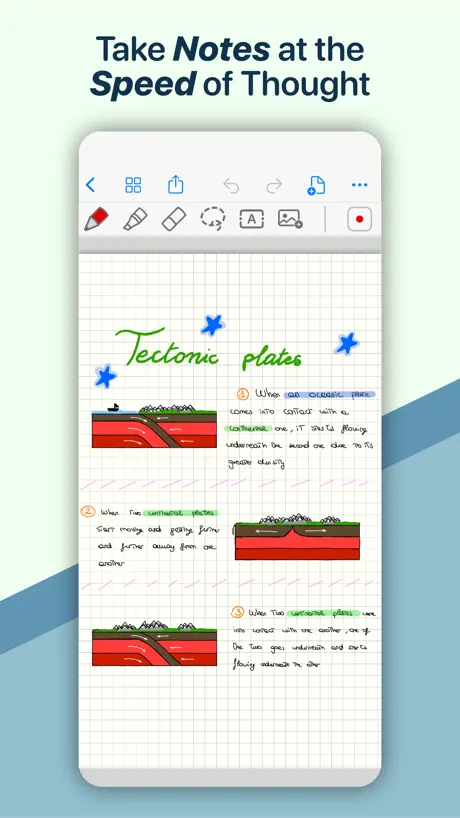
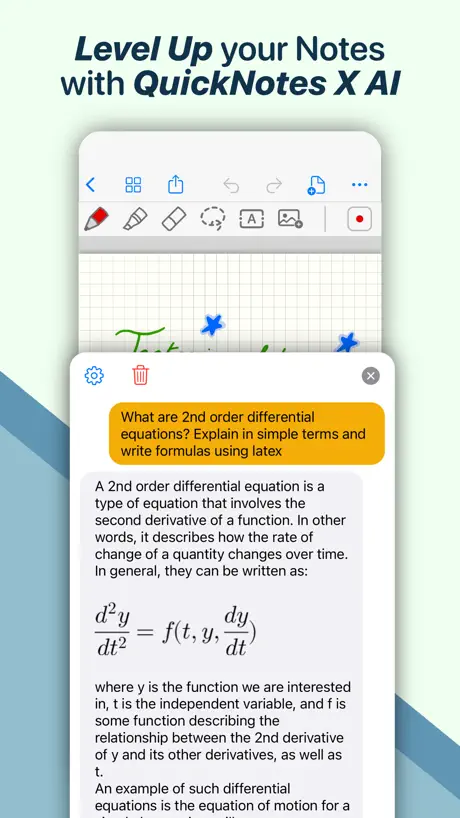
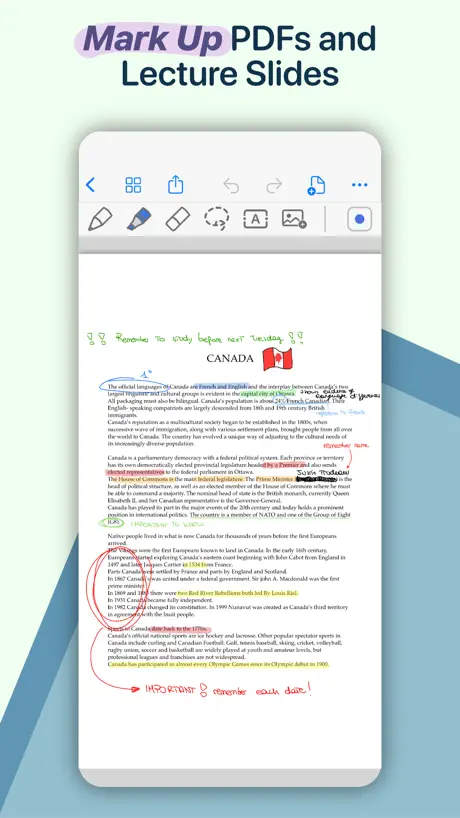
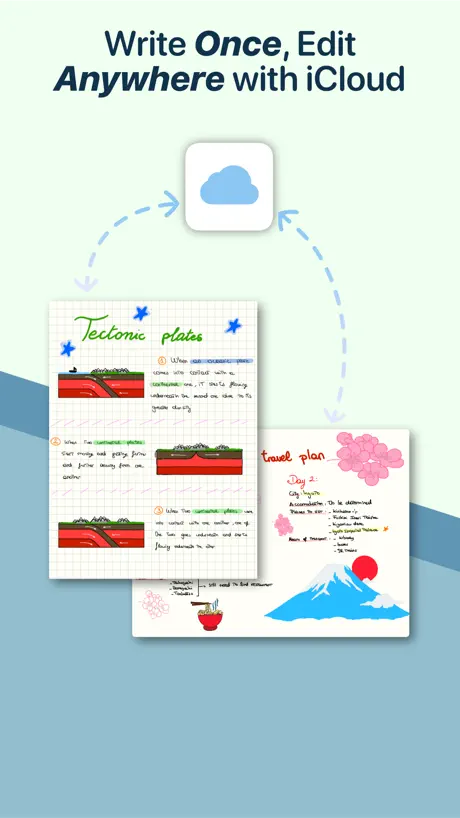
How much does QuickNotes X: Notes, AI & PDF cost?
Prices are current as of 2 Oct 2026.
1 subscription from $0.99
In the United States, QuickNotes X: Notes, AI & PDF has 1 subscription priced $0.99.
| Subscription | Period | Price |
|---|---|---|
| Cloud & ML Pack | 3 months | $0.99 |
9 one-time purchases from $0.99
In the United States, QuickNotes X: Notes, AI & PDF has 9 one-time purchases priced $0.99 – 5.99.
| Product | Price |
|---|---|
| Covers Pack | $0.99 |
| QuickNotes X AI: 50000 Tokens | $0.99 |
| Templates Pack | $0.99 |
| Notebooks & Folders Pack | $2.99 |
| Tools Pack | $2.99 |
| QuickNotes X AI: 300000 Tokens | $3.99 |
| QuickNotes X Pro | $4.99 |
| Pro Pack | $5.99 |
| QuickNotes X AI: 500000 Tokens | $5.99 |
See what QuickNotes X: Notes, AI & PDF costs in all 62 countries →
10+ alternatives to QuickNotes X: Notes, AI & PDF
| QuickNotes X: Notes, AI & PDF |   Prodrafts - Infinite Notes Prodrafts - Infinite Notes |   Noteful: Notes & PDF Markup Noteful: Notes & PDF Markup |   MyScript Notes: AI Handwriting MyScript Notes: AI Handwriting |   Penbook: Paper Planner & Notes Penbook: Paper Planner & Notes |   Notes Writer: PDF, Voice, AI Notes Writer: PDF, Voice, AI |   Noteshelf 3: AI Digital Notes Noteshelf 3: AI Digital Notes |   Flexcil Note & Good PDF Reader Flexcil Note & Good PDF Reader |   Element Note Element Note |   Meeting Notes & Work Planner Meeting Notes & Work Planner |   Highlights: PDF Reader & Notes Highlights: PDF Reader & Notes | |
|---|---|---|---|---|---|---|---|---|---|---|---|
| Rating / 5 | 4.3 | 4.8 | 4.8 | 4.7 | 4.5 | 4.5 | 4.5 | 4.4 | 4.6 | 4.1 | 4.5 |
| Reviews | 8.7K | 570K | 172K | 159K | 78K | 59K | 24K | 13K | 12K | 7.5K | 6.4K |
| Released | 2015 | 2020 | 2021 | 2016 | 2019 | 2018 | 2023 | 2020 | 2022 | 2020 | 2020 |
| Monthly price | — | — | — | $1.99 | $4.99 | $3.99 | $9.99 | — | — | $9.99 | $4.99 |
| Annual price | — | $6.99 | — | $7.99 | $14.99 | $14.99 | $39.99 | — | $3.49 | $29.99 | $29.99 |
| One-time price | $2.99 | $9.99 | $6.99 | $4.99 | $49.99 | $14.99 | $9.99 | $12.99 | $14.99 | — | — |
The going rate for each plan in United States, in its own currency, shaded from the cheapest price on the row to the dearest. Plans fewer than four in ten of the priced apps sell are left out.
QuickNotes X: Notes, AI & PDF reviews
4.3 out of 5, based on 8,684 reviews.
What people like
- Very smooth writing with Apple Pencil
- Voice records sync with your notes
- Intuitive notebook style interface
- Works great across iPhone and Mac
- Useful shape recognition for geometry
What they complain about
- App crashes and deletes your notes
- Recent updates ruined previous notebooks
- Writing location is totally off-screen
- Support team never responds to emails
- PDF import feature is broken
Catgril
N,c
Crashes and Loses Files
This app seemed fine at first. However, shortly into using the app, I noticed that the app crashes very easily. You will try to move a file and it randomly files itself to a random folder or the app crashes (or both). I then have to sift through every folder in hopes I find the note. I then can’t move that file out of that new random folder it landed itself in, as that’s too much for the app and it will crash again. It will not allow me to delete a file either, so it’s very hard to try and clean up space in the app. I emailed the app creators about my app concerns months ago and never received a response.
Great, need to tweak for iPad mini 6
For example fountain pen works like a ballpoint pen - that needs to be fixed. Great app overall though.
Was amazing
After using this for years suddenly adding pages started saying no template today. I delete and reinstalled…… big mistake as my data was on the iPad not cloud stored and I lost every single notebook. I somehow found a couple that were in one drive but only one of them imports. Likely the latest update causes the problem as reinstalling didn’t fix the issue. Hopefully they fix it.
Good app for notes.
Very nice app for reading pdf and writing a notes and underlying the important topic and formula.
Hi again
I don no wat to rit so hi 🌮 🌮🌮🌮🌮🌮🌮🌮🌮🌮🌮🌮🌮🌮🌮🌮🌮🌮🌮🌮🌮🌮🌮🌮🌮🌮🌮🌮🌮🌮🌮🌮🌮🌮🌮🌮🌮🌮 5⭐️⭐️⭐️⭐️⭐️UwU are not going anywhere in this season so we will have a better season next year and hopefully we will have the same chances of getting the best player we can hope to have this year. The only way we will have to go to a good season is to have the right team and be able to play the best players.idk what I’m writing rn I’m just clicking words so yea I like da app ig UwU 👁️🫦👁️, I just want to see what it does with my own time so it will help help help me I’m dieushnh Nice app 👍
App glitches
This app has been problematic for years. I chose it because of the password protected books you could make. A feature not common with other note taking apps. But It glitches and crashes constantly. It does not import pdfs like it should and when jpgs are added to it, it crashes more frequently. I hate this app and will finally try to find another
Useful
I used to write in Samsung Notes when I had a Samsung tablet. After having iPad I searched a lot to find a similar app for writing and QuickNotes was better than the others for my purpose. Although I still miss Samsung Notes, I am getting used to QuickNotes. I keep journaling so it’s nice to have the feature that one can create different notebooks with different covers. I also wanted an app that I could have simple environment and this app have it all. However, I like to write with a brush having pencil texture. It would be so great to add pencil brush to the brush menu. There is something that is a little irritating, stylus and finger touch are active simultaneously and this makes an unwanted zooming or brush strokes when I try to write with stylus. Could you please add an option to turn off finger touch completely. Thank you *** After a while, I’d like to post a review again and add to my previous one. I found out how the finger touch can be turned off and get it out of the way of stylus pen. It’s simply by turning on the Bluetooth connection while in the settings menu writing only with Apple pen is on. In this way there is no unwanted strokes with finger and you can use finger touch only for turning the pages.
Free features are great. Pro features are buggy or don’t work.
I’d like to see working PDF editing and export or a refund please. The design of imports also is quite frustrating. I’m not sure if it’s supposed to be this way or just doesn’t work well. Great as a notebook app. Additional pens are cool too. I’d focus on just that.
Very glitchy this month
I paid for access to this and it had been great for a year. This month, the app keeps crashing and it’s getting frustrating. Please update the app to fix this, I want to continue to enjoy it!
Beğendim sadece paralı olmasın yeter
Çok güzel bu uygulama ama paralı
Worst Nightmare Apps
Bad choice, all my notes since I got the apps 5 years ago are gone after updating it and it took a while for the support team to respond to my emails with zero problem solving suggestion. Not even deserve one star.
have great potential but...
there is lag on macbook pro when zoomed in.
Seems great, hidden glitches
I got the pro version of this app seeing as there are glaring reviews of this app. After using it for a day taking multiple pages of notes, I come back the next day with an incomplete notebook. It is extremely upsetting seeing as I now have to go back and retake those notes to study them. It seems as a glitch because there are writings on some of the pages but some earlier ones are blank. I am unsure how this app saves the notes but it seems like it doesn’t do a good job on saving them. So careful if buying the pro version, might do better buying a better app.
Blah blah good cool
It’s cool it’s good I just wish it was more like notes.
*************** daw Takayuki Kay Budweiser——————————————
W Qui t Quinn t m d p x p x xxxxxxxxxxxxxxxxxxxxxxxxxx Ago
Deleted all my notes
Updated itself then deleted all my notes from every class I’ve taken since starting college and it refused to update anything to iCloud even though I bought the upgrade
Nice app but …
Nice, easy and useful. But I just needed to use a different solid background (red, blue, green etc) but there is none. Hopefully one day…
Most recent update ruined it
I LOVED this app until the most recent update. Every single note I had done horizontal just didn’t update; I’m left with a page with writing all over and no ability to return to the previous and correct format. Be careful if you write anywhere near the edge of the paper…you’ll swipe to a new page and won’t be able to actually write unless you exit it out of that page and go back in. It’s annoying and happens so often that I don’t even bother to use the app anymore. It also suddenly drains my battery. 45 minutes of using it dragged my battery from 58% to 36%. Loss of functionality, draining the battery, complete loss of previous notebooks? No thanks. I really loved this app before, I used it daily. It’s a shame that the new update ruined so much. Hopefully there will be fixes, but I can’t see myself using this app unless there are.
Not a fan of the update
I enjoyed using this and for note taking before the update. Pros: easy access to the colors and widths you use most which is a big upgrade from before. Cons: each time I write a any thing resembling a circle is automatically erased and thinks I want to paste something. Its really annoying. My least favorite update. I can't erase or update old notes.it just glitches and shuts off. Which is hard because I have a years worth of notes in this app. Some of the old paper was better. The new lines and boxes are too big. Turning the page and adding pages on the previous version were more convenient
Excellent and useful
TL;DR — Intuitive, reliable and excellent both for jotting down your ideas on the go and taking notes for work 😉 According to my personal experience, I believe that this is the most intuitive, easy to use and reliable note-taking app available on the market. It is excellent for my day-to-day use and has a very user-friendly interface compared to other products. The possibility to record lectures and interviews is very helpful for those who love to look back at their old notes and revise them after a few days. Moreover, the synchronization of voice recordings with what I’ve written is a wonderful feature, I love it! The app is constantly being updated with new features and I find this amazing. I also love that it can sync my notes to see them on other devices such as my Mac. This made my job much easier, and I also don't need to worry since all the files I create are automatically saved and updated. There are many other useful features such as being able to resize and rotate drawings or written words and the possibility to have an unlimited number of pages in each notebook. My daughters have also downloaded this app and they use it daily for college. They love the possibility to create folders, import and write on PDFs, add bookmarks, create favorites and shape recognition. These features helped them become more organized and stay more productive. Writing with Apple Pencil is very fluid and precise. You can also type text in any part of the page using your keyboard. After having purchased the Pro upgrade in 2018 we have never been asked for additional money even after this many features were added. The last update brought great improvements in the quality of the app, I recommend it to everyone. 10/10 😁
Horrible
Do not download this app. While writing notes the app acts as if it has just “refreshed” itself and deletes what you’ve written in the last 10 minutes. It also just randomly deleted FOUR pages of notes I spent 3 days writing. If I could give it no stars I would.
Changes dont save
My changes arent saving and the app crashes sporadically. And if i write something new, both my edit and the past text i had erased appears
Problem
Was good until the last update reported problem and no response
It’s good but..
It is an awesome app but the think is on my phone it dosent download for some reason so that’s why I gave a 3 star
It’s a great app, well done! 🙂
I’ve been using this app for a long time. It’s extremely reliable, fast and easy to use. The features offered are very nice and useful and make taking notes very easy. It has everything I need, including the option to record lectures or scanning paper documents, which other apps are lacking. I really recommend it to everyone!
No…
It’s a fantastic concept, especially for college note taking. But it’s glitching and doesn’t save work. V disappointed :(
any...
Any reason why I cannot put text in after I purchased your product?
Broken Update
Been using this as my note hub for a year. A new update came out recently that causes the app to crash and glitch constantly. Old notes aren’t compatible with the update, they will crash the app if you attempt to write on them. Page formats were deleted, the new grid format is too large and doesn’t match pre update notes. Double tap setting to flip page keeps turning back on and will glitch the page making your writing invisible until you exit and re-enter the notebook. When the app crashes the last 30 seconds of notes are deleted. Frustrating, I will be switching apps as now my notebooks are unreliable.
Great app!
Please make it simpler to" good notes" becuz it will look better but other than that its a Great app!
CD43
An awesome app for notes. Love it and highly recommend it.
Mad MAD!!!!
Why on EARTH did y’all get rid of the wide ruled paper option!? I LITERALLY JUST BOUGHT the pro version recently so I could open more notebooks and utilize the wide ruled paper option, as it’s really the only one I use!!!! And now I’ve just wasted my money and have to find a new app! THANKS! 😖 I REALLY liked y’all’s set up!
Decent
Mainly its great, but when i typed in my work, i saved and closed the app, it was exam revision and it completely deleted it, this is the only issue that I’ve had with the app however
The newly updated version is problematic
This app was excellent, but has recently been updated and is really problematic. It keeps jamming, you can no longer simply double tap to turn the page or add a new page (the process for doing this is slow and jams). It is also no longer possible to move the page up without it now pinging back to place. Please return the old version or deal with these issues!!
Its ok
I think it’s ok for a free app but you can only have 3 books so you might have to combine lessons into one book which gets confusing. I got this app for school so having only three books isn’t that good. But it’s ok if you don’t have so many lessons
👍🏻👍🏻 Perfect app!
I am very satisfied with the app. I use it regularly for college, and I must say it is very efficient, intuitive and has some very helpful features such as folders and voice recording. Overall I am very happy with the update, which I believe improved the quality of the app, and I suggest it to everyone.
I hate this!
Horror!
Only app organized well
The only app that is set up like a notebook. Easy to keep all work together. Free too 👍
It’s good....
Sometimes it erases all my work and it wastes time saying save my o go to a new paper
What I think about this?!
I think this is perfect but the only reason I have rated it 3 stars is because it won’t allow me to type instead of draw unless I pay! I think this is ridiculous unless I’ve got it wrong and don’t know how to type. If so I’m sorry but having to PAY to type is so silly! That’s just my opinion please do something about this if you can!
Just Wow!
The app is very useful for note-taking, simple and intuitive to use. The voice recording and note replay features are really cool and let me keep track of longer lectures, making sure I never miss a detail 🤩. I also use it to annotate important documents, highlighting the key parts I have to study. I highly recommend it to everyone! 👍
Every Dayi use this it crashes
I can’t even import a PDF. Please advise
I like...but
Would be amazing if you could organise your main home page for all your books, by a folder, so all notebooks relevant to a certain subject can be essentially bundle together. So when I click on the folder it will bring up all my books relating. That would be amazing!,,,
Blurry notes
You can hand write notes but the appear blurry and can’t be read properly
It’s good but..
You can’t have a lot of books and some people can’t get that many pages u need pro and it’s annoying I don’t want to buy it but I need books!
I LOVE it! 🤩
I have been using QuickNotes X for a long time, and after the last update I have to say that I’m impressed by how good it has become! The new look is really intuitive and easy to use, much more than other apps I have tried. Everything is accessible right away, and the possibility to choose the layout I prefer is something I’ve never seen before but that is a much welcomed bonus for customization. There is a wide range of available tools that cover the needs of both students, like me, and professionals. And the Shape Recognition feature is especially useful if you don’t have an excellent handwriting or if you want to always have perfect geometry. Writing is really smooth, which helps a lot when taking notes during long lectures. Also, having this many covers for notebooks and folders makes really easy to organize my notes and find them whenever I need. Lastly, thanks to its support for iCloud I can finally review my notes on my computer, without going through the hassle of manually exporting everything. Overall, I am really impressed with how the app has evolved, and I can confidently say that QuickNotes X is now my go-to app for taking notes! I really suggest everyone to download it and give it a try!
Ipad Pro M4 with ipencel Tracking Bad
I tried to use this app. When trying to write with my ipencil on an iPad Pro M4 Chipset 13 inch display The writing location is about 3 inches from the touch contact on my screen. I could never use this app. Plus no option to turn off Finger drawing. Useless app.
Good App
Nice app to take notes. Cannot browse between pages and have to keep going to home. May be a small scope for improvement. Unable to use Apple Pencil for menu icons. Undo redo etc. good features to change colors. Good start.
Okay to begin with
I started using it writing up educational work, the first pay initally was perfect, I was able to draw complex structures and add squared paper to the background. As I began the second page, the shape of the pen changed from circular to oval, this meant as I was writing, much of it became unreadable. I began to look see if this was because I hadn’t paged for the upgrade but wasn’t able to see if this was an added in feature. This has meant I’m no longer able to use these notes.
colour box for writing in different colour
The developer should add colour box. For convenience one can quick pick the colours from box. Sometimes the icon of colour pen not working. I mean it was frozen. It should be bordered. So we can know when it is picked. The thickness of pen should be remembered by the app. We set it every-time manually when we open new page. The user usually prefer one thickness most of the time. Preferences should be remembered by the app. There should be facility to include pages by + button. This is not given in this app. Need improvement. There should be scroll arrangement of finger. Like two finger for scrolling down when in zoom. Thankyou, Please add that.
QuickNotes X: Notes, AI & PDF price by country
A 3 months subscription costs $0.30 in Nigeria and $1.35 in the Czech Republic — 5× more for the same thing. Below is the going rate for each plan in every country that sells it — the middle price of what the app charges there, in the country's own currency with the dollar equivalent beneath it.
| Country | 3 months | One-time |
|---|---|---|
| Albania | $1.19 | $3.99 |
| Armenia | $0.99 | $3.99 |
| Australia | A$1.49$1.03 | A$4.99$3.47 |
| Austria | €0.99$1.12 | €2.99$3.39 |
| Bahrain | $0.99 | $2.99 |
| Belarus | $0.99 | $3.99 |
| Belgium | €0.99$1.12 | €2.99$3.39 |
| Bosnia & Herzegovina | €0.99$1.12 | €2.99$3.39 |
| Bulgaria | €0.99$1.12 | €2.99$3.39 |
| Cameroon | $0.99 | $3.99 |
| Canada | CA$0.99$0.70 | CA$3.99$2.81 |
| Chile | CLP 890$0.91 | CLP 2,990$3.07 |
| Colombia | COP 4,500$1.35 | COP 14,900$4.47 |
| Croatia | €1.06$1.20 | €2.99$3.39 |
| Cyprus | €0.99$1.12 | €2.99$3.39 |
| Czech Republic | CZK 29.00$1.35 | CZK 79.00$3.67 |
| Denmark | DKK 8.00$1.21 | DKK 29.00$4.40 |
| Estonia | €0.99$1.12 | €2.99$3.39 |
| Finland | €0.99$1.12 | €2.99$3.39 |
| France | €0.99$1.12 | €2.99$3.39 |
| Germany | €0.99$1.12 | €2.99$3.39 |
| Greece | €0.99$1.12 | €2.99$3.39 |
| Hungary | HUF 399$1.24 | HUF 1,490$4.61 |
| Iceland | $1.23 | $3.99 |
| India | ₹79.00$0.82 | ₹299.00$3.11 |
| Indonesia | IDR 14,000$0.79 | IDR 49,000$2.78 |
| Ireland | €0.99$1.12 | €2.99$3.39 |
| Italy | €0.99$1.12 | €2.99$3.39 |
| Kenya | $0.99 | $3.99 |
| Kosovo | €0.99$1.12 | €2.99$3.39 |
| Latvia | €0.99$1.12 | €2.99$3.39 |
| Lithuania | €0.99$1.12 | €1.99$2.26 |
| Luxembourg | €0.99$1.12 | €2.99$3.39 |
| Malaysia | MYR 3.90$0.96 | MYR 14.90$3.65 |
| Malta | €0.99$1.12 | €2.99$3.39 |
| Mexico | MX$19.00$1.05 | MX$69.00$3.82 |
| Moldova | $0.99 | $3.99 |
| Netherlands | €0.99$1.12 | €2.99$3.39 |
| New Zealand | NZ$1.49$0.84 | NZ$4.99$2.82 |
| Nigeria | NGN 400.00$0.30 | NGN 4,900.00$3.69 |
| Norway | NOK 10.00$1.04 | NOK 39.00$4.06 |
| Poland | PLN 4.99$1.30 | PLN 14.99$3.89 |
| Portugal | €0.99$1.12 | €2.99$3.39 |
| Romania | RON 4.99$1.07 | RON 14.99$3.22 |
| Russia | RUB 59.00$0.70 | RUB 249.00$2.98 |
| Saudi Arabia | SAR 3.69$0.98 | SAR 12.99$3.46 |
| Serbia | €0.99$1.12 | €2.99$3.39 |
| Singapore | SGD 1.48$1.16 | SGD 3.98$3.11 |
| Slovakia | €0.99$1.12 | €2.99$3.39 |
| Slovenia | €0.99$1.12 | €2.99$3.39 |
| South Africa | ZAR 14.99$0.91 | ZAR 59.99$3.65 |
| South Korea | ₩1,200$0.89 | ₩4,400$3.25 |
| Spain | €0.99$1.12 | €2.99$3.39 |
| Sweden | SEK 11.00$1.10 | SEK 39.00$3.90 |
| Switzerland | CHF 1.00$1.20 | CHF 3.00$3.59 |
| Taiwan | NT$30.00$0.94 | NT$90.00$2.82 |
| Turkey | TRY 18.99$0.39 | TRY 149.99$3.06 |
| United Arab Emirates | AED 2.99$0.81 | AED 12.99$3.54 |
| United Kingdom | £0.79$1.05 | £1.99$2.64 |
| United States | $0.99 | $2.99 |
| Uzbekistan | $0.99 | $2.99 |
| Zimbabwe | $0.99 | $3.99 |
QuickNotes X: Notes, AI & PDF FAQ
- Is QuickNotes X: Notes, AI & PDF free?
- Yes. The app and its basic features are free, in all 62 countries it sells in. Premium features are paid: they start from $0.99 (US), across 1 subscription and 9 one-time purchases.
- Does QuickNotes X: Notes, AI & PDF have a free trial?
- No. None of its offers (US) come with a free trial.
- Where is QuickNotes X: Notes, AI & PDF cheapest?
- A 3 months subscription costs NGN 400.00 (≈$0.30) in Nigeria and CZK 29.00 (≈$1.35) in the Czech Republic, its cheapest and dearest countries.
- What are the best alternatives to QuickNotes X: Notes, AI & PDF?
- Prodrafts - Infinite Notes (4.8 from 570,364 reviews, premium from $6.99), Noteful: Notes & PDF Markup (4.8 from 172,213 reviews, premium from $6.99) and MyScript Notes: AI Handwriting (4.7 from 158,675 reviews, premium from $1.99).
QuickNotes X: Notes, AI & PDF download
Last updated 27 days ago.
QuickNotes X: Notes, AI & PDF sells in 62 countries. It was released 11 years and 2 months ago, on 25 Jul 2015. It holds a 4.3 rating from 8,684 reviews.
Supports 9 languages: English, Dutch, French, German, Italian, Japanese, Chinese, Spanish, Turkish.
How much does QuickNotes X: Notes, AI & PDF make?
Third-party estimates for the last 30 days, worldwide — not the store's own figures, which Apple publishes for nobody.
Revenue by plan
- One-time 82%
- 3 months 18%
Revenue by country
- United States 54%
- Italy 7%
- Germany 7%
- United Kingdom 5%