EasyCanvas -Graphic tablet App
Digitizer app for iPad
How much does EasyCanvas -Graphic tablet App cost?
Prices are current as of 1 Oct 2026.
3 one-time purchases from $0.00
In the United States, EasyCanvas -Graphic tablet App has 3 one-time purchases priced $11.99.
| Product | Price |
|---|---|
| 14 days Free Trial | $0.00 |
| 3 days free | $0.00 |
| Purchase App | $11.99 |
See what EasyCanvas -Graphic tablet App costs in all 175 countries →
10+ alternatives to EasyCanvas -Graphic tablet App
| EasyCanvas -Graphic tablet App |  Shapr 3D CAD modeling Shapr 3D CAD modeling |   Duet Display Duet Display |   ASUS GlideX ASUS GlideX | 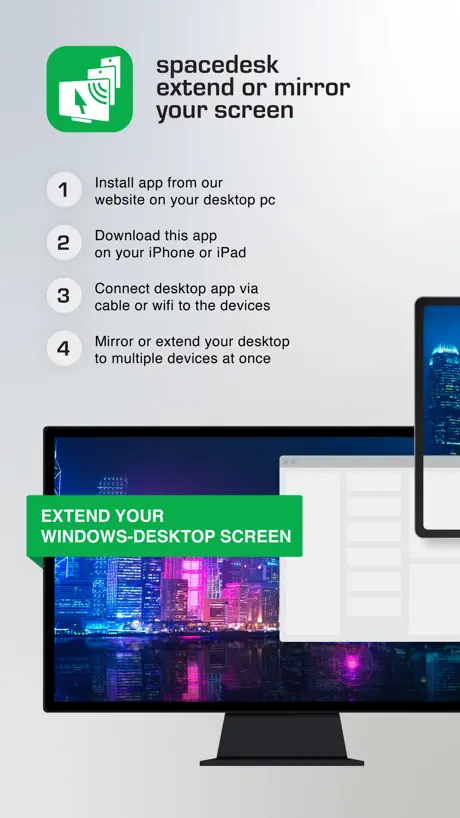  spacedesk - USB Display for PC spacedesk - USB Display for PC | 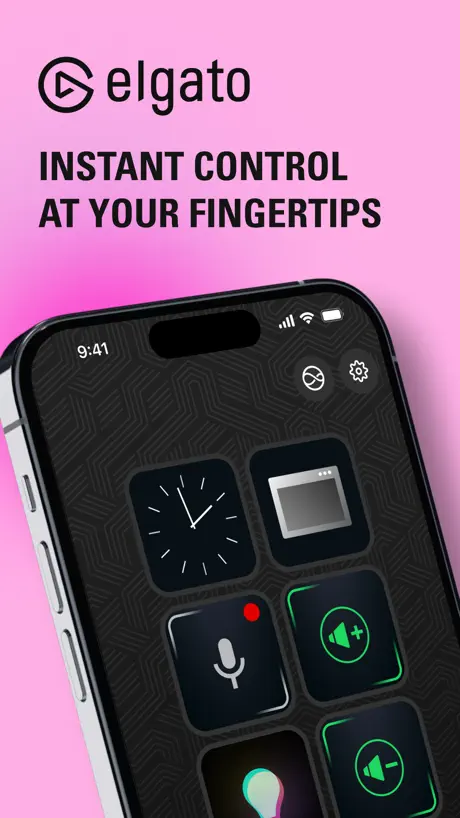  Elgato Stream Deck Mobile Elgato Stream Deck Mobile |  Astropad Studio Drawing Tablet Astropad Studio Drawing Tablet |  Luna Display Luna Display |   Duet Air - Remote Desktop Duet Air - Remote Desktop |   Touch Portal Touch Portal |  Lok Board Lok Board | |
|---|---|---|---|---|---|---|---|---|---|---|---|
| Rating / 5 | 4.0 | 4.8 | 4.4 | 4.8 | 4.7 | 4.6 | 4.5 | 4.8 | 4.2 | 4.5 | 4.6 |
| Reviews | 5.1K | 220K | 191K | 23K | 17K | 17K | 9K | 8.3K | 6.1K | 2.6K | 1K |
| Released | 2017 | 2016 | 2014 | 2021 | 2018 | 2019 | 2017 | 2018 | 2020 | 2018 | 2024 |
| Monthly price | — | $37.99 | $5.99 | — | — | $2.99 | $14.99 | — | — | — | $1.59 |
| Annual price | — | $299.99 | $49.99 | — | — | $24.99 | $99.99 | — | $49.99 | — | $15.99 |
The going rate for each plan in United States, in its own currency, shaded from the cheapest price on the row to the dearest. Plans fewer than four in ten of the priced apps sell are left out.
EasyCanvas -Graphic tablet App reviews
4.0 out of 5, based on 5,072 reviews.
What people like
- One-time payment avoids subscriptions
- Great for extending your screen
- Wired setup offers low latency
What they complain about
- Connection fails constantly and randomly
- High lag ruins drawing experience
- Poor Windows driver compatibility issues
Works for what i need
Using it to convert my ipad into a drawing tablet. Bit of a delay but does the job
It says it’s eleven dollars for a one time charge—it tried to charge me 31.
Please fix this. This is illegal.
Right mouse click
How to perform right mouse click with Apple Pencil? For windows 10.
This app works well for most things Except the specific program I need to use it for.
There is an obscure art program in a game I wanted to get this app for. However, I am unable to use it. Most software for art tablets have a “turn off windows ink” mode or a “mouse” mode that allows them to be used. If this function ever gets added to settings then I will change this to 5 stars and purchase this app!
It is pretty laggy and disconnects a lot
When it works, it can be very useful, but in while you are working on your iPad with the Apple Pencil, it keeps acting up, it is very laggy and feels very sluggish to use. I wish it would had a better interface with the connectivity, once it costs $11.99, even it is not a lot of money, but once you asked money for your app, it should work properly.
Good app, works perfectly
Might need to reset privacy settings and make your pc trusted after installing but besides that everything just works. Using it on m5 iPad Pro and mini
Havnt used it yet but…
The payment for it is not 11 dollars but 18, should probably put the warning that it’s +tax or something or make it larger because nowhere did I see that it was 18 dollars, and I pressed free trial but it charged me immediately…
Does the job
Great tool
Laggy all of a sudden
This app used to work fine for months but all of a sudden it became really laggy, even if I plug in a wire, real bummer as I use this app a lot
Doesn’t work after my purchase
Would not let me use the app even after its one time fee, tried to charge me again. Love this app but will not be using it if it keeps trying to recharge me.
Might Actually Be the Best App on the App Store
I had always wanted to figure out how exactly to use my iPad as an external monitor and tablet for my PC after switching from a Mac, and this app worked perfectly! It’s become a huge and important part of my workflow, and I have no clue what I would do without it. I cannot recommend it enough!
Didn’t work
It was very frustrating. I installed it, followed all the directions, and then the troubleshooting began. It just never connected, no matter how many fixes I tried, and I tried at least six. It looks like a cool app, but unfortunately I couldn’t get it to work.
Best windows to ipad app
Lovely app. I use it religiously for my animations. The screen extension and mirroring option is very convenient. Only drawback is that sometimes the app doesn’t connect and I have to restart my laptop to connect. On some days it’s perfect but on other days I’ve had to restart my laptop 2-3 times just to fix this issue. Otherwise crazy app. I’ve tried other apps but noting comes close to this for me
Desktop app is rubbish
I would 5* this product except the desktop app constantly stops working and stops me from connecting. Every time I want to use it I have to uninstall it, restart my computer and then reinstall it and then I can connect that one time and if I want to use it again another time, I have to do that all over again. I have emailed and submitted numerous support requests on the pc app and never had a response so I can only assume this app isn’t actually being supported. When it works it is great.
Don’t buy it
I bought it with the high hopes but turn out to be disappointing. It lags so much on top of that I cannot work on photoshop with this as the pointer and where I draw has so much of gap. It’s stupid. I have to use spacedesk instead which is free and better though it is also slow and lags.
Got me thru organic chemistry
You big brain the corded setup and editing diagrams & screenshotting for schoolwork/homework is smooth sailing. WORTH the time & money because it saved so much time of mine
Too greedy
I wanted to use it so I can make a simple animation so I installed the app but when I passed the setup it only let me use the app for a second before making me want to pay your subscription. Do you want me to pay. Make this app free someday or some year.
Effective, has some visual latency
This app is easy to use and works great. However, at higher resolutions there’s notable visual latency. There’s no actual latency- if you mirror your display and watch your original monitor, it’s incredibly smooth. There are various minor settings that feel missing, like when i closed the menu, i was unable to get it back without resinstalling. It’s also unclear if a wired connection is better than a wifi connection. Otherwise it works great for the price, very worth.
Software is unusable
Windows side client software has had astonishingly poor compatibility for years and service almost never works, even after re-installing several times. Running a clean Windows 11 install on more than suitable specs. No updates have been released to resolve these issues. Quite disappointed that I can barely get the app to work. When it does, it’s helpful.
Diamond in the rough
Desperately needs an on-screen keyboard and monitor switch toggle. Every time I open something on my pc it defaults to opening on my physical monitor and I manually have to go to my pc and move my windows using the mouse. It’s a pain.
Drawing and Animation
It’s good to use on softwares for drawing or animation apps on the pc!
scamming software
Twomon Air suddenly disappeared without a word. Upon checking, it turned out that a new version had been released
quite good for price
one time payment is like a dream compared to other subscription based apps. i wish the latency were a bit lower, but the app is really quite good so far. also wish there were some more keyboard shortcuts you could bind...
To laggy
For starters getting it to run for a pc you need to have iTunes installed and be logged in, thus isn’t a problem but would have been nice to know to nit wast hours figuring it out. once it’s all working i just find it to laggy and glitchy to really be usable. Im using toon boom maybe that why or any other reason would love to fix it. also the it always resets to the wrong default resolution which is fine but an extra few seconds of time ever time.
Site needed to download PC app is Blacklisted
This is actually a good app that I used previously on my PC. I went to reinstall it after not using it for some time and on a fresh install of Windows. I noticed that the site lacked a the “s”in the https in the domain address so I decided to make sure all was well by using securisite to scan the site. This revealed that the site is blacklisted by PhishTank and has a “critical security risk” rating as of now. This looks like nothing other than lack of care on the part of this company rather than anything else. They need to look after their site so it can be safely accessed by those who but this app.
Saved me money
I am a graphic designer that needs pressure sensitivity for design. I do have a few tablets but I'm moving and they are in storage. I was looking to get a quick temp fix by buying a cheap drawing tablet but I'm used to display pen tablet. The iPad Pro I'm using is already bigger surface but also it Displays into the apps i already have in the PC. Because I'm using it wired it is pretty fast and minor if any lag. This was the fix. That said I couldn't get easycanvas2025 to worked at all so i download it the older version. Maybe my ipad pro 2018 is too old.
Windows App Doesn’t Work
On Windows 10 the app opens, but all dropdowns are blank and there’s no way to turn on WiFi connection. The only dropdown that works is for auto running on startup.
too expansive
it‘s too expensive if I only want to use it for drawing on my iPad
Forced online connectivity for a peer2peer app
While I normally have internet access there are rare circumstances when I might be offline but still able to either have a direct usb C plug or lan without internet and it does not function. There should be no reason I need to be online for this to function.
Issue with the application
I use easy canvas more than a year ago. Earlier it was working fine but now I am unable to work on zbrush like it was before. Masking, sculpting, tool selection and sensitivity is a big issue. My apple pencil is fine and even my ipad. Would appreciate if you please look into this issue.
After a week, everything fine.
Ok
Doesn’t work.
I have an iPad Pro M4 13 inch and dispute having the program installed on the PC and have the app open and running the iPad never shows in the PC app. Funnily enough the uninstalled does and asked me to unplug the apple device before it would let me uninstall the PC app. Please, don’t come at me with your copy and paste reshot to contact support. Address it publicly. There is clearly a problem a lot of people are having that actually needs addressing.
Can’t Hide Toolbar?
Seems pretty good from my initial testing. I like that I didn’t need to create an account like you have to do with the two other popular similar apps. But I didn’t like that I couldn’t hide the toolbar entirely. I could only minimize it, which is kind of annoying.
MacBook Pro to iPad pro c type wire connection so many issues
MacBook Pro to iPad pro c type wire connection so many issues … brush moving but not working in blender, Krita etc…..After so many rejecting c type usb wire some time worked…. I hv already purchased easy canvas pro app…. Wireless still not worked for me…. Plz help me in this case
Just a quick question
Does the free trial use your credit card and then pays off you without you realising?
Amazing little wonder
Perfect to add a second screen to my pc laptop without breaking the bank, stable, useful, efficient. I would recommend it to anyone…
Abandonware; neither this nor the subscription version works
As floyd6069 said, this app doesn't work after purchasing. It will show my computer screen on my iPad, but doesn't respond at all to any Apple Pencil input, nor the touch controls it advertises. I couldn't find the option to 'extend' instead of 'mirror' my screen, either, which is unfortunate because that was a selling point over Astropad. When I create logs via the instructions, it opens a support URL to a nonexistent page. Huge red flag there. Also, it says specifically that there's a free trial on THIS APP, but there's no way to actually do that in the window you're in, so your only option is to pay the $11.99 if you want to try this version of the app. Another red flag. It also doesn't help that the splash screen and all the UI pop-ups are BRIGHT WHITE. Seriously? I don't know what the developers are thinking, but in 2025, lacking a dark mode and unavoidable flashes of brightness are a pretty clear sign of not caring about your customers, or at least not understanding what they need. Tried to get it to work for a couple hours, and immediately requested a refund. They refused another reviewer's, and I think that's pretty unfair given the product *does not work*. If they actually refund me, I'll update this, but I suggest not risking losing the money on abandonware. From everything I'm seeing in these apps and on their website, it looks like this company is focusing on their new "EasyCanvas2025" (exclusively for Windows 11), and leaving Mac and Windows 10 users high and dry with a broken, non-functioning product.
Nice app, but not useful
Loved using its trial version, but won’t buy it cuz it only mirrors screen and does not support extended display, besides sidecar has improved now and with a data cable connection it works just fine. * 3 months later…* Well I bought it, and now I have been using it for 3 months, its value for money, though drawing on it is bit laggy and sometimes it disconnects but it gets the job done, best thing you can find in this price, I like it.
No device connected
It won’t Connect to windows 10.
Not working after update
After the recent update my penpressure is not working properly.
Great buy.
I wish I had found this before buying my actual graphics tablet.
Doesn’t work
This app 110 absolutely refuses to connect to my computer. Yet oddly enough my iPad is already connected via WiFi to my computer. The versions are different from both pc and iPad versions. Waste of time, thank goodness I didn’t purchase the subscription
Good app for windows productivity
Would really appreciate pencil hover features for mouse hover in pcs and macs. Pinch zoom features also feel missing. Rest, the latency is amazing.
waste of money
This app does not detect touch at the edges of the ipad display very well. Initially I thought that my ipad screen may be damaged. But edge detection is working completely fine with other drawing apps.
Cannot use any tool in photoshop.
I tried to illustrate, but could not because none of the tools in photoshop would work.
iPad to PC for CSP
Tablet to pc works! I can draw on my iPad Pro with my PC program and monitor!
Didn’t work WiFi
Didn’t work WiFi. Connect usb but defeated the purpose. I uninstalled and don’t want to try anymore. Do not charge me.
120 hz support
I think you guys should put features like 120hz and work on updates more often
Zero updates from 7 months
After taking the payment no addition of features and no fixing of bugs
Great but one big flaw
This app is great! I have been using it for at least a year now and it has changed how i can work with bare materials. However, today it began saying that i had not purchased the app and am waiting for a fix. Please help!
EasyCanvas -Graphic tablet App price by country
A one-time purchase costs $10.86 in Canada and $17.97 in Colombia — 1.7× more for the same thing. Below is the going rate for each plan in every country that sells it — the middle price of what the app charges there, in the country's own currency with the dollar equivalent beneath it.
| Country | One-time |
|---|---|
| Afghanistan | $11.99 |
| Albania | $14.99 |
| Algeria | $11.99 |
| Angola | $11.99 |
| Anguilla | $11.99 |
| Antigua And Barbuda | $11.99 |
| Argentina | $11.99 |
| Armenia | $14.99 |
| Australia | A$19.99$13.88 |
| Austria | €12.99$14.73 |
| Azerbaijan | $14.99 |
| Bahamas | $12.99 |
| Bahrain | $12.99 |
| Barbados | $14.99 |
| Belarus | $14.99 |
| Belgium | €12.99$14.73 |
| Belize | $11.99 |
| Benin | $14.99 |
| Bermuda | $11.99 |
| Bhutan | $11.99 |
| Bolivia | $11.99 |
| Bosnia & Herzegovina | €12.99$14.73 |
| Botswana | $11.99 |
| Brazil | R$79.90$15.37 |
| British Virgin Islands | $11.99 |
| Brunei Darussalam | $11.99 |
| Bulgaria | €12.99$14.73 |
| Burkina Faso | $11.99 |
| Cambodia | $12.99 |
| Cameroon | $14.99 |
| Canada | CA$14.99$10.86 |
| Cape Verde | $11.99 |
| Cayman Islands | $11.99 |
| Chad | $11.99 |
| Chile | CLP 12,990$13.34 |
| China | CN¥88.00$13.10 |
| Colombia | COP 59,900$17.97 |
| Congo | $14.99 |
| Congo, Democratic Republic | $11.99 |
| Costa Rica | $11.99 |
| Cote Divoire | $14.99 |
| Croatia | €12.99$14.73 |
| Cyprus | €12.99$14.73 |
| Czech Republic | CZK 299.00$13.87 |
| Denmark | DKK 99.00$15.02 |
| Dominica | $11.99 |
| Dominican Republic | $11.99 |
| Ecuador | $11.99 |
| Egypt | EGP 599.99$11.54 |
| El Salvador | $11.99 |
| Estonia | €12.99$14.73 |
| Fiji | $11.99 |
| Finland | €12.99$14.73 |
| France | €12.99$14.73 |
| Gabon | $11.99 |
| Gambia | $11.99 |
| Georgia | $14.99 |
| Germany | €12.99$14.73 |
| Ghana | $14.99 |
| Greece | €12.99$14.73 |
| Grenada | $11.99 |
| Guatemala | $11.99 |
| Guinea-bissau | $11.99 |
| Guyana | $11.99 |
| Honduras | $11.99 |
| Hong Kong | HK$88.00$11.21 |
| Hungary | HUF 4,990$15.45 |
| Iceland | $14.99 |
| India | ₹1,199.00$12.49 |
| Indonesia | IDR 229,000$12.79 |
| Iraq | $11.99 |
| Ireland | €12.99$14.73 |
| Israel | ₪39.90$13.00 |
| Italy | €12.99$14.73 |
| Jamaica | $11.99 |
| Japan | ¥2,000$12.71 |
| Jordan | $11.99 |
| Kazakhstan | KZT 6,990.00$15.89 |
| Kenya | $14.99 |
| Kosovo | €12.99$14.73 |
| Kuwait | $11.99 |
| Kyrgyzstan | $12.99 |
| Lao Peoples Democratic Republic | $12.99 |
| Latvia | €12.99$14.73 |
| Lebanon | $11.99 |
| Liberia | $11.99 |
| Libya | $11.99 |
| Lithuania | €12.99$14.73 |
| Luxembourg | €12.99$14.73 |
| Macao | $11.99 |
| Macedonia | $11.99 |
| Madagascar | $11.99 |
| Malawi | $11.99 |
| Malaysia | MYR 59.90$14.68 |
| Maldives | $11.99 |
| Mali | $11.99 |
| Malta | €12.99$14.73 |
| Mauritania | $11.99 |
| Mauritius | $14.99 |
| Mexico | MX$249.00$13.77 |
| Micronesia | $11.99 |
| Moldova | $14.99 |
| Mongolia | $11.99 |
| Montenegro | €9.99$11.33 |
| Montserrat | $11.99 |
| Morocco | $14.99 |
| Mozambique | $11.99 |
| Myanmar | $11.99 |
| Namibia | $11.99 |
| Nauru | $11.99 |
| Nepal | $14.99 |
| Netherlands | €12.99$14.73 |
| New Zealand | NZ$19.99$11.29 |
| Nicaragua | $11.99 |
| Niger | $11.99 |
| Nigeria | NGN 19,900.00$14.98 |
| Norway | NOK 149.00$15.50 |
| Oman | $11.99 |
| Pakistan | PKR 3,500$12.64 |
| Palau | $11.99 |
| Panama | $11.99 |
| Papua New Guinea | $11.99 |
| Paraguay | $11.99 |
| Peru | PEN 49.90$14.51 |
| Philippines | ₱799.00$12.73 |
| Poland | PLN 49.99$13.47 |
| Portugal | €12.99$14.73 |
| Qatar | QAR 39.99$10.99 |
| Romania | RON 69.99$15.05 |
| Russia | RUB 999.00$11.94 |
| Rwanda | $11.99 |
| Sao Tome & Principe | $11.99 |
| Saudi Arabia | SAR 49.99$13.33 |
| Senegal | $14.99 |
| Serbia | €12.99$14.73 |
| Seychelles | $11.99 |
| Sierra Leone | $11.99 |
| Singapore | SGD 17.98$14.16 |
| Slovakia | €12.99$14.73 |
| Slovenia | €12.99$14.73 |
| Solomon Islands | $11.99 |
| South Africa | ZAR 249.99$15.22 |
| South Korea | ₩19,000$14.11 |
| Spain | €12.99$14.73 |
| Sri Lanka | $11.99 |
| St. Kitts and Nevis | $11.99 |
| St. Lucia | $11.99 |
| St. Vincent & The Grenadines | $11.99 |
| Suriname | $12.99 |
| Swaziland | $11.99 |
| Sweden | SEK 149.00$14.90 |
| Switzerland | CHF 10.00$11.98 |
| Taiwan | NT$390.00$12.22 |
| Tajikistan | $12.99 |
| Tanzania | TZS 34,900.00$13.17 |
| Thailand | THB 399.00$11.88 |
| Tonga | $11.99 |
| Trinidad and Tobago | $11.99 |
| Tunisia | $11.99 |
| Turkey | TRY 599.99$12.23 |
| Turkmenistan | $11.99 |
| Turks and Caicos | $11.99 |
| Uganda | $14.99 |
| Ukraine | $14.99 |
| United Arab Emirates | AED 49.99$13.62 |
| United Kingdom | £11.99$15.90 |
| United States | $11.99 |
| Uruguay | $11.99 |
| Uzbekistan | $12.99 |
| Vanuatu | $11.99 |
| Venezuela | $11.99 |
| Vietnam | ₫399,000$15.38 |
| Yemen | $11.99 |
| Zambia | $14.99 |
| Zimbabwe | $14.99 |
EasyCanvas -Graphic tablet App FAQ
- Is EasyCanvas -Graphic tablet App free?
- Yes. The app and its basic features are free, in all 175 countries it sells in. Premium features are paid: they start from $11.99 (US), across 3 one-time purchases.
- Does EasyCanvas -Graphic tablet App have a free trial?
- No. None of its offers (US) come with a free trial.
- Where is EasyCanvas -Graphic tablet App cheapest?
- A one-time purchase costs CA$14.99 (≈$10.86) in Canada and COP 59,900 (≈$17.97) in Colombia, its cheapest and dearest countries.
- What are the best alternatives to EasyCanvas -Graphic tablet App?
- Shapr 3D CAD modeling (4.8 from 220,067 reviews, premium from $32.99), Duet Display (4.4 from 190,541 reviews, premium from $3.99) and ASUS GlideX (4.8 from 23,215 reviews).
EasyCanvas -Graphic tablet App download
Last updated 2 years ago.
EasyCanvas -Graphic tablet App sells in 175 countries. It was released 9 years and 3 months ago, on 4 Jul 2017. It holds a 4.0 rating from 5,072 reviews.
Supports 1 language: English.
How much does EasyCanvas -Graphic tablet App make?
Third-party estimates for the last 30 days, worldwide — not the store's own figures, which Apple publishes for nobody.
Revenue by plan
- One-time 100%
Revenue by country
- United States 27%
- South Korea 12%
- China 11%
- Japan 11%