
Luna Display
Hardware enabled second screen
How much does Luna Display cost?
Prices are current as of 12 Nov 2026.
Luna Display has no in-app products on record in the United States.
10+ alternatives to Luna Display
| Luna Display |   Duet Display | 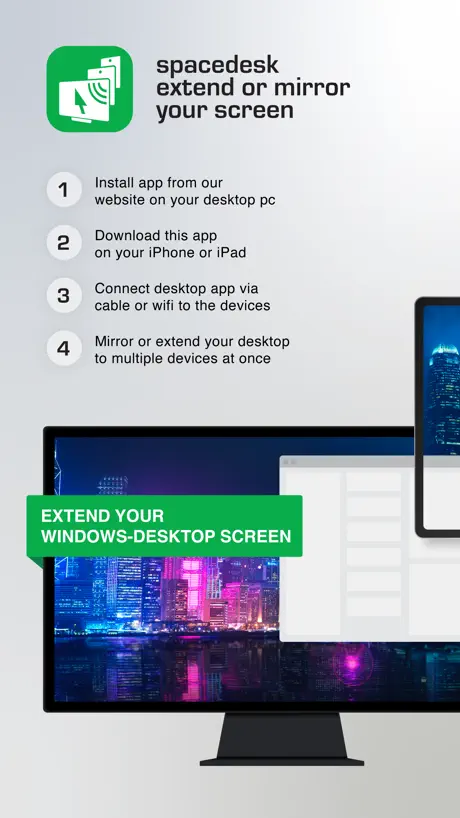  spacedesk - USB Display for PC |   Duet Air - Remote Desktop |  EasyCanvas -Graphic tablet App |   Touch Portal |  Lok Board |  EasyCanvas - Subscription |   NoMachine |  EasyCanvas2025 |   Tab Display-Expand Your Tablet | |
|---|---|---|---|---|---|---|---|---|---|---|---|
| Rating / 5 | 4.8 | 4.4 | 4.7 | 4.2 | 4.0 | 4.5 | 4.6 | 3.9 | 3.3 | 3.7 | 4.0 |
| Reviews | 8.3K | 191K | 18K | 6.2K | 5.1K | 2.6K | 1K | 859 | 414 | 311 | 69 |
| Released | 2018 | 2014 | 2018 | 2020 | 2017 | 2018 | 2024 | 2020 | 2014 | 2025 | 2024 |
| Annual price | — | $49.99 | — | $49.99 | — | — | $15.99 | $4.99 | — | — | — |
| One-time price | — | — | $35.00 | — | $11.99 | $0.99 | — | — | — | $12.99 | — |
The going rate for each plan in United States, in its own currency, shaded from the cheapest price on the row to the dearest. Plans fewer than four in ten of the priced apps sell are left out.
Luna Display reviews
4.8 out of 5, based on 8,307 reviews.
What people like
- Works with old iPads
- Cable connection is stable
- No monthly subscription fees
What they complain about
- Auto-connect fails after updates
- Wireless lag ruins scrolling
- Support never actually helps
It Works
This thing just works. It does exactly what it says and it is easy to get set up and going.
Very bad
Don’t use
Keyboard Input on screen…
Am I missing it? it would be super helpful!
No full screen on iPadOS 18.2 external displays.
If your iPad Pro M4 has a 16:9 external display, Luna Display’s window will ignore Stage Manager’s “Enter full screen” option or any attempt to resize the window. If you use Settings to force Luna Display output to 16:9, it will just add black borders within the same 4:3 window. Until that bug is fixed, I must reduce my 5-star rating to 2-stars. I can no longer use Luna Display for the tasks I purchased it for.
Can’t right click with pencil
This is pretty much only a display. You can use the pencil which is only useful up to a point, there’s no right clicking, so you’re going to need a mouse regardless. Also there’s no onscreen keyboard which again is pretty annoying for a mobile solution. You’ll need a keyboard as well, so you might as well have got a small screen and forgotten about using the iPad for one.
Does the job so well!
Purchased to use my 5k iMac as a monitor. Works fantastically. Now also using it to make my iPad a second display when I'm not at home. Highest recommendation!
Great when it works, absolutely ZERO customer support in any way.
I am only able to use Luna display on one single laptop, and not on a single other device ever. Their contact us page brings you to an faq, their support page brings you to an faq, the ask us a question takes you to… you guessed it the same damn faq with no way to give user input or get any sort of support in any way at all. So I’m just screwed. Do better. I even contacted them on several social medias, again ZERO response.
Nice product if connected by wire
I always travel with my iPad Pro and my laptop. I can use my iPad as a secondary screen with Luna, but Luna only works well on a wired connection, otherwise it’s quite clunky
Very IRRITATED!
My goal was to NOT spend a huge amount on an Apple computer as well as make my iPad as my main computer to carry around the house. PLUS, make a computer station for others in my family. Win-win. Update: My mini is not connected to a keyboard or monitor. When I updated the app, it started everything from scratch so I have to drag my keyboard and mouse from a different part of the house, string a long HDMI cable from the mini to my TV/Monitor, and reconnect everything. This has not been an easy plug and play solution. I very often have to go to the mini to move a mouse or hit the power button on back (not turning it off, I frankly don’t know what I’m doing to it) to get the ipad connected to it again.
No Stage Manager Support
Lacking support for Stage Manager is a real disappointment. A significant target market for this product would be people looking to use their iPad as their primary computing device, but still requiring access to a headless Mac mini somewhere, to cope with transition issues like essential software that doesn't have an iOS version. People like this are using Stage Manager on their iPads.
Love this option for display
Its great for simple work or visual static work. The frame rate on the ipad monitor is pretty low, feels like maybe 18-24, but I don’t mind since thats not the main purpose of it. Its for sure worth not paying a monthly subscription like other options charge
Constantly begging for a rating
I would’ve been happy to give them five stars if they didn’t beg every five minutes for a rating. It’s incredibly annoying and inconvenient and pops up at the wrong times always. Here’s your one star for being a beggar.
It works!
It works, and that’s why I buy Mac stuff. Setup is pretty simple, and then you’re done. No badgering about updates, no customization…it just works. Thank you.
Needs Magic Keyboard Support
I love(d) Luna. I have had the Mac dongle for years and I am participating in the Kickstarter for the Windows compatible dongle. It is absolutely unacceptable that there is no Magic Keyboard/Trackpad support in Luna a year after Apple released it. There could be no better pairing than Luna and this peripheral. 5 stars if they make this happen.
Great, but not perfect.
Any way to fix the scroll speed on the ipad keyboard case with trackpad? Or add full trackpad gesture support? i am using a iPad Pro 2nd gen with trackpad and keyboard case and an m1 Mac mini. Otherwise still very usable and can be avoided by using a Magic Trackpad.
Reliable even when Sidecar is not
I would prefer to use Sidecar as it’s built into the Apple ecosystem but I can’t rely on it. Luna consistently works both with my Mac mini and MacBook Pro and various iPads I have as an external display. I use it all the time whether at home or on the road.
Most frustrating app/hardware I’ve ever encountered
Sometimes it works, sometimes it doesn’t. Just not worth the aggravation.
Trash
Trash dongle. Trash company. Trash app. Just all around trash. Save your money and stay VERY far away!
No Magic Keyboard Support
Why still no Magic Keyboard support? Will Luna Display soon be past? Seems like that because I don‘t see any development efforts...
Great productivity tool
The hype is true — Luna Display is an amazing productivity tool. Lately, though, it can’t connect to my computer automatically. I have to do a manual connect every time, which is super annoying.
headless Mac
Bought Luna a number of years ago to use my iPad as the screen with a Mac mini. I had broken my leg badly and was confined to my chair without access to my computer. Worked beautifully. Customer service is excellent and connectivity is seamless. Well developed product.
Does not work anymore
I used to use this app to make my iPad a second screen for my work computer. However, after a year of not using the app and then updating the app, I cannot connect the iPad to my laptop via Wi-Fi. I am able to connect via cable, but in doing so I cannot keep my iPad charged which defeats the purpose. COMPLETE WASTE OF MONEY, just buy a second portable monitor (Lepow is great), which has much better connection anyways. If you are going mac to ipad that probably fine, but I would strongly advise against wasting money on this if you are looking to go from PC to ipad.
What Happened to Exclusive Fullscreen Mode?
Supposedly, in 5.1.1 the option to enable “Exclusive Fullscreen Mode” was added but in the current version, there’s no mention of it anywhere that I can see.
It’s Ok for Headless Mac
Performance is good when it works, however. - Connection to dongle is flakey. - Constant splash screen drives me crazy, no option to remove/hide. - No support Copy and Paste. - Does not run in background so you need to connect via another method to log in and start app. - Very slow development cycle with very few improvements or new features. Luna display seems to miss the basics for use on a headless mac, I’ve gone back to Jump Desk which supports all the missing features and Retina.
頻繁に手動接続になる
アップデートしてからアプリを開いても自動で接続されることが少なくなり、手動で接続させています。 Mac miniにlunadisplayを差して、iPadをメインモニターに使いたい人(私)にとっては致命的。 今まで問題なく接続できていたので、次回のアップデートで直っていたらいいな。 Sidecarには出来ない使い方なので、これが改善しないと辛い。
How amazing
I am able to to use my iPad mini and my 11in iPad Pro as a a monitor!!!!!
Very inconsistent and unreliable product
The connectivity from this product is very inconsistent and unreliable. Sometimes it works, sometimes it doesn’t - on the same devices and network. That’s the case with both wired and wireless connections. Sometimes it loses connectivity in the middle of a session and then does not connect back. Way too expensive a product for it to be this bad and unreliable.
With M1 iMac and 11” M1 iPad Pro
When the pandemic started, the faculty of the University where I worked suddenly had to teach classes at home. As tech support, I was asked to test out several options for professors to edit student homework sent as .pdf files, “just like writing on paper” before the pandemic. I tried two different kinds of Wacom tablets, SideCar, and Luna Display. SideCar pros: * It added a virtual “TouchBar” interface to Macs that didn’t have TouchBars. * It comes free with macOS. * It turns an iPad into a secondary display for a Mac, and gives it a touch-screen interface, so an Apple Pencil writes on the .pdf just like a pen writes on paper (if you pick the right .pdf annotating app). SideCar Cons: * The iPad needs to be relatively new. Older models don’t support SideCar, nor do they support the Apple Pencil. I was using a loaned (pre-M1) 11” iPad Pro for this review to my colleagues. * SideCar often froze up if the laptop went to sleep requiring that I kill the app on the iPad and start it over again. * SideCar required that the iPad and Mac be on the same WiFi subnet (like a home WiFi network, not an Enterprise WiFi network) with sufficient bandwidth (unlike some home networks) to carry the high-resolution screen image in addition to whatever else the network was conveying. Luna Display pros: * While it does everything SideCar does, except provide a virtual TouchBar, it works with all iPads, including older ones * If WiFi becomes unreliable (protocols used by both Luna Display and SideCar don’t work on Enterprise WiFi networks because they require that all devices are on the same subnet, like a home network, and some home networks lack the bandwidth for adding the traffic of high resolution video to its other network load), Luna Display has the option of using a Lightning (or USB-C) data cable for the signal, instead of WiFi. * It’s more stable than SideCar. It had no problems when the laptop went to sleep and then was reawakened. It just acted like any other secondary display. Luna Display Cons: * No virtual TouchBar interface. * I had to buy it. Wow. Imagine that. I had to spend money in order to get a useful product. What is the world coming to? Update: Now, I’m retired. I got an M1 iMac and an M1 11” iPad Pro and installed Luna Display. I intended to use Luna Display most of the time, but use SideCar for apps that make good use of the TouchBar, but I discovered that with Luna Display installed, SideCar doesn’t work at all. Even uninstalling Luna Display from the iMac doesn’t fix the problem — and I think that I forgot to uninstall it from the iPad, so maybe that’s it. In my earlier tests, I used SideCar exclusively with one iPad and SideCar exclusively with the other. Maybe it never would have worked to try to use both (at different times) on the same iPad. Since I’m not interested in uninstalling and reinstalling Luna Display from the iPad every time I want to switch, it looks like I’m permanently using Luna Display now. Also, I discovered that in practice, I use the iPad Pro less as a secondary display than I use it with iOS to run parallel apps synched with the iMac’s apps for most things I might be using as a secondary display. Calendar, Notes, and a remarkable number of macOS apps are also iOS apps, and through iCloud and iCloud Drive, using the iOS version means that I can more easily switch between two keyboards instead of keeping track of which app has focus on the one-device-with-two-screens setup. I still use Luna Display, and I still love it. I wish it had the virtual TouchBar, even though Apple appears to be headed toward abandoning the interface entirely, so maybe that won’t be important for long. Otherwise, the iMac has enough Thunderbolt-USB-C ports to spare one for Luna Display, so I’m okay without SideCar. Luna Display does what it does very reliably and it handles potential WiFi issues with the option of a data cable. Maybe SideCar has added this feature, but hey. I can’t test it because I don’t want to give up use of Luna Display on my M1 iPad Pro, and SideCar doesn’t work on my old iPad mini because it is too old.
Annoying
As I don’t always use it, it opens on my Mac on start up holding everything up even though I didn’t select open at login, it always does.
New update is terrible
Stopped connecting automatically via WiFi since I updated. This needs to be fixed. I shouldn’t have to manually connect every time. It defeats the purpose of this app and device.
Great software
Love using it, love how I can have a second screen wireless in seconds
no support for display only
i wanted to use this product with my linux device, as well as console and other hdmi product. i assumed that if they sell just the hdmi dongle, all the app needs to do is accent that signal, but that's not the case. the app will not connect unless it is connected to its software on your desktop. It should not need software on my computer to receive the hdmi signal, this app needs to update to support that. Alternatively, linux support would help as well.
Headless Mac Mini setup
Works pretty fluidly, but please add locked cursor support! That’s the one feature I can use in other remote connection software that Luna doesn’t support. I’ll update my rating to 5 stars if this happens, everything else in Luna is perfect!
Needs more work
From advertisement and YouTube videos, I thought this would be a great app and a great deal (considering it was $60). It’s given me nothing but a headache. Oftentimes, the screen will freeze repeating on the same button over and over. Connectivity isn’t the issue. Neither is my connection considering I have the fastest internet package. I think I would have paid triple the money for this based on what I sold on from videos and advertisement, but now I don’t even feel this was worth the 60 dollars spent. This would have been a faster way to get my projects done, but now I’m feeling it’s slowed me down from good old fashioned “point and click”. What a joke.
What cables can I use?
I have the latest ipad pro with the usb-c connection and a macbook pro from 2015 with the thunderbolt 2. I would like to use luna display connected with a cable. My question is: what cable can I use? A usb-c to thuderbolt, a usb-c to usb or should I use an adapter? Thank you
Really Cool Way to Use IPad with Windows or Mac
I know that Apple stole their idea, which Apple calls “Universal Control”, but it doesn’t work for my MacBook Pro whereas Luna does. I actually bought the Luna display adapter specifically to use my iPad with my Windows laptop and it works great. This is perfect for travelers when you will bring an iPad and a computer but don’t have space for bringing a monitor with you..
Misleading marketing and predatory subscription model
What it says on the tin. If there was a way to give negative stars, I would. Only benefit being that they’re good with refunds for products and exchanges of incorrect orders.
Great but a HUGE but...
If they had portrait mode this would take it over the top to five stars.
Doesn’t work on public WiFi
If you’re looking for a dual screen solution while on the road, this is not suitable. It works fine if you’re on your home/work WiFi, but getting it to work on public WiFi is impossible and it doesn’t work at all and if you’re thinking you could be on a 4G connection and somehow the red hardware device would create a local WiFi network to connect to the iPad then you will be disappointed... it doesn’t work like that. You can use a USB cable to connect your MacBook to your iPad, but you also need to connect the little red luna hardware device so you have to use up two ports. Not ideal for me because when I’m at home or work I don’t need to use my iPad as a second screen, I only need to do this while on the road. I find duet display a better solution because there is no additional hardware device, just connect with your USB cable and only use up one port on your MacBook.
Retina extension a tad laggy
Not sure if it’s because of the retina extension specifically, but I do notice in chat programs when a message enters the window there’s a split second of bluriness before the retina kicks in. It’s long enough to be a bit jarring. Otherwise it’s really nice and responsive.
Turns my M4 iPad Pro into a Studio Display mini
The 13-inch iPad Pro with tandem OLEDs and glorious nano-texture display is the apogee of tablets to date, even if it is an egregious upsell. So why not recoup that cost through use as a kind of Studio Display mini? Attached to the KU XIU magnetic charging stand that sits atop the Mac mini, the iPad Pro is now a 4K display powered by the Mac Mini. The Lumia Display adapter and software lets me access the mini through wireless or wired connection, and Apple's Universal control means the Mac keyboard and trackpad seamlessly switch between mini and iPad. As cliched as "It just works!" has become, applies without irony to Luna Display.
Windows support is broken
Unable to connect to any windows PC with either USB-C or HDMI options. I feel like I wasted money. Support is slow and unhelpful, and I really regret backing them on kickstarter… At least I have two cute, expensive paperweights now…. 🙄
Great Gadget
This device and app are extremely useful. I love the fact that I can use it with my IPad. I can bring my IMac Mini on the road with me and use my IPad as a display. Understand me, I can use full applications on my mobile device, while I’m mobile. The 4 star rating is due to the lag and interference I’m seeing while using the WiFi settings. I suspect 5G will overcome that issue no problem. But as of today, I am using 4G WiFi. Final Recommendation: Buy several
無線はやっぱり厳しいねー
無線接続だとやっぱりスクロール、ウィンドウの移動など大きな動作のときに乱れます。すぐ戻りますが、がっつり作業しようと思ったらストレスかもしれませんね。有線接続ならDuetと変わらない(端子ふたつ必要な分Duetの方がむしろ、、、)。資料表示などには十分でしょうがメインディスプレイとしてがっつり使えないならワイヤレス化してもあんまりメリットがなぁ
NOT KEYBOARD SCREEN
Hi, Where is the keyboard screen? Can you create an upgrade for use with screen closed for macbook pro 2018 please. Best regards.
Works with iPad and Mac Mini
Headless mode is amazing, requires wired connection for best response time but besides that, satisfied customer here
Far better than side car BUT not good for teleprompter😔
I spent 2 weeks, looking for the best teleprompter solution for my zoom conferences. From all 3 apps which offer screen flip mirror, Luna is by far the best. Unfortunately my 2019 MacBook Pro i7 16 gb RAM gets very, very hot and super noisy - regardless if I display you tube or zoom on my iPad. I just returned a A11 Liliput screen (no overheating at all - but colors were awful vs iPad), and I will probably buy it again - as the best teleprompter solution. Astropad has great customer service👍🏻 however it’s engineers have to find a way for iPad to overtake some processes from primary computer. Otherwise it is a big burden for MacBook Pro processor (for some magic reasons HDMI monitors does not make my Mac noisy at all - cannot understand why, as they are super weak vs iPads). I will return Luna now (although for non-teleprompter use it is probably ok).
Great app for mac mini
More feature-filled than sidecar, I would love a Mirror Display option in the Luna dashboard though (an onscreen keyboard would be nice too)
Kein Portrait (hochkant) möglich!
Daher für mich leider unbrauchbar, weil ein kleines Zweit-Display wie das iPad neben meinem MacBook wunderbar zum Anzeigen von Dokumenten nützlich wäre, aber leider ist die Hochkantverwendung nicht möglich. Damit ist Luna Display kein echtes externes Display, bei diesen könnte man nämlich einfach die Orientierung verändern. Der Support kann auch nicht nennen, ob und wann diese Grundfunktionen kommen wird. Sehr schade bei dem hohen Preis des Adapters.
Luna Display FAQ
- Is Luna Display free?
- Yes. The app is free, in all 175 countries it sells in, and it sells nothing inside it.
- Does Luna Display have a free trial?
- No. None of its offers (US) come with a free trial.
- What are the best alternatives to Luna Display?
- Duet Display (4.4 from 191,122 reviews, premium from $3.99), spacedesk - USB Display for PC (4.7 from 17,501 reviews, premium from $9.00) and Duet Air - Remote Desktop (4.2 from 6,153 reviews, premium from $49.99).
Luna Display download
Last updated 1 month ago.
Luna Display sells in 175 countries. It was released 8 years and 6 months ago, on 28 Apr 2018. It holds a 4.8 rating from 8,307 reviews.
Supports 3 languages: English, Japanese, Chinese.
How much does Luna Display make?
Third-party estimates for the last 30 days, worldwide — not the store's own figures, which Apple publishes for nobody.