
EasyCanvas2025
Graphic display app
How much does EasyCanvas2025 cost?
Prices are current as of 17 Nov 2026.
2 one-time purchases from $0.00
In the United States, EasyCanvas2025 has 2 one-time purchases priced $12.99.
| Product | Price |
|---|---|
| 3 days free | $0.00 |
| Purchase App | $12.99 |
10+ alternatives to EasyCanvas2025
| EasyCanvas2025 | 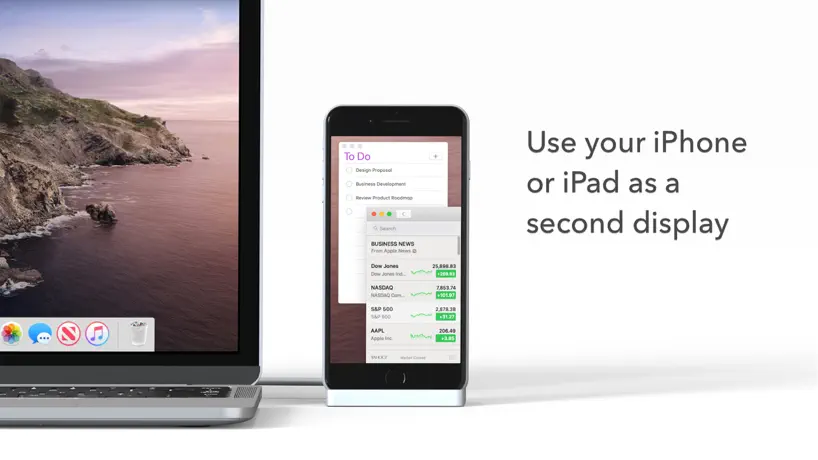  Duet Display | 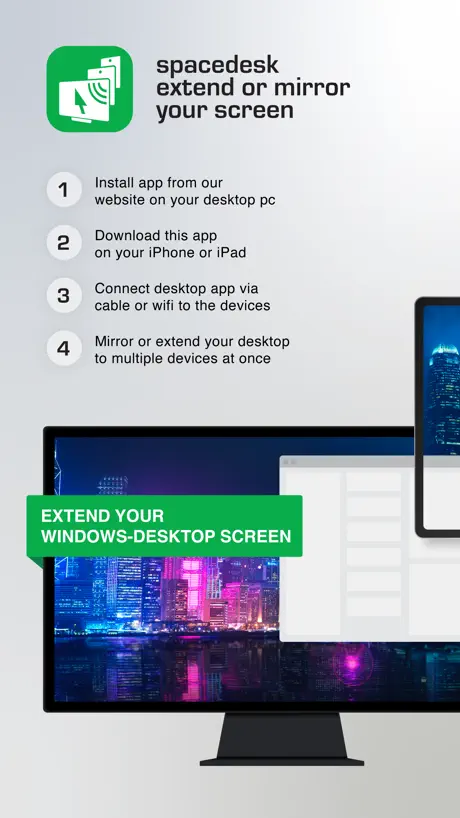  spacedesk - USB Display for PC |  Astropad Studio Drawing Tablet |  Luna Display | 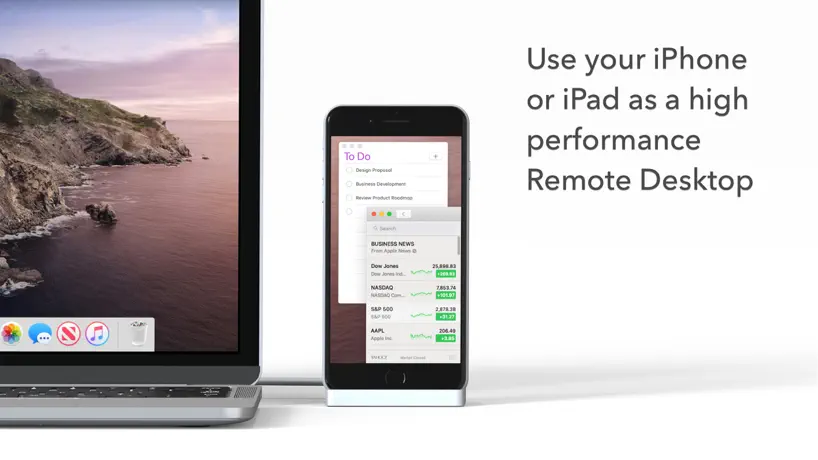  Duet Air - Remote Desktop |  Lok Board |   iFacialMocap |  Astropad Slate Pen Tablet |   Tab Display-Expand Your Tablet |   Huion Keydial | |
|---|---|---|---|---|---|---|---|---|---|---|---|
| Rating / 5 | 3.7 | 4.4 | 4.7 | 4.5 | 4.8 | 4.2 | 4.6 | 3.3 | 3.8 | 4.0 | 2.3 |
| Reviews | 311 | 191K | 18K | 9.1K | 8.3K | 6.2K | 1K | 272 | 171 | 69 | 31 |
| Released | 2025 | 2014 | 2018 | 2017 | 2018 | 2020 | 2024 | 2020 | 2024 | 2024 | 2023 |
| Monthly price | — | $5.99 | — | $14.99 | — | — | $1.59 | — | — | — | — |
| Annual price | — | $49.99 | — | $99.99 | — | $49.99 | $15.99 | — | — | — | — |
The going rate for each plan in United States, in its own currency, shaded from the cheapest price on the row to the dearest. Plans fewer than four in ten of the priced apps sell are left out.
EasyCanvas2025 reviews
3.7 out of 5, based on 311 reviews.
What people like
- Works well as a second monitor
- Good alternative to buying a tablet
- Supports high refresh rates on wired
What they complain about
- Connection drops randomly or fails entirely
- High latency and lagging pen input
- Drains laptop battery and uses CPU
Works well no complaints here
Genuinely useful for art, doesn’t lag or glitch like 95 percent of the time and the 5 percent is usually just it needing to reload after using it for a long period of time with no breaks.
Never got it to work
I had ChatGPT running it through to help me and not even it could figure it out. Went through security and firewall settings. Never connected through USB. Even turned off Norton, but that still didn’t help. Hour of my life wasted
Good App, however
Worked great for a while, but I updated the PC side of the app and now it won’t connect.
Struggling to get it to work
Same WiFi network, restarted the app on both the device and the pc after connecting via usb and can’t get WiFi to work Decided to stick with usb, but then after about 5 minutes it drops connection after hitting a shortcut on my TourBox. At a loss to keep it functioning
연결 속도가 느립니다
종이컵에 믹스커피 한 잔을 다 비울 때쯤 되어서야 연결이 되네요. 어차피 될 거면서 왜 이렇게 더딘지 모르겠습니다. 개선 후 업데이트가 필요해 보입니다.
Works great, but no Linux desktop version
Used it when I was still on Windows. Just wish the developers would create a Linux version.
This is the non free version
The other free app stopped working and I am supposed to pay to use this one? It’s only $12.99 but why would I give my money to people who would break a good app just to make a dollar? What if they decide to break THIS app and decide to charge for subscription?
판타블렛 기능도 생기며느좋을것같아요
기능이 만족스러운 편인데 안드로이드의 virtual tablet 앱과 유사한 기능도 좋을것같애요
標準ユーザーの方で使用すると画面が真っ黒になる
Windows11とiPad Air13インチを有線で接続。管理者ユーザーだときちんと表示されるが、標準ユーザーで繋ぐとPCは認識していると出るも、画面はツールバー以外が真っ黒になる。どうしたものか。
还可以吧
还可以
Give this program a chance!
Amazing! Absolutely life changing. I finally have a reason to use my PC again! Quick notes for those having trouble -Before syncing to your pc make sure in the app you select the 3 day free trial. The way you do this is exit the tutorial and it pops up letting you buy the program or use the free trial. Use the free trial to see if it works on your setup the way you want! - Make sure you reset your pc after you install easycanvas 2025 - When I first opened the app it didn’t sync to my pencil it fixed itself when I moved the hotkeys bar menu on the iPad mirroring side. - for pen pressure make sure to check your program for example in clipstudio on pc go to preferences and make sure you select (This will be different in most art programs like fire alpaca but it seems to always be in the settings regarding tablet type) - for a wired connection make sure to use a high quality cable! For internet make sure you have a stable connection. I did notice it’s a tad wobbly but adding a bit of stabilization helps! My pc isn’t too high end it’s a laptop and it handles this program wonderfully! Thank you for this software and thank you for making it affordable!
literally doesn’t work
Tried everything for like two hours to get my devices to pair, iPad gen 10 and windows 11 laptop. nothing. waste of time.
무선연결
왜 안될까요?
“Old” EasyCanvas user here
I don’t get it why there’s this version. I tried to checking it out whether this one better than the original one or not; but the result is absolutely disappointing, it can’t even connect to the pc while the original one connect super fast. That alone really disappointed me; why the dev tried to make another one yet it just worst compared to the original one? I get i, to get more revenue; but come on. the original one seemed still have room to improve. I hope the dev continue developing the original one.
Needs more improvements
My pen cursor was misaligned and I couldnt find any guides online to help me align it. I couldnt undo without my apple pencil, very different and can be added into a new workflow, but not for me personally. There was significant lag (i was using cable) and although i could hover my pen to see where it was going, it was slow and again, misaligned. This app has a lot of potential though
Use it everyday
Very satisfied but one thing that irks me though is the little orange circle that you use to access the bar of tools is too big and bright and distracting. I don’t use the tool bar at all and I hide it and I put the circle in the corner of my screen. Wish there was a way to have the the circle more discreet or some method to have it gone entirely. Perhaps an option for it to disappear until you close out and reopen the app
Won’t connect
Won’t connect to my Mac. No way to cancel free three day trial. Will have to request a refund from Apple.
It has both advantages and disadvantages, but overall it has received mostly positive reviews.
Advantages: Stable wired connection, and it can switch to wireless connection with zero lag immediately after the data cable is unplugged. Disadvantages: It continuously occupies 5-10% of CPU usage on PC. The higher the resolution and frame rate are set, the higher the CPU usage will be, which has a significant negative impact on laptop battery life. The PC client cannot check for updates or submit feedback, and will prompt a "no internet connection" message.
网络有问题
软件购买界面一直显示在加载,无线网是没问题的,买都没法买,修一下啊
Connection issue and delays with Windows
It does the job done and all, and I would have liked it more had it been more stable. The delay irked me a bit, both wired and wireless connection. I would love if you fixed the delay specifically for the wired one, since I’m using this for a replacement for a graphic tablet. Also, it often disconnected randomly even with wired connection (I’m not sure why) and sometimes I suddenly lost the ability to touch input (but pen works well). I really hope you would fix the connection issue, but overall, it was okay-ish, and works better as second display rather than graphic tablet. (I do hope the team behind fixes the delay issue).
good app
i like its features, simple to use, helps me not go through the trouble of porting drawings to pc. but unfortunate that i can’t line up the night lights on both OS’s. still great though
What dis?
Seems to be made by the same developer as easy canvas but couldn't get this version to run on m2 iPad however the version with the older logo does still work. Makes me nervous.
Wi-Fi 连接不稳定
Wi-Fi 连接不稳定
Doesn’t work
Didn’t work for me, desktop app is all buggy, no device was found
Touch control and blur
I love it but its hard to zoom in and out and the screen us a little blurry
Useful for at home work
works fine for windows 11 a decent alternative to buying a pen display drawing tablet
Doesn’t work, terrible trouble shooting
Spent a ridiculous amount of time trying to get this to work. No avail and the suggestions on how to fix it basically just say “have you tried turning it off and on”. Needs a lot of work.
Pretty good
Has some issues with latency occasionally but otherwise works quite well
无线延迟大,隔一段时间会断联
无线延迟大,隔一段时间会断联,鼠标不跟手,软件UI做的粗糙,感觉分辨率不对,没老版本感觉好
사용중인데, 왜 까만 화면만 나오나요?
윈도우 11이고, pc파일 설치해서 연결은 시켰는데, 모니터 확장 및 복제가 아니라 그냥 까만 화면만 나옵니다.
Very useful
I use my iPad as a secondary monitor for my computer and this app has made doing so incredibly easy. I haven’t had any issues with it
scamming software
Twomon Air suddenly disappeared without a word. Upon checking, it turned out that a new version had been released
问题
请问为什么突然间无法作为扩展屏幕了,只能作为复制品屏?
不好用
根本达不到120Hz,实际观感感觉连60Hz都达不到,老版本也是这样,以为新版改进了,结果跟老版本一样
スタイラスペンを使用するとアプリを再起動するまでジェスチャー機能が使用できなくなります
少なくともApple Pencile以外のスタイラスペンを使用すると、アプリを再起動するまで指でのジェスチャー機能が使用できなくなります。絵を描いてる時に指で拡大縮小ができないので非常に不便です。Apple pencileを持っていないのでApple Pencileで同じ症状が出るかは不明です。それ以外は概ね良い感じです。
Perfect. Very fair price.
In addition to being a drawing tablet for a PC, this app doubles as a touchscreen monitor. It is fast, having good enough latency. It supports 120Hz refresh rate all through a USB 3 connection!
Doesn’t work
There are two apps with same name. I have bought both. This doesn’t work for me. Please refund
원노트 쓸 때
원노트 쓸 때 핀치줌,아웃이 안되는데 해결방법 있을까요?
What I have been wanting for years.
Being a PC user who loves my iPad but have always had issues integrating with desktop this is exactly what I always needed.
Does not work
I have an iPad Pro M4 13 inch and dispute having the program installed on the PC and have the app open and running the iPad never shows in the PC app. Funnily enough the uninstalled does and asked me to unplug the apple device before it would let me uninstall the PC app. Please, don’t come at me with your copy and paste reshot to contact support. Address it publicly. There is clearly a problem a lot of people are having that actually needs addressing.
윈도우 노트북과 아이패드를 사용한다면 사용해 보세요~
타블렛과 보조모니터의 활용! 유선과 무선의 편의성 모두 좋지만, 아이튠즈를 꼭 설치해야 하는지 의문이 듭니다. 출시한지 얼마 되지 않았으니 꾸준한 업데이트 기대해 봅니다.
컨셉이 맘에 들어요
아이패드와 노트북 또는 PC로 함께 작업할 수있다는게 참 좋네요. 다만 저의 경우에는 PC와 유선연결하는데 인식을 잘 안하네요;; 아이튠즈를 사용하지 않는 입장에서 아이튠즈 설치가 필요하다고 뜨는게 조금 아쉽습니다
Doesn’t connect
Useless if it doesn’t connect. Can’t use WiFi without connecting usb first but the usb connection isn’t recognized in the app despite windows recognizing my connection as an iPad.
关于旧版购买同步
购买过旧版本一年了,希望能够以旧版本的资格使用新版本。
EasyCanvas2025 price by country
A one-time purchase costs $11.85 in Taiwan and $18.70 in Norway — 1.6× more for the same thing. Below is the going rate for each plan in every country that sells it — the middle price of what the app charges there, in the country's own currency with the dollar equivalent beneath it.
| Country | One-time |
|---|---|
| Afghanistan | $12.99 |
| Albania | $14.99 |
| Algeria | $12.99 |
| Angola | $12.99 |
| Anguilla | $12.99 |
| Antigua And Barbuda | $12.99 |
| Argentina | $12.99 |
| Armenia | $14.99 |
| Australia | A$19.99$13.51 |
| Austria | €14.99$16.53 |
| Azerbaijan | $14.99 |
| Bahamas | $14.99 |
| Bahrain | $14.99 |
| Barbados | $14.99 |
| Belarus | $14.99 |
| Belgium | €14.99$16.53 |
| Belize | $12.99 |
| Benin | $14.99 |
| Bermuda | $12.99 |
| Bhutan | $12.99 |
| Bolivia | $12.99 |
| Bosnia & Herzegovina | €14.99$16.53 |
| Botswana | $12.99 |
| Brazil | R$79.90$14.12 |
| British Virgin Islands | $12.99 |
| Brunei Darussalam | $12.99 |
| Bulgaria | €14.99$16.53 |
| Burkina Faso | $12.99 |
| Cambodia | $14.99 |
| Cameroon | $14.99 |
| Canada | CA$17.99$12.58 |
| Cape Verde | $12.99 |
| Cayman Islands | $12.99 |
| Chad | $12.99 |
| Chile | CLP 14,990$15.06 |
| China | CN¥88.00$13.17 |
| Colombia | COP 59,900$18.06 |
| Congo | $14.99 |
| Congo, Democratic Republic | $12.99 |
| Costa Rica | $12.99 |
| Cote Divoire | $14.99 |
| Croatia | €14.99$16.53 |
| Cyprus | €14.99$16.53 |
| Czech Republic | CZK 349.00$15.77 |
| Denmark | DKK 99.00$14.62 |
| Dominica | $12.99 |
| Dominican Republic | $12.99 |
| Ecuador | $12.99 |
| Egypt | EGP 699.99$13.03 |
| El Salvador | $12.99 |
| Estonia | €14.99$16.53 |
| Fiji | $12.99 |
| Finland | €14.99$16.53 |
| France | €14.99$16.53 |
| Gabon | $12.99 |
| Gambia | $12.99 |
| Georgia | $14.99 |
| Germany | €14.99$16.53 |
| Ghana | $14.99 |
| Greece | €14.99$16.53 |
| Grenada | $12.99 |
| Guatemala | $12.99 |
| Guinea-bissau | $12.99 |
| Guyana | $12.99 |
| Honduras | $12.99 |
| Hong Kong | HK$98.00$12.48 |
| Hungary | HUF 5,990$18.10 |
| Iceland | $14.99 |
| India | ₹1,299.00$13.76 |
| Indonesia | IDR 249,000$13.66 |
| Iraq | $12.99 |
| Ireland | €14.99$16.53 |
| Israel | ₪39.90$12.43 |
| Italy | €14.99$16.53 |
| Jamaica | $12.99 |
| Japan | ¥2,000$12.70 |
| Jordan | $12.99 |
| Kazakhstan | KZT 7,990.00$17.93 |
| Kenya | $14.99 |
| Kosovo | €14.99$16.53 |
| Kuwait | $12.99 |
| Kyrgyzstan | $14.99 |
| Lao Peoples Democratic Republic | $14.99 |
| Latvia | €14.99$16.53 |
| Lebanon | $12.99 |
| Liberia | $12.99 |
| Libya | $12.99 |
| Lithuania | €14.99$16.53 |
| Luxembourg | €14.99$16.53 |
| Macao | $12.99 |
| Macedonia | $12.99 |
| Madagascar | $12.99 |
| Malawi | $12.99 |
| Malaysia | MYR 59.90$14.65 |
| Maldives | $12.99 |
| Mali | $12.99 |
| Malta | €14.99$16.53 |
| Mauritania | $12.99 |
| Mauritius | $14.99 |
| Mexico | MX$299.00$16.13 |
| Micronesia | $12.99 |
| Moldova | $14.99 |
| Mongolia | $12.99 |
| Montenegro | €11.99$13.22 |
| Montserrat | $12.99 |
| Morocco | $14.99 |
| Mozambique | $12.99 |
| Myanmar | $12.99 |
| Namibia | $12.99 |
| Nauru | $12.99 |
| Nepal | $14.99 |
| Netherlands | €14.99$16.53 |
| New Zealand | NZ$22.99$12.70 |
| Nicaragua | $12.99 |
| Niger | $12.99 |
| Nigeria | NGN 19,900.00$14.72 |
| Norway | NOK 179.00$18.70 |
| Oman | $12.99 |
| Pakistan | PKR 3,500$12.64 |
| Palau | $12.99 |
| Panama | $12.99 |
| Papua New Guinea | $12.99 |
| Paraguay | $12.99 |
| Peru | PEN 59.90$17.57 |
| Philippines | ₱799.00$12.50 |
| Poland | PLN 59.99$15.00 |
| Portugal | €14.99$16.53 |
| Qatar | QAR 49.99$13.73 |
| Romania | RON 69.99$14.46 |
| Russia | RUB 999.00$12.39 |
| Rwanda | $12.99 |
| Sao Tome & Principe | $12.99 |
| Saudi Arabia | SAR 59.99$16.00 |
| Senegal | $14.99 |
| Serbia | €14.99$16.53 |
| Seychelles | $12.99 |
| Sierra Leone | $12.99 |
| Singapore | SGD 19.98$15.49 |
| Slovakia | €14.99$16.53 |
| Slovenia | €14.99$16.53 |
| Solomon Islands | $12.99 |
| South Africa | ZAR 249.99$14.77 |
| South Korea | ₩22,000$16.47 |
| Spain | €14.99$16.53 |
| Sri Lanka | $12.99 |
| St. Kitts and Nevis | $12.99 |
| St. Lucia | $12.99 |
| St. Vincent & The Grenadines | $12.99 |
| Suriname | $14.99 |
| Swaziland | $12.99 |
| Sweden | SEK 179.00$17.78 |
| Switzerland | CHF 10.00$11.92 |
| Taiwan | NT$390.00$11.85 |
| Tajikistan | $14.99 |
| Tanzania | TZS 39,900.00$15.11 |
| Thailand | THB 499.00$14.72 |
| Tonga | $12.99 |
| Trinidad and Tobago | $12.99 |
| Tunisia | $12.99 |
| Turkey | TRY 699.99$13.90 |
| Turkmenistan | $12.99 |
| Turks and Caicos | $12.99 |
| Uganda | $14.99 |
| Ukraine | $14.99 |
| United Arab Emirates | AED 49.99$13.62 |
| United Kingdom | £12.99$17.16 |
| United States | $12.99 |
| Uruguay | $12.99 |
| Uzbekistan | $14.99 |
| Vanuatu | $12.99 |
| Venezuela | $12.99 |
| Vietnam | ₫399,000$15.52 |
| Yemen | $12.99 |
| Zambia | $14.99 |
| Zimbabwe | $14.99 |
EasyCanvas2025 FAQ
- Is EasyCanvas2025 free?
- Yes. The app and its basic features are free, in all 175 countries it sells in. Premium features are paid: they start from $12.99 (US), across 2 one-time purchases.
- Does EasyCanvas2025 have a free trial?
- No. None of its offers (US) come with a free trial.
- Where is EasyCanvas2025 cheapest?
- A one-time purchase costs NT$390.00 (≈$11.85) in Taiwan and NOK 179.00 (≈$18.70) in Norway, its cheapest and dearest countries.
- What are the best alternatives to EasyCanvas2025?
- Duet Display (4.4 from 191,122 reviews, premium from $3.99), spacedesk - USB Display for PC (4.7 from 17,501 reviews, premium from $9.00) and Astropad Studio Drawing Tablet (4.5 from 9,073 reviews, premium from $14.99).
EasyCanvas2025 download
Last updated 7 months ago.
EasyCanvas2025 sells in 175 countries. It was released 1 year and 8 months ago, on 24 Feb 2025. It holds a 3.7 rating from 311 reviews.
Supports 1 language: English.
How much does EasyCanvas2025 make?
Third-party estimates for the last 30 days, worldwide — not the store's own figures, which Apple publishes for nobody.
Revenue by plan
- One-time 100%
Revenue by country
- South Korea 28%
- United States 26%
- Japan 10%
- China 6%