spacedesk - USB Display for PC
Portable Multi Monitor Display
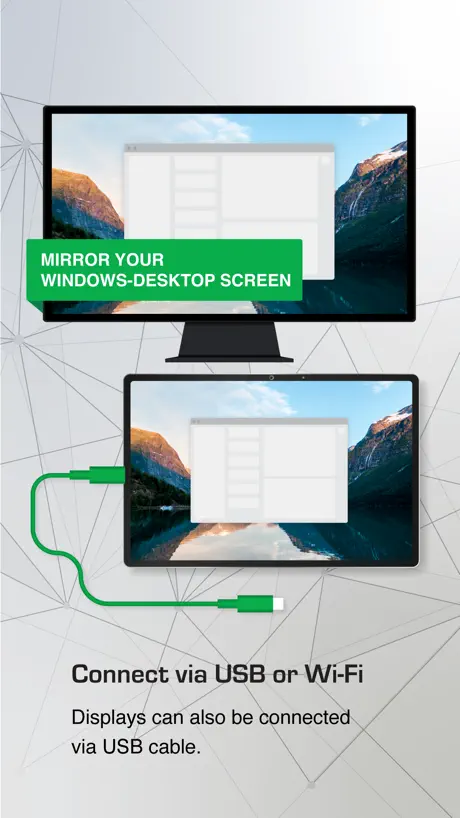
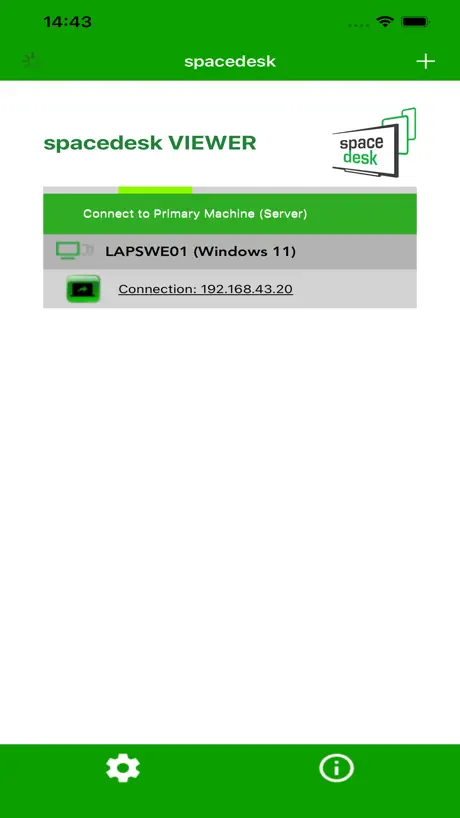
How much does spacedesk - USB Display for PC cost?
Prices are current as of 5 Oct 2026.
10 one-time purchases from $9.00
In the United States, spacedesk - USB Display for PC has 10 one-time purchases priced $9.00 – 79.00.
| Product | Price |
|---|---|
| Business License: 46-50 Conn. | $9.00 |
| Business License: 41-45 Conn. | $18.00 |
| Business License: 1 connection | $19.00 |
| Business License: 36-40 Conn. | $25.00 |
| Business License: 31-35 Conn. | $35.00 |
| Business License: 26-30 Conn. | $45.00 |
| Business License: 21-25 Conn. | $50.00 |
| Business License: 16-20 Conn. | $59.00 |
| Business License: 11-15 Conn. | $60.00 |
| Business License: 2-5 Conn. | $79.00 |
See what spacedesk - USB Display for PC costs in all 175 countries →
10+ alternatives to spacedesk - USB Display for PC
| spacedesk - USB Display for PC |  Shapr 3D CAD modeling Shapr 3D CAD modeling |   Duet Display Duet Display |   RealVNC Viewer: Remote Desktop RealVNC Viewer: Remote Desktop |   ASUS GlideX ASUS GlideX |   Elgato Stream Deck Mobile Elgato Stream Deck Mobile |  Astropad Studio Drawing Tablet Astropad Studio Drawing Tablet |  Luna Display Luna Display |   Duet Air - Remote Desktop Duet Air - Remote Desktop |  EasyCanvas -Graphic tablet App EasyCanvas -Graphic tablet App |   DeskIn Remote Desktop DeskIn Remote Desktop | |
|---|---|---|---|---|---|---|---|---|---|---|---|
| Rating / 5 | 4.7 | 4.8 | 4.4 | 4.8 | 4.8 | 4.6 | 4.5 | 4.8 | 4.2 | 4.0 | 4.3 |
| Reviews | 17K | 220K | 191K | 61K | 23K | 17K | 9K | 8.3K | 6.1K | 5.1K | 1.2K |
| Released | 2018 | 2016 | 2014 | 2010 | 2021 | 2019 | 2017 | 2018 | 2020 | 2017 | 2022 |
| Monthly price | — | $37.99 | $5.99 | — | — | $2.99 | $14.99 | — | — | — | $24.99 |
| Annual price | — | $299.99 | $49.99 | — | — | $24.99 | $99.99 | — | $49.99 | — | $49.99 |
| One-time price | $35.00 | — | — | — | — | $49.99 | — | — | — | $11.99 | $11.90 |
The going rate for each plan in United States, in its own currency, shaded from the cheapest price on the row to the dearest.
spacedesk - USB Display for PC reviews
4.7 out of 5, based on 16,909 reviews.
What people like
- Completely free for personal use
- Works great with Apple Pencil pressure
- USB wired mode is very smooth
What they complain about
- Wireless connection lags a lot
- Mouse movement feels choppy and slow
- Connection drops randomly or fails to start
Crazy good free app
This app even let you adjust fps, 30 60 90,… Quality is nice too. No need for capture card for now
動作不良を起こしがち
一旦認識されたはずの有線接続がサブモニターのタッチをしてから認識されなくなってしまい調べながらいろいろ試しましたが断念しました。軽く調べるといろんな症状で悩んでいる方が多いようです。対処法が設定の変更とかではなくアプリを開いてからケーブルを接続するなど民間療法的な工夫を採用している方も少なくなく、それで解決しているという事はアプリやPCの設定だけではうまく機能しない物なのかと思います。
Дискриминация айфонов(
Подключить андроид можно бесплатно а айфон только за 20$ Само по себе приложение отличное но за 20$…
Facing issues
I’m trying to use my iPad Air as a 2nd display connected my PC (Lenovo Thinkstation P360). I have been stuck with “Connected - Display OFF” message hovering around on the iPad , no matter what I try. Please help.
Start to charge like all the other apps and stop working properly ob my phone
Start to charge like all the other apps and stop working properly ob my phone
Absolutely amazing! For free too. Doing gods work
Easy simple gets it done. The best app.doest take up too much of the cpu either and over lan no plugins. Putting my old iPad as a thir monitor.
.
I tried to use this app for osu and I feel like I got scammed. The app is extremely laggy so I don’t recommend using it for osu.
Pretty good
There’s a second delay but otherwise works pretty well
works enough
works good, especially if you draw. I cant duplicate the screen anymore though, so it lost most of its useful-ness to me.
My screen got damaged
The app is good for mirroring but my laptop suddenly started flashing and the ends of my laptop screen got lines
Works great
This software genuinely works great, I’m extending from a windows, would recommend 100%
Why doesn’t it support Mac?
Many people need to extend their Mac screen through it as well.
good
IT Good I use this for a few weeks with my iPad Air 4 It work amazing all tho do not recommend For Gameing On your Devices With this I use It for 1080P videos And Watching streams And Haveing Epic Games And Steam On There And I would call it a 3 monitor because Windows Detects it And You can of course Can See And I Am A Tech YouTuber Recomend It AND USE THIS FOR WORK And supports stylus pen And The worst part is it takes a few seconds if you’re connected or wirelessly Bluetooth or Lan or Wi-Fi connected it takes a few minutes or seconds But Wired Is not laggy not hard but the resolution gets on my nerves That it
5 stars
brilliant, thank you very much
unable to connect wirelessly most of the time disconnect again and again have to connect wirelessly
and wirelessly lags so much even when single device connected via my hotspot but by cable working amazing
Works Perfect!!
This has been a game changer when I need more screen space when using my laptop, especially since I’m using the iPad Pro 12.9 as my second display. Highly recommend! So far I have had no issues using it wired or wireless.
Worst damn app
Doesn’t work at all, what a waste of time
Puts Apple Sidecar to shame
Disconnects every now and then but that is probably to do with my network. It always reconnect happily, unlike Sidecar, that just arbitrarily decides “I’m not going to work for 102 days and then I’ll work like nothing happened”. Thanks for the great work!
When/If it works, it’s awesome
Roughly One out of Ten times I try to use it, it works, and it’s great. Still allows touch controls, responsive and crisp picture, I like it. Nine out of Ten times when I need to use it, it can’t find my main computer to connect. I have tried everything. Reboots on phone and computer. Updating app on phone and program on computer. Praying to the digital and silicon gods. Absolutely nothing makes a difference. To say that it works once a week is giving it too much credit. Why do I still check it to see if it will work? Because that one day a fortnight it wants to go, it makes my day so much easier. Beware this one. Until I can figure something out, it remind at Two stars, because when it works, I love it. But I cannot rely on it.
Heating
This app makes my iPad gets really really hot
Awesome
Great tool
Doesn’t work.
I have my windows laptop as the driver. I can connect my iPhone with it via usb-c but not this MacBook Air. Why not? it doesn’t show the connect prompt after connecting the two.
Hard to set up, but pretty good otherwise
A bit finicky to figure out to start, but it works flawlessly after you set it up.
Cant see the screen
All I see is a black screen and just my take bar. Nothing else. When I go click on something, it doesn’t show it on my phone just on my PC. Cause my phone is only showing a black screen!
New windows driver v2116 is broken usb connection with ipad
Please fix the issue in v2116 windows driver. ipad cannot be connected over usb. downgraded to v2112 working fine.
Hover detection
The app itself is really good and works pretty well with cable and it would be awesome if they added hover detection for iPad’s pen so for digital art you could only look at your monitor
Laggy and freezes frequently
This app is very laggy in the wireless mode. Also freezes in few minutes. Do not work in the wired mode.
Works great, needs a virtual keyboard.
Title says it all. Cannot find a way to use the pads keyboard, virtual keyboard on pc Side works fine.
マウスカーソルでさえカクツク
Windows11のサブディスプレイとしてiPad Air3を使用。 多少の遅延は仕方ないとしてもWindowsのマウスカーソルをiPad側に持っていくとマウスを動かすだけでカクついてストレスがたまる。 USBケーブルの有線接続でも試してみたがマウスの動きがカクツクのは変わらなかった。 全体的にモッサリしすぎ。 前はもっとスムーズだった気がするけど。 動かさないPDFなどの資料を表示しておくにはいいけどマウス操作を多用する作業はちょっと厳しい。
Black screen
While opening game it disconnects from pc (in somegames)
Blender Buddy
So, I’ve been looking for a way to use my IPad as a tablet for my computer for a while. This program is that! Free for non commercial use, looks like the license is cheap for when I’m ready to buy the commercial license (16 USD), and easy to connect! Sure, setting up its counterpart on the PC was a little confusing, but once set up it’s as easy as opening Spacedesk on the computer and tablet, then connecting. It’s smooth, easy, pretty unlaggy, and allow me to use Blender with my IPad’s touch screen and my Apple Pencil’s pressure sensitivity! Maybe not for everyone, but I sure love it!
Not safe if you are on public network
One can connect to any system on the network, which has installed spacedesk. There is no extra layer of security. There is not even any option to prevent the software from automatically turning on at start up.
Nice application
It’s a nice application, a improvement is need when the mouse curser is moved into the I pad it’s get little slow down, the efficiency of work become less,
突然使えなくなった
数日前まで使用できたのに使えなくなった。 OSはWindows10です。
2023版へのアップデートによる不具合
iPad mini 2 caller wifi にて、アプリを最新版へアップデートしたところ、アプリが立ち上がらなくなってしまいまいした。 再起動及び再ダウンロード等を試しても、状況は変わらないままです。 以前のバージョンですと問題なく作動していたので、非常に残念です。 こちら要因の解決または対処法あれば、ご教示いただけると助かります。
Nice
Pretty good if you ask me
Worst
When connected to the phone the phone display turn into black and white
The app is great but it is not working after one try
It always gets crashed pls give a solution it shows pinch to off display
Missing features
1)multi touch 2) how to open keyboard
使用環境による
家のWiFiのように1体1であればスムーズにつながるけど、シェアオフィスやカフェの公衆LANのように1対多数になるとIPアドレスを入力してもコネクトできません。 使用環境に要注意です。
Works so well
This is the first app i found that actually works like sidecar but for Windows and you don’t have to pay anything and it works way better than something like Duet Display. 10/10
Not working after update
Error code -2-5
Good App. Need improvement
The app in the iPad device does not rotate when the autorotate option is turned off; autorotate option is intended to control the rotation of the primary device(desktop).Please explain how to do this: being able to rotate the display on iPad and display on the Computer stays as normal(unflipped)
解決策を教えてください
IpadがPCを検知してくれずつながりません。 手動でIPアドレスを入れましたがそれでもぐるぐるしたままです。。。
とても使いやすいがバグ有り
ピンチインで閉じる時、画面をタッチした時の円や四角模様が残ります 追記 タッチした時の円や、長押しした時の四角が、ピンチインでアプリ終了後も画面に映ったままになります
Jathan14
Best One and I use blender when I tried to zoom in and out I couldn’t so I believe I need a new case with keyboard
Not working
Hi team, I tried to use Win 10 64 bit along with iphone 7. It gives an error when clicked on the ip address to connect. __________________ Disconnected due to error- Error Code : [,-,2,5,0] Error Info: [-,0,2,4] Connected time: 00:00:01
It’s good but....
This application is awesome. Only one thing I don’t like is LAG.... Like sometimes it works fine but sometimes it Lags very much. If this is fixed then this is fantastic one.
iOS13なのに利用できない
次のエラーが出ていて利用できません。 This iOS APP Version Cannot only connect to a Spacedesk windows driver
Does work on Ethernet cable
Work really fine but I have to connect my PC to WiFi. It does not show any device available when I keep my PC on Ethernet. I would give 4 if it worded. Hope you fix it.
spacedesk - USB Display for PC price by country
A one-time purchase costs $32.75 in Israel and $60.02 in South Africa — 1.8× more for the same thing. Below is the going rate for each plan in every country that sells it — the middle price of what the app charges there, in the country's own currency with the dollar equivalent beneath it.
| Country | One-time |
|---|---|
| Afghanistan | $45.00 |
| Albania | $49.00 |
| Algeria | $45.00 |
| Angola | $45.00 |
| Anguilla | $45.00 |
| Antigua And Barbuda | $45.00 |
| Argentina | $35.00 |
| Armenia | $49.00 |
| Australia | A$59.00$40.97 |
| Austria | €40.00$44.99 |
| Azerbaijan | $49.00 |
| Bahamas | $49.00 |
| Bahrain | $49.00 |
| Barbados | $49.00 |
| Belarus | $49.00 |
| Belgium | €40.00$44.99 |
| Belize | $45.00 |
| Benin | $49.00 |
| Bermuda | $45.00 |
| Bhutan | $45.00 |
| Bolivia | $45.00 |
| Bosnia & Herzegovina | €50.00$56.24 |
| Botswana | $45.00 |
| Brazil | R$229.90$44.04 |
| British Virgin Islands | $45.00 |
| Brunei Darussalam | $45.00 |
| Bulgaria | €40.00$44.99 |
| Burkina Faso | $45.00 |
| Cambodia | $49.00 |
| Cameroon | $49.00 |
| Canada | CA$49.00$34.51 |
| Cape Verde | $45.00 |
| Cayman Islands | $45.00 |
| Chad | $45.00 |
| Chile | CLP 39,990$40.72 |
| China | CN¥228.00$33.93 |
| Colombia | COP 149,900$45.26 |
| Congo | $49.00 |
| Congo, Democratic Republic | $45.00 |
| Costa Rica | $35.00 |
| Cote Divoire | $49.00 |
| Croatia | €40.00$44.99 |
| Cyprus | €50.00$56.24 |
| Czech Republic | CZK 999.00$45.97 |
| Denmark | DKK 399.00$60.00 |
| Dominica | $45.00 |
| Dominican Republic | $45.00 |
| Ecuador | $35.00 |
| Egypt | EGP 2,499.99$47.87 |
| El Salvador | $45.00 |
| Estonia | €50.00$58.14 |
| Fiji | $45.00 |
| Finland | €40.00$44.99 |
| France | €40.00$44.99 |
| Gabon | $45.00 |
| Gambia | $45.00 |
| Georgia | $49.00 |
| Germany | €40.00$44.99 |
| Ghana | $49.00 |
| Greece | €40.00$44.99 |
| Grenada | $45.00 |
| Guatemala | $45.00 |
| Guinea-bissau | $45.00 |
| Guyana | $45.00 |
| Honduras | $45.00 |
| Hong Kong | HK$288.00$36.69 |
| Hungary | HUF 14,990$47.99 |
| Iceland | $49.00 |
| India | ₹3,499.00$36.32 |
| Indonesia | IDR 699,000$39.08 |
| Iraq | $45.00 |
| Ireland | €50.00$56.24 |
| Israel | ₪99.90$32.75 |
| Italy | €40.00$44.99 |
| Jamaica | $45.00 |
| Japan | ¥6,000$38.02 |
| Jordan | $45.00 |
| Kazakhstan | KZT 19,990.00$45.00 |
| Kenya | $49.00 |
| Kosovo | €50.00$56.24 |
| Kuwait | $45.00 |
| Kyrgyzstan | $49.00 |
| Lao Peoples Democratic Republic | $49.00 |
| Latvia | €50.00$56.24 |
| Lebanon | $45.00 |
| Liberia | $45.00 |
| Libya | $45.00 |
| Lithuania | €40.00$44.99 |
| Luxembourg | €50.00$56.24 |
| Macao | $45.00 |
| Macedonia | $45.00 |
| Madagascar | $45.00 |
| Malawi | $45.00 |
| Malaysia | MYR 149.90$36.74 |
| Maldives | $45.00 |
| Mali | $45.00 |
| Malta | €50.00$56.24 |
| Mauritania | $45.00 |
| Mauritius | $49.00 |
| Mexico | MX$799.00$43.88 |
| Micronesia | $45.00 |
| Moldova | $49.00 |
| Mongolia | $45.00 |
| Montenegro | €40.00$44.99 |
| Montserrat | $45.00 |
| Morocco | $49.00 |
| Mozambique | $45.00 |
| Myanmar | $45.00 |
| Namibia | $45.00 |
| Nauru | $45.00 |
| Nepal | $49.00 |
| Netherlands | €40.00$44.99 |
| New Zealand | NZ$59.00$33.15 |
| Nicaragua | $45.00 |
| Niger | $45.00 |
| Nigeria | NGN 69,900.00$52.55 |
| Norway | NOK 449.00$48.44 |
| Oman | $45.00 |
| Pakistan | PKR 11,900$42.99 |
| Palau | $45.00 |
| Panama | $45.00 |
| Papua New Guinea | $45.00 |
| Paraguay | $35.00 |
| Peru | PEN 149.90$43.58 |
| Philippines | ₱2,990.00$47.76 |
| Poland | PLN 149.99$38.56 |
| Portugal | €40.00$46.51 |
| Qatar | QAR 149.99$41.21 |
| Romania | RON 199.99$42.19 |
| Russia | RUB 2,990.00$35.81 |
| Rwanda | $45.00 |
| Sao Tome & Principe | $45.00 |
| Saudi Arabia | SAR 149.99$40.00 |
| Senegal | $49.00 |
| Serbia | €50.00$56.24 |
| Seychelles | $45.00 |
| Sierra Leone | $45.00 |
| Singapore | SGD 49.98$39.05 |
| Slovakia | €40.00$44.99 |
| Slovenia | €50.00$56.24 |
| Solomon Islands | $45.00 |
| South Africa | ZAR 999.99$60.02 |
| South Korea | ₩55,000$40.78 |
| Spain | €40.00$44.99 |
| Sri Lanka | $45.00 |
| St. Kitts and Nevis | $45.00 |
| St. Lucia | $45.00 |
| St. Vincent & The Grenadines | $45.00 |
| Suriname | $49.00 |
| Swaziland | $45.00 |
| Sweden | SEK 499.00$49.70 |
| Switzerland | CHF 30.00$37.08 |
| Taiwan | NT$1,190.00$37.36 |
| Tajikistan | $49.00 |
| Tanzania | TZS 129,900.00$49.04 |
| Thailand | THB 1,290.00$38.44 |
| Tonga | $45.00 |
| Trinidad and Tobago | $45.00 |
| Tunisia | $45.00 |
| Turkey | TRY 1,999.99$40.70 |
| Turkmenistan | $45.00 |
| Turks and Caicos | $45.00 |
| Uganda | $49.00 |
| Ukraine | $39.00 |
| United Arab Emirates | AED 129.99$35.42 |
| United Kingdom | £35.00$46.30 |
| United States | $35.00 |
| Uruguay | $45.00 |
| Uzbekistan | $49.00 |
| Vanuatu | $45.00 |
| Venezuela | $45.00 |
| Vietnam | ₫999,000$38.51 |
| Yemen | $45.00 |
| Zambia | $49.00 |
| Zimbabwe | $49.00 |
spacedesk - USB Display for PC FAQ
- Is spacedesk - USB Display for PC free?
- Yes. The app and its basic features are free, in all 175 countries it sells in. Premium features are paid: they start from $9.00 (US), across 10 one-time purchases.
- Does spacedesk - USB Display for PC have a free trial?
- No. None of its offers (US) come with a free trial.
- Where is spacedesk - USB Display for PC cheapest?
- A one-time purchase costs ₪99.90 (≈$32.75) in Israel and ZAR 999.99 (≈$60.02) in South Africa, its cheapest and dearest countries.
- What are the best alternatives to spacedesk - USB Display for PC?
- Shapr 3D CAD modeling (4.8 from 220,067 reviews, premium from $32.99), Duet Display (4.4 from 190,541 reviews, premium from $3.99) and RealVNC Viewer: Remote Desktop (4.8 from 60,752 reviews).
spacedesk - USB Display for PC download
Last updated 2 months ago.
spacedesk - USB Display for PC sells in 175 countries. It was released 8 years and 9 months ago, on 5 Jan 2018. It holds a 4.7 rating from 16,909 reviews.
Supports 3 languages: English, German, Chinese.
How much does spacedesk - USB Display for PC make?
Third-party estimates for the last 30 days, worldwide — not the store's own figures, which Apple publishes for nobody.
Revenue by plan
- One-time 100%
Revenue by country
- United States 23%
- Japan 14%
- Germany 7%
- China 7%