
TeamViewer Remote Control

How much does TeamViewer Remote Control cost?
Prices are current as of 10 Sept 2026.
1 subscription from $619.99
In the United States, TeamViewer Remote Control has 1 subscription priced $619.99.
| Subscription | Period | Price |
|---|---|---|
| Business Yearly Plan | Annual | $619.99 |
See what TeamViewer Remote Control costs in all 173 countries →
10+ alternatives to TeamViewer Remote Control
| TeamViewer Remote Control | 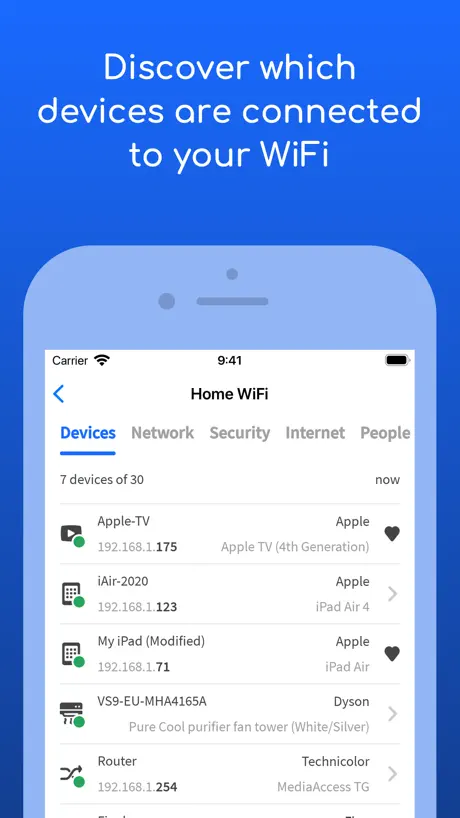  Fing - Network Scanner Fing - Network Scanner | 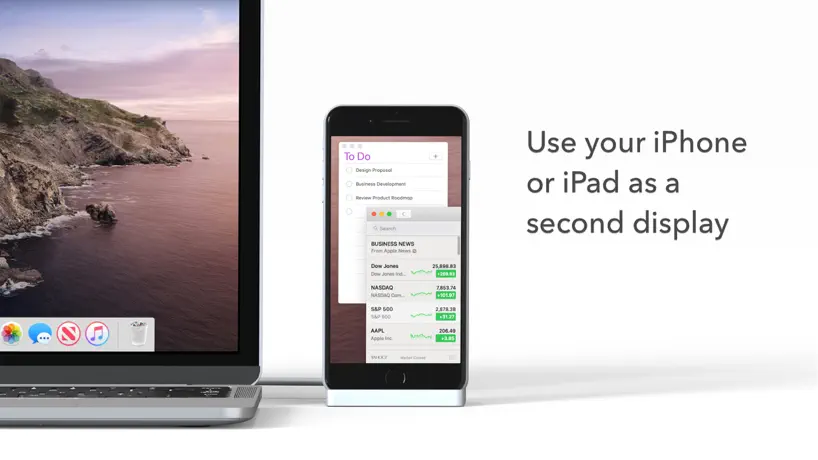  Duet Display Duet Display |   RealVNC Viewer: Remote Desktop RealVNC Viewer: Remote Desktop |   UniFi UniFi | 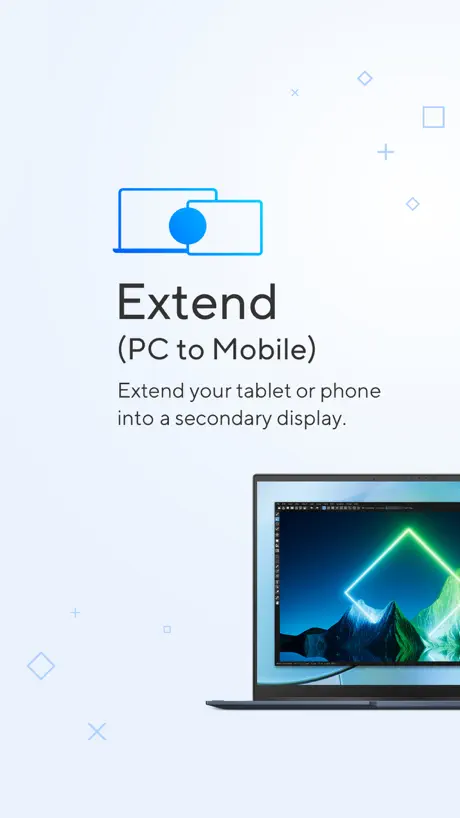  ASUS GlideX ASUS GlideX |   Microsoft 365 Admin Microsoft 365 Admin |   spacedesk - USB Display for PC spacedesk - USB Display for PC |   Camera for OBS Studio Camera for OBS Studio |   AirDroid - File Transfer&Share AirDroid - File Transfer&Share |   RemotePC Remote Desktop RemotePC Remote Desktop | |
|---|---|---|---|---|---|---|---|---|---|---|---|
| Rating / 5 | 4.7 | 4.6 | 4.4 | 4.8 | 4.6 | 4.8 | 4.6 | 4.7 | 4.3 | 4.3 | 4.6 |
| Reviews | 327K | 550K | 190K | 61K | 58K | 23K | 21K | 17K | 8.6K | 8.2K | 5K |
| Released | 2013 | 2011 | 2014 | 2010 | 2015 | 2021 | 2013 | 2018 | 2018 | 2017 | 2010 |
| Monthly price | — | $3.99 | $5.99 | — | — | — | — | — | $10.99 | — | — |
| Annual price | $619.99 | $39.99 | $49.99 | — | — | — | — | — | $24.99 | — | — |
| One-time price | — | — | — | — | — | — | — | $35.00 | $69.99 | — | $59.99 |
The going rate for each plan in United States, in its own currency, shaded from the cheapest price on the row to the dearest. Plans fewer than four in ten of the priced apps sell are left out.
TeamViewer Remote Control reviews
4.7 out of 5, based on 326,990 reviews.
What people like
- Very easy to use and simple
- Great for helping others remotely
- Works well on mobile devices
What they complain about
- Renews subscription automatically without clear warning
- App makes your phone overheat quickly
- Blocks free personal use claiming commercial
- Zoom resets annoyingly during remote sessions
Aplicativo
Nota 10
Renovação automática indevida
Muito cuidado em assinar!!! Após o pagamento colocam letras miúdas e renovam automaticamente a assinatura por mais um ano! Se em poucos dias o usuário não paga, suspendem a conta e cobram o ano inteiro não utilizado! Um absurdo! Fora que os e-mails sobre a renovação caem sempre no spam!
good
ดีมากครับ
Mhmm
Tap to left click, and hold to right click? It doesn’t do any Click at all bruh.
Meu iPhone esquenta muito ao usar o app.
Quando estou usando ele (app) faz meu iPhone aquecer e muito, nenhum outro aplicativo consegue fazer com que aqueça nessa proporção.
satisfação TOTAL
simplesmente perfeito
Gerenciamento de som
Não consigo ficar numa sessão conectado ao meu PC e usando o celular pois o som para de funcionar
Good!
!!!
Bom, mas já foi melhor
O software em si é bom, mas promete ser gratuito para uso pessoal e bloqueia indevidamente alegando uso comercial.
Tks
Mesmo pelo celular consegui acessar a máquina e mandar e-mail que precisava. Obrigado
Avaliação
Horrível!!!! Já tentei de todas as formas fazer o login pelo celular e simplesmente não dá certo. Melhorem!!
Good app
Very high application
Bug eterno
Está buggando muito e já estou avaliando de trocar de empresa talvez o Concorrente esteja melhor e mais prático
Bom
Muito bom 🫡
Não executa login no iPhone novo
Falha no login
Good for work
Easy to use
Clicar e arrastar
Pelo celular usando a opção de mouse não é possível clicar e arrastar pra fazer um retângulo.
Me surpreendi
Controlar pelo celular n é ruim, mexi pouco… Mas já me salvou imensamente.
Horrível
Toda vez que eu digito o código pra acesso remoto ele oculta a opção conectar. O teclado fica sob escrito.
ดีมาก
เยี่ยม
Ficou ruim
Depois da última atualização, que ficou azul escuro, o app não conecta mais ao computador. Fica apenas rodando.
Muita qualidade
Ajuda demais em serviço fora
Aplicativo não sai da tela de login
Aplicativo atualizado, iPhone novo. O problema é totalmente do app, funciona muito mal mesmo
Zoom have a problem
There is a bug that resets zoom when using remote desktop (both Windows and Mac OS). It is very annoying.
Top
Muito bom
Desloga da minha conta toda semana
Preciso ficar sempre autenticando novamente pra poder fazer o uso
Can’t click
In ragnarok login
Lo mejor de lo mejor muy buena app
Lo mejor de lo mejor muy buena app
Não funciona
Uso o TeamViewer para acesso dos computadores da minha casa e parou de funcionar os comandos do cursor.
Excelente
Simplesmente a MELHOR ferramenta para acesso remoto, tanto móbile para pc, quanto outros…
Horrível
Uns dos piores app que ja usei ja foi bom antes! Vai fazer acesso remoto em outro celular cada acesso tem que reconfigurar tudo de novo praticamente! Pedi um monte de permissão. Usei um concorrente mil vezes melhor
Excelente aplicativo
Fácil de usar, não trava , me surpreendi utilizando nota 10 ! Estão de Parabéns !!!!!
Cada vez mais complicado
A interação com o TeamViewer é cada vez mais complicada! Qualquer operação que se queira fazer remete à Internet e aparece opções aleatórias!
TeamViewer Remote Control price by country
An annual subscription costs $189.78 in India and $727.16 in Switzerland — 4× more for the same thing. Below is the going rate for each plan in every country that sells it — the middle price of what the app charges there, in the country's own currency with the dollar equivalent beneath it.
| Country | Annual |
|---|---|
| Afghanistan | $314.99 |
| Albania | $399.99 |
| Algeria | $299.00 |
| Angola | $299.99 |
| Anguilla | $449.99 |
| Antigua And Barbuda | $314.99 |
| Argentina | $289.99 |
| Armenia | $429.99 |
| Australia | A$699.99$503.59 |
| Austria | €449.99$523.24 |
| Azerbaijan | $429.99 |
| Bahamas | $449.99 |
| Bahrain | $559.99 |
| Barbados | $449.99 |
| Belgium | €434.99$505.80 |
| Belize | $449.99 |
| Benin | $329.99 |
| Bermuda | $449.99 |
| Bhutan | $549.99 |
| Bolivia | $449.99 |
| Bosnia & Herzegovina | €399.99$466.73 |
| Botswana | $314.99 |
| Brazil | R$1,549.90$303.90 |
| British Virgin Islands | $449.99 |
| Brunei Darussalam | $529.99 |
| Bulgaria | €369.99$430.22 |
| Burkina Faso | $319.99 |
| Cambodia | $519.99 |
| Cameroon | $314.99 |
| Canada | CA$739.99$536.22 |
| Cape Verde | $319.99 |
| Cayman Islands | $449.99 |
| Chad | $314.99 |
| Chile | CLP 299,990$321.12 |
| China | CN¥3,999.00$594.21 |
| Colombia | COP 1,649,000$527.29 |
| Congo | $314.99 |
| Congo, Democratic Republic | $314.99 |
| Costa Rica | $449.99 |
| Cote Divoire | $314.99 |
| Croatia | €424.99$495.90 |
| Cyprus | €399.99$466.73 |
| Czech Republic | CZK 10,190.00$489.43 |
| Denmark | DKK 4,199.00$653.03 |
| Dominica | $449.99 |
| Dominican Republic | $449.99 |
| Ecuador | $449.99 |
| Egypt | EGP 14,999.99$294.00 |
| El Salvador | $449.99 |
| Estonia | €399.99$465.10 |
| Fiji | $519.99 |
| Finland | €434.99$507.57 |
| France | €434.99$505.80 |
| Gabon | $314.99 |
| Gambia | $314.99 |
| Georgia | $429.99 |
| Germany | €449.99$523.24 |
| Ghana | $319.99 |
| Greece | €399.99$466.73 |
| Grenada | $449.99 |
| Guatemala | $449.99 |
| Guinea-bissau | $299.99 |
| Guyana | $449.99 |
| Honduras | $449.99 |
| Hong Kong | HK$5,499.00$701.40 |
| Hungary | HUF 122,990$393.23 |
| Iceland | $539.99 |
| India | ₹17,999.00$189.78 |
| Indonesia | IDR 4,999,000$283.57 |
| Iraq | $559.99 |
| Ireland | €499.99$581.38 |
| Israel | ₪1,789.90$592.68 |
| Italy | €424.99$494.17 |
| Jamaica | $449.99 |
| Japan | ¥72,000$468.08 |
| Jordan | $559.99 |
| Kazakhstan | KZT 192,990.00$421.79 |
| Kenya | $399.99 |
| Kosovo | €399.99$463.49 |
| Kuwait | $559.99 |
| Kyrgyzstan | $319.99 |
| Lao Peoples Democratic Republic | $519.99 |
| Latvia | €399.99$466.73 |
| Lebanon | $559.99 |
| Liberia | $314.99 |
| Libya | $429.99 |
| Lithuania | €399.99$465.10 |
| Luxembourg | €399.99$465.10 |
| Macao | $549.99 |
| Macedonia | $429.99 |
| Madagascar | $314.99 |
| Malawi | $314.99 |
| Malaysia | MYR 1,549.90$381.75 |
| Maldives | $519.99 |
| Mali | $314.99 |
| Malta | €399.99$465.10 |
| Mauritania | $314.99 |
| Mauritius | $314.99 |
| Mexico | MX$7,799.00$460.66 |
| Micronesia | $519.99 |
| Moldova | $429.99 |
| Mongolia | $519.99 |
| Montenegro | €399.99$466.73 |
| Montserrat | $449.99 |
| Morocco | $314.99 |
| Mozambique | $314.99 |
| Myanmar | $519.99 |
| Namibia | $314.99 |
| Nauru | $519.99 |
| Nepal | $519.99 |
| Netherlands | €509.00$591.86 |
| New Zealand | NZ$699.99$409.35 |
| Nicaragua | $449.99 |
| Niger | $314.99 |
| Nigeria | NGN 469,900.00$355.44 |
| Norway | NOK 5,899.00$638.42 |
| Oman | $559.99 |
| Pakistan | PKR 86,900$313.12 |
| Palau | $519.99 |
| Panama | $449.99 |
| Papua New Guinea | $519.99 |
| Paraguay | $449.99 |
| Peru | PEN 1,699.00$507.16 |
| Philippines | ₱17,990.00$287.66 |
| Poland | PLN 1,669.99$450.13 |
| Portugal | €399.99$465.10 |
| Qatar | QAR 2,049.99$563.18 |
| Romania | RON 1,999.99$442.48 |
| Rwanda | $314.99 |
| Sao Tome & Principe | $299.99 |
| Saudi Arabia | SAR 2,099.99$560.00 |
| Senegal | $314.99 |
| Serbia | €399.99$466.73 |
| Seychelles | $314.99 |
| Sierra Leone | $314.99 |
| Singapore | SGD 709.98$563.48 |
| Slovakia | €424.99$492.46 |
| Slovenia | €399.99$466.73 |
| Solomon Islands | $519.99 |
| South Africa | ZAR 5,599.99$350.00 |
| South Korea | ₩569,000$424.35 |
| Spain | €399.99$465.10 |
| Sri Lanka | $519.99 |
| St. Kitts and Nevis | $449.99 |
| St. Lucia | $449.99 |
| St. Vincent & The Grenadines | $449.99 |
| Suriname | $449.99 |
| Swaziland | $299.99 |
| Sweden | SEK 5,799.00$604.69 |
| Switzerland | CHF 589.00$727.16 |
| Taiwan | NT$18,000.00$571.43 |
| Tajikistan | $319.99 |
| Tanzania | TZS 819,900.00$309.93 |
| Thailand | THB 13,790.00$419.15 |
| Tonga | $519.99 |
| Trinidad and Tobago | $449.99 |
| Tunisia | $299.99 |
| Turkey | TRY 9,699.99$200.12 |
| Turkmenistan | $319.99 |
| Turks and Caicos | $449.99 |
| Uganda | $319.99 |
| Ukraine | $229.99 |
| United Arab Emirates | AED 2,099.99$572.20 |
| United Kingdom | £439.99$596.19 |
| United States | $619.99 |
| Uruguay | $449.99 |
| Uzbekistan | $449.99 |
| Vanuatu | $519.99 |
| Venezuela | $449.99 |
| Vietnam | ₫7,999,000$308.45 |
| Yemen | $314.99 |
| Zambia | $314.99 |
| Zimbabwe | $319.99 |
TeamViewer Remote Control FAQ
- Is TeamViewer Remote Control free?
- Yes. The app and its basic features are free, in all 173 countries it sells in. Premium features are paid: they start from $619.99 (US), across 1 subscription.
- Does TeamViewer Remote Control have a free trial?
- No. None of its offers (US) come with a free trial.
- Where is TeamViewer Remote Control cheapest?
- An annual subscription costs ₹17,999.00 (≈$189.78) in India and CHF 589.00 (≈$727.16) in Switzerland, its cheapest and dearest countries.
- What are the best alternatives to TeamViewer Remote Control?
- Fing - Network Scanner (4.6 from 549,831 reviews, premium from $0.99), Duet Display (4.4 from 190,159 reviews, premium from $3.99) and RealVNC Viewer: Remote Desktop (4.8 from 60,752 reviews).
TeamViewer Remote Control download
Last updated 1 month ago.
TeamViewer Remote Control sells in 173 countries. It was released 13 years ago, on 10 Sept 2013. It holds a 4.7 rating from 326,990 reviews.
Supports 27 languages: English, Croatian, Czech, Danish, Dutch, Finnish, French, German, Greek, Hungarian, Indonesian, Italian, Japanese, Korean, Norwegian Bokmål, Polish, Portuguese, Romanian, Russian, Chinese, Slovak, Spanish, Swedish, Thai, Turkish, Ukrainian, Vietnamese.
How much does TeamViewer Remote Control make?
Third-party estimates for the last 30 days, worldwide — not the store's own figures, which Apple publishes for nobody.
Revenue by plan
- Annual 100%
Revenue by country
- United States 24%
- Germany 9%
- Taiwan 6%
- South Korea 4%