
RemotePC Remote Desktop
Remote Desktop Access
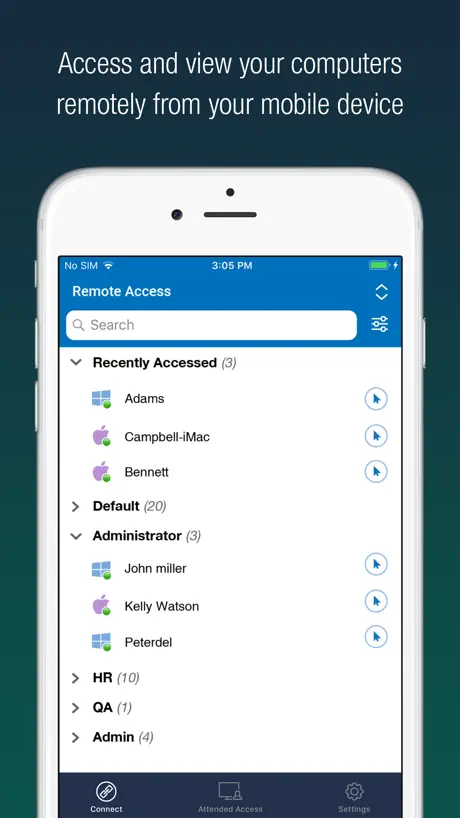
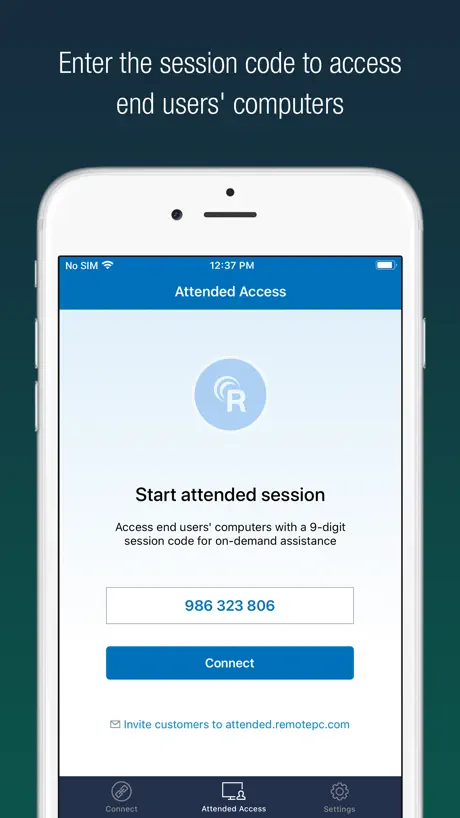
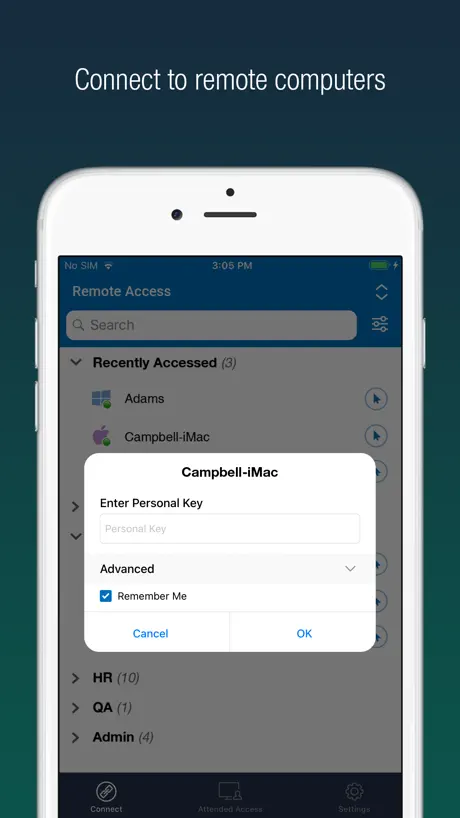
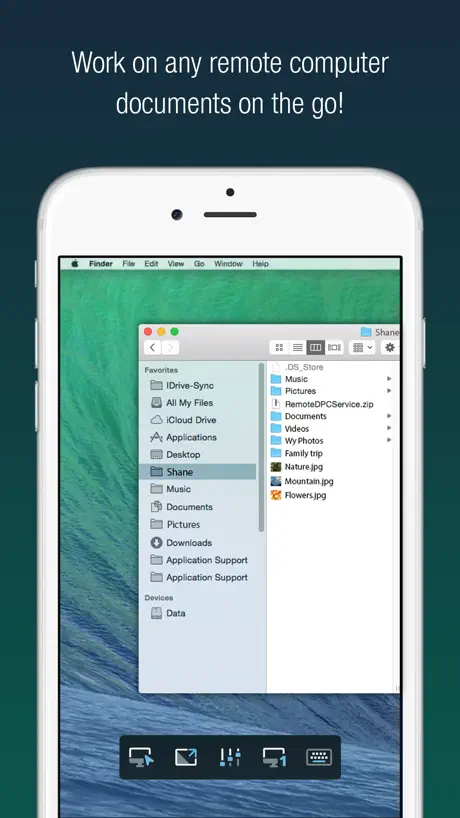
How much does RemotePC Remote Desktop cost?
Prices are current as of 30 Sept 2026.
6 one-time purchases from $29.99
In the United States, RemotePC Remote Desktop has 6 one-time purchases priced $29.99 – 99.99.
| Product | Price |
|---|---|
| Consumer 1 Computer at $29.99 | $29.99 |
| Solo 1 User 1 Computer at $29.99 | $29.99 |
| Solo 1 User 2 Computers at $59.99 | $59.99 |
| Consumer 2 Computer at $59.99 | $59.99 |
| Pro 1 User 10 Computers at $99.99 | $99.99 |
| SOHO 10 Computers at $99.99 | $99.99 |
See what RemotePC Remote Desktop costs in all 175 countries →
10+ alternatives to RemotePC Remote Desktop
| RemotePC Remote Desktop |   TeamViewer Remote Control TeamViewer Remote Control |   RealVNC Viewer: Remote Desktop RealVNC Viewer: Remote Desktop |   TeamViewer QuickSupport TeamViewer QuickSupport |   Network Toolbox Net security Network Toolbox Net security |   Duet Air - Remote Desktop Duet Air - Remote Desktop |   Shadow PC Shadow PC |   DeskIn Remote Desktop DeskIn Remote Desktop |   Connect My Computer Connect My Computer |   UTM Remote Virtual Machines UTM Remote Virtual Machines |   Avica Remote Desktop Avica Remote Desktop | |
|---|---|---|---|---|---|---|---|---|---|---|---|
| Rating / 5 | 4.6 | 4.7 | 4.8 | 3.6 | 4.6 | 4.2 | 3.7 | 4.3 | 3.1 | 3.4 | 4.7 |
| Reviews | 5K | 328K | 61K | 19K | 6.5K | 6.1K | 3.7K | 1.2K | 505 | 305 | 231 |
| Released | 2010 | 2013 | 2010 | 2013 | 2013 | 2020 | 2019 | 2022 | 2010 | 2024 | 2023 |
| Monthly price | — | — | — | — | $9.99 | — | — | $24.99 | — | — | — |
| Annual price | — | $619.99 | — | — | $29.99 | $49.99 | — | $49.99 | — | — | — |
| One-time price | $59.99 | — | — | — | — | — | — | $11.90 | $4.99 | — | — |
The going rate for each plan in United States, in its own currency, shaded from the cheapest price on the row to the dearest. Plans fewer than four in ten of the priced apps sell are left out.
RemotePC Remote Desktop reviews
4.6 out of 5, based on 5,002 reviews.
What people like
- Much cheaper than similar popular remote apps
- Works great for managing multiple computers remotely
- Desktop version is simple and easy to use
What they complain about
- Mobile connection is unreliable and often fails
- App freezes or crashes frequently during use
- Endless bot checks block you from logging in
- Performance is slow with noticeable lag
Great app
Love it!
Mac
Was hoping to use this remotely for working from home but it says it is only compatible on iPad? I had the app on my older laptop and it worked just fine.. when will you come out with a MacBook app that works? I am going to cancel my service if I can’t even use it at home. What is the point?
Very good
This app works very well, but it’s kind of expensive. I use it to make sure everything on all four of my systems are working correctly. It allows me to login from my iPad or my iPhone to either of my McIntosh computers remotely! But the learning curve is kind of steep. It doesn’t always work the way I think it’s going to. That is the reason I’m giving it four stars.
Inconsistent while running on iPadOS
Not as good as the desktop app. It is inconsistent and identifies the device as offline but the desktop app is able to access.
Needs improvement
Need more work on Macs. Has a 10 second delay. Very annoying
Great Product
We have been using this for years and absolutely love this company their product and customer service
Don’t use it
Every computer has access to remote access function built into the hardware, there is no reason to use this app. If you’re traveling and need to remote access a desktop the only way to do it and keep your information safe is to use a laptop and not install anything like this. Out there somewhere is a virtual computer which someone could access and upload a spoof of your device onto your screen so they can use it privately. Don’t download, very much a security risk. 👁️
Multi-PC function on mobile
I would like to see the mobile options expanded to allow a multi-window tab system that allows users to access multiple devices on mobile version of remotepc. I use on both IPad and S24 Ultra and would love to have the expanded functionality to better serve my clients from anywhere I may be.
Used to be great
Not sure I’m going to pay for this anymore. It used to perfect to use but has been stopping or crashes and I have all the latest updates. Support isn’t helpful. They just tell you to download the latest version.
Doesn’t work on iPad
It freezes when trying to use on an iPad
Optometrist
Reliable, works well with my iPad
Not Reliable
Not reliable. Locks up all the time. Haven’t reboot pc to log into account at times. A lot of downtime and time consuming to get working and even then it locks up at times. Very frustrating.
Mediocre replacement for GoToMyPC
I use this on 4 computers. One screen goes black when I connect to it. Works fine as long as I am working on it thru RemotePc. I have to restart the computer to use the computer in person or for the client to use it. Deleting and re-installing didn’t fix it nor did contacting support
Works Great On Pc
Update: It keeps getting worse and worse. Once the subscription ends I will find something else. I do not recommend this company anymore. Not even the PC version works properly anymore. The app is great when used on PC to PC. Mobile connection is hit an miss and freezes consistently
Allows me to control my astrophotography pcs from anywhere
Crashes way too often
Awesome Remote App
What is irritating is when I use on my phone it reminds me as if I'm stupid and don't know I'm signed in. When you have to switch back and forth between screens you shouldn't have to be reminded you're still signed in
New update is terrible
It makes me verify my device endlessly!! It’s like I can never actually log on. Sends email after email. Then if I ever can log on I can’t navigate my home computer uso g touch. It is super frustrating
Okay For Non-Pro Use
Very handy remote app but buggy. Often freezes requiring reboots of BOTH host and remote ends. Of course, if you’re mobile, rebooting the host may not even be possible, so there’s that. To be fair, this has become less an issue over the past year or so. Perhaps if they had a utility allowing a simple handshake connection—while more elaborate features are frozen—with restart option, that would help. A sort of “Safe Mode” providing little more than KVM extension. A common problem is having version mismatches—host vs. remote. With the latest installed on each end, freezing is greatly reduced. No question: those wanting/needing the look and feel of sitting in front of their PC or Mac will find this app very handy. That said, if my “work life” depended on RemotePC, I’d likely tear my hair out. I’ve used commercial-grade remote apps before that are nearly flawless. However, you get what you pay for and this app is VERY reasonably priced. I highly recommend for non-critical, non-professional use ONLY.
Time to connect takes forever
I don’t like how long it takes to connect to my computers. Whether on 1GB wifi or cell, it is terrible. Makes me want to use another service, but I’m stuck and don’t want another service charge. Get it right like vnc which connects to computers in milli seconds.
Slow
Connection from iPad has got slower.
Love it
I still use it every day and it is still excellent. I depend on this app more than any others.
Slow
Connections have gotten so slow it’s borderline unusable
Ottima alternativa a TeamViewer
App di desktop remoto che ha tutte le funzioni della più nota Team Viewer, con qualche funzione in più. Il funzionamento è simile e costa molto meno
When it works, it’s great.
I can rarely get on my computers from my phone. It will not connect. Doesn’t work most of the time.
Para celular
Debería de mejorarse para celular pues hoy en día todo se debe manejar en tiempo real en el sitio que sea y el celular es lo más práctico
Love my RemotePC
I have been using RemotePC and compared to most technology I use on a regular basis, it has been nearly flawless. Love that I can also connect and use this from my Ipad!
What happened
This app used to be so easy to use. Now, it tells me I don’t have a plan when I do, tells me no computers are connected. I’m going to go elsewhere
Telefondan pc ye bağlanma sorunu
Telefondan pc ye bağlanıp mouse imleç mıdu aktif ettiğimizde imleç kayboluyor.
App stopped connecting
I have this on my laptop and it connects to my desktop smoothly, but on my phone one day it just stopped connecting
Not quite as good as LogMeIn but ok as cheaper
LogMeIn which I used to use is easier software to use especially on iPad and iPhone but this is nearly as good and cheaper
So worth it!!!!
This is so helpful but not for personal use it really shines with churches and businesses!!!!
Poor service and buggy
Buggy. Good luck in getting anything fixed on the software. Most of the time Service calls go down black holes. Lots of very basic problems that are never ever fixed. Drops connections quite often. By the way, this is 8.0 and the problems that exist have not gone away over the past two or three years. This seems to be your canned response for all bad reviews. This also includes all the house being totally up-to-date as of February 2025
Works fine no frills
Seems to work fine on my iPad Pro accessing Windows 10 pc’s. Would like an option to enable host pc wallpaper when on a fast connection. No lag and simple to use so minimal learning curve.
Works ok, but ridiculous security
When you can actually get in the app works great. Unfortunately, the robot check puzzles are endless and I’ll minutes on end selecting images before I’m eventually told my 2FA code is invalid (likely it timed out while I’m being bot checked). I literally just spent 15 minutes trying to get in and couldn’t. IF I HAVE A VALID 2FA CODE, YOU KNOW IM NOT A HACKER OR A BOT. LET ME USE THE APP!
Great Functionality, but Slow
The application has all needed Features. The hints on launching (if you haven't disabled it) are very good. The only Thing I dislike is the Slow Performance. Same for the Windows Viewer.
Quick and simple remote connectivity
Got off the TeamViewer train and was recommended RemotePC, same price per year with way more benefits. Overall the service is great and reliable, and the mobile app is fast too.
Difficult
Very difficult to use. Couldn’t even use it after trying for two days
Sweet App
Brilliant - so much simpler than others out there. Graphics are not as good as the iPad tools but still, for the use benefits it's great. Check the monthly plan costs before going through with it. If it was free it would be 5*
Freezes a lot
Every time I connect to a computer using this app I get 10 seconds before everything freezes, I dont have this issue computer to computer only with the mobile app Your service is already better then teamveiwer by a mile but I have to keep returning to it because when I’m away from my computer I can’t remote into servers with you app I have to go back to my labtop or use team viewer
Tool to collect Passworts And id
It Looks like this is a Tool to collect Logins. Data is send to external Server.
Excelente
Works Excellent.
Consistently drops out
If I could turn back the hands of time
Funziona!
Merita bella app gratis per 30 giorni poi bisogna comprare la licenza utile per chi vuole avere sotto mano file da pc/mac in mobilita'.
Well intended but doesn't work.
In my view the company behind iBackup, iDrive and RemotePC is known for well intended good ideas but botched flawed haplessly bulky and buggy design of the mobile and sync utilities. This follows the same tradition. The workstation app on Windows crashes unless you rift click to run as Admin. The mobile all is not good, can't move cursor, hard to navigate and do anything. The login process is not working well, most of the time the mobile iOS app doesn't list the remote PC even though both are online. Needs rework even of the price of free.
iPad app works fine so far
...but somehow it only offers me a Vista driver for my Windows 7 host with the result that the setup fails there. Without host, no remote control. There's already VNC installed.
3 Computers
Just starting using Remote PC, have three computers in three different states I need access to. This has been my solution. About a month in, it is working just as I had hoped.
Speed
Literally spent hours trying to accomplish something I do everyday in ten minutes at my desk
Works great
My only concern is that $5 a month after the 30 days trial
Hit and Miss
Works great when I can connect. Unfortunately it is rare that I can log on. Initially worked well but I can no longer log on because the program crashes every time I try.
Ok
I like it but its very slow
RemotePC Remote Desktop price by country
A one-time purchase costs $53.80 in Pakistan and $90.85 in Colombia — 1.7× more for the same thing. Below is the going rate for each plan in every country that sells it — the middle price of what the app charges there, in the country's own currency with the dollar equivalent beneath it.
| Country | One-time |
|---|---|
| Afghanistan | $59.99 |
| Albania | $69.99 |
| Algeria | $59.99 |
| Angola | $59.99 |
| Anguilla | $59.99 |
| Antigua And Barbuda | $59.99 |
| Argentina | $59.99 |
| Armenia | $69.99 |
| Australia | A$99.99$69.92 |
| Austria | €69.99$79.62 |
| Azerbaijan | $69.99 |
| Bahamas | $69.99 |
| Bahrain | $69.99 |
| Barbados | $69.99 |
| Belarus | $69.99 |
| Belgium | €69.99$79.62 |
| Belize | $59.99 |
| Benin | $69.99 |
| Bermuda | $59.99 |
| Bhutan | $59.99 |
| Bolivia | $59.99 |
| Bosnia & Herzegovina | €69.99$79.62 |
| Botswana | $59.99 |
| Brazil | R$399.90$76.76 |
| British Virgin Islands | $59.99 |
| Brunei Darussalam | $59.99 |
| Bulgaria | €69.99$79.62 |
| Burkina Faso | $59.99 |
| Cambodia | $69.99 |
| Cameroon | $69.99 |
| Canada | CA$79.99$56.33 |
| Cape Verde | $59.99 |
| Cayman Islands | $59.99 |
| Chad | $59.99 |
| Chile | CLP 69,990$72.79 |
| China | CN¥398.00$59.23 |
| Colombia | COP 299,900$90.85 |
| Congo | $69.99 |
| Congo, Democratic Republic | $59.99 |
| Costa Rica | $59.99 |
| Cote Divoire | $69.99 |
| Croatia | €69.99$79.62 |
| Cyprus | €69.99$79.62 |
| Czech Republic | CZK 1,490.00$69.46 |
| Denmark | DKK 499.00$75.95 |
| Dominica | $59.99 |
| Dominican Republic | $59.99 |
| Ecuador | $59.99 |
| Egypt | EGP 2,999.99$57.61 |
| El Salvador | $59.99 |
| Estonia | €69.99$79.62 |
| Fiji | $59.99 |
| Finland | €69.99$79.62 |
| France | €69.99$79.62 |
| Gabon | $59.99 |
| Gambia | $59.99 |
| Georgia | $69.99 |
| Germany | €69.99$79.62 |
| Ghana | $69.99 |
| Greece | €69.99$79.62 |
| Grenada | $59.99 |
| Guatemala | $59.99 |
| Guinea-bissau | $59.99 |
| Guyana | $59.99 |
| Honduras | $59.99 |
| Hong Kong | HK$488.00$62.24 |
| Hungary | HUF 24,990$77.43 |
| Iceland | $69.99 |
| India | ₹5,900.00$61.41 |
| Indonesia | IDR 1,199,000$66.67 |
| Iraq | $59.99 |
| Ireland | €69.99$79.62 |
| Israel | ₪199.90$65.11 |
| Italy | €69.99$79.62 |
| Jamaica | $59.99 |
| Japan | ¥10,000$63.56 |
| Jordan | $59.99 |
| Kazakhstan | KZT 34,990.00$79.41 |
| Kenya | $69.99 |
| Kosovo | €69.99$79.62 |
| Kuwait | $59.99 |
| Kyrgyzstan | $69.99 |
| Lao Peoples Democratic Republic | $69.99 |
| Latvia | €69.99$79.62 |
| Lebanon | $59.99 |
| Liberia | $59.99 |
| Libya | $59.99 |
| Lithuania | €69.99$79.62 |
| Luxembourg | €69.99$79.62 |
| Macao | $59.99 |
| Macedonia | $59.99 |
| Madagascar | $59.99 |
| Malawi | $59.99 |
| Malaysia | MYR 299.90$73.50 |
| Maldives | $59.99 |
| Mali | $59.99 |
| Malta | €69.99$79.62 |
| Mauritania | $59.99 |
| Mauritius | $69.99 |
| Mexico | MX$1,299.00$76.91 |
| Micronesia | $59.99 |
| Moldova | $69.99 |
| Mongolia | $59.99 |
| Montenegro | €59.99$68.25 |
| Montserrat | $59.99 |
| Morocco | $69.99 |
| Mozambique | $59.99 |
| Myanmar | $59.99 |
| Namibia | $59.99 |
| Nauru | $59.99 |
| Nepal | $69.99 |
| Netherlands | €69.99$79.62 |
| New Zealand | NZ$99.99$56.49 |
| Nicaragua | $59.99 |
| Niger | $59.99 |
| Nigeria | NGN 99,900.00$75.15 |
| Norway | NOK 799.00$83.84 |
| Oman | $59.99 |
| Pakistan | PKR 14,900$53.80 |
| Palau | $59.99 |
| Panama | $59.99 |
| Papua New Guinea | $59.99 |
| Paraguay | $59.99 |
| Peru | PEN 249.90$73.07 |
| Philippines | ₱3,990.00$63.84 |
| Poland | PLN 299.99$78.12 |
| Portugal | €69.99$79.62 |
| Qatar | QAR 199.99$54.94 |
| Romania | RON 299.99$64.65 |
| Russia | RUB 4,990.00$59.14 |
| Rwanda | $59.99 |
| Sao Tome & Principe | $59.99 |
| Saudi Arabia | SAR 249.99$66.66 |
| Senegal | $69.99 |
| Serbia | €69.99$79.62 |
| Seychelles | $59.99 |
| Sierra Leone | $59.99 |
| Singapore | SGD 89.98$70.30 |
| Slovakia | €69.99$79.62 |
| Slovenia | €69.99$79.62 |
| Solomon Islands | $59.99 |
| South Africa | ZAR 1,199.99$73.13 |
| South Korea | ₩99,000$72.85 |
| Spain | €69.99$79.62 |
| Sri Lanka | $59.99 |
| St. Kitts and Nevis | $59.99 |
| St. Lucia | $59.99 |
| St. Vincent & The Grenadines | $59.99 |
| Suriname | $69.99 |
| Swaziland | $59.99 |
| Sweden | SEK 799.00$80.22 |
| Switzerland | CHF 50.00$60.10 |
| Taiwan | NT$1,990.00$62.56 |
| Tajikistan | $69.99 |
| Tanzania | TZS 179,900.00$67.97 |
| Thailand | THB 1,990.00$59.24 |
| Tonga | $59.99 |
| Trinidad and Tobago | $59.99 |
| Tunisia | $59.99 |
| Turkey | TRY 2,999.99$61.22 |
| Turkmenistan | $59.99 |
| Turks and Caicos | $59.99 |
| Uganda | $69.99 |
| Ukraine | $69.99 |
| United Arab Emirates | AED 229.99$62.67 |
| United Kingdom | £59.99$79.56 |
| United States | $59.99 |
| Uruguay | $59.99 |
| Uzbekistan | $69.99 |
| Vanuatu | $59.99 |
| Venezuela | $59.99 |
| Vietnam | ₫1,999,000$77.13 |
| Yemen | $59.99 |
| Zambia | $69.99 |
| Zimbabwe | $69.99 |
RemotePC Remote Desktop FAQ
- Is RemotePC Remote Desktop free?
- Yes. The app and its basic features are free, in all 175 countries it sells in. Premium features are paid: they start from $29.99 (US), across 6 one-time purchases.
- Does RemotePC Remote Desktop have a free trial?
- No. None of its offers (US) come with a free trial.
- Where is RemotePC Remote Desktop cheapest?
- A one-time purchase costs PKR 14,900 (≈$53.80) in Pakistan and COP 299,900 (≈$90.85) in Colombia, its cheapest and dearest countries.
- What are the best alternatives to RemotePC Remote Desktop?
- TeamViewer Remote Control (4.7 from 328,311 reviews, premium from $619.99), RealVNC Viewer: Remote Desktop (4.8 from 60,752 reviews) and TeamViewer QuickSupport (3.6 from 19,313 reviews).
RemotePC Remote Desktop download
Last updated 19 days ago.
RemotePC Remote Desktop sells in 175 countries. It was released 15 years and 10 months ago, on 1 Dec 2010. It holds a 4.6 rating from 5,002 reviews.
Supports 29 languages: English, Bulgarian, Croatian, Czech, Danish, Dutch, French, German, Greek, Hungarian, Indonesian, Italian, Japanese, Korean, Lithuanian, Norwegian Bokmål, Polish, Portuguese, Romanian, Russian, Serbian, Slovak, Spanish, Swedish, Thai, Chinese, Turkish, Ukrainian, Vietnamese.
How much does RemotePC Remote Desktop make?
Third-party estimates for the last 30 days, worldwide — not the store's own figures, which Apple publishes for nobody.
Revenue by plan
- One-time 100%
Revenue by country
- United States 78%
- Canada 5%
- United Kingdom 4%
- Australia 3%