
Connect My Computer
Designed for Mac computers
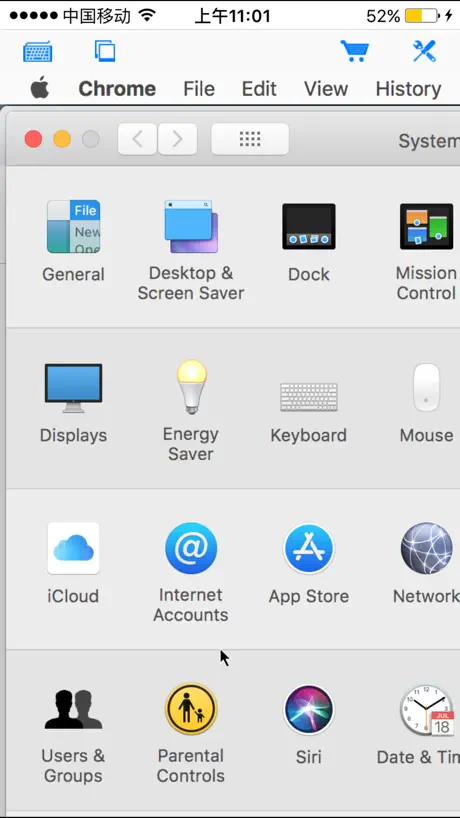


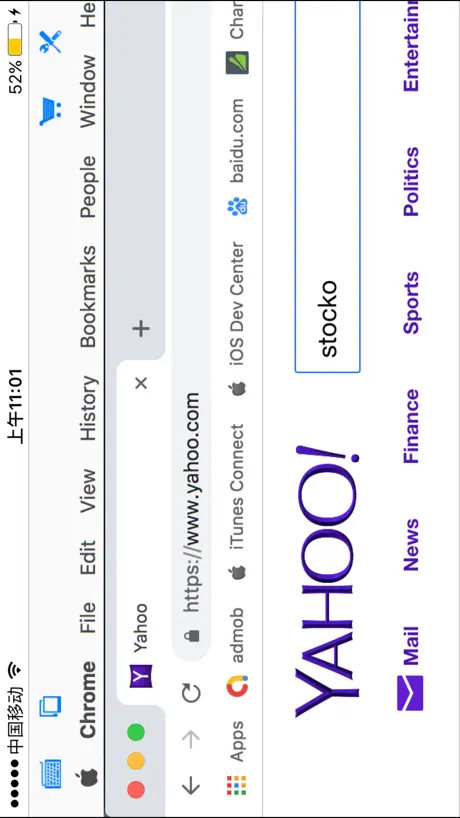
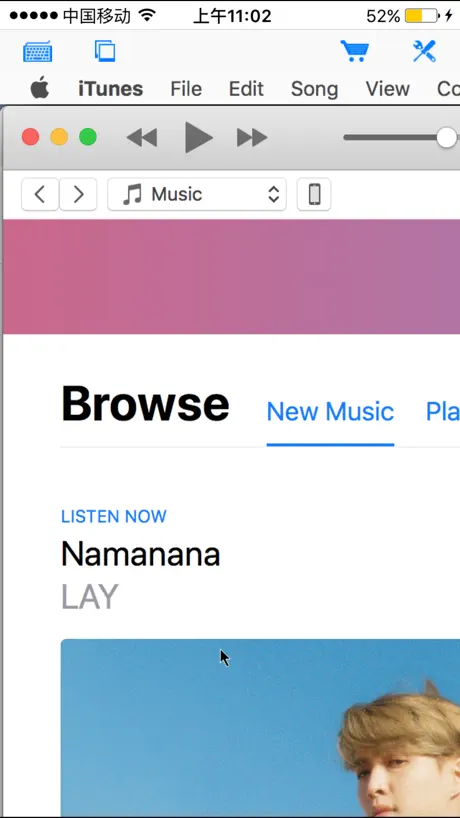
How much does Connect My Computer cost?
Prices are current as of 12 Sept 2026.
1 one-time purchase from $4.99
In the United States, Connect My Computer has 1 one-time purchase priced $4.99.
| Product | Price |
|---|---|
| Connect My Mac Pro | $4.99 |
10+ alternatives to Connect My Computer
| Connect My Computer |   RealVNC Viewer: Remote Desktop RealVNC Viewer: Remote Desktop | 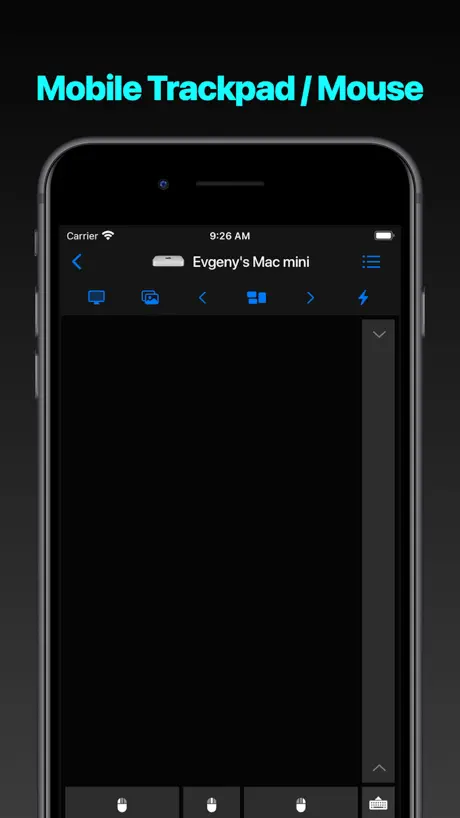  Mouse · Keyboard Mouse · Keyboard |  Luna Display Luna Display | 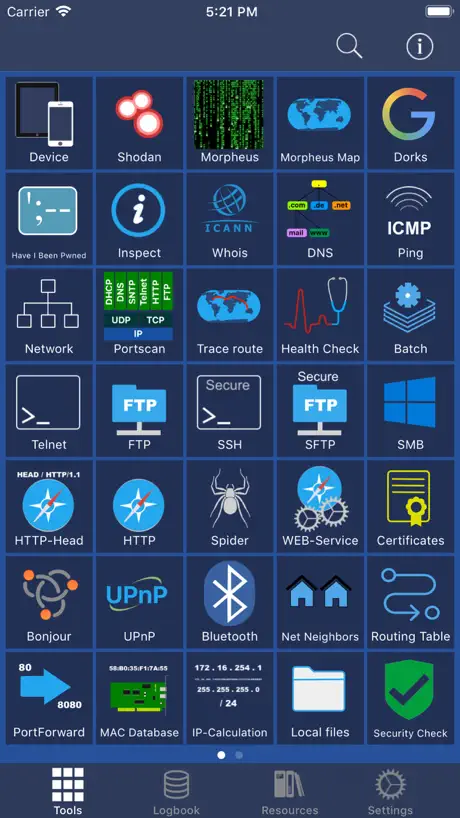  Network Toolbox Net security Network Toolbox Net security | 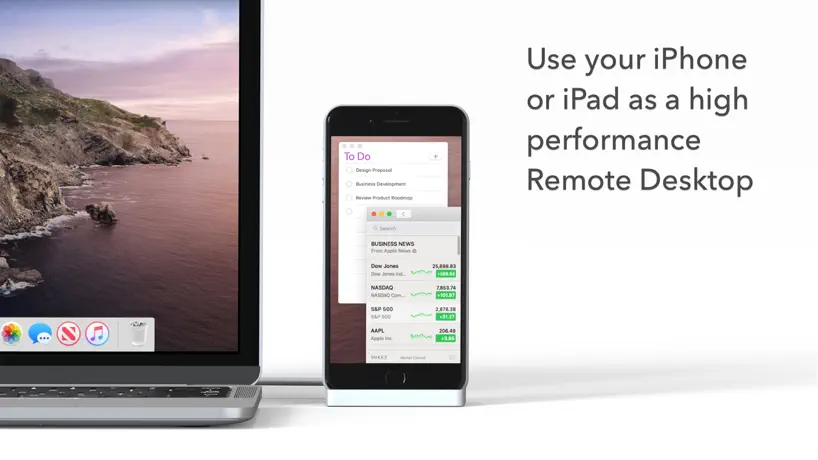  Duet Air - Remote Desktop Duet Air - Remote Desktop | 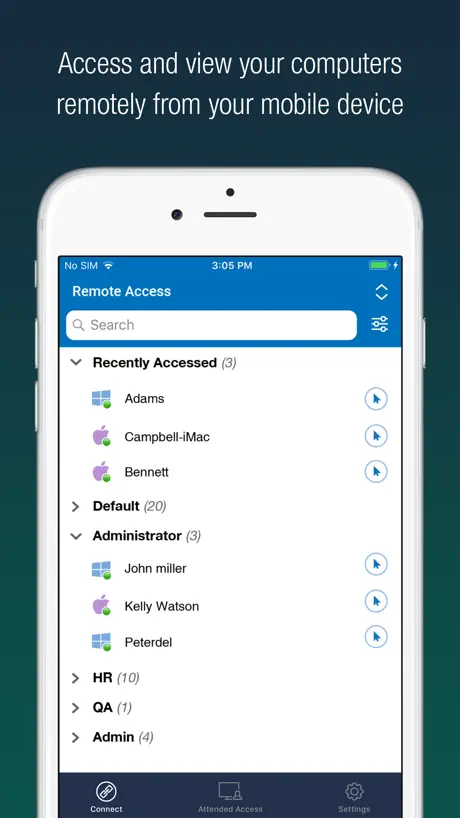  RemotePC Remote Desktop RemotePC Remote Desktop |   Shadow PC Shadow PC |   Network Utilities & Analyzer Network Utilities & Analyzer |   NoMachine NoMachine |   UTM Remote Virtual Machines UTM Remote Virtual Machines | |
|---|---|---|---|---|---|---|---|---|---|---|---|
| Rating / 5 | 3.1 | 4.8 | 4.7 | 4.8 | 4.6 | 4.2 | 4.6 | 3.7 | 4.5 | 3.3 | 3.4 |
| Reviews | 505 | 61K | 11K | 8.3K | 6.5K | 6.1K | 5K | 3.7K | 877 | 411 | 305 |
| Released | 2010 | 2010 | 2020 | 2018 | 2013 | 2020 | 2010 | 2019 | 2017 | 2014 | 2024 |
| Annual price | — | — | — | — | $29.99 | $49.99 | — | — | — | — | — |
The going rate for each plan in United States, in its own currency, shaded from the cheapest price on the row to the dearest. Plans fewer than four in ten of the priced apps sell are left out.
Connect My Computer reviews
3.1 out of 5, based on 505 reviews.
What people like
- Works well on old Macs
- Easy to set up quickly
- Great for basic remote control
What they complain about
- Ads interrupt you constantly
- Keeps crashing when you open it
- Support never actually helps
Was the best!!
This was the fastest, easiest to use vnc client I’ve used for iOS. Unfortunately, it no longer seems to work since I updated to iOS 12. Thanks apple:-/
Probably because of use error but I’m not even able to get it to launch anything 😳 help
I’ve had this for several weeks now still not able to launch on any of my computers. Either way, I can’t even begin to express my frustration.
Awesome.
I’ve used this app for nearly 10 years. It’s absolutely invaluable. Yes, it could be better in some ways but honestly, it’s worth it. I use it in combination with Mobile Mouse pro.
Curser issues
Connected easily to my Mac but what’s going on with the cursor, no mouse emulation at all, why would you connect to your Mac but not have any mouse functions, when you try to scroll the curser it drags the screen around so you have to stab at the screen to get the cursor to go where you want it then you have no left or right button emulation, adverts are just pathetic there’s advertising and then just plain annoying, no information as to what you will get with “pro" version, very amateurish.
Isn’t loading
I haven’t had a chance to explore the app because it is not working please someone help
Good for monitoring
I use the app for monitoring my mac. Does it well.
shows dark screen
doesnt work, shows dark screen when connected to mac pro.
Good enough
This tool does it's job but it could improve on the following to get 5 stars: - Mouse pointer accuracy (there's an offset between where you point on the iPad and where the mouse pointer actually goes on the remote Mac) - Maintaining a connection (after several minutes of connectivity, screen will freeze requiring you to reconnect) - Complexity in using special keys (if you're trying to do such things as using shift or command to select multiple lines of remote text, a lot of jumping around between the menus is needed)
2/3 ads every time you open
Does what it should once you get past the ads. Complicated to set up with little instruction to help you. Only get if you can get past the spam ads and are quite IT savvy.
Does not work
It keeps saying the connection refused even though I am doing everything right and the connection is dine
Works very well!
Use it to remotely monitor my Mac server. Love it! Worth every penny. Thank you!! 😊
Doesn’t work
Description says you can access your Mac, so I downloaded it and opened it. Nothing. Go to settings but nothing. Waste of time.
Works well on iPad but...
I like this app. It does what it is supposed to do. I even upgraded to the paid version. Question for the developers... Is there any way to prevent my Mac from logging out whenever I close this app or turn off the iPad screen?
Crashtastic
On previous iPhones (and iOS versions), this was definitely a "4-star" application; it worked well for me most of the time. Unfortunately, the experience with my current device (iPhone 6+ / iOS 8.1.3) hasn't been good. Now, the application crashes more often than not, especially if I try to do anything more than "observe" my iMac remotely. It's pretty much rendered any attempt to control or access files on the iMac useless. While I can't say definite that the poor performance is due to the change in devices / iOS versions, it sure looks that way. I guess it's a good thing I'm not "out" any money by using the free version! (Or...is it that the paid version would work without crashing?)
Does work
This app (free version) does work. I used it to control my media system on my iMac. Works well for free basic mouse and keyboard remote control. Only thing is you need to have and understand OS X Server
Would like a seperate pro version
I didn't need this app for a long time but when I came back to it I find that it works reasonably well. The pro version price is typical for apps of this type but I would prefer if it was available as a seperate app rather then an in-app purchase.
Can’t transfer pro version to new iPhone!!
I bought pro awhile ago, now it is trying to get me to purchase it again and showing ads. No way to transfer to new phone. Garbage!!
Mac homescreen
Mac homescreen
Unstable app
...it just crashes. So I won't buy the Pro version until there's improvement.
Good locally
This app is brilliant as long as I am connected to the router that my Mac mini is also connected to. If I connect to my guest wifi network, to connection from my iPad 2 times out. Also, I was unable to find any documentation confirming or denying compatibility with Mavericks.
Excellent app
Been using this for a few years now and it's a solid, user friendly and responsive app.
total garbage!
all it does is keep popping up ads one after another every 4-5 seconds. would give it 0 stars if i could!
Pro version of this app is the best iOS app to remote into your Mac bar none.
But the free version isn't so great... Once you update to Pro, it really shines.
Frustrated
App not even working yet, ads are annoying and asked me to rate, frustrating.
Good but haven't some important functions
I was using VNC viewer until discovered this app. I like it for controls you have during remote session and mouse control too. But it works great until you have to use international layout. Yes, it works but doesn't support international keyboard layouts. It's simply don't transfer symbols remotely. Also, you can't send or receive clipboard.
Brilliant
Can do everything I can do on my Mac, really useful
My Mac app
This app is worthless. As apple iso & the apple OS already supports screen share. So why use or buy an app that jest want to have you download. Casino games that’s all this app is is a unusable app
Great app
Doesn't always work but does do the job most of the time..
Could be fantastic
Connection is easy and fast, and it all looks good. But then you realise keyboard input is really sluggish, the app is generally unresponsive, and it crashes all the time (iPhone 4S 64GB talking over a good network to a MacBook Pro). A shame.
AAAHHHH!
POPUP ADS!! Replace with banner ads on menus=*****
Perfect!
I've had no problems with this app connecting even to my ancient PowerMac running Tiger. The interface is a bit strange, considering you're using a touch screen device to work with a mouse-and-keyboard device, but it performs far better than any generic VNC client I've seen for the iPad.
6/1/2016 – 11/25/2017 ?!!
Is Apple's approval system really backed up 17 months, that this update from spring of last year is finally distributed now? Or was it backdated? I hope there will not be further delay to the update for full iOS-11/64-bit compatibility. That one needed to be in users' hands over a month ago. Not everyone can or knows they need to hold off on updating to iOS 11 to keep this app working; that is, if they haven't bought a new device with iOS 11 already installed on it.
I love it!
Simple enough to use. Easy interface. Great product. Annoying how I'm constantly asked to rate an app I've already rated previously though.
Too many crashes
Too many crashes on iOS 5, deleted and using another remote tool now
Works just okay
This is just okay. Pro version works fine, but good luck figuring out how to install the already purchased pro version on another device - something the developer claims is a perfectly fine thing to do. Trouble is the non-pro version simply says something like "You've already purchased this in-app purchase, but it hasn't been downloaded" yet it doesn't bother to tell you how to make that happen. VERY frustrating. The "support" forum is practically worthless, with a totally non-functioning search tool. The lone post I could find about installing the pro version problem remains unanswered. Signing up doesn't appear to work either. There is also no email support so I'm declaring this ABANDONWEAR.
Awesome
This app is awesome and so fast. I used a similar one a while back but had trouble with it running very slow and crashing. I use my Ipad a lot because of shoulder issues and this app lets me work on my computer comfortably with my Ipad. Thanks!
Signed up but no activation email?
It's been over an hour and no activation received in my email as promised. I'm probably going to ask fo a refund.
Pretty Good App
I am connecting with my iMac running Mavericks through both my WiFi connection and 3G with an iPad 1 and iPhone 4S. This App took a while to figure out, but, once I figured out the UVerse port forwarding it has saved me on vacation several times when I needed a file or to control my desktop. Controls are better than some other programs I have tried. Has some problem with dropping the connection occasionally, but, that could be the connection.
Decent one but inconvenient
I think it's such a good idea to connect between iphone and mac, and it was not that difficult to figure out how to use but Right Click!!! Still, honestly I don't know how to do it. The instruction says i need to hold and tap but it seems to not work.
Great app for the price
Update: I have used this app for some time and generally works well. However this bug is quite annoying as it hasn't been fixed yet. If you set startup password, and you try and type in a connected computer it will not let you. If you disable startup password it will work. I would rather have password set for security reasons as remembering passwords to all of my computers is a real pain. If the developer fixes this bug I will give it 5 stars. This app was one of the best value in the VNC range. It works well when connecting internally on my wifi network and remotely over 3G. There were a few faults like quitting the connection sometimes would not work. The app is continuing to improve and well worth the price.
Love it
Love this app.! I've been looking for something like this. Is there a way I can access is while NOT on my wifi network?
Garbage
there is no more to say. This app is garbage. i only rate you 1 star because the app store says i have to. good day.
Connect My Mac
This works well for remote control but help setting it up is poor. Finally figured it out. I want the screen to reflect the slide I am viewing in PowerPoint. Other than that it does what it's supposed to do.
Not working
Just upgraded and I can't connect from anywhere. I don't know ifim doing something wrong but I followed instructions to the word and I'm quite clued up. Support website is down, so feel like I've wasted £2.99
Impressive!!
I've never really got into the apple products or software before, but now I have a family of products I've decided to see what they can all do, this product is a fantastic free app that let's you do the basics from your other iOS devices in my case the nu ipad mini,(I can't see the point having it on the iPhone) I was amazed it does what it says on the tin FOR FREE!!!! I'm only giving it 3 stars however for the terrible lag it has, as a basis to keep an eye on stuff whilst you are away it's great, for working with seamlessly for long periods of time forget it... Apps on the mac [i played angry birds from space] can be used on the ipad through this app however NO SOUND is transmitted and the screen doesn't fit properly. All though it looks nice it's a little impractical. I'd suggest to get splash top 2 if you plan to actually use this with out wanting to throw your ipad through your mac or tv, as splash top 2 plays sound and is full screen and full accessibility and looks EXACTLY as it appears on the mac. Both apps however are keepers. Check it out
Well used
One of the my more used apps. Works well for my basic use which is mainly starting progs like iTunes remotely and switching off the mac.
Vncviewer is way better and free
Hardly any features compared to vncviewer
Easy to Setup & use
Setup was super easy following the online directions accessible from the help button. I can now access my Mac from my ipad without need to pay the outrageous annual fee that parallels access charges.
Paid version not worth buying.
Pro version is not worth buying . Free version has worst graphics.
Really great but crashes a lot.
This app is fantastic and allows me remote access of my three Macs easily which is really helpful. The only problem is that it crashes, a lot - more so when connection to my Mountain Lion machines but still does with my Snow Leopard Server now and then. I realise that Mountain Lion is very new so hopefully the developer can sort out the crashing issue - I hope so as I use this app a lot!
Connect My Computer price by country
A one-time purchase costs $4.68 in Pakistan and $8.01 in Colombia — 1.7× more for the same thing. Below is the going rate for each plan in every country that sells it — the middle price of what the app charges there, in the country's own currency with the dollar equivalent beneath it.
| Country | One-time |
|---|---|
| Afghanistan | $4.99 |
| Albania | $5.99 |
| Algeria | $4.99 |
| Angola | $4.99 |
| Anguilla | $4.99 |
| Antigua And Barbuda | $4.99 |
| Argentina | $4.99 |
| Armenia | $5.99 |
| Australia | A$7.99$5.75 |
| Austria | €5.99$6.96 |
| Azerbaijan | $5.99 |
| Bahamas | $4.99 |
| Bahrain | $4.99 |
| Barbados | $5.99 |
| Belarus | $5.99 |
| Belgium | €5.99$6.96 |
| Belize | $4.99 |
| Benin | $5.99 |
| Bermuda | $4.99 |
| Bhutan | $4.99 |
| Bolivia | $4.99 |
| Bosnia & Herzegovina | €5.99$6.96 |
| Botswana | $4.99 |
| Brazil | R$29.90$5.85 |
| British Virgin Islands | $4.99 |
| Brunei Darussalam | $4.99 |
| Bulgaria | €5.99$6.96 |
| Burkina Faso | $4.99 |
| Cambodia | $4.99 |
| Cameroon | $5.99 |
| Canada | CA$6.99$5.07 |
| Cape Verde | $4.99 |
| Cayman Islands | $4.99 |
| Chad | $4.99 |
| Chile | CLP 5,990$6.46 |
| China | CN¥38.00$5.65 |
| Colombia | COP 24,900$8.01 |
| Congo | $4.99 |
| Congo, Democratic Republic | $4.99 |
| Costa Rica | $4.99 |
| Cote Divoire | $5.99 |
| Croatia | €5.99$6.96 |
| Cyprus | €5.99$6.96 |
| Czech Republic | CZK 129.00$6.18 |
| Denmark | DKK 39.00$6.07 |
| Dominica | $4.99 |
| Dominican Republic | $4.99 |
| Ecuador | $4.99 |
| Egypt | EGP 249.99$4.87 |
| El Salvador | $4.99 |
| Estonia | €5.99$6.96 |
| Fiji | $4.99 |
| Finland | €5.99$6.96 |
| France | €5.99$6.96 |
| Gabon | $4.99 |
| Gambia | $4.99 |
| Georgia | $5.99 |
| Germany | €5.99$6.96 |
| Ghana | $5.99 |
| Greece | €5.99$6.96 |
| Grenada | $4.99 |
| Guatemala | $4.99 |
| Guinea-bissau | $4.99 |
| Guyana | $4.99 |
| Honduras | $4.99 |
| Hong Kong | HK$38.00$4.85 |
| Hungary | HUF 1,990$6.34 |
| Iceland | $5.99 |
| India | ₹499.00$5.22 |
| Indonesia | IDR 89,000$5.07 |
| Iraq | $4.99 |
| Ireland | €5.99$6.96 |
| Israel | ₪17.90$5.89 |
| Italy | €5.99$6.96 |
| Jamaica | $4.99 |
| Japan | ¥800$5.19 |
| Jordan | $4.99 |
| Kazakhstan | KZT 2,990.00$6.65 |
| Kenya | $5.99 |
| Kosovo | €5.99$6.96 |
| Kuwait | $4.99 |
| Kyrgyzstan | $4.99 |
| Lao Peoples Democratic Republic | $4.99 |
| Latvia | €5.99$6.96 |
| Lebanon | $4.99 |
| Liberia | $4.99 |
| Libya | $4.99 |
| Lithuania | €5.99$6.96 |
| Luxembourg | €5.99$6.96 |
| Macao | $4.99 |
| Macedonia | $4.99 |
| Madagascar | $4.99 |
| Malawi | $4.99 |
| Malaysia | MYR 22.90$5.63 |
| Maldives | $4.99 |
| Mali | $4.99 |
| Malta | €5.99$6.96 |
| Mauritania | $4.99 |
| Mauritius | $5.99 |
| Mexico | MX$99.00$5.83 |
| Micronesia | $4.99 |
| Moldova | $5.99 |
| Mongolia | $4.99 |
| Montenegro | €4.99$5.80 |
| Montserrat | $4.99 |
| Morocco | $4.99 |
| Mozambique | $4.99 |
| Myanmar | $4.99 |
| Namibia | $4.99 |
| Nauru | $4.99 |
| Nepal | $5.99 |
| Netherlands | €5.99$6.96 |
| New Zealand | NZ$9.99$5.81 |
| Nicaragua | $4.99 |
| Niger | $4.99 |
| Nigeria | NGN 7,900.00$5.96 |
| Norway | NOK 59.00$6.36 |
| Oman | $4.99 |
| Pakistan | PKR 1,300$4.68 |
| Palau | $4.99 |
| Panama | $4.99 |
| Papua New Guinea | $4.99 |
| Paraguay | $4.99 |
| Peru | PEN 22.90$6.82 |
| Philippines | ₱299.00$4.77 |
| Poland | PLN 24.99$6.72 |
| Portugal | €5.99$6.96 |
| Qatar | QAR 19.99$5.49 |
| Romania | RON 29.99$6.63 |
| Russia | RUB 449.00$5.32 |
| Rwanda | $4.99 |
| Sao Tome & Principe | $4.99 |
| Saudi Arabia | SAR 19.99$5.33 |
| Senegal | $5.99 |
| Serbia | €5.99$6.96 |
| Seychelles | $4.99 |
| Sierra Leone | $4.99 |
| Singapore | SGD 6.98$5.50 |
| Slovakia | €5.99$6.96 |
| Slovenia | €5.99$6.96 |
| Solomon Islands | $4.99 |
| South Africa | ZAR 99.99$6.18 |
| South Korea | ₩7,700$5.72 |
| Spain | €5.99$6.96 |
| Sri Lanka | $4.99 |
| St. Kitts and Nevis | $4.99 |
| St. Lucia | $4.99 |
| St. Vincent & The Grenadines | $4.99 |
| Suriname | $4.99 |
| Swaziland | $4.99 |
| Sweden | SEK 69.00$7.14 |
| Switzerland | CHF 4.00$4.93 |
| Taiwan | NT$150.00$4.75 |
| Tajikistan | $4.99 |
| Tanzania | TZS 14,900.00$5.64 |
| Thailand | THB 199.00$6.03 |
| Tonga | $4.99 |
| Trinidad and Tobago | $4.99 |
| Tunisia | $4.99 |
| Turkey | TRY 249.99$5.15 |
| Turkmenistan | $4.99 |
| Turks and Caicos | $4.99 |
| Uganda | $5.99 |
| Ukraine | $5.99 |
| United Arab Emirates | AED 19.99$5.45 |
| United Kingdom | £4.99$6.74 |
| United States | $4.99 |
| Uruguay | $4.99 |
| Uzbekistan | $4.99 |
| Vanuatu | $4.99 |
| Venezuela | $4.99 |
| Vietnam | ₫149,000$5.76 |
| Yemen | $4.99 |
| Zambia | $5.99 |
| Zimbabwe | $5.99 |
Connect My Computer FAQ
- Is Connect My Computer free?
- Yes. The app and its basic features are free, in all 175 countries it sells in. Premium features are paid: they start from $4.99 (US), across 1 one-time purchase.
- Does Connect My Computer have a free trial?
- No. None of its offers (US) come with a free trial.
- Where is Connect My Computer cheapest?
- A one-time purchase costs PKR 1,300 (≈$4.68) in Pakistan and COP 24,900 (≈$8.01) in Colombia, its cheapest and dearest countries.
- What are the best alternatives to Connect My Computer?
- RealVNC Viewer: Remote Desktop (4.8 from 60,752 reviews), Mouse · Keyboard (4.7 from 11,172 reviews) and Luna Display (4.8 from 8,250 reviews).
Connect My Computer download
Last updated 1 year ago.
Connect My Computer sells in 175 countries. It was released 16 years ago, on 30 Sept 2010. It holds a 3.1 rating from 505 reviews.
Supports 12 languages: English, Dutch, French, German, Italian, Japanese, Korean, Portuguese, Russian, Chinese, Spanish, Swedish.
How much does Connect My Computer make?
Third-party estimates for the last 30 days, worldwide — not the store's own figures, which Apple publishes for nobody.
Revenue by plan
- One-time 100%
Revenue by country
- United States 31%
- China 9%
- United Kingdom 7%
- Germany 5%