Camera for OBS Studio
Turn your device into a webcam
How much does Camera for OBS Studio cost?
Prices are current as of 6 Oct 2026.
2 subscriptions from $4.99
In the United States, Camera for OBS Studio has 2 subscriptions priced $4.99 – 39.99.
| Subscription | Period | Price |
|---|---|---|
| 1 month | Monthly | $4.99 – 11.99 |
| 1 year | Annual | $18.99 – 39.99 |
2 one-time purchases from $69.99
In the United States, Camera for OBS Studio has 2 one-time purchases priced $69.99 – 99.99.
| Product | Price |
|---|---|
| Lifetime | $69.99 |
| Lifetime Premium | $99.99 |
10+ alternatives to Camera for OBS Studio
| Camera for OBS Studio |   TeamViewer Remote Control TeamViewer Remote Control | 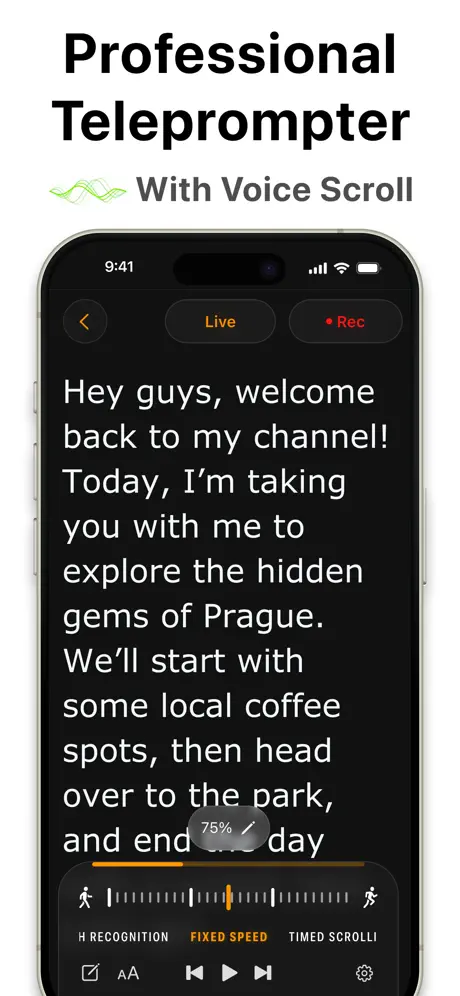  Teleprompter.com Teleprompter.com |   WordPress – Website Builder WordPress – Website Builder | 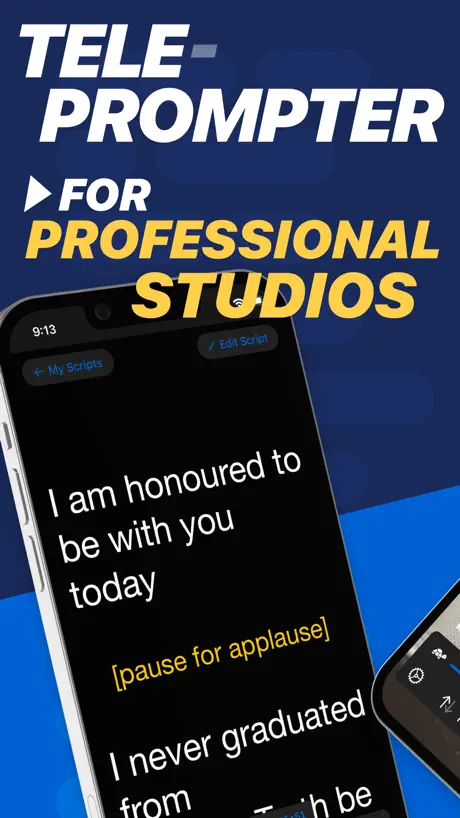  Teleprompter Pro Teleprompter Pro |   TOR Browser: Phantom TOR Browser: Phantom |   ASUS GlideX ASUS GlideX |   Jetpack for WordPress Jetpack for WordPress |   ChatLLM: AI Chat, Bot & Agent ChatLLM: AI Chat, Bot & Agent |   Mouse · Keyboard Mouse · Keyboard |   Teleprompter - VILO Teleprompter - VILO | |
|---|---|---|---|---|---|---|---|---|---|---|---|
| Rating / 5 | 4.3 | 4.7 | 4.8 | 4.5 | 4.7 | 4.4 | 4.8 | 4.7 | 4.8 | 4.7 | 4.6 |
| Reviews | 8.7K | 328K | 96K | 63K | 45K | 33K | 23K | 19K | 12K | 11K | 10K |
| Released | 2018 | 2013 | 2018 | 2009 | 2014 | 2017 | 2021 | 2021 | 2024 | 2020 | 2021 |
| Weekly price | — | — | $4.99 | — | $6.99 | $2.49 | — | — | — | — | $11.99 |
| Monthly price | $10.99 | — | $19.99 | — | $7.99 | $11.99 | — | — | $9.99 | — | — |
| Annual price | $24.99 | $619.99 | $59.99 | — | $59.99 | $69.99 | — | — | — | — | $79.99 |
The going rate for each plan in United States, in its own currency, shaded from the cheapest price on the row to the dearest. Plans fewer than four in ten of the priced apps sell are left out.
Camera for OBS Studio reviews
4.3 out of 5, based on 8,696 reviews.
What people like
- Excellent picture quality from iPhone
- Works well once configured
- Great alternative to cheap webcams
- Developers fix issues quickly
What they complain about
- Setup is confusing and difficult
- Video lags or freezes often
- Support team never responds
- Expensive monthly subscription required
Hggggggg
Gggyyhhg
Pure greed!
Never seen anything like it! Brilliant app must say but come one dude having that moving massive water mark over the screen, if your going to offer a ‘free’ version at least be be far have it scrolling across the top in a nice lower font or something, this app is useless unless you pay! Let us make an account and have 7 days to use it like ALL OTHRT APPS to see if it’s right for us
Very new review
Hi guys I think the potential here is huge and have just managed to connect my mixing desk for live music and can’t wait to get a load of content done. My question is….do I need to upgrade to premium to remove “camera from OBS” from my screen? Thank you Adam
Dead app if using OBS ver. 30
The last release notes for this app was in 2022. usb connection no longer works, but NDI does, having some stutter issues but that could a separate issue. However good luck asking for assistance as their customer service is also dead silent.
Sem suporte para OBS 30
O plugins para mac nao é compatível com a versão 30 do OBS studio
Best on the market!
This app is the best on the market for this. Picture quality is great, app stability is great, generally is a flawless experience. If you are looking to use your iPhone in OBS, this is the app to get. It’s worth the money. Make sure you use a really high quality cable plugged directly into system, don’t use cheap aftermarket cables, don’t plug cables into a usb hub. If you don’t use a good cable, you are going to have a bad time. Edit/update: All of my previous gripes are gone! The devs continue to update this and it just gets better and better. If you are on the fence about this at all just buy it! 1. The app now supports 4K60 flawlessly 2. The output no longer glitches or skips! 3. The app has profile features now! You can lock orientation as well as camera choice (like wide angle) and it will default to that when opening. This makes set up a lot easier! Big thank you to the devs. This a perfect app for me and well deserving of 5 stars.
Scam
This chucks a massive ugly watermark up and tells you to pay to get rid of it. It also tells you to download some weird sounding driver, which I’m guessing does something underhand to your PC. Neither of these is needed or necessary.
It’s great!!
It’s great just did a dj stream with it, only problem is once or twice it just randomly crashed but other than that it’s AMAZING!
Too much of a hassle
It's great when it works but every time I update OBS I have to reinstall the plug-in and this time it won't even work.. tried everything but nothing. Not paying extra anymore for a app that won't work.
Erro de conexão
Olá, preciso de ajuda quando a conectao, tenho um iPhone 13 e mesmo comprando o aplicativo ele funciona durante alguns segundos e trava… preciso de ajuda de algum desenvolvedor…
Simple set up, fantastic quality
Not much to review here. This was pretty much plug and play. I’m completely new to OBS and set this up within a minute or two with no difficulties at all. The only issue was that the camera quality was so high. My self esteem couldn’t cope with seeing my face in such laser sharp detail. That aside, well worth the money. Set up: MacBook Pro (base 2015 model), iPhone 8, USB connection via a USB hub -> using OBS Virtual Cam for conference calls on Zoom, Teams, etc.
Not free
Insanely expensive
Delayed in the camera.
Since oBS update this app is delayed - feels like I’m in a badly dubbed movie right mown
Good, but…
The app is great, but it didn’t work properly in my macbook. The video starts, but I don’t know why it freezes. I start recording and it freezes. Then I have to restart the Obs.
Breaking
When changing cameras, the app breaks
Works on iPhone 5s and iPhone 6
Pleased to say got this to work - but although I had iTunes running on my windows 10 laptop, the iOS plugin installed, the iPhone connected via lightning-USB and the green indicator light implying all ok and connected, I had no display either on the iPhone or on the laptop! The reason.... you must reboot your iPhone after installing the app!...easily overlooked and semi-obvious but might be worth mentioning in the, nonetheless, useful instructions.
Cheeky cashgrab
You either have a blinking watermark in the middle of the screen ruining your stream or pay an extortionate tenner a month. If they made it a one time payment, I would have payed it, but subscription are like leeches and I only have so much blood... ¯\_(ツ)_/¯
Great, but needs a remote control
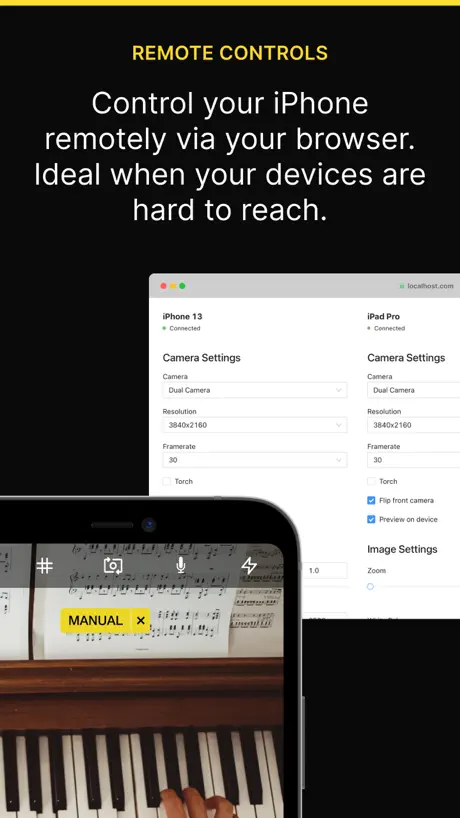
Great app. However, it would be amazing if the plug-in within OBS could remote control the camera settings. I do a lot with top down cameras, so having to set the parameters on the phone screen is a serious pain. If I could do it within OBS using a little UI everything would be so much easier.
Won’t work with NDI 5
This app won’t work with the new version of NDI 5. Guess I will have to downgrade to NDI 4
Doesn’t work for me.
Tried today to connect my iPhone 11 but from the pc on OBS I can’t find my device. Hope for a refund or the issue get fixed. But I still give 3 stars because the app looks great.
Works Perfectly
I initially had some freezing problems when using this with my iPhone 12 Pro (it worked without problems on my old iPhone 6S). I was able to resolve this by switching the usb connection to a 3.0 USB port. This isn’t the easiest app to setup, once you have it working though; everything runs flawlessly.
iPhone doesn’t work as a web cam
Save your money the app dosn’t work . I paid for a subscription which I cancelled after loosing nearly £10 for a month , after trying everything I still cannot link my iPhone as a webcam to the app. Rubbish.
Great app but can be difficult to set up
Updated review: OK, so I have now got this working and have updated the review. The problem I had with it is that there was a conflict with another process running. It was some application that was running in the background with an icon in the toolbar - it MIGHT have been Automap server by Novation but I’m not 100% sure as I was exiting a few apps in the toolbar to test whether there was a conflict. The app works great and is actually very easy to use (and high quality) once it is set up. You might get lucky and it just works but if not, it can be very difficult to fix. The reason for 4 stars instead of 5 is that the support is somewhat lacking. The docs are limited and there are a lot of issues like this discussed in the OBS forums but no responses from dev (from what I’ve seen). ———— Old review: I paid for this app and it has never worked. It’ll connect fine to my MacBook Pro and then seconds later the feed just freezes. I’ve tried everything, yes including wiring the device directly to the USB-C port on the Mac. I’ve looked at all the discussion of issues online. Save your money and look elsewhere, this simply doesn’t work.
Worked great... and now it doesn’t
I’ve been using it for months and last week the program stopped recognizing all phones... refreshed one and the drivers... still nothing works
Trava quando troca de cena
O App é muito bom em questão de qualidade de câmera, mas tem um grande problema, quando eu troco de cena a câmera congela e eu preciso ficar atualizando no OBS toda hora, não sei se é um Bug, mas se for espero que corrijam em breve, isso é muito ruim :/
Great App
Had a bit of trouble at first as my iPhone camera wouldn’t load up on OBS Studio - however I contacted OBS and one of the team got back to me within 24 hours and said I had the wrong plug in He provided me a link with the correct plug in and it was working in no time! Will definitely recommend this
You have to subscribe
Download app and then found you have to subscribe or you have a watermark across your recordings. I think all apps that have this should note it in the description.
Lags
Video lags and does not match to my audio when I use an external mic
Disappointed
I wanted to screen broadcast my phone screen (not cam) over to the computer, but it doesn’t have the function. The computer version can screen capture live your computer screen but can’t with iPhone. I feel I wasted my time and money trying.
Glitches and delay
Whilst it seems to work well with ObS as a single camera, there is a delay and glitches occur when used in a multi camera setup.
Great app
After a bit of head scratching I got this to work. I honestly think the issue was with iTunes. Anyhow, it’s brilliant and well worth the money.
Disappointed
Having already got obs studio set up ready on my computer i was under the impression i would use a spare iphone i have for the camera. But upon downloading this app to then see it has a flashing watermark across the whole screen unless you pay a monthly subscription was abit crap, set it all up anyway to try it out and the quality and lag from the phone to what was on the screen was appalling that it was unusable, have a very old 1.3 megapixel webcam in my cupboard that i tried and even that was 100 times better. Will resort to getting an up to date webcam instead
Well worth the money but does need tweaking
I bought this app thinking it won’t do the job but I was wrong I own an iPhone 11 Pro Max and didn’t realize the powerful camera I had in my pocket anyway I was about to purchase a Logitech c920 and this blows it out of the water. Now I have noticed when connected the app can cause a slight delay on the camera sometimes but refreshing the device in obs fixes This maybe a little bug no biggie. Over all fantastic app easy setup and does what it states
Problems with iPhone 11.
Recent update causes freezing on both iPhone and OBS Desktop app. I tried my old iPhone 6s Plus that had the previous version with the same settings and had no issues.
IOS Camera connection ok but...
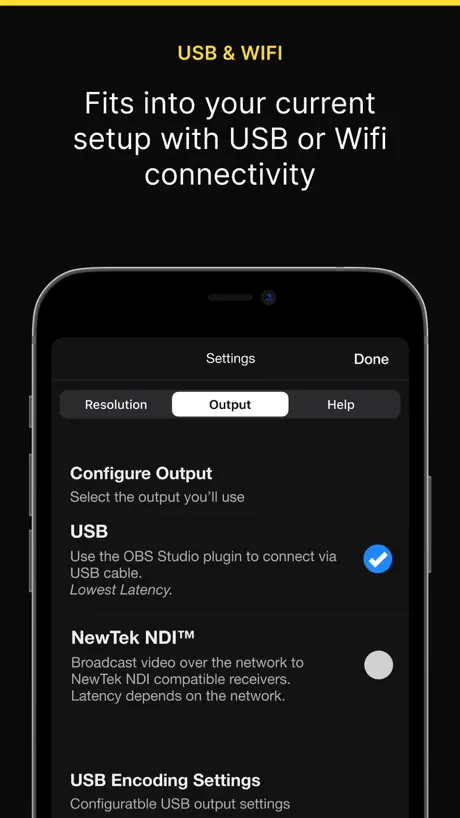
Don’t get this app unless you are ok with messing with settings etc. In my experience it is not ‘plug-n-play’. It has 2 connection modes - IOS Camera (using a USB lead) and NDI (using a LAN / WiFi). You select which connection type you want to use in the App settings. Getting the IOS Camera mode to work is fairly straightforward but you do need to make sure your PC is running the latest iTunes and that you have successfully connected your phone to the PC by USB. After some perseverance I did get an NDI connection working but not every time. The App says it is ‘Broadcasting’ to the network but OBS fails to show the NDI device as an available source. I tried two different Wi-fi routers with the same experience with each. But to be honest I don’t know if they meet the recommended spec - but they are typical of what many people use in UK. I Also tried NDI Tool - Monitor on my pc. This was a bit better at discovering the NDI broadcast from the app (compared with OBS) but worked <50% of the time. So, other users may have satisfaction with the NDI connection mode or may not. Just trying to be helpful...
So useful.
It was only really this year that I realised how terrible webcam quality is on my laptop(s). This app provides me as choral leader to broadcast at a higher quality. With an added bonus it makes it SO easy to add external to keep it in sync. I’ve paired this with a ‘Belkin Rockstar’ which means I can use the line out of my Mic/Interface and have that route directly into my iPhone which syncs with the camera and goes into OBS studio. So no latency! Perfect.
Doesn’t work
The app doesn’t work at all on iOS 16 and latest MacOS version. I downloaded the plug-in and doesn’t even show up on OBS. What a waste of time.
Great
Saved me from buying a cheap and bad webcam during quarantine. Works perfectly when used properly and correctly. Would recommend tobpeople needing an alternative to a webcam.
Great idea in principle but way too expensive.
It’s laggy and my iPhone gets red hot when using this connected to OBS on my MacBook with a usb.
New update has broken the app
I loved using the last version of this app but since I’ve updated it, my camera freezes regularly. I’ve tried various settings but none have worked.....not the best of updates to be fair
Fantastic!
Having struggled with other apps to turn my iPhone into a webcam, I found this app. The set is easy and it connects to obs studio straight away - once a plug in is downloaded. The picture quality is great - well worth the cash. The connection has not dropped once in 4 hours of streaming so far. Highly recommend this app.
Can’t manage to switch subscription from 1 phone to an other
I paid the premium on 1 phone, but I now need to use my premium account on another phone (not using the old one anymore) and nobody replies on their website. Ridiculous
Mr
Not too impressed with this software. Was recommended by a friend who had used it successfully in the past. Was not the easiest to set up. But having copied all the same settings from my friends working setup I found mine did not perform in the same way. The phone constanly says on screen waiting for connection. But the screen is mirrored to my MacBook. By tilting the phone the orientation should also do the same on the MacBook. However this does not happen. We spent a good bit of time trying to trouble shoot this with no resolve. In the end had to use the built in camera on the macbook to record. Wasted money. Update. After completely removing the app from both my laptop and phone. Then reinstalling both. It now seems to be working as it should. Not sure why I had problems first time round. My friend uses Mojave OS. While I had Catalina running. But now it works...
Poor
Some times works some times doesn’t. In consistent. Not good enough. Waste of money.
Please help
I bought this app today to teach a class but I can’t get it to work at all and had to cancel, I downloaded the application on to my Mac but it can’t be seen anywhere Please help! Kind regards
App works spot on!
I was thrown off by the price originally, due to there being free alternatives but I’m glad I made the investment. Loads of settings in the app that you can play with and really easy to set up providing you follow the instructions. The only negative point I have is that it doesn’t work with stream labs obs. But if I googled it before buying it I would’ve known that 😅 was still able to set up normal obs exactly how my stream labs was. Over all no complaints here and very happy with the app. Saved me spending big money on a decent webcam.
Terrible
I would like my money back, the image is terrible with many problems!
Does the job
I got it working with OBS without a hitch. Does what it promises. Thank you for a great app.
Zoom issues
Everything worked as described, great for recording, but when connected to Zoom the video slows to a crawl, almost stops. This is why I got this thing, what’s the answer?!
Please help
It won’t connect to my pc I read the guide and it still doesn’t work
Camera for OBS Studio price by country
A monthly subscription costs $2.44 in Turkey and $14.78 in Colombia — 6× more for the same thing. Below is the going rate for each plan in every country that sells it — the middle price of what the app charges there, in the country's own currency with the dollar equivalent beneath it.
| Country | Monthly | Annual | One-time |
|---|---|---|---|
| Afghanistan | $10.99 | $24.99 | $69.99 |
| Albania | $13.19 | $29.99 | $79.99 |
| Algeria | $10.99 | $24.99 | $69.99 |
| Angola | $10.99 | $24.99 | $69.99 |
| Anguilla | $10.99 | $24.99 | $69.99 |
| Antigua And Barbuda | $10.99 | $24.99 | $69.99 |
| Argentina | $10.99 | $24.99 | $69.99 |
| Armenia | $10.99 | $24.99 | $79.99 |
| Australia | A$15.99$11.10 | A$37.99$26.38 | A$99.99$69.44 |
| Austria | €10.99$12.36 | €26.49$29.80 | €79.99$89.98 |
| Azerbaijan | $10.99 | $24.99 | $79.99 |
| Bahamas | $10.99 | $24.99 | $79.99 |
| Bahrain | $10.99 | $24.99 | $79.99 |
| Barbados | $10.99 | $24.99 | $79.99 |
| Belarus | $10.99 | $24.99 | $79.99 |
| Belgium | €10.99$12.36 | €26.49$29.80 | €79.99$89.98 |
| Belize | $10.99 | $24.99 | $69.99 |
| Benin | $10.99 | $24.99 | $79.99 |
| Bermuda | $10.99 | $24.99 | $69.99 |
| Bhutan | $10.99 | $24.99 | $69.99 |
| Bolivia | $10.99 | $24.99 | $69.99 |
| Bosnia & Herzegovina | €10.99$12.36 | €26.49$29.80 | €79.99$89.98 |
| Botswana | $10.99 | $24.99 | $69.99 |
| Brazil | R$29.90$5.73 | R$94.90$18.18 | R$499.90$95.77 |
| British Virgin Islands | $10.99 | $24.99 | $69.99 |
| Brunei Darussalam | $10.99 | $24.99 | $69.99 |
| Bulgaria | €10.99$12.36 | €25.99$29.24 | €79.99$89.98 |
| Burkina Faso | $10.99 | $24.99 | $69.99 |
| Cambodia | $10.99 | $24.99 | $79.99 |
| Cameroon | $10.99 | $24.99 | $79.99 |
| Canada | CA$13.99$9.85 | CA$31.99$22.53 | CA$99.99$70.42 |
| Cape Verde | $10.99 | $24.99 | $69.99 |
| Cayman Islands | $10.99 | $24.99 | $69.99 |
| Chad | $10.99 | $24.99 | $69.99 |
| Chile | CLP 10,200$10.32 | CLP 23,900$24.19 | CLP 79,990$80.96 |
| China | CN¥70.00$10.43 | CN¥163.00$24.29 | CN¥498.00$74.22 |
| Colombia | COP 48,900$14.78 | COP 117,900$35.63 | COP 299,900$90.64 |
| Congo | $10.99 | $24.99 | $79.99 |
| Congo, Democratic Republic | $10.99 | $24.99 | $69.99 |
| Costa Rica | $10.99 | $24.99 | $69.99 |
| Cote Divoire | $10.99 | $24.99 | $79.99 |
| Croatia | €11.68$13.14 | €27.87$31.35 | €79.99$89.98 |
| Cyprus | €10.99$12.36 | €26.49$29.80 | €79.99$89.98 |
| Czech Republic | CZK 289.00$13.30 | CZK 689.00$31.71 | CZK 1,990.00$91.58 |
| Denmark | DKK 85.00$12.78 | DKK 209.00$31.43 | DKK 599.00$90.08 |
| Dominica | $10.99 | $24.99 | $69.99 |
| Dominican Republic | $10.99 | $24.99 | $69.99 |
| Ecuador | $10.99 | $24.99 | $69.99 |
| Egypt | EGP 169.99$3.25 | EGP 389.99$7.46 | EGP 3,999.99$76.55 |
| El Salvador | $10.99 | $24.99 | $69.99 |
| Estonia | €10.99$12.36 | €26.49$29.80 | €79.99$89.98 |
| Fiji | $10.99 | $24.99 | $69.99 |
| Finland | €10.99$12.36 | €26.49$29.80 | €79.99$89.98 |
| France | €10.99$12.36 | €26.49$29.80 | €79.99$89.98 |
| Gabon | $10.99 | $24.99 | $69.99 |
| Gambia | $10.99 | $24.99 | $69.99 |
| Georgia | $10.99 | $24.99 | $79.99 |
| Germany | €10.99$12.36 | €26.49$29.80 | €79.99$89.98 |
| Ghana | $10.99 | $24.99 | $79.99 |
| Greece | €10.99$12.36 | €26.49$29.80 | €79.99$89.98 |
| Grenada | $10.99 | $24.99 | $69.99 |
| Guatemala | $10.99 | $24.99 | $69.99 |
| Guinea-bissau | $10.99 | $24.99 | $69.99 |
| Guyana | $10.99 | $24.99 | $69.99 |
| Honduras | $10.99 | $24.99 | $69.99 |
| Hong Kong | HK$83.00$10.57 | HK$193.00$24.59 | HK$588.00$74.90 |
| Hungary | HUF 4,190$12.79 | HUF 10,490$32.01 | HUF 29,990$91.53 |
| Iceland | $13.63 | $30.99 | $79.99 |
| India | ₹969.00$10.05 | ₹2,249.00$23.33 | ₹6,900.00$71.58 |
| Indonesia | IDR 169,000$9.43 | IDR 389,000$21.71 | IDR 1,299,000$72.51 |
| Iraq | $10.99 | $24.99 | $69.99 |
| Ireland | €10.99$12.36 | €26.49$29.80 | €79.99$89.98 |
| Israel | ₪35.90$11.81 | ₪77.90$25.63 | ₪199.90$65.76 |
| Italy | €10.99$12.36 | €26.49$29.80 | €79.99$89.98 |
| Jamaica | $10.99 | $24.99 | $69.99 |
| Japan | ¥1,200$7.61 | ¥2,900$18.39 | ¥11,000$69.74 |
| Jordan | $10.99 | $24.99 | $69.99 |
| Kazakhstan | KZT 4,690.00$10.45 | KZT 10,790.00$24.04 | KZT 39,990.00$89.10 |
| Kenya | $10.99 | $24.99 | $79.99 |
| Kosovo | €10.99$12.36 | €26.49$29.80 | €79.99$89.98 |
| Kuwait | $10.99 | $24.99 | $69.99 |
| Kyrgyzstan | $10.99 | $24.99 | $79.99 |
| Lao Peoples Democratic Republic | $10.99 | $24.99 | $79.99 |
| Latvia | €10.99$12.36 | €26.49$29.80 | €79.99$89.98 |
| Lebanon | $10.99 | $24.99 | $69.99 |
| Liberia | $10.99 | $24.99 | $69.99 |
| Libya | $10.99 | $24.99 | $69.99 |
| Lithuania | €10.99$12.36 | €26.49$29.80 | €79.99$89.98 |
| Luxembourg | €10.99$12.36 | €26.49$29.80 | €79.99$89.98 |
| Macao | $10.99 | $24.99 | $69.99 |
| Macedonia | $10.99 | $24.99 | $69.99 |
| Madagascar | $10.99 | $24.99 | $69.99 |
| Malawi | $10.99 | $24.99 | $69.99 |
| Malaysia | MYR 48.90$11.99 | MYR 112.90$27.67 | MYR 299.90$73.50 |
| Maldives | $10.99 | $24.99 | $69.99 |
| Mali | $10.99 | $24.99 | $69.99 |
| Malta | €10.99$12.36 | €26.49$29.80 | €79.99$89.98 |
| Mauritania | $10.99 | $24.99 | $69.99 |
| Mauritius | $10.99 | $24.99 | $79.99 |
| Mexico | MX$249.00$13.69 | MX$619.00$34.03 | MX$1,499.00$82.41 |
| Micronesia | $10.99 | $24.99 | $69.99 |
| Moldova | $10.99 | $24.99 | $79.99 |
| Mongolia | $10.99 | $24.99 | $69.99 |
| Montenegro | €9.99$11.24 | €26.49$29.80 | €69.99$78.73 |
| Montserrat | $10.99 | $24.99 | $69.99 |
| Morocco | $10.99 | $24.99 | $79.99 |
| Mozambique | $10.99 | $24.99 | $69.99 |
| Myanmar | $10.99 | $24.99 | $69.99 |
| Namibia | $10.99 | $24.99 | $69.99 |
| Nauru | $10.99 | $24.99 | $69.99 |
| Nepal | $10.99 | $24.99 | $79.99 |
| Netherlands | €10.99$12.78 | €26.49$30.80 | €79.99$93.01 |
| New Zealand | NZ$17.99$10.11 | NZ$41.99$23.59 | NZ$129.99$73.03 |
| Nicaragua | $10.99 | $24.99 | $69.99 |
| Niger | $10.99 | $24.99 | $69.99 |
| Nigeria | NGN 4,800.00$3.61 | NGN 11,200.00$8.41 | NGN 99,900.00$75.04 |
| Norway | NOK 119.00$12.37 | NOK 279.00$29.00 | NOK 899.00$93.45 |
| Oman | $10.99 | $24.99 | $69.99 |
| Pakistan | PKR 1,850$6.67 | PKR 4,400$15.86 | PKR 19,900$71.71 |
| Palau | $10.99 | $24.99 | $69.99 |
| Panama | $10.99 | $24.99 | $69.99 |
| Papua New Guinea | $10.99 | $24.99 | $69.99 |
| Paraguay | $10.99 | $24.99 | $69.99 |
| Peru | PEN 41.90$12.11 | PEN 99.90$28.87 | PEN 299.90$86.68 |
| Philippines | ₱549.00$8.77 | ₱1,250.00$19.96 | ₱4,490.00$71.69 |
| Poland | PLN 49.99$12.82 | PLN 127.99$32.82 | PLN 299.99$76.92 |
| Portugal | €10.99$12.36 | €26.49$29.80 | €79.99$89.98 |
| Qatar | QAR 39.99$10.99 | QAR 92.99$25.55 | QAR 249.99$68.68 |
| Romania | RON 54.99$11.58 | RON 129.99$27.37 | RON 399.99$84.21 |
| Russia | RUB 949.00$11.32 | RUB 2,250.00$26.84 | RUB 5,990.00$71.46 |
| Rwanda | $10.99 | $24.99 | $69.99 |
| Sao Tome & Principe | $10.99 | $24.99 | $69.99 |
| Saudi Arabia | SAR 47.99$12.80 | SAR 107.99$28.80 | SAR 299.99$80.00 |
| Senegal | $10.99 | $24.99 | $79.99 |
| Serbia | €10.99$12.36 | €26.49$29.80 | €79.99$89.98 |
| Seychelles | $10.99 | $24.99 | $69.99 |
| Sierra Leone | $10.99 | $24.99 | $69.99 |
| Singapore | SGD 15.98$12.48 | SGD 36.98$28.89 | SGD 99.98$78.11 |
| Slovakia | €10.99$12.36 | €26.49$29.80 | €79.99$89.98 |
| Slovenia | €10.99$12.36 | €26.49$29.80 | €79.99$89.98 |
| Solomon Islands | $10.99 | $24.99 | $69.99 |
| South Africa | ZAR 184.99$11.10 | ZAR 459.99$27.61 | ZAR 1,499.99$90.04 |
| South Korea | ₩14,000$10.41 | ₩33,000$24.54 | ₩110,000$81.81 |
| Spain | €10.99$12.36 | €26.49$29.80 | €79.99$89.98 |
| Sri Lanka | $10.99 | $24.99 | $69.99 |
| St. Kitts and Nevis | $10.99 | $24.99 | $69.99 |
| St. Lucia | $10.99 | $24.99 | $69.99 |
| St. Vincent & The Grenadines | $10.99 | $24.99 | $69.99 |
| Suriname | $10.99 | $24.99 | $79.99 |
| Swaziland | $10.99 | $24.99 | $69.99 |
| Sweden | SEK 119.00$11.85 | SEK 285.00$28.39 | SEK 999.00$99.50 |
| Switzerland | CHF 10.00$12.08 | CHF 25.00$30.19 | CHF 60.00$72.46 |
| Taiwan | NT$330.00$10.35 | NT$750.00$23.53 | NT$2,290.00$71.85 |
| Tajikistan | $10.99 | $24.99 | $79.99 |
| Tanzania | TZS 24,900.00$9.40 | TZS 57,900.00$21.87 | TZS 199,900.00$75.50 |
| Thailand | THB 369.00$10.99 | THB 829.00$24.69 | THB 2,490.00$74.17 |
| Tonga | $10.99 | $24.99 | $69.99 |
| Trinidad and Tobago | $10.99 | $24.99 | $69.99 |
| Tunisia | $10.99 | $24.99 | $69.99 |
| Turkey | TRY 119.99$2.44 | TRY 419.99$8.54 | TRY 3,999.99$81.37 |
| Turkmenistan | $10.99 | $24.99 | $69.99 |
| Turks and Caicos | $10.99 | $24.99 | $69.99 |
| Uganda | $10.99 | $24.99 | $79.99 |
| Ukraine | $10.99 | $24.99 | $79.99 |
| United Arab Emirates | AED 42.99$11.71 | AED 94.99$25.88 | AED 249.99$68.12 |
| United Kingdom | £9.49$12.55 | £22.49$29.75 | £69.99$92.58 |
| United States | $10.99 | $24.99 | $69.99 |
| Uruguay | $10.99 | $24.99 | $69.99 |
| Uzbekistan | $10.99 | $24.99 | $79.99 |
| Vanuatu | $10.99 | $24.99 | $69.99 |
| Venezuela | $10.99 | $24.99 | $69.99 |
| Vietnam | ₫249,000$9.60 | ₫569,000$21.93 | ₫1,999,000$77.04 |
| Yemen | $10.99 | $24.99 | $69.99 |
| Zambia | $10.99 | $24.99 | $79.99 |
| Zimbabwe | $10.99 | $24.99 | $79.99 |
Camera for OBS Studio FAQ
- Is Camera for OBS Studio free?
- Yes. The app and its basic features are free, in all 175 countries it sells in. Premium features are paid: they start from $4.99 (US), across 2 subscriptions and 2 one-time purchases.
- How much does Camera for OBS Studio cost per month?
- 1 month is $4.99 – 11.99 (US). The annual plan works out cheaper per month: $18.99 – 39.99 a year.
- Does Camera for OBS Studio have a free trial?
- No. None of its offers (US) come with a free trial.
- Where is Camera for OBS Studio cheapest?
- A monthly subscription costs TRY 119.99 (≈$2.44) in Turkey and COP 48,900 (≈$14.78) in Colombia, its cheapest and dearest countries.
- What are the best alternatives to Camera for OBS Studio?
- TeamViewer Remote Control (4.7 from 328,311 reviews, premium from $619.99), Teleprompter.com (4.8 from 95,897 reviews, premium from $4.99) and WordPress – Website Builder (4.5 from 63,217 reviews).
Camera for OBS Studio download
Last updated 21 days ago.
Camera for OBS Studio sells in 175 countries. It was released 8 years and 6 months ago, on 15 Mar 2018. It holds a 4.3 rating from 8,696 reviews.
Supports 1 language: English.
How much does Camera for OBS Studio make?
Third-party estimates for the last 30 days, worldwide — not the store's own figures, which Apple publishes for nobody.
Revenue by plan
- Monthly 43%
- Annual 37%
- One-time 19%
Revenue by country
- United States 54%
- Brazil 5%
- United Kingdom 5%
- Germany 4%