iRhino 3D
How much does iRhino 3D cost?
Prices are current as of 12 Nov 2026.
iRhino 3D has no in-app products on record in the United States.
10+ alternatives to iRhino 3D
| iRhino 3D |   Shapr 3D CAD modeling | 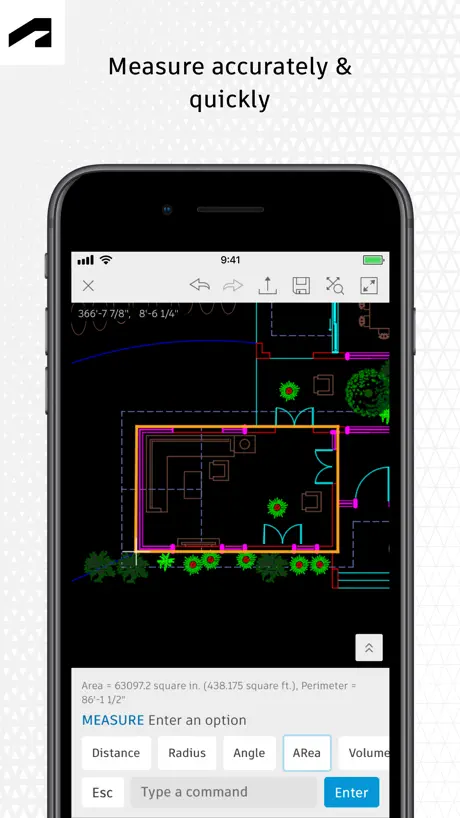  AutoCAD | 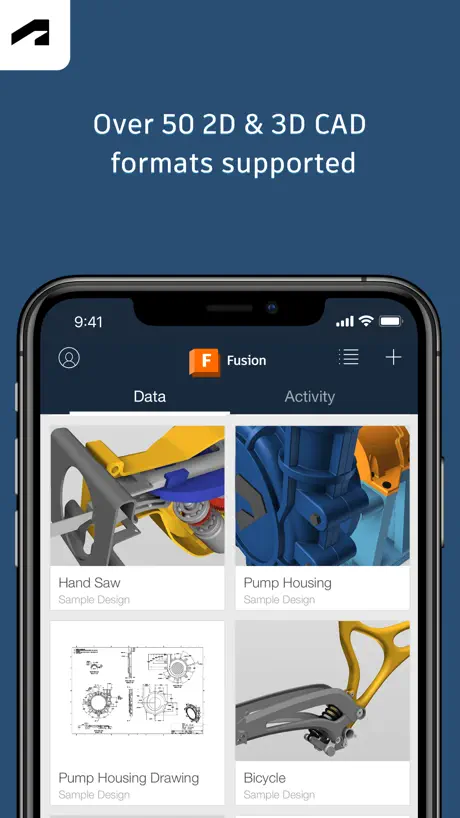  Autodesk Fusion |   STL Simple Viewer |   BIMx |   Onshape 3D CAD |   3D Model Viewer - AR & Print |   3D Model Viewer - AR View |   Pikaslice - 3D Print Slicer |   BIM 360 | |
|---|---|---|---|---|---|---|---|---|---|---|---|
| Rating / 5 | 4.4 | 4.8 | 4.4 | 4.6 | 4.4 | 4.1 | 3.5 | 4.4 | 4.3 | 3.6 | 2.3 |
| Reviews | 581 | 221K | 59K | 16K | 4.7K | 1.7K | 1.5K | 1.5K | 1.3K | 506 | 493 |
| Released | 2010 | 2016 | 2010 | 2015 | 2020 | 2011 | 2015 | 2022 | 2016 | 2022 | 2017 |
| Monthly price | — | $37.99 | $9.99 | — | $1.99 | — | — | — | — | $4.49 | — |
| Annual price | — | $299.99 | $99.99 | — | — | — | — | — | — | $35.99 | — |
| One-time price | — | — | — | — | $3.99 | — | — | $1.99 | $1.99 | — | — |
The going rate for each plan in United States, in its own currency, shaded from the cheapest price on the row to the dearest. Plans fewer than four in ten of the priced apps sell are left out.
iRhino 3D reviews
4.4 out of 5, based on 581 reviews.
What people like
- Integrates smoothly with desktop Rhino software
- Great tool for client presentations on site
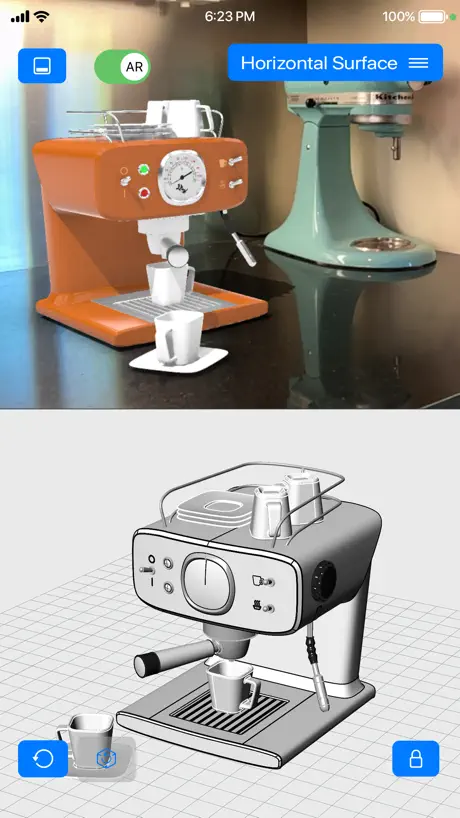
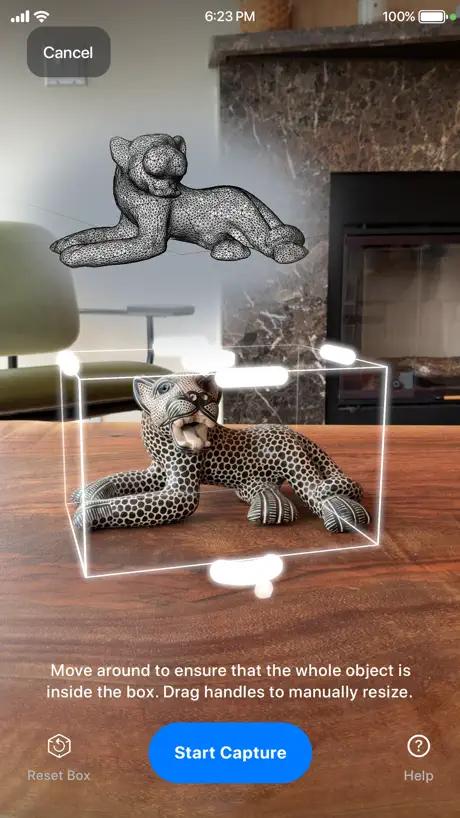
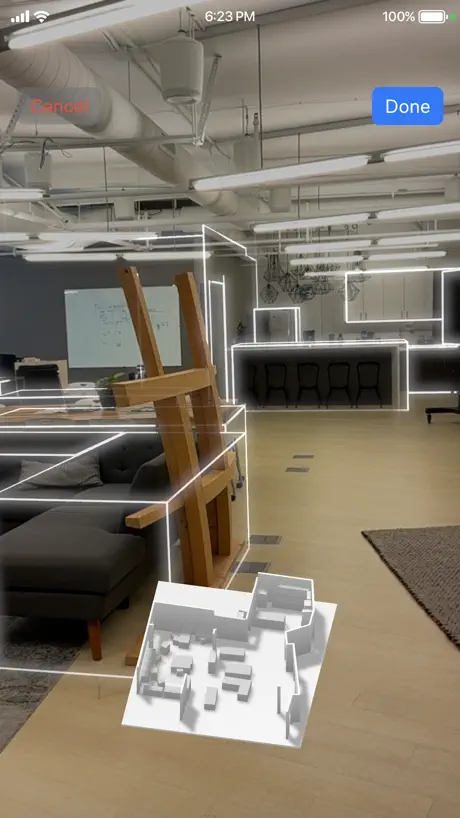
- Room scanning feature works well for spaces
What they complain about
- Crashes often with large files
- No support for iCloud Drive storage
- Cannot measure distances or dimensions accurately
Very good!
I think this is better than those pic scans since it shows simple boxes as objects and simple walls in a house and the objects mode thing is very good to make. 5 stars!!!
Still needs work
It would be a great app for on the go life. It needs more help keeping up with zooming and rotating. It just crashes if there is too much going on. I say keep your models as minimal as possible but then again what’s the fun or point in that. I’ve been using Rhino 3D since 2013/14 (desktop/laptop) and I use this app in field sometimes. It’d be great if it could stop crashing.
Inaccurate
The desktop version of rhino is great. The rhino app can significantly mismeasure outdoor structures like a deck when using lidar.
Sighhhh
Great app that scans really well but there doesn't see to be a way to add rooms to a scan yove already done and saved which is a major let down because the app crashes when doing gil home scans so it would be nice to be able to save progress and continue instead of loosing the whole scan when the app crashes and having to start over
为什么
为什么我找不到工具栏
Beyond impressed!
iRhino3D is fantastic for quickly mapping spaces as a starting point for 3D modeling or creating a floor plan. This is so huge and integrates smoothly with Rhino for desktop. This app is so much more than a simple 3D viewer and I think McNeel nailed it.
Junk
I loved the idea of Rhino on my iPad but just a brain dead viewer. I’ll wait for Blender.
Nice
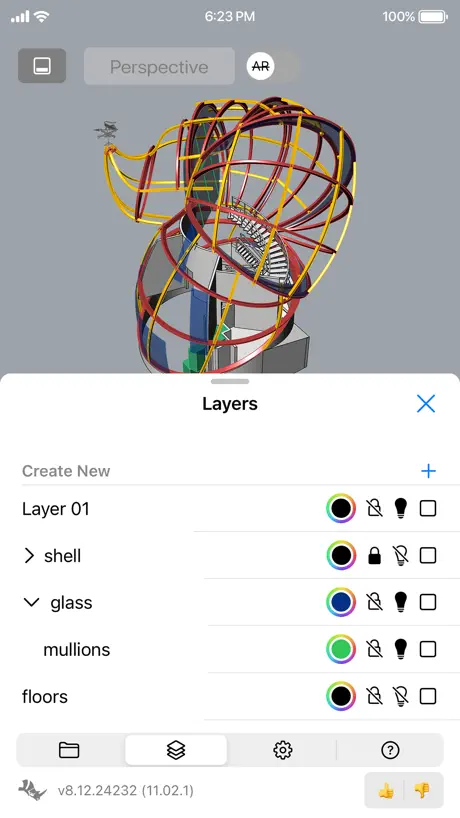
I’ve been following versions and can see improvements compared to the last. Now you can drag, I think the gumball will be needed soon so you can rotate and scale an object easily. Being able to dimension between points would also be useful. I think keeping this as a viewer with the VR tricks and annotation is the direction to take it. I also notice the roomscan current omits the doors and windows, whereas a pure usdz file created by apple’s room scan would have these as objects. It would be better to retain these objects as geom even if they’re on a layer that’s turned off.
Crash
Crashes any large files that i have which are all my “real” projects that I’d like to view. Not currently usable.
没有办法设置简体中文
没有办法设计简体中文,并且一些详细选项仍然是英文
Good option to do simple task
As an educator, this app it’s really functional to show the students alternative ways to capture a space, an object and then, transfer the information to Rhino.
Downloading from iCloud isn’t supported
It seems odd that an app for Apple products isn’t integrated with iCloud access. There’s Google drive and DropBox, but no option to download from iCloud, which is what I primarily use to backup my Rhino files.
Love it, but
Bounding box is great for capturing small objects. For some reason the current version of the app is not letting me save anything. Error message that I need to get the updated version! I have latest and running IOS18 in 13 Pro Max
Update!
Doesn’t work with V6, much less V7 files! Can’t use it to draw over , take screenshots or annotate images of models. Please update McNeel !!!
Nice but id actually like to do some work in here
I own rhino but sometimes i just need to do some simple dimensionally accurate drawings. Im not doing much that requires the extra setup time for parametrics and polygonal modelers ate not the right tool. Those two cad types seem to be the only things available on ios. It seems to me if mcneel would just create a simple version of rhino that you could actually design a deck or a staircase with and measure corner to corner or modify a design in field and then be able to use that in rhino desktop for grasshopper or whatever, it would be filling a niece that doesnt exist. I just need some serious non parametric cad on my phone for simple things and everything i see is either for animation, rendering, parametric, or just a viewer for things like rhino or autocad. I just wanna draw lines arcs curves points, maybe intersect or trim surfaces, trim offset snap to intersections dimension id 3d, bring picture in and scale em to get dimension of other things just basic useful 3d cad i can save as a .3dm to google drive. Im not building cars outdoors. I just need to run a pipe to a hole i dug and miss all the concrete of my deck posts or pour curved stairs that conform to building code and figure out how i can nest the forms in a 4x8 sheet of plywood
Real good for entertainment
I use it as a way to create at home without having the need for a computer
Rhino 6 files unsupported?!!
2021/10/26: Come on you guys….this is terrible. Update the app.
I honestly really like it, but a few things to note
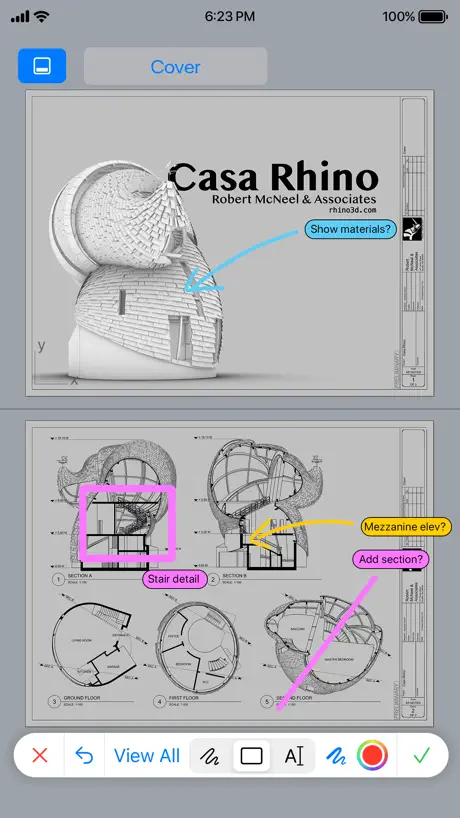
This is a really “great communication with client” on site kind of solution. One thing I am begging to see here which I thought existed was the ability to pull dimensions on a model. I see there is a ruler kind of thing within the “markup” mode, however I haven’t gotten it to be useful measurements of any kind. In the markup mode, I’d like to be able to pull dimensions similarly to the function in Rhino. Still very good communication tool, however adding in that feature would make me switch this to a 5/5 app. Thanks McNeel for including this in your CAD suite of solutions. Very helpful.
Update?
Bitte unbedingt updaten, mit Rhino 7 geht mal gar nix. Aber selbst Rhino 6 Daten werden nicht geöffnet.
演示bug
投屏其它设备时,软件卡死,其它app正常
Was ok
Not anymore I really enjoyed using it now I have to use another scan app - I can’t export how I need it. Simple …it is not working absolute useless now Nice ^^ Update should make thing better not worse =)
Awful, They will never fix it
After several reach outs to the developer requests to have this app fixed and function properly go unanswered. Don’t waste your time
It’s Getting there
This app has come a long way. Sadly it still needs some development love and attention. The app crashes every time on IPad Pro object scan mode. Scanning a room works great. Thanks in advanced for fixing the bug.
Aggiornamento necessario
Programma bello intuitivo e semplice, il problema sussiste nella necessità di aggiornare i sistemi di visualizzazione. Sarebbe anche utile poter misurare ma già poter cambiare lo stili e di visualizzazione sarebbe da 5 stelle!!
Getting Better
Finally I-Rhino is getting some much needed development. Still needs improvement with navigating and rotating the models etc. Keep improving please, this has the potential to be a powerful little app when showing and presenting designs to clients.
Hot fix
Thanks guys for the fast hot fix 👍🏼
Why Bother?
Mcneel could make a useful viewer, but why let it collect dust in the App Store? Would it help to have a 3D viewer file that’s optimized for mobile apps hidden in their 3dm’s specially designed for viewing? Rhino is awesome software. Why wouldn’t their customers want to pay for a reliable app?
Great start
Great to have a look at files on the phone. It would be amazing if you could get to Dropbox or other online storage
Per favore aggiornatela!
Sarebbe veramente utile per far visualizzare i modelli (realizzati col programma vero) fuori sede, ma non viene aggiornato da tempo e mancano praticamente tutte le opzioni di visualizzazione. Mi accontenterei di avere le ombre attenuate in modo da non vedere intere parti del modello nere e prive di dettagli.
Great!
Works great! Never had a problem with the app. Recently I purchased an iPhone X and it looks like there hasn’t been an update for it yet. Until then 3 stars.
Very good
This is a very good update. The app performs the way you’ve always wanted Rhino to interface with a touch screen device. I’m excited to see how it develops further! Note: a zoom select tool would be very useful. It can be difficult to lock on to specific items in the file while panning around.
No Rhino 6 or 7 support
Needs a major update
Cool Software, Trashy Name
Works as expected, works very well too. I just wish they hadn’t done the trashy add “i” to everything naming convention.
Need update!
This app should be updated with iPhone X screen size, and iCloud Drive support!
Useful, but not quite...
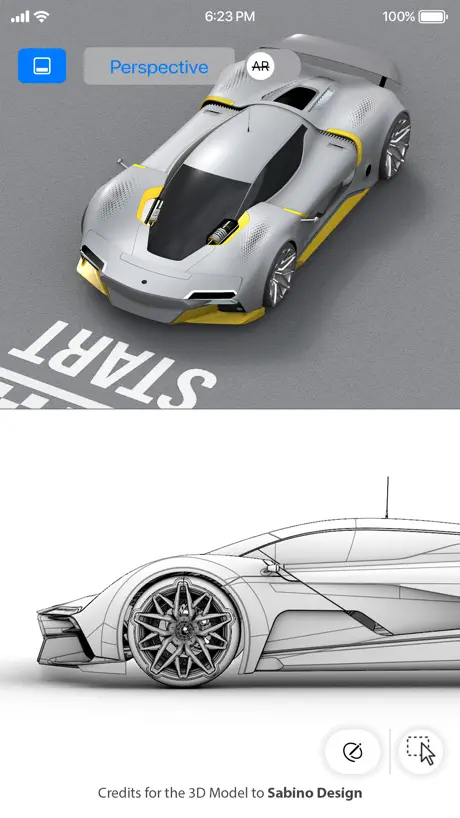
The main use case for this app is to show off a model made in Rhino. For the maximum effect the model should look good. Yet there is no support for textures. So now i have to find other sw to use. Very sad.
Absolute must for Rhino users
This app keeps getting better and better. Smooth and feature rich. Game changer for showing my designs to clients, getting feedback, and reviewing my work. Being able to have access to my files on my phone or iPad when I am away from my Mac is awesome. Love the new features and improved stability. Keep the updates and improvements coming!
Last update was 2 years ago
They need to update this app, I try to open a file from my iPad or iPhone and I can’t. The only way to open files are with Google Drive, Dropbox or direct http.
File Thumnails
I was able to open V5 files after all, thank you for that. However what happened to the file thumbnails . In the old V5 version there was a nice pictorial list of my files each time I entered the app. Still after 16.2. No thumbnail of each cad file is pictured like in the old app.
Better...
Where to begin? Rhino finally works with Google drive. Have not tested with large files that would not open before. App isn't updated for iPhone 6 and 6+ and later large screen sizes after the phones have been available for years... Model does not retain applied materials, nor parent/child folders. Rhino is getting better, but still pales in comparison to competitors.
Functioned until
The application ceases to launch under iOS 9.0 ... It gave me no issues previously. However, the Sketchup viewer continues to function with the update.
Awesome Update
I’ve been waiting for years for an update like this. It’s everything I was hoping for. Great work!
Very limited
It can’t open local files, meaning you have to upload your model to something like Google Drive, then grant access to ALL files on it, download the model again and finally it told me that it can’t open wireframes and needs a shaded model.
Display modes!
Add Display Mode Settings Ya Muppets!
The bare minimum
This app works smoothly and I understand it is meant to be a presentation tool but it is nonetheless extremely limited, I think Rhino jumped the gun on this release. Currently, it doesn't render curves or polylines, so forget about showing line drawings (on a related note, Render is the only view setting, no Wireframe or Shaded). It also doesn't have preset top, left, etc views like the software, so forget about showing plans or sections easily and don't even think that you'll have access to the Named Views Panel. It also contains absolutely zero editing capabilities, can't even annotate.
Apple watch
Support apple watch
Crash on iPad
Could I know how I could use the app not crashing always?
Needs the new finder browser support
I can not access files stored on my OneDrive account because it seems that the new file browser features have not been incorporated.
Works nicely
The app works nicely, I haven't spent too much time on it or tried it on the iPad yet but it does what it needs to. I really like the Dropbox support but it would be nice to save a folder as a favourite rather than have to go through my whole Dropbox every time I want to add a model.
Disappointing
I just downloaded this app thinking it would be great to be able to see and review 3dm files on the go. Would be a great tool but still misses any annotation tools, unshaded view, front/top/right toggles. A nice little stereo view function, sweet but feels quite superfluous without the basis covered. At this stage, it doesn't feel quite unusable. I look forward to the next version. If you need to review cad files, mainly 2d, check auto cad ws instead.
nice but needs more features
really nice but would like to see more Rhinoceros modeling features
iRhino 3D FAQ
- Is iRhino 3D free?
- Yes. The app is free, in all 175 countries it sells in, and it sells nothing inside it.
- Does iRhino 3D have a free trial?
- No. None of its offers (US) come with a free trial.
- What are the best alternatives to iRhino 3D?
- Shapr 3D CAD modeling (4.8 from 221,203 reviews, premium from $32.99), AutoCAD (4.4 from 59,485 reviews, premium from $9.99) and Autodesk Fusion (4.6 from 15,877 reviews).
iRhino 3D download
Last updated 21 days ago.
iRhino 3D sells in 175 countries. It was released 16 years and 5 months ago, on 31 May 2010. It holds a 4.4 rating from 581 reviews.
Supports 12 languages: English, Czech, French, German, Italian, Japanese, Korean, Polish, Portuguese, Russian, Chinese, Spanish.