
Pikaslice - 3D Print Slicer
STL, Gcode, Resin & Filament
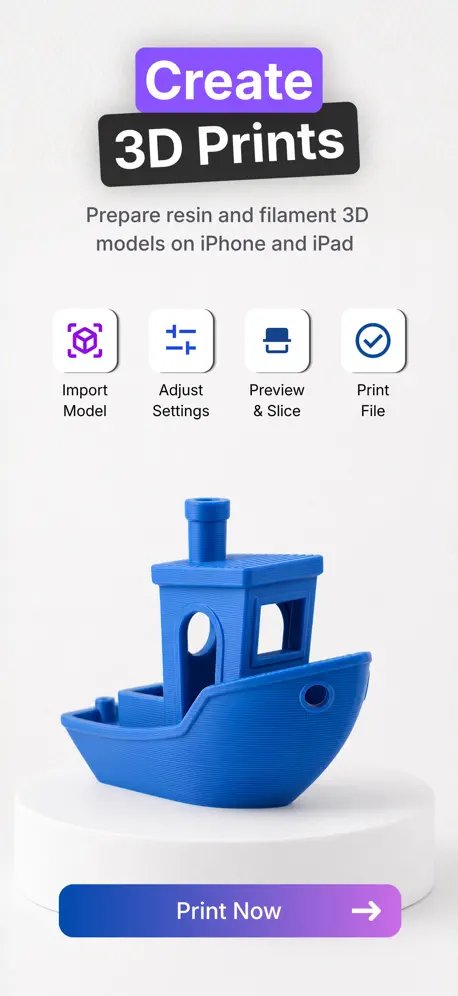
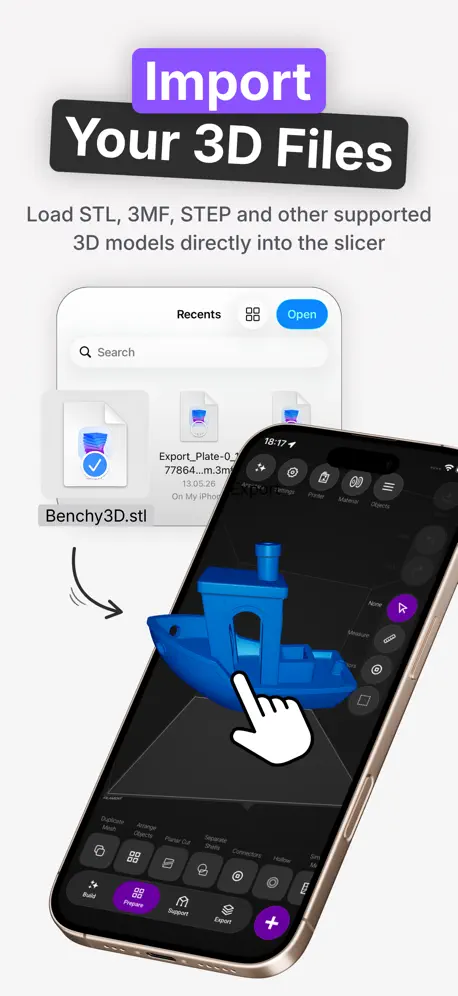
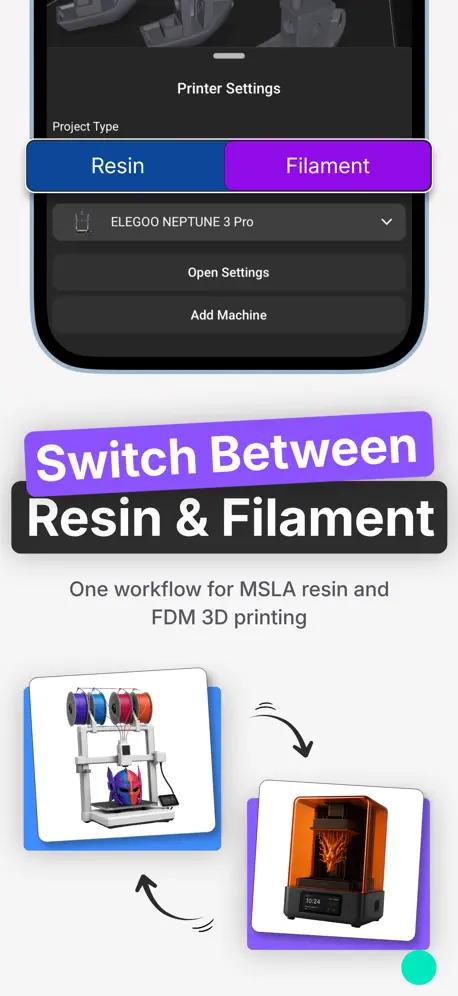
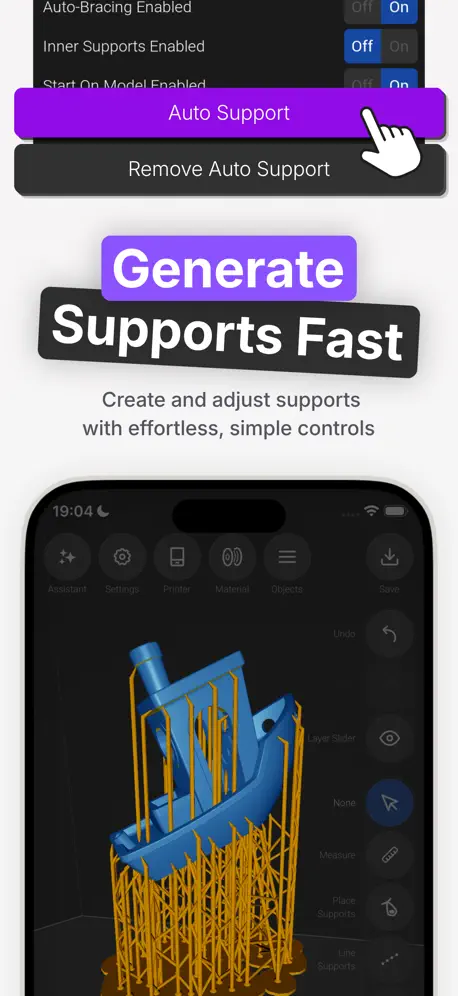
How much does Pikaslice - 3D Print Slicer cost?
Prices are current as of 16 Nov 2026.
8 subscriptions from $3.99
In the United States, Pikaslice - 3D Print Slicer has 8 subscriptions priced $3.99 – 49.99.
| Subscription | Period | Price |
|---|---|---|
| All Access Filament | Monthly | $3.99 |
| All Access Resin | Monthly | $3.99 |
| All Access Bundle | Monthly | $4.49 – 5.99 |
| Generative Basic | Monthly | $5.99 |
| Generative Pro | Monthly | $9.99 |
| All Access Filament | Annual | $35.99 |
| All Access Resin | Annual | $35.99 |
| All Access Bundle | Annual | $39.99 – 49.99 |
See what Pikaslice - 3D Print Slicer costs in all 175 countries →
10+ alternatives to Pikaslice - 3D Print Slicer
| Pikaslice - 3D Print Slicer |   Shapr 3D CAD modeling |   Autodesk Fusion |  Astropad Studio Drawing Tablet |   STL Simple Viewer |   OctoApp for OctoPrint/Klipper |   Mobileraker - Klipper UI |   Onshape 3D CAD |   3D Model Viewer - AR & Print |   3D Model Viewer - AR View |   iRhino 3D | |
|---|---|---|---|---|---|---|---|---|---|---|---|
| Rating / 5 | 3.6 | 4.8 | 4.6 | 4.5 | 4.4 | 4.9 | 4.8 | 3.5 | 4.4 | 4.3 | 4.4 |
| Reviews | 506 | 221K | 16K | 9.1K | 4.7K | 3.1K | 2.4K | 1.5K | 1.5K | 1.3K | 581 |
| Released | 2022 | 2016 | 2015 | 2017 | 2020 | 2023 | 2022 | 2015 | 2022 | 2016 | 2010 |
| Monthly price | $4.49 | $37.99 | — | $14.99 | $1.99 | $0.99 | $4.99 | — | — | — | — |
| Annual price | $35.99 | $299.99 | — | $99.99 | — | $6.99 | $19.99 | — | — | — | — |
| One-time price | — | — | — | — | $3.99 | $12.99 | $9.00 | — | $1.99 | $1.99 | — |
The going rate for each plan in United States, in its own currency, shaded from the cheapest price on the row to the dearest. Plans fewer than four in ten of the priced apps sell are left out.
Pikaslice - 3D Print Slicer reviews
3.6 out of 5, based on 506 reviews.
What people like
- Works great on iPad Pro
- Easy to learn and use
- Good for resin printing too
- Developer listens to user feedback
What they complain about
- Charges subscription to export files
- Crashes when importing or editing
- Missing support for many printers
- Print time estimates are wrong
Works well
This app works really well. I like it better than using a slicer on a computer. It’s a simpler layout. I think it’s more than worth it for the subscription. There is a learning curve to understand the settings. But once you do. It’s good.
Really bad and pay to even export
First why do I have to pay to even export it makes no sense why would I use this app if I couldn’t export like I get it if it was just for the ai features but not for the most basic feature it’s like those vibecoded apps that make you pay for the simplest thing
Connection issue
I am trying to do a remote connection from my iPad to my flashforge adventurer 5M I do not know how to connect it. What do I use for the “connection name” “Connection type” “IP address” API KEY
Buggy, lacks crucial features, free alternatives on desktop or web are much better
I wanted to love this, but the interface is extremely buggy. Some buttons go nonresponsive depending on screen orientation, others nonresponsive regardless of context. Won’t let you autorotate or position your print to the bed, doesn’t give you clear control over speed. The UI shapeshifts seemingly at will, making it cumbersome to use; the UI visual language looks clean but its info-architecture is neither intuitive nor logical. Lots of apparent bugs on an iPad Pro m5. Can’t imagine paying monthly for this, when I’m not confident it’s being maintained for current hardware.
If your willing to pay $4, then this is for you
I wanted a free ipad slicer, and I thought this was free, but to export files, you have to pay. Also this slicer didn’t have my printer, the Anycubic kobra x
No auto support
It’s a great app don’t get me wrong but I’m new I’ve ask the ai chat bot what to do and it won’t work. I did everything it said but I can’t find the auto support setting. It is probably just me but I can’t find it.
it asks money
it took my time to rescale my models ..app is slow and asks for money so you cant print unless you pay them while most of the slicers are free . this app has no quality at all ..
Good app till update
I have been using this app on my iPad a16 for a few months and never had an issue until I did the update today now I don’t get to change my infill settings. I did the same update on my iPhone and can change it on their think the iPad got a buggy update
Not worth the subscription
There is zero justification to paying repeatedly for something like this. The convenience of it being an app doesn’t change the fact that it gets stuck on export often, cant handle complex prints, and the docs refer to an auto support generation method that is not present in the app. No one wants to drag around and place supports for every single print. The AI features are a useless novelty marketing gimmick as it applies useless changes that dont even take effect. Hard pass.
Decent but…….
It’s good for like places and stuff, but it doesn’t talk to your gear computer if you download it or to the 3-D printer
Really great iPad slicer
I’ve been using this slicer for about 6 months and have been using it exclusively. Between Shapr3D and PikaSlice and my iPad Pro I’m all set with all my 3D resin printing design and slicing needs. I hate desktop computers with a passion, so PikaSlice does the trick. I’ve found some minor frustrations around the manual placing and deleting of supports…sometimes it places, sometimes it deletes or moves them. Also the supports being visualized immediately puts them in the way when placing additional supports. I think a cool update would be to only show a tiny half-sphere nub that’s the diameter of the support tip at the model entry point for all supports that are either auto-generated or user placed. Then we could basically place nubs instead of long thin stalks that get in the way of remaining support work. Then just have a button that allows “visualize supports” and then show all the stalks and bracing etc. I’m pretty sure this would make placing custom supports a whole lot easier and draw more customers to this great platform. Makes sense, right? I also seem to recall updating the app once and losing my printer and resin profiles. That sucked as I had several dozen to rebuild. Hasn’t happened again…yet. Still…this is a great iPad compatible slicer. Many thanks to the developer.
Doesn’t work for flashforge
I don’t want to get a computer for slicer and would like to stick with iPad. It shows flashforge models and mentioned it was compatible. But I can not connect remotely. Cancelled service after 30mins and wasted a month of subscription
Good slicer
I’m sure it’s user error but every time I try and upload a 3mf file it crashes I was able to do it once and I can’t open that same file without it crashing again
Where is the Neptune 3
This was great until the Neptune options were removed from the list of printers. This really sucks.
Limited but usable
Can you make Gcodes? Yes. Can you edit STL files? No. Is it glitchy? Yes. Does it freeze and crash periodically? Yes. Your ability to set layer temps is nonexistent and the infill patterns are limited to 3 options. The process of editing supports is very tedious and requires practice to make it less annoying. Beware that the “autosave” isn’t really saving your work in the event of a crash…you will have to start over. Same goes for when the app freezes and you have to close the app and reopen it. It’s currently the only slicer I’m using on my iPad Pro but if the devs don’t make some tweaks that could very well change. That being said; the apps mostly works and you can get the job done with plenty of patience.
Awesome slicer
Ignore the haters! Most of the bad reviews are because people are upset that they have to pay someone for their hard work lol. After trying all the different slicers on the App Store this one is on par with many of the best and the price is right in line also. (I’ll never understand why people think they should get stuff for free). The software works great and has a ton of features compared to most apple App Store slicers.
Feels like the goal is just to sell credits
Can’t move an object to a new plate, this program is just a way to make you buy tokens in order to do basic things on a slicer.
Make it free
Make it free then every one will download the app more
No free trial for testing
I understand that the developer needs to make money, but not having a free trial to test the slicer and to see how well it’ll send the slice to the printer wirelessly is not the way to do it. Also, I’m not able to find a way to paint different colors onto an object so I’m not sure if that’s a feature that’s missing or if that’s just on my end.
Review
It’s okay as a slicer, but don’t trust the print time estimate, because it is usually wrong.
Another sub? Yes! Worth it? Yes!
Originally I left a different review, but after understanding a few things and trying out the app in depth, I thought I should change it. So, yes you have to pay to save and export but for me, who’s a 95% iPad user, this app is one more thing I can do from anywhere. Prep my files then send them to print when I get home. Less time at my desk seems worth it. Now about the app: it’s very easy to use with really great tools. The interface is compact and it has nice customization features.
Austin
Horrible app. Paid for 1 year and it doesn’t even work. I have a 3d printer and all I got the app for was slicing objects but it doesn’t do it properly. I did a test and it just puddled filament in a few spots didn’t do any layers. It said you got 1 free trial day and I canceled my subscription within hours and still haven’t seen the money come back to my account. This app was such a waste of money. Please don’t waste your time or money on it.
Fun
Great to use in scenarios when I am tired of reading and want to attempt something creative.
Crash crash crash
Crashes more that a destruction derby would be great if that didn’t happen every time I try adding supports
Greats work with resin but not so much for filament
Works great with my resin printer gives me print times and all but when I change profiles for filament it doesn’t give me any kind of print time resulting in not printing at all. I’ve tried exporting and still charged which is a bit unfair. If you have a solution can you please explain thank you as to why for filament it’s not giving a print time not making it print at all.
this app
This app is awesome. This is the best slicer app on a phone. I 100% recommend this app. I had some trouble on this app where I couldn’t find my 3-D printer, but I just played around with the app and I finally fixed my issue.
Not free/ not good for filament
Make it a one time payment and I might deal with the headache. Doing supports for printing filament is a pain with this, I hate that it’s the only one available on iPad
Great app but
I’ve downloaded Pikaslice under the assumption that it supports Bambu files and printers but I’m not sure how to add my P1S
Why isn’t it free?
There are basically no free mobile slicers online and I really need this to be free since I do not know any other slicers, and also I can’t pay for it
Meh
My issue with this software is that I rarely get a completed print. Most have lower sections that have supports not print or fail during printing, including bases
Need help getting started
Can’t figure out how to use this. It is very likely user error because I am new to the technology. I don’t have a computer and have used a slicer only a few times on my sons computer. I would love to be able to interact with his 3d printer without having to use my sons computer. I just need a beginner guide to get me started. On my sons slicer all I have to do is upload files. I can’t get any files to upload into this. It is probably because I don;t know how to set it up to get to that stage.
Not a free app
You’ll find out about the subscription exactly when you are going to slice your model
Good nearly excellent
Very easy to use and lots of listed printers but sadly won’t let me import .obj would be great if this could be added
Force close
App force closes at importing both stl and 3mf files. Otherwise looks great.
Hollow blockers
The app crashes when I try to add more than one or so of the hollow blocking shapes.
Very easy to use.
In really love this app and is very easy to use once you get the hang of it and have presets set up. Thanks again for this app. It’s awesome! I’ve made made so many prints with this app. It’s become my go to app no when resizing and slicing.
you can’t do anything unless you pay
at least let us export something to stl what’s the point
Only certain printers
I have an anycubic vyper and it only takes Kobra.😢 I would like it if the vyper would be included too. But other than that, it’s really easy to use and control. The filament supports sometimes go right through the other parts of the model though.😡
Too expensive
Downloaded and set up my model, all good but then it costs £3 per month just to export gcode?! Why is everything a subscription model… the app doesn’t warn you it will be a recurring cost to print until right at the end, wasting my time setting it up. Will just go back to Cura on a laptop. Would happily pay a one off fee for the app but £36 per year is far too much.
No mouse support..?
So close to perfect. Cursor support would make this a 5-star app.
Awesome slicer for the iPad!!!
I am new to resin printing and just purchased an elegoo Saturn 3 ultra. I sliced up some minis using this slicer and had no problems printing the files on my first go. I don’t have a laptop so this app is essential for me. The interface was easy for me to figure out. I’d totally recommend this slicer to anyone. It’s great to use a slicer with a touch interface, it just works! Wish list: WiFi printing with my elegoo Saturn 3 ultra.
No use for some 3D printers
I just downloaded this app so I could slice models on my Tina2s 3D printer. I got to the part in the setup where I had to choose my printer. And when I looked at the options, there was no Tina2s option. This is a huge scam! Now, I have to use my fingers to try and get the model sliced! Whoever said that this app works on Tina2s, you are a dirty liar.
Easy to use
Easy to learn and use only thing I wish that could be added was an more manual cutting option. As of now you can pretty much only get a thing that lets you cut in half. I have an apple pen and think it would be nice to kind of draw where I want to cut objects at or at least click and adjust lines for where I want to cut
doesnt show bambulab printers
you said you added support for bambulab printers but there isnt a option to it
Good start
If this could take advantage of the M4 iPad Pro processor this would be 5 stars. 20 minutes for a detailed square box slice that my 2012 MacBook Air finishes in under a minute. The slice and klipper connection were good and the print completed as expected.
Great Slicer
I use my iPad Pro a lot and this is hands down the best slicer on the App Store for the iPad. There’s a small learning curve but there is with all slicers. Very reasonable price per month and you could tell the developer cares about the product they are putting out. 5 stars for me!
Seemed decent until it required a subscription
I liked the idea of being able to slice on my iPad, but when I tried to export, it said I needed a subscription. So it’s useless unless you’re willing to pay.
Help function is limited
The app is great so far and works great with the ipad pencil. However, im struggling to work out how to send files to print and the help function just provides info on supports, hollow, drain holes etc
Not too bad but not great
I tried this with my Ender 3 neo and it has a strange way of doing it I usually use cura and that heats the bed heats the nozzle and does the test and then starts but with pika slice it does the test heats up and then start and also it’s really really really fast meaning it can’t stick and I’ve used adhesive but it won’t stick because it’s so fast the only way I can print with this is when I use it for blocky prints. It’s good but not great
Only certain printers
So far this app is really great and this app is easy to use. But apparently after this recent update, my ELEGOO Neptune 3 pro won’t show up in the machine selection. I was able to select it in the past, and it worked perfectly and now it just disappeared. But I can find all the other ELEGOO 3-D printers, but my Neptune 3 pro won’t show up. If you guys could add this back in, that would be awesome.
Pikaslice - 3D Print Slicer price by country
A monthly subscription costs $4.19 in Canada and $7.83 in Kazakhstan — 1.9× more for the same thing. Below is the going rate for each plan in every country that sells it — the middle price of what the app charges there, in the country's own currency with the dollar equivalent beneath it.
| Country | Monthly | Annual |
|---|---|---|
| Afghanistan | $5.99 | $59.99 |
| Albania | $6.99 | $69.99 |
| Algeria | $5.99 | $59.99 |
| Angola | $5.99 | $59.99 |
| Anguilla | $5.99 | $59.99 |
| Antigua And Barbuda | $5.99 | $59.99 |
| Argentina | $4.99 | $59.99 |
| Armenia | $6.99 | $69.99 |
| Australia | A$6.99$4.92 | A$59.99$42.25 |
| Austria | €4.99$5.59 | €44.99$50.44 |
| Azerbaijan | $6.99 | $69.99 |
| Bahamas | $6.99 | $69.99 |
| Bahrain | $6.99 | $69.99 |
| Barbados | $6.99 | $69.99 |
| Belarus | $6.99 | $69.99 |
| Belgium | €4.99$5.50 | €49.99$55.12 |
| Belize | $5.99 | $59.99 |
| Benin | $6.99 | $69.99 |
| Bermuda | $5.99 | $59.99 |
| Bhutan | $5.99 | $59.99 |
| Bolivia | $5.99 | $59.99 |
| Bosnia & Herzegovina | €6.99$7.71 | €69.99$77.17 |
| Botswana | $4.49 | $39.99 |
| Brazil | R$24.90$4.98 | R$299.90$59.98 |
| British Virgin Islands | $5.99 | $59.99 |
| Brunei Darussalam | $5.99 | $59.99 |
| Bulgaria | €6.49$7.16 | €64.99$71.65 |
| Burkina Faso | $5.99 | $59.99 |
| Cambodia | $6.99 | $69.99 |
| Cameroon | $6.99 | $69.99 |
| Canada | CA$5.99$4.19 | CA$49.99$34.96 |
| Cape Verde | $5.99 | $59.99 |
| Cayman Islands | $5.99 | $59.99 |
| Chad | $5.99 | $59.99 |
| Chile | CLP 5,990$6.02 | CLP 69,990$70.31 |
| China | CN¥38.00$5.68 | CN¥398.00$59.49 |
| Colombia | COP 24,900$7.51 | COP 229,900$69.32 |
| Congo | $5.99 | $59.99 |
| Congo, Democratic Republic | $5.99 | $59.99 |
| Costa Rica | $5.99 | $59.99 |
| Cote Divoire | $6.99 | $69.99 |
| Croatia | €5.99$6.60 | €69.99$77.17 |
| Cyprus | €6.99$7.71 | €69.99$77.17 |
| Czech Republic | CZK 129.00$5.92 | CZK 1,190.00$54.59 |
| Denmark | DKK 39.00$5.76 | DKK 349.00$51.55 |
| Dominica | $4.49 | $39.99 |
| Dominican Republic | $5.99 | $59.99 |
| Ecuador | $5.99 | $59.99 |
| Egypt | EGP 249.99$4.65 | EGP 2,999.99$55.82 |
| El Salvador | $5.99 | $59.99 |
| Estonia | €6.99$7.71 | €69.99$77.17 |
| Fiji | $5.99 | $59.99 |
| Finland | €6.99$7.71 | €69.99$77.17 |
| France | €4.99$5.50 | €44.99$49.60 |
| Gabon | $5.99 | $59.99 |
| Gambia | $5.99 | $59.99 |
| Georgia | $6.99 | $69.99 |
| Germany | €4.99$5.50 | €39.99$44.09 |
| Ghana | $6.99 | $69.99 |
| Greece | €5.99$6.60 | €69.99$77.17 |
| Grenada | $5.99 | $59.99 |
| Guatemala | $5.99 | $59.99 |
| Guinea-bissau | $5.99 | $59.99 |
| Guyana | $5.99 | $59.99 |
| Honduras | $5.99 | $59.99 |
| Hong Kong | HK$38.00$4.84 | HK$488.00$62.17 |
| Hungary | HUF 1,990$6.01 | HUF 24,990$75.52 |
| Iceland | $6.99 | $69.99 |
| India | ₹499.00$5.29 | ₹3,999.00$42.36 |
| Indonesia | IDR 79,000$4.34 | IDR 999,000$54.82 |
| Iraq | $5.99 | $59.99 |
| Ireland | €4.99$5.50 | €44.99$49.60 |
| Israel | ₪17.90$5.58 | ₪199.90$62.27 |
| Italy | €4.99$5.50 | €44.99$49.60 |
| Jamaica | $5.99 | $59.99 |
| Japan | ¥700$4.44 | ¥7,000$44.44 |
| Jordan | $5.99 | $59.99 |
| Kazakhstan | KZT 3,490.00$7.83 | KZT 34,990.00$78.53 |
| Kenya | $6.99 | $69.99 |
| Kosovo | €6.99$7.71 | €69.99$77.17 |
| Kuwait | $5.99 | $59.99 |
| Kyrgyzstan | $6.99 | $69.99 |
| Lao Peoples Democratic Republic | $6.99 | $69.99 |
| Latvia | €6.99$7.71 | €69.99$77.17 |
| Lebanon | $5.99 | $59.99 |
| Liberia | $5.99 | $59.99 |
| Libya | $5.99 | $59.99 |
| Lithuania | €6.99$7.71 | €69.99$77.17 |
| Luxembourg | €6.99$7.71 | €69.99$77.17 |
| Macao | $5.99 | $59.99 |
| Macedonia | $5.99 | $59.99 |
| Madagascar | $5.99 | $59.99 |
| Malawi | $5.99 | $59.99 |
| Malaysia | MYR 22.90$5.60 | MYR 299.90$73.33 |
| Maldives | $5.99 | $59.99 |
| Mali | $5.99 | $59.99 |
| Malta | €5.99$6.60 | €69.99$77.17 |
| Mauritania | $5.99 | $59.99 |
| Mauritius | $5.99 | $59.99 |
| Mexico | MX$99.00$5.31 | MX$899.00$48.20 |
| Micronesia | $5.99 | $59.99 |
| Moldova | $6.99 | $69.99 |
| Mongolia | $5.99 | $59.99 |
| Montenegro | €5.99$6.60 | €59.99$66.14 |
| Montserrat | $4.49 | $39.99 |
| Morocco | $5.99 | $59.99 |
| Mozambique | $5.99 | $59.99 |
| Myanmar | $5.99 | $59.99 |
| Namibia | $5.99 | $59.99 |
| Nauru | $5.99 | $59.99 |
| Nepal | $6.99 | $69.99 |
| Netherlands | €4.99$5.50 | €44.99$49.60 |
| New Zealand | NZ$9.99$5.52 | NZ$99.99$55.24 |
| Nicaragua | $5.99 | $59.99 |
| Niger | $5.99 | $59.99 |
| Nigeria | NGN 9,900.00$7.32 | NGN 99,900.00$73.88 |
| Norway | NOK 59.00$6.17 | NOK 599.00$62.59 |
| Oman | $5.99 | $59.99 |
| Pakistan | PKR 1,700$6.14 | PKR 14,900$53.81 |
| Palau | $5.99 | $59.99 |
| Panama | $5.99 | $59.99 |
| Papua New Guinea | $5.99 | $59.99 |
| Paraguay | $5.99 | $59.99 |
| Peru | PEN 22.90$6.72 | PEN 249.90$73.28 |
| Philippines | ₱299.00$4.68 | ₱3,490.00$54.61 |
| Poland | PLN 24.99$6.25 | PLN 199.99$50.00 |
| Portugal | €4.99$5.50 | €69.99$77.17 |
| Qatar | QAR 19.99$5.49 | QAR 199.99$54.94 |
| Romania | RON 29.99$6.20 | RON 299.99$61.98 |
| Russia | RUB 399.00$4.83 | RUB 4,990.00$60.43 |
| Rwanda | $5.99 | $59.99 |
| Sao Tome & Principe | $5.99 | $59.99 |
| Saudi Arabia | SAR 19.99$5.33 | SAR 249.99$66.66 |
| Senegal | $6.99 | $69.99 |
| Serbia | €6.99$7.71 | €69.99$77.17 |
| Seychelles | $5.99 | $59.99 |
| Sierra Leone | $5.99 | $59.99 |
| Singapore | SGD 5.98$4.64 | SGD 59.98$46.50 |
| Slovakia | €6.99$7.71 | €69.99$77.17 |
| Slovenia | €6.99$7.71 | €69.99$77.17 |
| Solomon Islands | $5.99 | $59.99 |
| South Africa | ZAR 99.99$5.91 | ZAR 999.99$59.07 |
| South Korea | ₩8,800$6.59 | ₩88,000$65.87 |
| Spain | €4.99$5.59 | €49.99$56.04 |
| Sri Lanka | $5.99 | $59.99 |
| St. Kitts and Nevis | $5.99 | $59.99 |
| St. Lucia | $5.99 | $59.99 |
| St. Vincent & The Grenadines | $5.99 | $59.99 |
| Suriname | $6.99 | $69.99 |
| Swaziland | $5.99 | $59.99 |
| Sweden | SEK 59.00$5.86 | SEK 499.00$49.55 |
| Switzerland | CHF 4.00$4.77 | CHF 40.00$47.68 |
| Taiwan | NT$150.00$4.56 | NT$1,990.00$60.45 |
| Tajikistan | $6.99 | $69.99 |
| Tanzania | TZS 12,900.00$4.89 | TZS 99,900.00$37.84 |
| Thailand | THB 149.00$4.44 | THB 1,490.00$44.41 |
| Tonga | $5.99 | $59.99 |
| Trinidad and Tobago | $5.99 | $59.99 |
| Tunisia | $5.99 | $59.99 |
| Turkey | TRY 249.99$4.96 | TRY 2,499.99$49.63 |
| Turkmenistan | $5.99 | $59.99 |
| Turks and Caicos | $5.99 | $59.99 |
| Uganda | $6.99 | $69.99 |
| Ukraine | $4.99 | $69.99 |
| United Arab Emirates | AED 19.99$5.45 | AED 229.99$62.67 |
| United Kingdom | £3.99$5.27 | £34.99$46.22 |
| United States | $4.49 | $35.99 |
| Uruguay | $5.99 | $59.99 |
| Uzbekistan | $6.99 | $69.99 |
| Vanuatu | $5.99 | $59.99 |
| Venezuela | $5.99 | $59.99 |
| Vietnam | ₫149,000$5.79 | ₫1,499,000$58.29 |
| Yemen | $5.99 | $59.99 |
| Zambia | $6.99 | $69.99 |
| Zimbabwe | $6.99 | $69.99 |
Pikaslice - 3D Print Slicer FAQ
- Is Pikaslice - 3D Print Slicer free?
- Yes. The app and its basic features are free, in all 175 countries it sells in. Premium features are paid: they start from $3.99 (US), across 8 subscriptions.
- How much does Pikaslice - 3D Print Slicer cost per month?
- All Access Bundle is $3.99 – 9.99 (US). The annual plan works out cheaper per month: $35.99 – 49.99 a year.
- Does Pikaslice - 3D Print Slicer have a free trial?
- No. None of its offers (US) come with a free trial.
- Where is Pikaslice - 3D Print Slicer cheapest?
- A monthly subscription costs CA$5.99 (≈$4.19) in Canada and KZT 3,490.00 (≈$7.83) in Kazakhstan, its cheapest and dearest countries.
- What are the best alternatives to Pikaslice - 3D Print Slicer?
- Shapr 3D CAD modeling (4.8 from 221,203 reviews, premium from $32.99), Autodesk Fusion (4.6 from 15,877 reviews) and Astropad Studio Drawing Tablet (4.5 from 9,073 reviews, premium from $14.99).
Pikaslice - 3D Print Slicer download
Last updated 1 month ago.
Pikaslice - 3D Print Slicer sells in 175 countries. It was released 4 years and 4 months ago, on 27 Jun 2022. It holds a 3.6 rating from 506 reviews.
Supports 1 language: English.
How much does Pikaslice - 3D Print Slicer make?
Third-party estimates for the last 30 days, worldwide — not the store's own figures, which Apple publishes for nobody.
Revenue by plan
- Monthly 86%
- Annual 14%
Revenue by country
- United States 56%
- United Kingdom 8%
- Germany 6%
- Canada 5%