
Autodesk Fusion

How much does Autodesk Fusion cost?
Prices are current as of 9 Sept 2026.
Autodesk Fusion has no in-app products on record in the United States.
10+ alternatives to Autodesk Fusion
| Autodesk Fusion |  Shapr 3D CAD modeling Shapr 3D CAD modeling |   DWG FastView-CAD Viewer&Editor DWG FastView-CAD Viewer&Editor |   Draft Paper Draft Paper |   ArcSite: Quick CAD Floor Plans ArcSite: Quick CAD Floor Plans |   STL Simple Viewer STL Simple Viewer | 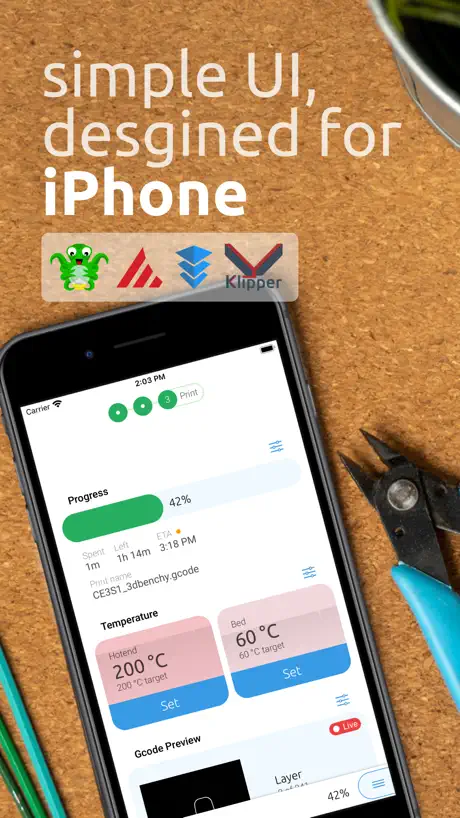  OctoApp for OctoPrint/Klipper OctoApp for OctoPrint/Klipper |   Onshape 3D CAD Onshape 3D CAD | 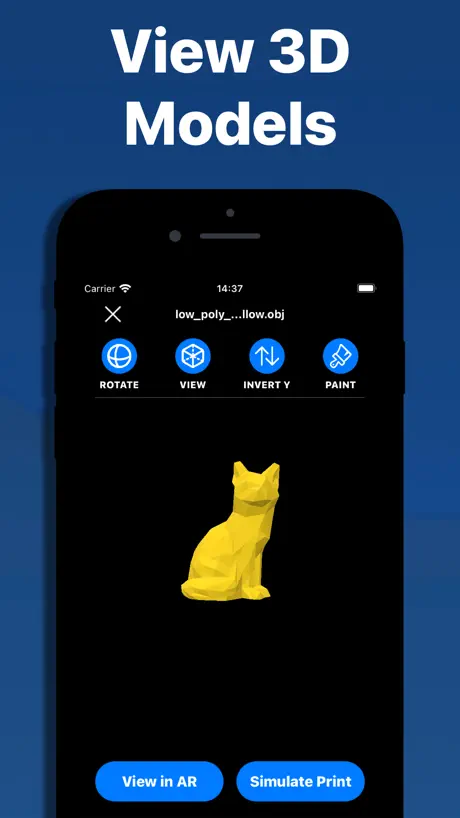  3D Model Viewer - AR & Print 3D Model Viewer - AR & Print | 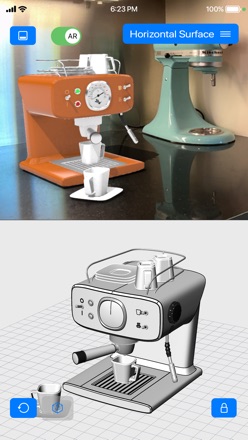  iRhino 3D iRhino 3D |   Pikaslice - 3D Print Slicer Pikaslice - 3D Print Slicer | |
|---|---|---|---|---|---|---|---|---|---|---|---|
| Rating / 5 | 4.6 | 4.8 | 4.6 | 4.4 | 4.7 | 4.4 | 4.9 | 3.5 | 4.4 | 4.4 | 3.6 |
| Reviews | 16K | 219K | 72K | 23K | 20K | 4.5K | 3K | 1.5K | 1.4K | 550 | 449 |
| Released | 2015 | 2016 | 2011 | 2014 | 2015 | 2020 | 2023 | 2015 | 2022 | 2010 | 2022 |
| Monthly price | — | $37.99 | $7.99 | — | $119.99 | $1.99 | $0.99 | — | — | — | — |
| Annual price | — | $299.99 | $47.99 | — | $119.99 | — | $6.99 | — | — | — | — |
| One-time price | — | — | — | $9.99 | — | $2.99 | $12.99 | — | $1.99 | — | — |
The going rate for each plan in United States, in its own currency, shaded from the cheapest price on the row to the dearest. Plans fewer than four in ten of the priced apps sell are left out.
Autodesk Fusion reviews
4.6 out of 5, based on 15,865 reviews.
What people like
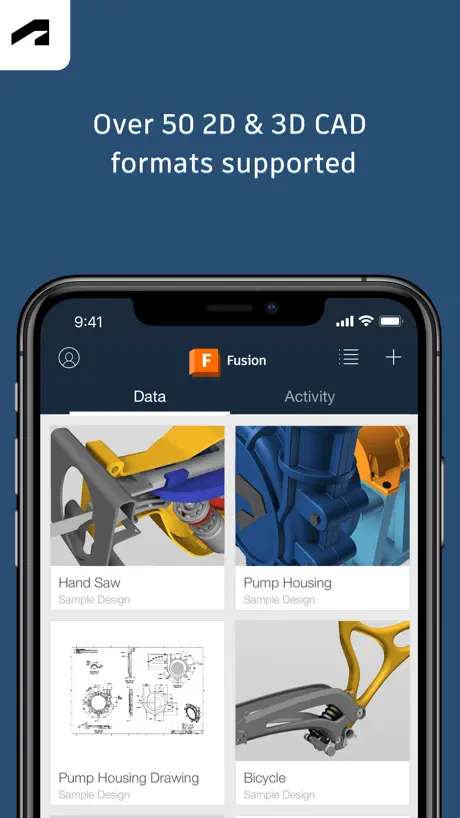
- Free license available for hobbyists and personal use.
- Great for viewing models and taking measurements.
- Seamlessly syncs with your desktop design files.
What they complain about
- It is just a viewer, not an editor.
- You cannot create or edit designs on mobile.
- Signing in often fails or logs you out.
- The app crashes frequently and has bugs.
Loading problem
When trying to sign in to the app the sign in page wasn’t loading
Opening
When I want to run the app for the first time there’s only one log in tab and it doesn’t upload. It stuck on a white page on my iPad.
Great app!
This is a great app! Wanted to be able to view my models away from my computer so I got the app and wasn’t disappointed! Had a feeling I wasn’t gonna be able to edit designs but that’s fine. There are only 2 things preventing me from rating this 5 stars. 1. The app logs me out every 1-2 days (estimated) without being opened. Even if I hit “keep me signed in for 30 days” it doesn’t do that. 2. Every time I go to view a model it says “file preview is being generated pls try again later”. I have to click on it 1-3 times to get it to open sometimes. Other than those 2 things this app is great. Would recommend. ⭐️⭐️⭐️⭐️
All of the red tape with none of the features
The plethora of gushing reviews for this app are suspect. This is just a viewer. No editing capabilities whatsoever. Autodesk would do themselves a favor by renaming the app accordingly.
An odd App
This is great for showing people hat you are working on. However, you can’t share. If selected you just get “Oops, something went wrong, come back later”. Not very informative. It’s not a file size problem either. Please fix. Otherwise all it’s good for is a screen grab. Also it only shows bodies visible when last saved. It should have the whole tree structure available to select from. Otherwise a neat but useless App that has huge potential.
Working and performing 100%
I’m on Mac m5 excellent graphics and I phone 15 pro excellent graphics! Very impressed and highly recommended
Won’t let me in
Can’t login or sign in
Good app but one more thing
This app is good for making your projects but how can I be able to sign in if this app isn’t working?
No reason the full version can’t run on iPad
There is no reason the full version of Fusion360 can’t run on modern iPads especially with Apple Silicon. Being just a viewer makes no sense. I’d gladly pay to be able to access the full version of Fusion360 on my iPad Pro M4
Not what was expected
I thought this would let me design 3D models however it does not unless I haven’t found it yet. Hope this feedback lets you improve
Create a fusion team hub?
I’m assuming this app is good for some people I thought it was an application that allow me to design 3-D images but it’s not
Handy, but annoying
EDIT: Even if it doesn’t log you out, it will still forget what you set as Offline after less than a week. I like that I can see my models on my phone because I mostly use fusion to model ideas for woodworking, and it’s nice to see my model while in the shop. However, the “stay signed in for 30 days” feature absolutely does not work. It lasts a couple weeks at most and when you have to sign back in, you have to do multiple captchas just to get a code from your email. To top it all off, when you finally do get back into the app, your settings aren’t saved. So anything you had stored as available for offline use is no longer available for offline use.
Excellent but broken worse in 2.9.1
Finally fixed (almost) after almost 3 years! They fixed the measure tool so that it can handle more than 1 decimal point of precision. This makes it usable again, which is great. You still cannot reset your measurements because the reset button happens to be right underneath the 3 dots at the top center of the iPad screen (in both orientations), but I can work around this by closing and reopening the drawing. I’ve resent my rating to 4 stars after almost 3 years. Update: STILL BROKEN!!! ALMOST 3 YEARS AND STILL BROKEN. NO UPDATES SINCE JANUARY 2025. Im guessing this app is dead now. Update: 2.9.2 fixed the crashing, and now it’s just back to the original broken stuff. It’s been broken for well over 2 years. Update: The app got updated to 2.9.1 and now it just crashes anytime you open a file. Didn’t think it could get worse, but it did. Update: Still broken in version 2.8.9. It’s been broken for 2 years now. Update: Still broken in version 2.8.5. Update: It’s still broken in version 2.8.4. Such a bummer. It’s been broken for over a year. Update: Unfortunately, they didn’t fix it in version 2.7.4 either. Bummer. Update: Unfortunately, they didn’t fix it in version 2.7.2. I’ve been using this for quite a while and it’s always been outstanding. But version 2.7.1 broke the measure tool, which is pretty important in the mobile version. For me, it’s the most important use of the mobile version. No idea how to submit a bug report. I’ve left multiple questions on their community site, but no response. Hoping they fix it in the next version so I can give it a 5 star review!
CAD Viewer
This should be called Autodesk Fusion Viewer. Why there isn’t a fully functional version of Fusion for the iPad is beyond me. They already have it working on other Apple M chip machines, why not iPad?
Can’t create or edit, viewer only
I was hoping to be able to create projects, but I can’t find a way
The Biz
Love it and I’m getting it for free because I’m old and it’s for my projects. Not much time wasted in the workshop anymore. I think it I draw it I print it and I have it. If it doesn’t work I change it without the stress of starting again. I wish I had it 50 years ago. I could have changed the world.
Don’t like it in my opinion
it needs 99$ just to make a project and that is what I call a waste of time as a minor who does not have Bank account this was a waste of time.
Just hangs at login?
Since updating to iOS 26 I can’t sign in. 🤷♂️ I like the app, just can’t use it now.
So much potential but…
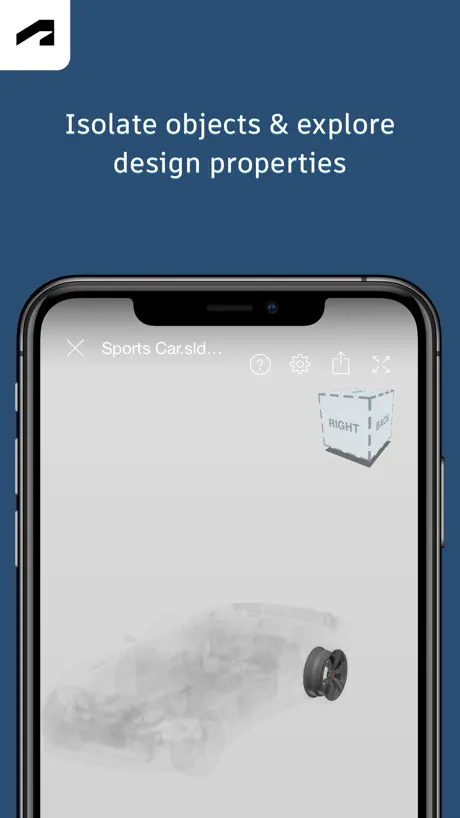
It is not possible to turn on an off components/bodies that were invisible when the model was last saved in Fusion 360 on the PC. What it does show is either all visible components/bodies (from last model save) or only a single selected item in full colour with the rest of the objects shown greyed out. I had expected this app would show me the model with the visibility as last saved, but also allow me to change the visibility of the components/bodies locally in the app to create the views I wanted easily. Why doesn’t this app allow the object tree (including groups) to be displayed with multi selection enabled, and then allow the setting of visibility on the selected objects in the tree at any level - then I would have a use for this app, as it is it is sadly of no use to me.
Useful
This review is for the mobile app version. Very useful, but for me at least I do not see all bodies in the tree for complex models, this makes it hard to hide and show which is essential for showing to clients etc.
Novice user
For me, having the novice ability to be able to create a design and then see it come to life on my 3D printer, this software is brilliant. Having no idea about CAD, Solidworks, I found if I didn't have access to the free to use for personal use edition, I probably wouldn't have bought my printer, as Solidworks just seemed too complicated for my tiny pea brain 🙂
用不了
这个软件中国用不了
Fend-711
I see this error every time I try open a file in the app that I’ve recently modified. What gives? Deleted app and reloaded. Problem went away
Could be better
Indeed, it seems people are reviewing Fusion as a whole instead of just this app… and I gotta say, as a whole Fusion’s pretty good. I still like SolidWorks better, but Fusion’s pretty great when you want a more CAM-focused app that can handle STL files more easily. That being said, I’m disappointed on this app, since it really is just a viewer for your existing projects. Sure, it helps to show your parts and mark stuff in them, but having to switch to my PC to actually edit and save files is still very inconvenient (and kind of pointless - I could just show pictures of my designs or show them directly from my PC instead of using this app). Hopefully we get more features soon to make this app worth it.
Was hoping for more
I’ve just signed in to the same account I use on desktop, expecting all of my own designs to automatically be available, but there’s no trace of them. There’s currently a rendering bug too - the sample objects are only visible when I have a finger touching the screen. As soon as I let go, they vanish. (iPad pro 12.9”, iOS 16.6.1)
Very powerful but usable at basic levels also
I have been using Fusion since its release a a hobbyist. It is flexible, reasonably intuitive with good support. Please keep the access for non-commercial users.
Absolutely useless in any context whatsoever
This does not make any sense for existing not on mobile tablet or pc. Do not waste your time. Not a single review singing adobe praises has ever used this app.. as none of them point out that its just a viewer that has nothing whatsoever that it actually does, that is roughly the equivalent of taking a screenshot and sending to client or boss and works far better via email or sms
Model previews should have lines
Certain features of a model are almost invisible because of the poor lighting, shadows and edge rendering.
Works Sometimes
This worked pretty well for a few months but ever since everything is blank and no files even show up, it did the same thing the first year I had it and apparently works for just a couple months out of each year.
Works well on iPad, but can’t see models on se 2020
Models are only visible when rotating or zooming, as soon as I stop touching the screen, the model and view cube disappear.
Great software
Provides a free licence to hobbyists is amazing. Thank you, having so much fun tinkering with 3d models for my printer
It is stupid and hard to set up!!!!!
BBBAAAADDD!!!!
Fusion 360 continues to get better
The app is a viewer only, would be great if it could be used to actually design something. The program is good but I find that in design the ‘constraints’ are not very well highlighted if editing is needed. The white symbols appear randomly distributed and not associated to the assigned line/point. Very frustrating trying to edit something with constraints applied. Another limitation is that if you create a drawing from a design, it uses on of your 10 free editable licences. It’s a bit of a pain if you have a number of components in a design and need drawings for them all. I use fusion for my woodwork projects so need to have drawings in my workshop. I wish that that limitation could be removed.. also in design there is no prin function so I have to do a screen capture and then print that.
Never loads first try
Every time I open this app, it takes forever to sync. Even then it won’t open any of my projects unless I shut it down twice and reopen it and reconnect it. I would love to use it, but it’s very unusable.
M1 Mac
Finding it very glitchy with the new M1 Mac Mini. The refresh is not consistent and working with dual screens, the working screen quite often needs to be minimized to reset screen issues and then maximize again. I’m not sure they are testing this product under all possible conditions especially when the Mac mini is such a prevalent machine.
3D printing hobbyist
I rely on this awesome program for my 3D printing , love it to bits 👍🏻
Does not allow to design for a 3D printer on iPads.
I spent very long finding out how to design for a 3D printer on this app. I eventually found out that it won’t let you do so on an iPad.
Very useful…
This is a powerhouse of a program, with an amazing integration to output of g code to drive a CNC machine and a great export of stl file type for 4d printer slicers. The tech drawing path could do with some work, but the rest is superb.
Difficult and annoying to use
Compared to other popular companion apps to CAD software, this is so far below par. For instance, it’s almost impossible to get quick reference measurements, orbiting and navigating is terrible, and the rendering of materials makes each component look like a single undefined mess. A long way behind competitors.
Just a viewer
This may be a good companion to the Mac version of Fusion 360 but the description is misleading: this is a viewer, not an editor.
Fantastic Cad software
Also had cam built in so a one stop solution plus sti files for 3d printing.
Viewer only?
Other CAD apps allow editing, this app is a waste of time.
Could use a little improvement
While it is useful that you can see and make notes on deigns it’s a bit annoying you can’t see the renders you have done previously I recommend that there is maybe a drop down menu where you can see your renders or even start renders
Augmented Reality (AR) for Live Model Viewing
One feature that would take Fusion 360 to the next level would be built-in AR capabilities. The ability to place CAD models into real-world environments through augmented reality would be a huge asset. Being able to view models at actual size in their intended environment—such as seeing furniture designs in a room or testing how industrial parts fit into a factory layout—would bridge the gap between virtual designs and real-world applications. Not only would this provide enhanced visualization and communication with clients, but it would also allow designers to make better, faster decisions by understanding spatial relationships in real-world contexts. Other design platforms have started integrating AR, so adding this to Fusion 360 would keep Autodesk on the cutting edge of technology and provide a more immersive design experience. I hope Autodesk considers implementing an AR feature, which could even work seamlessly with existing mobile apps. This would make Fusion 360 an even more indispensable tool for designers looking to bring their concepts to life.
Estoy un poco desmotivado
Estoy un poco desmotivado porque la version de fusion para iPad es solo decorativa , no puedes modificar ni crear piezas , como en la version de PC , y las 2 usan la nube , no se cuando permitirá autodesk la modificación y la creación
Amazing
After using now for quite a few years it never stops amazing me the versatility.
Worthless
It’s just a viewer, not a CAD program
Better than the alternatives
Does the job, though they really need to move the undo - redo location. As on the latest iPad os they are directly behind the multitasking 3 dots.
Temperamental at best
Its only a viewer so there are minimal uses for it, one of which is taking measurements from. Using the measuring tool is very temperamental not exactly a pleasant experience. The second and more important issue is in trying to open files, even on a wifi connection opening files is hit and miss. Some files just never open even if you download them for offline use, nothing appears in the offline file browser. If you are expecting a predicable use case for this app on an iPad, stick to drawing or use Fusion on a laptop.
Cannot design on Ipad
Everyone seems to use this software but it’s unfortunately not available on Ipad, you can open designs that you made in the past but not create new ones
Autodesk Fusion FAQ
- Is Autodesk Fusion free?
- Yes. The app is free, in all 173 countries it sells in, and it sells nothing inside it.
- Does Autodesk Fusion have a free trial?
- No. None of its offers (US) come with a free trial.
- What are the best alternatives to Autodesk Fusion?
- Shapr 3D CAD modeling (4.8 from 219,457 reviews, premium from $32.99), DWG FastView-CAD Viewer&Editor (4.6 from 71,645 reviews, premium from $0.99) and Draft Paper (4.4 from 22,549 reviews, premium from $9.99).
Autodesk Fusion download
Last updated 2 months ago.
Autodesk Fusion sells in 173 countries. It was released 11 years and 4 months ago, on 16 May 2015. It holds a 4.6 rating from 15,865 reviews.
Supports 11 languages: English, French, German, Italian, Japanese, Korean, Portuguese, Russian, Chinese, Spanish, Turkish.
How much does Autodesk Fusion make?
Third-party estimates for the last 30 days, worldwide — not the store's own figures, which Apple publishes for nobody.