Draft Paper
How much does Draft Paper cost?
Prices are current as of 9 Sept 2026.
1 one-time purchase from $9.99
In the United States, Draft Paper has 1 one-time purchase priced $9.99.
| Product | Price |
|---|---|
| All Features | $9.99 |
10+ alternatives to Draft Paper
| Draft Paper |   Home Design 3D: Draw & Plan Home Design 3D: Draw & Plan |  Shapr 3D CAD modeling Shapr 3D CAD modeling |   Keyplan 3D Lite - Home design Keyplan 3D Lite - Home design |   magicplan magicplan | 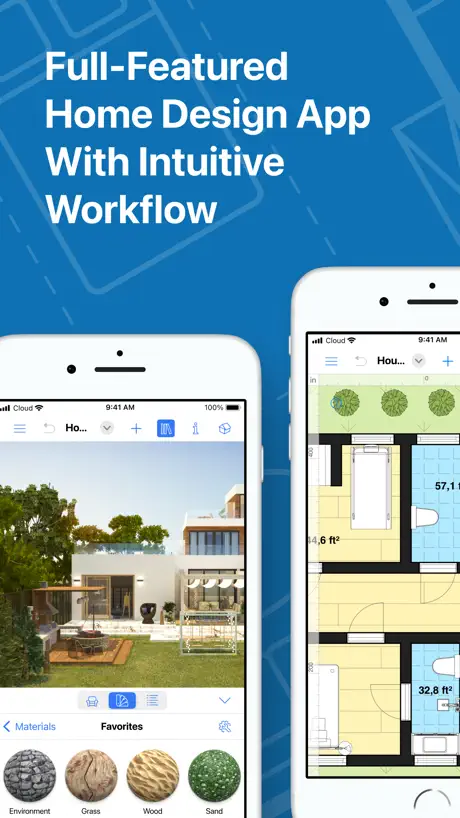  Live Home 3D - House Design Live Home 3D - House Design | 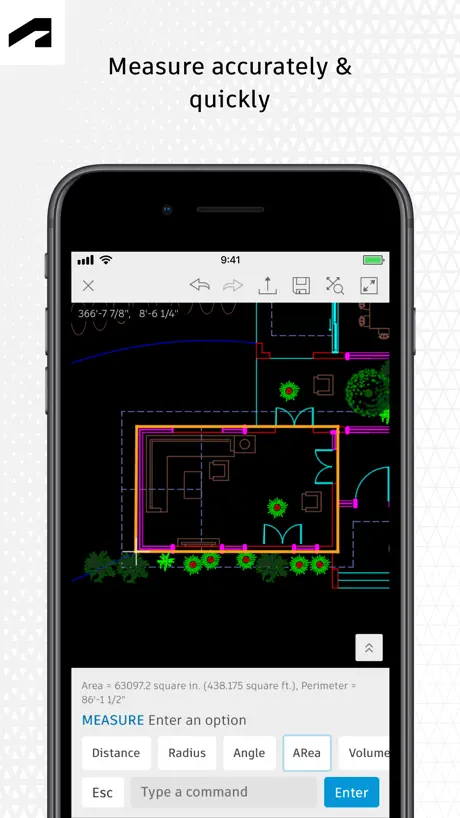  AutoCAD AutoCAD | 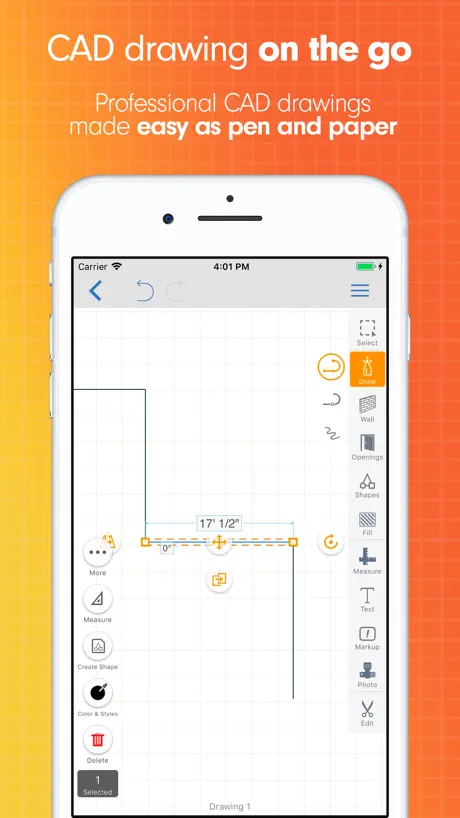  ArcSite: Quick CAD Floor Plans ArcSite: Quick CAD Floor Plans | 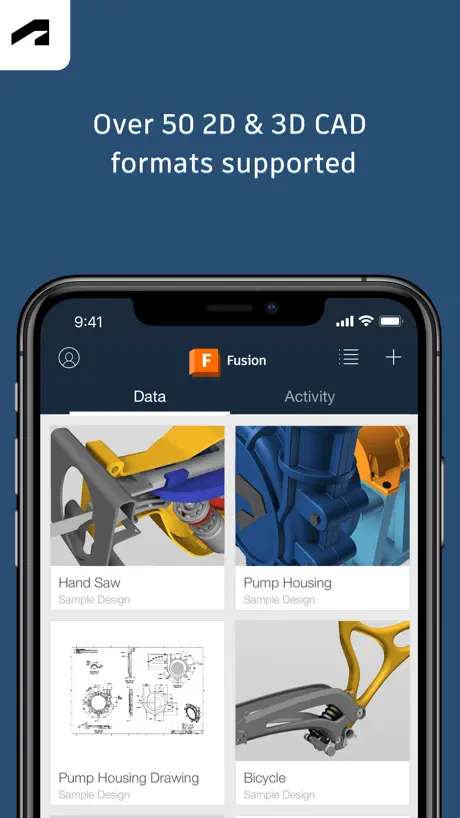  Autodesk Fusion Autodesk Fusion |   DrawPlan DrawPlan |   Onshape 3D CAD Onshape 3D CAD | |
|---|---|---|---|---|---|---|---|---|---|---|---|
| Rating / 5 | 4.4 | 4.3 | 4.8 | 4.5 | 4.7 | 4.6 | 4.4 | 4.7 | 4.6 | 3.5 | 3.5 |
| Reviews | 23K | 365K | 219K | 188K | 181K | 71K | 59K | 20K | 16K | 8.6K | 1.5K |
| Released | 2014 | 2011 | 2016 | 2018 | 2011 | 2018 | 2010 | 2015 | 2015 | 2019 | 2015 |
| Monthly price | — | $19.99 | $37.99 | — | $39.99 | $5.99 | $9.99 | $119.99 | — | $4.99 | — |
| Annual price | — | $59.99 | $299.99 | — | $399.99 | $19.99 | $99.99 | $119.99 | — | $49.99 | — |
The going rate for each plan in United States, in its own currency, shaded from the cheapest price on the row to the dearest. Plans fewer than four in ten of the priced apps sell are left out.
Draft Paper reviews
4.4 out of 5, based on 22,549 reviews.
What people like
- Very simple and easy to learn
- Great for quick sketches on phone
- No ads even in the free version
- Fair price for what it offers
What they complain about
- Crashes often and loses your work
- No option to change to inches
- Hard to find how to save
- Layer management is frustrating and buggy
Amazing
Love it
Scammer App & Scammer Developer.
This App is scam? Take payments $52.35 without permission.
Great App but needs a few improvements
For the low amount this app cost it does phenomenal work. The more I use it though the more the “quirks” or bugs (not sure if they are features?) sticks out & annoys me. One: I use multiple layers in my home. There’s one for the yard (boundary lines for remodels), one for the basement, one for the 1st floor & and one for the 2nd floor & roof then one for the proposed remodels. However, if I’m working on the remodel layer with that particular floor’s layer also visible and I make a mistake and hit the “undo button” all layers suddenly become visible again. Or it only makes some visible. Or it actually hides the layer I’m in. It’s so frustrating b/c I have to go hide them again & invariably hit “undo” again - try hiding 4-5 layers b/c they overlap & confuse you. That’s my biggest pet peeve. The other pet peeve deals with dashed lines & them not “snapping to” the overlayed grid. Trying to bring a solid line to meet a dashed line (which represents a window in my work) sometimes causes it to skew & gives it an odd number like 11’9/16” or something like that. Super annoying. It would be nice to be able to delete layers. I can’t figure out how to rotate text. The “select feature” (once I found it) let’s you click on the objects. It would be nice if you could just highlight the area with an iPad keyboard’s mouse. Otherwise I might miss a pixel or a dot, have to zoom way in, then I click something else & when I try to reverse that the entire selected section defaults to its original state. The other recommendation I’d make is having a 90º pivot built in, or at least something that lets you click on a section of the wall, “pull out” an arrow & then pivot it 45º or whatever. Not that the angle has to stay on the screen when you’re finished, but it would help when working with curved walls or fireplaces built into curved walls. Otherwise what an awesome app!
Potential Ruined by Constant Crashes
I’ve used the app for several months. It would be an easy 5 stars if it didn’t crash every 10 minutes. Then you lose 4-5 minutes of work.
Save?
Need to be able to save drawings & be able to go back & make changes.
Stephen
This is the best mobile drawing program for a phone at a price you can afford. It is simple to use with some limitations after you learn the round about techniques which are undocumented, like mirroring images, scaling, zoom for selecting and reducing drawing dimensions. I would like to see manual dimension entries and editing for lines as well as a deselect option for line groups. After a few projects including floor layouts for equipment and scroll patterns, I could write a brief on tips and tricks using the programs hidden powers. I could have given it a 4, but a 5 is necessary because of the reasonable program pricing.
Don’t upgrade from free
I appreciated getting to try it out and it was fine for a free version. But then I needed to share it. I tried to share the jpg but that was too small and no one could zoom in to see the tiny text. I upgraded to paid expecting that a PDF version would solve the problem. But the tiny font is now in some weird code and unreadable even zoomed in. And now it glitches and crashes. I want my money back.
Wish I could convert to imperial system
Metric is cool but the ability to do inches and feet would be nice!
Could be good
Could be good but even the instructions website doesn’t explain much about how to use. Can’t find settings to change measurements to imperial. Annoying
It’s fine
It does what I thought it would. I wish you could share the drawing to your email or something. And wish it would store and label project names. But it did what I needed it to.
THE BEST
I love this app so so much . It is simple and very easy to create home/property layouts
Needs a lot of work.
Sure, it’s free and that’s great but the constant freezing, crashing and loosing progress absolutely sucks.
Great
The app is awesome. It’s easy to use, but I have some requests. The shape feature only uses full lines to make the shapes. I wish it could make shapes using dotted lines. Another thing I’d wish I could do is scale the text myself instead of being automatically scaled, because most of the time, it’s either to big or to small. Other than that, the app is really good.
Keeps closing without saving work!
Frequent glitches & app shuts without saving work. Getting on my nerves.
Love the design, but glitches!
Very user friendly and easy to learn. It’s simple and perfect for my needs. However it glitches and shuts down causing my work to delete frequently which is very frustrating. So save your work often!
Help
Gr8
Limited Functionality
I really want this to work but it just doesn’t. I’ve tried multiple times. The workflow is awkward and it’s impossible to draft at the detail that I need. To select smaller dimensions you have to zoom really close, then as you try to start drafting the page won’t adjust… making you drop the line in the wrong place to move the page so you can see where you’re going. No way to adjust the position. Duplication and move functions are equally useless. Lots of time spent trying to draw simple design and no real progress. Tried drafting a simple shed build to estimate materials - got the floor rectangle the right size but its a waste of time trying to draft anything else. Moving on to paper & pencil instead.
Awesome but needs a freehand option.
Awesome but needs a freehand option.
Can this app be converted from metric to feet?
Convert metric to feet?
A little clumsy
It’s extremely hard to do anything not on the grid. It should be easier to place and edit text. I would love a free hand mode for ad hoc markings and things aligned with arcs and diagonals.
everything i’ve always wanted
very phone user friendly technical drawing app. allows me to draw things out wherever i am, go home and design them in cad. the only feature which needs better explanation is that the wheel on the corner rotates for more tools. took me a few minutes. otherwise AMAZING. id pay a subscription for this, i love it.
Sucks not able to understand
Sucks and not able to understand the symbolism to upload a blueprint that you want to edit
Not accurate for detailed measurements > 12” / snap feature buggy
For example I’m designing a shelf using 3/4” wood. When measuring from the top to bottom I get 12”. When measuring from the lower side of the top piece to the bottom again I get 12”. This overall measurement should be 12 3/4” or 12.75”. The lines are to scale though. At one inch squares you can clearly see the line going through either the halfway or 3/4 of the way to the grid line. So the issue is only with the measurement feature not the overall program. I plan on manually counting it which should do fine. I’ve also ran into some issues with the snap feature. Really no rhyme or reason to when it decides to snap to a location or blatantly avoid it. UPDATE— After using the app a while it looks like the inaccuracy comes anywhere after 12”. Before 12” you can get detailed measurements down to 1/16th I.E. 11 7/8”. After 12” it rounds to the next inch. The snap issue is the same when zoomed out and trying to draw a line that’s not on the grid. The workaround is zoom in and draw to the edge and allow the grid to move to the desired location. A little annoying but after you get used to the quirks it’s a great app, especially for free. Possibly with the paid app you can add a toggle to snap to the nearest inch, 1/4”, 1/16” etc. Let the users decide.
Quite basic and very buggy
While the basic functionality you would need are in this app, I found it very frustrating when trying to do certain things because of what I would hope are bugs and not features. My main issues were with adding text (text would disappear more than 50% of the time once you click after typing), when using multiple layers, i couldn’t figure out how to bind them in order zoom in/scale together, when trying to move items it will often glitch and appear to be duplicating. I also was not able to see where I could change the size of text while adding it.
Ok.. no stencils
It works.. but the ad specifically shows stencils/objects like ovens couches and stairs.
Best app
Best app I’ve found to drawl blue prints
Hard to understand
Trying to do this program needs to have a YouTube link on how to do this
For What It Cost
For what I paid I can’t complain. This is a great basic drafting app. Just a couple things: the layers don’t allow for isolating the layer so, one cannot focus on one layer and, the dimensions would allow me to measure down to the inch. Can’t expect too much for this level of app. Keep up the good work.
Needs settings
For some reason it only measures in meters and I need feet. I don’t measure in Chinese.
Glitchy
The app worked just like how i wanted it to! I could draw all of the floor plans I could wish for without wasting paper. Until it started to become a full 30+ seconds of lag for it to load after every time I drew a line. I will say I do have an iOS of 15.8.5, so that could be the issue. But now I have to go back to graph paper.
Flexible, easy to use!
I really enjoy how flexible and easy to use with this product. I appreciate the opportunity to draw what I want, how I want, using the tools that are offered.
Office layout
iPhone would not download copy of my created layout to iPhone “Files”.
Pretty decent, but needs work.
Full disclosure, I only have used this app to work on plans for grid-based games like RimWorld and Stardew Valley. There are certain functions I haven’t explored. Summary: This is a solid app with no obnoxious advertisements for its free version. Allows for a surprising amount of detail, but many features need polishing. I would pay $3 (CAD) for this app, but they would need to fix some issues before I’d be willing to pay $7. The Good: - Ability to zoom in and out to access larger or smaller grids within a single file. - “Select” function is very intuitive, and works great with the “Move” function to allow easy repositioning without having to redo work. - No advertisements, even for the free version (extra star just for this). - Frequent auto-saves. The Bad: - App crashes somewhat frequently, and although the frequent auto-saves should help prevent any substantial loss of work, you’ll still lose some. - Colour selection is locked to layers. It would be more intuitive if you could select a colour directly from whichever drawing tool you’re using, instead of having to switch to another menu. The Ugly: - The “Duplicate” function doesn’t work with “Select” and is very janky as a result. - The app has a “snap to grid” effect which cannot be turned off, which surprisingly gets in the way of a few functions. - The “Text” function needs a lot of work. There is no size selection, and while I’ve discovered a couple ways to adjust the text size, it takes much more effort than it has any right to. - You can’t make changes to existing text.
Used to work really good now it’s buggy
I’ve had this app a long time always loved it but now I do something for a minute and it kicks me out and erases everything I did. Worth the 12$ if they fix the bug
Works well, but UI is clunky
See title
Amazing BluePrint App
My husband and I are wanting to build in a few years and are trying to figure out the type of layout we are wanting. So we wanted a user friendly app just to play around with layouts. But this app offers so much more. Highly recommend
Difficult to use
Look elsewhere
Mincemeat bros
I was high and made minecraft worlds with it. Was to baked to find the ability to colour in the squares tho. Your bad bro
문제 제기
프로젝트저장 방법이 기제되어 있지 않습니다.
Update
Hello, please add a new update. This program needs to be upgraded in all areas for optimal use.
Super easy to work with
I’ve been searching for an easy way to do sketches, and this is it. Might just buy the premium version (not that you need to) as a thanks to the creator.
I had high hopes
I hoped to design a floor to ceiling shelf, this app is confusing and frustrating. I decided to go buy real graph paper that I could draw on without the graphs moving and the lines not connecting.
Easy to use
I found the product easy to use and fairly intuitive. I cannot find how to start a new project. Not sure if separate layers are saved to iCloud to retrieve project.
Great App
This is a great app but it closes out every few minutes and I lose some of my progress when going back into the app. Pleaseee fix this
App keeps crashing
App keeps crashing after you use it for a while. Otherwise it’s an easy to use app.
Good app
The app is simple and easy to use with no experience. Missing a few key features, like changing measurement types, and simply being able to write or even type on the page. Over all good app.
Import does not work on IOS
Wasted 10 dollars, time and energy trying to get this function to work. Read the manual and watched YouTube videos. Cannot use app ultimately because I can’t upload what I actually need to edit. Shame!
CRASHES
I love this app, I bought it for an upgrade after first use. However, the app crashes too frequently when I go back a step or start erasing lines. I only lose around 5-10 steps luckily but if I were to lose more steps, I would give this app 1 star. Save your file frequently as your work gets more detailed.
Easy, fast, accurate, great for newbs
I’m by no means an architect but this software has made it really easy to put accurate drawings on paper complete with measurements. Defo worth the $5
Works good but.
Excellent for conceptual drawings of simple designs but the program crashes every 20 minutes and erases the last 60 seconds of work. Very simple to use and will continue to use it for my designs.
Draft Paper price by country
A one-time purchase costs $9.41 in Canada and $16.29 in Colombia — 1.7× more for the same thing. Below is the going rate for each plan in every country that sells it — the middle price of what the app charges there, in the country's own currency with the dollar equivalent beneath it.
| Country | One-time |
|---|---|
| Afghanistan | $9.99 |
| Albania | $11.99 |
| Algeria | $9.99 |
| Angola | $9.99 |
| Anguilla | $9.99 |
| Antigua And Barbuda | $9.99 |
| Argentina | $9.99 |
| Armenia | $11.99 |
| Australia | A$14.99$10.78 |
| Austria | €9.99$11.66 |
| Azerbaijan | $11.99 |
| Bahamas | $9.99 |
| Bahrain | $9.99 |
| Barbados | $11.99 |
| Belarus | $11.99 |
| Belgium | €9.99$11.66 |
| Belize | $9.99 |
| Benin | $11.99 |
| Bermuda | $9.99 |
| Bhutan | $9.99 |
| Bolivia | $9.99 |
| Bosnia & Herzegovina | €9.99$11.66 |
| Botswana | $9.99 |
| Brazil | R$59.90$11.75 |
| British Virgin Islands | $9.99 |
| Brunei Darussalam | $9.99 |
| Bulgaria | €9.99$11.66 |
| Burkina Faso | $9.99 |
| Cambodia | $9.99 |
| Cameroon | $11.99 |
| Canada | CA$12.99$9.41 |
| Cape Verde | $9.99 |
| Cayman Islands | $9.99 |
| Chad | $9.99 |
| Chile | CLP 9,990$10.94 |
| China | CN¥68.00$10.09 |
| Colombia | COP 49,900$16.29 |
| Congo | $9.99 |
| Congo, Democratic Republic | $9.99 |
| Costa Rica | $9.99 |
| Cote Divoire | $11.99 |
| Croatia | €9.99$11.66 |
| Cyprus | €9.99$11.66 |
| Czech Republic | CZK 249.00$12.06 |
| Denmark | DKK 89.00$13.88 |
| Dominica | $9.99 |
| Dominican Republic | $9.99 |
| Ecuador | $9.99 |
| Egypt | EGP 499.99$9.92 |
| El Salvador | $9.99 |
| Estonia | €9.99$11.66 |
| Fiji | $9.99 |
| Finland | €9.99$11.66 |
| France | €9.99$11.62 |
| Gabon | $9.99 |
| Gambia | $9.99 |
| Georgia | $11.99 |
| Germany | €9.99$11.62 |
| Ghana | $11.99 |
| Greece | €9.99$11.66 |
| Grenada | $9.99 |
| Guatemala | $9.99 |
| Guinea-bissau | $9.99 |
| Guyana | $9.99 |
| Honduras | $9.99 |
| Hong Kong | HK$88.00$11.22 |
| Hungary | HUF 4,490$14.49 |
| Iceland | $11.99 |
| India | ₹999.00$10.52 |
| Indonesia | IDR 169,000$9.54 |
| Iraq | $9.99 |
| Ireland | €9.99$11.66 |
| Israel | ₪34.90$11.71 |
| Italy | €9.99$11.66 |
| Jamaica | $9.99 |
| Japan | ¥1,500$9.42 |
| Jordan | $9.99 |
| Kazakhstan | KZT 5,990.00$13.09 |
| Kenya | $11.99 |
| Kosovo | €9.99$11.66 |
| Kuwait | $9.99 |
| Kyrgyzstan | $9.99 |
| Lao Peoples Democratic Republic | $9.99 |
| Latvia | €9.99$11.66 |
| Lebanon | $9.99 |
| Liberia | $9.99 |
| Libya | $9.99 |
| Lithuania | €9.99$11.66 |
| Luxembourg | €9.99$11.66 |
| Macao | $9.99 |
| Macedonia | $9.99 |
| Madagascar | $9.99 |
| Malawi | $9.99 |
| Malaysia | MYR 49.90$12.32 |
| Maldives | $9.99 |
| Mali | $9.99 |
| Malta | €9.99$11.66 |
| Mauritania | $9.99 |
| Mauritius | $11.99 |
| Mexico | MX$199.00$11.74 |
| Micronesia | $9.99 |
| Moldova | $11.99 |
| Mongolia | $9.99 |
| Montenegro | €9.99$11.66 |
| Montserrat | $9.99 |
| Morocco | $9.99 |
| Mozambique | $9.99 |
| Myanmar | $9.99 |
| Namibia | $9.99 |
| Nauru | $9.99 |
| Nepal | $11.99 |
| Netherlands | €9.99$11.66 |
| New Zealand | NZ$19.99$11.97 |
| Nicaragua | $9.99 |
| Niger | $9.99 |
| Nigeria | NGN 14,900.00$11.03 |
| Norway | NOK 129.00$13.84 |
| Oman | $9.99 |
| Pakistan | PKR 2,900$10.45 |
| Palau | $9.99 |
| Panama | $9.99 |
| Papua New Guinea | $9.99 |
| Paraguay | $9.99 |
| Peru | PEN 44.90$13.40 |
| Philippines | ₱599.00$9.71 |
| Poland | PLN 49.99$13.55 |
| Portugal | €9.99$11.66 |
| Qatar | QAR 39.99$10.99 |
| Romania | RON 49.99$11.11 |
| Russia | RUB 899.00$10.36 |
| Rwanda | $9.99 |
| Sao Tome & Principe | $9.99 |
| Saudi Arabia | SAR 39.99$10.66 |
| Senegal | $11.99 |
| Serbia | €9.99$11.66 |
| Seychelles | $9.99 |
| Sierra Leone | $9.99 |
| Singapore | SGD 14.98$11.80 |
| Slovakia | €9.99$11.66 |
| Slovenia | €9.99$11.66 |
| Solomon Islands | $9.99 |
| South Africa | ZAR 199.99$12.55 |
| South Korea | ₩17,000$12.29 |
| Spain | €9.99$11.66 |
| Sri Lanka | $9.99 |
| St. Kitts and Nevis | $9.99 |
| St. Lucia | $9.99 |
| St. Vincent & The Grenadines | $9.99 |
| Suriname | $9.99 |
| Swaziland | $9.99 |
| Sweden | SEK 129.00$13.61 |
| Switzerland | CHF 9.00$11.22 |
| Taiwan | NT$320.00$10.05 |
| Tajikistan | $9.99 |
| Tanzania | TZS 29,900.00$11.41 |
| Thailand | THB 399.00$12.13 |
| Tonga | $9.99 |
| Trinidad and Tobago | $9.99 |
| Tunisia | $9.99 |
| Turkey | TRY 499.99$10.36 |
| Turkmenistan | $9.99 |
| Turks and Caicos | $9.99 |
| Uganda | $11.99 |
| Ukraine | $11.99 |
| United Arab Emirates | AED 39.99$10.90 |
| United Kingdom | £9.99$13.54 |
| United States | $9.99 |
| Uruguay | $9.99 |
| Uzbekistan | $9.99 |
| Vanuatu | $9.99 |
| Venezuela | $9.99 |
| Vietnam | ₫299,000$11.47 |
| Yemen | $9.99 |
| Zambia | $11.99 |
| Zimbabwe | $11.99 |
Draft Paper FAQ
- Is Draft Paper free?
- Yes. The app and its basic features are free, in all 175 countries it sells in. Premium features are paid: they start from $9.99 (US), across 1 one-time purchase.
- Does Draft Paper have a free trial?
- No. None of its offers (US) come with a free trial.
- Where is Draft Paper cheapest?
- A one-time purchase costs CA$12.99 (≈$9.41) in Canada and COP 49,900 (≈$16.29) in Colombia, its cheapest and dearest countries.
- What are the best alternatives to Draft Paper?
- Home Design 3D: Draw & Plan (4.3 from 364,923 reviews, premium from $4.99), Shapr 3D CAD modeling (4.8 from 219,457 reviews, premium from $32.99) and Keyplan 3D Lite - Home design (4.5 from 187,587 reviews, premium from $1.99).
Draft Paper download
Last updated 2 years ago.
Draft Paper sells in 175 countries. It was released 12 years and 1 month ago, on 30 Aug 2014. It holds a 4.4 rating from 22,549 reviews.
Supports 1 language: English.
How much does Draft Paper make?
Third-party estimates for the last 30 days, worldwide — not the store's own figures, which Apple publishes for nobody.
Revenue by plan
- One-time 100%
Revenue by country
- United States 78%
- Canada 6%
- United Kingdom 4%
- Australia 3%