
QuickBooks Workforce
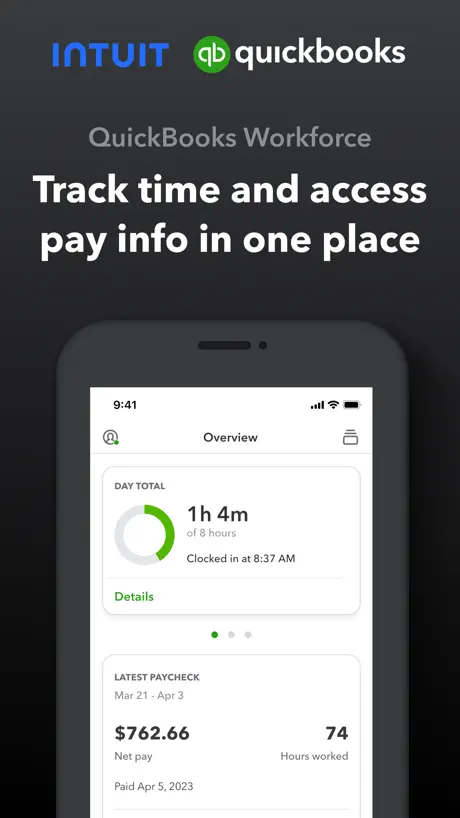
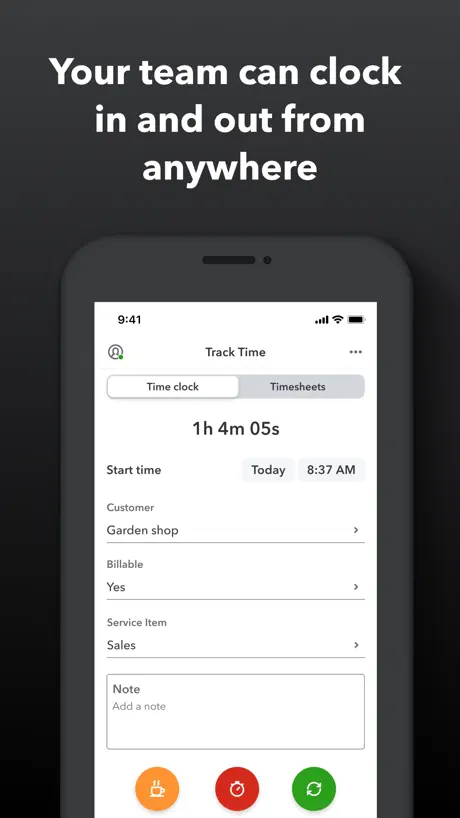
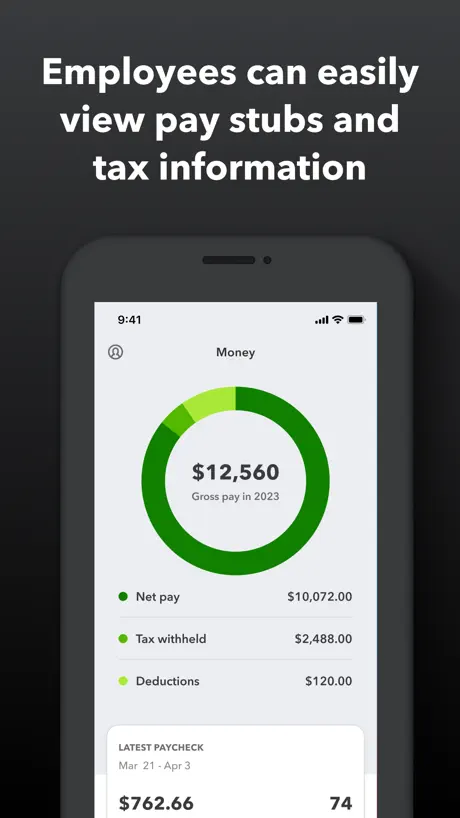
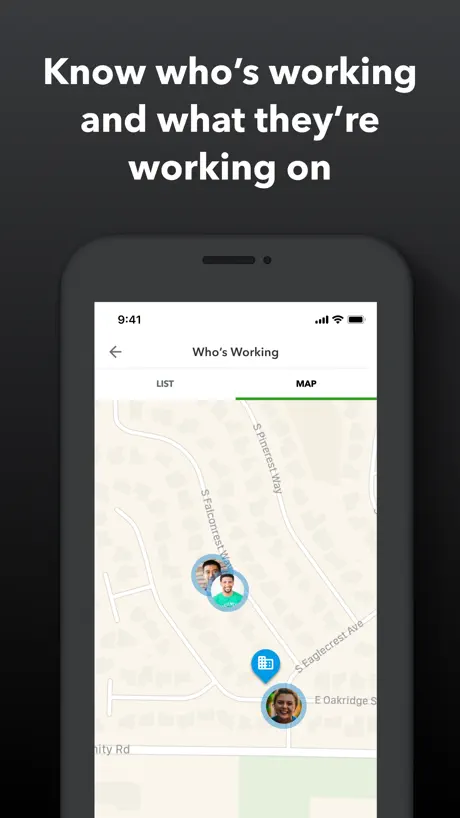
Track time and view pay info
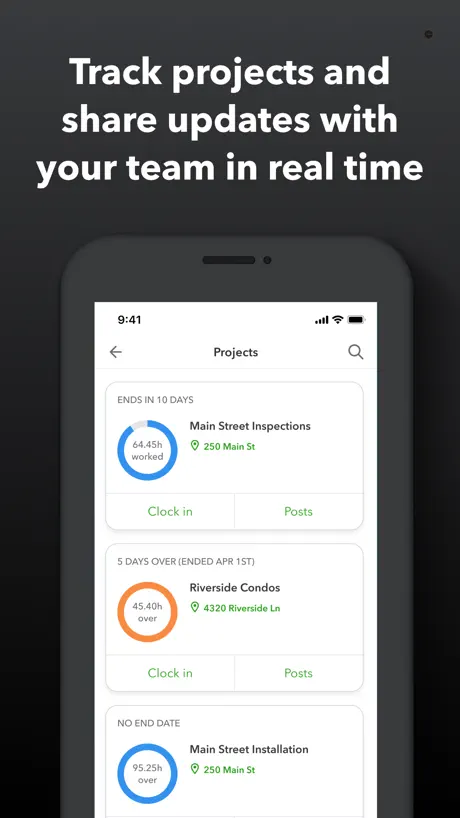
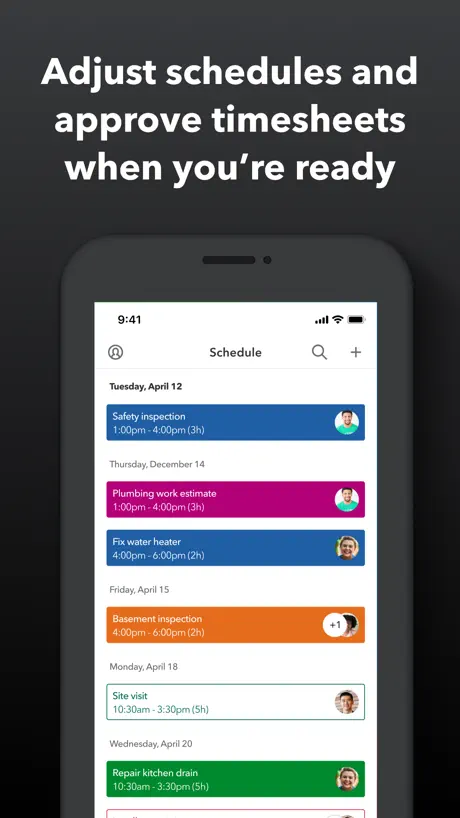
How much does QuickBooks Workforce cost?
Prices are current as of 11 Sept 2026.
QuickBooks Workforce has no in-app products on record in the United States.
10+ alternatives to QuickBooks Workforce
| QuickBooks Workforce | 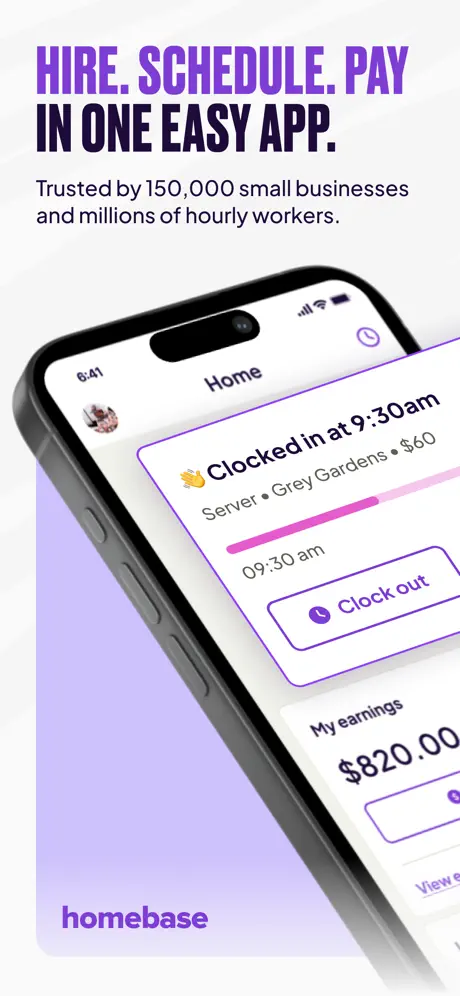  Homebase: Employee Scheduling Homebase: Employee Scheduling |   Connecteam Team Management App Connecteam Team Management App | 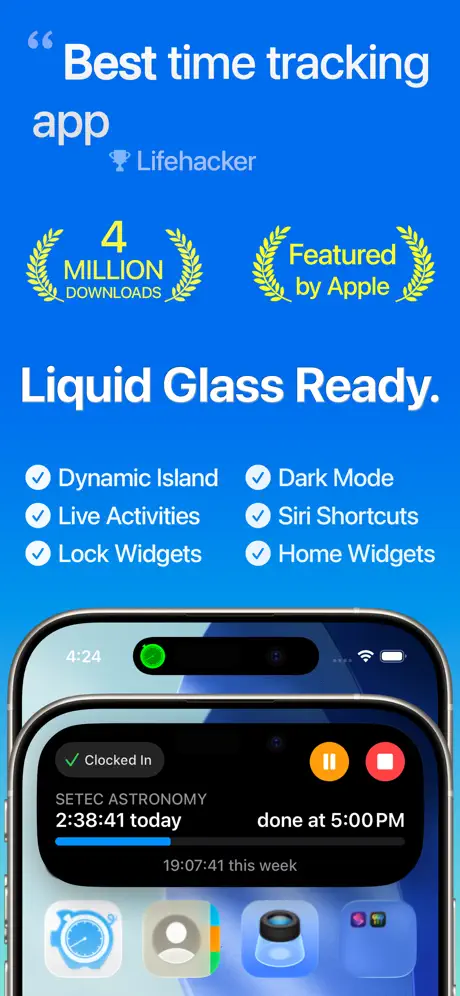  Hours Tracker: Time Tracking Hours Tracker: Time Tracking |   When I Work Staff Scheduling When I Work Staff Scheduling |   Square Team Square Team |   Punch Time Clock Punch Time Clock |   Sling: Employee Scheduling App Sling: Employee Scheduling App |   7shifts: Employee Scheduling 7shifts: Employee Scheduling |   Housecall Pro: Field Service Housecall Pro: Field Service |   Jobber Field Service Software Jobber Field Service Software | |
|---|---|---|---|---|---|---|---|---|---|---|---|
| Rating / 5 | 4.6 | 4.8 | 4.8 | 4.8 | 4.8 | 4.7 | 4.8 | 4.7 | 4.8 | 4.6 | 4.8 |
| Reviews | 219K | 102K | 84K | 68K | 66K | 43K | 40K | 36K | 33K | 32K | 25K |
| Released | 2014 | 2014 | 2016 | 2009 | 2010 | 2018 | 2018 | 2014 | 2013 | 2013 | 2015 |
| Monthly price | — | $30.00 | — | $4.99 | — | — | — | — | — | $69.00 | $139.99 |
| Annual price | — | $289.00 | — | $29.99 | — | — | — | — | — | — | — |
The going rate for each plan in United States, in its own currency, shaded from the cheapest price on the row to the dearest. Plans fewer than four in ten of the priced apps sell are left out.
QuickBooks Workforce reviews
4.6 out of 5, based on 219,297 reviews.
What people like
- Very convenient and easy to use.
- Payroll is simple and functional.
- Helpful support team explains features well.
What they complain about
- New update ruined the old layout.
- App freezes and crashes constantly.
- It takes forever to load.
- Location tracking drains your battery.
Satinder Sanga
Really good app
New update
I’ve never been a fan of this app. It’s always glitchy. The new update makes it more difficulty. The drop down menu is terrible. Why create more steps than necessary.
Good app
It’s a good app makes it easy to clock in and out and keep track of everything from time to pay. Has wayyy too many bugs that occur with every update. Every update it won’t let me clock in or set jobs
poor updates
with this current update, i lost the lock screen widget and cannot toggle through location tracking to fix the time sheets. the app takes no less that 120 seconds to load multiple times a day.
Update
Don’t like the new layout when clocking in or out & on timesheets. The old layout was much better!! Can I undo the update I installed??
Best
Best app for the pay slip update
New update ruined a perfectly good app
New update ruined a perfectly good app. Besides all the glitches, the new format has so many steps before clocking in or out that my time is messed daily. That is the main function for my use of the app as a employee and it has been failing miserably.
New UI is horrendous
Great app otherwise besides the UI that was just rolled out in July/August 2026. Please go back to what we had. This new clock in feature is clunky and glitches all the time and does not have live updates on the top of my screen how it was. There was nothing wrong with the other one.
Was good, isn’t now.
Used to be a flawless app, always worked when you needed it too, now your always going to be late clocking in and out because they updated it to make it a “better experience“ my coworkers and I have to restart the app over and over and over just to select a customer to clock in and then restart several times to select a service item just to clock out and it pisses me off at the start and end of everyday I hate this app now
Works well when it’s in sync
When it doesn’t sync I have to delete app and reinstall.
Me encanta
10
Glitchy
This new update is garbage. The UI is clunky and slow and constantly requires restart. It was perfectly fine before. The new timesheets page is absolutely awful. When you go to input time the customers list is destroyed now with no main search of customers, with their individual jobs like a folder. Now every single job is just there which is literally thousands for my company and I can’t know for certain I am even putting in the right job because some may have the same or similar names under different contractors which was very clear to see before this update. They changed the date select so now I have to memorize the dates I worked when I input my time instead of showing the month calendar that made it very easy to quickly and easily select the date I need to input time by showing the day of the week. Now it’s a M/D/Y scroll wheel for whatever reason with no indication on the day of the week I’m selecting. Our company we only just put in duration on jobs on timesheets because it’s much faster and easier (well atleast used to be) than clocking in and out if we go to multiple job sites a day so I’m very frequently putting in time sheets for previous days because we may have the same job multiple days of the week so I just don’t do it until the end of the week. This makes that an absolute nightmare. You think we are going to remember what date last Wednesday was? I don’t even know what today’s date is half the time. Also why are we adding 1 minute to the duration by default? What happened to the 8 hour default time duration? Why is that even something you would change? Every time sheet I put in not only do I have to select the hours which I wouldn’t need to do if I had worked 8 on one job because it was defaulted to 8, but I now have to roll back the minute to 0 every single time I put time in. Why? Literally why? Who is working 1 minute so often that it has to be default? I get that it’s defaulted to something because you can’t input 0. But then why did you get rid of 8 hour default then? Even if I don’t work 8 hours on that customer it’s easier to scroll a couple hours back than have to scroll the hours all the way up and scroll back a minute every single time just because 1 minute is mandatory? Also constantly likes to add my timesheets twice almost every other input I make so I have to delete them and sometimes deleting them breaks the app and I have to restart. Also likes to sit and load every time I click on the date or customer and the only way to fix it is to restart. Overall absolute trash you need to go back to the old UI. No need whatsoever to make these disgusting changes. There were almost no issues with the previous build. It’s funny that you updated it, then reverted it back presumably because of how horrible it was and I got excited that I didn’t have to deal with this mess and now it’s back. GO BACK TO THE OLD UI
Decent
Works good no problems as of yet and been using it for a year now, would be a significant improvement if they managed to make it so that you could clock in and clock out right on the app, only thing it’s missing really
Missed potential
This app has so much potential but constantly signs me out, isn’t very easy to navigate and gives you metrics, but not year over a year month over month like you’d like to see. My opinion there’s a lot of missed potential here.
Workforce Quickbooks
Ok so up until today actually only one problem, was that whenever I clocked in at work the red clock out button was always up on the main screen of my phone so a few or more times I actually clocked out n had to have my boss fix my time. Which was unpleasant. But for some reason and out of th blue the app just froze today. I wasn’t able to clock out at all. It just froze . I had to delete it and now I’m trying to reinstall it so hopefully that does th trick. Other than those two things. Great app
So easy
Best timesheet I’ve ever used and I’ve been doing them since 1972.
Slow and stupid
Slow, glitchy and pretty much terrible
It’s fine.
Works most of the time.
Only use one company
I get paid from multiple companies and the set up to add another company is a nightmare. Do not recommend using this service if you own multiple companies
New update
The new interface is not easy to understand, the layout of everything before the update was better
QuickBooks Workforce
I really enjoy using quickbooks workforce, it’s so easy and very functional. Payroll has never been so easy. Great app!!
Broken mess of an app after update
Need an app that can barely function at doing the one thing it’s designed for clocking in & out? Have I got the app for you! Now with not only one but two, two whole loading screens just to open the app! In a hurry? Well we make it extra inconvenient by adding a pop up box to check every time you do an action that asks you “are you sure?” Just to mess with you. Now with new advanced features like crashing the entire application when you clock back in from breaks and infinite loading screens when you least expect it! Did I mention that the app closes itself constantly so you have to reload everything over and over? Well it does! Come try this steamy pile of hot garbage today!
Mr Colin Kemp
Takes a bit of getting used to. Easy to forget to clock on & off. Therefore, glad to be able to edit time sheets.
Was once good, now not so much
Latest update makes the app want to know your location at all times even when logged off. Drains battery on phone and if you turn off tracking, it will not work until tracking is turned back on.
Langue
Pas de français
Good Tool
I like using this app for my work information when it comes to my pay check . Easy to use .
Location on Indefinitely
Asking employees to allow this app to track their location indefinitely is ridiculous. It is totally unreasonable for any organization to be tracking that information all of the time. I’m not sure why it’s a vital function of the app beyond the policing of employees themselves. Something that’s important to know as a business owner is that if you need to monitor your employees’ locations all the time in order to be sure that they’re working, it is because you are a poor leader. I would never trust an app like this.
STOPPED TIME THEFT DEAD
Shawn was SO great on the phone explaining all the details, features and robustness of how TSHEETS is designed to stop time theft dead. We have lowered our time expenditure by 30%. It really works!
Terrible update
I had absolutely no complaints using the Workforce Intuit app to clock in and out for my job. After the app made significant changes in the last few months, it is no longer user-friendly. I find myself getting very frustrated with doing the most basic of tasks on this app now. App updates should make the end user’s life more easy. I will be requesting that our organization finds another platform that doesn’t make me cringe.
Administration
When trying to review employee hours it takes forever to open the timesheets if it opens at all.
Parfait
Merci
New updates are junk
Ever since the last update everything takes forever to load and the app freezes for no good reason. I had to have my HR supervisor review the security logs to prove I wasn’t ready several days in the row when the app took 3-5 extra minutes to get me clocked in 👎
Worse with every update
The app has always been slow and is now even slower. The new update requires you to select the business you work for every single time you use the app. Additionally, you now have to select from a superfluous “service item” list before it lets you clock in or out. If my employer doesn’t care about these details, why should workforce?
Off line
The app used to be great as it was always available and fast. It has changed recently and it often takes longer to login and begin using. This is a problem when time is short which means people can’t use it properly
Pay
Right on time best app
Why I gave them one star
If I don’t turn off my location when off the clock through my settings, every single day, I’ve been notified from Apple that this app will track my location over a dozen times in a single weekend. With screenshot proof of this more than once.
Update sucks
It was a great app until this new interface all of a sudden appeared. It’s slow and not as easy to see all my shifts hours on. Please bring the old one back it was perfect the way it was.
Widget doesn’t update
Installed new update and widget stopped displaying the time
10/10
Very convenient, has everything you need in a organized way, simple and overall good app
Slow
This app runs slower than a quadriplegic.
Horrible Update
Before the recent update, the Workforce App was straightforward, reliable, and easy to navigate. Entering job data, switching tasks, and managing breaks all worked smoothly. Since the update, these basic functions have become frustratingly difficult. Changing tasks or inserting a break often leads to errors or unexpected behaviour, slowing down my workflow instead of supporting it. As a manager, I also relied heavily on the ability to quickly review my staff’s hours from my phone while on the go. That feature has now been removed entirely, which has made day‑to‑day oversight significantly harder. The update has taken away core functionality that previously made the app efficient and practical.
Someone can clock in by mistake
Someone can clock in by mistake
Nice
Keep it up
This app is a travesty
7 years of constants crashes, information not being saved, freezing, slow to react, and it’s an app that just sucks the life out of your phones battery, lost data, and all this across 3 different iPhones. At least 100 complaint calls into tech support. No real help, no solutions, and just excuses on an app that just SUCKS!
Not great
My office uses it. I use it on my phone but it’s nothing but issues! Fill in information then save and exit and it doesn’t save. Having to redo it all over again. Sometimes 15 minutes worth of time lost to redo.
The last update crash application
I didn’t have any issue with app until the last update now it doesn’t pass until logo
QuickBooks Workforce FAQ
- Is QuickBooks Workforce free?
- Yes. The app is free, in all 175 countries it sells in, and it sells nothing inside it.
- Does QuickBooks Workforce have a free trial?
- No. None of its offers (US) come with a free trial.
- What are the best alternatives to QuickBooks Workforce?
- Homebase: Employee Scheduling (4.8 from 102,045 reviews, premium from $30.00), Connecteam Team Management App (4.8 from 84,200 reviews) and Hours Tracker: Time Tracking (4.8 from 68,257 reviews, premium from $4.99).
QuickBooks Workforce download
Last updated 1 month ago.
QuickBooks Workforce sells in 175 countries. It was released 12 years and 2 months ago, on 17 Jul 2014. It holds a 4.6 rating from 219,297 reviews.
Supports 2 languages: English, Spanish.
How much does QuickBooks Workforce make?
Third-party estimates for the last 30 days, worldwide — not the store's own figures, which Apple publishes for nobody.