HiPaint- Sketch & Paint
Darw & Digital art & Create
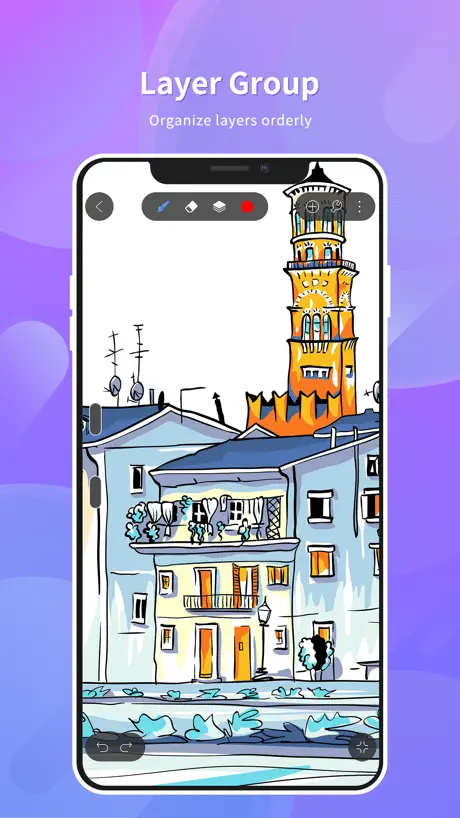
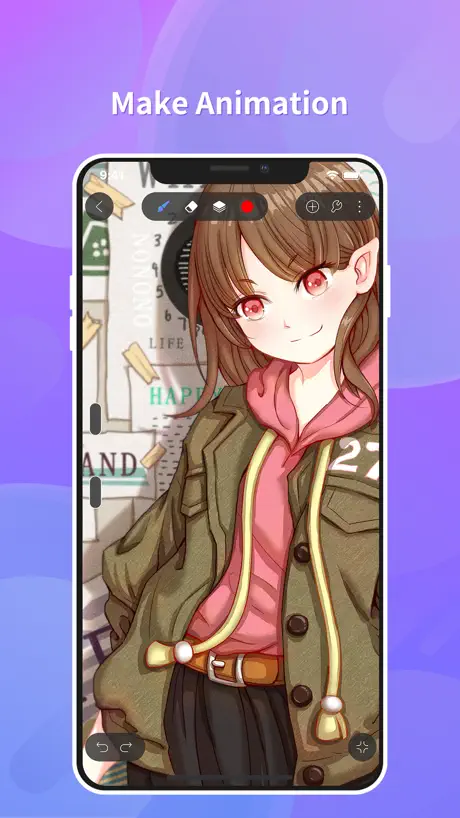
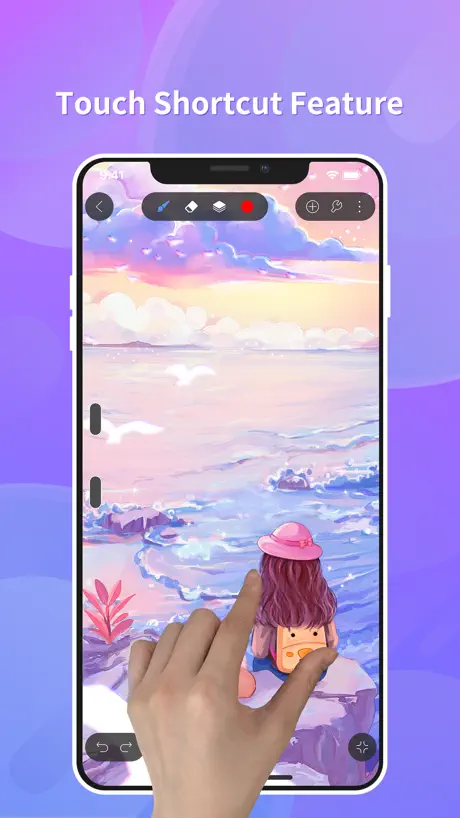
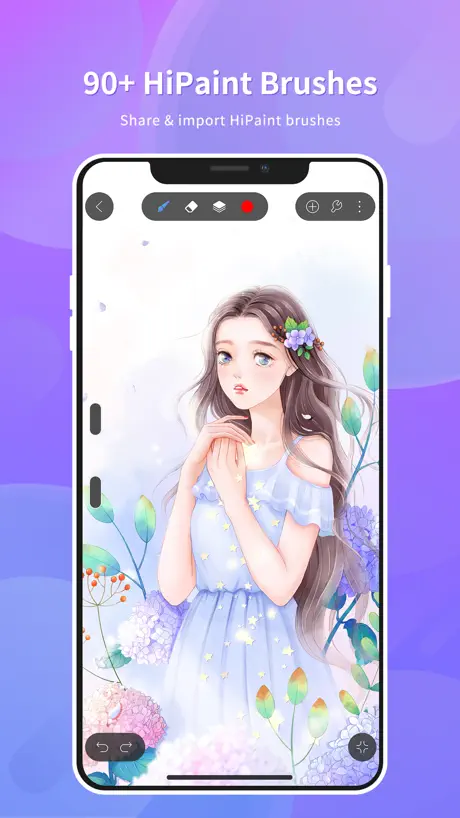
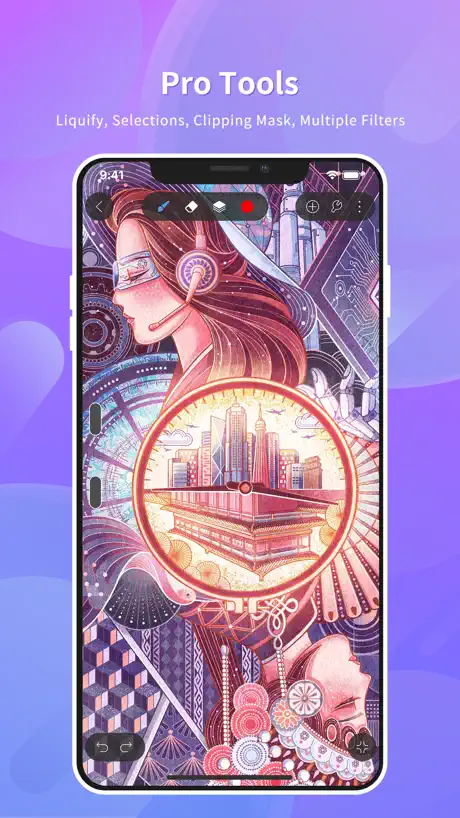
How much does HiPaint- Sketch & Paint cost?
Prices are current as of 29 Sept 2026.
6 one-time purchases from $0.99
In the United States, HiPaint- Sketch & Paint has 6 one-time purchases priced $0.99 – 1.99.
| Product | Price |
|---|---|
| Animation Membership | $0.99 |
| Remove ADs | $0.99 |
| Selection Tool / Liquify Tool | $0.99 |
| Text Tool | $0.99 |
| Tiling Tool | $0.99 |
| Theme editing | $1.99 |
See what HiPaint- Sketch & Paint costs in all 175 countries →
10+ alternatives to HiPaint- Sketch & Paint
| HiPaint- Sketch & Paint |  MediBang Paint – Drawing & Art MediBang Paint – Drawing & Art |   Adobe Fresco: Draw & Paint App Adobe Fresco: Draw & Paint App |  Art Set 4 Art Set 4 |  Clip Studio Paint Clip Studio Paint |   MediBang Paint for iPhone MediBang Paint for iPhone |   iArtbook iArtbook |   Infinite Painter Infinite Painter |   Sketch Pro: Draw & Create Art Sketch Pro: Draw & Create Art |   Artstudio Pro: Draw, Paint Artstudio Pro: Draw, Paint |  Mental Canvas Draw Mental Canvas Draw | |
|---|---|---|---|---|---|---|---|---|---|---|---|
| Rating / 5 | 4.6 | 4.6 | 4.7 | 4.6 | 4.7 | 4.5 | 3.9 | 4.2 | 4.7 | 4.6 | 4.6 |
| Reviews | 17K | 259K | 230K | 115K | 114K | 82K | 42K | 38K | 31K | 23K | 11K |
| Released | 2023 | 2015 | 2019 | 2018 | 2017 | 2015 | 2019 | 2016 | 2023 | 2017 | 2021 |
| Monthly price | — | $4.99 | $7.99 | — | $9.69 | $4.99 | — | — | $4.99 | — | $9.99 |
| Annual price | — | — | $69.99 | — | $28.90 | — | — | — | $14.99 | $3.49 | $89.99 |
| One-time price | $0.99 | $7.99 | — | $12.99 | — | $5.99 | $12.99 | $6.99 | $3.99 | $14.99 | — |
The going rate for each plan in United States, in its own currency, shaded from the cheapest price on the row to the dearest.
HiPaint- Sketch & Paint reviews
4.6 out of 5, based on 17,395 reviews.
What people like
- Great free alternative to Procreate
- Easy for beginners to start
- Good brush engine and feel
What they complain about
- Keeps crashing and deleting your work
- Ads block the tools you need
- Laggy performance on older phones
- Hard to create a new canvas
Great
Great but I think you should remove adds and make it to where you can move the drawing once you finish if you want to.
No blends
You have to pay for blends and you still can’t find where it is, idk what this update is but it’s the absolute worse
very good 🌟🌟🌟🌟
So this app immediately caught my eye and when I started drawing my first portrait it was AMAZING! But the thing that kinda annoys me is that the pigment on the pencil texture is so grey when it’s black, when I used my finger it was way thicker and pigmented but when I used my Apple Pencil it gived off more of a realistic pencil vibe which I find cool but the I have to press down so hard just to get a pigmented black.
bug太多
那个液化我都懒得说bug多的要死直接把人给你变没了还有有时缩放画布改变没有识别到花完画布上全是黑点和线忍受了一会终于放弃但是笔刷我确实挺喜欢的希望bug积极改善
Wish it was updated
Does the job but has no love that android gets
Love the app but i can’t find the vector option in canvas
The app has been great to draw with and with all its features but the problem comes the vector feature, it’s impossible to find
CRASHING
CRASHING
Liquify
Just give us free liquify others wise great app
Hated the app
When I tried to do a cozy coloring it wouldn’t let me color in side the black lines and in procreate u can do that so I think y’all need to fix that
It’s great except for some things
The layout is pretty easy to learn. However, it feels like this app is best suited for a larger screen device. I try using it on my phone but it’s always lagging especially the animation feature. Whenever I open the app some UI options appear smack dab in the middle of my screen and I can’t to anything to fix it. Sometimes buttons just don’t cooperate. It’s frustrating to deal with. On the plus side, there’s not a ton of ads and the brush options are great. It’s very easy to use and is very versatile. I just wish it was less finicky.
Really good
I’ve tried a lot of different drawing apps and HiPaint is probably my favorite free drawing app and second in general.
老是闪退搞得我图都没了有病吧
如题
Ok
Hard to choose a favorite art game but I love the game game so much and love drawing
闪退
我不行了,保存了第二天自己全花了,线稿也没了,作品回放也只有一半,找都找不回来
Ehhh
It’s a good app, but it’s kind of laggy? idk if it’s just a me issue but whenever i draw or zoom in to fast it lags a bit, however it works a lot like procreate which is nice, but because of the lag im giving it 3 stars
Best free drawing app ever! ✍️
This is so amazing, and the fact that it is free is crazy! It is so simple and easy for new artists, and so fun! Definitely recommend! 💯
hi
ts sucks
Please add this!!
Great app!! I love this! Ive been using it for over a year now! But..there’s just one thing i want you guys to do You should really add a toggle that lets you remove the redos and undos when looking at your speedpaint! If you know what i mean i just wanna see my art going straight forward without seeing my undos and redos! Really Amazing app tho if you want procreate but cant afford it!!
闪退严重
最近几周使用闪退问题严重,总是莫名其妙的推出断连,然后笔刷使用也有延迟,难用了很多
Its ok but-
So this app is great and all, it is a good app and its ok to use but there are some issues. The brushes are kinda limited and dont have that many options but also theres no instructions to use and its kinda hard to know what your doing. Also with layers you cant move them around so that’s annoying, its also kinda a ripoff procreate but its not that good. Not very beginner friendly but idk. Honestly for the price it is, Procreate is worth it.
Angels rewind good app
This is actually pretty good it’s easy and great also it would be so cooler if you had a white pencil that can actually draw on paper it’s so cool and perfect for beginners to make a circle there is a way to help you redraw the drawing in a different way try this app now!!! 😇
Annoying as hell
PROS: user friendly, the drawing is good, free CONS: WHEN YOU ARE DRAWING, THE DAMN COLOR PICKER WILL POP UP MULTIPLE TIMES. I HATE IT OMG THE ERASER IS SMALL AS HELL. THE SIZE RANGE FOR EVERYTHING SUCKS.
While I like this app there’s only one issue for me
The blending tool needs work, it won’t let me adjust the size to my liking. And saving my art is difficult maybe there is a way to save your art but I don’t know where so I just screenshot lol
Uhhhhhh similar to procreate
Why is the brush menu too small? Great greetings make the brush menu bigger bye~
Honestly, for a person starting out at drawing, it’s great
While there are ads occasionally, they aren’t too annoying and I can still draw. The only setback for me is that I can’t mark any folders as hidden (that would require a passcode) because some of the I stuff I’m drawing… it’d be best not to have it being seen. Otherwise great app~ Edit(2026): This app used to be usable, with easy to understand interface and a great free option. I stopped using the app for a couple of months and now that I am back on the app… The user interface is more difficult to navigate and the references don’t load up at all anymore.
BET
the best app, THE ADS ARE WORTH IT PEOPLE
Not good
I hate this 😡 it is no good do not recommend.
LIKE PROCREATE
It’s like procreate but there is lot of lags and ads but this app rocks!
something needs to be fixed
Originally, I had an extremely good experience with this app. Yes, it was a bit janky, but it resolved itself over time, but now it’s almost entirely unusable due to the fact they put ads in the drawing space. Monetization is key, it helps businesses keep running, but for some reason the inclusion of ads have completely ruined the experience. It crashes constantly, and God forbid if I listen to music while I draw because the app is putting so much work into running the ads it can barely sustain basic function, let alone run music in the background. It’s awful, I don’t mind the ads at all, it is a free app so it makes sense, but it needs to be fixed! It can barely run the ads, it needs optimization. The performance has plummeted from a janky app to something that I can barely use, which makes me incredibly disappointed as I actually really do like it. I love the pens, I love the dark background and how it doesn’t affect my colour perception, I could draw fluidly, it had everything I needed and was far better than what I’ve used for years, Ibis Paint X, and I’d rather die than go back to it so please! Fix the problem! You can keep the ads, but something needs to be done so I can still draw with the ads running, it isn’t sustainable.
Has a lot of potential
I downloaded this because my favorite artist used it and made some really cool art with it. The settings for the brushes are limited, some of my buttons don’t even work, and the ads I get at the bottom makes it hard for me to press undo and redo. This seems like a cool art app, but I can hardly use it.
Nice 👍
It’s really great for art but why is the age rating 18+?
Complaint
It won’t let me create a canvas for some reason
PLEASE FIX THE CRASHING AFTER DRAWING😢
This app is honestly super cool and i really enjoy it but what pisses me off so much is when i draw, it crashes me and kicks me out of the app. And it doesn’t even save my progress and it ticks me off so bad. My phone isn’t even old or anything and i have a bunch of storage. Even after updating the app, it still crashes me and even if i try to save my drawing before it kicks me out again, i go back into the drawing and none of it saved?? Please fix this and I will be set for life because i really like this app and it upsets me i can’t save my progress.
闪退情况极其严重
什么时候能修复闪退?
Who charges to use a text tool?
Never in my life have I ever seen a art program company charge its users to use a text feature. A BASIC text feature- not advanced mind you. Simply typing requires you to watch an ad or buy either the perpetual or subscription. Not even ibis does that (unless they are at this level of nickle and diming users too. they did reduced the “use tools free for 18 hours after ad” to 2 hours, which is so anti consumer.) this bothers me because I actually like hipaint a lot. I prefer its brush engine over ibis, it works both in mobile and iPad and I can adjust it as I please. It feels like I’m drawing in an art program closer to my oc experience , and the stabilizer isn’t uncomfortable. I like your reference windows and your ui. I like that I can move the color wheel around. I appreciate hipaint! However, unlike ibis(sadly) , hipaint tools for comic making aren’t as varied or robust as ibis’s paints (pains me to say.) and I have found no where online to show me otherwise. You would have to rely on the ruler rather than use a panel frame tool. I’d look over that if it weren’t for the text aspect.Honestly I feel the text aspect should be free. Medibang and ibis let you use the text for free (at the moment. Company greed is ridiculous.) you can even import font for free. Which hurts because I hate drawing in ibis. Please correct this, there is a lot I like about hipaint but this and a couple other things are dealbreakers. Also I wish art app companies would stop slapping ads on the canvas. We already have to watch an ad to open the ap and set up. You do not need to put an ad on our drawing space, you already got the ad money! It’s not incentivizing me to pay to get rid of em- it’s incentivizing me to go back to pencil and paper!
ads aside ,,,
this app is my favorite when it comes to art and has seriously brought out the best in my art !! i would recommend but the brushes tend to look pretty similar (non issue if you dont mind that) and theres seemingly quite a few ads (though u can easily fix that by turning ur wifi off) !! all that asides ,, i feel confident showing people my art since having used this app !! ^__^
How do I start drawing
I keep trying to start drawing and I press the + button it takes me to the setttings but with no access
Good but small ad problem
Great art app! Although, an only major issue is whenever the ads are displayed on the bottom while drawing, it blocks some buttons needed when using some of the features like the selection tool or adjusting canvas size. I had to exit out of my drawing and back to it to get rid of the ad so I could confirm the canvas size change when I wanted to change it.
Weird..
The game freezes whenever I try to do the animation
Constantly Crashing
I’ve been using the app for around less than 24 hours and after a while of drawing the app started constantly crashing when I’m trying to draw. I have enough storage, my phone isn’t old, and the app is updated. It started with when I used the paint bucket tool, now it’s every other time I draw or use a tool or even try to save, I haven’t been able to save at all lately.
Love it!
I use it for my animations. There’s just a small problem: some times the bottom as banner gets in the way of tools, but you can just reopen your canvas to make it go away. Despite that, it’s great.
невозможно создать новый холст на айфоне 16
невозможно создать новый холст на айфоне 16
It a good app… but:
It’s a great app for art, but it’s hard for me to draw because it makes the strokes disappear when I draw sometimes.
It keeps getting worse
It keeps getting worse with each update. At first it would have small glitches like exiting the app every few minutes without saving the recent changes I made. Next it would leave the app amd when I go back my entire drawing is deleted. And now when it does that when I come back and moves the layers around which keeps messing up my drawings. When will you fix these instead of giving us random updates no one asked for? 🙄
not beginner friendly-hard to use
when i got this app i was expecting "a free version of procreate" as this is what it's portrayed as across platforms but when getting it the tools arent straight forward and there isnt many tutorials on how to use it and the very few that there is not one is made by hipaint themselves and the people that make these arent sponsered and i didnt understand much from them this app made following the easiest tutorials hard and not to mention the fact that the brushes they have dont work as shown also the liquify tools doesnt work AT ALL and i would show you what i was trying to do compared to what i made but i cant this app works good but you have to put loads of effort into working it out
Divertido
Me encanta porque no tiene anuncios y puedes pintar tranquillo/a
Reseña
No me deja crear una hoja le doy al más y sale una burbuja de agua que no deja hacer nada solo ir a la galería y a configuración
It’s an easy to use app
I’m a beginner in digital art and this app is fairly intuitive.
Mid
It’s too sensitive but overall cool brushes
Great app!
Great app overall with great features, but I have one problem, the liquify tool. The liquify tool ALWAYS glitches out and leaves random strokes or completely erases the layer you’re working on. Please fix this!
HiPaint- Sketch & Paint price by country
A one-time purchase costs $0.70 in Canada and $1.55 in Hungary — 2× more for the same thing. Below is the going rate for each plan in every country that sells it — the middle price of what the app charges there, in the country's own currency with the dollar equivalent beneath it.
| Country | One-time |
|---|---|
| Afghanistan | $0.99 |
| Albania | $0.99 |
| Algeria | $0.99 |
| Angola | $0.99 |
| Anguilla | $0.99 |
| Antigua And Barbuda | $0.99 |
| Argentina | $0.99 |
| Armenia | $0.99 |
| Australia | A$1.99$1.39 |
| Austria | €0.99$1.13 |
| Azerbaijan | $0.99 |
| Bahamas | $0.99 |
| Bahrain | $0.99 |
| Barbados | $0.99 |
| Belarus | $0.99 |
| Belgium | €0.99$1.15 |
| Belize | $0.99 |
| Benin | $0.99 |
| Bermuda | $0.99 |
| Bhutan | $0.99 |
| Bolivia | $0.99 |
| Bosnia & Herzegovina | €0.99$1.13 |
| Botswana | $0.99 |
| Brazil | R$6.90$1.32 |
| British Virgin Islands | $0.99 |
| Brunei Darussalam | $0.99 |
| Bulgaria | €0.99$1.13 |
| Burkina Faso | $0.99 |
| Cambodia | $0.99 |
| Cameroon | $0.99 |
| Canada | CA$0.99$0.70 |
| Cape Verde | $0.99 |
| Cayman Islands | $0.99 |
| Chad | $0.99 |
| Chile | CLP 990$1.03 |
| China | CN¥6.00$0.89 |
| Colombia | COP 4,900$1.48 |
| Congo | $0.99 |
| Congo, Democratic Republic | $0.99 |
| Costa Rica | $0.99 |
| Cote Divoire | $0.99 |
| Croatia | €0.99$1.13 |
| Cyprus | €0.99$1.13 |
| Czech Republic | CZK 29.00$1.35 |
| Denmark | DKK 9.00$1.37 |
| Dominica | $0.99 |
| Dominican Republic | $0.99 |
| Ecuador | $0.99 |
| Egypt | EGP 49.99$0.96 |
| El Salvador | $0.99 |
| Estonia | €0.99$1.13 |
| Fiji | $0.99 |
| Finland | €0.99$1.13 |
| France | €0.99$1.13 |
| Gabon | $0.99 |
| Gambia | $0.99 |
| Georgia | $0.99 |
| Germany | €0.99$1.13 |
| Ghana | $0.99 |
| Greece | €0.99$1.13 |
| Grenada | $0.99 |
| Guatemala | $0.99 |
| Guinea-bissau | $0.99 |
| Guyana | $0.99 |
| Honduras | $0.99 |
| Hong Kong | HK$8.00$1.02 |
| Hungary | HUF 499$1.55 |
| Iceland | $0.99 |
| India | ₹99.00$1.03 |
| Indonesia | IDR 19,000$1.06 |
| Iraq | $0.99 |
| Ireland | €0.99$1.15 |
| Israel | ₪2.90$0.94 |
| Italy | €0.99$1.13 |
| Jamaica | $0.99 |
| Japan | ¥150$0.95 |
| Jordan | $0.99 |
| Kazakhstan | KZT 499.00$1.13 |
| Kenya | $0.99 |
| Kosovo | €0.99$1.13 |
| Kuwait | $0.99 |
| Kyrgyzstan | $0.99 |
| Lao Peoples Democratic Republic | $0.99 |
| Latvia | €0.99$1.13 |
| Lebanon | $0.99 |
| Liberia | $0.99 |
| Libya | $0.99 |
| Lithuania | €0.99$1.13 |
| Luxembourg | €0.99$1.13 |
| Macao | $0.99 |
| Macedonia | $0.99 |
| Madagascar | $0.99 |
| Malawi | $0.99 |
| Malaysia | MYR 4.90$1.20 |
| Maldives | $0.99 |
| Mali | $0.99 |
| Malta | €0.99$1.13 |
| Mauritania | $0.99 |
| Mauritius | $0.99 |
| Mexico | MX$19.00$1.06 |
| Micronesia | $0.99 |
| Moldova | $0.99 |
| Mongolia | $0.99 |
| Montenegro | €0.99$1.13 |
| Montserrat | $0.99 |
| Morocco | $0.99 |
| Mozambique | $0.99 |
| Myanmar | $0.99 |
| Namibia | $0.99 |
| Nauru | $0.99 |
| Nepal | $0.99 |
| Netherlands | €0.99$1.13 |
| New Zealand | NZ$1.99$1.12 |
| Nicaragua | $0.99 |
| Niger | $0.99 |
| Nigeria | NGN 1,500.00$1.12 |
| Norway | NOK 9.00$0.96 |
| Oman | $0.99 |
| Pakistan | PKR 300$1.08 |
| Palau | $0.99 |
| Panama | $0.99 |
| Papua New Guinea | $0.99 |
| Paraguay | $0.99 |
| Peru | PEN 4.90$1.45 |
| Philippines | ₱49.00$0.78 |
| Poland | PLN 4.99$1.30 |
| Portugal | €0.99$1.15 |
| Qatar | QAR 2.99$0.82 |
| Romania | RON 4.99$1.10 |
| Russia | RUB 99.00$1.15 |
| Rwanda | $0.99 |
| Sao Tome & Principe | $0.99 |
| Saudi Arabia | SAR 4.99$1.33 |
| Senegal | $0.99 |
| Serbia | €0.99$1.13 |
| Seychelles | $0.99 |
| Sierra Leone | $0.99 |
| Singapore | SGD 0.98$0.77 |
| Slovakia | €0.99$1.13 |
| Slovenia | €0.99$1.13 |
| Solomon Islands | $0.99 |
| South Africa | ZAR 19.99$1.22 |
| South Korea | ₩1,100$0.81 |
| Spain | €0.99$1.13 |
| Sri Lanka | $0.99 |
| St. Kitts and Nevis | $0.99 |
| St. Lucia | $0.99 |
| St. Vincent & The Grenadines | $0.99 |
| Suriname | $0.99 |
| Swaziland | $0.99 |
| Sweden | SEK 9.00$0.90 |
| Switzerland | CHF 1.00$1.24 |
| Taiwan | NT$30.00$0.94 |
| Tajikistan | $0.99 |
| Tanzania | TZS 2,900.00$1.10 |
| Thailand | THB 29.00$0.86 |
| Tonga | $0.99 |
| Trinidad and Tobago | $0.99 |
| Tunisia | $0.99 |
| Turkey | TRY 49.99$1.02 |
| Turkmenistan | $0.99 |
| Turks and Caicos | $0.99 |
| Uganda | $0.99 |
| Ukraine | $0.99 |
| United Arab Emirates | AED 2.99$0.81 |
| United Kingdom | £0.99$1.31 |
| United States | $0.99 |
| Uruguay | $0.99 |
| Uzbekistan | $0.99 |
| Vanuatu | $0.99 |
| Venezuela | $0.99 |
| Vietnam | ₫29,000$1.12 |
| Yemen | $0.99 |
| Zambia | $0.99 |
| Zimbabwe | $0.99 |
HiPaint- Sketch & Paint FAQ
- Is HiPaint- Sketch & Paint free?
- Yes. The app and its basic features are free, in all 175 countries it sells in. Premium features are paid: they start from $0.99 (US), across 6 one-time purchases.
- Does HiPaint- Sketch & Paint have a free trial?
- No. None of its offers (US) come with a free trial.
- Where is HiPaint- Sketch & Paint cheapest?
- A one-time purchase costs CA$0.99 (≈$0.70) in Canada and HUF 499 (≈$1.55) in Hungary, its cheapest and dearest countries.
- What are the best alternatives to HiPaint- Sketch & Paint?
- MediBang Paint – Drawing & Art (4.6 from 259,018 reviews, premium from $2.99), Adobe Fresco: Draw & Paint App (4.7 from 229,624 reviews, premium from $7.99) and Art Set 4 (4.6 from 114,968 reviews, premium from $12.99).
HiPaint- Sketch & Paint download
Last updated 21 days ago.
HiPaint- Sketch & Paint sells in 175 countries. It was released 3 years and 8 months ago, on 30 Jan 2023. It holds a 4.6 rating from 17,395 reviews.
Supports 14 languages: English, Arabic, French, German, Indonesian, Italian, Japanese, Korean, Polish, Portuguese, Russian, Chinese, Spanish, Thai.
How much does HiPaint- Sketch & Paint make?
Third-party estimates for the last 30 days, worldwide — not the store's own figures, which Apple publishes for nobody.
Revenue by plan
- One-time 100%
Revenue by country
- United States 40%
- China 11%
- Mexico 5%
- United Kingdom 3%