iArtbook
Create, Draw, Paint, Animate
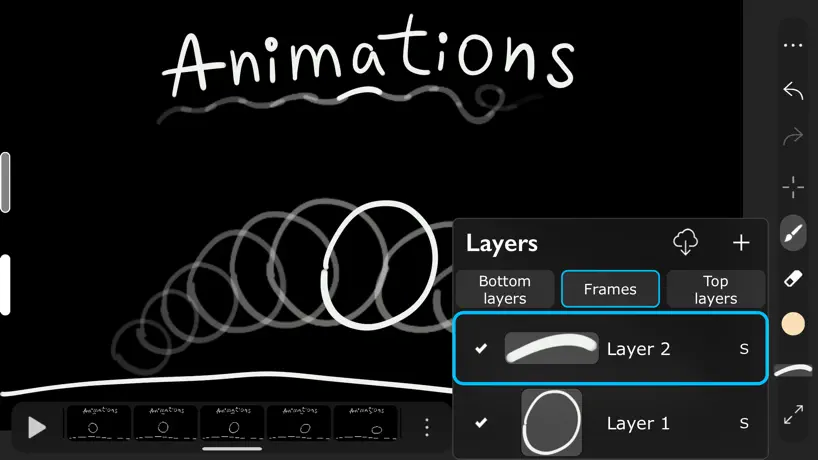
How much does iArtbook cost?
Prices are current as of 30 Sept 2026.
3 one-time purchases from $7.99
In the United States, iArtbook has 3 one-time purchases priced $7.99 – 12.99.
| Product | Price |
|---|---|
| iArtbook Pro for iPhone | $7.99 |
| Upgrade to iArtbook Pro | $12.99 |
| iArtbook Pro for iPad | $12.99 |
10+ alternatives to iArtbook
| iArtbook |   Tayasui Sketches Tayasui Sketches |  MediBang Paint – Drawing & Art MediBang Paint – Drawing & Art |   Drawing Pad - Drawing Pad - |  Art Set 4 Art Set 4 |  Clip Studio Paint Clip Studio Paint | 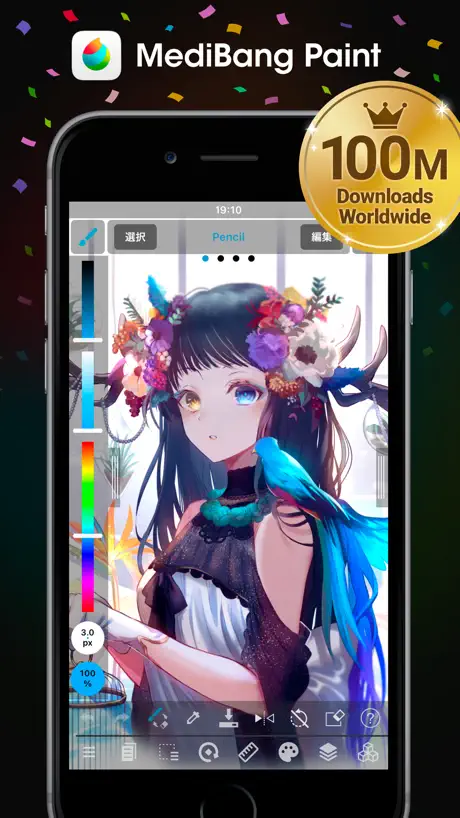  MediBang Paint for iPhone MediBang Paint for iPhone | 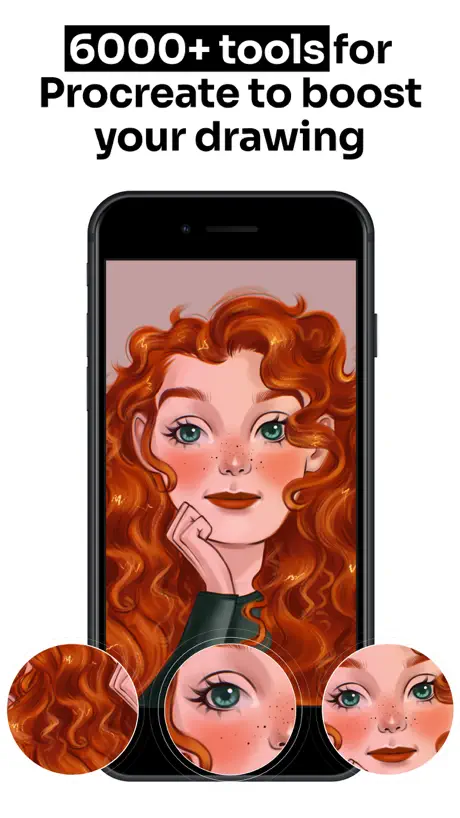  Tools for Procreate Tools for Procreate |   Infinite Painter Infinite Painter |   Sketch Pro: Draw & Create Art Sketch Pro: Draw & Create Art |   Artstudio Pro: Draw, Paint Artstudio Pro: Draw, Paint | |
|---|---|---|---|---|---|---|---|---|---|---|---|
| Rating / 5 | 3.9 | 4.6 | 4.6 | 4.4 | 4.6 | 4.7 | 4.5 | 4.5 | 4.2 | 4.7 | 4.6 |
| Reviews | 42K | 315K | 259K | 230K | 115K | 114K | 82K | 56K | 38K | 31K | 23K |
| Released | 2019 | 2013 | 2015 | 2016 | 2018 | 2017 | 2015 | 2021 | 2016 | 2023 | 2017 |
| Monthly price | — | $2.99 | $4.99 | $8.99 | — | $9.69 | $4.99 | $9.99 | — | $4.99 | — |
| Annual price | — | $9.99 | — | $49.99 | — | $28.90 | — | $34.99 | — | $14.99 | $3.49 |
| One-time price | $12.99 | $7.99 | $7.99 | — | $12.99 | — | $5.99 | $99.99 | $6.99 | $3.99 | $14.99 |
The going rate for each plan in United States, in its own currency, shaded from the cheapest price on the row to the dearest. Plans fewer than four in ten of the priced apps sell are left out.
iArtbook reviews
3.9 out of 5, based on 41,740 reviews.
What people like
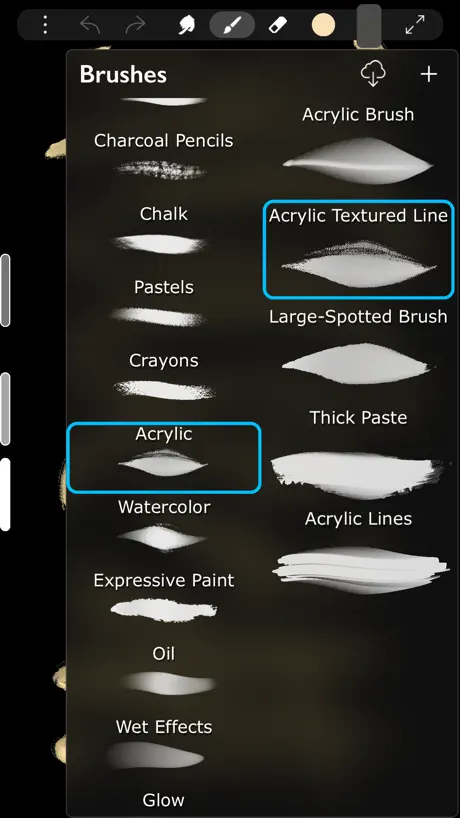
- Great variety of free drawing brushes
- Easy to use for beginners
- Fun tracing and animation features
What they complain about
- Basic features like saving require payment
- App crashes frequently or lags badly
- Too many tools locked behind paywall
This is so funnnn
Okay so listen here. I've been useing this app for a while and it's so fun, the thing I love about this is that it let's you add a picture and I can draw over it it make drawing more easy thank you so much
SO MANY ADS
Itbmake me sad and ohio sadness :(
Animation Fun
Hello, last year I used this app a lot and it was so fun. I made a series that has at least 30 episodes and I was so proud of it. It was a nice experience for a beginner like me, but since I suck at drawing I started using stick nodes, but other than that this app is so fun and perfect for beginner animators or artists!
Overall very good app with a serious flaw
I’ve used this app for a couple years on the free version, with an overall very good experience. There’s a wide variety of brushes and tools, several of which are paywalled behind either the paid version of the app or a long ad. This was annoying at worst, but waiting through an ad is tolerable. What isn’t tolerable is that sometimes, the app glitches, and the option to watch an ad to use one of the paywalled features is missing. So you can’t use them at all on the free version. The commonly advised solution is to delete and reinstall the app. The issue with this is that one of the paywalled features is saving images. … If you delete and reinstall the app, you will lose all of your work, with no option to save it without paying. I regret using this app to create anything important, and would advise any users on the free plan against using it to make art they actually want to keep.
Great app but…
Okay this app was my first ever art app and it was great at first but now that I think of it, some things I don’t like. I mean don’t get me wrong it’s great you get lots of stuff for only $8.00 like all kinds of brush es, but overall if you don’t pay, there’s lots of stuff you can’t use. And the quality is very bad. Another thing is that the animation on this is supper glitchy and don’t even get me started on the bucket tool. 😮💨 It’s VERY bad and if its even close to the color it fills the whole thing. But I still like this app anyways but I rather something else.
I love IT
I love the brushes and I made a lot art pics I love all the textures it’s so nice maybe you can add moon you know I love all the textures this game is very amazing I would practice drawing on this game with all the textures The game is so good to really keep the work up I’m so grateful for the game and I wish you have a great review for this game and not many haters get this game is so good like I love it it’s so good so keep the work up and maybe you can make more textures but they’re really good I love how you’re doing all of this you created all those pictures which is amazing by you have a good game
Money hungry
Bro this is pure greed fym I have to pay twelve dollars just to save my drawing 😭😭😭 literally everything essential Is behind a paywall
Eh?
OK! It’s a great app and it’s perfect for a lot of things BUT…Being unable to move your layers? Not very helpful . I hope it changes!
Good and bad things
This app is good for beginners and it has amazing brushes but I wouldn’t recommend if you don’t like these three things It makes you pay for some stuff or make you watch an add It is quite laggy and it makes it difficult to use Although this is a good app I think this is better for beginners to start, but if you want a better experience on digital art or animation I would recommend other apps. One app I would recommend is IbisPaint it has a lot of brushes and it’s not laggy, you can also do drawings or animations on it as well. I think if you would like a better experience on digital art or animation I would recommend going to that app it’s free and it’s a great experience for digital artists and animators, do check it out and have a nice day night or evening!
not the same
this used to be my favorite drawing app because it was free and i learned how to use all the tools pretty quickly but now so many features that are important for artists have to be paid for now. i was fine watching ads to get the feature like before but they even took away the watch ad option and now u have to pay. upsetting bc now i have to learn how a different drawing app works :/
Way too fun
Like I’m trying to draw Lara raj because I couldn’t it was just because I’ve been trying to practice for years
Bucket tool
I shouldn’t have to pay money for the bucket tool. You guys have made my drawing experience a living hell. So much for being the only art app I trusted and used. Tomato! Tomato! Tomato!
I like it, it’s just frustrating that I have to pay to use some features
I like the app, and the fact you can make your own brushes, I just don’t like that some features are no longer free to use, like selection and text, not saying I hate it, it’s just frustrating, Not saying you should Change it back, just telling you, thx, you should still use this app if u want
Almost great
I think this is a great app, but the paywall spoils it by taking away even basic (like very basic) features.
Would be better
But most settings and options are locked behind a paywall
SO GOOOD😼
As someone who is not great at digital art (never have been) this app is SO easy to use, I can actually make art I am happy with! Not to mention there are ZERO ADDS! The only downside is you can’t use tools like lasso or smudge and stuff like that, because you need to buy it. But honestly I DONT MIND, Im not much of an advanced digital artist, so I barely used those tools in the first place. This app has SO MANY free brushes, and honestly this is the best experience I’ve had from a free art app!!! Highly recommend for beginners, or just people who want to draw peacefully. :D
Don’t get this
It sucks and makes you pay for basicly everything would put 0 stars if I could.
Need help!!!
I love this app the only problem I am having is that for some reason I can only draw for a short period of time and then like it wears out. This just started happening out of no where and I thought it was my pencil but then I used a different app and the pencil worked. Can you guys please fix this because I absolutely love this app and don’t want to have to use a new one
Pay for picture reference’s
This use to be my favourite drawing app, but it had an update maybe a year ago or so and now you have to pay to put pictures onto a sheet to help with a reference. It was a really amazing app before this issue though, there were add ons that you could purchase if you wanted too but without them it didn’t make any difference. Just this one issue unfortunately.
Good but………….
It always asks me to buy pro so I have to restart my whole iPad to use
Great but one problem
This app is the absolute best app for drawing but I have a bug every time I try to go on the paint brush it shows that I tapped on it but it won’t draw I’m using my apple pen but every time I use the eraser it works so I know it’s no my apple pen so please help me out here I really don’t want to have to delete this app because it’s the only one that I really like so please help me
‼️⚠️Don’t get it if you can’t spend!⚠️‼️
This app was a pretty normal drawing app until one day I clicked on and the liquefy tool, the transformed tool, the selection tool, and even the copy and paste tool (which means you can’t add any pictures) were locked behind a paywall! So if you can’t spend money than don’t get it! Other than that you can get this if you just want to doodle.
Fun and Useful App
Very good, lots of variety. Pretty much free unless you want other tools. Highly recommend.
Good app but
The new updates made it so you need to buy nearly everything and has made me stop using the app and its a shame because it was one of the best ones I’ve used for drawing ☹️
Keep getting kicked out
I can’t do a tracing without getting kicked please fix this issue.
I like it so much good
I love it so much I can customize and make my own pencils or markers. Heck, yeah I’m gonna look complain about it but like I do have to pay for some stuff I really really like this. You put so much effort into it. You are so creative. Have a blessed day.
So many complaints..
This app is not worth your time as a young artist the brush customization is very confusing.. It won't let me use any of the gosh darn features without paying💔 your better off getting ibis paint it's so much better (don't waste your time here trust me)
Good overall, a few issues with it tho.. (My opinion)
I honestly think that this is better than ibis paint x in way i cant describe it, but thats just me. My only issue with it is that you literally have to pay for premium just for some simple features, that even includes saving and copying your art! Its not THAT big of an issue for me but it is a little annoying tho. Not too bad, the animation feature is also pretty good.
The updates are questionable
It’s to hard to use theres basically no good tools to use
Mid
I play this game a lot I mainly use the tracing I have a lot of drawings on there but the only reason why I’m giving 3 is because you have to pay for a lot of the features but I still recommend it’s so fun
It is a really good app!
This is really amazig app for real if your a beginner or a pro.
Pay wall
This was such a good app with so many features before everything got stick behind a pay wall.
Very good!
Overall, this may be better than ibis paint and if you want any of the premium stuff you have to pay for all I have to do is press continue with ads very easy. The only thing I don’t know how to do is how do you save your art I might just be stupid and I’ll have to look into that but overall this app is really good so I highly recommend downloading it
I used to love this app but I can barley use it now💔
Right so I have been using this app for 5 years , I can’t save photos without paying I can barely draw on the app without it lagging so badly it’s unusable…it’s really sad to see my fav art app to become so heart breaking unusable. I love indie apps like these and supporting them and i understand you need money to run it but when you make it so it’s unusable it comes to a point where it’s not free anymore-
Really good but
It took so long to load just to see that my storage is full and it’s unable to install and thank you for your’e time.
I love this game
This is the best bc it has no ads. idk why ppl r saying it has ads.
Crashing '
App keeps crashing every time I click on something such as try to upload a photo to color or to Change my tool ):
??
IArtbook is amazing don’t get me wrong but why to put photos in you have to pay for it like it’s a pay to win game and I love it but I’m broke
Updates
I love this app and have been using it for years. However the recent updates have really disappointed me.. nearly every basic function has been locked behind a paywall and the app is basically unusable with how little there is left to use for free. Personally I wouldn’t mind paying it but to me and possibly other people £12.99 is a lot of money to spend on an app.
There’s a brush called “kink” lol
Why is there a brush called kink
New Update Frustrated (the Creator might not answer -.-)
Hello iArtbook, or people, I suppose the app is great but nowadays it's making me a bit frustrated. I always used the app as a kid which make me enjoy it, I missed thee old app where there was no ads... Everything free. Why are the tools at the sidebar now not free? I wanted to move my drawing so I can draw better but all I see is a pop up.
why
everything has a price tag on it. the app is basically unusable and equivalent to drawing on a piece of paper with an ink pen. you can’t alter anything, you can’t import photos, nor can you move around or lasso anything. but something positive i will say that it has good brushes.
Great app
The only problem is you have to buy something but it doesn’t force you to buy anything and the app has a lot of free tools so I recommend
Pro
Listen, the brushes ARE good, the app is beautiful. But now you need to get pro to upload a photo from your gallery, or use a ruler now needs pro and etc, I understand that some tools need to be paid for to be used, but now it’s getting unnecessary.
Don’t ask why my nickname is Sebastian stolace I’m a pressure fan >:(
Eh could be better I do a lot and I mean a lot of art on this app but I can’t rn because ya made it so I can’t even use refrance wow just wow
I drew Charlie from that musical and I drew Charlie’s dad lol I forgot his name 🤣😹
I LOVE THIS GAME!
Horrible
This is horable doesn't work on iPad when I try to draw it exits out of the app 😕
It’s ok
The game is really nice. They could add a few adjustments to it like making like a eraser, but like smaller that you can actually use and I will like trace out the background of your own drawing they could make it easier for people who are on iPhones cause not everybody has iPads and they could like give you a little tutorial at the beginning, but it was a really good app and I recommend getting it. There’s no ads no nothing you do have to pay for certain things I feel like that those things should be free, but it’s really nice
What a shame!
I have been using this app for 5 years at least. I have recommended it to so many people, and now it’s virtually unusable due to the paywall. I understand the current financial climate but you can’t even save or copy the things you have drawn! Just spent several hours drawing for it to be unusable. Brilliant. Loved it so much because it gave so many options for drawing without the price. Now I’ll just use procreate, as if I wanted a paid option that’s what I’d use.
Good but could be better
I liked how it used to be more kinda I don't want adds but I do want to be able to do the stuff with pro mode but I don't want pro mode cuz some people can afford it so I would love if you could make pro mode free cuz I kinda nneed pro mode but I can't buy it
iArtbook price by country
A one-time purchase costs $11.84 in Russia and $18.78 in Norway — 1.6× more for the same thing. Below is the going rate for each plan in every country that sells it — the middle price of what the app charges there, in the country's own currency with the dollar equivalent beneath it.
| Country | One-time |
|---|---|
| Afghanistan | $12.99 |
| Albania | $14.99 |
| Algeria | $12.99 |
| Angola | $12.99 |
| Anguilla | $12.99 |
| Antigua And Barbuda | $12.99 |
| Argentina | $12.99 |
| Armenia | $14.99 |
| Australia | A$19.99$13.98 |
| Austria | €14.99$17.05 |
| Azerbaijan | $14.99 |
| Bahamas | $14.99 |
| Bahrain | $14.99 |
| Barbados | $14.99 |
| Belarus | $14.99 |
| Belgium | €14.99$17.05 |
| Belize | $12.99 |
| Benin | $14.99 |
| Bermuda | $12.99 |
| Bhutan | $12.99 |
| Bolivia | $12.99 |
| Bosnia & Herzegovina | €14.99$17.05 |
| Botswana | $12.99 |
| Brazil | R$79.90$15.34 |
| British Virgin Islands | $12.99 |
| Brunei Darussalam | $12.99 |
| Bulgaria | €14.99$17.05 |
| Burkina Faso | $12.99 |
| Cambodia | $14.99 |
| Cameroon | $14.99 |
| Canada | CA$17.99$12.67 |
| Cape Verde | $12.99 |
| Cayman Islands | $12.99 |
| Chad | $12.99 |
| Chile | CLP 14,990$16.09 |
| China | CN¥88.00$13.10 |
| Colombia | COP 59,900$18.15 |
| Congo | $14.99 |
| Congo, Democratic Republic | $12.99 |
| Costa Rica | $12.99 |
| Cote Divoire | $14.99 |
| Croatia | €14.99$17.05 |
| Cyprus | €14.99$17.05 |
| Czech Republic | CZK 349.00$16.75 |
| Denmark | DKK 99.00$15.07 |
| Dominica | $12.99 |
| Dominican Republic | $12.99 |
| Ecuador | $12.99 |
| Egypt | EGP 699.99$13.44 |
| El Salvador | $12.99 |
| Estonia | €14.99$17.05 |
| Fiji | $12.99 |
| Finland | €14.99$17.05 |
| France | €14.99$17.05 |
| Gabon | $12.99 |
| Gambia | $12.99 |
| Georgia | $14.99 |
| Germany | €14.99$17.05 |
| Ghana | $14.99 |
| Greece | €14.99$17.05 |
| Grenada | $12.99 |
| Guatemala | $12.99 |
| Guinea-bissau | $12.99 |
| Guyana | $12.99 |
| Honduras | $12.99 |
| Hong Kong | HK$98.00$12.50 |
| Hungary | HUF 5,990$18.56 |
| Iceland | $14.99 |
| India | ₹1,299.00$13.52 |
| Indonesia | IDR 249,000$13.85 |
| Iraq | $12.99 |
| Ireland | €14.99$17.05 |
| Israel | ₪39.90$13.00 |
| Italy | €14.99$17.41 |
| Jamaica | $12.99 |
| Japan | ¥2,000$12.71 |
| Jordan | $12.99 |
| Kazakhstan | KZT 7,990.00$17.55 |
| Kenya | $14.99 |
| Kosovo | €14.99$17.05 |
| Kuwait | $12.99 |
| Kyrgyzstan | $14.99 |
| Lao Peoples Democratic Republic | $14.99 |
| Latvia | €14.99$17.41 |
| Lebanon | $12.99 |
| Liberia | $12.99 |
| Libya | $12.99 |
| Lithuania | €14.99$17.05 |
| Luxembourg | €14.99$17.05 |
| Macao | $12.99 |
| Macedonia | $12.99 |
| Madagascar | $12.99 |
| Malawi | $12.99 |
| Malaysia | MYR 59.90$14.68 |
| Maldives | $12.99 |
| Mali | $12.99 |
| Malta | €14.99$17.05 |
| Mauritania | $12.99 |
| Mauritius | $14.99 |
| Mexico | MX$299.00$16.70 |
| Micronesia | $12.99 |
| Moldova | $14.99 |
| Mongolia | $12.99 |
| Montenegro | €11.99$13.64 |
| Montserrat | $12.99 |
| Morocco | $14.99 |
| Mozambique | $12.99 |
| Myanmar | $12.99 |
| Namibia | $12.99 |
| Nauru | $12.99 |
| Nepal | $14.99 |
| Netherlands | €14.99$17.41 |
| New Zealand | NZ$22.99$13.60 |
| Nicaragua | $12.99 |
| Niger | $12.99 |
| Nigeria | NGN 19,900.00$14.97 |
| Norway | NOK 179.00$18.78 |
| Oman | $12.99 |
| Pakistan | PKR 3,500$12.60 |
| Palau | $12.99 |
| Panama | $12.99 |
| Papua New Guinea | $12.99 |
| Paraguay | $12.99 |
| Peru | PEN 59.90$17.51 |
| Philippines | ₱799.00$12.78 |
| Poland | PLN 59.99$15.62 |
| Portugal | €14.99$17.05 |
| Qatar | QAR 49.99$13.73 |
| Romania | RON 69.99$15.08 |
| Russia | RUB 999.00$11.84 |
| Rwanda | $12.99 |
| Sao Tome & Principe | $12.99 |
| Saudi Arabia | SAR 59.99$16.00 |
| Senegal | $14.99 |
| Serbia | €14.99$17.05 |
| Seychelles | $12.99 |
| Sierra Leone | $12.99 |
| Singapore | SGD 19.98$15.73 |
| Slovakia | €14.99$17.05 |
| Slovenia | €14.99$17.05 |
| Solomon Islands | $12.99 |
| South Africa | ZAR 249.99$15.23 |
| South Korea | ₩22,000$16.34 |
| Spain | €14.99$17.05 |
| Sri Lanka | $12.99 |
| St. Kitts and Nevis | $12.99 |
| St. Lucia | $12.99 |
| St. Vincent & The Grenadines | $12.99 |
| Suriname | $14.99 |
| Swaziland | $12.99 |
| Sweden | SEK 179.00$17.97 |
| Switzerland | CHF 10.00$12.35 |
| Taiwan | NT$390.00$12.26 |
| Tajikistan | $14.99 |
| Tanzania | TZS 39,900.00$15.08 |
| Thailand | THB 499.00$15.05 |
| Tonga | $12.99 |
| Trinidad and Tobago | $12.99 |
| Tunisia | $12.99 |
| Turkey | TRY 699.99$14.44 |
| Turkmenistan | $12.99 |
| Turks and Caicos | $12.99 |
| Uganda | $14.99 |
| Ukraine | $14.99 |
| United Arab Emirates | AED 49.99$13.62 |
| United Kingdom | £12.99$17.23 |
| United States | $12.99 |
| Uruguay | $12.99 |
| Uzbekistan | $14.99 |
| Vanuatu | $12.99 |
| Venezuela | $12.99 |
| Vietnam | ₫399,000$15.40 |
| Yemen | $12.99 |
| Zambia | $14.99 |
| Zimbabwe | $14.99 |
iArtbook FAQ
- Is iArtbook free?
- Yes. The app and its basic features are free, in all 175 countries it sells in. Premium features are paid: they start from $7.99 (US), across 3 one-time purchases.
- Does iArtbook have a free trial?
- No. None of its offers (US) come with a free trial.
- Where is iArtbook cheapest?
- A one-time purchase costs RUB 999.00 (≈$11.84) in Russia and NOK 179.00 (≈$18.78) in Norway, its cheapest and dearest countries.
- What are the best alternatives to iArtbook?
- Tayasui Sketches (4.6 from 315,353 reviews, premium from $2.99), MediBang Paint – Drawing & Art (4.6 from 259,018 reviews, premium from $2.99) and Drawing Pad - (4.4 from 230,411 reviews, premium from $2.99).
iArtbook download
Last updated 8 months ago.
iArtbook sells in 175 countries. It was released 7 years and 7 months ago, on 8 Feb 2019. It holds a 3.9 rating from 41,740 reviews.
Supports 39 languages: English, Arabic, Bangla, Bulgarian, Catalan, Croatian, Czech, Danish, Dutch, Estonian, Finnish, French, German, Greek, Hindi, Hungarian, Indonesian, Italian, Japanese, Korean, Latvian, Lithuanian, Malay, Norwegian Bokmål, Persian, Polish, Portuguese, Romanian, Russian, Serbian, Chinese, Slovak, Slovenian, Spanish, Swedish, Thai, Turkish, Ukrainian, Vietnamese.
How much does iArtbook make?
Third-party estimates for the last 30 days, worldwide — not the store's own figures, which Apple publishes for nobody.
Revenue by plan
- One-time 100%
Revenue by country
- United States 44%
- China 9%
- Russia 8%
- United Kingdom 5%