
Infinite Painter
Painting, drawing, & sketching
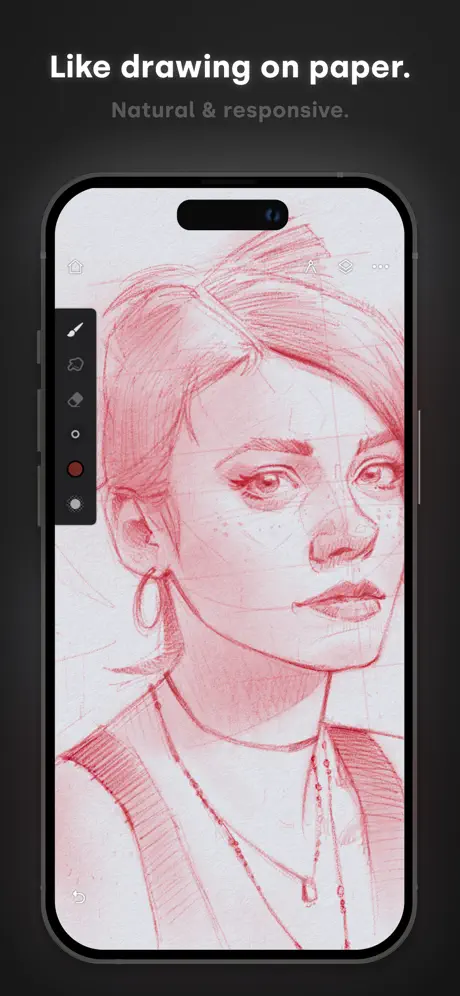
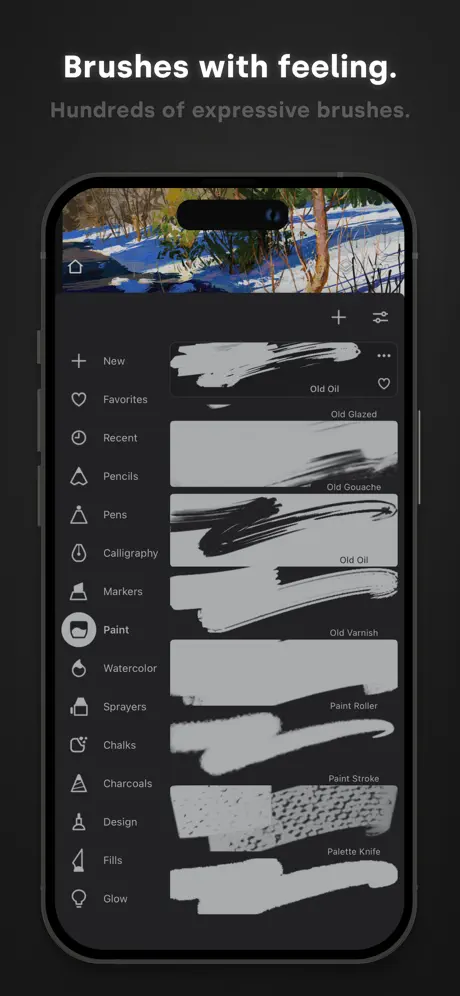
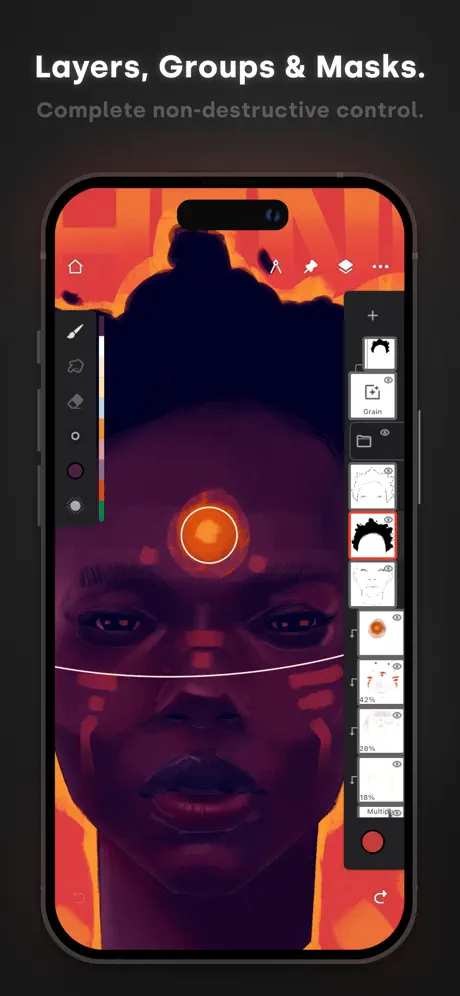
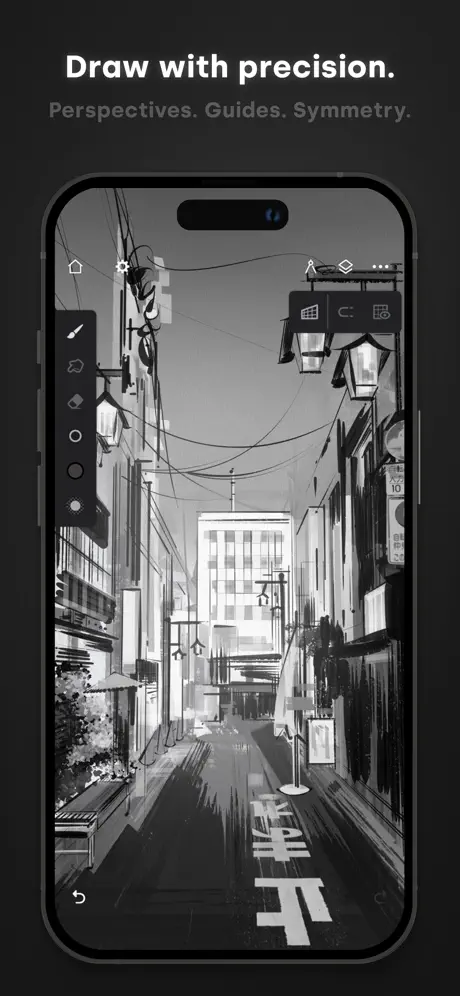
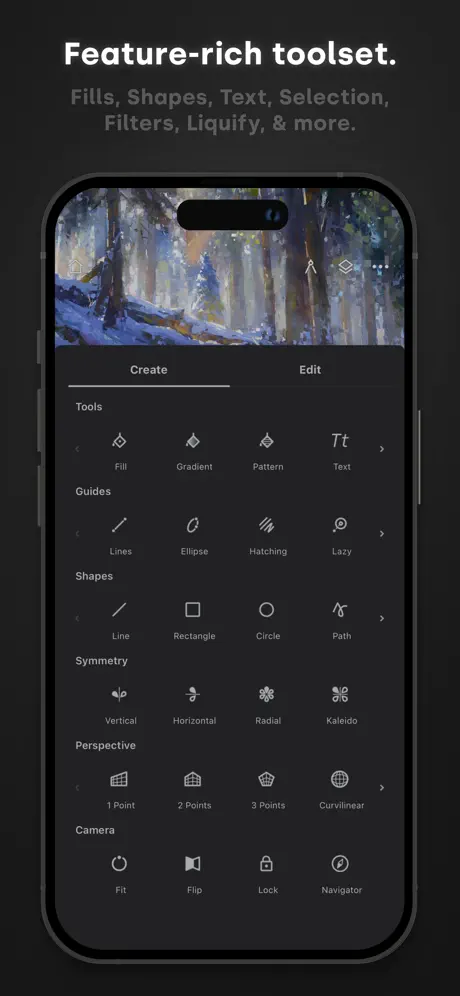
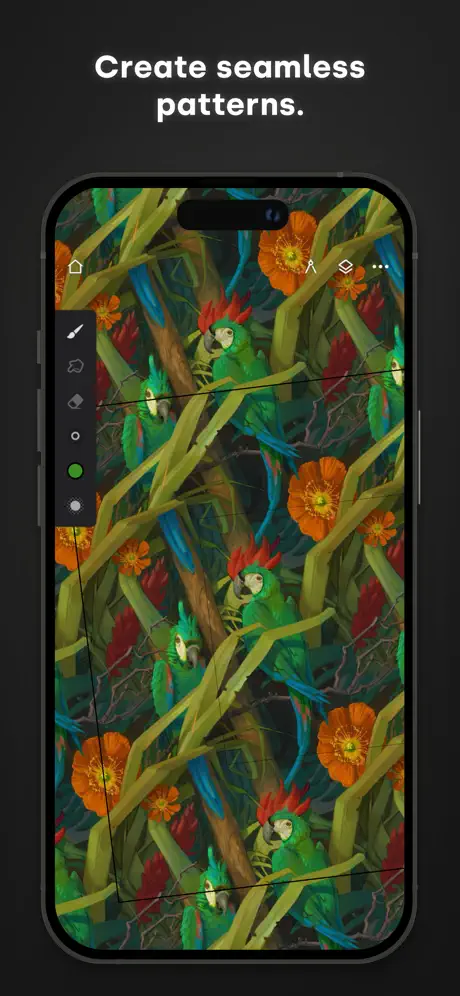
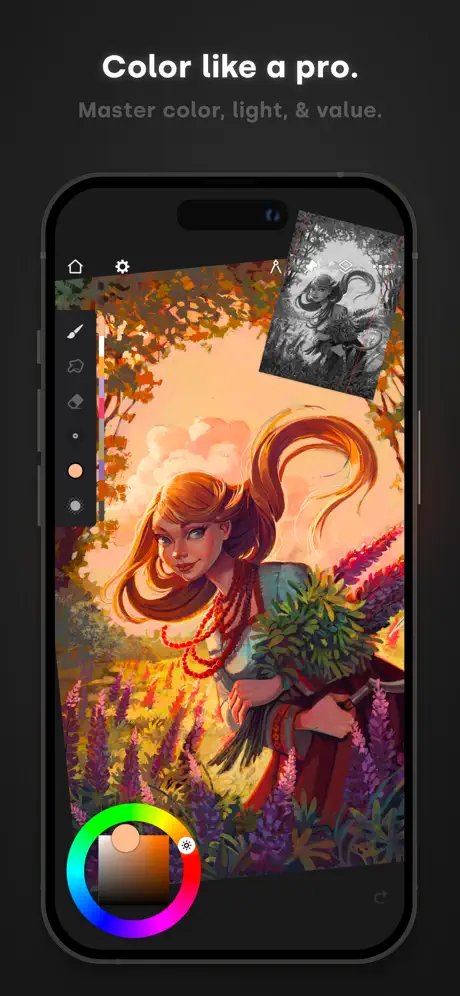
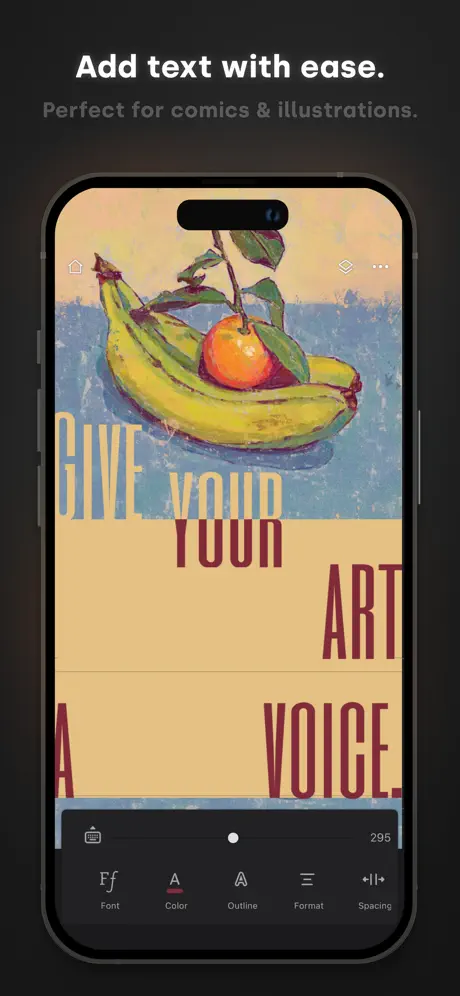
How much does Infinite Painter cost?
Prices are current as of 29 Sept 2026.
4 one-time purchases from $3.99
In the United States, Infinite Painter has 4 one-time purchases priced $3.99 – 9.99.
| Product | Price |
|---|---|
| Get Everything! | $3.99 |
| Get Everything! (iPhone-only) | $4.99 |
| Get Everything (Trial Discount) | $7.99 |
| Get Everything | $6.99 – 9.99 |
10+ alternatives to Infinite Painter
| Infinite Painter |   Tayasui Sketches Tayasui Sketches |  MediBang Paint – Drawing & Art MediBang Paint – Drawing & Art | 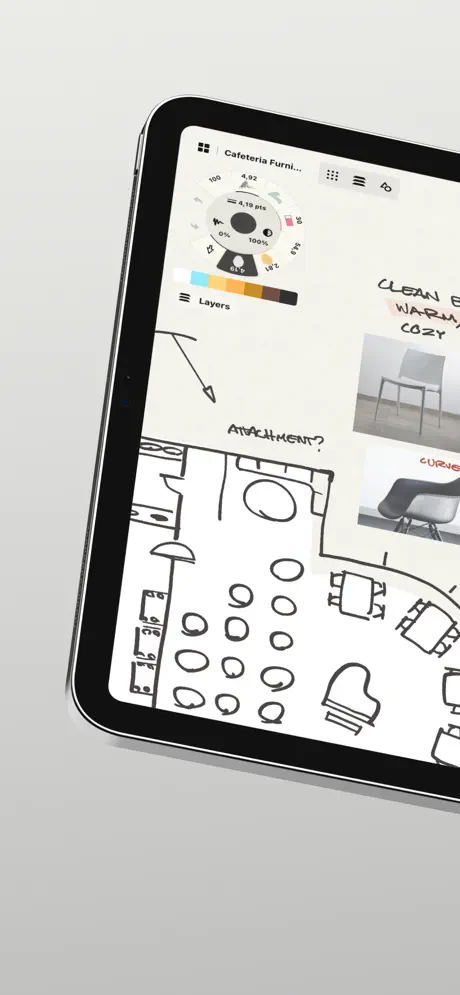  Concepts Concepts |  Art Set 4 Art Set 4 |  Clip Studio Paint Clip Studio Paint |   MediBang Paint for iPhone MediBang Paint for iPhone |   Tools for Procreate Tools for Procreate |   iArtbook iArtbook |   Sketch Pro: Draw & Create Art Sketch Pro: Draw & Create Art |   Artstudio Pro: Draw, Paint Artstudio Pro: Draw, Paint | |
|---|---|---|---|---|---|---|---|---|---|---|---|
| Rating / 5 | 4.2 | 4.6 | 4.6 | 4.7 | 4.6 | 4.7 | 4.5 | 4.5 | 3.9 | 4.7 | 4.6 |
| Reviews | 38K | 315K | 259K | 182K | 115K | 114K | 82K | 56K | 42K | 31K | 23K |
| Released | 2016 | 2013 | 2015 | 2012 | 2018 | 2017 | 2015 | 2021 | 2019 | 2023 | 2017 |
| Monthly price | — | $2.99 | $4.99 | $4.99 | — | $9.69 | $4.99 | $9.99 | — | $4.99 | — |
| Annual price | — | $9.99 | — | $29.99 | — | $28.90 | — | $34.99 | — | $14.99 | $3.49 |
| One-time price | $6.99 | $7.99 | $7.99 | $3.99 | $12.99 | — | $5.99 | $99.99 | $12.99 | $3.99 | $14.99 |
The going rate for each plan in United States, in its own currency, shaded from the cheapest price on the row to the dearest. Plans fewer than four in ten of the priced apps sell are left out.
Infinite Painter reviews
4.2 out of 5, based on 37,570 reviews.
What people like
- Great alternative to expensive pro apps
- One-time purchase is very cheap
- Fun for beginners and casual artists
What they complain about
- Keeps crashing and deleting your work
- Most useful tools cost extra money
- Bugs make drawing frustrating and hard
I 🖤 thissss!!!
I use this a lot and I loveeeeee!! :3
I highly recommend for the people on phones play it on your computer
This game is so stupid if you play on your phone because you really can’t even draw and plus even when you like try to draw on the black or white or any background, it will always just make you draw it white and it only got to change the left side, not the right side because the right side is always white but whenever a color it wants to turn into it I don’t know what color to put it as I don’t know if it’s just my phone, but this game is just a Dumbo
Fantastic potential, but could use a performance boost
Fantastic alternative to Clip Studio Paint and Procreate for comic/cartoon style artists on iPad! There’s a lot of great features, but here are the big ones: - Works offline! (CSP please take notes) - Great selection system including color gamut select (Procreate also take notes) - Pulled-rope stabilizer! - Lasso fill is built in, with solid and textured options - Export supports .psd files to preserve layers, so you can pick up work on another device - Great variety of brushes and textures - Trial version lasts a week if you’re on the fence about purchasing all features, but even then a one-time $10 price is more than fair That said, I think this app is in dire need of a performance patch. I know some features are more memory intensive than others, but I seem to regularly crash the app on a 5th gen ipad air with >20 layers on a 4k canvas. Clip Studio Paint ios, for reference, has given me memory usage warnings, but I’ve had yet to have it outright crash on my device, and that program is notoriously bad at utilizing modern device specs. Now this isn’t unworkable, seeing as auto-save is very robust and I rarely have issues picking up where I left off pre-crash, but it is a little jarring and interrupts my flow.
Kinda hard to use
It’s kinda hard to use and it’s really confusing so in my opinion it deserves two stars😐
PLEASE, UPDATE YOUR PROGRAM!!
This app is incredible and I’m already in love but for the love of god PLEASE PLEASEEEEEE fix the bugs and update your program consistently!!! Last update was months ago?? That is crazy! I get that a small team is working with this art program but if this app had consistent bug fixes it would be in the hands of so many artists! This app is honestly on par with Procreate!! Which is saying a lot. I know my review will be ignored or not read but if you are reading this PLEASE take my advice into consideration, this app is great it has so much potential but I'm afraid to pay for everything if there’s gonna be bugs!
Very awsome! 👍 ⭐️⭐️⭐️⭐️⭐️
I was going to download procreate but it cost money so I bought this instead. Turns out, it’s just like it! I wasn’t expecting it to be the same so this is another great art app. I like how it also has the blend thing. Very cool!
Glitches
At some times it’s functional, at other times it crashes when I open a project, glitches when I import a photo, glitches when I use text at all and sometimes it duplicates projects randomly.
Plz read
It is good but the free version sucks so u need to buy it. Still, it’s not that bad 👌
This has been great to use until yesterday
What is the nasty stop light pasted above the house logo???. I can’t reach the house logo to get to that page. Make the app impossible to use. Please fix it ASAP
If procreate leaves you wanting more,,
This would rival my procreate setup if the pencil pro squeeze function worked and was programable. Base brushes are very fun
:)
Noice I’m using this to make an inde game called endless
There is a bug.
There’s a bug where if I use any brush and go out of the drawing then go back in, it goes slightly invisible. Please fix this.
Really good as an unmotivated artist
I don't know why but the app really appeals to me. I'm a really unmotivated artist and this app definitely had me drawing a lot more digitally which for me is impressive since i’m more of a digital artist. Not to mention the one time purchase to every other tool for 10$ which is pretty decent.
I wish the family sharing would work
I really like this app, and my kids also loved using the app on my phone. I purchased the “unlock everything” in-app purchase because the App Store page indicated it is shareable with my Family. Pressing “restore purchase” does nothing. Asking for support at the developers website got a response that in-app purchases are the responsibility of app (false). Do not purchase hoping you can share this really good vector drawing app with your Family group. If the in-app purchase sharing is ever fixed I will up my review to 5-stars.
.
I lovw it but 1st time i triwd to draw and i couldnt not even with my hand
IT HELP YOU LEARN TO DRAW COULD BE BETTER I FEEL LIKE THOUGH
HELP ME LEARN TO DRAW ITS SO FUN I USE IT ON MY FREE TIME ITS GOOD TO HELP YOU DRAW SO YEAH YOU SHOULD MIGHT DOWNLOAD IT
SOOOOO MUCH POTENTIAL
For starters, it kicked me out for trying to import a photo. Second, it’s so laggy. Third, it always paying to do something there may be a lot of brushes, but all the other stuff is pay. Then I tried making a canvas size, but it just kicked me out the app. Now I can’t even use landscape or portrait. All the brushes are neither too big or too small. And it’s too pixelated. So much potential just need to fix these.
idk
非常好用,但是有的要花錢,其他的都很好
Can’t use account on different device
Signed in on my new iPad instead of using it on my old tablet, the option to restore purchase doesn’t work so I can’t use it anymore. Also randomly deletes old art.
Lots of interesting Features & Tools…
& it seems to work well, when it’s working, But there are a lot of glitches & unexpected menus that appear & disappear ! I did something that broke after I loaded it The first time & bought all The Extras, & I could find The menu that I think I used to irreversibly broke it, so I deleted The app & reloaded it, thinking that it would remember me & reinstate all The extras I bought, which it did —eventually ( ! ) but it was a very traumatic roller coaster ride to get there ( ( !!! ) ) - - - Also some of The tools won’t turn on right away I tried switching them off & back on again & again,& then they suddenly start working after I’ve changed their color ( ! ) It would be fabulous if some of The simple & obvious features worked as expected & reliably ! As it is, it’s just a curious collection of diverse tools that are designed to frustrate The user ( ! )
Amazing
Okay so I love this app and I love drawing. I found a hack if you don’t wanna pay for layers. You take a photo of your artwork and put in the photo and keep painting/sketching/drawing! If you need to edit the one you took a photo of idk what u should do. Okay have an amazing day loves
I could not dr Draw!
At first it was ok but I went of the app then came bacK and it did not let me draw
It’s a good app except
It’s amazing lots of tools but when I draw part of the line disappears. Can you please fix that!
App crashes every 10 min
I really like this app but it crashes every 10 min and then you lose all your progress. I wish this was just a bug which can be fixed but it still crashes. I hope the creators look into that and many other issues written here by users.
Pay for each device
If you purchase it on your phone it will make you pay to put it on you tablet as well.
I love this!
It’s a wonderful app and I like how the pro version is cheep and I love the colors
Too much begging
Yes there might be lots of brushes but all other features are for money
Really good perfect for beginners
Really great for people new to digital art 🎨🤩I really like it it's got great features but it's easy to use
Why do files crash
I personally get so frustrated whenever my files keep crashing and are unable to open, edit, or be exported in any way. Yes I have consulted for help already and the only solution is to restore to an earlier version of the drawing, which would erase all progress I had made. I hope that this gets resolved in the future.
Ok but...
It's a great app but when I downloaded it it was super buggy so I reloaded it and it was still buggy apart from that tools and everything else was great - Happy burger
Very good!
I’m not a professional artist by ANY means, but I do like to draw a lot, and this app is perfect for me! It’s easy to understand, large selection of pens (and if I’m not mistaken, all of them are free, but I could be wrong!) there IS a premium version but you only have to buy it once and it’s very cheap (I think like 4-6 bucks?) on top of that, the app is still very useable without the premium.
Terrible, wasted hours and hours on pieces to be destroyed by this app.
What is actually going on ?! I spent hours and hours on my work . And now it’s all messed up by this app! It’s appalling! I press on it to draw it literally pixelates and resizes my work. I read the reviews before on this but thought hey it’s not happening to me now … well I should’ve have stopped using it then and there. I do not recommend it at all
I think these should be
My problems are 1. I want it to be drawn from the photos 2. The brush must be good, but when these happen, a person's drawing habit goes away.
Frustrating
I hate this app it doesn’t allow me to draw so you know how frustrating that is. 😡 you should improve or else I’m telling or my friends who have this to stop so improve it or update it. Thank you Angry regards, Vivian
THE BEST…..but….
Ok, so I actually switched from Ibis paint after using it for 7+ years to this app! It may be one of the best apps for artist on the store rn. However, it would be above all if EVERYTHING DIDNT COST MONEY. You have to pay for nearly EVERY tool or than the most basic ones, and if you need a bigger canvas you have to buy premium just to use multiple layers?? And it only gives you 3 layers without premium on normal canvas, but if you adjust it to make it bigger and try to get ONE MORE LAYER it doesn’t let you unless you pay (on a bigger canvas it only lets you have 1 layer). This app would be the best, way up their with illustrator or clip studio since it’s far better than apps like procreate, but it’s held back by 20 paywalls and it makes it very difficult to use because of it.
Tehehe
I luv tracing this app is awesome
Five stars to 1
Many of the recent reviews have mentioned the fact that those of us you’ve used this app for years have found that unless you manually (grrrr) save your work every five minutes you lose it. It is so sad . It was a rival (and had a far less money oriented community) as procreate but now… Apps can’t stay stagnant . They must keep up with updates - No matter how annoying ( and I’m talking multi platform just in case people thing this is just referring to iOS). I hope the creators take a fresh look at this app -perhaps particularly for those of us that came to the digital art from a drawing / fine art background this had the best no fuss but creative drawing brushes around - and when I got it the price made me think the reviews must me deluded ( and I am disabled , low income btw); they weren’t deluded then - when the reviews were positive and they aren’t down the reviews are negative. Please listen 🙏🏻
I LOVE this but-
Honestly, This is a great app to do art on and I absolutely adore it! But a huge issue I have with this app right now is that I recently switched from Samsung to IPhone, I redownloaded the app and signed in again but my past artwork is not there at all- Which I was really (Still quite am) upset about because I worked hard on the pieces, I didn’t know that you have to upload it to your drive or something but now I can’t upload it from my Samsung and save it on here because I don’t have the Samsung anymore, If you could fix this I’ll rate 5 stars and I’ll be insanely happy!
Sa aurait pue être mieux
Si il y avait plus de choix pour le mode page et d’autres gratuit tout le monde aurait pris cette app
New update
Loved the app and used it often however I’m suddenly unable to import images. I don’t know why they changed it but it’s inconvenient so my rating has gone down
Too hard to understand
This app is so so
Return the app how it work!
There has always been a user-friendly interface and a lot of settings for the canvas. After the update, the app is no longer user-friendly.
good but…..,,,
This is a really good drawing app for cartoonish styles but, the undo button is REALLY delayed and I dislike how much stuff is locked behind a paywall.
You cant do anything without paying
there are no tools you can use, like at all. Theres only a fill tool, that’s it, you used to be able to use like resize or ruler, but in a recent uptade the whole app turned into pay to draw. I can even say FlipaClip is better for drawing (with the free tools).
The worst app ever I drew Riley and it deleted it
Well not the worst
"me encanta
. Lo mejor es q ve X
Don’t reccoment
This app is hard to use and doesn’t pick up you hand movements very well at all.you can zoom in but no matter what brush size I choose you can’t even see it even on the biggest and smallest size. Don’t recommend unless you are willing to rage quit like me :)
I think it’s a bug
so when I transform the layer/drawing and undo, it starts to repeat the brush strokes in inverted colors I have no idea why this happens.
Fix crashes!
Keeps crashing! Please fix! Crashes now when opening older projects.
Okay but
The app is okay but I spent like a hour drawing a dark gray base then I tried using the fill tool with light gray but it coloured the entire page so I had to spend 30 minutes colouring.
Infinite Painter price by country
A one-time purchase costs $4.69 in Pakistan and $9.98 in Sweden — 2× more for the same thing. Below is the going rate for each plan in every country that sells it — the middle price of what the app charges there, in the country's own currency with the dollar equivalent beneath it.
| Country | One-time |
|---|---|
| Afghanistan | $4.99 |
| Albania | $5.99 |
| Algeria | $4.99 |
| Angola | $4.99 |
| Anguilla | $4.99 |
| Antigua And Barbuda | $4.99 |
| Argentina | $4.99 |
| Armenia | $5.99 |
| Australia | A$9.99$6.99 |
| Austria | €7.99$9.28 |
| Azerbaijan | $5.99 |
| Bahamas | $7.99 |
| Bahrain | $7.99 |
| Barbados | $7.99 |
| Belarus | $5.99 |
| Belgium | €7.99$9.10 |
| Belize | $4.99 |
| Benin | $5.99 |
| Bermuda | $6.99 |
| Bhutan | $4.99 |
| Bolivia | $4.99 |
| Bosnia & Herzegovina | €5.99$6.82 |
| Botswana | $4.99 |
| Brazil | R$29.90$5.76 |
| British Virgin Islands | $6.99 |
| Brunei Darussalam | $4.99 |
| Bulgaria | €5.99$6.82 |
| Burkina Faso | $4.99 |
| Cambodia | $4.99 |
| Cameroon | $5.99 |
| Canada | CA$9.99$7.09 |
| Cape Verde | $4.99 |
| Cayman Islands | $6.99 |
| Chad | $4.99 |
| Chile | CLP 5,990$6.43 |
| China | CN¥38.00$5.65 |
| Colombia | COP 24,900$7.47 |
| Congo | $5.99 |
| Congo, Democratic Republic | $4.99 |
| Costa Rica | $4.99 |
| Cote Divoire | $5.99 |
| Croatia | €5.99$6.82 |
| Cyprus | €7.99$9.10 |
| Czech Republic | CZK 179.00$8.36 |
| Denmark | DKK 59.00$8.99 |
| Dominica | $4.99 |
| Dominican Republic | $4.99 |
| Ecuador | $4.99 |
| Egypt | EGP 249.99$4.83 |
| El Salvador | $4.99 |
| Estonia | €6.99$7.96 |
| Fiji | $6.99 |
| Finland | €7.99$9.10 |
| France | €7.99$9.28 |
| Gabon | $4.99 |
| Gambia | $4.99 |
| Georgia | $5.99 |
| Germany | €7.99$9.10 |
| Ghana | $5.99 |
| Greece | €5.99$6.82 |
| Grenada | $4.99 |
| Guatemala | $4.99 |
| Guinea-bissau | $4.99 |
| Guyana | $4.99 |
| Honduras | $4.99 |
| Hong Kong | HK$58.00$7.40 |
| Hungary | HUF 2,990$9.32 |
| Iceland | $7.99 |
| India | ₹499.00$5.20 |
| Indonesia | IDR 99,000$5.52 |
| Iraq | $4.99 |
| Ireland | €7.99$9.10 |
| Israel | ₪19.90$6.52 |
| Italy | €7.99$9.10 |
| Jamaica | $4.99 |
| Japan | ¥1,100$6.98 |
| Jordan | $4.99 |
| Kazakhstan | KZT 2,990.00$6.75 |
| Kenya | $5.99 |
| Kosovo | €5.99$6.82 |
| Kuwait | $6.99 |
| Kyrgyzstan | $4.99 |
| Lao Peoples Democratic Republic | $4.99 |
| Latvia | €5.99$6.82 |
| Lebanon | $4.99 |
| Liberia | $4.99 |
| Libya | $4.99 |
| Lithuania | €5.99$6.96 |
| Luxembourg | €7.99$9.10 |
| Macao | $6.99 |
| Macedonia | $4.99 |
| Madagascar | $4.99 |
| Malawi | $4.99 |
| Malaysia | MYR 22.90$5.63 |
| Maldives | $4.99 |
| Mali | $4.99 |
| Malta | €7.99$9.10 |
| Mauritania | $4.99 |
| Mauritius | $5.99 |
| Mexico | MX$99.00$5.58 |
| Micronesia | $6.99 |
| Moldova | $5.99 |
| Mongolia | $4.99 |
| Montenegro | €4.99$5.68 |
| Montserrat | $4.99 |
| Morocco | $7.99 |
| Mozambique | $4.99 |
| Myanmar | $4.99 |
| Namibia | $4.99 |
| Nauru | $6.99 |
| Nepal | $5.99 |
| Netherlands | €7.99$9.10 |
| New Zealand | NZ$12.99$7.34 |
| Nicaragua | $4.99 |
| Niger | $4.99 |
| Nigeria | NGN 7,900.00$5.95 |
| Norway | NOK 89.00$9.36 |
| Oman | $6.99 |
| Pakistan | PKR 1,300$4.69 |
| Palau | $6.99 |
| Panama | $5.99 |
| Papua New Guinea | $4.99 |
| Paraguay | $4.99 |
| Peru | PEN 22.90$6.76 |
| Philippines | ₱299.00$4.79 |
| Poland | PLN 29.99$8.04 |
| Portugal | €6.99$8.12 |
| Qatar | QAR 24.99$6.87 |
| Romania | RON 29.99$6.48 |
| Russia | RUB 499.00$5.93 |
| Rwanda | $4.99 |
| Sao Tome & Principe | $4.99 |
| Saudi Arabia | SAR 29.99$8.00 |
| Senegal | $5.99 |
| Serbia | €5.99$6.96 |
| Seychelles | $4.99 |
| Sierra Leone | $4.99 |
| Singapore | SGD 9.98$7.80 |
| Slovakia | €5.99$6.82 |
| Slovenia | €7.99$9.10 |
| Solomon Islands | $6.99 |
| South Africa | ZAR 149.99$9.30 |
| South Korea | ₩11,000$8.11 |
| Spain | €7.99$9.10 |
| Sri Lanka | $4.99 |
| St. Kitts and Nevis | $5.99 |
| St. Lucia | $4.99 |
| St. Vincent & The Grenadines | $5.99 |
| Suriname | $4.99 |
| Swaziland | $4.99 |
| Sweden | SEK 99.00$9.98 |
| Switzerland | CHF 6.00$7.24 |
| Taiwan | NT$220.00$6.92 |
| Tajikistan | $4.99 |
| Tanzania | TZS 14,900.00$5.61 |
| Thailand | THB 199.00$6.04 |
| Tonga | $5.99 |
| Trinidad and Tobago | $5.99 |
| Tunisia | $4.99 |
| Turkey | TRY 249.99$5.16 |
| Turkmenistan | $4.99 |
| Turks and Caicos | $6.99 |
| Uganda | $5.99 |
| Ukraine | $5.99 |
| United Arab Emirates | AED 24.99$6.81 |
| United Kingdom | £6.99$9.45 |
| United States | $6.99 |
| Uruguay | $4.99 |
| Uzbekistan | $4.99 |
| Vanuatu | $4.99 |
| Venezuela | $4.99 |
| Vietnam | ₫149,000$5.73 |
| Yemen | $4.99 |
| Zambia | $5.99 |
| Zimbabwe | $5.99 |
Infinite Painter FAQ
- Is Infinite Painter free?
- Yes. The app and its basic features are free, in all 175 countries it sells in. Premium features are paid: they start from $3.99 (US), across 4 one-time purchases.
- Does Infinite Painter have a free trial?
- No. None of its offers (US) come with a free trial.
- Where is Infinite Painter cheapest?
- A one-time purchase costs PKR 1,300 (≈$4.69) in Pakistan and SEK 99.00 (≈$9.98) in Sweden, its cheapest and dearest countries.
- What are the best alternatives to Infinite Painter?
- Tayasui Sketches (4.6 from 315,353 reviews, premium from $2.99), MediBang Paint – Drawing & Art (4.6 from 259,018 reviews, premium from $2.99) and Concepts (4.7 from 181,890 reviews, premium from $1.99).
Infinite Painter download
Last updated 8 months ago.
Infinite Painter sells in 175 countries. It was released 10 years and 1 month ago, on 26 Aug 2016. It holds a 4.2 rating from 37,570 reviews.
Supports 13 languages: English, Dutch, French, German, Indonesian, Italian, Japanese, Korean, Polish, Portuguese, Russian, Chinese, Spanish.
How much does Infinite Painter make?
Third-party estimates for the last 30 days, worldwide — not the store's own figures, which Apple publishes for nobody.
Revenue by plan
- One-time 100%
Revenue by country
- United States 44%
- China 13%
- United Kingdom 5%
- Russia 4%