Paper: Writing App, Notes
Write a book novel poem script
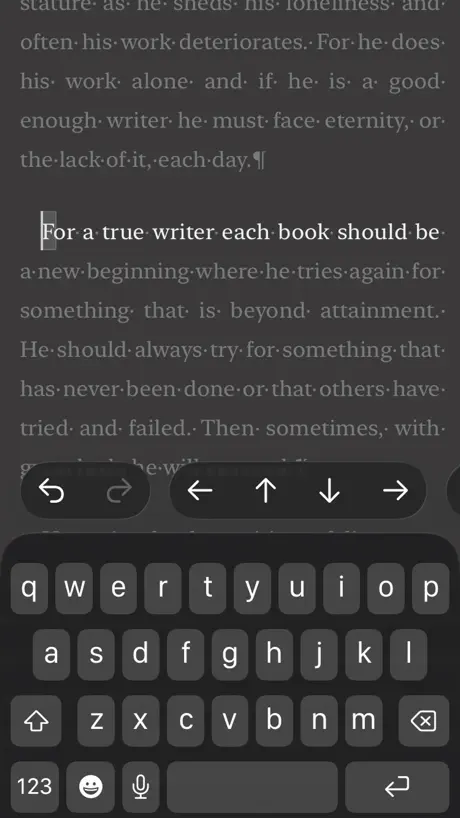
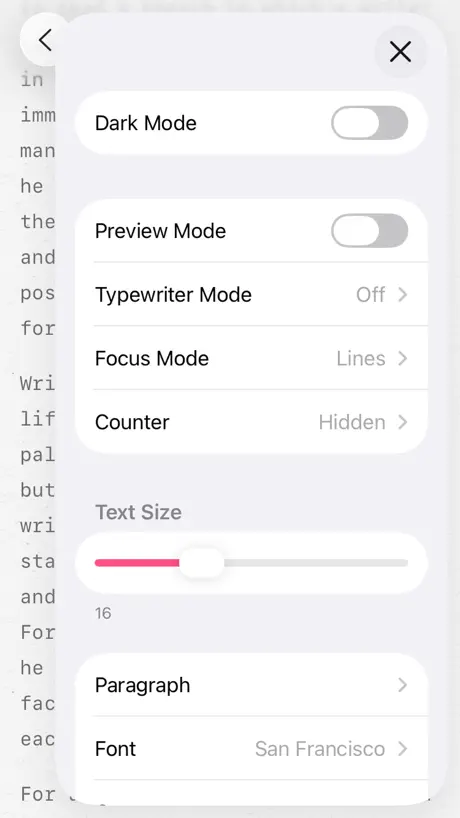
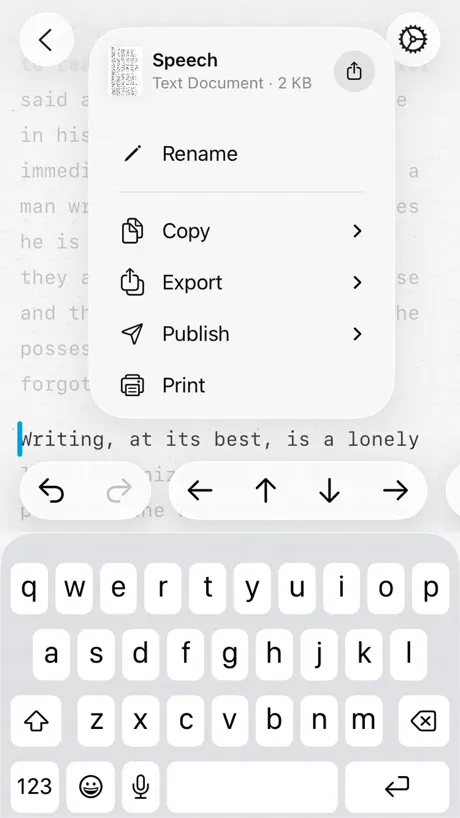
How much does Paper: Writing App, Notes cost?
Prices are current as of 2 Oct 2026.
4 subscriptions from $14.99
In the United States, Paper: Writing App, Notes has 4 subscriptions priced $14.99 – 99.99.
| Subscription | Period | Price |
|---|---|---|
| Pro Features — Discounted | Monthly | $14.99 |
| Pro Features | Monthly | $29.99 |
| Pro Features — Discounted | Annual | $49.99 |
| Pro Features | Annual | $99.99 |
2 one-time purchases from $99.99
In the United States, Paper: Writing App, Notes has 2 one-time purchases priced $99.99 – 199.99.
| Product | Price |
|---|---|
| Pro Features — Discounted | $99.99 |
| Pro Features | $199.99 |
See what Paper: Writing App, Notes costs in all 175 countries →
10+ alternatives to Paper: Writing App, Notes
| Paper: Writing App, Notes |   Penbook: Paper Planner & Notes Penbook: Paper Planner & Notes |   Notepad: Easy Notes & Memos Notepad: Easy Notes & Memos |   Notebook - Diary & Journal App Notebook - Diary & Journal App |   Werdsmith: Writing App Werdsmith: Writing App |   Ulysses: Writing App Ulysses: Writing App |   MyStory.today: Write a Book MyStory.today: Write a Book |   Just Write - App For Writer Just Write - App For Writer |   Fortelling - Story Writing Fortelling - Story Writing |   Minimal | Notes Minimal | Notes |   Novelist - Write novels Novelist - Write novels | |
|---|---|---|---|---|---|---|---|---|---|---|---|
| Rating / 5 | 4.6 | 4.5 | 4.8 | 4.7 | 4.6 | 4.5 | 4.5 | 4.3 | 4.5 | 4.6 | 4.4 |
| Reviews | 3.1K | 78K | 45K | 21K | 12K | 5.8K | 3.5K | 3K | 1.9K | 1.8K | 486 |
| Released | 2019 | 2019 | 2013 | 2013 | 2011 | 2017 | 2018 | 2014 | 2020 | 2019 | 2021 |
| Monthly price | $14.99 | $4.99 | $1.99 | — | $4.99 | $5.99 | $3.99 | — | $7.49 | $4.99 | — |
| Annual price | $49.99 | $14.99 | $14.99 | — | $99.99 | $39.99 | $39.99 | — | $74.99 | $49.99 | — |
| One-time price | $99.99 | $49.99 | $29.99 | $6.99 | — | $10.99 | — | $6.99 | $199.99 | — | — |
The going rate for each plan in United States, in its own currency, shaded from the cheapest price on the row to the dearest. Plans fewer than four in ten of the priced apps sell are left out.
Paper: Writing App, Notes reviews
4.6 out of 5, based on 3,121 reviews.
What people like
- Clean interface with zero distractions
- Works seamlessly across all devices
- Free version is surprisingly capable
- Beautiful design that feels personal
What they complain about
- Work disappears without warning or backup
- Basic features locked behind expensive subscription
- Developer responds rudely to user complaints
- Files randomly vanish after updates
BRUV THIS APP IS SO GOOD
I LOVE this app for writing so much! I do school writings and just writing silly fun things. I love the format and the little dances the latest line does! You can do SO much for completely free. I totally recommend this for writers, students, and genuinely everyone! I use this app on an iPad and it’s still amazing. You can use this on phone, iPad, tablet, computer, etc! THATS MY REVIEW BYEEE! 😼
Last edits missing
If you leave the app without first exiting the document your latest changes are lost.
Wonderful
It’s actually a great app although sometimes it can be super annoying with like it trying to have you sign up but other than that it’s really fine Ish I just don’t like the ads
I hate how it starts up
It’s always starting with opening a document but doesn’t let you make one, no open a new document no create a new. Awful
Okay but sort of dangerous
I like it but the only thing is that it is 4plus to get it and the app allows you to publish your work and that’s a bit dangerous for a 4 year old.
This app is just one of the greatest app i've ever downloaded
You can literally create and edit text files, which is something that a normal iPad could never do, this also helped me fix outdated fnf mods and stuff, IT'S JUST PERFECT
Lost work
I used this app for 1 day. I got a lot of writing done, and was enjoying the app very much until it lost my work. I checked my cloud, nothing! I don’t know if i accidentally did something wrong but it lost multiple drafts out of nowhere. I would be very upset if i didn’t back it up. Would not recommend.
It’s a vibe
It’s so simple and easy for me to use and honestly great for making poems or stories!!! LOVE IT!!👏
Overpriced
This is actually an elegant app. The two stars are for being overpriced. I didn't realize until after I purchased a one year subscription for my iPad that I have to purchase another subscription to use it on my Macbook. That would be a total of $198 per year! There are far more capable writing apps that work across all my devices at less than half the price. Way too expensive.
It’s good and I love it but
I love this app it’s very helpful , but I genuinely think that the option to make texts bigger or change the way the texts look isn’t something you need to pay for , though I sincerely love the app , I also wish it would tell you when you move onto the next page because it only tells you how many pages there are when you go to print the paper. For those who are reading this to determine if you want to download this app no you do not need to pay but for certain tools other than the original that they give you yes you do have to pay. But other than that it’s an amazing app I definitely recommend thank you
Everything is great
Everything about this app is great! It's perfect for school studying! And just writing anything! Songs,grocery lists,and even poetry! I use this app everyday! If u need an app that is like the app called" notes " but something better and more organized? This is ur app! Also is fully free and has no in-app purchases and has no adds! Now that is a great app!
Customer service was… honestly wicked… & This app is not safe
Hi everyone, if you care about who exactly you are supporting behind businesses, please do not support this app from an owner who lacks empathy and a moral compass. Who thinks it’s okay to say “I can’t make it more clearer than that” to not only a client but a person. I downloaded this app, looking for a better alternative to pages on iPhone. After downloading the app, some of files were already on the app. It did not ask me for any permissions, I did not choose the files myself, the files were just already there right after downloading. If you have an iPhone just stick with pages because this was stress for no reason. Now I have to wonder about what data this app has stored from my iPhone without my permission. Instead of the owner explaining gently how the files got there without me selecting them, the owner chose to be arrogant, callous, condescending, and…. wicked.
👍
It is actually a really good app I can’t complain I feel it could be a little bit clearer of where the the documents are but overall it is very good and please give more professionalism with your response to your review like don’t say you’re insane like you did to that one guy please because you literally said “sir, you’re insane” 🙄. but great app! 😌
Questionable File Storage
I really wanted to like this app, and I did when I first started using it, but I was dismayed when I reopened the app to continue writing onto a file I had created and it was just completely gone. I proceeded to create a new one and watched the file, again, disappear before my very eyes when I tried to save it. Most likely a glitch, but very offputting and upsetting considering the amount I had written on that file that is now just gone.
Quite good
I have been using this app every single bus journey when going to school. It’s good that it’s quite simple. I just wish that PRO was either less money or that we could choose at least one free item. I just want to be able to write in New Times Roman font instead. It’s much better, as I’m trying to write a book and I want that font. Only because of that, I think I may move to another app. Good if you just want to write without customisation though.
AMAZING!!!
At first, I thought this app would be boring like notes, but I was so wrong! Best writing app I’ve ever used! It makes writing by books, screenplays, and scripts so easy! If you have a passion for writing or just want to tell an idea through words, Paper is the best app to do so! With different fonts, a choice to use AI prompts, (never used them btw) and access to asking questions to the creator of Paper, writing has never been easier! And you can even use subscription prompts without a subscription! (If you can handle a pop up asking you to buy the subscription from time to time.) All of my ideas are in one place so when I’m writing a bit of my movie, “Light Beyond the Hills,” my books, ideas, and O.L.I.K.A.Y Animations animation layouts are safe!
I LOST MY FANFIC
I cannot find the fanfic I spent weeks writing
Pretty good 👍
I love it a lot. I’ve written a few stories in it and they look really good. I wanna know if there’s a way to save it onto photos or something like that. I LOVE IT SO FAR!!
Paywalled or not?
Even the most basic of features you'd expect from a writing tool are considered "pro" worthy. I'm not paying just to change my toolbar and font, that's absurd. It seems to just let you use it for free regardless. If it's a free trial, it won't tell you how long it lasts. Just wait, someday all the sudden it'll be payment only. My quest to find a decent writing app continues.
My files
My are files are randomly starting to disappear, especially those I worked hard on, I can’t seem to get them back and no I’m not deleting any of them and occasionally they would also disappear although being visible in browser and than after I power off my phone they come back, the more recent cases of my files disappearing are more permanent and I checked if they’re on recently deleted and they’re not, it’s driving me nuts other than that, the app is okay
One of the best apps in the store. But one features request!
Honestly, Paper is *almost* the perfect markdown app (see feature request at the end). 🙂 I love it. Believe me, friends, I have tested **all** the markdown (and rtf) apps in the app store trying to find the right one. I’m picky, and I want certain features and certain controls for the user interface. There are only two that fit my brief on Mac: Paper and Typora. There is only one that fits it on iPad and iPhone: Paper. I love it so much I actually paid the developer for the Mac version (warning: cost is pricey!), not least because he very kindly does not lock any useful features behind a paywall. In a subscription-based world, this is truly a breath of fresh air. I will happily pay for software that I really plan to use for a while. I regard that as a good investment, and I think that devs deserve to be paid, especially the indie devs. But I hate the subscription model, because I hate the corporate abuse of the subscription model. Thank you, Mihhail, for doing something decent and kind, whilst still trying to earn your living. Things I love: 1. It’s not a note-taking app. Those have their place. I use Obsidian for note-bundling. But for just writing documents, I want a simple document-based interface that lets me save anywhere and access from anywhere. 2. You can work in WYSIWYG mode, but still get at the markdown code. 3. It’s aesthetically pleasing, and has a smooth workflow, and it’s designed to be so: well-thought-out, beautifully presented. 4. It lets you tweak your settings till you have the workspace that you want, not the workspace that the dev thinks you ought to want. Then it gets out of your way. Coming from a world where word processors (and even .md editors) constantly think they know what you want better than you do (looking at you, Microsoft!), Paper lets me just get back to me and my words. 5. The dev likes to put little touches of finesse in his visual presentation and app settings. On his website, he says he’s not sure if anyone really notices. I certainly do. (The “Nitpicking” menu says all you need to know!) 6. Works the same across Mac, iPad, and iPhone. 7. Future proof. I’ve been avoiding .doc and .docx for close to 30 years. But I’m currently working in an MS-centric environment and Pages was becoming a faff. I needed something that would just work, provide legible, convertible documents that weren’t dependent on a particular software package. RTF is a good option, but old and creaky. Markdown mostly fits the bill. If this dev quits developing, my stuff is safe. Things I don’t love: 1. Honestly, there’s not much I have to say here. And that says something about the app. I can usually find any number of little niggles that irritate me. I haven’t found any here. 2. **However** — and here’s the feature request! — *please, please, please,* Mihhail, would you consider implementing colour text rendering in Preview mode? This is a feature that Typora and ia Writer both do, and for my purposes (liturgy writing with a lot of red rubrics) it makes a big difference seeing coloured text instead of <span style="color:#9f201c">**make this text red.**</span>. I’ve already given this 5 stars, but add that feature, and this will truly be the perfect markdown app. 😀
Useless without subscription
You can’t use any of the features without signing up for the $30 subscription which makes this app pointless. Might as well just use your notes app on your phone.
[x]
[x]
Just wow
It’s a tidy and nicely minimal app and I was tempted for a minute. Tempted until I saw the price tag. There really is no limit to what some people think they can charge for an app in this day and age. 30,- a month. 100,- for a year. Really?
Too many things for pro
Paper is a good app for scripts and writing whatever you want, but there's one huge issue. Basically every customization is only available with pro and it's so expensive. Most people can't afford 100 pounds a year for something that shouldn't be that big of a deal to have. We shouldn't have to pay so much just to customize the documents.
PAPER IS AMAZING
BRO THIs APP is amazing, I got up to 150KB until it got a bit slow, but there’s no distractions, and it’s soo good.
overrated
.
Pretty good!
I love that I get to write and stuff on this app!!! But like why do I have to subscribe to do like everything bro I can’t even bold my letters 😭
Paper review
PAPER is a creative app that allows you to be imaginative. However, there are a few faults in this program. I wish there would be a series of fun fonts to choose from. I also wish there would be an opportunity to have an image uploaded to the document.
Review
I enjoy (paper) this app. But some days it doesn’t show me this recent ones. Since there was no writing board or something similar to that on my iPod I downloaded this. (There was a writing board but when I paste in to the (Freeform) old writing board the word didn’t format correctly)
Great app to use
Good app. But is there an option to turn off the files being separated by date?
£30 a month for a text editor?
I think I'm maybe missing something here, or there must be a typo on the app store, because my iPad shows the subscription is £30 a month.
Cute
Good, functional, the animations help me write faster and more. The features have a paywall but eh, you can still ‘use’ them so that’s nice. BUT and this it’s important: I lost 500 words because my work didn’t save. So be careful with that. I do recommend tho
Bad Customer Service
Why would you create an app that allows your consumers to contact you if you cannot be bothered to take 15 seconds to respond to a simple question? All I want to know is if the app has a word count feature—that is all. It only takes 2 seconds to reply yes or no. But apparently having consumers contact you is a bother. Take away the feature that allows us to contact you if you have no patience for it.
NUMBERS NAME 1 TO 300
1. One 6. Six 2. Two 7. Seven 3. Three 8. Eight 4. Four 9. Nine 5. Five 10. Ten 11. Eleven 16. Sixteen 12. Twelve 17. Seventeen 13. Thirteen 18. Eighteen 14. Fourteen 19. Nineteen 15. Fifteen 20. Twenty
Such a refreshing app!
I love how simplistic this app is while still having everything you need truly supplying the ideal environment for creativity. You can even speak with the developer if you do run into any problems making it feel like such a personal experience. I’m truly impressed!
Update destroyed files
Don’t use this app!!! After the most recent update all of my files are gone!!! Months of work just destroyed. I can’t even find the folder on my device where they were once stored. It’s a lovely app to use but if all of your work just disappears what’s the point
One Thing
Great app but it really needs a clearer “tab” button function.
Promising but buggy
Uninstalled after a data-loss incident. No matter how nice a writing app isn, if it won’t safely save my work then I can’t give it more than two stars.
You can’t add pictures
You should add a feature that lets you add a picture from your gallery please, then I will use this app.
I love this app
I use this app to write my poetry and it is beautiful, it works really well and gives me a clear place to express my writing without distractions. There are no ads except their own which are to upgrade to the best plan but it isn’t obnoxious or annoying. It also and doesn’t harass you if you don’t want to pay the subscription . I don’t make it fancy and i just print it out when im done writing but it’s really beautiful . I recommend for writers or people who wanna jot their feelings down.
Won’t delete from iCloud
Do NOT get this app. It sticks in your phone after you delete it. No matter what you do it stays in your iCloud it’s a hacking app and now my phone is doing crazy things. HORRIBLE APP!!!!! Dirty scammers
So neat!
For a kid who wants to be an author, this is the perfect app for writing stories. Of course, I can’t use my parents computer all the time, so I just use this app! It’s very simple, and has easy controls, and I haven’t had a problem yet! For young readers/writers, this is an amazing app that I would definitely recommend! 😊
Eh
Hey Ive only had this app for a month now but like i was writing a story and it erased like have of my story and could you add like a thing where people on the app can read the story and make To be continued kinda stuff cuz like in my opinion that would be legit and and I don't wanna lowkey write more complains cause I'm pretty sure other people have the same ones but it's okay like not good but not bad
Love it! Just one thing
So I love this app! It makes SENSE for me, really clean! All the other writing apps I tried were too complicated. The only thing is that Premium is a bit expensive. Maybe two thoughts, lowering the price a little if possible or maybe a one feature for free? Either ways, I love this app. :D
Files all changed unreadable!
It suddenly converted all my files to HTML. Please can you fix this???
Useful
This app, I downloaded a month or two ago because I needed to turn my work into PDF’s so I could share them. It works well, saves all my work (most of the time), and I can use it offline. It’s a good app, and I recommend it for new writers if you’re looking to turn your work into PDF’s, export it, print it, it even gives you an option to publish it; it gives you websites you could publish it to; and it syncs to your iCloud. You can also sort it the way you want by date, name, kind, size, and tags.
Cool app
Nice to store my information onto and if you have no papaw this is one digital paper for you.
Paper: Writing App, Notes price by country
A monthly subscription costs $2.17 in Indonesia and $21.40 in Hungary — 10× more for the same thing. Below is the going rate for each plan in every country that sells it — the middle price of what the app charges there, in the country's own currency with the dollar equivalent beneath it.
| Country | Monthly | Annual | One-time |
|---|---|---|---|
| Afghanistan | $2.49 | $12.49 | $24.99 |
| Albania | $2.99 | $14.99 | $29.99 |
| Algeria | $2.49 | $12.49 | $24.99 |
| Angola | $2.49 | $12.49 | $24.99 |
| Anguilla | $2.49 | $12.49 | $24.99 |
| Antigua And Barbuda | $2.49 | $12.49 | $24.99 |
| Argentina | $2.49 | $12.49 | $24.99 |
| Armenia | $2.99 | $14.99 | $29.99 |
| Australia | A$22.99$15.97 | A$79.99$55.55 | A$149.99$104.16 |
| Austria | €17.99$20.28 | €59.99$67.63 | €99.99$112.73 |
| Azerbaijan | $2.99 | $14.99 | $29.99 |
| Bahamas | $2.99 | $12.99 | $29.99 |
| Bahrain | $2.99 | $12.99 | $29.99 |
| Barbados | $2.99 | $14.99 | $29.99 |
| Belarus | $2.99 | $14.99 | $29.99 |
| Belgium | €17.99$20.28 | €59.99$67.63 | €99.99$112.73 |
| Belize | $2.49 | $12.49 | $24.99 |
| Benin | $2.99 | $14.99 | $29.99 |
| Bermuda | $2.49 | $12.49 | $24.99 |
| Bhutan | $2.49 | $12.49 | $24.99 |
| Bolivia | $2.49 | $12.49 | $24.99 |
| Bosnia & Herzegovina | €2.99$3.37 | €14.99$16.90 | €29.99$33.81 |
| Botswana | $2.49 | $12.49 | $24.99 |
| Brazil | R$14.90$2.87 | R$79.90$15.39 | R$149.90$28.88 |
| British Virgin Islands | $2.49 | $12.49 | $24.99 |
| Brunei Darussalam | $2.49 | $12.49 | $24.99 |
| Bulgaria | €2.99$3.37 | €14.99$16.90 | €29.99$33.81 |
| Burkina Faso | $2.49 | $12.49 | $24.99 |
| Cambodia | $2.99 | $12.99 | $29.99 |
| Cameroon | $2.99 | $14.99 | $29.99 |
| Canada | CA$19.99$14.08 | CA$69.99$49.29 | CA$129.99$91.54 |
| Cape Verde | $2.49 | $12.49 | $24.99 |
| Cayman Islands | $2.49 | $12.49 | $24.99 |
| Chad | $2.49 | $12.49 | $24.99 |
| Chile | CLP 2,990$3.07 | CLP 14,990$15.40 | CLP 29,990$30.81 |
| China | CN¥98.00$14.61 | CN¥328.00$48.88 | CN¥698.00$104.02 |
| Colombia | COP 9,900$2.99 | COP 59,900$18.11 | COP 119,900$36.24 |
| Congo | $2.49 | $12.49 | $24.99 |
| Congo, Democratic Republic | $2.49 | $12.49 | $24.99 |
| Costa Rica | $2.49 | $12.49 | $24.99 |
| Cote Divoire | $2.99 | $14.99 | $29.99 |
| Croatia | €17.99$20.28 | €59.99$67.63 | €99.99$112.73 |
| Cyprus | €17.99$20.28 | €59.99$67.63 | €99.99$112.73 |
| Czech Republic | CZK 399.00$18.38 | CZK 1,290.00$59.42 | CZK 2,790.00$128.51 |
| Denmark | DKK 129.00$19.49 | DKK 399.00$60.27 | DKK 899.00$135.80 |
| Dominica | $2.49 | $12.49 | $24.99 |
| Dominican Republic | $2.49 | $12.49 | $24.99 |
| Ecuador | $2.49 | $12.49 | $24.99 |
| Egypt | EGP 129.99$2.49 | EGP 699.99$13.38 | EGP 1,299.99$24.86 |
| El Salvador | $2.49 | $12.49 | $24.99 |
| Estonia | €17.99$20.28 | €59.99$67.63 | €99.99$112.73 |
| Fiji | $2.49 | $12.49 | $24.99 |
| Finland | €17.99$20.28 | €59.99$67.63 | €99.99$112.73 |
| France | €17.99$20.28 | €59.99$67.63 | €99.99$112.73 |
| Gabon | $2.49 | $12.49 | $24.99 |
| Gambia | $2.49 | $12.49 | $24.99 |
| Georgia | $2.99 | $14.99 | $29.99 |
| Germany | €17.99$20.28 | €59.99$67.63 | €99.99$112.73 |
| Ghana | $2.99 | $14.99 | $29.99 |
| Greece | €17.99$20.28 | €59.99$67.63 | €99.99$112.73 |
| Grenada | $2.49 | $12.49 | $24.99 |
| Guatemala | $2.49 | $12.49 | $24.99 |
| Guinea-bissau | $2.49 | $12.49 | $24.99 |
| Guyana | $2.49 | $12.49 | $24.99 |
| Honduras | $2.49 | $12.49 | $24.99 |
| Hong Kong | HK$18.00$2.29 | HK$388.00$49.43 | HK$788.00$100.38 |
| Hungary | HUF 6,990$21.40 | HUF 22,990$70.37 | HUF 44,990$137.72 |
| Iceland | $17.99 | $59.99 | $119.99 |
| India | ₹249.00$2.58 | ₹1,299.00$13.48 | ₹2,499.00$25.93 |
| Indonesia | IDR 39,000$2.17 | IDR 199,000$11.07 | IDR 399,000$22.20 |
| Iraq | $2.49 | $12.49 | $24.99 |
| Ireland | €17.99$20.28 | €59.99$67.63 | €99.99$112.73 |
| Israel | ₪49.90$16.20 | ₪179.90$58.41 | ₪349.90$113.60 |
| Italy | €17.99$20.28 | €59.99$67.63 | €99.99$112.73 |
| Jamaica | $2.49 | $12.49 | $24.99 |
| Japan | ¥2,500$15.83 | ¥8,000$50.66 | ¥15,000$94.98 |
| Jordan | $2.49 | $12.49 | $24.99 |
| Kazakhstan | KZT 2,990.00$6.75 | KZT 6,990.00$15.79 | KZT 14,990.00$33.86 |
| Kenya | $2.99 | $14.99 | $29.99 |
| Kosovo | €2.99$3.37 | €14.99$16.90 | €29.99$33.81 |
| Kuwait | $14.99 | $49.99 | $99.99 |
| Kyrgyzstan | $2.99 | $12.99 | $29.99 |
| Lao Peoples Democratic Republic | $2.99 | $12.99 | $29.99 |
| Latvia | €17.99$20.28 | €59.99$67.63 | €99.99$112.73 |
| Lebanon | $2.49 | $12.49 | $24.99 |
| Liberia | $2.49 | $12.49 | $24.99 |
| Libya | $2.49 | $12.49 | $24.99 |
| Lithuania | €17.99$20.28 | €59.99$67.63 | €99.99$112.73 |
| Luxembourg | €17.99$20.28 | €59.99$67.63 | €99.99$112.73 |
| Macao | $2.49 | $12.49 | $24.99 |
| Macedonia | $2.49 | $12.49 | $24.99 |
| Madagascar | $2.49 | $12.49 | $24.99 |
| Malawi | $2.49 | $12.49 | $24.99 |
| Malaysia | MYR 9.90$2.42 | MYR 59.90$14.65 | MYR 119.90$29.32 |
| Maldives | $2.49 | $12.49 | $24.99 |
| Mali | $2.49 | $12.49 | $24.99 |
| Malta | €17.99$20.28 | €59.99$67.63 | €99.99$112.73 |
| Mauritania | $2.49 | $12.49 | $24.99 |
| Mauritius | $2.49 | $12.49 | $24.99 |
| Mexico | MX$49.00$2.68 | MX$249.00$13.62 | MX$499.00$27.30 |
| Micronesia | $2.49 | $12.49 | $24.99 |
| Moldova | $2.99 | $14.99 | $29.99 |
| Mongolia | $2.49 | $12.49 | $24.99 |
| Montenegro | €1.99$2.24 | €11.99$13.52 | €22.99$25.92 |
| Montserrat | $2.49 | $12.49 | $24.99 |
| Morocco | $2.49 | $12.49 | $24.99 |
| Mozambique | $2.49 | $12.49 | $24.99 |
| Myanmar | $2.49 | $12.49 | $24.99 |
| Namibia | $2.49 | $12.49 | $24.99 |
| Nauru | $2.49 | $12.49 | $24.99 |
| Nepal | $2.99 | $14.99 | $29.99 |
| Netherlands | €17.99$20.28 | €59.99$67.63 | €99.99$112.73 |
| New Zealand | NZ$29.99$16.85 | NZ$99.99$56.17 | NZ$199.99$112.35 |
| Nicaragua | $2.49 | $12.49 | $24.99 |
| Niger | $2.49 | $12.49 | $24.99 |
| Nigeria | NGN 3,900.00$2.94 | NGN 19,900.00$14.99 | NGN 39,900.00$30.05 |
| Norway | NOK 199.00$20.66 | NOK 599.00$62.20 | NOK 1,290.00$133.96 |
| Oman | $2.49 | $12.49 | $24.99 |
| Pakistan | PKR 700$2.53 | PKR 3,500$12.63 | PKR 6,900$24.90 |
| Palau | $2.49 | $12.49 | $24.99 |
| Panama | $2.49 | $12.49 | $24.99 |
| Papua New Guinea | $2.49 | $12.49 | $24.99 |
| Paraguay | $2.49 | $12.49 | $24.99 |
| Peru | PEN 9.90$2.87 | PEN 59.90$17.36 | PEN 99.90$28.96 |
| Philippines | ₱149.00$2.37 | ₱799.00$12.72 | ₱1,490.00$23.71 |
| Poland | PLN 69.99$17.99 | PLN 229.99$59.12 | PLN 499.99$128.53 |
| Portugal | €17.99$20.28 | €59.99$67.63 | €99.99$112.73 |
| Qatar | QAR 49.99$13.73 | QAR 199.99$54.94 | QAR 399.99$109.89 |
| Romania | RON 14.99$3.20 | RON 69.99$14.96 | RON 129.99$27.78 |
| Russia | RUB 199.00$2.38 | RUB 999.00$11.97 | RUB 2,290.00$27.44 |
| Rwanda | $2.49 | $12.49 | $24.99 |
| Sao Tome & Principe | $2.49 | $12.49 | $24.99 |
| Saudi Arabia | SAR 59.99$16.00 | SAR 199.99$53.33 | SAR 399.99$106.66 |
| Senegal | $2.99 | $14.99 | $29.99 |
| Serbia | €2.99$3.37 | €14.99$16.90 | €29.99$33.81 |
| Seychelles | $2.49 | $12.49 | $24.99 |
| Sierra Leone | $2.49 | $12.49 | $24.99 |
| Singapore | SGD 19.98$15.61 | SGD 69.98$54.67 | SGD 149.98$117.17 |
| Slovakia | €17.99$20.28 | €59.99$67.63 | €99.99$112.73 |
| Slovenia | €17.99$20.28 | €59.99$67.63 | €99.99$112.73 |
| Solomon Islands | $2.49 | $12.49 | $24.99 |
| South Africa | ZAR 49.99$3.00 | ZAR 249.99$15.00 | ZAR 499.99$29.99 |
| South Korea | ₩22,000$16.17 | ₩66,000$48.52 | ₩149,000$109.54 |
| Spain | €17.99$20.28 | €59.99$67.63 | €99.99$112.73 |
| Sri Lanka | $2.49 | $12.49 | $24.99 |
| St. Kitts and Nevis | $2.49 | $12.49 | $24.99 |
| St. Lucia | $2.49 | $12.49 | $24.99 |
| St. Vincent & The Grenadines | $2.49 | $12.49 | $24.99 |
| Suriname | $2.99 | $12.99 | $29.99 |
| Swaziland | $2.49 | $12.49 | $24.99 |
| Sweden | SEK 199.00$19.82 | SEK 599.00$59.66 | SEK 1,295.00$128.98 |
| Switzerland | CHF 14.00$16.83 | CHF 40.00$48.08 | CHF 90.00$108.17 |
| Taiwan | NT$490.00$15.32 | NT$1,490.00$46.58 | NT$2,990.00$93.47 |
| Tajikistan | $2.99 | $12.99 | $29.99 |
| Tanzania | TZS 6,900.00$2.61 | TZS 34,900.00$13.18 | TZS 69,900.00$26.39 |
| Thailand | THB 99.00$2.94 | THB 499.00$14.82 | THB 999.00$29.67 |
| Tonga | $2.49 | $12.49 | $24.99 |
| Trinidad and Tobago | $2.49 | $12.49 | $24.99 |
| Tunisia | $2.49 | $12.49 | $24.99 |
| Turkey | TRY 129.99$2.65 | TRY 699.99$14.25 | TRY 1,299.99$26.47 |
| Turkmenistan | $2.49 | $12.49 | $24.99 |
| Turks and Caicos | $2.49 | $12.49 | $24.99 |
| Uganda | $2.99 | $14.99 | $29.99 |
| Ukraine | $2.99 | $14.99 | $29.99 |
| United Arab Emirates | AED 59.99$16.35 | AED 199.99$54.49 | AED 399.99$108.99 |
| United Kingdom | £14.99$19.80 | £49.99$66.04 | £99.99$132.09 |
| United States | $14.99 | $49.99 | $99.99 |
| Uruguay | $2.49 | $12.49 | $24.99 |
| Uzbekistan | $2.99 | $12.99 | $29.99 |
| Vanuatu | $2.49 | $12.49 | $24.99 |
| Venezuela | $2.49 | $12.49 | $24.99 |
| Vietnam | ₫79,000$3.05 | ₫399,000$15.38 | ₫799,000$30.80 |
| Yemen | $2.49 | $12.49 | $24.99 |
| Zambia | $2.99 | $14.99 | $29.99 |
| Zimbabwe | $2.99 | $14.99 | $29.99 |
Paper: Writing App, Notes FAQ
- Is Paper: Writing App, Notes free?
- Yes. The app and its basic features are free, in all 175 countries it sells in. Premium features are paid: they start from $14.99 (US), across 4 subscriptions and 2 one-time purchases.
- How much does Paper: Writing App, Notes cost per month?
- Pro Features is $14.99 – 29.99 (US). The annual plan works out cheaper per month: $49.99 – 99.99 a year.
- Does Paper: Writing App, Notes have a free trial?
- No. None of its offers (US) come with a free trial.
- Where is Paper: Writing App, Notes cheapest?
- A monthly subscription costs IDR 39,000 (≈$2.17) in Indonesia and HUF 6,990 (≈$21.40) in Hungary, its cheapest and dearest countries.
- What are the best alternatives to Paper: Writing App, Notes?
- Penbook: Paper Planner & Notes (4.5 from 78,263 reviews, premium from $4.99), Notepad: Easy Notes & Memos (4.8 from 45,258 reviews, premium from $1.99) and Notebook - Diary & Journal App (4.7 from 21,039 reviews, premium from $6.99).
Paper: Writing App, Notes download
Last updated 10 days ago.
Paper: Writing App, Notes sells in 175 countries. It was released 6 years and 10 months ago, on 13 Nov 2019. It holds a 4.6 rating from 3,121 reviews.
Supports 1 language: English.
How much does Paper: Writing App, Notes make?
Third-party estimates for the last 30 days, worldwide — not the store's own figures, which Apple publishes for nobody.
Revenue by plan
- Monthly 58%
- Annual 31%
- One-time 12%
Revenue by country
- United States 65%
- United Kingdom 16%
- Canada 5%
- Australia 4%