Panasonic LUMIX Sync
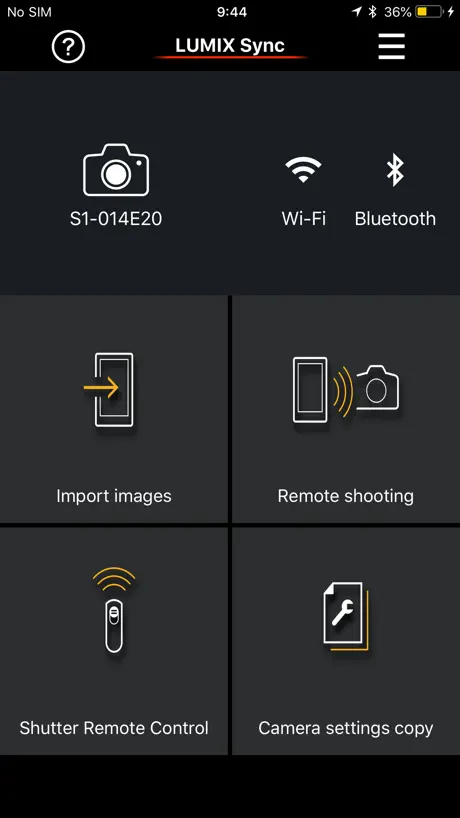
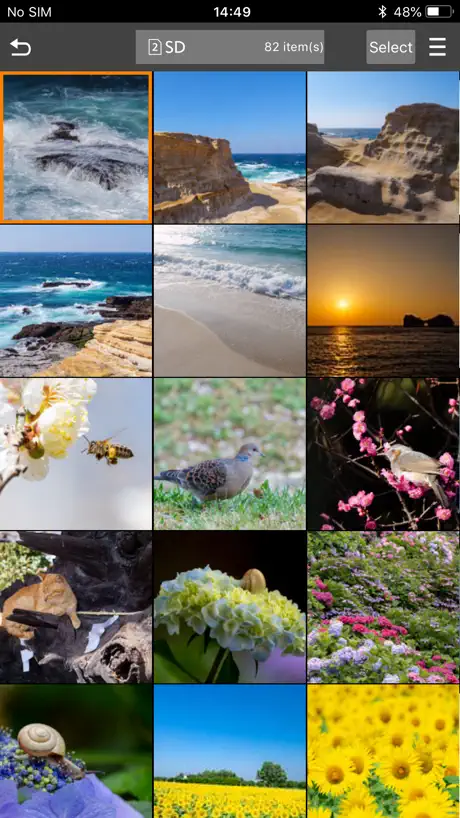
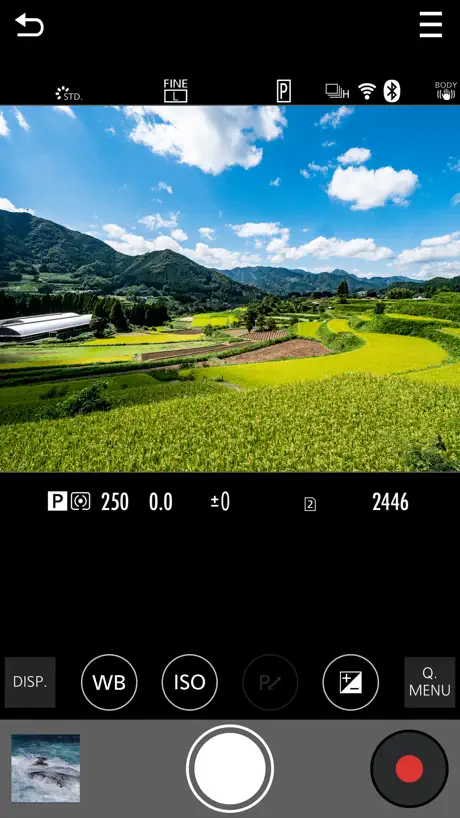
How much does Panasonic LUMIX Sync cost?
Prices are current as of 8 Nov 2026.
Panasonic LUMIX Sync has no in-app products on record in the United States.
10+ alternatives to Panasonic LUMIX Sync
| Panasonic LUMIX Sync |   DJI Ronin |   Lightme - Lightmeter | 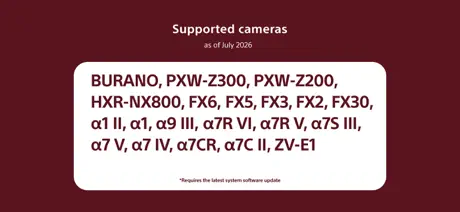  Sony | Monitor & Control | 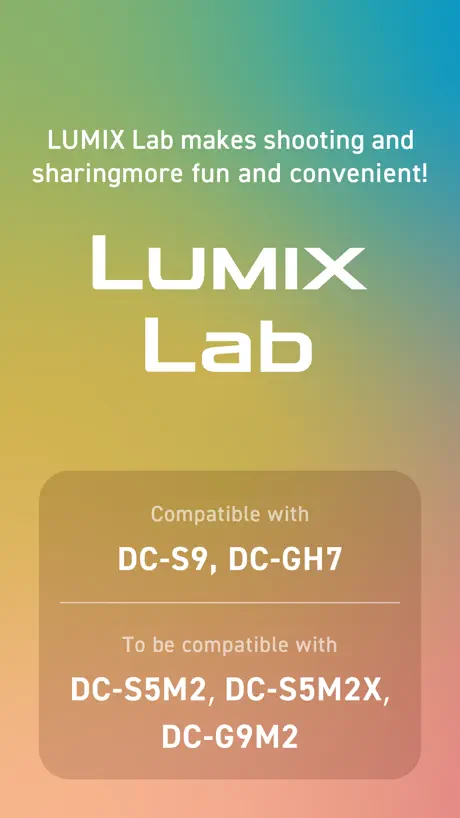  Panasonic LUMIX Lab |   Monitor+ |   Capture One | 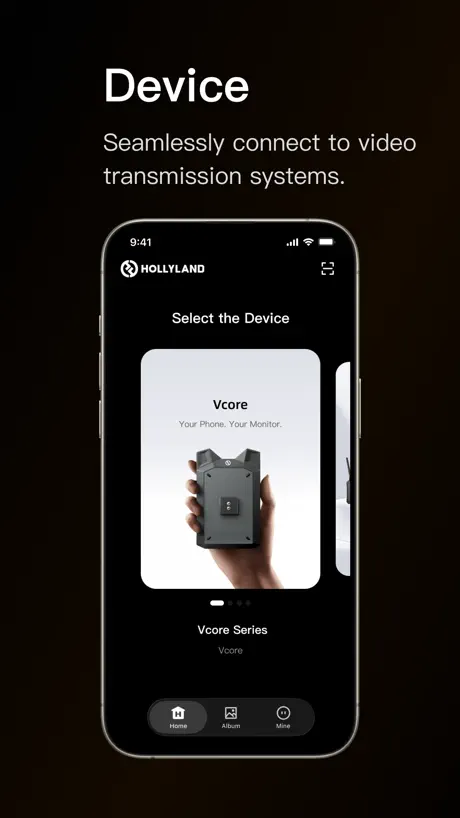  HollyView |   Blackmagic Remote Monitor | 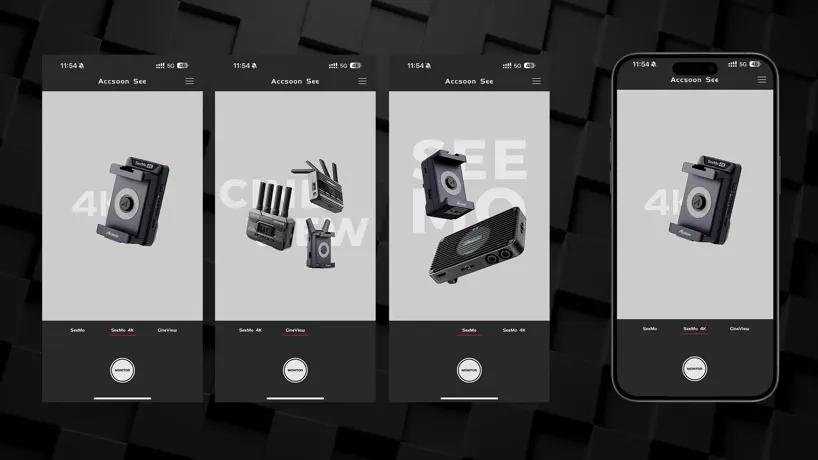  Accsoon SEE |   Panasonic LUMIX Flow | |
|---|---|---|---|---|---|---|---|---|---|---|---|
| Rating / 5 | 4.4 | 4.7 | 4.8 | 4.4 | 3.9 | 3.5 | 3.3 | 2.8 | 3.5 | 3.5 | 3.0 |
| Reviews | 8.1K | 37K | 3.8K | 3K | 2.1K | 2.1K | 1.5K | 291 | 211 | 201 | 183 |
| Released | 2019 | 2017 | 2020 | 2023 | 2024 | 2021 | 2022 | 2019 | 2023 | 2022 | 2025 |
| One-time price | — | — | $16.99 | — | — | $18.99 | — | — | — | $2.99 | — |
The going rate for each plan in United States, in its own currency, shaded from the cheapest price on the row to the dearest. Plans fewer than four in ten of the priced apps sell are left out.
Panasonic LUMIX Sync reviews
4.4 out of 5, based on 8,133 reviews.
What people like
- Remote control works very well
- App feels stable and reliable
- Easy to transfer JPEG photos
What they complain about
- Connection is slow and often fails
- Live view looks bad in log profiles
- Transferring files takes too long
Worked for every lumix camera
When all else fails this app is here
Terrible app
Wants too much info & I can't download pics without giving up location info. KMA.
基本的な機能は問題ないが
LUMIX G9M2ユーザーです。アプリに不満があるとすれば二点。 まず、何度も「位置情報をオンにして下さい」のメッセージが出るのが不快です。位置情報を使わずとも機能に問題はないのなら強要はやめて頂きたい。 あと画像転送で毎回一番古い写真から表示しますが、撮ったばかりの写真を転送したいのにこれでは下までスクロールが大変かつ面倒です。 私の場合、リモート撮影や画像転送の機能自体に問題はなかったです。何より LUMIXのカメラ本体の UIは期待通りとても優れているので、これからも愛用します。アプリも本格使いは難しいですが、ちょっと SNS用に転送するくらいなら使えるので騙し騙し付き合っていきます。
Disappointed
I have the lumix S5II and it’s a great camera but the app constantly fails, is a nightmare to download photos and worse video.
App经常连接不上相机
分享照片到手机时,app正在检查相机 操作相机以继续 。但是相机上一直在转圈圈。。。
Remote shooting
Very useful
Waste of time
The app will not connect with a I-phone through Bluetooth or WiFi. Totally worthless.
Nice app! Updated firmware needed
Love the app but could you add the new 2.2 firmware update for the s5iix please!!
Not consistent
This app is good sometimes and hard to use most times
画质与网格线
连接画质很糊,达不到720p体验感差;还有网格线辅助构图也没有,这两点希望后续更新可以迭代,谢谢啦!
Great app
Comes in handy anywhere you go, it’s like having a remote control for your camera, it’s awesome.
Doesn’t connect at all
It just doesn’t connect, and still my stupid camera thinks it is under phone’s control. What is going on
Sound and efficient for fetching photos onto my iPad
Travelling with an iPad and no laptop, this app does a great job.
No deleting from the app!
Can’t delete files from the app. You must use your camera to delete pictures like it’s 2016
Not for iOS 18+ users
After I upgraded my iPhone to iOS 18 and then I find it's hard to connect my camera. I should connect each time trough settings in camera.
Love This App!
Coming from Fuji Cam Remote and Olympus, this LUMIX app is a breeze! I primarily use it for getting jpegs off of my S1H, and I love how after the initial setup it continues to work whenever I use it with my iPhone. With Fuji Cam Remote I would randomly have to reset the connection between my phone and camera every few weeks… that is not the case with LUMIX sync! It’s been working great since day 1. Thank you LUMIX :)
Simply awful
I can’t help it feel that this app was developed by people who really dislike other humans and want to make their life as miserable as possible. It’s nearly impossible to connect. And forget about ever registering via Bluetooth, it’s not going to happen. If you do manage to connect to the Wi-Fi, you can expect it to drop early and often. Apparently 10 feet is just too greater distance for reliable operation. I’m still waiting for an app update to address this nightmare. I think the polar ice caps will be fully melted before I see an update.
Works better than LUMIX lab, but missing one crucial feature
It has way better frame rate than lumix lab, which drops frames constantly while in live view, however this app has no view assist for shooting in a log profile!
Need Improve
Looks like a great app if working right; but it takes 2+ hrs in configure my camera with my tablet. Panasonic do something, please!
经常连不上,需要卸载重装
如题
Works flawlessly
I have used this app with my S5M2 for more than a year and it works as advertised. I've used it for photo and video and have never had any issues. Other reviewers said it cannot connect ... however, I have never experienced that issue. If you'd like a remote option for your LUMIX camera, this is a great choice.
Talk about trash
This is the worst app I think I’ve used in the past 10 years
4 Stars Is Generous
Apps good once it gets going but two things are needed to make this 5 stars. 1. Multicam just like the tether software. At least give us remote start/stop with live view, even if it’s just one camera at a time for the live view. 2. It’s so slow to connect every time. Please make it so if they are all on my network it’s quick. Do those and it will be 5 stars
LUMIX sync
Difficult to connect to s5, crashes continuously and no solutions in sight. Upgrade or be abandoned.
相机连接问题
什么时候才可以把这个问题解决一下?总是连接不稳定。
Great App, lots of functionality
I have been using the lumix app for the past 2 years, I have also used the apps made by other camera companies and I must say that this one is by far the best and more stable one. It’s simple layout makes it super easy to understand what your options are plus it gives you great control over your camera settings including focus which is great.
won’t connect or stay connected
for years this garbage app has existed in this garbage state. zero helpful updates. It simply will not connect to my lumix s5-ii via bluetooth or wifi. what gives? how is this even reality for a tech company like Panasonic?
Please add full screen
Excellent but need bigger screen view
Handshake bugged
Essentially unusable, bad handshake. Needs work, I am available
时常连接不上相机
时常连接不上相机
Excellent with Panasonic Lumix S5
This app has proved to be stable and trouble free, unlike several other camera apps I could mention! My key requirement is for Geotagging my photos but it has also been reliable when transferring pictures to my iPhone 12 Pro and for remote control between phone and camera using both Bluetooth and WiFi connections. It can also be used for camera firmware upgrades where the update is downloaded to the app and then transferred to the body without fuss. It takes a little longer but saves the faff of using a computer and SD card. All in all an excellent app for an S5. Well done Panasonic!
Absolutely horrific
My camera firmware and app are up to date. That being said, this is app is complete TRASH! It’s beyond buggy! It frequently will not even connect to my Wi-Fi. What it does it frequently disconnects. When I’m attempting to use this to do self portraits the screen on the remote control window is lags. If Im shooting off-camera flash there’s about a 5 to 8 second delay after hitting the trigger on the app and the camera actually firing. The engineer behind this app needs to be fired.
GH6不能导入到苹果XS,图片上有个禁止符号
Ios版本13.5,GH6 3.0固件,照片视频都无法导入
A convoluted nightmare
Connecting my phone to my s5ii camera works at home on wifi, but doesn’t work when I’m out and about. That’s so stupid, And completely backwards. Why?!? The camera has two separate sub menus of sub-sub menus of options for connecting the camera to a phone, you have to menu dive just to turn it off and on, and then when you test it at home and it seems to work then you take it out to actually use the darn thing and it doesn’t connect when you actually need it. Specially if my iPhone is not connected to a wifi network then it refuses to connect to the camera. What?!? I’ve used phone-to-camera wifi connections going back to 2010 on Olympus, Leica, and Nikon and they’ve all been simple and they just worked. Why is Panasonic so backwards and convoluted? If I had known connecting to my phone wouldn’t work when I leave the house I would not have purchased a Panasonic camera. I sincerely regret it.
It’s 2024 and this app feels 1990
Can’t say this app is not useful at all. But it’s really hard to use. Ancient ui and ancient speed.
Use with S1R
Been testing this app out on the S1R, rigorous use of the remote and the uploading functions. This app has been very stable, no problems with drop off for up to an hour which is the max ive used it for in one session, I feel it would have gone on had I not logged of purposely. Not sure if the app has been updated since others left their reviews but seriously this app came good for me and added real good remote operation flexibility allowing me to move around the studio whilst shooting from a tripod.
Nothing But Trouble on S5
iPhone connectivity with S5 is a constant problem. I am much better off removing SD card and using my laptop.
Coping to phone
This app is super awesome but transferring small clips to your phone is a big pain no matter how short the clips are.
Designed only for phone users... Not for tablet users :(
This app has huge “potential” to make a great remote operating device. The app UX needs to adapt and work depending on the platform that the user is operating from. If it’s an iPhone the user is operating from, then the app’s remote operating framework may be just enough as we have a smaller real estate / canvas area to play with. But the same UI when scaled-up proportionately is not the best use / user experience on an iPad Pro. The large display of scaled up graphics and buttons may not be the reason a user may want to open this app on a tablet. As a users, I would want to see more detail through the lens view port than the scaled up buttons and controls. Provide a hide controls functionality so users can see the full view of the live view port. Please make adjustments to the layout such that the controls and settings can appear on the bottom horizontally. Keep the action buttons small as the iPhone UI and that’s enough for users to clearly see and select actions or make adjustments remotely but the camera view port should be maximized to offer more visibility of the subject. There are issues with connectivity, speed of response, range, etc., that I’m not repeating that others have already mentioned. Hope to see some updates soon.
Raw pictures to iPad or iPhone
This lumix Sync app can’t transfers Raw pictures from my G9 II Lumix into my IOS devices. You can transfer jpeg pictures perfectly. When are you going to provide adécuate and complete service that can fix this issue? Jorge
Excellent
brilliant! a free app i can control the camera from using my ipad. considered getting an expensive monitor but this does the job brilliantly for me
Never Connected- GH4
This is a horrible software. Can’t perform a basic function to connect. So many other brands Hasselblad, Leica, Sony, Fuji don’t have any issues. 4 months and nothing.
更新了之后反而很不稳定!!!!
如题
Needs LUT Support
This app has slowly gotten better over the years but it’s still missing a crucial feature: LUTs. If you are shooting V-log, the app does not utilize the V-log assist viewing options so you’re left with a flat, desaturated image. Not appropriate when using the wireless feed for client monitor. Should be an easy fix so kind of baffled why this isn’t already included after all these years.
使用体验不是很好
第一,软件打开的速度太慢了,点击app要黑屏七八秒才能进入软件界面。 第二,连接的速度真的很感人,每次连接相机都好慢,至少都要30多秒,而且有时半天都连接不上。 第三,后台常驻也不行,返回桌面后几秒钟切换到app又要重新连接相机,真的很烦人。在软件体验这块佳能做得还不错,连接很快,打开很快,后台也能常驻一段时间,松下真得好好弄一下软件的体验。
ONLY FOR S SERIES
For G range compact and bridge cameras use the Panasonic image app
Consistent failed connection
I have a Lumix G 97 that I purchased with the hope that this software would allow me to easily transfer images from the camera to my iPhone third generation SE. I have the latest updates on both products. Minutes can pass while it's trying to connect from the software to the camera… It's actually quicker to take out the SD card, put the SD card in the reader, transfer the devices over waiting for all those images to transfer for Lumix sync to actually make a connection. The overwhelming majority of the time it fails. When will this product be updated to work with the latest line of Lux cameras where there's not consistent failure and the connections are quick. In today's age we're talking that this should be to know more than 60 seconds not several minutes to get failure after failure.
选择能不能按日期来分类啊
选择按日期分更方便啊
Once connected it’s great
Works great when connected via Bluetooth but if you don’t use it all the time to import photos it’s a big pain to connect to iPhone 15 pro max This is after you delete n try to pare again. It’s a big pain n takes for ever to do. Should be easier Says to operate camera to join, but the camera won’t do anything. Please fix the app to make connection easier.
When it works, it’s fantastic
I use this app with my Lumix GH5. So while it isn’t directly compatible, it has worked and has worked really well. When it does work I’ve been able to do remote shooting fairly easily (especially good considering I like shooting on my own while doing photography) and I’ve been able to change camera settings smoothly and access the camera’s memory. However every other time I open the app I have to go thorough the laborious connecting process which sometimes makes it more trouble than it’s worth; especially when I can just put the SD into my laptop, quickly get a load of pictures and put it back into the camera, in the same time that it takes to connect it. It makes me wish they built a dedicated app for the GH5 and such that was tuned to its firmware. GoPro has a fantastic app to accommodate its camera range, and I hope Panasonic can get to that point.
Panasonic LUMIX Sync FAQ
- Is Panasonic LUMIX Sync free?
- Yes. The app is free, in all 174 countries it sells in, and it sells nothing inside it.
- Does Panasonic LUMIX Sync have a free trial?
- No. None of its offers (US) come with a free trial.
- What are the best alternatives to Panasonic LUMIX Sync?
- DJI Ronin (4.7 from 36,561 reviews), Lightme - Lightmeter (4.8 from 3,794 reviews, premium from $9.99) and Sony | Monitor & Control (4.4 from 2,995 reviews).
Panasonic LUMIX Sync download
Last updated 4 months ago.
Panasonic LUMIX Sync sells in 174 countries. It was released 7 years and 8 months ago, on 11 Mar 2019. It holds a 4.4 rating from 8,133 reviews.
Supports 10 languages: English, Dutch, French, German, Italian, Japanese, Korean, Russian, Chinese, Spanish.
How much does Panasonic LUMIX Sync make?
Third-party estimates for the last 30 days, worldwide — not the store's own figures, which Apple publishes for nobody.