Monitor+
Remote Control for Sony Camera
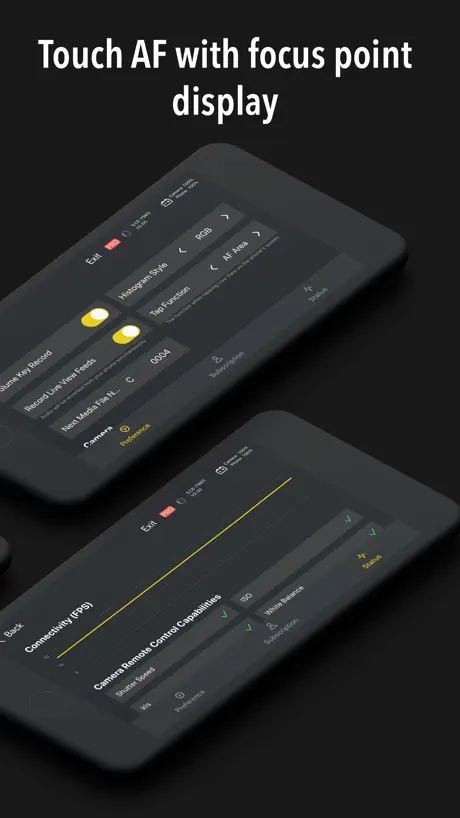
How much does Monitor+ cost?
Prices are current as of 29 Sept 2026.
1 one-time purchase from $18.99
In the United States, Monitor+ has 1 one-time purchase priced $18.99.
| Product | Price |
|---|---|
| Pro Upgrade | $18.99 |
10+ alternatives to Monitor+
| Monitor+ |   Sony | Imaging Edge Mobile Sony | Imaging Edge Mobile |   DJI Ronin DJI Ronin | 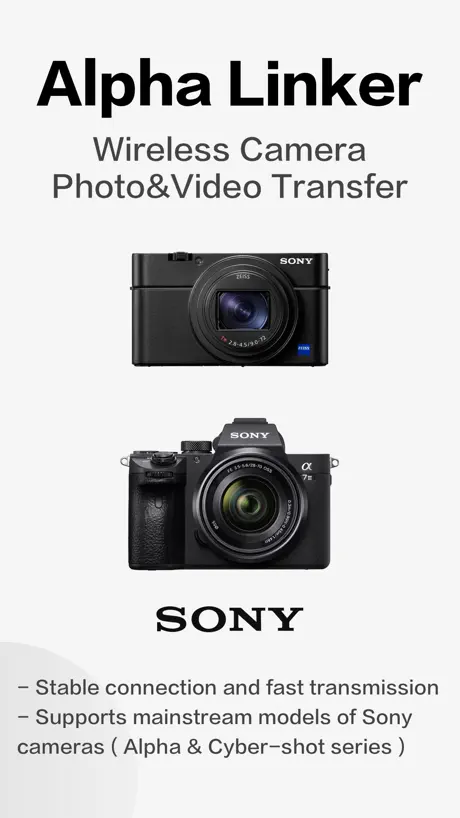  Alpha Linker - Camera Transfer Alpha Linker - Camera Transfer | 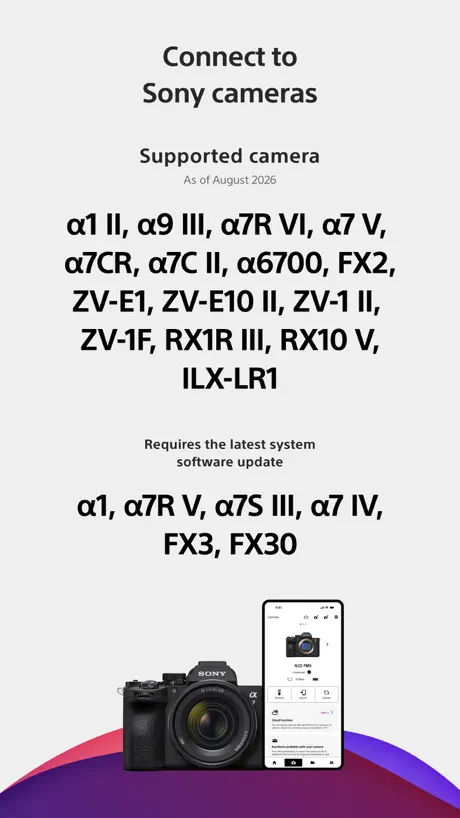  Sony | Creators' App Sony | Creators' App |  DaVinci Resolve for iPad DaVinci Resolve for iPad | 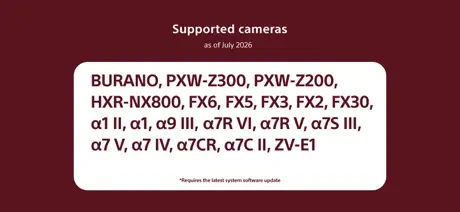  Sony | Monitor & Control Sony | Monitor & Control |   Shutter+ Sony Camera Remote Shutter+ Sony Camera Remote |   Dehancer Film Emulation Dehancer Film Emulation |   CamX - USB Camera CamX - USB Camera |   Capture One Capture One | |
|---|---|---|---|---|---|---|---|---|---|---|---|
| Rating / 5 | 3.5 | 1.9 | 4.7 | 4.5 | 4.2 | 4.5 | 4.4 | 4.2 | 4.1 | 4.5 | 3.3 |
| Reviews | 2.1K | 40K | 34K | 22K | 22K | 14K | 2.8K | 2.3K | 1.9K | 1.8K | 1.5K |
| Released | 2021 | 2012 | 2017 | 2023 | 2022 | 2022 | 2023 | 2019 | 2022 | 2023 | 2022 |
| Monthly price | — | — | — | — | $4.99 | — | — | $3.49 | $4.99 | — | $10.99 |
| Annual price | — | — | — | — | — | — | — | $24.99 | $49.99 | $2.99 | $109.00 |
| One-time price | $18.99 | — | — | $9.99 | — | $94.99 | — | $65.00 | $9.99 | $4.99 | — |
The going rate for each plan in United States, in its own currency, shaded from the cheapest price on the row to the dearest.
Monitor+ reviews
3.5 out of 5, based on 2,071 reviews.
What people like
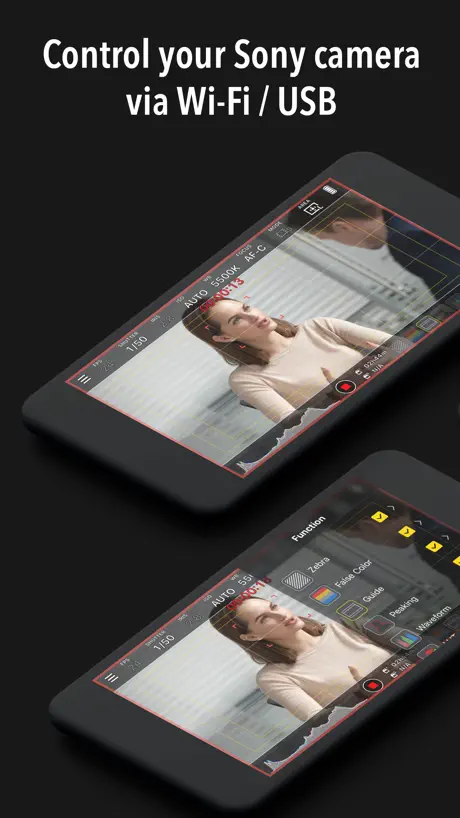
- Works great with wired USB
- Full remote control of camera
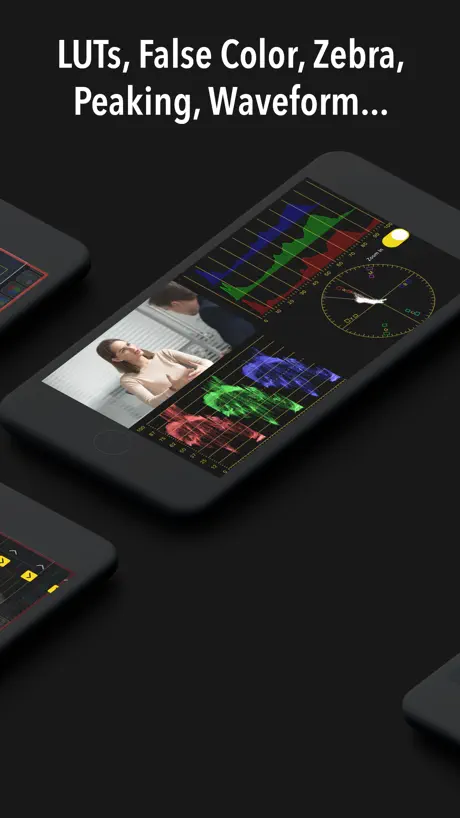
- Professional tools like false color
- Cheaper than buying a monitor
What they complain about
- Support never responds to emails
- Connectivity breaks after camera updates
- Wireless connection is very unreliable
- Focus peaking highlights blurry areas
Devs fixed my issues, Updated review!
Developers fixed connectivity issues I was experiencing with a7s3 and a7v on latest firmware (June 2026). Well done thank you for the continued application support 🙌
Not working
I all of a sudden can’t connect for over an hour this is a waste of time and doesn’t work
Good, but with one annoying flaw.
This app is really good. Basically no latency over USB, full camera control, just awesome stuff. There is one issue. For some reason, there is an arbitrary limit that the app cannot be used offline. I get it for wireless use, I imagine that needs WiFi. However, with USB, that’s a little silly. What’s worse is that I know it works over USB with no network access, because if I select the camera before the app realizes, then it loads in and shows the output perfectly fine. But then as soon as it realizes it forces the camera to disconnect and throws a hissy fit about it. Mildly annoying, wish it didn’t do that, otherwise great app.
DON’T BUY IT
I promises a lot of nice tricks, but after purchasing the tricks are all faulty and often times it would crash. I requesting a refund twice and they denied it; so apparently it seems that they know the app is faulty, but they’re hoping that they can still make money from a few persons who fell for the TikTok ads.
Keeps crashing
I would’ve gave it 5 stars if the app didn’t keep crashing
Great for Sony a7 III
This is the only app I use to monitor my self when filming. It works on my dummy old iPhone 7 that I use only for this app. It works offline and fantastic for the free features! I now install it on every device I have as it’s a must have tool for my camera.
Not a reliable option
When pressing the tracking it no longer allows you to target a certain part of the screen seems to only target the center. Ever since they made it this way, my tracking is not reliable anymore. It’s been a while now and no update has been done. So I would not recommend this anymore. Plus camera capture button on the iPad is extremely small making missing it while shooting extremely easy.
Just about perfect
This works amazing with my IPhone and a7iii. I just needed the SET-UP directions from a the app called.., “shutter - Sony remote camera app”. To get it to work via usb… because it won’t work via WiFi or Bluetooth at all…
Offline mode.
The app is great, especially if you use a wired connection. But if you're in a forest or underground where there is no internet connection, the app will constantly ask you to manage it. And if you don't check your premium subscription before a trip to an area with no reception, the Pro features probably won't work. 🥲
Bring back filters
The filters disappeared in the update. Now I can't upload only HEIF files; I have to upload them together with RAW, which takes much longer and takes up way more space. Please bring back the sorting filters.
need support for lumix too
gud but would have been the best
Doesn’t work
Sony A1, won’t connect. Don’t waste your time or money.
Great Monitor App
Such a great app filled with professional features. The focus pulled feature seems to not be working on the new iPhone 17 pro max, may need an update.
bien mais pas optimisé
L’application n’est pas du tout optimisée car elle ne prend absolument pas en compte la taille de notre écran. Ça ne donc pas finalement très intéressant pour un moniteur externe. Les outils à l’intérieur sont bien mais le manque d’optimisation fait que l’application n’est pas si utile que ça, je recommande si jamais, par contre l’optimisation effectuée. Ce serait d’ailleurs je pense l’application. Numéro 1 sur le marché actuellement. Si une mise à jour comme ça a été effectué.
Buggy, freezes, disconnects…but cheap
Using with Sony a6700. It’s better than creator app, but what isn’t? lol. It regularly gets stuck on a mode and won’t let me see the other tools. Randomly crashes and won’t reconnect. Dodgy all round. But it sure is cheaper than buying a monitor ect. So there’s that.
I love this app
I am a professional videographer and I use this app every time I’m on a shoot. Yes, I have to reconnect it somewhat frequently when I am using a wireless connection. But I’m not sure that’s the app’s fault, it could very well be the camera. But it’s still worth it with the amount of functionality I get out of it. I can control camera settings in a way I can’t with a regular monitor. This should be the new standard, and should eat the monitor business. We all have a smartphone already.
FX30 ver.6.00 issues
Please update for FX30 ver 6, I just purchased monitor+ pro for 18.99 and it gets stuck on establishing connection now. I want a refund.
Great, but with one exception!
This is a fantastic app . Works everytime with little to no lag! All the tools are here, Barr one! Audio monitoring! Please guys, unless I’m missing something, get an update to add audio monitoring and I will be over the moon. Thank you
A7CII updated, app stopped working
Worked fine before camera update. Now app is stuck on “pairing”
iPad Pro M4 cannot connect to A7M3 with USB-C
iPad Pro M4 cannot connect to A7M3, but iPhone can. Same setting and same cable
USB C Monitor
Only app I found reliably working as a USB-C remote control for my Sony A7C. All other apps seem to work with Bluetooth/Wifi only
Not support wired connection between A7M4 and iPhone16
Sony A7M4 with firmware version 5.00 cannot connect via a wired connection, but it works with the Creator's App. The phone is an iPhone 16.
iPhone 13 + Zve10
Infelizmente a zve10 diz que não reconhece o cabo, como corrigir isso?
Refused to connect after 3.0 Firmware update.
Updated my A7r5 firmware to 3.0, but the app refused to connect. The creator app is still working fine.
Good so far A7RV
The app is intuitive and works well. Would be 5 ⭐️'s if 1. It mirrored the horizontal and vertical level from the cams screen and 2. If it were priced a bit more appropriately. $10 yes , $18 meh. I purchased it for the novelty and I can see using it in some cases.
New update bug
So far I’ve been loving this app but the update 3 days ago has a bug where the colors aren’t matching the colors on the camera and there’s a big color shift. Almost like a big grey tint . I hope you guys can fix this soon because I don’t want to spend money on a new monitor
Crashes with my Sony A7CII
Appears to pair then asks to join camera WiFi and crashes immediately thereafter without explanation.
Mostly good
At the time of this writing, Monitor+ has a feature that was missing from Sony’s free Monitor and Control App: Stop-based false color, a useful way to view exposure. You can even use the “eye dropper tool” to select a point and see exactly how many stops over or under middle gray that point is. These are useful features. However, here is my feature wishlist for Monitor+. I wish Monitor+ would allow me to apply a false color or lut when reviewing already taken videos / photos. (Edit: workaround: When you push the “play” button on the camera, you can view taken photos/video with false color / lut because Monitor+ continues to apply the false color/lut to the input video signal which is the media you’re reviewing on camera.) I wish you could pinch to zoom on the preview image. I’d like to see the false color areas more clearly even if the resolution doesn’t change from the full screen image. - In photo mode, there is no way to “half press” the shutter button. You can long press the record button which performs the half press action (focus) but releasing the button always takes a picture which is not always what you want. It would be nice if you could assign a volume up or down button to mimic a half press. - Its not clear how well stop based false color works in photo mode. Is stop-based false color rec709 valid for the preview in photo mode? This may be a documentation issue. I thought touch to focus wasn’t working, but then I realized I needed to change a setting in the app. For many people, Sony’s free Monitor and Control app now has features that rival Monitor+, but Monitor+ still has some differentiating features like stop based false color.
Not connecting iphone15 pro
It’s not connecting to wired iphone15 pro Works on android but totally unstable Developers not giving a solid response
Great app live recording don’t work
Would give 5 stars if the live recording worked wirelessly
What Makes This Better-On Sony A7RV
First off the controls are all at your fingertips. Almost every item you would need is there. Second, customization on the backend for what you see on the monitor portion of the app. Lastly it simply works for my Sony A7RV. It connected right after starting the app. Not even the Sony app did that.
ZV-1 NOT supoorted
even though the description clearly states that Sony ZV-1's are compatible with this app. As soon as I connect, in caps it says NOT SUPPORTED. False advertising.
Wish list
I’m liking this app but if you added the ability to focus stack that would be a great addition to the app for those Sony users that don’t have it in camera
Fumbling a massive opportunity
*FX3 user* This app is so close to being a crucial tool for all filmmakers, and giving monitor companies a run for their money since we ALL have monitors (smartphones) in our pockets. Unfortunately, it is unreliable when trying to connect wirelessly. Especially when powering camera down, phone screen turning off, etc. if you need to quick re-connect for a fleeting moment, forget about it. You’re going to get frustrated and end up using the tiny flip on screen on camera. It’s also kind of laggy. When plugged in wirelessly, great functionality. Love all the monitoring tools it comes with. An extra star for the UI design. Also, I wish it remembered your camera. I was shooting in public and it kept trying to auto connect to some other random person’s A74 nearby. The app should let you favorite your camera, or give priority. Auto connect didn’t help one bit. Point is, these guys are missing a massive opportunity and sooner or later someone is going to come out with the end all external smartphone camera monitor app. Gonna try Sony’s that they just dropped. Hope it plays nicer and has a smoother end to end user experience than this.
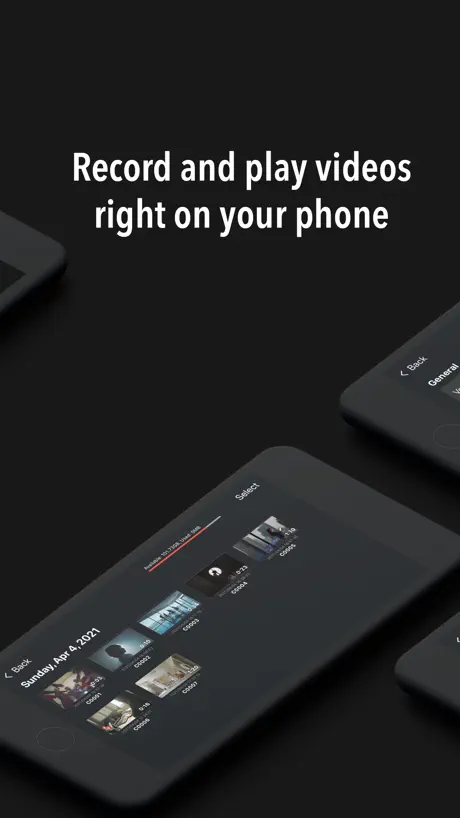
If only it could show playback photos and videos
The only downside for my work is this app could not show playback. An actual field monitor could do it. So not for me until it could.
Great App
I don’t come to the App Store to leave reviews but if I leave one, it’s a big big deal. This app is actually great. I don’t think I’ve ever even written a review before lol. At the time of writing this, I only tried to wired connection, but I wouldn’t even go for Wi-Fi since my Wi-Fi isn’t as strong and even if it was strong, I probably will still stick with wired to avoid any issues, this app is more than its price. I’m amazed not higher to be honest.
Has never worked on iOS 18
I purchased on two different phones and it only worked on my iOS 15 iPhone XS. Doesnt work on newer iphones.
A GEM of an app, only one request
This app is incredible. I’m already using the full paid version regularly. Great work to the developer. Got one big/issue. Another reviewer of this app also mentioned a feature not mirroring in video mode that does mirror in photo mode: Focus Magnifier. If the developer can get focus magnifier working in video mode, that would be so appreciated. Right now while filming on my Sony a6700, I need to look down at the tiny camera screen for checking focus with Focus Magnifier. I’d much prefer to be seeing that magnified focus mirrored in this app on my larger phone screen. Again, everything else feels so great. The app runs smooth everywhere else and I’m grateful for its existence.
Not ready for prime time
I really wanted to like this, and I will keep it loaded in case it straightens out. They need to fix their documentation, fix their connectivity issues, and run complete regression test to get rid of the bugs.
Focus Peaking is really rough
This app has a ton of great functionality but to be honest the only reason I got it over the free Sony monitoring app was to use focus peaking. I regret spending $20 on this app to get focus peaking as the focus peaking is really rough. Like things that are clearly blurred and out of focus will still show red lines if they are contrasty. I took a subject and changed the focus all over and they had very prominent peaking lines through the entire focus range of the lens. There needs to be a better implementation of focus peaking
Best app for Sony
I love this app for allowing me to record myself properly. It works great wirelessly and is perfect when plugged in. Do yourself a favor and buy it. You will not regret.
Why is not support USB streaming
I will pay for money
Great for wired connections
Up front this app provides great functionality. The ease of changing frame rates and having 180 shutter angle is chefs kiss. The only reason it’s not 5 stars, and maybe it should be, is that I still see room for improvement in some ui elements. Idk if it’s possible but if this app can also display audio levels it would be near perfect.
Doesn’t show exposure meter
It doesn’t show camera exposure meter
Missing 2 things ????
The app is great but it needs for the user to be able to see the photos on the screen when your scrolling threw the camera roll on the actual camera ! It also needs for the user to be able to see the photos pop up on the screen while your taking the photos just like tethering ! If you add these 2 features you would have a 5star product !
Great app
I’d like to see EL Zone added to the app.
No Email response/ No refund
I purchased pro version but it kept asking to purchase pro version after purchasing it. I didn’t get refund from apple store. I emailed to developer several times but I never got response from them. Just waisted $18.99 money. Do not purchase it.
amazing value, but ONE issue
monitor+ has brought tons of functionality to my smartphone at times when i dont want to carry around a full blown monitor on top of the hdmi cable, battery, etc, and it still offers just as much amount of value. maybe i just need a quick look at the scene on a slightly bigger screen, maybe i want to desqueeze my anamorphic lenses on a solo personal project, maybe im traveling and packing a monitor just isnt an option. this app does everything i need it to for my purposes EXCEPT one thing. i use the sony A7C II and like other newer models i can switch between photo, video, and slow motion video. when my camera is set to photo mode and i use the focus magnifier to check focus on my manual lenses the monitor also zooms in which is perfect; HOWEVER, in video mode the monitor+ app does NOT zoom with the focus mangifier, its a small gripe i have but a big one, it just slows down the process of me checking my focus while shooting video, if theres a workaround to this or this becomes fixed, i'd recommend the pro version of this app to every videographer i know. TL;DR: focus magnifier action does not work on monitor+ app when newer camera model is toggled to video mode
Still waiting for A7III compatibility
A great app, that lacks compatibility with one of the most widely used models. I would pay for premium in a heartbeat, as would many others, if this was fixed.
Decent app, terrible support
I use the Pro (i.e. paid) version of the app on an iPad mini 6 with a wired connection to my Sony FX30. It is a good app and has a much better user interface than the free “Monitor and Control” app that Sony offers. The biggest reason for me to use this app instead of the several cheap dedicated 5-7in hardware monitors sold in the market is the ability to control the camera (such as focus and iris) directly from the app instead of constantly jumping between the native camera screen and the monitor screen. Be aware though the controls don’t quite work if you close the FX30 native screen. This appears to be a Sony limitation because I noticed the same behavior even with the Sony-provided app. Anyway, the app works decent overall. There are quite a few UI quirks that can be fixed if the developer cares, but overall the UI is alright, efficient, and clear. But I noticed one big issue with the functionality. Using Zebra settings in the range mode with +/- 1 range, I am finding that the exposure levels measured by the app is very different from the levels reported by the Sony FX30 screen. It is off by about 5% around 50% range and a little less closer to 100%. I depend on false colors heavily to get my scenes exposed properly and an error of 10% is a bit too much to trust the app. Also, I have no idea why, but the app won’t let me set zebra levels below 50%. The camera’s native screen lets me go down as much as I want. Anyway, here’s my big problem. I have contacted the support email and contact form on their website for a total of five times. There has been absolutely no response. Not even an acknowledgement. The app is close to being an excellent alternative for dedicated hardware monitors and I’d love to see it get better. But if the developer is this unresponsive even for an almost $20 paid version, I wonder if we should bother with this app.
Monitor+ price by country
A one-time purchase costs $17.70 in Pakistan and $28.01 in Hungary — 1.6× more for the same thing. Below is the going rate for each plan in every country that sells it — the middle price of what the app charges there, in the country's own currency with the dollar equivalent beneath it.
| Country | One-time |
|---|---|
| Afghanistan | $18.99 |
| Albania | $22.99 |
| Algeria | $18.99 |
| Angola | $18.99 |
| Anguilla | $18.99 |
| Antigua And Barbuda | $18.99 |
| Argentina | $18.99 |
| Armenia | $22.99 |
| Australia | A$29.99$21.42 |
| Austria | €19.99$22.77 |
| Azerbaijan | $22.99 |
| Bahamas | $19.99 |
| Bahrain | $19.99 |
| Barbados | $22.99 |
| Belarus | $22.99 |
| Belgium | €19.99$22.77 |
| Belize | $18.99 |
| Benin | $22.99 |
| Bermuda | $18.99 |
| Bhutan | $18.99 |
| Bolivia | $18.99 |
| Bosnia & Herzegovina | €19.99$22.77 |
| Botswana | $18.99 |
| Brazil | R$119.90$23.10 |
| British Virgin Islands | $18.99 |
| Brunei Darussalam | $18.99 |
| Bulgaria | €19.99$22.77 |
| Burkina Faso | $18.99 |
| Cambodia | $19.99 |
| Cameroon | $22.99 |
| Canada | CA$24.99$17.72 |
| Cape Verde | $18.99 |
| Cayman Islands | $18.99 |
| Chad | $18.99 |
| Chile | CLP 19,990$20.77 |
| China | CN¥128.00$19.05 |
| Colombia | COP 89,900$26.96 |
| Congo | $22.99 |
| Congo, Democratic Republic | $18.99 |
| Costa Rica | $18.99 |
| Cote Divoire | $22.99 |
| Croatia | €19.99$22.77 |
| Cyprus | €19.99$22.77 |
| Czech Republic | CZK 499.00$23.32 |
| Denmark | DKK 179.00$27.29 |
| Dominica | $18.99 |
| Dominican Republic | $18.99 |
| Ecuador | $18.99 |
| Egypt | EGP 999.99$19.33 |
| El Salvador | $18.99 |
| Estonia | €19.99$22.77 |
| Fiji | $18.99 |
| Finland | €19.99$22.77 |
| France | €19.99$22.77 |
| Gabon | $18.99 |
| Gambia | $18.99 |
| Georgia | $22.99 |
| Germany | €19.99$22.77 |
| Ghana | $22.99 |
| Greece | €19.99$22.77 |
| Grenada | $18.99 |
| Guatemala | $18.99 |
| Guinea-bissau | $18.99 |
| Guyana | $18.99 |
| Honduras | $18.99 |
| Hong Kong | HK$148.00$18.88 |
| Hungary | HUF 8,990$28.01 |
| Iceland | $22.99 |
| India | ₹1,999.00$20.84 |
| Indonesia | IDR 399,000$22.26 |
| Iraq | $18.99 |
| Ireland | €19.99$22.77 |
| Israel | ₪59.90$19.64 |
| Italy | €19.99$22.77 |
| Jamaica | $18.99 |
| Japan | ¥3,000$19.05 |
| Jordan | $18.99 |
| Kazakhstan | KZT 9,990.00$22.57 |
| Kenya | $22.99 |
| Kosovo | €19.99$22.77 |
| Kuwait | $18.99 |
| Kyrgyzstan | $19.99 |
| Lao Peoples Democratic Republic | $19.99 |
| Latvia | €19.99$22.77 |
| Lebanon | $18.99 |
| Liberia | $18.99 |
| Libya | $18.99 |
| Lithuania | €19.99$22.77 |
| Luxembourg | €19.99$22.77 |
| Macao | $18.99 |
| Macedonia | $18.99 |
| Madagascar | $18.99 |
| Malawi | $18.99 |
| Malaysia | MYR 89.90$22.09 |
| Maldives | $18.99 |
| Mali | $18.99 |
| Malta | €19.99$22.77 |
| Mauritania | $18.99 |
| Mauritius | $22.99 |
| Mexico | MX$399.00$22.49 |
| Micronesia | $18.99 |
| Moldova | $22.99 |
| Mongolia | $18.99 |
| Montenegro | €17.99$20.49 |
| Montserrat | $18.99 |
| Morocco | $22.99 |
| Mozambique | $18.99 |
| Myanmar | $18.99 |
| Namibia | $18.99 |
| Nauru | $18.99 |
| Nepal | $22.99 |
| Netherlands | €19.99$22.77 |
| New Zealand | NZ$34.99$19.77 |
| Nicaragua | $18.99 |
| Niger | $18.99 |
| Nigeria | NGN 29,900.00$22.53 |
| Norway | NOK 249.00$26.18 |
| Oman | $18.99 |
| Pakistan | PKR 4,900$17.70 |
| Palau | $18.99 |
| Panama | $18.99 |
| Papua New Guinea | $18.99 |
| Paraguay | $18.99 |
| Peru | PEN 79.90$23.57 |
| Philippines | ₱1,190.00$19.06 |
| Poland | PLN 89.99$23.43 |
| Portugal | €19.99$22.77 |
| Qatar | QAR 69.99$19.23 |
| Romania | RON 99.99$21.60 |
| Russia | RUB 1,790.00$20.72 |
| Rwanda | $18.99 |
| Sao Tome & Principe | $18.99 |
| Saudi Arabia | SAR 79.99$21.33 |
| Senegal | $22.99 |
| Serbia | €19.99$22.77 |
| Seychelles | $18.99 |
| Sierra Leone | $18.99 |
| Singapore | SGD 29.98$23.61 |
| Slovakia | €19.99$22.77 |
| Slovenia | €19.99$22.77 |
| Solomon Islands | $18.99 |
| South Africa | ZAR 399.99$24.51 |
| South Korea | ₩33,000$24.34 |
| Spain | €19.99$22.77 |
| Sri Lanka | $18.99 |
| St. Kitts and Nevis | $18.99 |
| St. Lucia | $18.99 |
| St. Vincent & The Grenadines | $18.99 |
| Suriname | $19.99 |
| Swaziland | $18.99 |
| Sweden | SEK 249.00$25.10 |
| Switzerland | CHF 18.00$21.71 |
| Taiwan | NT$590.00$18.57 |
| Tajikistan | $19.99 |
| Tanzania | TZS 49,900.00$18.78 |
| Thailand | THB 699.00$21.08 |
| Tonga | $18.99 |
| Trinidad and Tobago | $18.99 |
| Tunisia | $18.99 |
| Turkey | TRY 999.99$20.43 |
| Turkmenistan | $18.99 |
| Turks and Caicos | $18.99 |
| Uganda | $22.99 |
| Ukraine | $22.99 |
| United Arab Emirates | AED 69.99$19.07 |
| United Kingdom | £19.99$26.44 |
| United States | $18.99 |
| Uruguay | $18.99 |
| Uzbekistan | $19.99 |
| Vanuatu | $18.99 |
| Venezuela | $18.99 |
| Vietnam | ₫599,000$23.09 |
| Yemen | $18.99 |
| Zambia | $22.99 |
| Zimbabwe | $22.99 |
Monitor+ FAQ
- Is Monitor+ free?
- Yes. The app and its basic features are free, in all 175 countries it sells in. Premium features are paid: they start from $18.99 (US), across 1 one-time purchase.
- Does Monitor+ have a free trial?
- No. None of its offers (US) come with a free trial.
- Where is Monitor+ cheapest?
- A one-time purchase costs PKR 4,900 (≈$17.70) in Pakistan and HUF 8,990 (≈$28.01) in Hungary, its cheapest and dearest countries.
- What are the best alternatives to Monitor+?
- Sony | Imaging Edge Mobile (1.9 from 40,282 reviews), DJI Ronin (4.7 from 33,662 reviews) and Alpha Linker - Camera Transfer (4.5 from 22,091 reviews, premium from $9.99).
Monitor+ download
Last updated 1 month ago.
Monitor+ sells in 175 countries. It was released 5 years and 6 months ago, on 7 Apr 2021. It holds a 3.5 rating from 2,071 reviews.
Supports 12 languages: English, French, German, Hindi, Indonesian, Japanese, Korean, Portuguese, Russian, Chinese, Spanish, Vietnamese.
How much does Monitor+ make?
Third-party estimates for the last 30 days, worldwide — not the store's own figures, which Apple publishes for nobody.
Revenue by plan
- One-time 100%
Revenue by country
- United States 24%
- China 14%
- Germany 8%
- Russia 6%