
Joplin
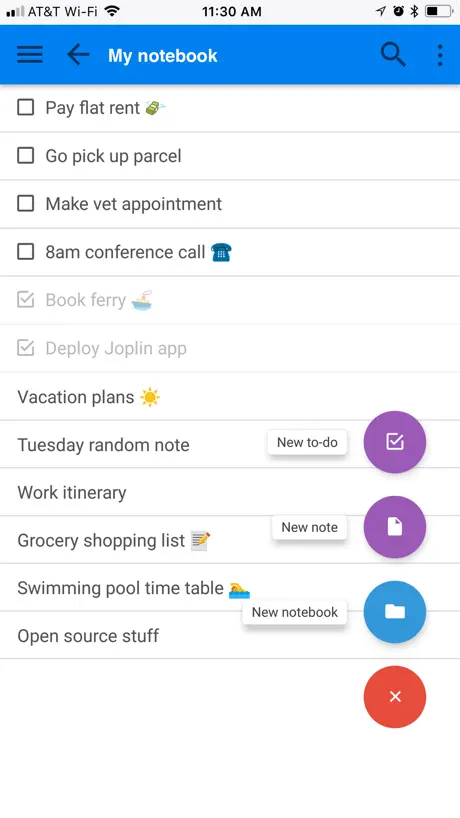
Note taking and to-do app
How much does Joplin cost?
Prices are current as of 6 Nov 2026.
Joplin has no in-app products on record in the United States.
10+ alternatives to Joplin
| Joplin | 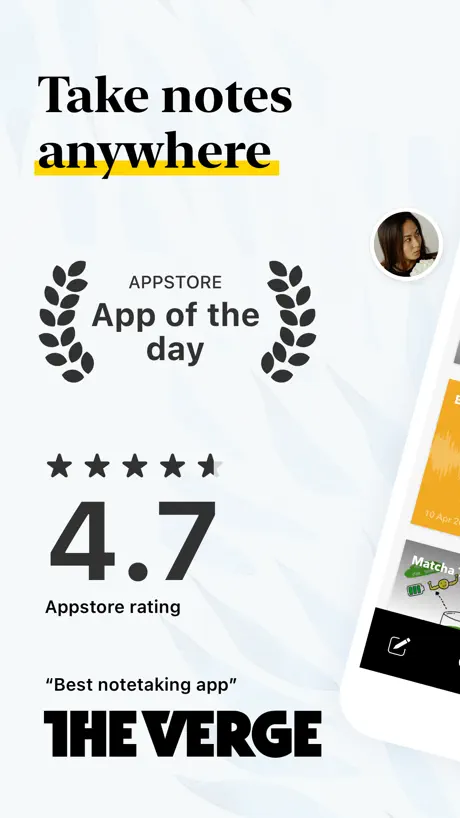  Notebook – AI Notes, Notepad | 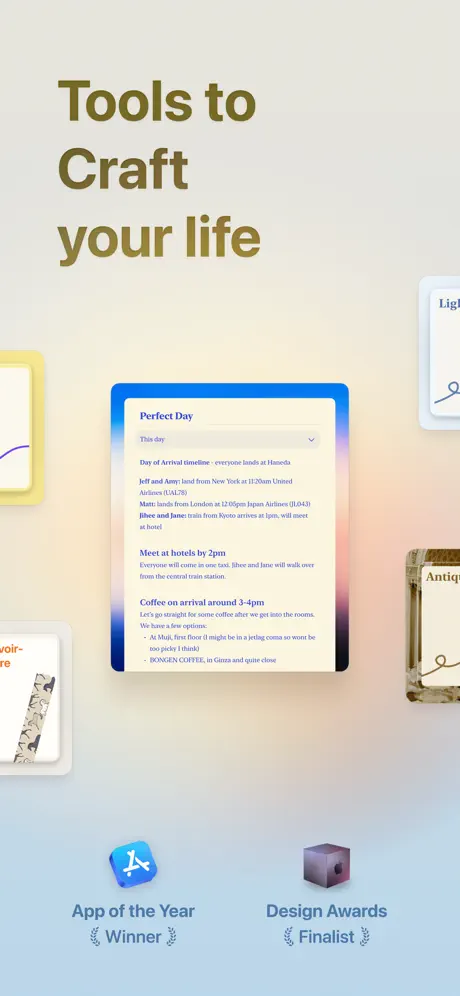  Craft: Notes, Documents, AI |   Proton Pass - Password Manager |   Ulysses: Writing App |   NotePlan - To-Do List & Notes |   Notesnook: Private notepad |   Superlist: To Do List & Notes |   Proton Authenticator & 2FA |   AFFiNE: Notes, Whiteboard AI |   Saber: Handwritten Notes | |
|---|---|---|---|---|---|---|---|---|---|---|---|
| Rating / 5 | 4.4 | 4.7 | 4.8 | 4.8 | 4.5 | 4.7 | 4.7 | 4.5 | 4.5 | 3.8 | 4.1 |
| Reviews | 2.4K | 89K | 32K | 25K | 5.9K | 3.5K | 2.1K | 1.9K | 1.8K | 216 | 131 |
| Released | 2017 | 2016 | 2020 | 2023 | 2017 | 2020 | 2021 | 2023 | 2025 | 2025 | 2023 |
| Monthly price | — | $3.99 | $17.99 | — | $5.99 | $11.99 | $4.49 | $10.00 | — | $7.99 | — |
| Annual price | — | $24.99 | $99.99 | $35.90 | $39.99 | $99.99 | $49.99 | $59.00 | — | $81.00 | — |
The going rate for each plan in United States, in its own currency, shaded from the cheapest price on the row to the dearest. Plans fewer than four in ten of the priced apps sell are left out.
Joplin reviews
4.4 out of 5, based on 2,398 reviews.
What people like
- Totally free with no ads or subscriptions
- Great for organizing thoughts with Markdown
- Keeps your data private and local
- Works well across Windows, Mac, and Linux
What they complain about
- Sync fails or destroys notes on iOS
- App crashes constantly in edit mode
- Interface looks old and clunky
- Mobile app lacks many desktop features
It seems to have a problem with saving new notebooks.
It seems to have a problem with saving new notebooks.
Can’t edit tables in markdown
I don’t know what happened but suddenly tables show up as tables even in edit mode. I can’t simply copy or paste a row as text. I can’t delete rows either. Only add them. It’s become a bit of a nightmare as I use tables a lot but i don’t like forcing a markdown renderer while in edit mode.
The Best… But this UI? C’mon
Still the best if it’s kind, but the UI is dated and clunky with a fair amount learning curve. I’d happily pay $$ one time to incent updating the interface. Still, there is no substitute! The best of its kind. Yes, it’s not as pretty and fancy as others, but features, usability, simplicity, equal online & app capabilities, and security is without peer. Developers… I’m happy to pay for updated interface, OCR and apple pen use. Thank you for existing!
Has potential…
But the non-working sync and clunky interface are killing it for me. The app indicates that my sync settings are correct, but it will not sync to the server. My Linux app has several notes I created there, I also created several on this app, and neither app is getting the other’s notes when running a sync.
Gute App mit abstürzen
Eine gute App, aber leider friert sie öfters ein und man nichts mehr anderes machen, als neustarten. Echt nervig Dringender Nachbesserungsbedarf!!!
Smooth, works well
Works perfectly, currently using S3 sync with E2EE. Just wish more plugins were allowed on iOS besides only the recommended ones. Hope it stays updated and maintained. Might even be willing to buy it if it was a one time paid app to support development better.
Horrible app, looks and feels terrible
Outdated UI, the notes only show titles you need to click on them for summary and the extensions allowing this don't support ios. Every other note taking app I use including native shows some of your note below the title. This should be a customizable aspect. Only people getting use out of this started elsewhere and just use the iphone app to supplement their use rather than having it be their main device.
OneNote Alternative
I really enjoy the app. I desperately want to place tables at the same latitude and place images inside table cells without plug-ins.
Painful to editing extremely long texts.
Whether on Android or iphone.
Nice
In desperate need of ui refreshment but all in all it’s good
Has become my “Go-To” app!
Joplin has become my “Go-To” writing, thought organizing, remembering, calculating, fact collecting, et cetera, app. With, at least, a couple of dozen plugins (the Tabs one doesn’t work only showing contents of the last tab) available expanding Joplin’s (Makes me remember Scott Joplin, but I have a music background) abilities. I keep discovering cool features and configurabilities. Drawing and Markdown coding even. Pinch/Zoom for font ‘Display’ size adjustment (but with configurable default Display font size), separate from text editing text size. :-) Write protection, but with block/copy, and an Edit button! YES! With only six plugins installed, the ‘total’ configurability is almost mind boggling, yet it is all logically arranged and simple navigation. And I just discovered it’s map feature, ‘Show on map’ with exact building location and street number addresses! And the app is SMALL! Not in Apple basic (snark) and 300 MB or bigger in size. It’s earned it’s place on my iPhone’s easy access bar. Over the decades I have collected four types of apps, almost fetishly; calculator apps, weather apps, music synthesizers apps and text/note editor/organizers apps. Joplin has gone to the top of it’s category. And it’s Free! No subscriptions/rental nonsense and NO ADS! So DONATE $ to support Joplin (Scott would like it.)
Don’t Upgrade your Phone
I recently upgraded my iPhone 13 to the 17. Unlike all my other apps, Joplin did not save absolutely anything. I lost years of valuable notes that I cannot get back.
Best markdown editor on iOS
Joplin makes a fine markdown file repository. It supports all of the basic markdown (lists, links, images, bold/italics, etc.) as well as extended markdown (e.g.,tables). On Windows Joplin can export the markdown to PDF and HTML (as well as others). It would be great if Joplin on iOS could do that.
Cannot create new notebook on ipad
I had high hopes for this app to replace evernote but at least on an ipad it is restricted in what it can do.
Pc & Mac ver is amazing! iOS? Not so much…
My main issue is drop box not being compatible at all for IOS devices. Considering that the computer actually allow that.
So far so good
For starters, I self host a Joplin server on my home lab. This Notes app has been exactly what I was looking for and all the issues I’ve had with it have been resolved and entirely due to my own errors and learning journey. If I was to start my homelab journey from scratch, I would begin with Joplin notes.
Overcomplicated, brain damaging garbage!
DELETED!
希望添加网页版
希望网页版也能访问,笔记
Keeps wiping my sync config
Dated UI aside, the most annoying thing that’s making me start searching for a replacement is the fact that the iOS app keeps wiping my sync config. I don’t know if it’s tied to when the app updates, but I’ve had to reconfigure everything and resync more times than I should’ve. It’s happened at least once with the desktop app, but I can deal with that. What I can’t deal with it happening more than twice. I sync to S3.
Great until it isn’t
Things started off amazingly, but now I have over a gig in notes just with text alone. Switching phones and exporting importing and syncing has been very time and battery consuming. Wildly inefficient.
挺好的我喜欢
挺好
IOS is not for Joplin
All of my Windows PCs and Notebooks and all my Android Smartphones can sync with my own WebDAV Server, just not Joplin on IOS. Technically that can be very likely an Apple BS kind of thing restricting network traffic however they feel braking things that work in the rest of the world, but switching from always working OneNote to Joplin to escape Microsoft just is a big hassle. Why the heck does IOS not let me connect to my WebDav server over Tailscale, or better, why could I make it work for a while, then entering info in new Joplin notes on the iPad just not being able to sync them anymore, on other words losing information. Thank you Apple and Joplin devs!
Missing Feature
The iOS app is awesome, but I think the one missing feature is that you can’t open and edit a pdf on mobile, the same way you can on the desktop app. If you edit a pdf on mobile, you have to save changes locally, and it won’t synchronize with your Joplin account. I wish you could do that.
Screen clutter…
No option to remove banner above keys and remove the headline banner which is always present when writing and no option to remove “Welcome!” banner at the top of a document, so the window for writing is too small when using smaller iPhones.
It has potential
This is exactly the sort of journal/notes app I’m looking for, and the ability to host my notebooks on my NAS for syncing between devices is absolutely perfect for someone who doesn’t want to pay some company a monthly fee to scrape my cloud-hosted journal entries to train their AI. Unfortunately there are some major limitations — lack of text customization for the editor view, inability to manually reorder the notebook sections, seemingly unresolvable syncing conflicts when using multiple devices, reliance on plugins for things that should be core features (like “journal” mode), and no app settings sync between devices. It’s open-source, so I’m willing to give a lot of leeway, but I can’t make the switch until some of these things are further along.
Open source
Great app works amazing
“Change log” 🧐
Please consider including and codifying change log and significant update notes directly in the App Store listing as opposed to sending users to a 3rd party web page.
I nerd out about this app!
This app is amazing! I’ve been using on my laptop/desktop recently and it has been crazy helpful. The formatting is so straightforward, it makes your notes look nice and professional, and it’s easy to use with little to no confusion. I have the ‘Notes’ app but it is not nearly as efficient or straightforward as this app. Genuinely amazing, my only complaint would be that you can’t underline (unless I am missing how to do it), I commonly use underlining in taking notes and seeing that is not an option makes me disappointed. Please fix this, great app! Really appreciate the thought and simplicity into this app, thanks! - CanadianNarwhal
Crashed and Burned
I really wanted to like this application because it worked across multiple platforms (iOS and Windows). The Apps were easy to operate and synchronize at the beginning of my usage. However, after about a week, the Windows app encountered a syncing issue and destroyed many of my notes. I tried to reinstall the app but kept getting error messages. I was only able to retrieve some of the notes I had saved on my iOS device but the majority of my notes were lost forever. I truly wish this app would have worked for me because I like the functionality of working across multiple platforms. Hopefully, the developer will be able to fix this glitch for future users of the platform.
Definitely not on par with the desktop app
Generated notes don’t look the same as they do on desktop. If you use plugins or custom css, you won’t see those features here, this means not being able to do things like resize for larger text if you’re using it for speaking notes or things like that.
Very good !
Thank you !
Al
With new versions iphone, mac copy/paste works diff not properly fix it please, hire some tester or you want me to test for you?
add the ability to share notes on the web to the iOS app.
I like the ability to use Notebooks to separate notes into categories and the ability to use Mark Down. I can see using Joplin for more than just notes. I could see using it to create documents to share with people. I like the ability to create shareable links to documents. I wish I could create these shareable links using the iOS app instead of needing to use the Deskktop app. If I could do that,, I would rate this app as 5 stars instead of 4.
No sync
I really wanted to find a replacement for Apple Notes, that will work multi platform. This isn’t it. It cannot sync with iCloud. On the desktop versions, you can set a folder location, so I did, but then, on the iPhone, there’s no such option, so no way to sync.
The only option
If you care about the privacy of your notes, have many different OS and want a workable interface... this is it !
Please add outline format & ability to fold bullets
Similar to Logseq and Obsidian. That is the one feature missing in Joplin. I prefer Joplin to the other apps. Thanks!
Turn off two factor authentication
You will need to turn off two factor authentication in order to synchronize with One Drive as it will not work otherwise. This will remain at one star until they fix this.
Great app, excellent idea, bugs and missing features
I decide to switch to Joplin and truly get to use this app. I’ll keep adding bugs I find here as I go. So far: - interface needs some adjustment for iphone: the panel with notebooks could be wider; the sync panel needs to be smaller to let more motebooks be visible - highlighting doesn’t work for multiple paragraphs at once - does not support formatted copied text (renders it all plain in the note)
To be fair, beta sync option
I cannot for the life of me get the iOS app to sync with the self hosted Joplin container, thru a reverse proxy. Windows and mac clients work fine but not iOS… /api/sessions error 400
Syncing Issues
I really like this app but I’ve become very frustrated with syncing issues. I don’t have that many notes and my phone is now taking 10+ minutes to sync over 10,000 items when I used the app fairly recently. The sync should be almost instantaneous as nothing has really changed. I assume this is some bug around OneDrive or something but it’s very annoying. Just wanted to add some todo items and ended up waiting for things to sync and they never did.
Self host your data!
Great replacement of google keep and apple notes. Everything is stored locally.
A hot mess (at least for me)
I have tried for 3 days now to set up Joplin on my MacBook Pro and my iPhone. I must have done something wrong..... The test notes I entered on the MBP are fine, but when encryption is enabled and the keys are entered (some significant confusion because they seem to be referred to as keys in some places and master password in others.) They will not be de-crypted but cannot be deleted and an orange banner will forever appear saying that there are items that cannot be de-crypted. Then it will sync and these will be posted back to the MBP as un de-cryptable notes that also cannot be deleted. Thought Joplin might be a great solution for me, but I have never had such problems with any other app, nor with pencil and paper. There seem to be lots of other problems discussed in the blog, including data loss. In my opinion Joplin is a great idea not yet ready for Prime Time. I can't afford to trust it as my digital hub.
Needs Apple Pencil support
I get it’s open-source, but Apple Pencil support would be very much appreciated.
Functionality Inconsistent
There is a lot that could be said here, so I'll keep it to the most important: The app has not been consistent in its functionality on iOS, namely in regards to its ability to sync with a remote source. I would not have started using Joplin if I knew this would happen. Your mileage may vary.
Needs share destination
This app would be a lot more usable if you could paste notes to it as a sharing destination. Other note apps such as Simplenote support this. Plain text files can’t be opened in this app under the Files app either. If you want to bring content into this app, you have to copy and paste manually.
Phenomenal past the learning curve
Sync is generally fast but if you don’t time it correctly you can come across conflicts when syncing multiple devices. Markdown can get confused and repeat for every line even when you toggle it off. These are the only issues I’ve ever had otherwise this app is phenomenal and comes with an amazing privacy benefit. Probably my most used app.
Crashes and buggy
I hope the devs are using and experiencing how awful this app is at the moment. Crashes on me after about 15 seconds after I go into edit mode on any of my notes
Good app but small font
Nice, open source but please add font size option it’s too small right now
Unable to attach photos
When I click on the Attach Photo button, nothing happened…
Functional, but ugly
It’s rough around the edges and the typeface and typography used throughout the app is hideous, but it seems technically competent and has a community so possible Evernote replacement for some people. Wish they would look at NValt on OS X to take some UI cues.
Joplin FAQ
- Is Joplin free?
- Yes. The app is free, in all 175 countries it sells in, and it sells nothing inside it.
- Does Joplin have a free trial?
- No. None of its offers (US) come with a free trial.
- What are the best alternatives to Joplin?
- Notebook – AI Notes, Notepad (4.7 from 88,788 reviews, premium from $2.49), Craft: Notes, Documents, AI (4.8 from 32,067 reviews, premium from $9.99) and Proton Pass - Password Manager (4.8 from 24,726 reviews, premium from $35.90).
Joplin download
Last updated 1 month ago.
Joplin sells in 175 countries. It was released 9 years ago, on 21 Nov 2017. It holds a 4.4 rating from 2,398 reviews.
Supports 1 language: English.
How much does Joplin make?
Third-party estimates for the last 30 days, worldwide — not the store's own figures, which Apple publishes for nobody.