
Manga Viewer - CBZ(CBR) Reader
All Manga & Comic Files Reader

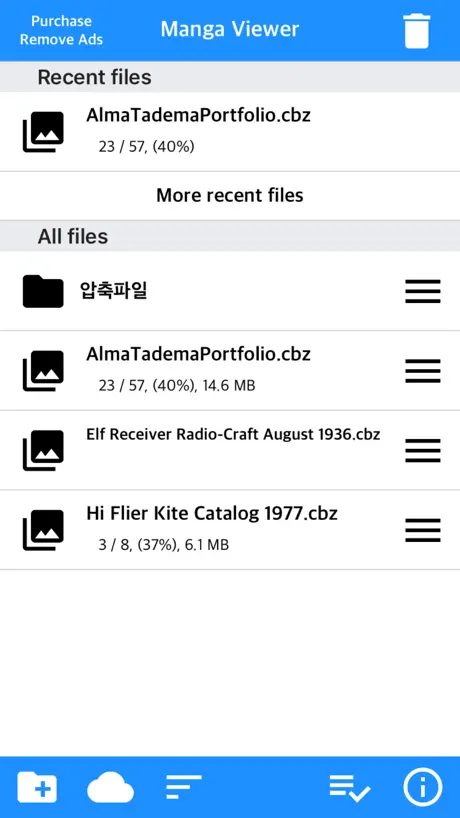

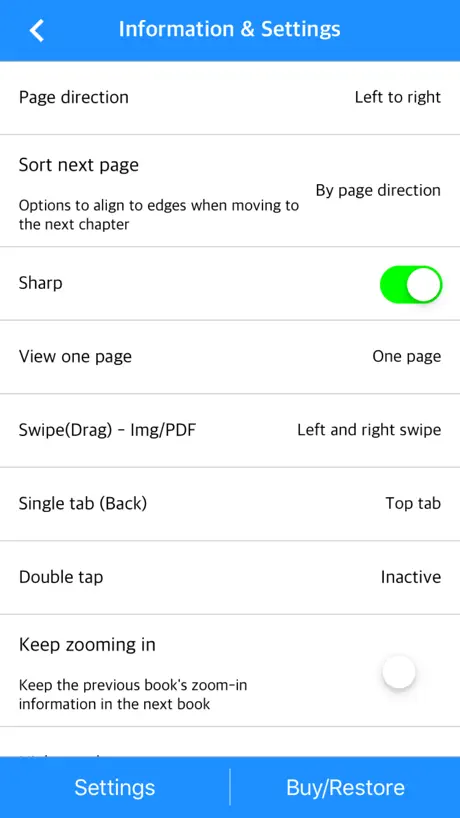
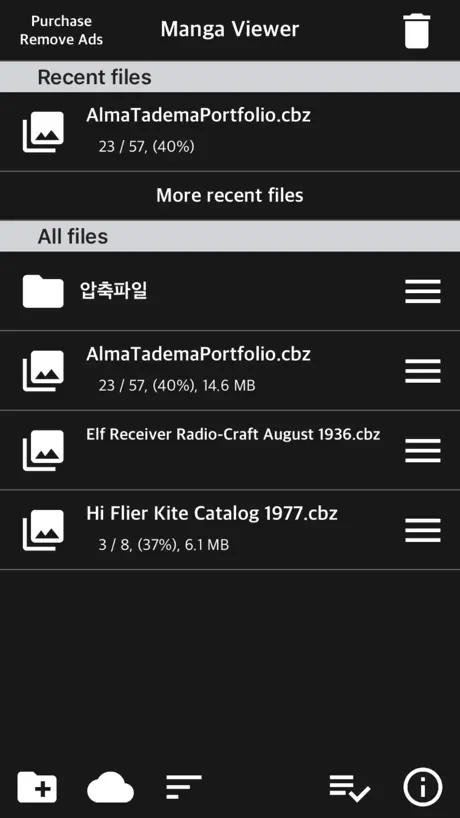
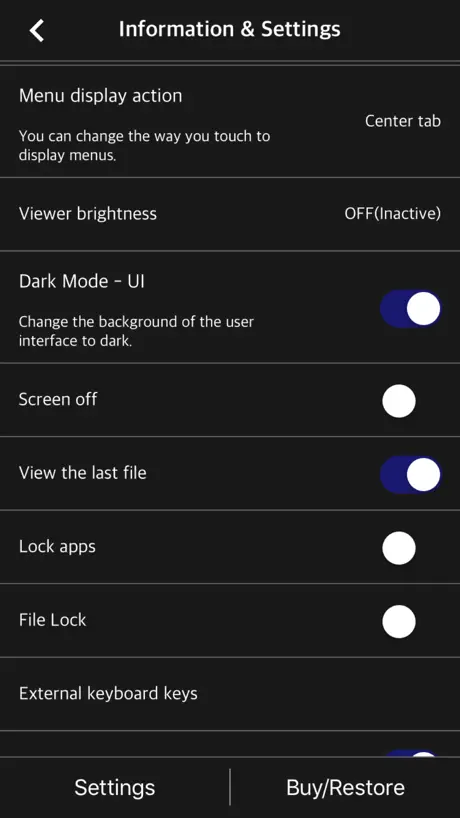
How much does Manga Viewer - CBZ(CBR) Reader cost?
Prices are current as of 30 Sept 2026.
5 one-time purchases from $0.99
In the United States, Manga Viewer - CBZ(CBR) Reader has 5 one-time purchases priced $0.99 – 7.99.
| Product | Price |
|---|---|
| Sponsor 1 | $0.99 |
| Remove app ads | $1.99 |
| Sponsor 2 | $1.99 |
| Sponsor 3 | $3.99 |
| Sponsor 4 | $7.99 |
See what Manga Viewer - CBZ(CBR) Reader costs in all 173 countries →
10+ alternatives to Manga Viewer - CBZ(CBR) Reader
| Manga Viewer - CBZ(CBR) Reader |   Epub Reader -read epub,chm,txt Epub Reader -read epub,chm,txt |   PocketBook Reader PocketBook Reader |   Panels - Comic Reader Panels - Comic Reader |   Yomu EBook Reader Yomu EBook Reader |   KedaReader KedaReader |   TecViewer - Text Viewer TecViewer - Text Viewer |   Smart Comic Reader Smart Comic Reader |   ReadMe - Novel & Comic Reader ReadMe - Novel & Comic Reader | 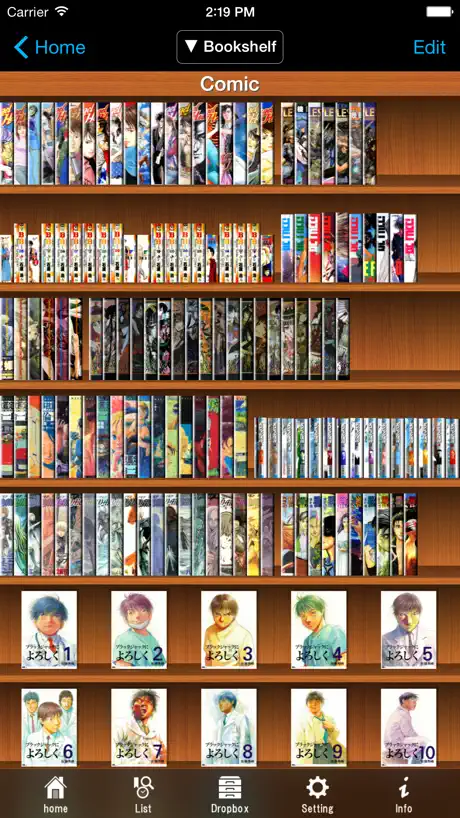  SideBooks SideBooks |   ComicGlass ComicGlass | |
|---|---|---|---|---|---|---|---|---|---|---|---|
| Rating / 5 | 4.7 | 4.6 | 4.5 | 4.8 | 4.7 | 4.6 | 4.7 | 4.9 | 4.6 | 3.9 | 3.8 |
| Reviews | 4.4K | 120K | 85K | 44K | 6.3K | 3K | 2.4K | 2.3K | 1.9K | 1.8K | 1.4K |
| Released | 2017 | 2017 | 2014 | 2017 | 2013 | 2021 | 2020 | 2020 | 2018 | 2010 | 2010 |
| One-time price | $1.99 | $0.99 | $3.99 | $19.99 | $7.99 | $3.99 | $1.99 | — | $3.99 | $0.99 | — |
The going rate for each plan in United States, in its own currency, shaded from the cheapest price on the row to the dearest. Plans fewer than four in ten of the priced apps sell are left out.
Manga Viewer - CBZ(CBR) Reader reviews
4.7 out of 5, based on 4,421 reviews.
What people like
- One-time fee removes ads forever
- Simple and easy to use interface
- Lots of customization options available
What they complain about
- Ads block the bottom of the screen
- App crashes or freezes on launch
- Reading direction settings do not save
Wonderful app for comic reading offline
Wonderful app for comic reading offline ‘ v’)b Download multiple file in the same time. Simple and easy to set up and read. Fast and light. Free with ad. Or $1 for happy forever. Read almost comic file, but not mobi.
検索機能がイライラする
検索する時に1文字目から勝手に検索を開始するから目的の文字を入力するまでにかなりの時間が必要
真ん中の白い線が…
以前はそんなことなかったんですが、黒の画面2Pで表示した時、真ん中に白い線が入るようになって気になります。元に戻すか、選択できるようにしてください。
広告はある
無料版は
iPhone7で起動しなくなった
ずっと使えてたのに急に使えなくなってしまいました。残念です。
it has ads, but the premium price is palatable!
-this is perfect to have a digital backlog of your library [ifykyk] -good customizable settings like dark mode, scroll, swipe, etc this has been my definitive way of reading comics and manga
フリーズするように
ios18.5にしたらzipファイルを閲覧したり、何を選択するかスクロールするとフリーズするようになりました。残念です!前までは⭐︎5でした
Great app but double-spread functionality is wonky when transitioning from single-page view.
When going from single-page view to double-page view, the reader loses track of your place and displays based on the % of reading progression.
Quảng cáo
Xem truyện phải xem luôn quảng cáo chiếm diện tích màn hình. Chán thật
非常に使いやすいアプリです、が
1.左右スワイプでのディレクトリ移動(又はディレクトリ移動後と情報&設定画面の<ボタン位置を画面下側の左端に変更) 2.画面の向き変更のボタン追加 3.各圧縮ファイル毎に縦横の余白増減設定 これらが出来ればほぼ完璧だと思います。 中でも特に1は片手操作に多大な影響があるため重要だと思います。 また各ファイル毎にキャッシュ削除した場合はファイルのサムネイルが残っているのに、設定から全ファイルのキャッシュを削除した場合はサムネイルが消えているのが気持ち悪いと感じます。 以上の点から評価を★3とさせていただきます。 2026/02/25追記 アプリ内でファイルを削除(アプリ内ゴミ箱へ移動)後に設定から全ファイルのキャッシュを削除するとアプリ内ゴミ箱が空になる、という不具合と思われる挙動を確認しました。
Best manga viewer app.
Honestly when I used other manga reader apps or whatever they where kinda of complicated and very weird, however this one is very simple and easy to use, and I love the fact that you can have even more features for just a dollar, you don’t even have to do that annoying subscription thing you can just pay once and that’s it, I love that a lot, I highly recommend this app!!!!
Outputs low quality
No option to output original quality. Looks awful
epubには対応していない
広告非表示課金も安くてGood 課金しなくても使いやすい epubにも対応してくれたら☆5
OneDriveに繋げない
OneDriveに格納されているファイルを読もうとして接続の操作をしても「ページを開けません。アドレスが無効です」とメッセージが出て接続できない。早急に修正お願いします。
The app is great but
I love the app but there’s no way to navigate back to the file screen while in the manga. I have to close the entire application and reopen to get back to the home page.
love it
p:))
使いづらい
使い方がよくわからないのがいけないのですが… NASにある画像を直接閲覧したいだけなのです。NASへのアクセスはできました。なので画像ファイル名の一覧も表示できました。なら普通はそのファイル名をタップすれば画像が表示すると思うじゃないですか?でもなぜかダウンロード完了と表示。いやいや単純に表示だけしてくれれば良いんだけど…。何百もの画像をいちいち端末にダウンロードするの?! 私が思い描いている使い方はできないのかなぁ…。 がっかりしました。
Great
But how do you turn on night mode ?
Inept CBR/CBZ reader
Doesn’t allow for you to import from Files, nor does it even let you move around files in the app itself. Would not recommend.
ファイル名文字数多いとフォントサイズ縮小され見ずらい
フォルダやファイル一覧表示する際、ファイル名文字数に比例してフォントが小さくなるが、ちょっと長めのファイル名だとほぼ読めないレベルに小さくなりとても不便。 文字サイズは変えずにスクロールさせるなど改善を望みます。
감사합니다!
이런 앱을 오랫동안 찾고 있습니다. 많이 좋아합니다.
外部 Wi-Fi経由でのquickconnect接続は不可
外出先でマンガを見たいなと思っている中 こちらのアプリを発見、さらにsynologyの quickconnectに対応しているので、わざわざsynologyNASを購入。 4G、5Gであればアクセス可能だが、synologyNASと同じWi-Fi以外のWi-Fiでの接続は不可。 最も使うパターンである、実家や友人宅のWi-Fiでのアクセスが出来ないので、意味がない。 アプリ製作者へ連絡してアップデートしてもらったが、それでも改善されてない。 その旨伝えると連絡が返ってこなくなった。 NASを買い替えたので、かなりの無駄な出費になってしまった。 非常に残念。 synologyの場合、外部Wi-Fiでのアクセスはできないので、皆さん注意してください。 あと、紛らわしいので、quickconnectで接続する場合、外部Wi-Fiでの接続は不可ということを記載してほしいです。
Excellent app, Just Needs 1 Thing
Like my title implies, I am very satisfied. I would like it if the cover for the comic could be shown in a large image and not just as a small icon. Otherwise, excellent work.
左ページから始めて欲しい
その一点
起動できなくなった
再インストールしてもアプリが起動しなくなった。 アプリが即落ちる。
Almost Perfect
This is one of the better zip/pdf viewers on the market. If a bit more work was put into the UI it would be perfect.
バグ?
最近漫画を開いてもすぐに落ちます
Best Manga Reading App
Update: App is still great but I am a little suspicious as to why the app contacts a lot of outside domains. If you have app privacy report enabled you can see what I’m referring to. This app has a bunch of features and iCloud syncing which is amazing as you’re able to seamlessly read between different devices. One of my favorite features is image fill for portrait mode. My only small complaint is that whenever I’m not connected to internet/celluar, it takes a while for the manga to show up as it’ll be stuck on “this file is organizing please wait” (very minor not a big deal).
Truffé de pub
Impossible d’y échapper et mieux en mode paysage elle passe devant la bd ! Je vous laisse chercher sur store il en existe plein d’autres plus respectueuses des utilisateurs !
Could be great but not usable for me
Good features but there is an ad banner at the bottom that breaks the reading immersion and makes the app unusable very unfortunate.
Best viewer hands down
Please add an option to reverse the progress bar or hide it altogether
設定がリセットされる
使いやすいのですが、設定の「ページの向き」を「右から左」にしても、別のフォルダを開いたりアプリを開き直したりすると「左から右」に戻されてしまい、毎回設定し直すのが非常に面倒くさいです。 設定が保存されるようにしてもらいたいです。
love the app but can be better
I think this is one of the best zip file viewer for ios. I really love the app, but there’s one thing I’d like to see the improvement. when in "vertical mode (webtoon mode)", I wish I can see the image in actual size or in smaller size for ipad. if the image size small for ipad resolution, it’s very blurry and pixelated . so I want to see it in a smaller image, but there is no option for that. I wish I can reduce the image size when it’s in vertical mode. Thanks developer, and I’m looking forward to seeing the improvements near future.
iCloudとの相性がいい
日本語が変で使いづらかったりしますが iCloudにあるファイルに直接アクセス出来るので重宝してます
Great app. Small request…
This app is great and has a lot of customization options. However, when I’m in the “Files” tab, I wish that i can have the option to decide either to view my manga/comics in grid view or list view (both with file name and progress status).
いらん
要らんわ
Great functionality, decent UI
Only thing missing is inability to transfer settings and manga icons to a new phone
Does not work at all
Tried multiple cbr and cbz files that have worked on every other app that I have tested so far. But when I try to open it here a notification comes up saying ‘Extracting Please Wait’ but nothing ever happens. Developer was kind enough to provide feedback. Still no luck on my end but i appreciate the support. If I get it to work I’ll test and re rate.
works great and great price
it's $1 to unlock no ads compared to other apps hella settings and good ui this is worth the download to try out also hey pay for apps and support devs
smb is broken
totally useless to me
This is a great app, especially since it’s free
The ads aren’t that invasive, but I enjoy the application without ads at so I paid the buck. This application has a lot of features for a free manga reader and that’s amazing. The only nitpick I have right now is that the first file you load makes every other file have the same thumbnail. Would be great if that was fixed so that each file had its own unique thumbnail.
Odd behavior
I paid to get rid of the ads since it seemed to be working great. Then, when reading manga from right to left, tapping on the screen on the left side would make it go back a page, like it’s reading it left to right. Right to left will work for a while and then it won’t so it’s frustrating. Is there a setting to fix this some how?
It’s amazing
Very much worth the $1 for no ads, I find my hand slips and touched the 1 small out of the way add box often. The ads were not flashy or distracting in any way. So much customization in layout and navigation I’m sure anyone could get exactly what they want from this app. I would highly recommend downloading. 10/10 no problems.
After 15min, has not finished extracting files
Can’t open files, stuck at « extracting » Brick program
자잘한 기능 추가 부탁드립니다
Ftp 전송시 폴더 다운로드 기능이 지원 되었으면 합니다
Issues with folder
Say there is a folder inside of the zip it will only display the folder and not the other files that are in there
Manga Viewer - CBZ(CBR) Reader price by country
A one-time purchase costs $1.60 in Israel and $3.10 in Hungary — 1.9× more for the same thing. Below is the going rate for each plan in every country that sells it — the middle price of what the app charges there, in the country's own currency with the dollar equivalent beneath it.
| Country | One-time |
|---|---|
| Afghanistan | $1.99 |
| Albania | $1.99 |
| Algeria | $1.99 |
| Angola | $1.99 |
| Anguilla | $1.99 |
| Antigua And Barbuda | $1.99 |
| Argentina | $1.99 |
| Armenia | $1.99 |
| Australia | A$2.99$2.15 |
| Austria | €1.99$2.26 |
| Azerbaijan | $1.99 |
| Bahamas | $1.99 |
| Bahrain | $1.99 |
| Barbados | $1.99 |
| Belarus | $1.99 |
| Belgium | €1.99$2.26 |
| Belize | $1.99 |
| Benin | $1.99 |
| Bermuda | $1.99 |
| Bhutan | $1.99 |
| Bolivia | $1.99 |
| Bosnia & Herzegovina | €1.99$2.26 |
| Botswana | $1.99 |
| Brazil | R$12.90$2.48 |
| British Virgin Islands | $1.99 |
| Brunei Darussalam | $1.99 |
| Bulgaria | €1.99$2.26 |
| Burkina Faso | $1.99 |
| Cambodia | $1.99 |
| Cameroon | $1.99 |
| Canada | CA$2.99$2.17 |
| Cape Verde | $1.99 |
| Cayman Islands | $1.99 |
| Chad | $1.99 |
| Chile | CLP 1,990$2.07 |
| Colombia | COP 9,900$3.00 |
| Congo | $1.99 |
| Congo, Democratic Republic | $1.99 |
| Costa Rica | $1.99 |
| Cote Divoire | $1.99 |
| Croatia | €1.99$2.26 |
| Cyprus | €1.99$2.26 |
| Czech Republic | CZK 49.00$2.28 |
| Denmark | DKK 19.00$2.89 |
| Dominica | $1.99 |
| Dominican Republic | $1.99 |
| Ecuador | $1.99 |
| Egypt | EGP 99.99$1.92 |
| El Salvador | $1.99 |
| Estonia | €1.99$2.26 |
| Fiji | $1.99 |
| Finland | €1.99$2.31 |
| France | €1.99$2.26 |
| Gabon | $1.99 |
| Gambia | $1.99 |
| Georgia | $1.99 |
| Germany | €1.99$2.26 |
| Ghana | $1.99 |
| Greece | €1.99$2.26 |
| Grenada | $1.99 |
| Guatemala | $1.99 |
| Guinea-bissau | $1.99 |
| Guyana | $1.99 |
| Honduras | $1.99 |
| Hungary | HUF 999$3.10 |
| Iceland | $1.99 |
| India | ₹199.00$2.07 |
| Indonesia | IDR 39,000$2.17 |
| Iraq | $1.99 |
| Ireland | €1.99$2.26 |
| Israel | ₪4.90$1.60 |
| Italy | €1.99$2.26 |
| Jamaica | $1.99 |
| Japan | ¥300$1.91 |
| Jordan | $1.99 |
| Kazakhstan | KZT 999.00$2.27 |
| Kenya | $1.99 |
| Kosovo | €1.99$2.26 |
| Kuwait | $1.99 |
| Kyrgyzstan | $1.99 |
| Lao Peoples Democratic Republic | $1.99 |
| Latvia | €1.99$2.26 |
| Lebanon | $1.99 |
| Liberia | $1.99 |
| Libya | $1.99 |
| Lithuania | €1.99$2.26 |
| Luxembourg | €1.99$2.26 |
| Macao | $1.99 |
| Macedonia | $1.99 |
| Madagascar | $1.99 |
| Malawi | $1.99 |
| Malaysia | MYR 9.90$2.43 |
| Maldives | $1.99 |
| Mali | $1.99 |
| Malta | €1.99$2.26 |
| Mauritania | $1.99 |
| Mauritius | $1.99 |
| Mexico | MX$39.00$2.18 |
| Micronesia | $1.99 |
| Moldova | $1.99 |
| Mongolia | $1.99 |
| Montenegro | €1.99$2.26 |
| Montserrat | $1.99 |
| Morocco | $1.99 |
| Mozambique | $1.99 |
| Myanmar | $1.99 |
| Namibia | $1.99 |
| Nauru | $1.99 |
| Nepal | $1.99 |
| Netherlands | €1.99$2.26 |
| New Zealand | NZ$3.99$2.25 |
| Nicaragua | $1.99 |
| Niger | $1.99 |
| Nigeria | NGN 3,200.00$2.41 |
| Norway | NOK 29.00$3.04 |
| Oman | $1.99 |
| Pakistan | PKR 500$1.81 |
| Palau | $1.99 |
| Panama | $1.99 |
| Papua New Guinea | $1.99 |
| Paraguay | $1.99 |
| Peru | PEN 9.90$2.89 |
| Philippines | ₱129.00$2.06 |
| Poland | PLN 9.99$2.60 |
| Portugal | €1.99$2.26 |
| Qatar | QAR 7.99$2.20 |
| Romania | RON 9.99$2.15 |
| Russia | RUB 199.00$2.36 |
| Rwanda | $1.99 |
| Sao Tome & Principe | $1.99 |
| Saudi Arabia | SAR 9.99$2.66 |
| Senegal | $1.99 |
| Serbia | €1.99$2.26 |
| Seychelles | $1.99 |
| Sierra Leone | $1.99 |
| Singapore | SGD 2.98$2.33 |
| Slovakia | €1.99$2.26 |
| Slovenia | €1.99$2.26 |
| Solomon Islands | $1.99 |
| South Africa | ZAR 39.99$2.44 |
| South Korea | ₩3,300$2.43 |
| Spain | €1.99$2.26 |
| Sri Lanka | $1.99 |
| St. Kitts and Nevis | $1.99 |
| St. Lucia | $1.99 |
| St. Vincent & The Grenadines | $1.99 |
| Suriname | $1.99 |
| Swaziland | $1.99 |
| Sweden | SEK 29.00$2.91 |
| Switzerland | CHF 2.00$2.40 |
| Taiwan | NT$60.00$1.89 |
| Tajikistan | $1.99 |
| Tanzania | TZS 5,900.00$2.23 |
| Thailand | THB 79.00$2.35 |
| Tonga | $1.99 |
| Trinidad and Tobago | $1.99 |
| Tunisia | $1.99 |
| Turkey | TRY 99.99$2.04 |
| Turkmenistan | $1.99 |
| Turks and Caicos | $1.99 |
| Uganda | $1.99 |
| Ukraine | $1.99 |
| United Arab Emirates | AED 7.99$2.18 |
| United Kingdom | £1.99$2.64 |
| United States | $1.99 |
| Uruguay | $1.99 |
| Uzbekistan | $1.99 |
| Vanuatu | $1.99 |
| Venezuela | $1.99 |
| Vietnam | ₫59,000$2.28 |
| Yemen | $1.99 |
| Zambia | $1.99 |
| Zimbabwe | $1.99 |
Manga Viewer - CBZ(CBR) Reader FAQ
- Is Manga Viewer - CBZ(CBR) Reader free?
- Yes. The app and its basic features are free, in all 173 countries it sells in. Premium features are paid: they start from $0.99 (US), across 5 one-time purchases.
- Does Manga Viewer - CBZ(CBR) Reader have a free trial?
- No. None of its offers (US) come with a free trial.
- Where is Manga Viewer - CBZ(CBR) Reader cheapest?
- A one-time purchase costs ₪4.90 (≈$1.60) in Israel and HUF 999 (≈$3.10) in Hungary, its cheapest and dearest countries.
- What are the best alternatives to Manga Viewer - CBZ(CBR) Reader?
- Epub Reader -read epub,chm,txt (4.6 from 119,902 reviews, premium from $0.99), PocketBook Reader (4.5 from 85,138 reviews, premium from $0.99) and Panels - Comic Reader (4.8 from 43,907 reviews, premium from $1.49).
Manga Viewer - CBZ(CBR) Reader download
Last updated 16 days ago.
Manga Viewer - CBZ(CBR) Reader sells in 173 countries. It was released 8 years and 10 months ago, on 9 Nov 2017. It holds a 4.7 rating from 4,421 reviews.
Supports 3 languages: English, Japanese, Korean.
How much does Manga Viewer - CBZ(CBR) Reader make?
Third-party estimates for the last 30 days, worldwide — not the store's own figures, which Apple publishes for nobody.
Revenue by plan
- One-time 100%
Revenue by country
- South Korea 62%
- Japan 14%
- United States 12%
- France 2%