
Beeline Bike Navigation
Plan, navigate & track rides
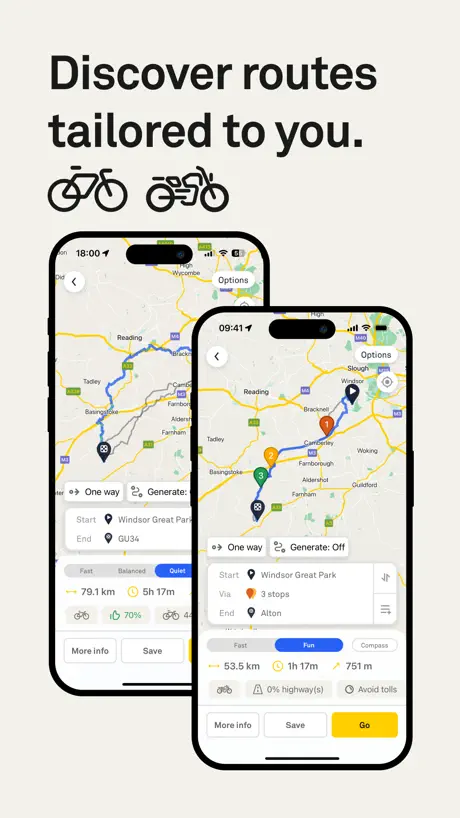
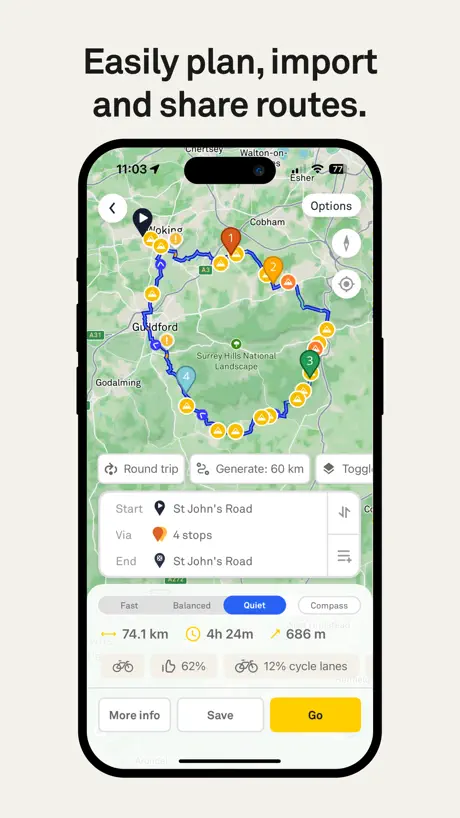
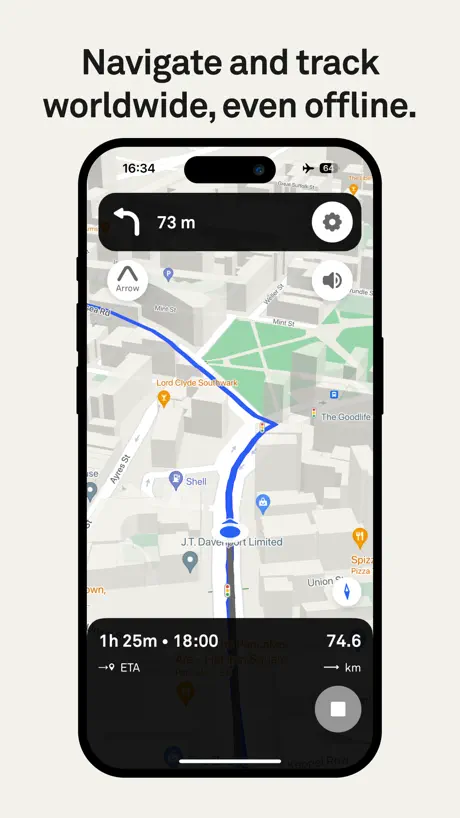
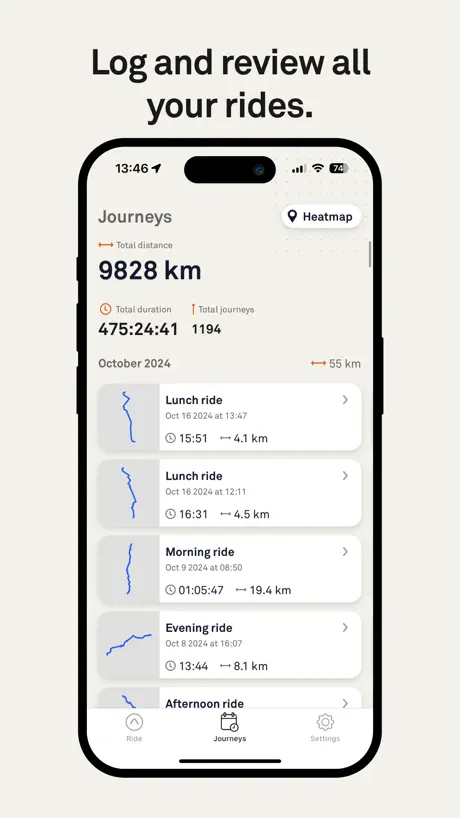
How much does Beeline Bike Navigation cost?
Prices are current as of 27 Sept 2026.
2 subscriptions from $6.99
In the United States, Beeline Bike Navigation has 2 subscriptions priced $6.99 – 54.99. It comes with a 1 month free trial.
| Subscription | Period | Price |
|---|---|---|
| Beeline Plus Monthly | MonthlyTrial: 1 month | $6.99 |
| Beeline Plus Yearly | AnnualTrial: 1 month | $54.99 |
See what Beeline Bike Navigation costs in all 28 countries →
10+ alternatives to Beeline Bike Navigation
| Beeline Bike Navigation |   TomTom - Maps & Traffic TomTom - Maps & Traffic |   calimoto Motorcycle Navigation calimoto Motorcycle Navigation |   Scenic Motorcycle Navigation Scenic Motorcycle Navigation |   REVER - Motorcycle GPS & Rides REVER - Motorcycle GPS & Rides |   Kurviger Motorcycle Navigation Kurviger Motorcycle Navigation |   Cardo Ride - Motorcycle App Cardo Ride - Motorcycle App |   Detecht - Motorcycle App & GPS Detecht - Motorcycle App & GPS |   Cyclers: Bike Route Planner Cyclers: Bike Route Planner |   Motobit motorcycle navigation Motobit motorcycle navigation | 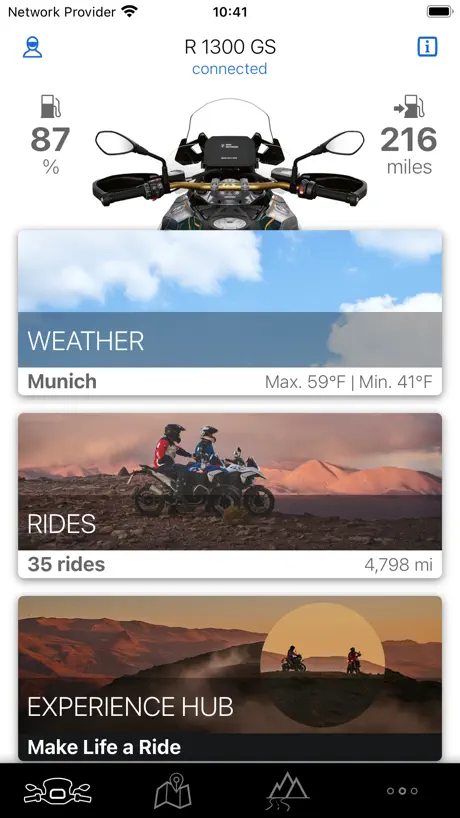  BMW Motorrad Connected BMW Motorrad Connected | |
|---|---|---|---|---|---|---|---|---|---|---|---|
| Rating / 5 | 4.7 | 4.5 | 4.6 | 4.6 | 4.7 | 4.6 | 4.6 | 4.6 | 4.7 | 4.7 | 4.3 |
| Reviews | 14K | 63K | 34K | 33K | 27K | 18K | 14K | 9.4K | 7.8K | 3K | 2.1K |
| Released | 2017 | 2019 | 2017 | 2016 | 2015 | 2024 | 2016 | 2018 | 2017 | 2024 | 2017 |
| Monthly price | $6.99 | — | — | $14.90 | $7.49 | $2.99 | $8.99 | $9.99 | $4.99 | $6.99 | — |
| Annual price | $54.99 | — | $79.99 | $59.90 | $39.99 | $12.99 | $59.99 | $59.99 | $49.99 | $24.99 | — |
The going rate for each plan in United States, in its own currency, shaded from the cheapest price on the row to the dearest. Plans fewer than four in ten of the priced apps sell are left out.
Beeline Bike Navigation reviews
4.7 out of 5, based on 14,433 reviews.
What people like
- Simple turn-by-turn audio directions are very helpful
- Device looks great and fits on handlebars
- Battery life lasts longer than your phone does
What they complain about
- You must pay a subscription to use it
- Map data is often outdated and wrong
- Routing forces you onto highways or wrong roads
Ilkley to nowhere
My little ride in West Yorkshire
Poor build quality
Beeline unit just crumbled apart while taking off its mount. As usual, expensive tec not built to last
I’m lost
It’s not perfect but gets the job done. Like how discrete it is on the bike and great battery life. App could be better for route planning. Overall I’d recommend the moto 2. Better than using my phone.
Gutes Gerät, gute App, Abzocke Abo
Zuerst das Positive: Das zugehörige Navigationsgerät (Beeline Moto II) ist genau das, was ich schon lange gesucht habe: Kleiner Formfaktor, gut strukturierte Infos, kein Überfluss an nicht benötigten Infos, kurzum es funktioniert wie es soll. Die Routenplanung in der App klappt soweit problemlos. ABER: Wenn ich mir ein 200+€ Gerät kaufe, welches auch nur als Bildschirm für die eigentliche Navigation auf dem Handy fungiert, also den hohen Preis nicht durch die supertolle Hardware, sondern eher die Softwareintegration rechtfertigt. Dann erwarte ich, dass nicht eine wachsende Anzahl an Funktionen hinter einem gar nicht mal so günstigen Abo-Modell versteckt werden. Der Vorteil der App liegt in der Integration des großartigen aber bereits teuren Geräts. Als reine App Lösung gibt es bessere, gerade ohne die Premium Funktionen.
I need you to do better for road bikes
Great product - but few glitches really start to show - irrespective of settings it keeps taking me on gravel and footpaths - really, really annoying. Secondly loses signal which cans the navigation - don’t fully understand how this works I guess it depends on the phone for signal. Either way - no signal = slow or no or confused navigation.
Lakeland passes from Bedale
Great route, love Beeline
Unbrauchbar auf MAC
Da man die Karte zwar mit Doppelklick ranzoomen kann, aber nicht mer heraus zoomen und per Touchpad garnicht funktioniert ist das nutzlos. Verschieben geht, aber vergrößern oder verkleinern nicht. somit ist das Beeline für mich komplett gestorben
Fire season update suggestion
Great little app and device. I’m still on a Moto 1 unit. One thing I’ve had to plan around this year is fire and road closures which the app doesn’t seem to account for. This would be a tremendously helpful addition. Currently using Google Maps’ ai chat feature to use regular language and plan my routes, and then I plug individual destinations into the beeline app. Looking forward to grabbing a moto 3 if released.
outdated maps
the compass feature and ride tracking are great, and the hardware has a nice form factor, but the map information is constantly outdated. I have been routed through active construction zones and away from safe, protected infrastructure due to outdated map information on many occasions. The app is not very useful as a navigational or ride planning tool.
Okay routing, poor GPS
I’ve used the app several times for bike navigation, and getting multiple routes depending on the type of ride (fast vs quiet) I’m looking for is a good feature. The database of bike trails is also pretty good. The main problem I have is that the GPS function is consistently off by 10-30 feet. For navigating, this often results in the app showing me in a street while I’m actually on the bike path. It also messes with routing, especially around street crossings or zigzags on the path. The premium subscription might be worth it if you often want to do moderate rides with randomized routes, but I personally don’t use it enough to be worth the cost.
Very pleased
I’ve had no issues with my Beeline and really Like the routing and the fact it gives me speed camera alerts also
Pointless in the city
I tried to contact support from app, moved me to website and there only instructions not contact option. I’m esting Velo 2 two days now and I must say is useless in London. Straight route from High Street Kensington to Hammersmith device told me to turn left for unknown reason. Second time the same route before I set the route I check on app (all fast/moderste/silent) if there is any suggestion to turn left and I saw just to go straight, during the ride again in the same place suggest me to turn left.. (maybe just to ride around the garden and go back to the same road?) Today I pick a big store on the map in the app, I arrived but device still showing me some meters, as there is no option to turn it off on device I done my all shopping went out and I have a sound to turn and displayed distance. Finally speaking about the sound I couldn’t find a option to keep it on device, sound go over programs what I’m listening while cycling and it’s very annoying because it’s louder and silencing whatever plays on my earbuds, will be better to keep it on device only at least give us a option..
Nice app; one glaring omission
Works well with the Moto 2 for minimalist info on the journey. Ease to plan routes. There’s a great facility for looking at past journeys: the ‘heat map’. This shows on a single map the various journeys you have taken. The same can’t be said for the planner. There’s no way to see all your (many) routes on a single map. This is a basic omission … as when I plan a tour of the UK, I like to be able to see the various routes I have planned, and select a few for the day’s riding. But there’s no way to do this. I’ve been asking for a couple of years but this seemingly obvious feature request appears to fall on deaf ears …
Needs Work
My son tried to import a gpx that I exported to him on his phone. He told me that the import creates a static map. If he wanted to use my specific route, he has to create it in Google Maps. This can’t be done on the fly and it’s really annoying especially if we get separated in traffic. I really wanted to like this thing but it’s a lot of money for the device then tack on your subscription fees and it doesn’t make sense at this point. So this device is really aimed at solo riding. Your minimalist concept is awesome but the execution is not so great. In the end I’m out over 220.00 dollars and now need to buy a phone mount which I was trying to avoid. Note: I did reach out to Beeline’s customer support and they told me that the exact route I exported to my son may not be able to be exact and he may have to create the route. So again, it’s a great concept in my opinion but limited when exporting to anything other than another Beeline.
Great app and device.
Update 2026: An update came out to start routing to favorites directly from the Moto II, but in practice it fails more often than not. Even if the Beeline app was the last opened app. So far I’m loving the app. Sometimes I wish there was a quicker way to just jump to a location rather than planning a ride. A simple type to destination would be great. Some other feature suggestions would be to add support for A2DP so we could control media from the device. One more page to see what’s playing and skip, pause, control volume would be so amazing. The other suggestion would be for an addition tire pressure monitoring system. Selling some smart caps that pair with the device/app to be able to track tire pressure would instantly add value.
Wonderful
Great navigation device. I could not be happier. It looks great on my modern classic bike
Aktualität Kartenmaterial
Ich habe mittlerweile 5000 km mit dem Beeline Moto 2 und dieser App verbracht. Während das Gerät selbst super verarbeitet und eben so gut anzusehen ist, sind mir mehrere Dinge übel aufgestoßen. Ganz wesentlich ist hier die Aktualität des Kartenamaterials (oder deren Abwesenheit) zu nennen. Selbst mit freigeschalteter Plus-Funktion will mich die App über eine Straße schicken, die seit mittlerweile über einem Jahr gesperrt ist. Derartige, im Kartenmaterial nicht abgebildete Sperrungen, erlebe ich sehr häufig, oft mindestens einmal pro 100 km. Ein weiteres Problem ist, dass Umleitungen nur sehr begrenzt möglich sind. Typischerweise wird man zur nächsten Wendemöglichkeit geschickt, ohne, dass dies im Display angezeigt werden würde. Beim ersten Vorfall bin ich auf dem Weg 20 km Umweg gefahren, um dann wieder vorbei gleichen gesperrten Straße zu stehen. Das begründet auch die, trotz weitestgehend positiver Erfahrungen vor allem mit dem Gerät, negative Bewertung: Wenn ich meiner Navigationslösung nicht trauen kann, kann ich es auch gleich lassen und nach Gefühl fahren.
Straightforward app with good support
The app does what it says on the tin, the search functionality is the same as searching online, so pretty much all destinations can be found directly. The routing is ok, if a little different to some other apps, but gets you there. I just use fastest route and deviate wherever looks interesting, the app will reroute to accommodate, so I don’t use the fun or relaxed routing options. Occasional glitches with speed limit not showing on the display if I start navigation from the phone, but fixes itself if I pause and restart the journey. Major bug after a software update with the search field not showing fixed within 24 hours, so support is on the case with bug reports. Battery usage acceptable, the device will go flat before your phone does. Pleased with the package as it means I have a minimalist interface on the bars that gives me just enough info, and fits in more with my ethos than a phone or large sat nav taking up space.
Schade
Die Grundidee und die Basis Beeline 1 finde ich gut. Das spartanische Layout und die kleine Einheit am Lenker eines klassischen Motorrads macht sich gut! Schade sind im Wesentlichen 2 Dinge: Zum einen leiert die Halterung leider schnell aus und die Vibrationen nerven dann akustisch tatsächlich. Zum Anderen ist es sehr bedauerlich, dass man nach dem Kauf noch ein Abo benötigt, um simple Zusatzfunktionen zu benutzen, die im Kaufpreis inkludiert sein sollten. Daher nur 2 Sterne!
Alright for the money
The Beeline device is okay as an entry level bicycle sat-nav but it’s frequently not clear where you’re being directed, setting up routes isn’t as intuitive as with other devices, and it kills your phone battery anyway because it needs to be linked for location services.
Velo 2
This is the best simple easy to use even I can do it . Turn by turn beeps so you don’t have to keep watching a map. Re routes when we deviate to explore. Love it. We are in France and it work here as well as UK.
Great until update
Who’s brilliant idea was it to change the directions view to a climb view WITHOUT any way to back out easily on the device OR a in ui warning that this change is live. Do we have no personas that are urban bikers??? Smashed my velo2. Moving on from this pos.
Planning
Superior app for route planning and rideouts. App could improve with being added to CarPlay and auto zoom in/out feature. Once GoRide is active, an option for less data would be helpful and the originator centered lower down the screen. Keep up the good work Beeline Team
Moto II
Hallo, nach dem letzten Update ( iOS )funktioniert mein Beeline Moto II überhaupt nicht mehr… es kommt als die Meldung WDT…so ein teures Geräte und man kann es nicht nutzen… schön und gut geht anders..😡
App needs work
I took my Beeline Velo 2 for its first ride today. Here's my experience with the app. Firstly, it's not possible to search for a place, you can only click on the map, which is not easy if you don't know where the destination is! So, it's better to plan a route in Strava or Komoot and import it. Secondly, uploading the route to Strava is not automatic, and seems to fail often. Of the three routes I did today, the first one uploaded straightaway, the second took 3 attempts, and the third has proven impossible to upload after 10+ attempts. Also, my completed journeys keep disappearing, though they reappear after force closing and reopening the app (phew!). Hopefully the devs read this and fix the unreliable uploads and disappearing routes. Being able to search for your destination would be a nice addition bringing it in line with most other bike planning apps.
Fun route
Created great fun route back to campsite from end of dirt trails. Strongly recommend nav with beeline both off-road with GPX files and on road. One flaw on mine is doesn’t,t like being overcharged while riding with usb c or power mount, starts malfunctioning unless power removed
Ruined by update
This app was great with the beeline moto, but since the update I can no longer input a destination
Great app and device hopefully has a good dev roadmap
Overall the Beeline App and the Velo2 device is great, and has been a useful addition to my older garmin cycling computer. I’d love to see route creation a little bit slicker like Strava, where it’s super easy to create a route by drawing it with your finger - it’s ‘okay’ on Beeline but not quite as slick as others - esp as generating a route on Beeline is the currently the only way to get elevation info. And/or allow elevation info to be generated from your imported Strava routes / GPX files, even if it coverts the route to Beeline’s own smart routing.
When it messes up it really messes up
I planned a fun ride from San Jose to Berkeley. Half way through it completely lost track of where it was and sent me riding around in bumper to bumper traffic for 2 hours in 85° heat. It did ok this morning going from Marin to San Jose. But after this afternoon, I think I’m just going to go back to Apple Maps. Beeline is not easy for prime time.
New Update
New app update has disabled the “where too” function. Search bar not working.
Brilliant piece of tech
Easy to use, great do play and info, wish I had got it earlier.
iPad app does not allow routes to be saved
I like the Beeline app on my iPhone and it is very good. Unfortunately the iPad app just does not work you cannot save a planned route a fundamental issue for a route planning tool. If you try the app will just lock up. I look forward to this being fixed soon so I can use the app on my iPad.
Does the job very well at an affordable price
This is a great app (when paired with the Beeline Moto II) and comes up with some pretty good routes. It’s also a lot more reliable than some big, expensive all singing all dancing satnavs. I was on a tour with a friend and his device (which cost 4 times as much as a Moto II) kept trying to put us on the fast route, no matter how much we tried to force it not to. My Moto II didn’t miss a beat and we used it as the primary satnav for the whole trip. The display on the device showing the road layout ahead is brilliantly executed and gives you a good heads up when coming up on some seriously twisty roads. As time goes on the subscription features are getting better and it’s good that there’s the option to cancel it when you don’t need it. 4 stars instead of 5 simply because the round trip generator doesn’t let you decide which general direction you want to go in and you can’t adjust the route on the app without it suddenly changing the whole thing. I say this because even if I select ‘avoid highways’ in the options it will still send you down a major trunk route for miles and there’s no way to change it. However, I highly recommend Beeline and if you want a simple, useful, intuitive and reliable device that will get you to where you want to go along some fun roads, you really don’t need anything more expensive.
Map positioning
I love the premise of the app, but when using the map mode (without a beeline connected), the zoom and positioning of the marker is really frustrating. The dot is way to close to the UI elements so it’s hard to see your next turn – I don’t care about seeing where I’ve been (which covers half of the screen) but where I’m going. Another connected issue is the zoom – the zoom of the map doesn’t seem to adjust so on complicated routes it’s really easy to take the wrong turn because the map is zoomed too far out. When a turn is about to happen could the map zoom in until the turn is completed and then zoom out again? Could there at least be options to change how the map is centred and your zoom level?
Fantastic app and device, BUT
I want to start by saying that I absolutely love my beeline moto 2, I live in a big city and navigating can be confusing at times, this has made things extremely easy. The app is easy to use, I love the fun route feature and the ability to filter road type making it great for CBT riders unable to use M roads. My main issue with this device/app is that it doesn’t show timed restrictions on roads and has led me down a few leading to a PCN Beeline also doesn’t show average speed zones, only speed cameras and even then it doesn’t show all of them (maybe 90% of them it shows) All in all it’s a fantastic device and app, I still would highly recommend picking this one up, just check your route for any restrictions before you depart and you should be fine.
I like simple
Easy to set up, accurate to use, simple turn by turn, fits on bars simply and has a good battery life. I do like it.
Too much locked down
I have a bike and a motorcycle guys. Beeline won’t slow motorcycle route to be shown on the Velo or bike routes to be shown on the Moto. They seriously expect you to buy two devices. Nope. Trash.
18 mile quickie.
Through some lovely tight villages. Then great twisties.
Useful but average.
Handy nav app when coupled with one of the nav devices but if you’re used to the standard of nav that Google provides for free then you’ll be disappointed with the sub standard routing and traffic avoidance that the paid side of this offers.
App functionality a little spares
Would love to see more data than just average speed and elevation. Number of corners. Ride safety score. Etc.
Easily pleased
I have had this beeline for a couple of years now and haven’t used it much. Last time I used it was in London and I found the lag and delay very annoying causing me to drive past turnings. I decided to do a route today and follow it to test it out again. This time it worked perfectly. It is so incredibly easy to use that it makes me wonder why it’s been sitting in the draw so long. I think I’m going to invest more time into planning routes this summer, but not through any city’s.
Unreliable app
The app won’t open this morning. White screen then crashes iOS.
Ride type
Fun versus Fast routes. The ‘fun’ routes could be more adventurous, or, tiered in terms of how adventurous and fun you’d like the route to be. Quite basic in that sense.
Keeps taking me the least efficient way
Ive been playing with this for a few days to take me to locations I already know how to get to. Each location it always takes me what is consider the long way to places. Taking me directly thru congested towns instead of the highway that is much faster. I’ve double checked that avoid highways is off and motorcycle is chosen with fastest route. Both Apple Maps and google maps take me the correct path on the highway but this app and device just forces me to have to put in multiple stops just to go the proper way to locations. As of now I don’t feel I can recommend this to other riders because of everything stated above. Regretting my purchase but currently is best thing to not have phone on handle bars.
Deleting saved routes
Since some updates have been loaded you can’t no longer delete saved routes on iPad, works okay on iPhone.
Not bad at all
It’s great - good information and easy to use and navigate…BUT screen is not bright enough and the synch to Strava seems to always change stats by about 10%
Subscription
Having to pay to use the features on the app is kind disrespectful the device already cost $290. You guys need to fix that.
Really good with one caveat
Really well designed app companion for the Beeline Velo 2. Really appreciate the attention paid to the route planner. I’d love to get elevation profiles for imported GPX routes though! That’d be mega helpful for sportives.
More eye candy than helpful..
In theory the beeline is a great thing, simplify the navigation process. Application brings a bit of frustration as navigation mistakes are easy to make without actually having the complete route on the phone in front of you. I found myself off route and had to refer to the map to regain my heading. Perhaps with more use I’d learn to be more proficient with it but at this point it more of a cool gadget than it is helpful.
Down hill
Used to be a good app having the ability to get a fun ride now only gives fastest route
Beeline Bike Navigation price by country
A monthly subscription costs $5.45 in the United Arab Emirates and $9.10 in Finland — 1.7× more for the same thing. Below is the going rate for each plan in every country that sells it — the middle price of what the app charges there, in the country's own currency with the dollar equivalent beneath it.
| Country | Monthly | Annual |
|---|---|---|
| Argentina | $6.99 | $54.99 |
| Australia | A$9.99$7.04 | A$79.99$56.33 |
| Austria | €5.99$6.82 | €44.99$51.24 |
| Belgium | €5.99$6.82 | €44.99$51.24 |
| Brazil | R$35.00$6.74 | R$274.90$52.97 |
| Chile | CLP 6,000$6.23 | CLP 50,000$51.92 |
| Czech Republic | CZK 149.00$6.97 | CZK 1,099.00$51.40 |
| Denmark | DKK 49.00$7.47 | DKK 349.00$53.20 |
| Finland | €7.99$9.10 | €59.99$68.33 |
| France | €5.99$6.82 | €44.99$51.24 |
| Germany | €5.99$6.82 | €44.99$51.24 |
| Ireland | €5.99$6.95 | €44.99$52.19 |
| Italy | €5.99$6.82 | €44.99$51.24 |
| Japan | ¥1,100$6.99 | ¥8,490$53.92 |
| Luxembourg | €5.99$6.82 | €44.99$51.24 |
| Netherlands | €5.99$6.82 | €44.99$51.24 |
| Norway | NOK 69.00$7.26 | NOK 499.00$52.47 |
| Poland | PLN 24.99$6.51 | PLN 199.00$51.82 |
| Portugal | €5.99$6.82 | €44.99$51.24 |
| Singapore | SGD 8.98$7.02 | SGD 69.98$54.67 |
| Spain | €5.99$6.96 | €44.99$52.25 |
| Sweden | SEK 69.00$6.96 | SEK 499.00$50.35 |
| Switzerland | CHF 6.00$7.24 | CHF 41.95$50.60 |
| Taiwan | NT$220.00$6.93 | NT$1,690.00$53.21 |
| United Arab Emirates | AED 19.99$5.45 | AED 199.99$54.49 |
| United Kingdom | £4.99$6.61 | £39.99$52.97 |
| United States | $6.99 | $54.99 |
| Uruguay | $6.99 | $54.99 |
Beeline Bike Navigation FAQ
- Is Beeline Bike Navigation free?
- Yes. The app and its basic features are free, in all 175 countries it sells in. Premium features are paid: they start from $6.99 (US), across 2 subscriptions.
- How much does Beeline Bike Navigation cost per month?
- Beeline Plus Monthly is $6.99 (US). The annual plan works out cheaper per month: $54.99 a year.
- Does Beeline Bike Navigation have a free trial?
- Yes — a 1 month free trial (US).
- Where is Beeline Bike Navigation cheapest?
- A monthly subscription costs AED 19.99 (≈$5.45) in the United Arab Emirates and €7.99 (≈$9.10) in Finland, its cheapest and dearest countries.
- What are the best alternatives to Beeline Bike Navigation?
- TomTom - Maps & Traffic (4.5 from 62,672 reviews), calimoto Motorcycle Navigation (4.6 from 33,552 reviews, premium from $6.99) and Scenic Motorcycle Navigation (4.6 from 33,382 reviews, premium from $14.90).
Beeline Bike Navigation download
Last updated 1 month ago.
Beeline Bike Navigation sells in 175 countries. It was released 9 years and 8 months ago, on 19 Jan 2017. It holds a 4.7 rating from 14,433 reviews.
Supports 10 languages: English, Czech, Dutch, French, German, Italian, Japanese, Portuguese, Spanish, Chinese.
How much does Beeline Bike Navigation make?
Third-party estimates for the last 30 days, worldwide — not the store's own figures, which Apple publishes for nobody.
Revenue by plan
- Monthly 85%
- Annual 15%
Revenue by country
- United Kingdom 25%
- Germany 21%
- United States 11%
- Switzerland 8%