Sketchbook®
Draw, paint, & sketch anywhere
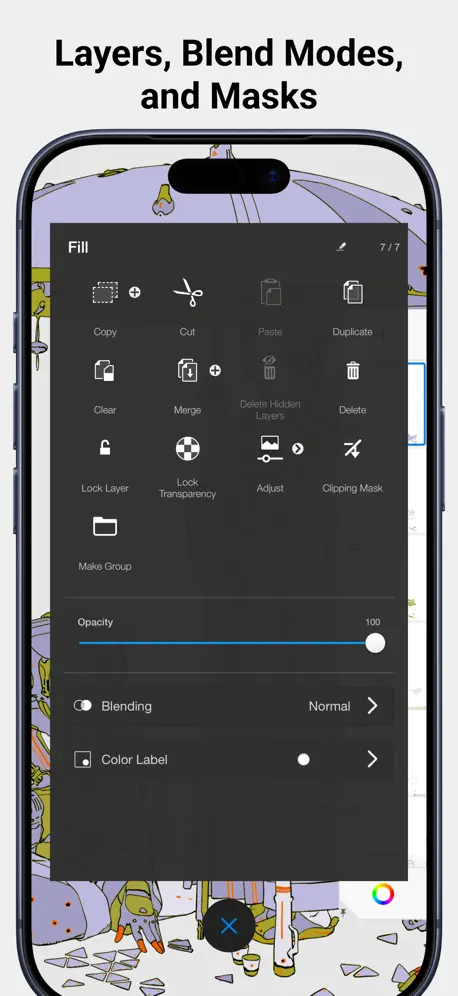
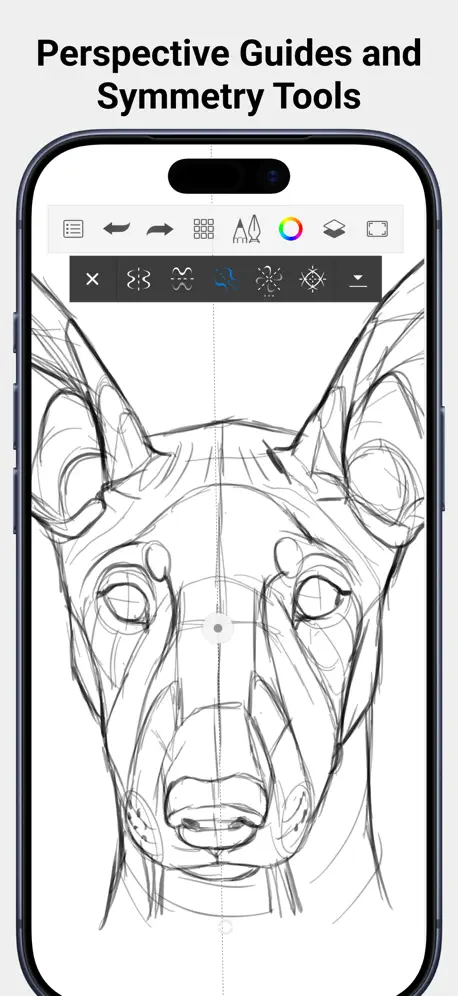
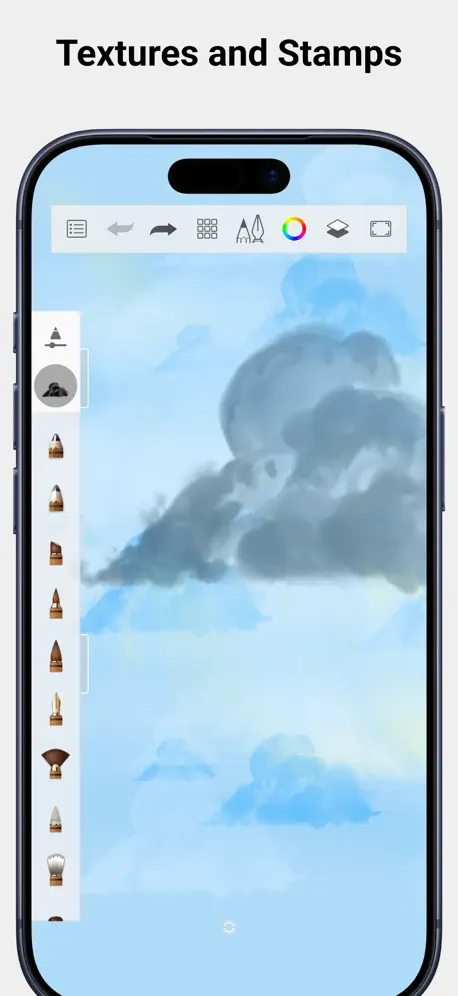
How much does Sketchbook® cost?
Prices are current as of 25 Nov 2026.
1 one-time purchase from $2.99
In the United States, Sketchbook® has 1 one-time purchase priced $2.99.
| Product | Price |
|---|---|
| Premium Bundle | $2.99 |
10+ alternatives to Sketchbook®
| Sketchbook® | 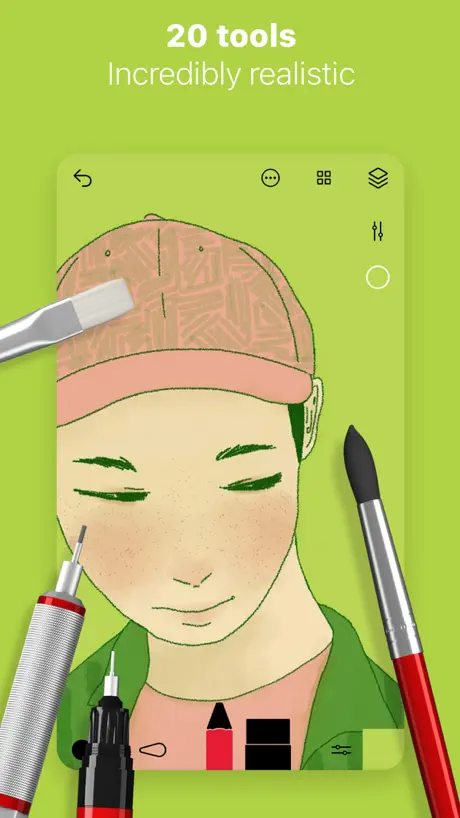  Tayasui Sketches |  MediBang Paint – Drawing & Art | 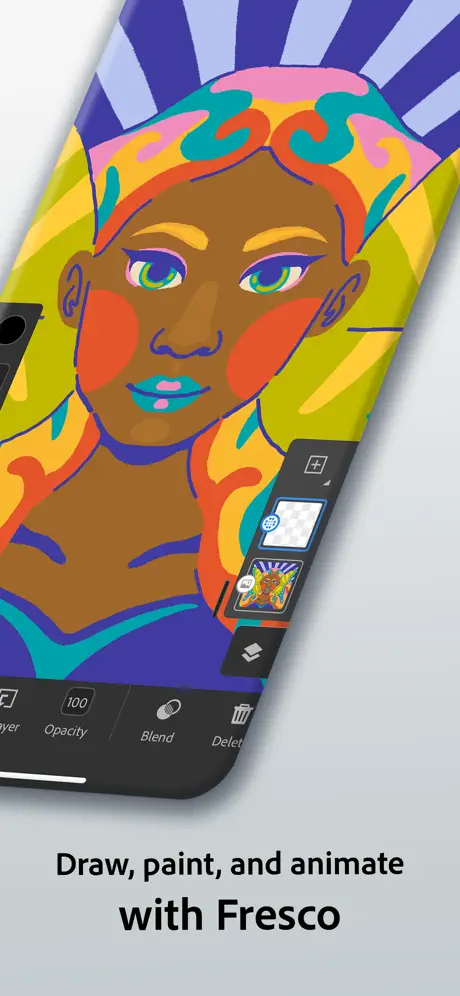  Adobe Fresco: Draw & Paint App | 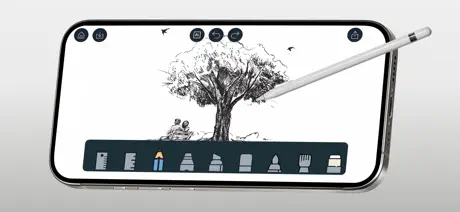  Drawing Pad - |   Concepts |  Clip Studio Paint |   Infinite Painter |   Sketch Pro: Draw & Create Art |   Artstudio Pro: Draw, Paint |   HiPaint- Sketch & Paint | |
|---|---|---|---|---|---|---|---|---|---|---|---|
| Rating / 5 | 4.8 | 4.6 | 4.6 | 4.7 | 4.4 | 4.7 | 4.7 | 4.2 | 4.7 | 4.6 | 4.6 |
| Reviews | 984K | 319K | 260K | 234K | 231K | 183K | 117K | 38K | 31K | 23K | 18K |
| Released | 2014 | 2013 | 2015 | 2019 | 2016 | 2012 | 2017 | 2016 | 2023 | 2017 | 2023 |
| Monthly price | — | $2.99 | $4.99 | $7.99 | $8.99 | $4.99 | $9.69 | — | $4.99 | — | — |
| Annual price | — | $9.99 | — | $69.99 | $49.99 | $29.99 | $28.90 | — | $14.99 | $3.49 | — |
| One-time price | $2.99 | $7.99 | $7.99 | — | — | $3.99 | — | $6.99 | $3.99 | $14.99 | $0.99 |
The going rate for each plan in United States, in its own currency, shaded from the cheapest price on the row to the dearest. Plans fewer than four in ten of the priced apps sell are left out.
Sketchbook® reviews
4.8 out of 5, based on 983,621 reviews.
What people like
- Totally free with no annoying ads or subscriptions
- Very easy for beginners to learn quickly
- Has a good variety of nice brushes
- Premium upgrade is cheap one-time payment
What they complain about
- Keeps crashing and deleting your work
- Tools like fill bucket often glitch out
- Interface feels cluttered and confusing to use
- No animation features included in the app
Best drawing game ever
I love this game it is the best drawing game ever I love making little cute drawings before bed and more people should try it
Make it easier to use
I can’t find the tutorials and it is so confusing and too hard.
Amazing app
Best app for drawing easy to get the hang of, just wish can have an image outside the canvas so I can use as reference like a new layer or gets deleted after saving
为什么软件删除后之前的画全不在了🫥🫥🫥🫥🫥🫥🫥🫥
我服了啊
That is hard but good
I don’t know why but if I zoom out of the app completely it makes it so that mark stays on forever and I literally have to delete the app just to erase all of it
Awesome!!!
It was hard/confusing at first, but eventually I got the hang of it. Sketchbook is AWESOME and a definite must-get!!
keeps undoing half my lines thinking they are mistakes
5 yes ago I used this alot now it has glitches galore I am trying a simple sketch and it is frustratingly thinking half if not all my lines are errors and undoes them. The auto snap toggle doesn’t help and frequently puts the line in the wrong location of a tad off. I m oing back to adobe
👳🏾♂️
Fun Game Yay
Meh 😑
Not my favorite app
I use you for my YT channel
Clip Studio Paint is NOT really easy for me.. but SkechBook,AKA,You, is a starter app for me. @ItzMBplayzOffical
Really Great
I Love this app a lot. I have been using it for sometime and I have really gotten the hang of it because at first, it can be really confusing with all the tools and features but once you get everything, it is sooooo much fun. Also even without premium it is still great so I really recommend this app for anyone who is looking for a sketching app.
My review
Literally I’m so tired of the app not letting me change the color like omg just let me change the color I’m download a different app that actually lets me change the color
Better Select tool?
Overall, I use this app CONSTANTLY for my art and I love it so much, but can you make the select tool more stable and simple to use? It’s so sensitive to the most smallest twitches in my hand. Quick select is also broken. Also, please make an animation app/feature, I love this so much!
Why extra costs?
This was a paid app and now it is hobbled and wants more money for things it used to have in the thing I paid for. Being able to paste world still be handy.
Very simple
Really good for beginners but if u draw really quick like me, i dont recommend this.It has limited layers of '3'so that prevents md from adding more layers. Its really simple and doesn't have much brushes to use and not the best for colouring. Hope u van get information from this anddddd yeah. Sooooooooooo if ur a begginer sure why not download it but if ur really good at drawing like me magne try procreate its really good. 𓊆ྀི❤︎𓊇ྀིbye
This app is so good but racer here
So the racers is on the call because is here check out?
(¬_¬")💢
Whenever I make a painting or whatever it's called it lags. Then I have to get out of the app! Soon after that, my drawing gets...... RUINED! I TOOK SOO LONG ON IT! plz fix! From Yellow (✪▽✪)👍
One question
Can you add a gallery otherwise 5 stars
Laggy
Every time when I’d save my art it just crashed on me every time please fix it please:(
There are unknown questions.
After using this app for three days,my sketchbook didn’t easy to use.Fingers can’t control the brush accurately,or the control panel disappears,期待得到解决
Now I can’t use any other art apps…
I’ve been using this app for years, and it’s seriously my favorite. It's very user-friendly and easy to learn! I just bought the premium, and I’d say it's definitely worth it! It’s a one-time purchase of three dollars and unlocks many features that I’ve heard people say Sketchbook lacks. I think this is fair because most art programs like this either cost money upfront, require watching ads, or involve a subscription for premium. Plus, I like supporting the developers for continued updates and bug fixes! The only thing I wish it had is an extra set of texture brushes, because there are only two sets, and they don't include any brushes I like. But luckily, I mostly draw very cartoony characters anyway. Also, there’s a way to import brushes, so it doesn’t really matter. Thanks for reading my review! Bye!
Mad
It always hides my layers and I need to fix it very angy
Pretty good! But how do you save it to PHOTOS
I play Roblox so when I wanted to make a rig on a game called my movie (also a rig is like different pieces for the body so I can move in cool ways)so I turned it into a png and I tried to save it but idk how to and all the tutorials are from along time ago. Overall everything is good, except for that saving thing. Please add a save button in the gallery. If you know where it is please tell me. I’d still recommend it just if you don’t want to save it to your photos! The gallery is basically the only place you can save your photos in so yeah but like I said it’s still pretty good! (But I’m on mobile so…) I had another drawing app witch was pretty good and I think that one would be my #1 recommended drawing app because you can make a video of you drawing it and save it to your photos and the video is also kinda satisfying… Anyways it is easy to draw on and you can make little animations (which you can do in this app to) add text and preset drawings you can color! But this one is kinda good (if you’re wondering why I don’t use that one it’s because I got a new iPad 🤣) not trying to advertise it on a different drawing app btw just saying it would be a little better if you can save you drawings to photos.p.s. I found the save to photos thing sorry! Don’t mind that I made a very long review😬😳
It’s ok…
I don’t have an Apple Pencil and it’s impossible to draw with just your finger, I kept messing up or pressing the wrong button, and I don’t recommend using it.
Rly good, BUT IT DELETED MY SKETCH I WORKED ON FOR 2 HOURS
The app is quite good, it has lots of usefull features, but theres a bug that sometimes the sketch page your on, when you save it and leave, the sketch disappears, its really annoying since i worked so hard on the sketch and cant get it back. Theres also a bug that you cant download images, please fix this
Wunder Bar
Diese App ist erstaunlich und macht Spaß, ich verbringe viel Zeit damit, sie war eine hilfreiche App, um digitale Kunst zu starten, und ich habe mehrere Charaktere darauf erstellt👍🏼
Bad
Videos dont save! Fix it!
Like... Good?
I don't really like it. In my opinion.. Ibis paint X is way better. (NO HATE) I mean it's good. But Ibis paint X is way more better.. BUT THIS APP IS A 4!
RAAAAAHHH!!!
It keeps freezing. I can’t Even Switch my colour!!! >:( pls fix!
Good for stress
I showed my best friend my drawings and he says the brushes are really good I put some of them to good use and it turns out my night sky drawing turned out amazing:)
Devs should be honored…
I was watching a procreate video but ur app showed up in the vid so it has adds on iPad but luckily I don’t have an iPad!!!
BORING
Its use less hate it sry
Love it⭐️
Has sooo many brushes and can import photos and take pictures and scans.
Best app
BUT SOMETIMES WHEN I MAKE A TIMELAPSE AND I CLICK SAVE, IT DOESNT SAVE. PLEASE FIX THIS CUZ I SPEND 2 AND A HALF HOURS ON DRAWINGS AND IT DIDNT SAVE
I NEED LIQUIFY
It eats but i need a liquify plas
I’m not much of an artist that is the best game ever
You should totally get it cause if you’re not an artist you will be. It has so many different marker textures and it’s the best game ever so you should get it.
What a terrible UX
Never used an app where interface is getting so much in the way. Avoid at all cost, bury in the desert, wear gloves.
Pretty good
The app is very good from my experience, but it would be nice to have an animation feature where you can add audio. Other than that, it’s very beginner friendly and has a nice interface!
I’m depressed.
This app deleted my drawings and I hated it, switched to ibis paint because ibis paint is so much better.
Great but
The fill bucket tool is so annoying i fill it gos every were and so it’s annoying
A very reliable drawing app =]
By far this app is my fav for drawing digital, especially since I’ve been drawing traditionally for like the last 6 years, this app has just the right amount of fancy features to be helpful, without being too foreign. (Granted I may be biased as this is the first drawing app I tried on the iPad and phone. iPad is definitely better but that’s just a hardware thing) Pros: *No outrageous subscriptions or ads just so I can make nice looking art *A plentiful and diverse set appealing brushes, along with most of the tools that are useful in a digital art setting, such as a working lasso *An optional and cheap premium which allows for more features, such as custom brushes *No Ai, and good for all skill levels in digital art. Cons(Based on my limited experience with the only other art app I use, Procreate): *one thing that word be nice that I haven’t been able to find in the other app is a way to change the default bg layer color so I don’t have to change it every time, as I prefer to make it grey. This is obviously tho just a qol. *The only other thing I can think of currently is PLEASE MAKE AN ANIMATION SOFTWARE. I love this app so much for digital drawings, and unfortunately you don’t have anything for animation. Animation is the main reason I started doing digital drawings in the first place, and if you made and animation software with your program, with a cheap price similar to other competitors such as procreate dreamz and toonsquid, I would just be a very happy artist. This truly is a wonderful app for iPad drawing, and having an animation software to use as well would be very wonderful. Thank you for taking the time to read and God bless!
Sketchbook, horrible
Sketchbook is not a very good app so just never buy and if you do buy it, you will not join the Taylor Swift6969 yes if you do, don’t buy it you will join the group so and just has kind of some good drawings and never download it again. Delete it delete it. Delete it. 679 America’s mess just never buy it. Just never buy it. Just never buy it. Just never buy it. Just never buy it. just never buy it just never buy it. Just need some good job Taylor Swift.6969 and it’s very good. Bad dry app just never buy it and never search up 67 no, 67 no, 67. Just never buy it. Just never buy it. Just never buy it. Just never buy it. Just never buy it. Just never buy it. Just never buy it just never buy it just never buy it just never just never buy it. Just never buy it Miguel and Maya.
Really good but a bit glitchy for me.
Don’t get me wrong I love it, but if I use the eye dropper too much on a drawing it doesn’t work, and same goes for the paint bucket on a layer.
Glitch
Once you are done a drawing How do you move to the next page
This could have improvement
If the developers are reading this it’s alright just overtime it gets less used to me I feel like you could make torment were there’s a theme and a ai or Someone judges it would make it better If you could it be amazing 🤩 . Kind regards popular reviewer.
How do I make a YouTube channel?
I Low key don’t know
Worst game
I t ha s no art items and it is not a good thing to be existing
Timelapse settings
I have been using this app for about a good 5 years. The only thing that bugs me is when u do a timelapse it records everything. Including the zooming nd such. Is there a way to disable that nd just record the whole canvas without the zooms? Much appreciated. I’ve also paid for the premium and the quality turns out to be extremely pixelated. Please fix this!! iPhone user
sad :(
i dunno how to make a new artwork and every tool i try to use is getting confusing. One time i was just trying to draw but then when i zoomed out i found out that my entire drawing shifted and some of the art i did went off the paper and i couldn’t undo it
Ok
This is an okay app it’s very complicated because if you have the full screen mode when drawing it has a pixel by pixel but then sometimes yeah you try to draw to the very top of the screen screening when you print it out you realise you’ve been talking in the middle so what do you do scale down the paper and it just very small it’s not like normal drawing apps where it’s just different and I felt like you’re only limited certain amount of paintbrushes until I press the button where you could literally see more paintbrushes and I will ask the app ever had the eyedropper is good so you can at least select Colour from certain points which some apps don’t have and good news is it feels like an artist that it’s just the UI is a bit much isn’t it you’ve got all these apps and stuff and you can edit the image once you’ve pasted and uploaded it it’s just okay I suppose but there’s definitely some cheaper alternatives that have served me better
Sketchbook® price by country
A one-time purchase costs $2.71 in Egypt and $4.40 in Hungary — 1.6× more for the same thing. Below is the going rate for each plan in every country that sells it — the middle price of what the app charges there, in the country's own currency with the dollar equivalent beneath it.
| Country | One-time |
|---|---|
| Afghanistan | $2.99 |
| Albania | $3.99 |
| Algeria | $2.99 |
| Angola | $2.99 |
| Anguilla | $2.99 |
| Antigua And Barbuda | $2.99 |
| Argentina | $2.99 |
| Armenia | $3.99 |
| Australia | A$4.99$3.30 |
| Austria | €2.99$3.26 |
| Azerbaijan | $3.99 |
| Bahamas | $2.99 |
| Bahrain | $2.99 |
| Barbados | $3.99 |
| Belarus | $3.99 |
| Belgium | €2.99$3.26 |
| Belize | $2.99 |
| Benin | $3.99 |
| Bermuda | $2.99 |
| Bhutan | $2.99 |
| Bolivia | $2.99 |
| Bosnia & Herzegovina | €2.99$3.35 |
| Botswana | $2.99 |
| Brazil | R$19.90$3.34 |
| British Virgin Islands | $2.99 |
| Brunei Darussalam | $2.99 |
| Bulgaria | €2.99$3.26 |
| Burkina Faso | $2.99 |
| Cambodia | $2.99 |
| Cameroon | $3.99 |
| Canada | CA$3.99$2.77 |
| Cape Verde | $2.99 |
| Cayman Islands | $2.99 |
| Chad | $2.99 |
| Chile | CLP 2,990$2.92 |
| China | CN¥22.00$3.29 |
| Colombia | COP 14,900$4.26 |
| Congo | $3.99 |
| Congo, Democratic Republic | $2.99 |
| Costa Rica | $2.99 |
| Cote Divoire | $3.99 |
| Croatia | €2.99$3.35 |
| Cyprus | €2.99$3.35 |
| Czech Republic | CZK 79.00$3.56 |
| Denmark | DKK 29.00$4.34 |
| Dominica | $2.99 |
| Dominican Republic | $2.99 |
| Ecuador | $2.99 |
| Egypt | EGP 149.99$2.71 |
| El Salvador | $2.99 |
| Estonia | €2.99$3.35 |
| Fiji | $2.99 |
| Finland | €2.99$3.26 |
| France | €2.99$3.29 |
| Gabon | $2.99 |
| Gambia | $2.99 |
| Georgia | $3.99 |
| Germany | €2.99$3.26 |
| Ghana | $3.99 |
| Greece | €2.99$3.26 |
| Grenada | $2.99 |
| Guatemala | $2.99 |
| Guinea-bissau | $2.99 |
| Guyana | $2.99 |
| Honduras | $2.99 |
| Hong Kong | HK$22.00$2.81 |
| Hungary | HUF 1,490$4.40 |
| Iceland | $3.99 |
| India | ₹299.00$3.22 |
| Indonesia | IDR 59,000$3.24 |
| Iraq | $2.99 |
| Ireland | €2.99$3.35 |
| Israel | ₪9.90$3.15 |
| Italy | €2.99$3.26 |
| Jamaica | $2.99 |
| Japan | ¥500$3.16 |
| Jordan | $2.99 |
| Kazakhstan | KZT 1,790.00$4.02 |
| Kenya | $3.99 |
| Kosovo | €2.99$3.35 |
| Kuwait | $2.99 |
| Kyrgyzstan | $2.99 |
| Lao Peoples Democratic Republic | $2.99 |
| Latvia | €2.99$3.35 |
| Lebanon | $2.99 |
| Liberia | $2.99 |
| Libya | $2.99 |
| Lithuania | €2.99$3.35 |
| Luxembourg | €2.99$3.35 |
| Macao | $2.99 |
| Macedonia | $2.99 |
| Madagascar | $2.99 |
| Malawi | $2.99 |
| Malaysia | MYR 14.90$3.67 |
| Maldives | $2.99 |
| Mali | $2.99 |
| Malta | €2.99$3.35 |
| Mauritania | $2.99 |
| Mauritius | $3.99 |
| Mexico | MX$69.00$3.72 |
| Micronesia | $2.99 |
| Moldova | $3.99 |
| Mongolia | $2.99 |
| Montenegro | €2.99$3.35 |
| Montserrat | $2.99 |
| Morocco | $3.99 |
| Mozambique | $2.99 |
| Myanmar | $2.99 |
| Namibia | $2.99 |
| Nauru | $2.99 |
| Nepal | $3.99 |
| Netherlands | €2.99$3.29 |
| New Zealand | NZ$4.99$2.80 |
| Nicaragua | $2.99 |
| Niger | $2.99 |
| Nigeria | NGN 4,900.00$3.55 |
| Norway | NOK 39.00$4.14 |
| Oman | $2.99 |
| Pakistan | PKR 900$3.25 |
| Palau | $2.99 |
| Panama | $2.99 |
| Papua New Guinea | $2.99 |
| Paraguay | $2.99 |
| Peru | PEN 12.90$3.78 |
| Philippines | ₱199.00$3.12 |
| Poland | PLN 14.99$3.83 |
| Portugal | €2.99$3.35 |
| Qatar | QAR 9.99$2.74 |
| Romania | RON 14.99$3.14 |
| Russia | RUB 249.00$3.04 |
| Rwanda | $2.99 |
| Sao Tome & Principe | $2.99 |
| Saudi Arabia | SAR 12.99$3.46 |
| Senegal | $3.99 |
| Serbia | €2.99$3.35 |
| Seychelles | $2.99 |
| Sierra Leone | $2.99 |
| Singapore | SGD 3.98$3.11 |
| Slovakia | €2.99$3.35 |
| Slovenia | €2.99$3.26 |
| Solomon Islands | $2.99 |
| South Africa | ZAR 59.99$3.54 |
| South Korea | ₩4,400$3.29 |
| Spain | €2.99$3.35 |
| Sri Lanka | $2.99 |
| St. Kitts and Nevis | $2.99 |
| St. Lucia | $2.99 |
| St. Vincent & The Grenadines | $2.99 |
| Suriname | $2.99 |
| Swaziland | $2.99 |
| Sweden | SEK 39.00$3.98 |
| Switzerland | CHF 3.00$3.57 |
| Taiwan | NT$90.00$2.74 |
| Tajikistan | $2.99 |
| Tanzania | TZS 9,900.00$3.75 |
| Thailand | THB 99.00$2.91 |
| Tonga | $2.99 |
| Trinidad and Tobago | $2.99 |
| Tunisia | $2.99 |
| Turkey | TRY 149.99$2.96 |
| Turkmenistan | $2.99 |
| Turks and Caicos | $2.99 |
| Uganda | $3.99 |
| Ukraine | $3.99 |
| United Arab Emirates | AED 12.99$3.54 |
| United Kingdom | £2.99$3.90 |
| United States | $2.99 |
| Uruguay | $2.99 |
| Uzbekistan | $2.99 |
| Vanuatu | $2.99 |
| Venezuela | $2.99 |
| Vietnam | ₫99,000$3.84 |
| Yemen | $2.99 |
| Zambia | $3.99 |
| Zimbabwe | $3.99 |
Sketchbook® FAQ
- Is Sketchbook® free?
- Yes. The app and its basic features are free, in all 175 countries it sells in. Premium features are paid: they start from $2.99 (US), across 1 one-time purchase.
- Does Sketchbook® have a free trial?
- No. None of its offers (US) come with a free trial.
- Where is Sketchbook® cheapest?
- A one-time purchase costs EGP 149.99 (≈$2.71) in Egypt and HUF 1,490 (≈$4.40) in Hungary, its cheapest and dearest countries.
- What are the best alternatives to Sketchbook®?
- Tayasui Sketches (4.6 from 318,764 reviews, premium from $2.99), MediBang Paint – Drawing & Art (4.6 from 260,359 reviews, premium from $2.99) and Adobe Fresco: Draw & Paint App (4.7 from 233,781 reviews, premium from $7.99).
Sketchbook® download
Last updated 2 days ago.
Sketchbook® sells in 175 countries. It was released 12 years and 1 month ago, on 9 Oct 2014. It holds a 4.8 rating from 983,621 reviews.
Supports 10 languages: English, French, German, Italian, Japanese, Korean, Portuguese, Russian, Chinese, Spanish.
How much does Sketchbook® make?
Third-party estimates for the last 30 days, worldwide — not the store's own figures, which Apple publishes for nobody.
Revenue by plan
- One-time 100%
Revenue by country
- United States 37%
- China 12%
- Germany 5%
- South Korea 5%