
Zoho Writer - Document Editor
Easy to use word processing
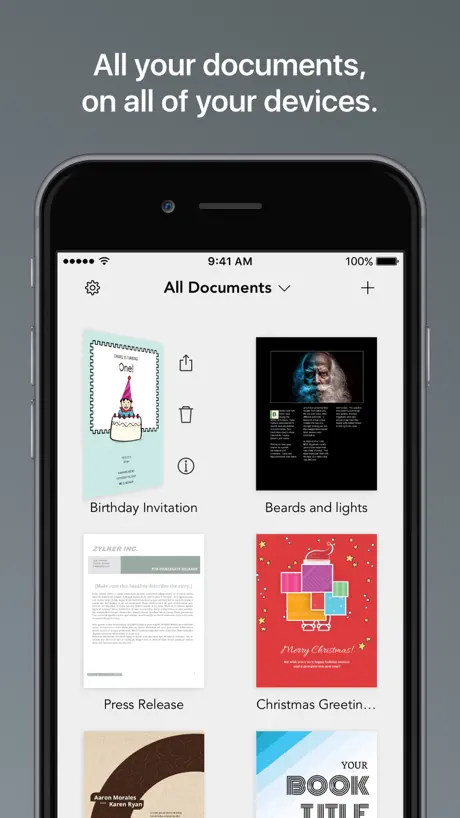
How much does Zoho Writer - Document Editor cost?
Prices are current as of 9 Sept 2026.
Zoho Writer - Document Editor has no in-app products on record in the United States.
10+ alternatives to Zoho Writer - Document Editor
| Zoho Writer - Document Editor |   Simplenote Simplenote | 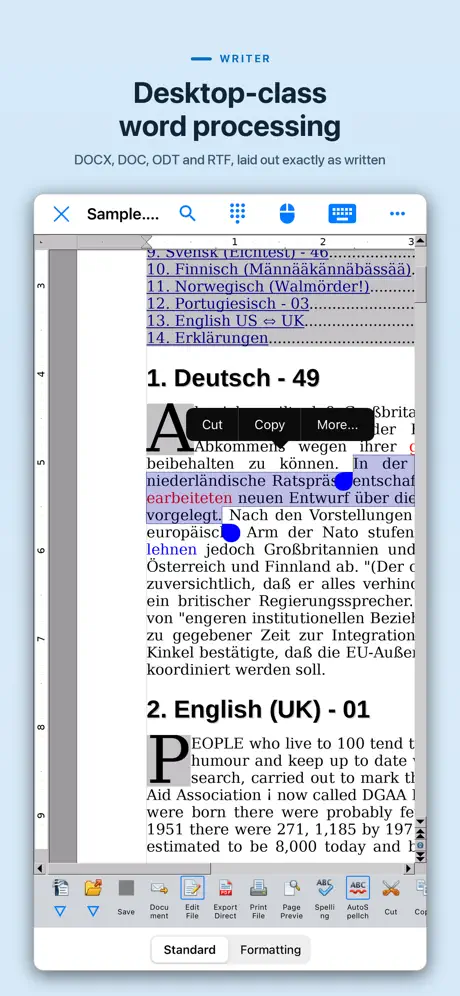  AO Office AO Office |   TextMaker TextMaker |   Writing Space: Books & Scripts Writing Space: Books & Scripts | 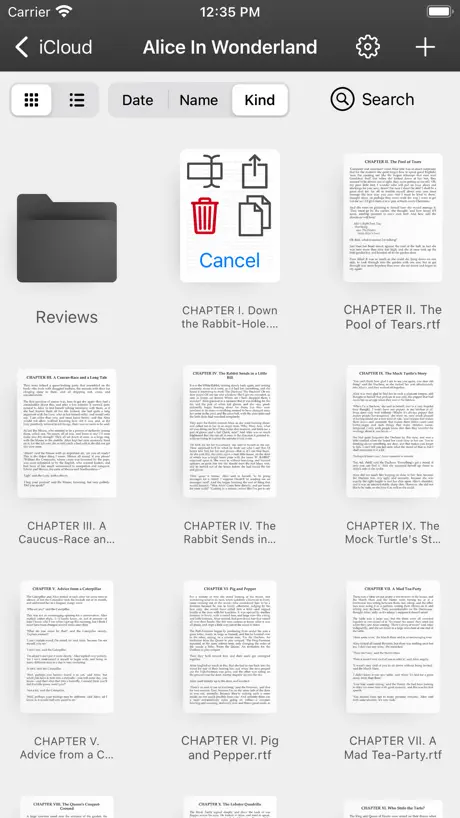  Just Write - App For Writer Just Write - App For Writer | 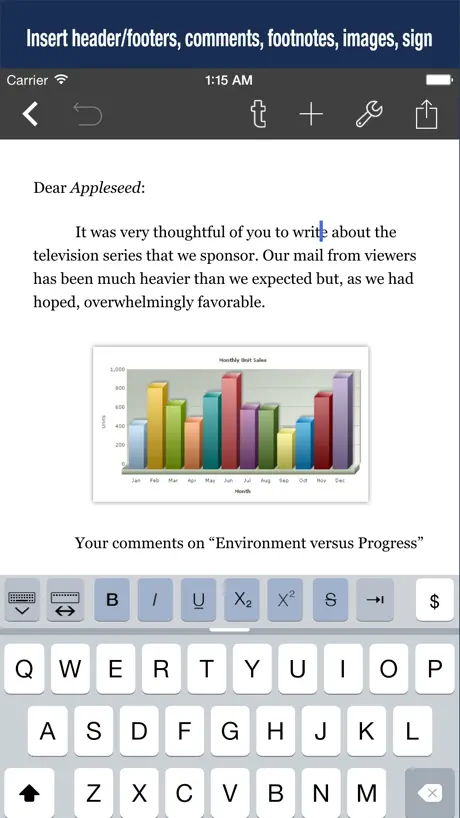  Word Processor - Textilus Pro Word Processor - Textilus Pro | 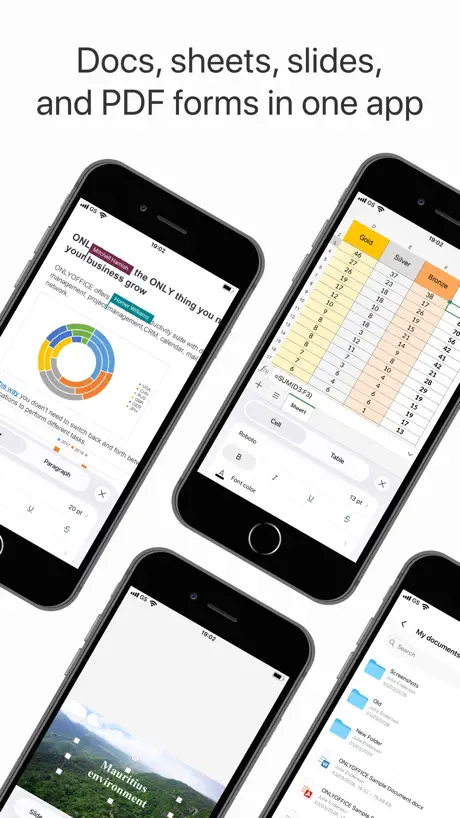  ONLYOFFICE Documents ONLYOFFICE Documents | 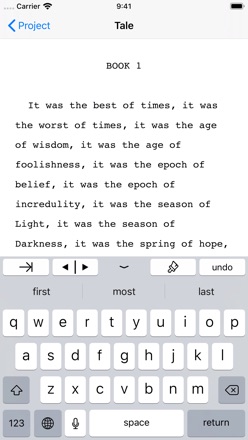  Storyist 4 Storyist 4 | 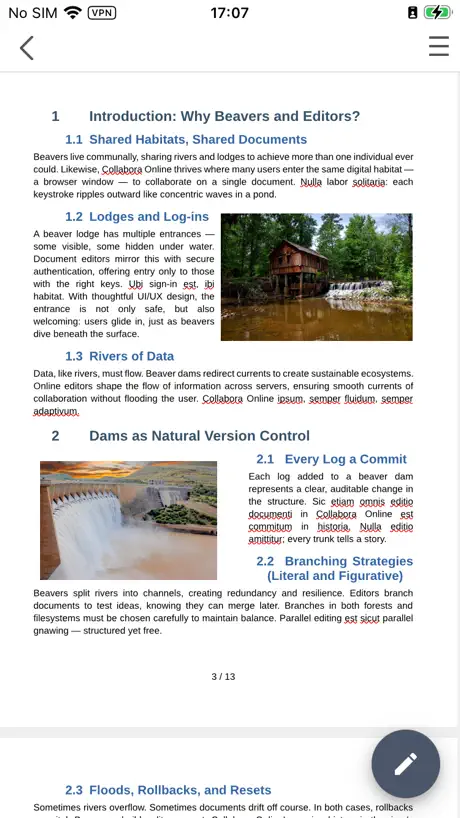  Collabora Office Collabora Office |   Novelist - Write novels Novelist - Write novels | |
|---|---|---|---|---|---|---|---|---|---|---|---|
| Rating / 5 | 3.3 | 4.7 | 4.3 | 4.6 | 4.3 | 4.3 | 4.4 | 3.7 | 4.3 | 3.6 | 4.4 |
| Reviews | 480 | 15K | 12K | 4.1K | 3.1K | 3K | 1.6K | 1.4K | 820 | 574 | 486 |
| Released | 2014 | 2019 | 2016 | 2022 | 2020 | 2014 | 2015 | 2015 | 2019 | 2019 | 2021 |
| Monthly price | — | — | — | $1.49 | $1.99 | — | $3.99 | — | — | — | — |
| Annual price | — | — | — | $13.49 | $11.99 | — | — | — | — | — | — |
| One-time price | — | — | $19.99 | — | — | $6.99 | $9.99 | — | — | — | — |
The going rate for each plan in United States, in its own currency, shaded from the cheapest price on the row to the dearest. Plans fewer than four in ten of the priced apps sell are left out.
Zoho Writer - Document Editor reviews
3.3 out of 5, based on 480 reviews.
What people like
- Very easy to use and navigate
- Great affordable alternative to Google Docs
- Works well across different devices
What they complain about
- App crashes constantly and loses your work
- Missing dark mode makes it hard on eyes
- Hard to find or open saved documents
Excellent and user friendly application
Very easy to navigate and downloading to it from other apps
Horrible
Horrible app. It crashes frequently and often won’t even open, making it impossible to access your documents when you need them. I gave this app several chances, but it has disappointed me over and over again. Completely unreliable. Negative zero out of ten.
iOS fonts access.
Access to iOS fonts must be enabled. Default font are less attractive. Apart from this font size customisation, paragraph formatting, super script sub script and renaming like features are to be added in this application.
Please fix this
I used to love this app because it would allow me to reread and review lengthy documents from the comfort of my cell phone. After the last update three weeks ago it now lags and crashes when I try to open larger documents. Help please!
Works well enough
The app is almost excellent but has some quirks with the fonts. Worth owning as a backup program.
Best indian replacement
Best and affordable
Useless
Company has Word documents and you can’t access them. Customer sends Word documents and you can’t read those. Useless.
Online storage support
Please add support for online storage like Dropbox, Google drive
Not What is Should be
This app allows you do work offline but that is all it does. If you need to the formatting features in the online version, they are not there AT ALL. So unless you want to use it as a very basic notebook, this will not do what you want. Very disappointed with the lack of feature available. I hope they work on this soon to improve it. I need an offline version of this to incorporate this product as part of my companies ecosystem.
App crashes a lot not working good on ipad, on iphone its better than ipad
App crashes a lot of times
Good one
Can it fetch cloud files from Dropbox, iCloud etc as well as save it back?
Desktop is way better
This app is horrible by comparison to the desktop version. It’s barely usable and has a terrible UI. please update this Zoho!!!
Stuck at setup workspace screen.
Hey zoho, After login, i am getting screen where i am asking for set zoho work drive. Can anyone help me!
Not great
Has not worked for me for close to a month. I try to open the app but it says the update failed and I need to contact support. My app is up to date.
Can’t share files
When I try to share a file, I am given an error: “sorry, you do not have permission to share this file/folder” Who do I need permission from??
I love it
This is one of the few apps like this that actually has center alignment and prints the way it looks on the screen.
Update Failed
“An error occurred while updating the app. You can use the app only after the error is rectified. Please contact the support team.” Consider yourself contacted. Not much better than the web anyways
Amazing app, needs some work still.
I just got this app and love it! Don't get me wrong but this app has a lot of amazing features that I love but I would like for a option to wrap text around a picture as well as change the size of the said picture. The fonts are also more than I’ve had available in a previous app I used before. Though, I do miss the cover page option as well as actual pages. I hope that this helps make this a better app for everyone.
Not good
Crashes constantly. Cursor lags, jumps around the document at random, and has no sensitivity to word breaks - tapping a word puts the cursor in the middle of the word and it is very difficult to put it where it needs to go.
Writer app is on its way to greatness but has not reached it yet
Hi impressive options for text However for IOS it does not match Web. No color background in edit mode and Table of Contents does not provide for Numbering of Chapters! I am,waiting for next update
Nice simple app. Works very well.
I’ve tried a lot of writing apps, but I keep coming back to this one because it is simple and it just works very well for what I need. Would like to see a dark mode option for iOS, but other than that it pretty much does everything I need it to do.
No Apple Pencil support
App crashes every time I use Apple Pencil
Updated Review
The iOS version of Zoho Writer has been updated and finally works, but the only three and highly important features it is missing would make it better are: 1. Dark mode, 2. Document List mode (The current view is ugly and unappealing), and 3. plus button to allow users easily create new documents. Hopefully they update their iOS app with these features soon.
Certain functions
It’s not easy to navigate through the menus. Having to save a local copy every time that you want to edit the document on the work drive is a nuisance. If it’s a shared document, it should be available for editing and sharing.
Okay but Not Great
I started using Zoho as a more secure alternative to Drive. On a computer it works quite well, but the app needs some work. Sometimes documents lag terribly as you type, it crashes regularly, there’s no dark mode, and if there’s a way to use the outline to navigate a document on mobile, I haven’t figured it out yet. Hopefully with time this can become a better app!
Love This App
I write using your Writer Linux desktop application. Then, edit, tweak and proofread in this Apple app on my iPad. This is way better than any Linux office as it is multi platform. Cudos!!
Migration error on new account
I cannot see my documents because of a data migration error prompt. How is this possible on a new account. Obviously I need to get to my Work Drive but that option is not available on Mobile. This effectively renders the app entirely useless. What are you people doing? This should never happen for a company of your size. Simply unacceptable.
complain
The app is really nice but the application is now hanging on my phone and closes by it self, it also takes time to load if u minimize it and check back
Lost work
It was doing well. Now I’ve noticed some of my writing has gone missing. At least on file has a big chuck of it missing. There have also been issues where it would undo things that random and tell me there were problems. It didn’t used to be that way.
Looks good but crashes frequently.
I've used it for about 15 minutes. During that time it crashed 7 times. Unusable.
Amazingly good
This is much better than google docs.
Wheres my documents?
I downloaded the app expecting to be able to work on the go but my documents aren’t even there. There is no way to navigate to them.
Updated Review - Documents Retrieved
**UPDATED REVIEW I’m updating this review from 3-4 stars because I was able to retrieve my documents from the second time they were deleted with the help of zoho support. The first time i lost my documents, I got a new phone and lost the documents in the transfer since I did not have an account. I’m relieved I was able to retrieve at least some very important documents! ~~~~~ First review: I was really enjoying using this writer tool (via app.) You can add a lock to your documents which is great. Documents and revisions automatically save. The app does not require you to have an account in order to start writing but BEWARE your files will disappear (I’m unsure if they are able to be retrieved). I am thinking it happened when I recently turned my phone off and back on. I had months of some really important writing - all gone. This is a writer’s nightmare. If anyone knows how I might retrieve these documents please reach out! Again, I did not have an account as the app DOES NOT require it - maybe that needs to change so this doesn’t continue to happen.
Unstable
When it works, it’s great. I can’t open a doc because the app crashes immediately every time I try
Love Writer, but Not the iPad app
I like Zoho’s products a lot, they’re free and they get the job done just as well as Docs or Word. I love the interface on the desktop app, and the phone app is a great companion, especially when using notes on one and writing on the other. Where the issue lies is with the iPad app, it constantly crashes and gives me a message that it couldn’t save and deletes a portion of my progress. Sometimes I need to write on the iPad for convenience or because I cannot get to my computer, and the issues that the app has makes it easier to write them somewhere else then copy and paste to my existing document.
Better than Google
I love it. For me it’s better than google. I’m just surprised that why not famous as compare to Google services. Love zoho services
Writer?
Cannot open documents "oops no permission"
Great app but…
Thanks for the great alternative to Google documents! It would be even better if it listed saved docs in alphabetical order and if you added a search field!
unstable when using diacritics - loss of data
UPDATE: as per Zoho Support, a work around of the issue reported bellow is using “Page View”. Our company enjoys Zoho apps very much, but this app is in critical need for review from Zoho devs. When writing with diacritics (accents, ç, ñ, etc) either by typing them down, Siri dictation or autocorrect, after some seconds Writer crashes and rolls back to previous save which sometimes is several seconds behind. This instability creates loss of data and time, so this app is not suitable for production at least in languages where diacritics are involved. This was reported several months ago but apparently no fixes have been applied.
Good app but needs dark mode please!
Please add dark mode surely it cant be that hard to do, otherwise very nice app. Thanks
Easy!
I love this app. It’s so easy to use. It’s great!
Broken Crash
When I try to open a document the app crashes. Also, I’m being repeatedly asked to send diagnostic info with either my email or anonymously - I don’t want to send info at all. Why is this not an option??
GOOD APP
In this app you can write a book super easily!!! There’s it has fonts you can even add pictures!!! If your looking for an easy way to write a book this app if for you.
The Web Version Is Better
Ever since the latest update the app does not sync with the latest version from the website. it still shows documents that I deleted on the web version of Zoho writer. Also, there is no dark mode, no track changes, or editor tool like on the web version. It also won’t let me open any documents that are still Available even new ones I created on the web version, it just says I do not have permission to access this document, when I do have permission as I am the one who created it and only one with access to it. Might just uninstall this app because despite it missing important features I need due to my eyes and sensitivity to the color white as I’m sensitive to bright colors, it at least was working, now it’s just completely broken and useless compared to the online version of Zoho writer.
Great start but lacks some basic features
I use Zoho for everything and I love it but this app and the other desktop versions of Writer are missing one really important feature. Being able to put the file into a specific folder. I don’t like having to remember to go into Docs and moving it after it is created. Also, since Workdrive is headed to replace Docs it would be nice if we could choose to save to their as well. I have noticed some lag the bigger the file gets but for the most part it gets the job done.
Great free app
This app works great for my iPad mini!
App Crashes on iPad Pro | Unusable
I love Zoho products and swear by them. However, this app not working on my iPad Pro as is. It will crash with in 30 seconds of opening it. Specifically if I use my Apple Pencil in any manner. For devs: I know that the sheer number of integrations and applications Zoho has is just.. staggering. So in an effort to assist here are my system specs. iPad Pro 12.9” 1TB (16GB RAM) - 5th Generation iOS 15.5 I hope this helps and I am excited for this application works. It has a ton of promise and you all have done great work so far!
Updating my 1-star review.
UPDATE: Zoho corrected the problem in the most recent release (5.6.1). The app now functions as expected. ORIGINAL REVIEW: I have been using the app daily for years. Overall I like it. But I just installed the newest version (5.6) and it is completely unusable. It crashes constantly. I have an iPhone 7 running iOS 13.1.3.
Ooooof
My friend and I use Zoho to share our collaborative stories with each other. The website works well enough, and we have a great time editing with each other live. The app on the other hand offers none of the convenience of the site. Typing lags so far behind what you are writing, you might as well be carving it into a stone tablet. And heaven forbid you want to copy and paste more than one word into it. The thing bogs down to near crashing with as few as 20 words selected to be pasted. We have had more than a few issues where it will randomly place our curser somewhere else in the document while we are using the app, and we will lose random sentence fragments pages away from where we had been working. If they even get written down at all. And don’t you dare even think about any kind of formatting while on the app, it won’t translate to the site version. You won’t get any of the double space periods your phone placed in there either. Don’t forget about the weird random extra spaces between words that you get as well. That’s if it doesn’t just not save huge chunks of text at random. We still use the site, and will keep using the site, but we cannot safely use the app and you cannot either. At least not until an acceptable update makes it useable.
Great
One of the best document writing apps. The developers should also consider the option to create Folders wherein documents could be added.
Zoho Writer - Document Editor FAQ
- Is Zoho Writer - Document Editor free?
- Yes. The app is free, in all 175 countries it sells in, and it sells nothing inside it.
- Does Zoho Writer - Document Editor have a free trial?
- No. None of its offers (US) come with a free trial.
- What are the best alternatives to Zoho Writer - Document Editor?
- Simplenote (4.7 from 15,453 reviews), AO Office (4.3 from 12,170 reviews, premium from $19.99) and TextMaker (4.6 from 4,062 reviews, premium from $1.49).
Zoho Writer - Document Editor download
Last updated 1 month ago.
Zoho Writer - Document Editor sells in 175 countries. It was released 12 years and 6 months ago, on 13 Mar 2014. It holds a 3.3 rating from 480 reviews.
Supports 50 languages: English, Arabic, Assamese, Bangla, Bulgarian, Catalan, Croatian, Czech, Danish, Dutch, Estonian, Finnish, French, German, Greek, Gujarati, Hebrew, Hindi, Hungarian, Indonesian, Italian, Japanese, Kannada, ks, Korean, Lithuanian, Malay, Malayalam, Marathi, Nepali, Norwegian Bokmål, Odia, Polish, Portuguese, Punjabi, Romanian, Russian, Sanskrit, Chinese, Sindhi, Slovak, Spanish, Swedish, Tamil, Telugu, Thai, Turkish, Ukrainian, Urdu, Vietnamese.
How much does Zoho Writer - Document Editor make?
Third-party estimates for the last 30 days, worldwide — not the store's own figures, which Apple publishes for nobody.