
Storyist 4
A powerful writing environment
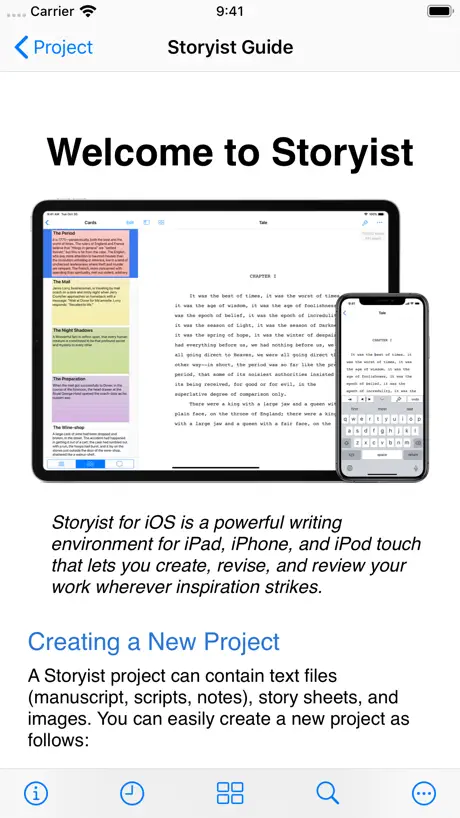
How much does Storyist 4 cost?
Prices are current as of 14 Nov 2026.
3 one-time purchases from $0.00
In the United States, Storyist 4 has 3 one-time purchases priced $9.99 – 19.99.
| Product | Price |
|---|---|
| Free Trial | $0.00 |
| Storyist 4 Upgrade | $9.99 |
| Storyist 4 | $19.99 |
10+ alternatives to Storyist 4
| Storyist 4 | 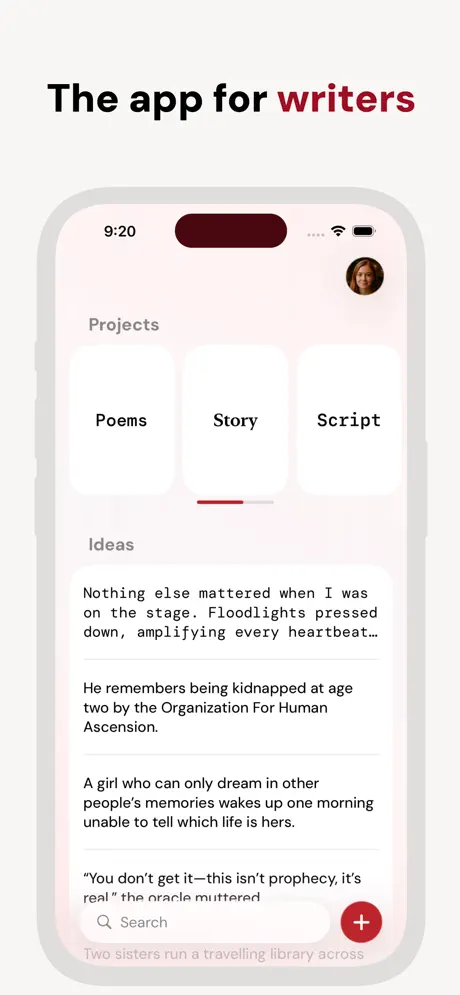  Werdsmith: Writing App |   Scriptation: Annotate Scripts | 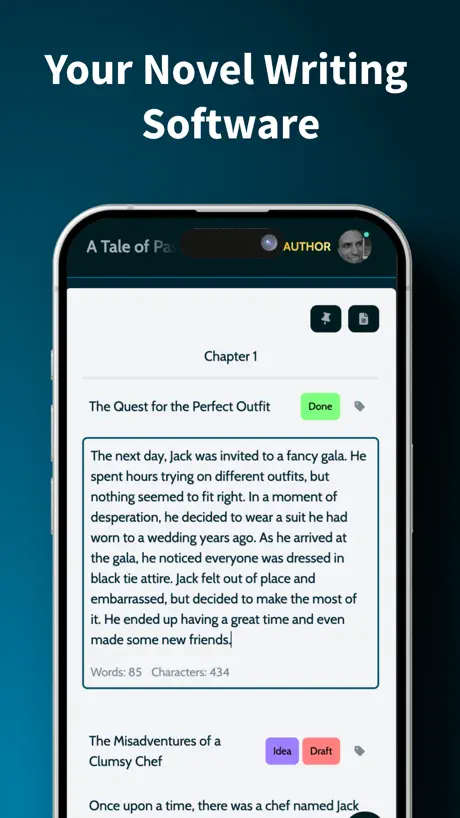  MyStory.today: Write a Book | 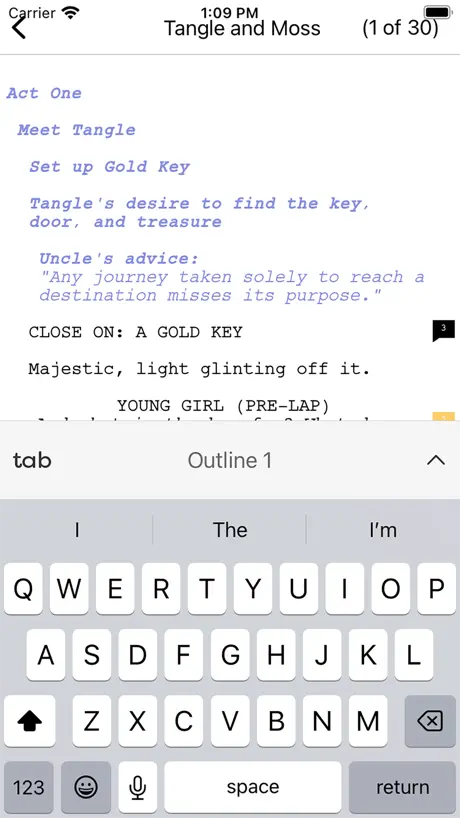  Final Draft Go | 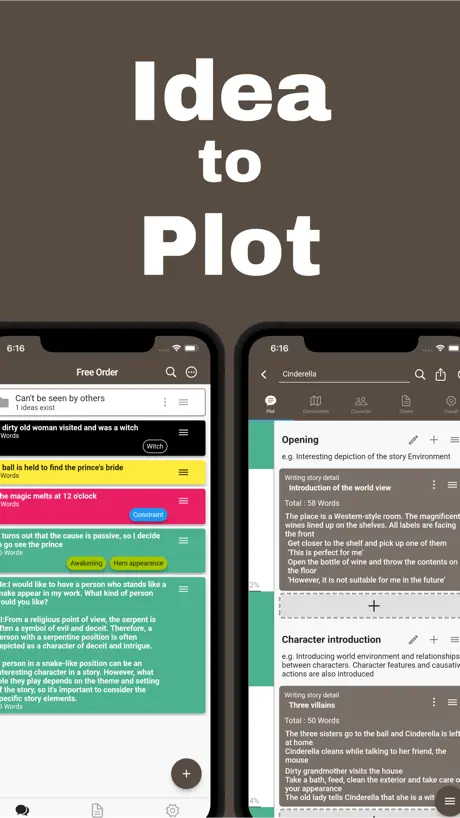  Story Plotter - idea to plot - | 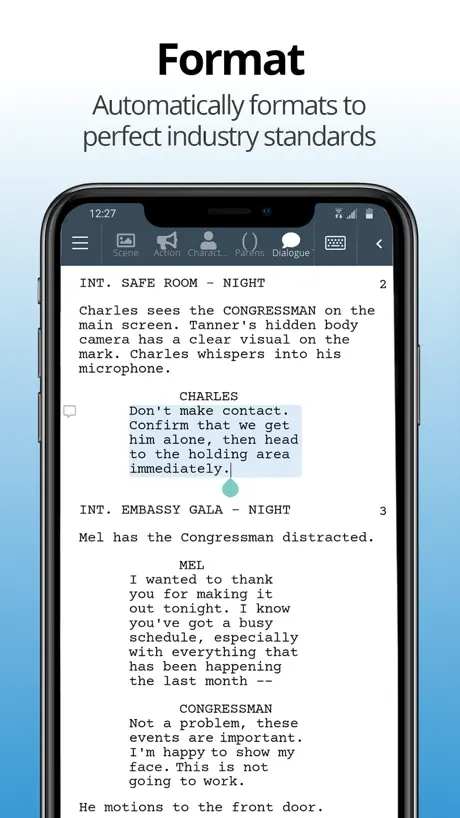  WriterDuet | 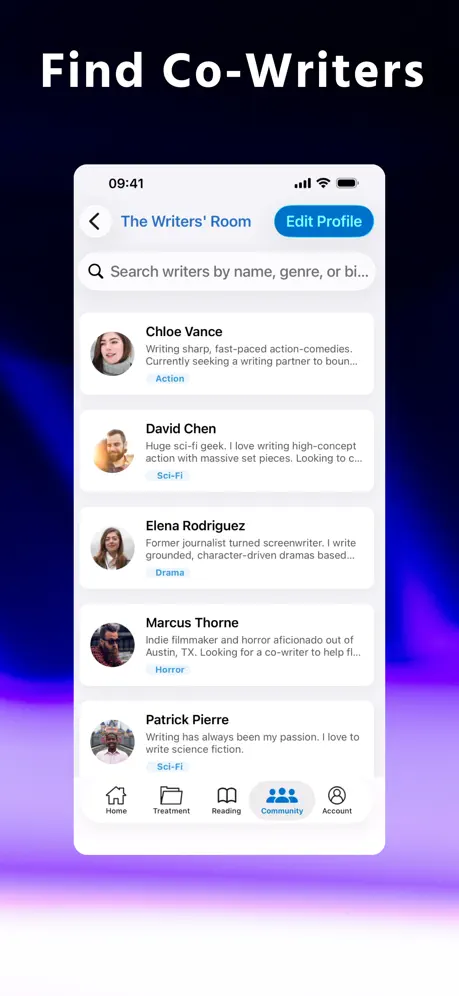  Stratword - Script Writing |   JotterPad - Novel, Screenplay |   Arc Studio Screenwriting |   Scrivener Companion - Scrivo | |
|---|---|---|---|---|---|---|---|---|---|---|---|
| Rating / 5 | 4.3 | 4.6 | 4.8 | 4.5 | 3.9 | 4.5 | 3.4 | 4.2 | 3.4 | 3.4 | 3.4 |
| Reviews | 840 | 12K | 8K | 3.5K | 2.8K | 2.4K | 218 | 215 | 212 | 176 | 65 |
| Released | 2019 | 2011 | 2016 | 2018 | 2023 | 2019 | 2017 | 2021 | 2020 | 2021 | 2024 |
| Monthly price | — | $9.99 | $39.99 | $3.99 | $3.99 | $1.99 | — | $5.99 | $6.99 | — | — |
| Annual price | — | $99.99 | $99.99 | $39.99 | $19.99 | — | — | $49.99 | $29.99 | $99.99 | — |
The going rate for each plan in United States, in its own currency, shaded from the cheapest price on the row to the dearest. Plans fewer than four in ten of the priced apps sell are left out.
Storyist 4 reviews
4.3 out of 5, based on 840 reviews.
What people like
- No monthly subscription fees required.
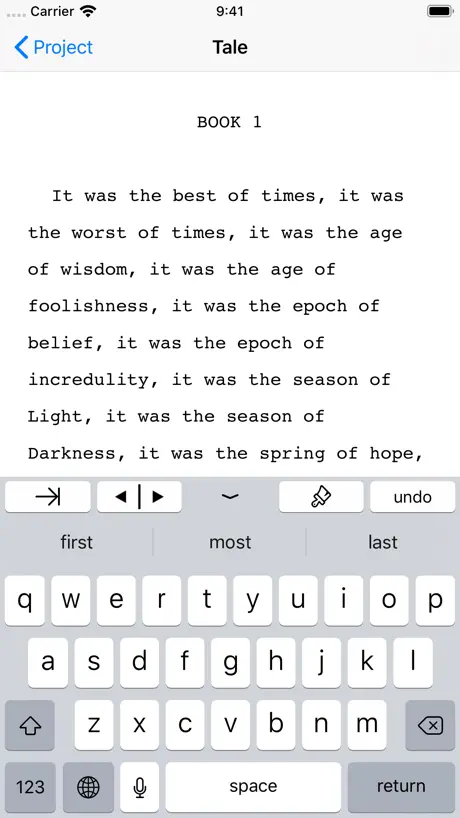
- Simple interface keeps you focused on writing.
- Works well across iPhone, iPad, and Mac.
- Great for organizing plot and characters.
What they complain about
- Files and work sometimes just disappear.
- Support is often unresponsive or slow.
- Syncing between devices can be buggy.
- Navigation feels clunky and confusing.
Pretty good!
I use the macOS app, and the iOS app has all the same features, presented in an easy to use fashion. I don’t really use it for logging characters or locations or plot points. Another app fills that gap, as I find Storyist’s methods for this a bit half baked. But it excels as a more focused version of Pages with much smaller file sizes. All I need is a simple writing app that lets me see the pages and word count rack up, whilst being able to highlight blocks of text and add comments to myself for future drafts. Storyist provides this with a one off payment and no sub. Can’t fault the iCloud sync either which lets me work on the same draft seamlessly between phone and desktop. Highly recommended.
Infuriating
Every time I buy a new device—upgrade. Storyist acts like I don’t exist. I add my Apple ID password, and it literally stays on the same page, instead of moving to my profile. Coincidentally, the page I’m stuck on offers a new subscription. SMH 🤦♀️ So tired of this game.
Storyist Review
Having written a 50k word story, I find it next to impossible to proofread, edit and format the manuscript without knowing the line numbers of the text. Simply displaying line number where the cursor is and making the cursor dominantly visible would serve that purpose without much programming effort. I hope the author will make that change soon. Thank you
Doesn't Work
I downloaded on Iphone Mini. And it wasn't able to receive my text. Not sure why, but I deleted it for not working.
Стили кривые
Начал пользоваться. Создал себе стили, такие какие мне нужны. Потом создал другой файл в этом же проекте там опять дефолтные стили. Как до такого вообще можно было додуматься? В одном проекте я не могу использовать одни стили, внутри каждого файла нужно из создавать заново? Можно создавать каждый новый файл дублированием ранее созданного, но тогда я не смогу менять стили внутри всего проекта в процессе работы. Ужос.
Brilliant and Elegant in its Simplicity.
Beautiful and lean- not over designed and needlessly complex. It’s a Writing Machine for writers who want to Write rather than spend time being software technicians. Have appreciated Storyist from the beginning and ditched my other screenwriting programs. It’s one of the best deals in writing apps. You don’t feel like you’re being gouged by Corporate “Greed”.
Very Frustrated
I just spent over an hour trying to move from Scrivener to Storyist, as it was supposed to be more iPadOS friendly. There is no good way to import a document, the styles all get broken, the user guide on their web site doesn’t even match the functionality of the app, this is a disgrace. At least Scrivener does what it says it will do.
Still just a little short…
Storyist for iPad could fulfill all of a writer’s needs with just a few modifications: — Include a template for querying and examples of queries for novels, screenplays and nonfiction, along with a folder to track submissions. — Make Storyist’s files compatible with Word, Pages and Scrivener in a way that preserves italicized words and other stylistics. — Provide Storyist to agents and editors, so writers who use the app can easily transmit manuscripts and edits. Otherwise, ISTM you’re giving writers excuses not to use the product. I’ve used it for years, but am starting to wonder why.
不能出一个中文版嘛?
希望出中文版
I preferred v3
It feels clunky and there have been zero updates to address the issues it does have. BUT I feel it is the best app out there for writing. I use v3 for other projects I have running, and I feel that is actually is a 4/5. So a slight step backwards.
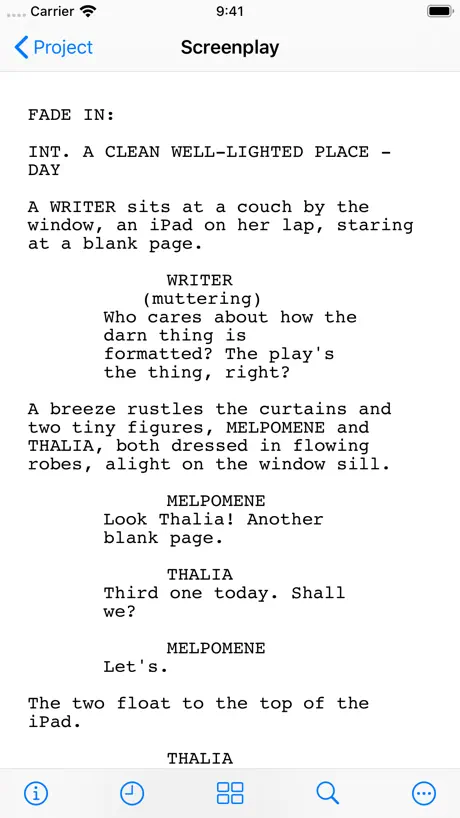
Best Script Writing App On The IPad
I love how simple and to the point everything is. I tried Final Draft (iPad) and it sucked harder than a washed up p***star tying to regain relevancy again😂 But this is by far the best script writing app there is. And not mention final draft files are 100% compatible meaning I can just carry all of those file over with no problem.
Bought it a long while ago now they stole it from me in the new update
Bought it in 2022, and loved it. Just went to use it and it updated to 4, and I can’t use it any more. It’s locked under the update and I have to PAY again if I want it!!!! Huge scam!!!
Update: Lost Everything with Upgrade
I just upgrade to IOS 14 and the Storyist update for it. Went to open a book that I’ve been working on and absolutely nothing was there. The word counter said there were so many words, but they were not on the page. Luckily I still have Storyist 3 and I have 4 on another computer, plus I have the book mostly backed up on other software so it is not much of a loss. Weird, though. Simply no words on the page. Wish: I wish there was a template in Storyist for non-fiction and such where you could do footnotes and all that kind of thing. Need that right now. Update: This problem kept going, then I found out more or less by accident what was wrong. Storyist 4 does not seem to save to Storyist icloud and it shut down when the Storyist 3/4 were running simultaneously, especially on the ipad. I had to save the projects in iCloud Drive and then they opened fine. To his credit, the developer was on it and I want to thank him for that here. To this end, I hope that Storyist 4 also adds the ability for footnotes/endnotes in future updates as I (and I am sure that there are many others as well) do much non-fiction on Storyist and need that feature. So problem is basically solved, developer was on top of it, and add a couple more features if possible. I bought/Downloaded the newest Storyist version on both mac/iOS. I have not had much time with it yet, but whenever I tried to open up a short piece I created to experiment with it on the IOS, Storyist 4 just crashes and shuts down. I am on an iPad Pro 10.5. I will not even let me create a new project, but just shuts down. Hmmm...
App Icon is so outdated
The ui, for the most part looks great…but the app icon looks like clip art from the early 2000s and it, an other weird emoji like icons are stamped over every document in the files app which ruins the experience for me. Less is more. Feature wise, I can get the same experience (with a better interface) from scrivener.
😅
Вообще не понимаю как пользоваться 🥲 (I don't even know how to use it🥲)
A Critical Tool For My Writing Process
It’s a file management system and word processor all in one and it doesn’t require a monthly fee. Been using it for over a year and still love using it over other competitor apps. I’m grateful to the folks who designed this app because it has helped me get further than ever with my writing. I hope it helps you too!
Terrible
Simply awful. Nothing like the photos
Great app for Writers
I've written a review a few months ago and the developer was kind enough to get back to me asking if they could resolve the issues I faced. As it turns out it is the fault of Apple. I was unable to search for files outside of Apples own device or iCloud. Anything like on Dropbox is invisible to my Files app. As a result Storyist files that I keep on Dropbox can't be found by searching for them using Files or any other app on my device. This occurs on iPad pro and iPhone. Storyist itself is my goto app for writing creatively. There's great functionality in this app to deal with characters, chapters, index cards and story arcs. For the price Storyist is worth it for any level of writer.
Would be great except for two things
I’m on iOS 14.3 and in the trial period. I’m enjoying the software EXCEPT it freezes a lot. I haven’t lost anything yet but it is sooooo annoying. I’m typing along, hit a key and then nothing. I have three choices at that point. I can walk away long enough to use the bathroom or get coffee, do a hard reset on my iPad, or turn my iPad off and count to 100 before turning it back on. These freezes are super disruptive and it seems like I get one for every five minutes of typing. The second issues lie with the inbuilt editing. 1) If I see an error or want to make a change to a sentence and I use the curser to land on the word or part I want to change it capitalizes the word I’m correcting or replacing every single time. The editor does not take into consideration there are no periods before the word(s) I’m changing so I get a capital letter plopped in the middle of a sentence. -I don't want to turn off the auto caps because I do want it to auto cap the first word in a sentence.- The clue here is that new sentences follow periods so if there isn’t a period in front of whatever I’m typing the auto caps should not be triggered. —Example: If I type The orangedog ran…., put the curser in the middle to erase dog, hit space and type cat, I get The orange Cat ran…instead of The orange cat ran… 2) If I type thedog instead of the dog the word is underlined in red. Great. Only when I tap it to pick a correction choice fifty percent of the time the correction choice will be the same thing, so in this case the correction choice would be thedog. The native apple software I’m using to type now would offer me a the dog 100 percent of the time. I feel Storyist 4 should as well BECAUSE if I have to use the curser to break thedog in to two words the second word will be capitalized-GRRRRRR In the same vein, when I make a mistake and hit another letter instead of the space bar getting orangemcat gets underlined in red. Great. But the correction choice will be orangemcat 100 percent of the time, and if I use the curser to delete the m and add a space cat will be turned into Cat every single darned time, even though it’s in the middle of then sentence and there is no period in sight. If not for those things Storyiest 4 would be the best novel writing software I’ve tried. Plus, the app freezes all the time, sort of sorry I went ahead and paid for it.
Ok but very average
It’s a clunky app. Not really that pro, not really amateur. Somewhere in the middle. It doesn’t quite know what it is…
Awesome app!
Wow, this app really helps me write stories! I’ve been using this app for about a week, but I love it.
4 is so many steps backwards
I really wanted to like this but the ui is so terrible, it doesn’t seem to connection to Dropbox anymore (if it does, that loops back to ui because it should be readily apparent), it’s not user friendly at all, and worst of all: it deleted my work—all files are just gone. Please, for the love of all things holy, return Storyist 3 or a Storyist 5 that takes after 3. After having had recommended 3 to my writer friends and acquaintances for years, Storyist 4 is a mess and an utter disappointment. Oh, and themes don’t work. All in all, as much as Storyist 3 was the primary reason I continued to buy ipads, Storyist 4 (as it is) is one of the worst wastes of money I ever spent.
new iPad Cursor support
Come on guys! It’s been too long for Storyist to not take advantage of iPad’s new cursor. The reason I downloaded the App is because I was hoping this would be done and I knew it’d take final draft a billion years.
Worked great for about a week.
To start off I had no problems and was actually loving the app. But then I had a problem opening up my manuscript (thankfully I saved progress among other apps). Once I solved that problem, a new one arose of adding bullet points after each sentence. Trying to contact support wont even open up my mail to solve this issue so sadly I have stopped using this app. Will update if glitch is fixed, since I did enjoy the app when it was functioning.
Great, except when the iOS app eats styles
I’ve used Storyist for years on desktop and iOS, but recently, if I make a change to any style via the iOS app, within minutes the edited style vanishes and anything uses it reverts to the default style. If I change the default style, ALL styles disappear and the entire document becomes a wall of text. To correct this, I have to go to my desktop install of Storyist, re-create all styles, and re-apply them line by line to the entire document—because they’re totally wiped out. Chapter titles, separators, section text. Gone. Not the worst when it’s a short story, but I found this out working on a 70k draft. Storyist 3 never had this problem; it’s new to the Storyist 4 app and I hope it’ll be corrected soon, otherwise I might finally switch to the competition. Writers should be able to safely change fonts on an iPad without worrying that all of the styles will be stripped. This bug is a deal breaker.
Excellent novel-writing software!
This is a great app that lets you write long-form works such as novels or screenplays. You can move chapters around, add annotations, etc. I love that this app lets you sync between an iPhone, iPad, Mac etc using iCloud. There is no need for third-party software like Dropbox. I often write on my iPad or Mac and then just read over it later or make small edits on my iPhone. 👍
Either be a pay to use app or be nothing
The facade of being a free app to help others is abhorrent. The fact is that require a 30 dollar purchase to actually use the app and it is the first thing actually displayed. The audacity to do this whilst portraying yourself as a free to use app is disgusting.
Great but...
I like this app a lot. It’s definately helped me to understand format. The one niggle I’ve had so far is with page numbers. The guidance you find is for Mac so you have to dig a bit deeper to figure out how to do it for iPhone/iOS. I’ve found it and managed to do it but the app will not let me move page number anywhere other than top left. Each time I go in to the place where I would choose my alignment the app crashes. Also, if you want to add ‘page 1’ as opposed to just a number, this doesn’t seem possible. You can type ‘page 1’, but this then adds it to every page. Then every page has ‘page 1’ at the top!?! There’s a button you can press ‘page #’ which will add a single number to each page, but this took me ages to figure out. This should be such a simple feature, and when you’re trying to create something professional it really lets the app down. Please sort it out and make it... easy? Thanks.
Buying it twice?
If I spend the money to get the Mac application why do I need to also buy it for my phone?
It is all a trick :(
You saw the free download button? Well, the app gives you a 14 day free trial and then you're forced to buy a $20+ membership in order to edit the files. If it's supposed to be a writer's app, then the biggest feature should be editing, but editing itself is not free in this writing app. So if you're really looking for a free writing app, this one is not your best choice. But from the other side, the app design itself is working pretty well and I personally like the user interface. So 3 stars for the hard work of developing the app.
Screenwriting Masterpiece Software!
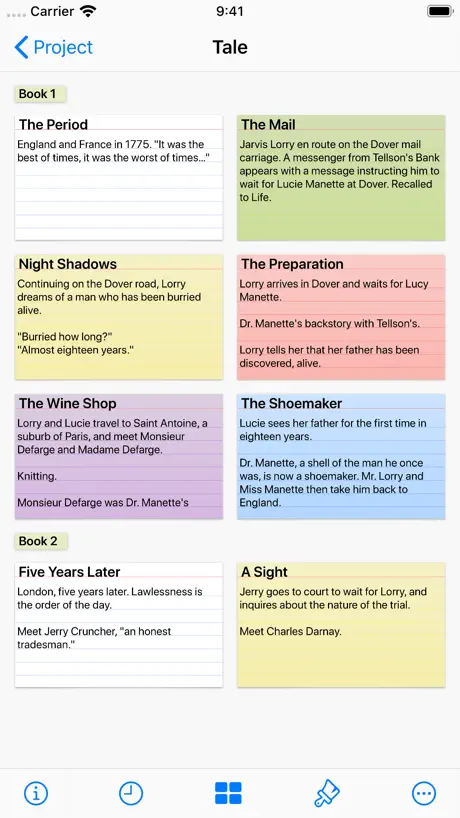
I ADORE all the features in Storyist! It allows me to setup an Outline (with Intention titles not Sluglines) in one panel, detailed Index Cards in another, AND Split View (horizontal OR Vertical with Script) so I can see everything I need to write! I also LOVE “Story Sheets” which can be added for Characters, Settings, Plot Points, Scene and Section sheets! These are interconnected-linked within the story/script and allow me to track character arcs and key plot points... automatically! Learning curve is there, but SO WORTH IT! Great Online help at Webite Support & Tutorials, as well as at Youtube! Kudos! Can’t imagine writing without it!
Eats your project files
This is my second review — the first one conveniently disappeared (or never went live). Don’t use this app. I’ve seen time and time again text files within a project disappear. They’re not in the backups either. Screenplay text files. Fiction text files. Hours and hours of work in multiple projects just gone. Tech support can’t (or won’t) help. App updates don’t fix the issue. Read other reviews. I’m not the only one experiencing this problem. Just avoid this app altogether.
Worth looking at
Storyist, as said, is overshadowed by Scrivener but Storyist is kept up to date. Because the script, text is one file the search feature is really useful. There is flexibility of formatting and layout. Definitely the best alongside Scrivener at a sensible price.
Not much here
This is basically a note organizer with screenplay formatting. Fountain or Markdown apps can do this as well.
Getting there...
I really want to like this app as Scriniver is way to difficult to use and this looks like it could be really good. It has a few issues. I’m not sure if the “auto-loss” thing occurs for everyone as noted by some reviewers, but what I find frustrating is that this app is really handicapped in it’s navigation structure. To add a card you click the three dots, then click add, then click the location, then click add AGAIN, then click text or heading, etc. This is a lot of clicking when there is a lot of space up in the menu bar for more tools/buttons. Also, any changes you make to the heading cards show up in the text. That structure is really odd. Overall I want to like this it just has some really strange design decisions.
Great app
Love this app, and I use it for all my fiction writing projects. Great app, by far my favorite writing tool. I work entirely on iPad (with Bluetooth keyboard) and iPhone syncing to the cloud but able to work offline. I can access my work wherever I go and keep it well organized. The writing interface is very clean and the ability to see and rearrange the plot structure is intuitive and extremely useful. Much simpler than scrivener; for me that means fewer features to be distracted by and more focus on the actual writing. When they add a .doc format export and the ability to export/share just a section or two instead of the whole novel, it will be five stars.
Storyist 3 legacy
I purchased storyist legacy and now it is gone, I cannot find it anywhere, other than purchase history on my past purchases through APP store granted I did not use it often but it has disappeared and when I click for discounted upgrade it has no record of my purchase. 🤔🤷♂️
A little frustrating but better than the others
I’ve compared this one to all the other screenplay applications, including Final Draft. I’d say it’s a close one between this and Final Draft. This one is a little more user friendly. But this does have a lot of UI problems when entering split screen mode on iPad. On the phone, when you tap on an area to type, it automatically zooms in so you can get a closer look at what you’re typing. But... it zooms in the wrong area. So I cannot see what I am typing. So I manually zoom out and try to type again and it zooms in again to try to be helpful. But it keeps zooming in the wrong area over and over again. So it has its problems on both iOS and iPad OS, but at least it’s somewhat usable. There are workarounds such as entering the “phone-optimized view”. So it doesn’t have to zoom in and out. The others apps... forget about them. It seems that no developer knows how to make a screenplay application, but Storyist is closest to a professional screenplay app you would expect coming from a desktop.
No upgrade discount…
I tried to upgrade to 4, the app switches to version 3 and then back to v4, but the $9.99 discount doesn’t show.
Font Selection Doesn’t Work
I love this app but unfortunately, I can’t use it, because the font selection doesn’t work. Every time I go in to select a new font, the list is blank and it won’t load.
Not worth upgrade unless you like folders
I’m pretty disappointed that they chose to spin off storyist to add the feature request we've asked for for a long time. I love using the app, but small things always bothered me like no folder tree in mobile app (like macos has), Support via email never answered, and ability to extend the template system was nonexistant (still is). That being said i upgraded for the folder tree view since i use this app for my iphone, ipad and mac. So buy it for that convenience but I think for budget minded people google docs is way better for same and more features(sharing and group comments i copy over to google writer.)
Waste of Time
Tried this app for 14 days on iPad and iMac. It fell way short or expectations on both. First, it does NOTHING that cannot be done on Scrivener, which while having a much steeper learning curve, is less expensive and has many more powerful features. Second, the styles function is terribly disappointing and does not work as described in the support articles on the Storyist website. Third, parts of the support articles contradict one another -- as if they might be written for different/older versions of the software. And, fourth, support was unable to resolve my questions, and finally became totally unresponsive. Total waste of time.
Quote Marks?
The “ ‘ # of the extended keyboard in Storyist 3 are gone in Storyist 4? Have made a major use of them in dialog for short stories. (Purchased the upgrade because it’s my writing app.) Please bring them back.
Buggy...Missing Fetures...OK
Overall: Just having the basic feature and a mobile sync that takes less than 10 minutes was enough for me to switch from Scrivener. But there are a lot of trade offs I’m not happy about. Bad: 1) Every time I open the app I’m locked from editing and need to “Restore Purchases” again. Super annoying. 2) It doesn’t really support transformations (allegedly it does for novels but I haven’t used those). If you use the other templates you’re going to hate exports, especially if you use the dark theme. Changing the fonts while editing (like using a white font for dark mode) means it will export as the font you edit with (in my case, white). In order for me to have readable exports I now have a several step process that involves a few apps to reformat the export and turn it into a PDF. Because I export infrequently, it’s tolerable but it’s a frustration every time. 3) It encourages you to keep sections / scenes within a single file and has a nice interface for reordering sections within a file. The downfall of this is that it’s painful to move scenes / sections from one page to another. Scrivener just has an arbitrary number of nested files that were easily sorted and moved around. I kind of like that better, but Storyist’s solution isn’t terrible - just inconvenient. Good: 1) It’s quick to load (I purchased Storyist to replace Scrivener due to Scrivener’s painfully slow mobile sync process) 2) It lets me use iCloud Drive rather than forcing me to use Dropbox 3) It’s rather easy to use 4) Some features like character suggestions in script editing are a little buggy, but overall work well enough to call it a win
Más ajustes en la sección de guiones
Muy bien en general. Creo que le hace falta un poco más de optimización para iPads más antiguos. Se echa de menos los indicadores superiores (como los que se ajustan en Final Draft llamados “Heading”) para indicar el nombre y el episodio del guion en concreto. Y los indicativos inferiores a la derecha al pasar la página como (CONTINÚA) y abajo en la hoja siguiente el diálogo del personaje. También al pasar de un diálogo de un personaje por defecto se ajusta la siguiente línea como “Acción”, es sugerirle que se pueda modificar por “Personaje”, para que sea más intuitivo.
File system alone worth the upgrade!
I've been happily using Storyist on IOS (and Mac) since 2011. I've written hundreds of thousands of words in Storyist using the onscreen built in keyboard. The only issue I ever had was in version 3 syncing up in Dropbox (the developer personally helped me through it by phone! The support was that good!) During the free trial of this version I loved the new file system - I still use Dropbox and Storyist 4 is better than ever! Thanks!
Lost it all!
Today I open up my app to add to my book, IT IS GONE! Everything! The entire book. All the changes I made in Storyist to the book (without writing down yet because of the saved documents in Storyist) GONE! I paid for the upgrade and all. I would appreciate a refund for the app upgrade. I am sick over this! I HATE this app!!!
Still decent
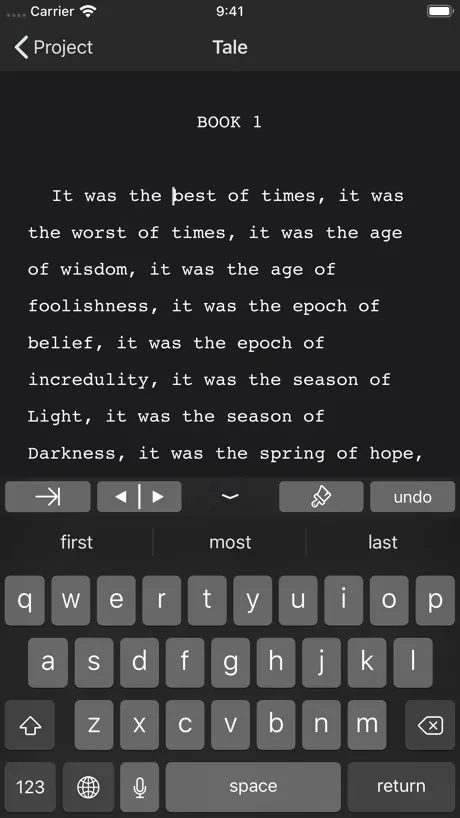
TL;DR - Functional, could be better. But still functional and works. The new UI needs to get used to, as it is rather simplistic and requires a few taps to navigate files. Default sync is iCloud instead of Dropbox, and it doesn’t look like we can change cloud services. While iCloud is nice, I don’t have much storage left and I much prefer Dropbox as all my previous Storyist 3 files were in there. There are three themes other than Classic. Light, Dark, and Storyist for Mac. They serve well for what they are, but honestly, I wish there was a few more themes. The editor is roughly the same as the legacy version. No major overhaul, and I don’t think I mind. The font is still that manuscript looking one - Courier I believe - and functions as a viewable font. Navigation, as I’ve said before, is a bit weird. There’s a “recent” and a “browse” tab at the bottom, meaning of you’ve a lot of Storyist files/documents, it might be a bit of a hassle to look for something. Files downloaded from Dropbox don’t appear in recent until you’ve opened them and edited the document(s) a bit. It looks a lot cleaner, but still a bit dated. I don’t know what it is, but the UI refresh feels a bit underwhelming. No three panel navigation for [Library], then [folder], and finally [editor], sort of like Ulysses or Bear. That type of navigation of the files is much better than the one provided here. Overall, this is a decent app if you hadn’t bought the Legacy version and was spoiled by the previous layout or by Bear or Ulysses. I still bought the full app because I appreciate the updates and the developers. Hopefully there would be a minor UI navigation change, as that is probably the only gripe I have for this app. Thanks for the update and the discount!
Storyist 4 price by country
A one-time purchase costs $9.08 in Canada and $15.19 in Colombia — 1.7× more for the same thing. Below is the going rate for each plan in every country that sells it — the middle price of what the app charges there, in the country's own currency with the dollar equivalent beneath it.
| Country | One-time |
|---|---|
| Afghanistan | $9.99 |
| Albania | $11.99 |
| Algeria | $9.99 |
| Angola | $9.99 |
| Anguilla | $9.99 |
| Antigua And Barbuda | $9.99 |
| Argentina | $9.99 |
| Armenia | $11.99 |
| Australia | A$14.99$10.13 |
| Austria | €9.99$11.03 |
| Azerbaijan | $11.99 |
| Bahamas | $9.99 |
| Bahrain | $9.99 |
| Barbados | $11.99 |
| Belarus | $11.99 |
| Belgium | €9.99$11.03 |
| Belize | $9.99 |
| Benin | $11.99 |
| Bermuda | $9.99 |
| Bhutan | $9.99 |
| Bolivia | $9.99 |
| Bosnia & Herzegovina | €9.99$11.03 |
| Botswana | $9.99 |
| Brazil | R$59.90$10.60 |
| British Virgin Islands | $9.99 |
| Brunei Darussalam | $9.99 |
| Bulgaria | €9.99$11.03 |
| Burkina Faso | $9.99 |
| Cambodia | $9.99 |
| Cameroon | $11.99 |
| Canada | CA$12.99$9.08 |
| Cape Verde | $9.99 |
| Cayman Islands | $9.99 |
| Chad | $9.99 |
| Chile | CLP 9,990$10.07 |
| China | CN¥68.00$10.18 |
| Colombia | COP 49,900$15.19 |
| Congo | $11.99 |
| Congo, Democratic Republic | $9.99 |
| Costa Rica | $9.99 |
| Cote Divoire | $11.99 |
| Croatia | €9.99$11.03 |
| Cyprus | €9.99$11.03 |
| Czech Republic | CZK 249.00$11.27 |
| Denmark | DKK 89.00$13.17 |
| Dominica | $9.99 |
| Dominican Republic | $9.99 |
| Ecuador | $9.99 |
| Egypt | EGP 499.99$9.36 |
| El Salvador | $9.99 |
| Estonia | €9.99$11.03 |
| Fiji | $9.99 |
| Finland | €9.99$11.03 |
| France | €9.99$11.03 |
| Gabon | $9.99 |
| Gambia | $9.99 |
| Georgia | $11.99 |
| Germany | €9.99$11.03 |
| Ghana | $11.99 |
| Greece | €9.99$11.03 |
| Grenada | $9.99 |
| Guatemala | $9.99 |
| Guinea-bissau | $9.99 |
| Guyana | $9.99 |
| Honduras | $9.99 |
| Hong Kong | HK$88.00$11.21 |
| Hungary | HUF 4,490$13.58 |
| Iceland | $11.99 |
| India | ₹999.00$10.59 |
| Indonesia | IDR 199,000$10.91 |
| Iraq | $9.99 |
| Ireland | €9.99$11.03 |
| Israel | ₪29.90$9.31 |
| Italy | €9.99$11.03 |
| Jamaica | $9.99 |
| Japan | ¥1,500$9.39 |
| Jordan | $9.99 |
| Kazakhstan | KZT 5,990.00$13.46 |
| Kenya | $11.99 |
| Kosovo | €9.99$11.03 |
| Kuwait | $9.99 |
| Kyrgyzstan | $9.99 |
| Lao Peoples Democratic Republic | $9.99 |
| Latvia | €9.99$11.03 |
| Lebanon | $9.99 |
| Liberia | $9.99 |
| Libya | $9.99 |
| Lithuania | €9.99$11.03 |
| Luxembourg | €9.99$11.03 |
| Macao | $9.99 |
| Macedonia | $9.99 |
| Madagascar | $9.99 |
| Malawi | $9.99 |
| Malaysia | MYR 49.90$12.20 |
| Maldives | $9.99 |
| Mali | $9.99 |
| Malta | €9.99$11.03 |
| Mauritania | $9.99 |
| Mauritius | $11.99 |
| Mexico | MX$199.00$10.72 |
| Micronesia | $9.99 |
| Moldova | $11.99 |
| Mongolia | $9.99 |
| Montenegro | €9.99$11.03 |
| Montserrat | $9.99 |
| Morocco | $11.99 |
| Mozambique | $9.99 |
| Myanmar | $9.99 |
| Namibia | $9.99 |
| Nauru | $9.99 |
| Nepal | $11.99 |
| Netherlands | €9.99$11.03 |
| New Zealand | NZ$19.99$11.04 |
| Nicaragua | $9.99 |
| Niger | $9.99 |
| Nigeria | NGN 14,900.00$11.02 |
| Norway | NOK 129.00$13.48 |
| Oman | $9.99 |
| Pakistan | PKR 2,900$10.48 |
| Palau | $9.99 |
| Panama | $9.99 |
| Papua New Guinea | $9.99 |
| Paraguay | $9.99 |
| Peru | PEN 44.90$13.21 |
| Philippines | ₱599.00$9.38 |
| Poland | PLN 49.99$12.53 |
| Portugal | €9.99$11.03 |
| Qatar | QAR 39.99$10.99 |
| Romania | RON 49.99$10.35 |
| Russia | RUB 899.00$10.90 |
| Rwanda | $9.99 |
| Sao Tome & Principe | $9.99 |
| Saudi Arabia | SAR 39.99$10.66 |
| Senegal | $11.99 |
| Serbia | €9.99$11.03 |
| Seychelles | $9.99 |
| Sierra Leone | $9.99 |
| Singapore | SGD 14.98$11.61 |
| Slovakia | €9.99$11.03 |
| Slovenia | €9.99$11.03 |
| Solomon Islands | $9.99 |
| South Africa | ZAR 199.99$11.83 |
| South Korea | ₩17,000$12.72 |
| Spain | €9.99$11.03 |
| Sri Lanka | $9.99 |
| St. Kitts and Nevis | $9.99 |
| St. Lucia | $9.99 |
| St. Vincent & The Grenadines | $9.99 |
| Suriname | $9.99 |
| Swaziland | $9.99 |
| Sweden | SEK 129.00$12.81 |
| Switzerland | CHF 9.00$10.73 |
| Taiwan | NT$320.00$9.72 |
| Tajikistan | $9.99 |
| Tanzania | TZS 29,900.00$11.32 |
| Thailand | THB 399.00$11.78 |
| Tonga | $9.99 |
| Trinidad and Tobago | $9.99 |
| Tunisia | $9.99 |
| Turkey | TRY 499.99$9.93 |
| Turkmenistan | $9.99 |
| Turks and Caicos | $9.99 |
| Uganda | $11.99 |
| Ukraine | $11.99 |
| United Arab Emirates | AED 39.99$10.90 |
| United Kingdom | £9.99$13.21 |
| United States | $9.99 |
| Uruguay | $9.99 |
| Uzbekistan | $9.99 |
| Vanuatu | $9.99 |
| Venezuela | $9.99 |
| Vietnam | ₫299,000$11.62 |
| Yemen | $9.99 |
| Zambia | $11.99 |
| Zimbabwe | $11.99 |
Storyist 4 FAQ
- Is Storyist 4 free?
- Yes. The app and its basic features are free, in all 175 countries it sells in. Premium features are paid: they start from $9.99 (US), across 3 one-time purchases.
- Does Storyist 4 have a free trial?
- No. None of its offers (US) come with a free trial.
- Where is Storyist 4 cheapest?
- A one-time purchase costs CA$12.99 (≈$9.08) in Canada and COP 49,900 (≈$15.19) in Colombia, its cheapest and dearest countries.
- What are the best alternatives to Storyist 4?
- Werdsmith: Writing App (4.6 from 11,764 reviews, premium from $4.99), Scriptation: Annotate Scripts (4.8 from 7,971 reviews, premium from $14.99) and MyStory.today: Write a Book (4.5 from 3,479 reviews, premium from $2.49).
Storyist 4 download
Last updated 26 days ago.
Storyist 4 sells in 175 countries. It was released 7 years and 8 months ago, on 6 Mar 2019. It holds a 4.3 rating from 840 reviews.
Supports 3 languages: English, French, Spanish.
How much does Storyist 4 make?
Third-party estimates for the last 30 days, worldwide — not the store's own figures, which Apple publishes for nobody.
Revenue by plan
- One-time 100%
Revenue by country
- United States 58%
- United Kingdom 7%
- Canada 6%
- France 5%