WriterDuet
Real-time screenwriting
How much does WriterDuet cost?
Prices are current as of 7 Sept 2026.
WriterDuet has no in-app products on record in the United States.
10+ alternatives to WriterDuet
| WriterDuet |   Werdsmith: Writing App Werdsmith: Writing App |   Scriptation: PDF for Film & TV Scriptation: PDF for Film & TV |   Writing Space: Books & Scripts Writing Space: Books & Scripts |   Final Draft Go Final Draft Go |   Story Plotter - idea to plot - Story Plotter - idea to plot - |   Storyist 4 Storyist 4 |   Stratword - Script Writing Stratword - Script Writing |   Arc Studio Screenwriting Arc Studio Screenwriting |   Fountain · easy screenwriting Fountain · easy screenwriting |   Highland Pro Highland Pro | |
|---|---|---|---|---|---|---|---|---|---|---|---|
| Rating / 5 | 3.4 | 4.6 | 4.8 | 4.3 | 3.8 | 4.5 | 4.3 | 4.2 | 3.4 | 4.5 | 4.6 |
| Reviews | 207 | 12K | 7.9K | 3.1K | 2.8K | 2.4K | 820 | 214 | 174 | 52 | 25 |
| Released | 2017 | 2011 | 2016 | 2020 | 2023 | 2019 | 2019 | 2021 | 2021 | 2024 | 2025 |
| Monthly price | — | $4.99 | $39.99 | $1.99 | $3.99 | $1.99 | — | — | — | — | — |
| 3-month price | — | — | $39.99 | $3.99 | — | — | — | — | — | — | — |
| 6-month price | — | $24.99 | $69.99 | — | — | — | — | — | — | — | — |
| Annual price | — | $99.99 | $99.99 | $11.99 | $19.99 | — | — | — | — | — | — |
The going rate for each plan in United States, in its own currency, shaded from the cheapest price on the row to the dearest. Plans fewer than four in ten of the priced apps sell are left out.
WriterDuet reviews
3.4 out of 5, based on 207 reviews.
What people like
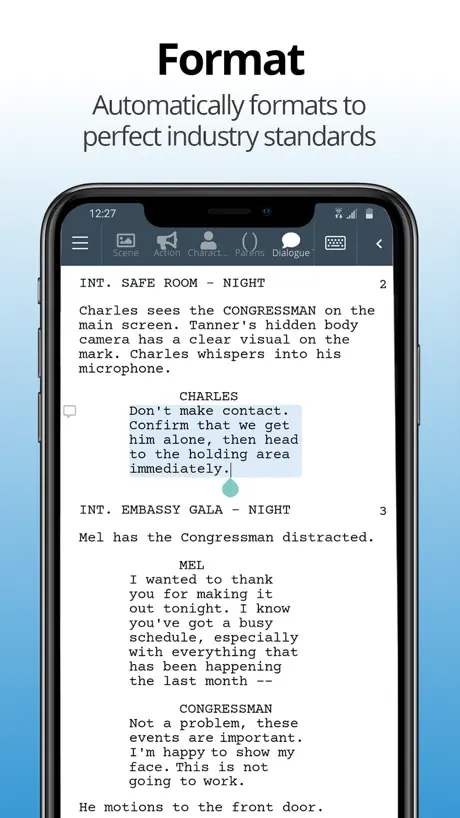
- Formatting screenplays automatically saves so much time.
- Desktop and web versions work very well.
- Customer support is prompt and helpful.
What they complain about
- Syncing between devices is broken and unreliable.
- Mobile app crashes and freezes constantly.
- Cursor jumps around instead of staying put.
Crazy easy
Very easy to use. Intuitive and the free version is enough to get serious work done before upgrading.
Doesn’t work
Paid for premium for the listening feature and it doesn’t work. Read about 10 pages then stopped. Close and reopen the app and it only reads about two sentences then stops.
I mean it’s alright but…
It’s a good app but I wish there was like a search bar so we can type the part that we wanna go back to instead of scrolling. Also it does get pretty laggy like when we scroll and tap at a sentence it lags a bit and it breaks my screen for a second, is there anything you could do to prevent it?
Very strange please update
When I got the app it didn’t give the option of making password it didn’t even give me one. So when I tried to upgrade it to plus I couldn’t access the sight then I checked the sight it crashed signed me out and now I can’t get back. THIS NEEDS TO ABLE TO MAKE MORE THAN ONE ACCOUNT! Please
Pretty good (must read)
Ok so it’s fine but it has a glitch that I had to weight 7 days for it to fix. Overall really good you only have to sign in and 0 ads
I love this app but…
I love this app butt wish the free version had unlimited projects but the app is really good.
I was rooting for you
I love the features on this app so much, I just wish they would work. The app is too glitchy. I don’t know if it’s because it’s a free app or what. I would pay a 1 time subscription if I was convinced that the app would run smoothly. I am not convinced. The app deserves a 5 star rating, but unfortunately it doesn’t work most of the time.
Good, not perfect
Writing a screenplay, it has made it 1000 times easier to focus on the story rather than formatting. So grateful. It’s not perfect. On iPad at least. But I’ve been able to print it in the exact format as it shows in writer duet. I choose this over final draft pro anytime. It puts it to full shame. Thank you. I never write reviews
Great on desktop, but...
The desktop app for Mac and the browser version on Safari are great, but the iPhone app and mobile browser versions are terrible. They are super laggy, they don't update like they supposed to, when you tap on a place where you want the cursor to go, the app jumps to a completely different place in the script, sometimes several pages down...so now you gotta scroll up and try to find where you were putting the cursor, etc. The mobile app and browser versions are almost unusable, which is a shame.
Buggy but useable
The iPad app is buggy. If they could get it running as smoothly as the desktop version it’d be 5 stars easily. The biggest, and most tedious, thing is that if I scroll down (for example) ten pages to edit a scene, the moment I click on the text I want to edit, the app will jump me 2-3 pages away from where I want to be. This will happen two to three times before it works properly.
Seriously, why are people complaining? This is awesome!
I am having the time of my life writing screenplays for movies on this app, and it changed me. 10/10, 5 stars. Recommend it to more people, and say nice things about it.
the app sucks
Unless you want to waste time ripping your hair out from just how annoying this app’s programing is, just stick to the desktop or web version on the computer. I’ve tried many times to use the app when I don’t want to sit at my PC and write, but the IOS version of the software is so bad that I’m writing this review instead! Half the time, the quotation marks have no clue which way they want to face. More than half the time, if I backspace and then go to retype, it’ll throw in some random capitalization for absolutely no reason. And the worst most unbearable reason for my hatred for this app? Don’t even THINK about copying text from somewhere else and pasting it in WriterDuet’s app because it will glitch, crash, freeze, or spontaneously combust. Maybe even all four at once if it’s feeling devilish that day. Maybe if they fix the multitudinous bugs, I’ll reconsider. If and ONLY if. For now, I guess I’ll stick to hunching over my computer.
Missing 1 essential tool
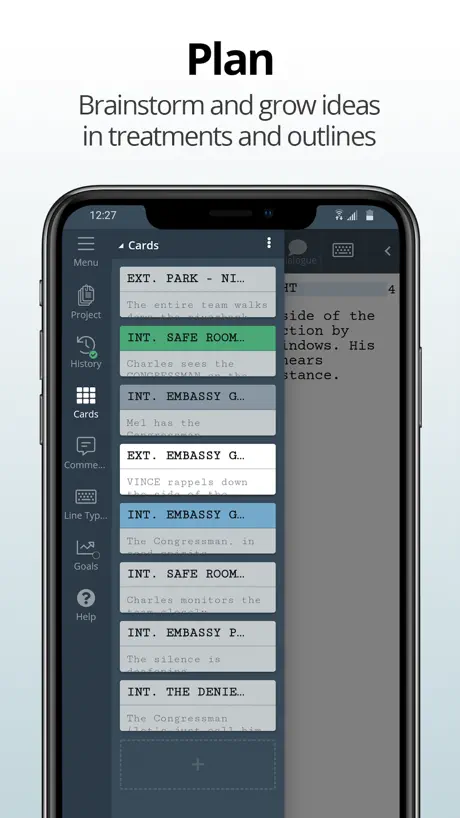
I love the app. It works great on my iPhone in a pinch. I mostly use on my iPad and I love it so much. Writing is seamless for me. However there is one key feature that’s available on the desktop version that’s not available on the iOS version, and that’s the ability to drag and drop the cards. I hate having to cut and paste cards between sequences or if I need to rearrange scenes seamlessly. If you provided the ability to tap/click and drag the cards on iPhone and iPad, I’d never need my desktop again.
I love the product but am dissatisfied with the app
Writer duet (on my computer) is great and it is a very fair price for the yearly price but I am disappointed by the app. On my computer using a browser writer duet works great but this app on my phone is not good. It does not update my scripts so if I use my computer to write and come on my app later to work on the go it doesn’t update to the cloud version. I just finished writing a 14 page short film script and went to review it on my phone to shortlist and it didn’t update so my phone only shows 6 pages of the script. This issues, on the book I am writing, caused me to lose work in the past. I don’t use the phone app anymore because it is unreliable but this is extremely frustrating because I am paying for a service and not getting the full benefit. Please fix this issue and I will change my review, thank you.
The desktop browser is good
But the mobile app has issues, it won’t update the work I’ve done on my script unless I log out. Then it won’t auto fill my username or password and have to go into passwords to grab it. Being not reliable on app means I can’t write here and it updates correctly to my account.
Easily the best Screenwriting App
I've used just about all the screenwriting apps and WD is easily the best. There's a bit of a learning curve, but once you get used to it, you'll never wanna go back to FD. It's also worth it to get the desktop version.
Horrible
It always messes up when you try to do dialogue.
Love the app
I started writing with WriterDuet. But there are some issues that I see with the app. That can affect someone’s writing. Like for one, when I copy something from another document that I have my story idea in. And I want to paste it within the app on either iPad or iPhone. The app, either a glitches, and then adds extra lines, or B kicks you straight out of the app and adds extra mind that you cannot delete once you exit the app to restart. In my opinion, that’s just the biggest issue. Because it’s gonna slow us down, especially for trying to write a script.
It’s great but-
I wrote three scripts on it and now it won’t let me write anymore.
Good but in the long run, more expensive than FD.
The layout is better than Final Draft and has some interesting features, but to have access to all the features it becomes too expensive for the casual writer.
Literally perfect! Peak Peak Peak!
So straight forward, exactly what I needed. So much thought put into this app, I reccomend it!!
Doesn't Work with iOS
Really annoying that the cursor jumps around to the front of the line when I am trying to add something to the end of the line on both my tablet and iphone. I wanted to be able to work on a project with someone using windows/android and while it worked for them, not having my devices made us try to find alternative collaborative screenwriting software.
Network
The app is great, but on iPhone the word correcting needs to be corrected. When I write words and I delete them in the iPhone keyboard it shows that it is still written. And also make the WriterDuet work in offline, I had my files that I wanted to import but i DIDNT have internet so I couldn’t make the import and export work for offline.
Lots of problems
Uninstalled the app and canceled my WD subscription because syncing is broken, and that’s too important to take chances with. However, even before that, the app provided an often-glitchy experience that made it difficult to work with: for instance, the alignment of my script text would frequently get messed up and require me to restart the app in order to properly navigate the UI.
iPad App is great, but unstable and unreliable
The tool is amazing! It has a bunch of great formatting tools that will make writing fast and easy. There’s also a plethora of templates for different types of writing. Ex: novels, screenplays, graphic novels, etc. Where this app fails is pasting from an external file like Google Docs. I have the first few episodes of my graphic novel written up, but I am having a really hard time trying to paste them into this app. The performance is just not that great.
Life Saver
Good & simple
Syncing issues
I’ve been reporting this to their support staff for months and they still haven’t fixed it. I’d make changes to my project on my computer, then I’d open the project on my iPhone or iPad via this app and it wouldn’t sync those changes. So I’d basically be working on two different versions of the same script. Do not use the mobile app, just use the desktop website since that’s the only version that syncs properly.
Great app
I’m not a pro screen writer, but aspire to that goal. I find WriterDuet a fine little app! It did take me a bit to me a bit to figure out how to access the function buttons, but now I am rolling down the road with my script. I found customer support to be prompt & courteous too👍🏻
Glitchy
Difficult to use between devices. Saving and editing causes errors to text and formatting.
Three Worries
When I do three scripts, I can’t make more of them on the mobile version.
Simple and straightforward
The app is lovely. Runs smoothly, and is great in helping me write a musical. I only have three comments. One, sometimes when I put a period, the last letter of the word before is disappears, causing me to have to rewrite it. Not a big deal, but it does get quite annoying. There should be a more efficient way to create the title page. Adding features like text size, italicization, and bold text would be lovely for help. That’s all I have to say. Simple app and straightforward.
Don’t use this app!
I was about a third of the way through a screenplay on the Writer Duet app and then I stopped working on it because I couldn’t figure out where to take the story. While my story languished in cyberspace I lost the email address associated with my Writer Duet account. It was a Comcast email address. That’s a separate story in itself but the bottom line is because I couldn’t use the old email address Writer Duet is refusing to let me access my writing project. They insist the only solution is to reinstate the old address which is impossible to do with Comcast. I’ve offered to send the Writer Duet staff a photo of my drivers license to prove my identity and they won’t accept that. So I guess all the hours I spent on the screenplay was a waste. I’m sure it’s a rare problem but the way they’re refusing to help should scare people away from putting their writing projects at risk on this app.
Does what is says on the tin
Basic but great for writing. I wish it had a few more functions, the main one being remembering character names. It’s nothing major. All the basics work just fine. It formats everything for you as it should and has some handy shortcuts. If you’re not looking for anything fancy this is an excellent piece of kit.
Not working.
App worked great for like a month, now it freezes at the opening screen.
Needs improvement
I started out loving this program, its extremely generous for being free and I finished my first feature screenplay on it so for that I’m grateful. But man, using it lately has been an absolute nightmare. The amount of glitching and crashing is crazy. I have to restart the app every five minutes or so. Unfortunately, I don’t think I will be using it for future projects :/ Its great for a writer starting out though.
Review
Really good app it’s very useful
Charge For Lifetime Members?
I’ve been a lifetime member since 2018. Why can’t I download this app without being charged?
Great App, But Need Work
I’ve been using this app for nearly a year now. It’s less buggy on windows, but it definitely does need to be optimized better for IOS devices. When writing screenplays, I encounter a bug where some deleted text won’t actually delete and it prevents me from spacing without having to force close the app and refresh. It’s been manageable for some time, but of course that gets annoying when I’m flowing with my work and have to repeat this process. I also use the book format to take notes or to start chapters that I end up publishing in Wattpad or simply transferring to apple pages; when using quotation marks on my IOS device they will show up backwards if the line has no wording which is odd because opening and ending quotations are a thing. I don’t have to refresh, but I do have to perform various steps to finally get the quotations in their proper form. Please fix!
Looked promising but...
Tried to sign in with my email address, I just get the app screen with the logo and nothing happens. There's no feedback about why the app is stuck, it's just died. Shame because I was using it earlier today and liked it, but after this I won't be trusting my data to it. Ok I found the reason why the app store responding. I logged in via the website and it says they're moving away from Google and Facebook authentication, so I need to create a password. Pity the app doesn't display the same message to...
Great when it works
I’ve been using the app on my iPad, along with the desktop version for several months now. Synchronicity across devices is a massive positive, but I have two major issues currently: - The Google Drive backup upon save feature doesn’t work properly. It constantly re-asks for authorisation again on almost every save, making it a really frustrating experience. - The card view doesn’t really work at all on iOS. I can create them but I’m not able to edit or delete them, so it basically makes part of the outlining and planning process impossible to do on my iPad. Developers, please could you fix these issues as this would be an easy upgrade to a five star experience!
I Love This Software
I sold my car. Stopped going out. I’ve canceled every streaming service that I have. But I would cut off my right arm before I stop subscribing to WriterDuet.
unnecessary glitch
Can you explain why the Menu option has been pushed so far up into the screen that it has become impossible to click on it and access other options, like import, export, open new document, etc.? this happened only after I updated this app. It was working perfectly before. What’s wrong with you guys? Unbelievable.
Love with some disappointment
I love using this app. It’s got great tools and a great layout. That isn’t without its issues though. 1. I wish multiple documents would not open all at once when I open the app. 2. The keyboard likes to not cooperate with the automatic word fill-in, which is a little frustrating. 3. I would love to be able to share what I’m working on with friends through just the basic version. I think if these were all resolved this could be the best writing app on the market.
App now seems to freeze for me
Contrary to what most people say I this app has been quite good for me. Although I find more problems on the iPhone version than when I use it on my iPad so I wonder if that might be part of it. Aside from that however it seems that after a recent update the app has stopped working for me entirely. Now whenever I open the app it just stays stuck on the blue ‘opening screen’ (the one that says WriterDuet and is completely blue from top to bottom). I hope that they fix this soon because this app is honestly my go to although I know others feels differently.
Red
My writing keeps turning red after opening up the app again after a while, it’s a good app but this bug is really annoying
Amazing 10/10
I have 0 idea why there are so many bad reviews. This app works really well and is easy to use.
Bug fixes
This app literally cant track what I write down it. I’m constantly deleting words I have to re write it over and over it again please fix these problems
A job well done
The ux of the app can be a bit confusing, the menu navigation feels like an old app, but once you get used to that, it’s really great and allow to do everything you’d expect from a writing and screenwriting app. Some suggestions, I’d love to be able to chose iCloud to save my files instead (at least have the option), i use often my iPad plugged to another screen, the app doesn’t allow different aspect ratio and this is why sometime I prefer to use another app when plugged in In all it’s very well done
Riddled With Basic Problems
This app, seems fine to start, but there are so so so many small quality of life issues that make it unusable. The most frustrating for me is that if I embolden a word in a characters line, it will automatically embolden the entire line. And it happens every time. I don’t know how such a basic and essential tool for screen writing doesn’t function on a screenwriting app. And that’s just the top of a long list of grievances. Do yourself a favour and pick a different app.
Great but a buggy app
It’s a great iPhone app but it freezes if you want to edit something or it goes really slow whilst writing dialogue
WriterDuet FAQ
- Is WriterDuet free?
- Yes. The app is free, in all 175 countries it sells in, and it sells nothing inside it.
- Does WriterDuet have a free trial?
- No. None of its offers (US) come with a free trial.
- What are the best alternatives to WriterDuet?
- Werdsmith: Writing App (4.6 from 11,666 reviews, premium from $4.99), Scriptation: PDF for Film & TV (4.8 from 7,863 reviews, premium from $14.99) and Writing Space: Books & Scripts (4.3 from 3,065 reviews, premium from $1.99).
WriterDuet download
Last updated 2 months ago.
WriterDuet sells in 175 countries. It was released 9 years and 2 months ago, on 20 Jul 2017. It holds a 3.4 rating from 207 reviews.
Supports 1 language: English.
How much does WriterDuet make?
Third-party estimates for the last 30 days, worldwide — not the store's own figures, which Apple publishes for nobody.