Arc Studio Screenwriting
Professional Screenwriting App
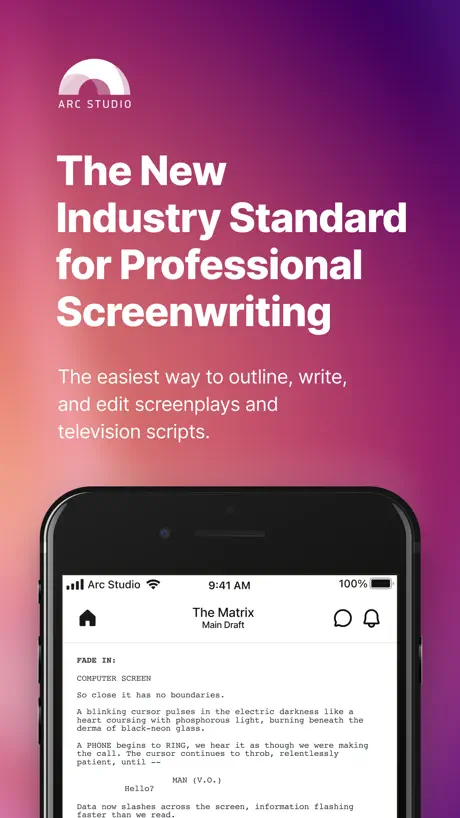
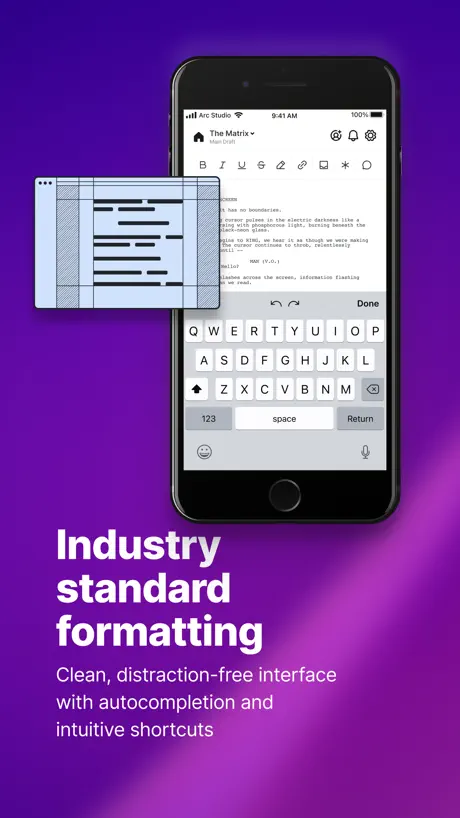
How much does Arc Studio Screenwriting cost?
Prices are current as of 16 Nov 2026.
1 subscription from $99.99
In the United States, Arc Studio Screenwriting has 1 subscription priced $99.99.
| Subscription | Period | Price |
|---|---|---|
| Pro | Annual | $99.99 |
See what Arc Studio Screenwriting costs in all 175 countries →
10+ alternatives to Arc Studio Screenwriting
| Arc Studio Screenwriting |   Scriptation: Annotate Scripts |   Final Draft Go |   Storyist 4 | 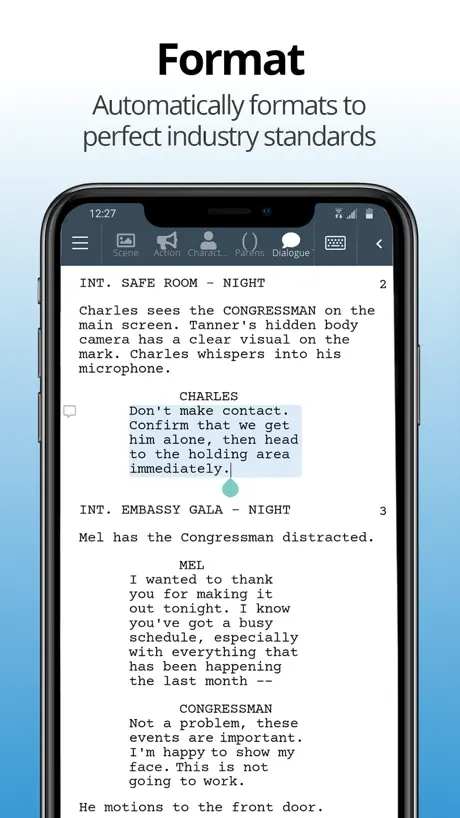  WriterDuet |   Stratword - Script Writing |   Fountain · easy screenwriting |   Story Architect Mobile |   Studiovity Movie Scheduling |   Highland Pro |   ScriptBuilder | |
|---|---|---|---|---|---|---|---|---|---|---|---|
| Rating / 5 | 3.4 | 4.8 | 3.9 | 4.3 | 3.4 | 4.2 | 4.4 | 3.8 | 3.2 | 4.5 | 4.7 |
| Reviews | 176 | 8K | 2.8K | 840 | 218 | 215 | 63 | 55 | 41 | 33 | 9 |
| Released | 2021 | 2016 | 2023 | 2019 | 2017 | 2021 | 2024 | 2025 | 2021 | 2025 | 2019 |
| Monthly price | — | $39.99 | $3.99 | — | — | $5.99 | — | — | — | — | — |
| Annual price | $99.99 | $99.99 | $19.99 | — | — | $49.99 | — | — | — | — | — |
| One-time price | — | — | — | $9.99 | — | $29.99 | — | — | — | — | — |
The going rate for each plan in United States, in its own currency, shaded from the cheapest price on the row to the dearest. Plans fewer than four in ten of the priced apps sell are left out.
Arc Studio Screenwriting reviews
3.4 out of 5, based on 176 reviews.
What people like
- Clean interface helps you focus.
- Syncs well across all devices.
- Great tools for outlining scripts.
- Developers fix issues quickly.
What they complain about
- Mobile app has many bugs.
- Free version is too limited.
- Subscription cost feels too high.
- Text selection and copying fail.
To be Completely honest…
Arc Studio would have to be the absolute best of the best for my needs. I’m currently writing a screenplay for a video game and instead of having to worry about how to properly format the script Arc Studio allows me to just focus on writing the material in order to get the job done. It gives suggestions and marks errors that would be (spelling, not grammar errors). Honestly, ever since I switched to Arc Studio, it’s been smooth sailing. I definitely recommend it for anybody who is making scream place for the first time. It absolutely works for me.
Purposely downgraded— unusable without paying ridiculous prices
I used to love this app, can edit without wifi, easy layout. Literally perfect. I tried to use it recently after an update and it tells me that in order to use the app that advertises itself as free, I have to pay a subscription. Fine. So I’ll use the web browser instead. Oh, now you’re telling me you don’t support a safari browser and I literally need to pay money to not only edit, but view/ download the drafts I’ve been writing for the past few weeks. Utter ridiculousness. Don’t waste your time
Languages
It would be good if you added multiple languages for Scene Headings and other things, but so far I like this software.
Used to be Amazing
Arc Studio was my favorite screenwriting software until the updates for the free version rolled in. Now, you can only access the free version on a browser—annoying but I can deal with that—and you are only allowed two free scripts. Two. I switched to Arc Studio from WriterDuet for the same reason except they at least allowed three under the free version. This isn’t even a free version anymore it’s a free trial. I’m an aspiring screenwriter so it’s not like I’m making bank over here lol. I’ll have to find another software which saddens me cause I really liked Arc Studio. I’m not saying everything should be free cause I know the people who worked hard on this app need to make money too, I just don’t like that I’ve poured a lot of time into scripts on this app and now the changes make it unusable for someone unable to pay what the app is asking for (a lot of money).
Why doesn’t the icon support dark mode?
The website markets this app as beautiful software, and yet its glaring white icon sits on my home screen like a white elephant—impossible to ignore and completely out of place in a dark mode world. Please fix this.
Best Screenplay App
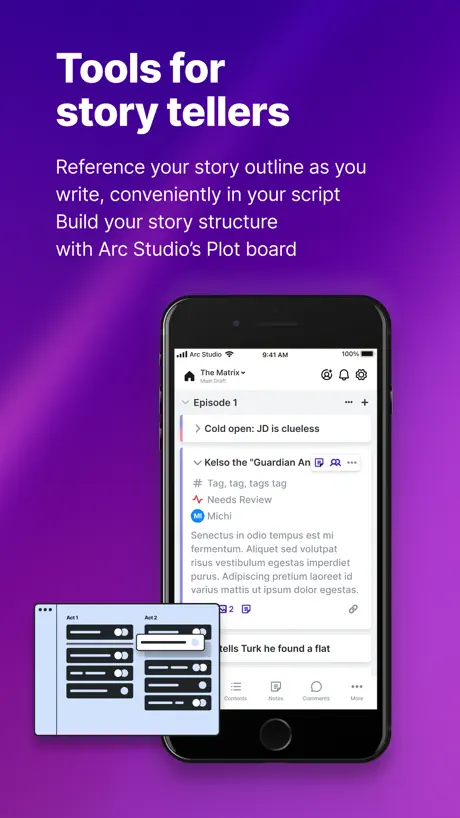
I’ve used other script-writing apps, and I can attest this is the one to get. Here’s why: - Dead simple UI - Great beat board features - Syncing across platforms is unparalleled - Some feature parity and text selections issues in mobile, but none that are dealbreakers.
They draw you in with the promise of free use
But then, once you’ve started a project, you cannot access the free use because (and I can’t add screenshots on this review) « open free browser app » takes you to: « we will open a browser window, so you can continue writing in the free browser app » Click on « open free browser app » and the result, every time (I’ve tried several dozen times!) is: “Browser not supported, Download the app or upgrade your browser”. You tap on “download app” and nothing! (Several dozen times!). I’m completing this review on my iPad (latest iOS) In short, this app may affect your mental health as it will compel you to do the same thing repeatedly, expecting a different result every time you do (as you try to access your work)- which may be a definition of insanity(?) - a behaviour I was not prone to do before installing this app. AVOID!!!
One of the better iPad screenwriting apps
Unlike the mediocre Final Draft Go app, you can actually view your story structure. Has most features I need, except script breakdown and table read facilities. It’s a shame they stopped providing version history info too.
FANTASTIC APP…LOTS OF BUGS
I have been using this app for over a year now and it’s absolutely fantastic. However, the app has an overbearing amount of glitches. (It used to be very stable almost year ago). The undo buttons are non-responsive. The copy and paste features will paste something completely different than what I copied. Entire dialogue lines will get deleted when I try to delete individual letters. And the biggest annoyance is that the keyboard will not close. The only way to close out of it is to scroll down my script super quickly. Fortunately, the team has notified me that an update is coming soon. So hopefully, these issues will be addressed.
Lots of room for improvement
The iOS app is several steps behind the desktop and web apps - issues with formatting (inability to bold, italicize), copying/pasting text, and even selecting text snippets to stash. Intermittent sync issues between the desktop/web apps and the iOS app. Support has been spotty - these issues have been reported and the advice is to check for updates, but issues persist regardless. I’m toughing it out until I finish my current project and my subscription expires.
Love it
I love the app, the only thing that kind of really annoys me is the paywall on everything. Especially for those of us who are just starting.
Was working now it’s not
The app was working fine now it’s saying error starting app can the developer comment below to see what solution to it to be fixed
Excellent app with few bugs
I had been looking for a new application to collaborate with others on projects with for some time and have to say I find Arc Studio to be one of the best I have experienced on a mobile device. I ended up subscribing to the full plan but did find a bug in which the modal window does not go away after finalizing the subscription. I found that a fix is to exit the app, remove it from background processes, lock the device and then launch it again. With the exception of this interface issue I am quite pleased with my experience.
Bugs make the app unusable
Too many bugs to mention, adding up to an unusable editor that randomly moves the cursor around inside a line and changes focus to other parts of a page. The most basic functionality is broken. These issues have persisted for months.
Better than FD Mobile
As a longtime user of FD mobile, I finally had enough of the bugs, glitches, crashes, data loss, and “shake to undo”. So I switched over to ASP and I’m fairly happy. Most of the experience is better. I haven’t had any crashes or sync conflicts with the desktop app. I feel more secure than when I was using Final Draft, but that’s the bare minimum and (in FD’s case) completely unacceptable for the biggest screenwriting software. But this is a review for ASP, and thus here are my thoughts: It’s a decent screenwriting app with all the features you’d expect, plus stability that should be standard. I don’t love paying a subscription, but at least it covers both desktop and app. There’s really not much to say other than it scrolls nicely, formats well, syncs fine, and just works. It’s a somewhat smooth experience with a few bumps, partially due to the following issues: -Due to the categorization separating line types, it is not easy to delete or select whole chunks of text on mobile. Desktop works fine for that but I don’t always have my computer or a keyboard. -This categorization also can result in some wacky spacing between lines, which doesn’t seem to be reflected in the actual exported draft, thankfully, but it’s still annoying. -You can’t view alternate drafts, and most of the OPTIONS UI still goes off the screen or disappears when you want it to stay. It used to be the desktop version’s UI, where all of the options would just run off the edge of the screen, so this is an improvement. -A recurrent issue is that keyboard is permanently on screen and I cannot scroll to the very last line I have written. This is a huge headache on mobile and needs to be fixed ASAP. -Export seems to be broken in the sense that you have to export as the default name it gives the file, then rename it later or the file will fail to save. Maybe this isn’t a common issue, and certainly not a desktop one, but it has affected me multiple times to where I just accept it. -Can’t see page numbers until you export.
Say Goodnight, Final Draft
Arc Studio Pro is the app that Final Draft should aspire to. It’s clean, neat and elegant. It helps you focus with your outline to the side and helps you with the pre-writing (populating character names, creating bios, as well as locations and story arcs. This is a fully featured app as opposed to the extremely watered down version of FD. It allows you to take snapshots, tracks your revision history and creates a character arc timeline which allows you to see the journey of your characters across the entire script. I highly recommend that you do the pre-writing because it will give you a clear path forward. Some people like to go for it, and the program allows that flexibility. The app also keeps track of your writing activity and nags you when you’re slacking off (at your direction, of course). It writes Final Draft files as well as Fountain files, which FD can read if your production company insists on using Final Draft. The yearly subscription is well worth it.
Space bug
I press space and it brings me to the previous line, it makes the app almost unusable, please fix this.
Great with serious drawbacks
The PRO version of this software is nearly $100 bucks. I’ve paid that twice now. But into my second year, the iPhone version is still a buggy unpredictable mess: Making selections in the scene context menu is frustrating, doesn’t always work as expected. Tapping the little running man icon doesn’t always successfully activate this menu, making context selection a cat and mouse chore. The settings menu is larger than the frame, making buttons and text fall off the edges of the screen, and everytime I activate it, it shows up in different places on screen, making it very difficult to navigate and work with. Turning on page line breaks produces a very strange result: page lengths are not consistent, making some pages much much longer than others… and after a few pages, the page line breaks just stop appearing altogether. ALSO, turning on the page line breaks feature introduces a bug, where after a certain point in your writing, text falls below the fold on screen, making it impossible to continue writing. Turning this feature OFF, restores my ability to continue writing, but leaves me with very large irregular gaps in my text. I’m bummed the beat outliner, character and location building features are not included in this version of the software. For a $100 “Pro” version of the software I should have the complete set of features across devices. Seriously, you guys have quite a bit of work to do to make this package more usable and stable.
some really simple issues.
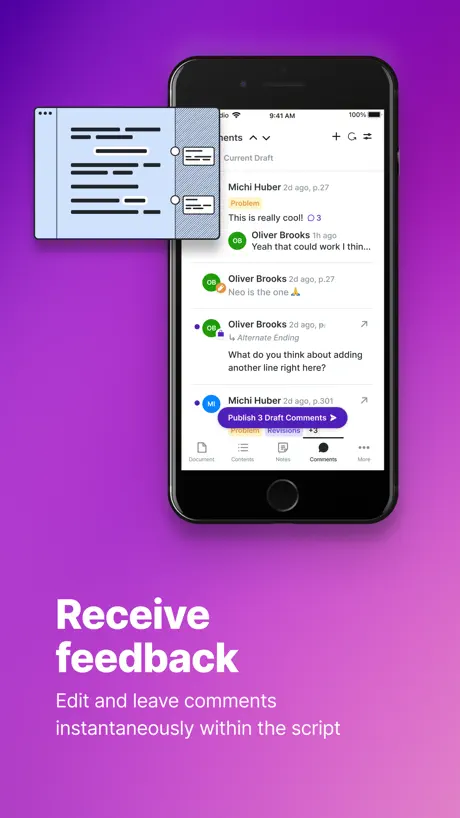
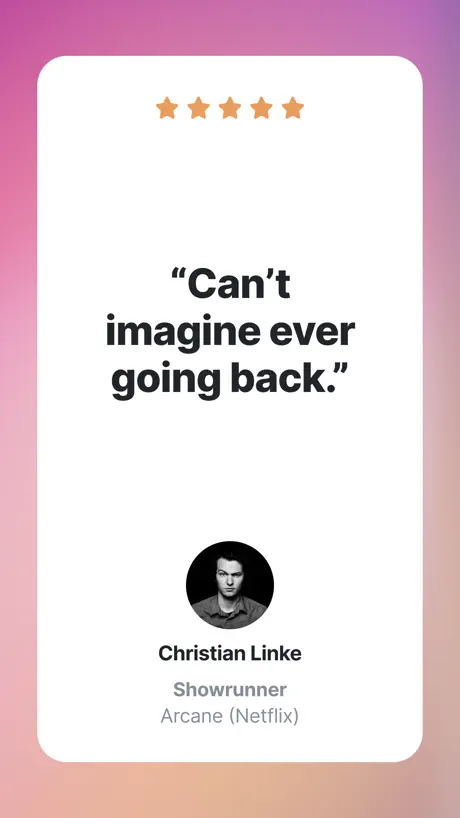
As a showrunner, I really want to love this app. Much more elegant than writer duet and the idea of assigned collaboration is great. But after paying a lot of money for both Mac and iOS versions… I can’t even cut and past in the iOS version. I can copy and paste and then delete… but not great haha. Lots of errors like this, but it’s pretty infuriating given the cost.
Feedback
I gave the app three stars since it would be nice if they had a way to switch from the script to the story beats and edit characters and storylines like on the desktop version. Or a way to make notes if I have an idea to add later or information I don’t want to forget about like locations. but I can’t do that on the app. if I can I don’t know how they don’t have any tutorials on how to use the app on their YouTube channel that I could find. I’m hoping they can incorporatethe story elements into the app soon I don’t want my money to feel wasted. When I could have paid for the basics with a writer duet. I work back and forth between my phone and computer a lot.
Finally, a true challenger to FD…
I’ve been writing professionally since 2007—I’ve seen my share of apps and somewhat gimmicky programs that purport to replace Final Draft once and for all. Yet they each have fallen short in one area or another and eventually, they disappeared and/or their developers stopped caring—the updates ceased to innovate and grew few and far between. I’m thrilled to say that we may finally have a “winner”—for certain, this is the closest that anyone has come to taking on the evil corporate behemoth that is FD. While the mobile version isn’t quite as inspired or robust as the desktop app, it’s still a real joy to write using it. And that’s the key to Arc Studio’s success: they found a way to make a genuinely beautiful screenwriting app that is stable and enjoyable to use. They topped it off with a suite of brilliant features I’ve never seen in such a piece of software—the Stash is something I use all the time. It’s ingenious yet simple—and that’s, perhaps, my favorite facet of Arc Studio: the elegant simplicity, the streamlined UI, the fundamental understanding that the vast majority of writers don’t want to look at (and become distracted by) a complex toolkit of bells and whistles while they’re trying to write. In essence, the makers of Arc Studio know what to keep “under the hood” in order to help you get the most out of a writing session. I’ll end with a simple feature request (and it might be there already, I just can’t find it): in the iOS version, please give us the option to look at our scripts in page view, as opposed to a slightly disorienting scroll! (When I’m working on a long feature project, I like the ability to see its pages.) Thank you for all that you do—particularly the weekly updates. It’s a great sign that those behind the app are always innovating it and striving to make it better. I encourage anyone to try Arc Studio. I bet during your free trial week, you’ll be won over, just as I was.
The features menu doesn’t properly work
I cannot pay for this app, because the options and feature menu do not work. The screen doesn’t move to fit on my phone, nor can so scroll to the right to even see what options would be available to me. I would happily pay for this app if this was fixed.
Bugs
Sum bugs browser version is better
paywall
the browser version is a great resource but putting a paywall over the app is just asinine. if you’re going to spend money on screenwriting software put it towards final draft or one of the more reliable apps.
enjoyable, but has bugs
This is my preferred writer. However, it looks as though it has yet to be updated with iPadOS 16 to the point it’s almost* unusable. For some reason, there is a massive purple block that covers most of the screen. Almost like the UI thinks there should be a keyboard there, but since I have the Smart Keyboard attached to my iPad, it’s just wasted space. Please fix. I enjoy writing on the go and my iPad Pro is my tool of choice.
WAY better than Final Draft
The organization of supplemental writing features and the simplicity of snapshots along with the Browser/App/Cloud ecosystem make this the best screenwriting tool hands down. The iOS version of this app definitely needs some updates—there are a few bugs that need ironing out. That said, I’m giving it five stars because I think it’s much better than the 3 stars it currently has and hope more people start using this. The iPad is my favorite filmmaking tool I don’t want to have to jump onto a laptop every time I need to work around a bug.
Can't make edits
I start a brand new script and I can't add to it at all; it's just a blank page.
I love it, but…
I use arc studio on the app and on my macbook, i have no complaints in general but for the app i wish i could access Projects and could edit who had access to scripts on the app. but there is no option even regarding projects
A Struggle on the Ipad
I am a disillusioned final draft user who has been searching for an app that I can use across Desktop, Ipad and Iphone for years. I had high hopes when a friend recommended this to me. But every time I use the Ipad (brand new air 13”), the app crashes and I have to restart my script. Not only that, but now some of the changes are disappearing. I truly don’t understand why it is so difficult for companies to make an IPad screenwriting app.
Worth the money
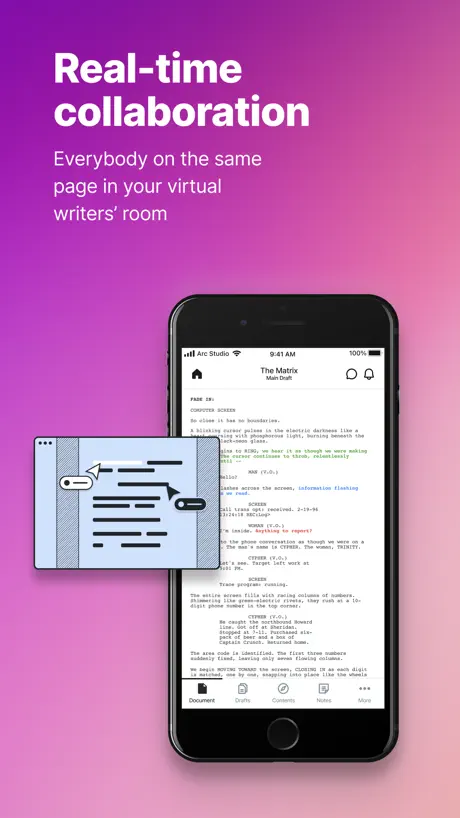
I've already been using Arc for years, and was surprised when I saw some bad reveiews here, so I wanted to leave one to set the record straight. This is is the best screenwriting software out there, and I have tried all of them. I am writing feature film screenplays so keep that in mind for this review. It's not just a phone app, it's also has iPad, Mac, and web browser versions. I am primarily using the iPad and Mac versions. I was looking for something with google docs like multi-user functionality, and it has that, as well as a beautiful minimal UI so I can focus on writing. I also really like the versioning and branching features, helps you keep track of what you did when, and who did what (like github but for screenwriting, it's awesome). Another feature I love is the beat sheet, you can write out your beats and then fill in the script. But you can also drag and drop the beats around and it will move the script to follow. The developer is also super responsive to bug reports and feature requests, and they have a support site where you can vote and request features/bug fixes. But overall I am just so impressed by Arc Studio. Like I said, tried em' all, this is the best.
Have to pay after I work?
I’ve been script writing since high school and love it. I recently switched it IPhone and my favorite script writing app isn’t available for IOS so I downloaded it to get in and it’s a good app. I want to get some work done today, and it will not let me into the app unless I pay the plan of 100 dollars a year. I can’t pay that so I launch it in the browser and my script loads, but once I want to start where I left off, it doesn’t load after I get to the scene I need to work on, I can’t even view my work. MONEY HUNGRY! I’ve now lost 2 great scripts I can’t revisit and work on! THANKS!
Appreciate the Effort, but...
On the one hand, I greatly appreciate the developer’s investment in iOS screenwriting apps. The iPad in particular has been begging for a fully-featured app that can support full time writing, without needing to use a Mac for any stage of the process. However, the design of this app is incredibly distracting. The animated character is annoying and unavoidable. Every line is shaded grey, with invisible text saying “double space”—why is this simpler than tab? And far less simple than Fountain, which would just have you start typing the character’s name. Additionally, the dark mode is inexplicably blue instead of grey/dark grey. Full screen isn’t truly full screen (tons of unavoidable elements), zooming the page requires a slider instead of just pinching, it goes on and on and on, and ultimately is too much to handle. What I DO appreciate is the outlining baked right into the fabric of the app. This is absolutely the future of what screenwriting apps need to focus on. But this needs to be in addition to a minimalistic writing environment, not instead of it. When you sacrifice the blank page, you sacrifice the most important thing—the writing itself. I will be sticking with Slugline, which is underpowered, but minimalistic in a way that is important. If Arc Studio can crack the ability to enter a minimal mode, I would consider returning. And if they could figure out a way to allow for Fountain style writing, even more so. But for now, this app is sadly not for me... PS: I gave it four stars, because I appreciate the investment of effort into iOS screenwriting and want to encourage it. Hopefully enough changes will be implemented that I’ll be able to update it to a five star review in the near future. Update: Another issue that needs to be fixed. Once the initial trial expires, there is no way to even open any portion of this application. This is a problem because there is no way to test any of the new features without paying 100 dollars—which I obviously won’t do sight unseen. They need to figure out a way to give people who are on the fence a continual way to keep reassessing the application’s progress.
<3 arc studio but this app is buggy
I love arc studio but this app is extremely buggy for the iPhone. Really frustrating, if you have something that’s “misspelled” (for me it was a unique name, not misspelled) your cursor will continually fly back to the misspelled word when you press the space bar, which is all the time. It sometimes also bugs out when text carries over to another page. Again love arc studios it’s great for your computer but this app just needs some fixing. It’s so frustrating. Please fix arc studios !!! <3<3
what happens after the 7 day plan finishes and I stay on the free version
Hi what features will I loose once the five days I have left are finished and I choose to stay on the free one. Could you please let me know. Will I loose my screenplay or any part of it if I do not pay.
HORRIBLE EXPERIENCE
Ignore these fake reviews this app cons you into signing don’t waste your time or money
App nearly unusable on iPhone14
The most recent update throws me to the bottom of the script each time I press “return”. Clicking on “Contents” to quickly get me back to the scene I was working on will also put me back at the bottom of the script no matter what scene I select. I cannot edit my script like this. Last time I used this app on my phone, it worked just fine, although it’s been a long while since I’ve used this on my phone. However, in its current state, I’m having a hard time using this app and one of the biggest reasons I subscribed to Arc was because of the app. Will re-evaluate when there’s an update. Happy Thanksgiving & Indigenous Peoples Day
Navigation Bar
Hey, I do love the app, however! The navigation bar now pops up for no reason. I’m on an IPad Pro, and this has only started to happen in the past few days. I know you’re all on it, so thank you for all your hard work. Cheers!
Unusable
This app was a great tool to work on my screenplay on the go. I even paid the $70 for the software. Then one day, I open the app and the words on the page are cut off. I tried signing out and back in, reinstalled the app, and ensured it was updated. I’ve reached out to technical support twice now and I’ve not gotten response. So now this app is useless and my money feels wasted.
iPhone version kinda unusable
I enjoy Arc for the most part. But the iOS version is currently unusable. I have the Pro Max and I can barely make out the text on screen it's so small. The setting to make text bigger is restricted too because of "the screen size" which is a bit ironic. The app itself, and this kinda goes across all versions even the Mac, it's... "bouncy". Not sure another way to put it. Things bounce all over the screen. They disappeared and then reappear, sometimes they disappear and reappear at different parts of the screen. All around it's extremely difficult to use to even read the script your wrote on the Mac. Switching back and forth between views things just jump all over the place. If I go to contents then back to documents, I'm in a different place in the script. Why? Actually testing it now it's kinda funny, it moves 2 pages up in the script every time I nav back to the script. Clicking on the comments nav bar button does nothing except show you a couple carrots at the top, I suspect it's supposed to take me from comment to comment but it doesn't. Nothing moves here at all when it should lol. This app needs some major polishing. Features are there but usability is not. It's decent to use on Mac but still suffers from odd bouncing and window and sidebar formatting issues in a big way.
Good enough to be 5 stars
This app is really good, I had it for one day and I can write a script for my YouTube Channel which is Gacha and if I didn’t find this scripting app I would of still be scripting on Google Docs. And that’s my review. First time doing a review so I hope it’s okay… ☺️😝😌
Promising until the price tag
I had high hopes that this could be a semi free application for all to use, but that isn’t the case. For any screen writers out there, you can do the same exact thing on this app, but on google docs through extensions and work arounds. It looks just as professional, and you don’t have to pay $100 a year to get full access to any garbage. Its all free. It’s really just complete greed from these guys, so please don’t bother. It is possible to use this for free, but the roadblocks are too much. A watermark when you export a pdf? Only two scripts? I get that you have to run servers and everything, but why isn’t there a cheaper monthly plan? $5 a month is completely reasonable, and even with how pricy final draft is, it’s still cheaper with the same features. $100 is something you pay once, and they have the audacity to make you pay it again for another year. Don’t download until they change something.
Unusable on iPad
I really enjoyed using the app for long term scriptwriting but, as of the last few months the app has been really slow for me most specifically on the iPad to the point that it’s unusable. Would love to know if there are any new updates planned to fix this.
Arc Studio Screenwriting price by country
An annual subscription costs $14.89 in Turkey and $129.62 in the United Kingdom — 9× more for the same thing. Below is the going rate for each plan in every country that sells it — the middle price of what the app charges there, in the country's own currency with the dollar equivalent beneath it.
| Country | Annual |
|---|---|
| Afghanistan | $99.99 |
| Albania | $119.99 |
| Algeria | $99.99 |
| Angola | $99.99 |
| Anguilla | $99.99 |
| Antigua And Barbuda | $99.99 |
| Argentina | $99.99 |
| Armenia | $99.99 |
| Australia | A$164.99$113.79 |
| Austria | €110.99$122.51 |
| Azerbaijan | $99.99 |
| Bahamas | $99.99 |
| Bahrain | $99.99 |
| Barbados | $99.99 |
| Belarus | $99.99 |
| Belgium | €110.99$122.51 |
| Belize | $99.99 |
| Benin | $99.99 |
| Bermuda | $99.99 |
| Bhutan | $99.99 |
| Bolivia | $99.99 |
| Bosnia & Herzegovina | €110.99$122.51 |
| Botswana | $99.99 |
| Brazil | R$409.90$72.55 |
| British Virgin Islands | $99.99 |
| Brunei Darussalam | $99.99 |
| Bulgaria | €104.99$115.88 |
| Burkina Faso | $99.99 |
| Cambodia | $99.99 |
| Cameroon | $99.99 |
| Canada | CA$134.99$94.40 |
| Cape Verde | $99.99 |
| Cayman Islands | $99.99 |
| Chad | $99.99 |
| Chile | CLP 85,900$86.58 |
| China | CN¥728.00$108.82 |
| Colombia | COP 419,900$127.81 |
| Congo | $99.99 |
| Congo, Democratic Republic | $99.99 |
| Costa Rica | $99.99 |
| Cote Divoire | $99.99 |
| Croatia | €112.81$124.51 |
| Cyprus | €110.99$122.51 |
| Czech Republic | CZK 2,850.00$128.90 |
| Denmark | DKK 849.00$125.41 |
| Dominica | $99.99 |
| Dominican Republic | $99.99 |
| Ecuador | $99.99 |
| Egypt | EGP 1,649.99$30.88 |
| El Salvador | $99.99 |
| Estonia | €110.99$122.51 |
| Fiji | $99.99 |
| Finland | €110.99$122.51 |
| France | €110.99$122.51 |
| Gabon | $99.99 |
| Gambia | $99.99 |
| Georgia | $99.99 |
| Germany | €110.99$122.51 |
| Ghana | $99.99 |
| Greece | €110.99$122.51 |
| Grenada | $99.99 |
| Guatemala | $99.99 |
| Guinea-bissau | $99.99 |
| Guyana | $99.99 |
| Honduras | $99.99 |
| Hong Kong | HK$788.00$100.38 |
| Hungary | HUF 38,990$117.88 |
| Iceland | $123.99 |
| India | ₹8,500.00$90.18 |
| Indonesia | IDR 1,549,000$84.97 |
| Iraq | $99.99 |
| Ireland | €110.99$122.51 |
| Israel | ₪349.90$109.00 |
| Italy | €110.99$122.51 |
| Jamaica | $99.99 |
| Japan | ¥10,800$67.59 |
| Jordan | $99.99 |
| Kazakhstan | KZT 38,990.00$87.60 |
| Kenya | $99.99 |
| Kosovo | €110.99$122.51 |
| Kuwait | $99.99 |
| Kyrgyzstan | $99.99 |
| Lao Peoples Democratic Republic | $99.99 |
| Latvia | €110.99$122.51 |
| Lebanon | $99.99 |
| Liberia | $99.99 |
| Libya | $99.99 |
| Lithuania | €110.99$122.51 |
| Luxembourg | €110.99$122.51 |
| Macao | $99.99 |
| Macedonia | $99.99 |
| Madagascar | $99.99 |
| Malawi | $99.99 |
| Malaysia | MYR 439.90$107.56 |
| Maldives | $99.99 |
| Mali | $99.99 |
| Malta | €110.99$122.51 |
| Mauritania | $99.99 |
| Mauritius | $99.99 |
| Mexico | MX$2,299.00$123.94 |
| Micronesia | $99.99 |
| Moldova | $99.99 |
| Mongolia | $99.99 |
| Montenegro | €110.99$122.51 |
| Montserrat | $99.99 |
| Morocco | $99.99 |
| Mozambique | $99.99 |
| Myanmar | $99.99 |
| Namibia | $99.99 |
| Nauru | $99.99 |
| Nepal | $99.99 |
| Netherlands | €110.99$122.51 |
| New Zealand | NZ$184.99$102.20 |
| Nicaragua | $99.99 |
| Niger | $99.99 |
| Nigeria | NGN 35,900.00$26.55 |
| Norway | NOK 1,150.00$120.17 |
| Oman | $99.99 |
| Pakistan | PKR 15,900$57.47 |
| Palau | $99.99 |
| Panama | $99.99 |
| Papua New Guinea | $99.99 |
| Paraguay | $99.99 |
| Peru | PEN 339.90$99.68 |
| Philippines | ₱5,190.00$81.30 |
| Poland | PLN 489.99$122.80 |
| Portugal | €110.99$122.51 |
| Qatar | QAR 364.99$100.27 |
| Romania | RON 519.99$107.44 |
| Russia | RUB 7,790.00$94.50 |
| Rwanda | $99.99 |
| Sao Tome & Principe | $99.99 |
| Saudi Arabia | SAR 429.99$114.66 |
| Senegal | $99.99 |
| Serbia | €110.99$122.51 |
| Seychelles | $99.99 |
| Sierra Leone | $99.99 |
| Singapore | SGD 148.98$115.49 |
| Slovakia | €110.99$122.51 |
| Slovenia | €110.99$122.51 |
| Solomon Islands | $99.99 |
| South Africa | ZAR 1,749.99$103.43 |
| South Korea | ₩135,000$101.04 |
| Spain | €110.99$122.51 |
| Sri Lanka | $99.99 |
| St. Kitts and Nevis | $99.99 |
| St. Lucia | $99.99 |
| St. Vincent & The Grenadines | $99.99 |
| Suriname | $99.99 |
| Swaziland | $99.99 |
| Sweden | SEK 1,229.00$122.05 |
| Switzerland | CHF 107.00$127.68 |
| Taiwan | NT$3,390.00$102.98 |
| Tajikistan | $99.99 |
| Tanzania | TZS 229,900.00$87.06 |
| Thailand | THB 3,100.00$91.50 |
| Tonga | $99.99 |
| Trinidad and Tobago | $99.99 |
| Tunisia | $99.99 |
| Turkey | TRY 749.99$14.89 |
| Turkmenistan | $99.99 |
| Turks and Caicos | $99.99 |
| Uganda | $99.99 |
| Ukraine | $99.99 |
| United Arab Emirates | AED 384.99$104.90 |
| United Kingdom | £97.99$129.62 |
| United States | $99.99 |
| Uruguay | $99.99 |
| Uzbekistan | $99.99 |
| Vanuatu | $99.99 |
| Venezuela | $99.99 |
| Vietnam | ₫2,299,000$89.35 |
| Yemen | $99.99 |
| Zambia | $99.99 |
| Zimbabwe | $99.99 |
Arc Studio Screenwriting FAQ
- Is Arc Studio Screenwriting free?
- Yes. The app and its basic features are free, in all 175 countries it sells in. Premium features are paid: they start from $99.99 (US), across 1 subscription.
- Does Arc Studio Screenwriting have a free trial?
- No. None of its offers (US) come with a free trial.
- Where is Arc Studio Screenwriting cheapest?
- An annual subscription costs TRY 749.99 (≈$14.89) in Turkey and £97.99 (≈$129.62) in the United Kingdom, its cheapest and dearest countries.
- What are the best alternatives to Arc Studio Screenwriting?
- Scriptation: Annotate Scripts (4.8 from 7,971 reviews, premium from $14.99), Final Draft Go (3.9 from 2,819 reviews, premium from $3.99) and Storyist 4 (4.3 from 840 reviews, premium from $9.99).
Arc Studio Screenwriting download
Last updated 17 days ago.
Arc Studio Screenwriting sells in 175 countries. It was released 5 years and 10 months ago, on 21 Jan 2021. It holds a 3.4 rating from 176 reviews.
Supports 1 language: English.
How much does Arc Studio Screenwriting make?
Third-party estimates for the last 30 days, worldwide — not the store's own figures, which Apple publishes for nobody.
Revenue by plan
- Annual 100%
Revenue by country
- United States 60%
- Germany 8%
- United Kingdom 7%
- Australia 6%