
Final Draft Go
It all starts with a script
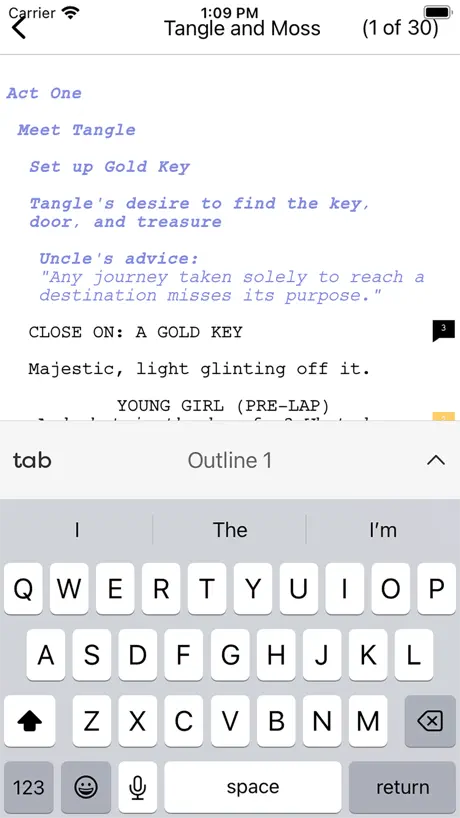
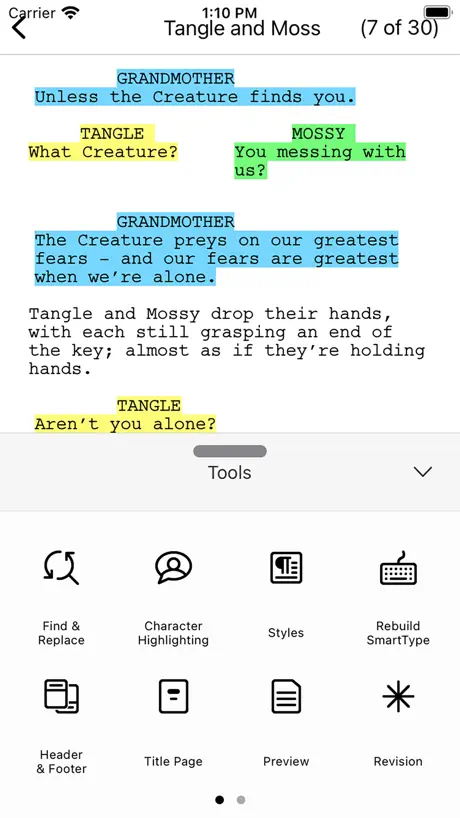
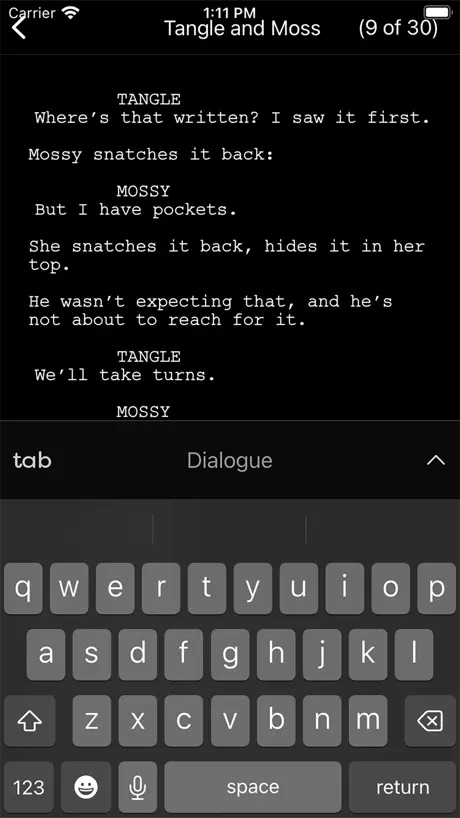
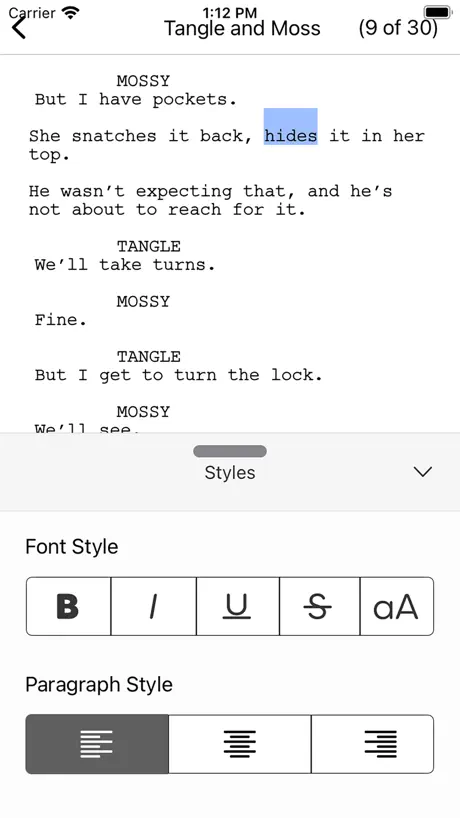
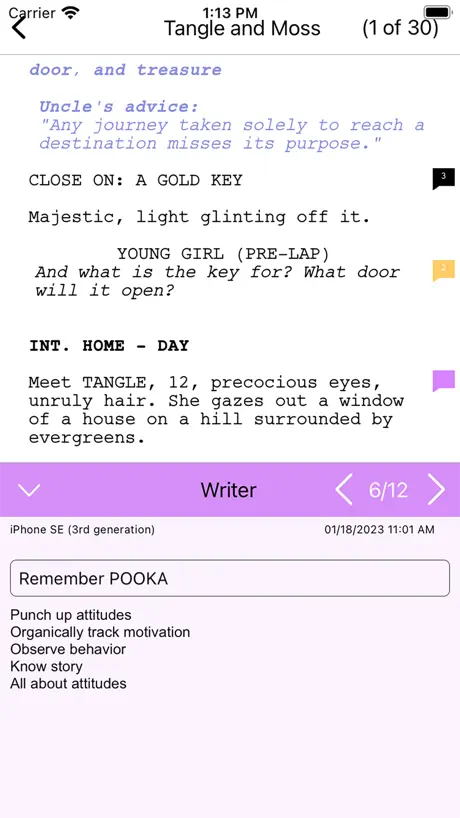
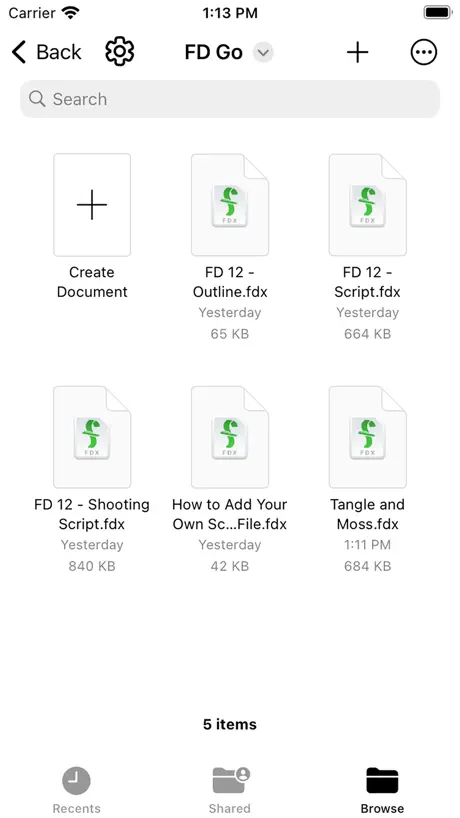
How much does Final Draft Go cost?
Prices are current as of 5 Oct 2026.
2 subscriptions from $3.99
In the United States, Final Draft Go has 2 subscriptions priced $3.99 – 19.99.
| Subscription | Period | Price |
|---|---|---|
| Monthly | Monthly | $3.99 |
| Annually | Annual | $19.99 |
10+ alternatives to Final Draft Go
| Final Draft Go | 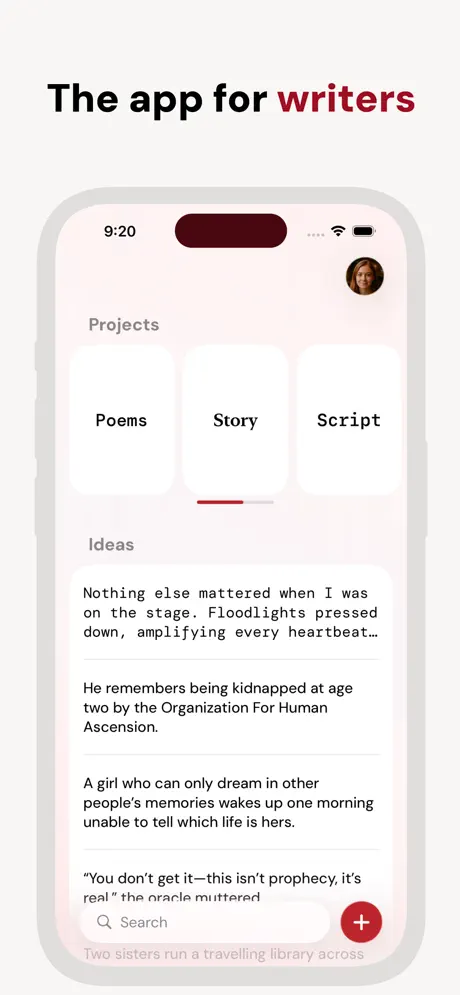  Werdsmith: Writing App Werdsmith: Writing App |   Scriptation: PDF for Film & TV Scriptation: PDF for Film & TV |   Scrivener Scrivener |   Story Plotter - idea to plot - Story Plotter - idea to plot - |   Casting Networks Casting Networks |   Storyist 4 Storyist 4 |   Stratword - Script Writing Stratword - Script Writing | 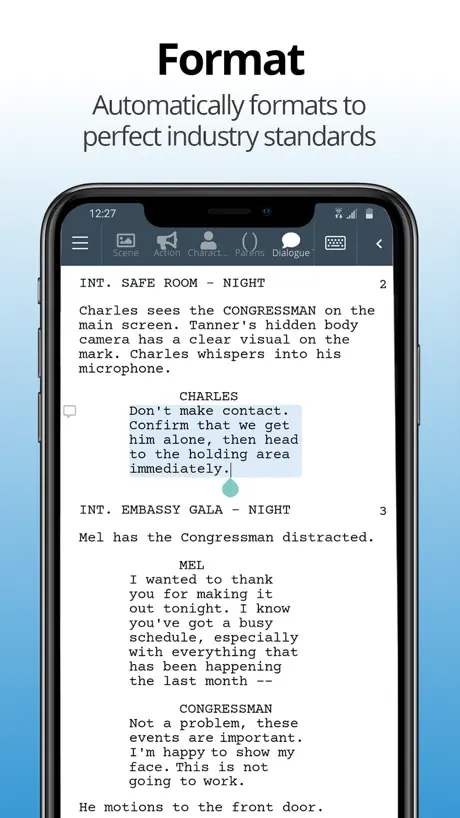  WriterDuet WriterDuet |   Arc Studio Screenwriting Arc Studio Screenwriting |   Fountain · easy screenwriting Fountain · easy screenwriting | |
|---|---|---|---|---|---|---|---|---|---|---|---|
| Rating / 5 | 3.8 | 4.6 | 4.8 | 4.2 | 4.5 | 4.6 | 4.3 | 4.2 | 3.4 | 3.4 | 4.5 |
| Reviews | 2.8K | 12K | 7.9K | 5.3K | 2.4K | 1.7K | 820 | 214 | 207 | 174 | 52 |
| Released | 2023 | 2011 | 2016 | 2016 | 2019 | 2022 | 2019 | 2021 | 2017 | 2021 | 2024 |
| Monthly price | $3.99 | $4.99 | $39.99 | — | $1.99 | $29.99 | — | — | — | — | — |
| 6-month price | — | $24.99 | $69.99 | — | — | — | — | — | — | — | — |
| Annual price | $19.99 | $99.99 | $99.99 | — | — | — | — | — | — | — | — |
The going rate for each plan in United States, in its own currency, shaded from the cheapest price on the row to the dearest. Plans fewer than four in ten of the priced apps sell are left out.
Final Draft Go reviews
3.8 out of 5, based on 2,750 reviews.
What people like
- Great for writing on the go
- Design looks really nice
- Works fine for basic formatting
What they complain about
- App crashes constantly while editing
- Desktop files won't open correctly
- Support ignores your complaints
- You lose work without warning
Sylvester Mercury
Absolutely amazing!
Obviously
How about you don’t make stuff pop up in the middle of the app while the person using it is trying to work asking for a review.
A good tool for iPad
I just purchased Final Draft Go and use it on my iPad. The good: It really makes it easy to use different key boards during writing. I’m living in Germany so that is helpful. Writing on my iPad is a joy because I can write lying down, sitting up, at a desk, etc. I haven’t experienced any problems yet with writing errors so all good so far. The not so good: The spell checker underlines words that are spelled correctly. Not all words. Just about 30%. This is annoying. At least words are shown to be selectable while writing so I do get the benefit of a spell checker as I am a terrible speller. I also have a problem with using Final Draft Go on my iPhone. The app asks for a new subscription. Why should I want an additional subscription when I already signed up for a year on my iPad? This makes no sense. Yes, sometimes I get inspiration on the go and use my iPhone to write with so this issue should be cleared up asap. Other than that i’m pretty happy, that’s why four stars out of five.
Doesn’t work on iPad
And I can’t edit either….my FD account and IPad app all a mess
Not Much Choice
It's nice to be able to write and sync FD scripts between my iPad and MacBook, but but this app has serious UI problems. Simple tasks like lasso-selecting lines of text and scrolling through pages can cause the interface to go haywire, making the writing/ editing process much less efficient and smooth than it should be. I would not be using this if I weren't an already-established FD user prior to buying it.
Stupid
If the app isn’t free, then don’t list it as free. This is boneheaded marketing
Terrible app. Impossible to log back in.
I logged out by accident, I had to change my password 40 times and it still would tell me my password is incorrect. Never get this app.
关于匹配功能
可以像Mac版本那样有故事版吗。还是我没找到
Beware!
Just so you know, if your subscription expires, you won’t be able to open the scripts you have already created.
Too glitchy to be charging people
This is app is way too glitchy for them to be charging people. Like fix it. Dragging to cursor to highlight text never works properly and often times it oddly quits the app. Final draft is too high caliber of a brand to have half baked software like this. Its insulting to be charged for software like this. Especially when youre forced to upgrade from the previous iOS app. Fix it.
A little clicky but ultimately gets the work done
A little clicky but gets the work done. A great design.
Not sure why
It’s not allowing me to paste from my notes to my script
Not working
Hi, I have a subscription for final draft go. I have previously written scripts on it in iPad. Suddenly, I am not able to edit my scripts and even not able to write on the new screenplay after creating a template. Please do reply asap
Need to fix the crashes
Wanted to like it but it kept crashing every time I would go to highlight text. After having it crash this way, multiple times over the course of my first hour, became a moment of instant regret purchasing the year outright. Lesson learned.
Doesn’t Work Between Devices
This is deceptively incompatible with the Desk/Lap-Top versions of Final Draft. I had a script sent to me to revise. When I open it on my MacBook Pro in FD it is all good. When I export that version or try to open it from the cloud on my iPad using FD Go the text is not visible. I’ve changed it from Night mode to Day mode. I’ve changed it to every other display mode. I’ve deleted and redownloaded the FD Go app on my iPad. Nothing. So what I gather is unless you originate the script on your iPad with FD Go you can’t swap between mobile and desktop devices. That effectively renders this useless and you may as well stick to writing between the laptop and desktop. Very annoying and in some cases (like in a car on a road trip) it’s preferable to use the smaller more mobile iPad device for writing. This seems like a major bug. And it doesn’t seem like they are updating this regularly. Waste of a subscription if it doesn’t transfer script visibility between devices.
For a screenwriting app it’s pretty darn good
For moment when I don’t have my laptop it’s a lifesaver to get some pages in!
Lame
The fact that there are all these issues and the developers don’t have the balls to respond….. speaks VOLUMES!!!
Fine and replace
Find and replace is not working. Please look in to it. Thank you so much
Poor Effort In 2026
The only thing that this “Go” version meaningfully adds since the last version, Final Pro Mobile is a monthly subscription. At this point it’s been several years since the desktop has had note card views— nothing here on mobile. Highlighting portions of text for copying and moving— sort of a crucial function — remains twitchy and annoying with the keyboard popping up intermittently and de-selecting the text. No liquid glass or any updates in ages— using it on iPad is pretty frustrating as the on screen keyboard doesn’t particularly care if you’re using an external one. It just seems like for THE premier screenwriting software… this app should be the king, and an overwhelming knockout. Twist: there are several other apps and platforms out there that can actually read and write their own .fdx format that come with an overwhelming list of awesome features and a much slicker interface, too. I just really wish they’d give this app the love it deserves. I think the most egregious bit is the entirely new version with the paywall. Seriously download the old version and tell me what’s different that deserves a monthly fee.
They need to do better
For the industry standard it’s got a lot of bugs. Frequently logs me out and doesn’t remember that I have a subscription. More than once has overwritten changes I made in the desktop version when I opened the document in the iOS app, reverting the file to a previous draft and throwing out all the work I’d done. For this reason, MAKE FREQUENT BACKUPS. The keyboard also pops up with every little touch of the screen when you’re just trying to read through a script.
Great app.
If I had access to this as a teenager, I would have been using this a lot sooner. But I think my only gripe with this is that it's different than the other app. And I don't think my previous work can transfer over to this one. I don't know.
WTF
I was booted and can no longer sign- in even though I reset my password and it's say I'm free to explore. What is going on? I can't report that problem or contact anyone.
Old user
I can’t view anything created since October 2025. Is there a version incompatibility?
Pathetic customer care
Hi final draft, I am subscriber of final draft 12, and want to login with same login id in FD go but unfortunately I forgot my password, I tried to reset it but unable to get the reset link on my mail. I dropped several mails but didn’t get the answer a very pathetic way to treat your customer.
Not bad at all
I’m a up coming writer and scrolled past this app and figured I give it a try for when I’m out having coffee and it’s actually pretty good! Writing in the go has never been better!
The worst app!
The app is full of glitches and it doesn’t work. Paying for an app that doesn’t work.
Keeps logging me out
Want to turn your phone to landscape mid writing? Sign in again. Want to move an inch while writing on your MOBILE ? Sign in again. This requires a constant perfect signal I guess. I’ve also lost writing when I opened a file from my dropbox that I had edited in my desktop version. I use it when I have no other choice.
Zero support
Final Draft has the most unresponsive support department I know of! You describe a bug to them and maximum you get is a confirmation of your input. Sometimes they ask for more information, you send it and then nothing. Dead end. That’s poor for a company with that reputation in film business.
Features to add
At its minimal state it works ok, doing text formatting. But must add the research section: to have all things in one file.
$$$$$$$$$$
This is my first app review. Thanks, Final Draft, for making me finally feel strongly enough about something to do this. There was an app called FD mobile. It was free. You could access all of your screenplays and write them in the app, going seamlessly between the app and your computer. Now, this is a paid service. Nope. FD charges hundreds for new editions of the program that have marginal changes, and still lacks basic functionality that other, cheaper screenwriting software has (like the ability to add hyperlinks, which is a niche thing, but when you need it, you need it). Because everything else was expensive, FD Mobile as a free app made sense. It’s the least they could do, so I thought. Sure, it’s not that much money. But it’s more than no money, and it is the latest signal to me that FD has little care for the needs of its consumers. This is my villain origin story. I’m going to check out Highland.
An app that feels like it's held together by spit.
The only reason I'm giving this app two stars, is because I'm feeling a bit generous. While I love the desktop app, and I've been using it pretty much my entire life, switching to the iPad version feels like it's made by a different company altogether. I have a ton of issues with the app. but my main gripe about it, is the fact that files created using the desktop version (ver 13) just doesn't play well with the iPad version. Formatting goes for a toss. Sometimes, the whole document is blacked out. All the character names are suddenly lowercase. Sluglines have become action lines. And god forbid if you want to select a certain section on the iPad. The whole app crashes. I mean, how long before you guys take the iPad seriously. This is now, a paid app after all right? I love writing on the iPad because of how focussed it makes me feel. Small screen, no distractions - all of it. But your app makes me feel like throwing the iPad out the window, every time I use it.
Still Lags
The software crashes times and again.
Super
Nice product
My script is gone.
I used this app for scripting format, it was okay, there were many things I couldn’t do and I logged in on my phone and nothing transported. I opened the app to write and the script is literally gone. It is under no tabs, I’ve checked my files and Icloud and all my hard work and the story I loved is gone.
Erased 3 Pages / Invisible text
For starters, every time I open a script I started in the desktop app and saved to iCloud, the background is black and so is the text. All I can see are the red dotted lines of misspelled words. This doesn’t change if I switch the app or system settings to day or night mode. In addition the app doesn’t pull the latest version from iCloud. Sometimes it just opens up the last version it downloaded and REWRITES the most recent iCloud file. Fortunately there are back up drafts. But this app is not worth the stress of wondering whether or not your drafts are secure and currently unusable anyway.
Partly usable
It works quite well editing a script on the go written in Final Draft 13, but it seems to crash quite often which stops the flow of rewriting. Hopefully the bug can be found easily and fixed soon!
bug?
为什么订阅到明年了又要我买啊?
Trash
I cannot start a script
Having a bad time
The last app was incredible. This one is consistently been pissing me off. I cannot access my scripts from my iCloud no matter the amount of saving, restructuring whatever. And when I do the lettering is invisible. I can’t see what I’m doing. I can’t make edits. I’m unhappy with this new app and can’t believe I paid anything for it.
Keypad disappears
Its very convenient except they need to fix a bug so that the keypad doesn’t keep disappearing
Bugs make it unusable. BEWARE
Everything was great until I hit about the 85 page mark, then suddenly the page started jumping like the scrolling was glitching. The cursor now jumps up or down two lines randomly. Googled and found this is a known issue with “longer” scripts (85 pages, really??) in FD Go and they have not bothered to fixed it. So FD is unusable. How you expect to stay the “industry standard” with this kind of apathetic approach is wild. There are alternatives to FD, so keep looking!
Problematic Quitter
If you expect to rely solely on FD Go to create your next screenplay, you’ll be disappointed. It’s buggy at best and support is touch and go. If you’re composing mostly with FD Pro and then use Go for touch ups or sharing, then this app might be of good use.
Final Draft Go price by country
A monthly subscription costs $2.90 in Ireland and $6.01 in Colombia — 2× more for the same thing. Below is the going rate for each plan in every country that sells it — the middle price of what the app charges there, in the country's own currency with the dollar equivalent beneath it.
| Country | Monthly | Annual |
|---|---|---|
| Afghanistan | $3.99 | $19.99 |
| Albania | $4.99 | $22.99 |
| Algeria | $3.99 | $19.99 |
| Angola | $3.99 | $19.99 |
| Anguilla | $3.99 | $19.99 |
| Antigua And Barbuda | $3.99 | $19.99 |
| Argentina | $3.99 | $19.99 |
| Armenia | $4.99 | $22.99 |
| Australia | A$5.99$4.16 | A$29.99$20.83 |
| Austria | €3.99$4.49 | €22.99$25.86 |
| Azerbaijan | $4.99 | $22.99 |
| Bahamas | $3.99 | $19.99 |
| Bahrain | $3.99 | $19.99 |
| Barbados | $4.99 | $22.99 |
| Belarus | $4.99 | $22.99 |
| Belgium | €3.99$4.49 | €22.99$25.86 |
| Belize | $3.99 | $19.99 |
| Benin | $4.99 | $22.99 |
| Bermuda | $3.99 | $19.99 |
| Bhutan | $3.99 | $19.99 |
| Bolivia | $3.99 | $19.99 |
| Bosnia & Herzegovina | €3.99$4.49 | €22.99$25.86 |
| Botswana | $3.99 | $19.99 |
| Brazil | R$24.90$4.77 | R$129.90$24.89 |
| British Virgin Islands | $3.99 | $19.99 |
| Brunei Darussalam | $3.99 | $19.99 |
| Bulgaria | €3.99$4.49 | €22.99$25.86 |
| Burkina Faso | $3.99 | $19.99 |
| Cambodia | $3.99 | $19.99 |
| Cameroon | $4.99 | $22.99 |
| Canada | CA$4.99$3.51 | CA$24.99$17.60 |
| Cape Verde | $3.99 | $19.99 |
| Cayman Islands | $3.99 | $19.99 |
| Chad | $3.99 | $19.99 |
| Chile | CLP 4,990$5.08 | CLP 22,990$23.41 |
| China | CN¥28.00$4.17 | CN¥148.00$22.02 |
| Colombia | COP 19,900$6.01 | COP 99,900$30.17 |
| Congo | $4.99 | $22.99 |
| Congo, Democratic Republic | $3.99 | $19.99 |
| Costa Rica | $3.99 | $19.99 |
| Cote Divoire | $4.99 | $22.99 |
| Croatia | €3.99$4.49 | €22.99$25.86 |
| Cyprus | €3.99$4.49 | €22.99$25.86 |
| Czech Republic | CZK 99.00$4.56 | CZK 499.00$22.96 |
| Denmark | DKK 39.00$5.86 | DKK 179.00$26.92 |
| Dominica | $3.99 | $19.99 |
| Dominican Republic | $3.99 | $19.99 |
| Ecuador | $3.99 | $19.99 |
| Egypt | EGP 199.99$3.83 | EGP 999.99$19.15 |
| El Salvador | $3.99 | $19.99 |
| Estonia | €3.99$4.49 | €22.99$25.86 |
| Fiji | $3.99 | $19.99 |
| Finland | €3.99$4.49 | €22.99$25.86 |
| France | €3.99$4.49 | €22.99$25.86 |
| Gabon | $3.99 | $19.99 |
| Gambia | $3.99 | $19.99 |
| Georgia | $4.99 | $22.99 |
| Germany | €3.99$4.49 | €22.99$25.86 |
| Ghana | $4.99 | $22.99 |
| Greece | €3.99$4.49 | €22.99$25.86 |
| Grenada | $3.99 | $19.99 |
| Guatemala | $3.99 | $19.99 |
| Guinea-bissau | $3.99 | $19.99 |
| Guyana | $3.99 | $19.99 |
| Honduras | $3.99 | $19.99 |
| Hong Kong | HK$32.00$4.08 | HK$148.00$18.85 |
| Hungary | HUF 1,790$5.47 | HUF 8,990$27.45 |
| Iceland | $4.99 | $22.99 |
| India | ₹399.00$4.14 | ₹1,999.00$20.75 |
| Indonesia | IDR 79,000$4.42 | IDR 399,000$22.30 |
| Iraq | $3.99 | $19.99 |
| Ireland | €2.49$2.90 | €11.49$13.36 |
| Israel | ₪12.90$4.23 | ₪59.90$19.64 |
| Italy | €3.99$4.49 | €22.99$25.86 |
| Jamaica | $3.99 | $19.99 |
| Japan | ¥600$3.80 | ¥3,000$19.01 |
| Jordan | $3.99 | $19.99 |
| Kazakhstan | KZT 2,490.00$5.60 | KZT 11,990.00$26.99 |
| Kenya | $4.99 | $22.99 |
| Kosovo | €3.99$4.49 | €22.99$25.86 |
| Kuwait | $3.99 | $19.99 |
| Kyrgyzstan | $3.99 | $19.99 |
| Lao Peoples Democratic Republic | $3.99 | $19.99 |
| Latvia | €3.99$4.49 | €22.99$25.86 |
| Lebanon | $3.99 | $19.99 |
| Liberia | $3.99 | $19.99 |
| Libya | $3.99 | $19.99 |
| Lithuania | €3.99$4.49 | €22.99$25.86 |
| Luxembourg | €3.99$4.49 | €22.99$25.86 |
| Macao | $3.99 | $19.99 |
| Macedonia | $3.99 | $19.99 |
| Madagascar | $3.99 | $19.99 |
| Malawi | $3.99 | $19.99 |
| Malaysia | MYR 19.90$4.88 | MYR 99.90$24.49 |
| Maldives | $3.99 | $19.99 |
| Mali | $3.99 | $19.99 |
| Malta | €3.99$4.49 | €22.99$25.86 |
| Mauritania | $3.99 | $19.99 |
| Mauritius | $4.99 | $22.99 |
| Mexico | MX$89.00$4.89 | MX$399.00$21.91 |
| Micronesia | $3.99 | $19.99 |
| Moldova | $4.99 | $22.99 |
| Mongolia | $3.99 | $19.99 |
| Montenegro | €3.99$4.49 | €19.99$22.49 |
| Montserrat | $3.99 | $19.99 |
| Morocco | $4.99 | $22.99 |
| Mozambique | $3.99 | $19.99 |
| Myanmar | $3.99 | $19.99 |
| Namibia | $3.99 | $19.99 |
| Nauru | $3.99 | $19.99 |
| Nepal | $4.99 | $22.99 |
| Netherlands | €3.99$4.49 | €22.99$25.86 |
| New Zealand | NZ$6.99$3.93 | NZ$39.99$22.47 |
| Nicaragua | $3.99 | $19.99 |
| Niger | $3.99 | $19.99 |
| Nigeria | NGN 6,900.00$5.19 | NGN 29,900.00$22.48 |
| Norway | NOK 49.00$5.09 | NOK 249.00$25.88 |
| Oman | $3.99 | $19.99 |
| Pakistan | PKR 1,100$3.97 | PKR 4,900$17.70 |
| Palau | $3.99 | $19.99 |
| Panama | $3.99 | $19.99 |
| Papua New Guinea | $3.99 | $19.99 |
| Paraguay | $3.99 | $19.99 |
| Peru | PEN 17.90$5.20 | PEN 89.90$26.13 |
| Philippines | ₱249.00$3.98 | ₱1,290.00$20.61 |
| Poland | PLN 19.99$5.14 | PLN 99.99$25.70 |
| Portugal | €3.99$4.49 | €22.99$25.86 |
| Qatar | QAR 14.99$4.12 | QAR 69.99$19.23 |
| Romania | RON 19.99$4.22 | RON 99.99$21.09 |
| Russia | RUB 349.00$4.18 | RUB 1,790.00$21.44 |
| Rwanda | $3.99 | $19.99 |
| Sao Tome & Principe | $3.99 | $19.99 |
| Saudi Arabia | SAR 17.99$4.80 | SAR 89.99$24.00 |
| Senegal | $4.99 | $22.99 |
| Serbia | €3.99$4.49 | €22.99$25.86 |
| Seychelles | $3.99 | $19.99 |
| Sierra Leone | $3.99 | $19.99 |
| Singapore | SGD 5.98$4.67 | SGD 29.98$23.42 |
| Slovakia | €3.99$4.49 | €22.99$25.86 |
| Slovenia | €3.99$4.49 | €22.99$25.86 |
| Solomon Islands | $3.99 | $19.99 |
| South Africa | ZAR 79.99$4.80 | ZAR 399.99$24.01 |
| South Korea | ₩6,600$4.89 | ₩33,000$24.47 |
| Spain | €3.99$4.49 | €22.99$25.86 |
| Sri Lanka | $3.99 | $19.99 |
| St. Kitts and Nevis | $3.99 | $19.99 |
| St. Lucia | $3.99 | $19.99 |
| St. Vincent & The Grenadines | $3.99 | $19.99 |
| Suriname | $3.99 | $19.99 |
| Swaziland | $3.99 | $19.99 |
| Sweden | SEK 49.00$4.88 | SEK 249.00$24.80 |
| Switzerland | CHF 3.00$3.62 | CHF 18.00$21.71 |
| Taiwan | NT$120.00$3.77 | NT$690.00$21.66 |
| Tajikistan | $3.99 | $19.99 |
| Tanzania | TZS 11,900.00$4.49 | TZS 59,900.00$22.61 |
| Thailand | THB 149.00$4.44 | THB 699.00$20.83 |
| Tonga | $3.99 | $19.99 |
| Trinidad and Tobago | $3.99 | $19.99 |
| Tunisia | $3.99 | $19.99 |
| Turkey | TRY 199.99$4.07 | TRY 999.99$20.35 |
| Turkmenistan | $3.99 | $19.99 |
| Turks and Caicos | $3.99 | $19.99 |
| Uganda | $4.99 | $22.99 |
| Ukraine | $4.99 | $22.99 |
| United Arab Emirates | AED 14.99$4.08 | AED 79.99$21.80 |
| United Kingdom | £3.99$5.28 | £19.99$26.44 |
| United States | $3.99 | $19.99 |
| Uruguay | $3.99 | $19.99 |
| Uzbekistan | $3.99 | $19.99 |
| Vanuatu | $3.99 | $19.99 |
| Venezuela | $3.99 | $19.99 |
| Vietnam | ₫119,000$4.59 | ₫599,000$23.09 |
| Yemen | $3.99 | $19.99 |
| Zambia | $4.99 | $22.99 |
| Zimbabwe | $4.99 | $22.99 |
Final Draft Go FAQ
- Is Final Draft Go free?
- Yes. The app and its basic features are free, in all 175 countries it sells in. Premium features are paid: they start from $3.99 (US), across 2 subscriptions.
- How much does Final Draft Go cost per month?
- Monthly is $3.99 (US). The annual plan works out cheaper per month: $19.99 a year.
- Does Final Draft Go have a free trial?
- No. None of its offers (US) come with a free trial.
- Where is Final Draft Go cheapest?
- A monthly subscription costs €2.49 (≈$2.90) in Ireland and COP 19,900 (≈$6.01) in Colombia, its cheapest and dearest countries.
- What are the best alternatives to Final Draft Go?
- Werdsmith: Writing App (4.6 from 11,666 reviews, premium from $4.99), Scriptation: PDF for Film & TV (4.8 from 7,863 reviews, premium from $14.99) and Scrivener (4.2 from 5,344 reviews).
Final Draft Go download
Last updated 22 days ago.
Final Draft Go sells in 175 countries. It was released 3 years and 5 months ago, on 2 May 2023. It holds a 3.8 rating from 2,750 reviews.
Supports 2 languages: English, Spanish.
How much does Final Draft Go make?
Third-party estimates for the last 30 days, worldwide — not the store's own figures, which Apple publishes for nobody.
Revenue by plan
- Monthly 84%
- Annual 16%
Revenue by country
- United States 74%
- United Kingdom 6%
- Canada 4%
- Australia 2%