
AO Office
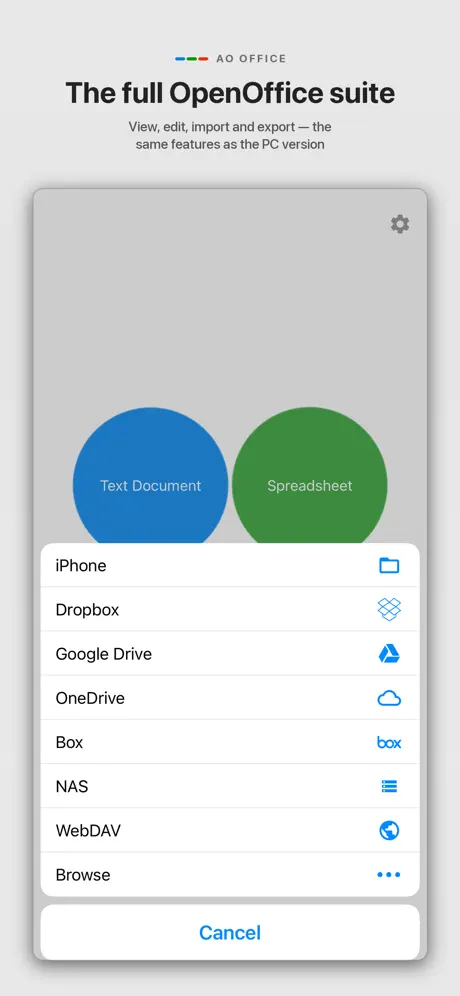
Documents, Sheets & Slides
How much does AO Office cost?
Prices are current as of 5 Oct 2026.
1 one-time purchase from $19.99
In the United States, AO Office has 1 one-time purchase priced $19.99.
| Product | Price |
|---|---|
| Professional Version | $19.99 |
10+ alternatives to AO Office
| AO Office | 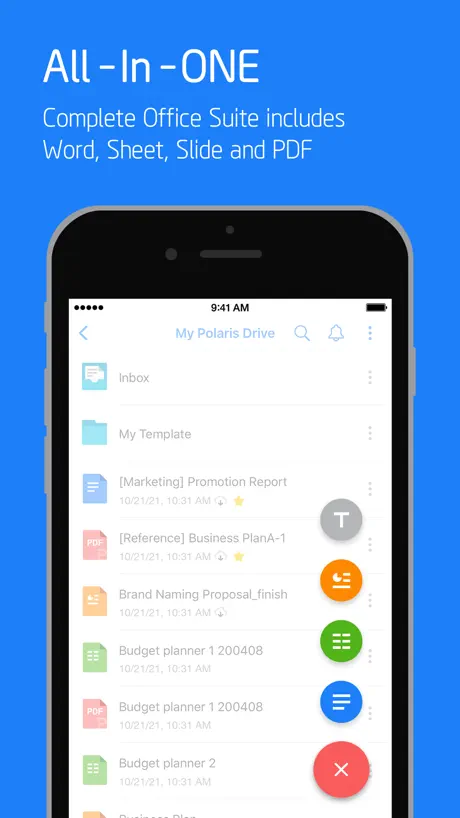  Polaris Office - PDF & Docs Polaris Office - PDF & Docs |   PDFMaker: JPG to PDF converter PDFMaker: JPG to PDF converter |   PDF Reader – PDFelement PDF Reader – PDFelement |   Document Editor—Docs,Sheets Document Editor—Docs,Sheets |   OpenDocument Reader - view ODT OpenDocument Reader - view ODT |   TextMaker TextMaker |   PlanMaker PlanMaker |   TextEdit - Text Editor TextEdit - Text Editor |   Collabora Office Collabora Office | |
|---|---|---|---|---|---|---|---|---|---|---|
| Rating / 5 | 4.3 | 4.4 | 4.7 | 4.5 | 4.4 | 4.5 | 4.6 | 4.7 | 3.5 | 3.6 |
| Reviews | 12K | 109K | 28K | 25K | 24K | 12K | 4.1K | 2.5K | 991 | 574 |
| Released | 2016 | 2013 | 2019 | 2016 | 2022 | 2020 | 2022 | 2022 | 2016 | 2019 |
| Monthly price | — | $5.99 | — | — | $5.99 | — | $1.49 | $1.49 | $3.99 | — |
| Annual price | — | $39.99 | — | — | $25.99 | — | $13.49 | $13.49 | $14.99 | — |
| One-time price | $19.99 | $10.99 | $3.99 | — | $29.99 | — | — | — | $14.99 | — |
The going rate for each plan in United States, in its own currency, shaded from the cheapest price on the row to the dearest. Plans fewer than four in ten of the priced apps sell are left out.
AO Office reviews
4.3 out of 5, based on 12,170 reviews.
What people like
- Supports custom dictionaries for other languages
- One-time purchase instead of monthly fees
- Works well for basic writing tasks
- Developer is responsive to user feedback
What they complain about
- No autosave feature risks losing work
- Crashes frequently when using the app
- Poor touch controls make editing hard
- Opens existing documents with broken formatting
Excelente
Excelente y muy fácil usar
Document version is basically unusable
I’ve only tried to use this program for editing documents, but it is awful. It’s like trying to use a word processor without a mouse, and the touch controls work very poorly. The scrolling moves a millimeter at a time, and it takes a painfully long time to do anything. I just never use this program and save the document editing for my computer.
Very Good
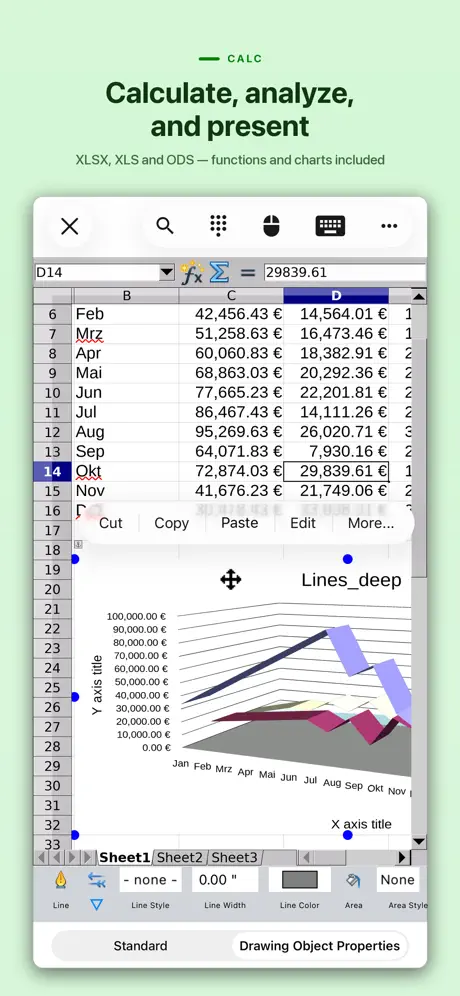
I used the spreadsheet app, which was created in Libre Office, but worked well here. Some of the command window sizing is not quite right for my iPad Pro, but nothing that cannot be viewed. I had some trouble selecting “text” as cell format, but it worked in the end. So far, I’m happy enough - and I an VERY happy to see an Open Office fork for the iPad.
Need option to disable macro warnings plus it needs to handle libre office file formats
This works well for everything I need it to do, but the items in the title of this review. Since AOO is no longer going to be supported on Apple silicon, I had to move to Libre Office. Now I get two warnings when I try to open my spreadsheets. The first warns against macros, but there is no option to disable such warnings. Since I created the macros in this file, there’s no need for recurring warnings. Second, the file formats in Libre Office have evolved over time, and your app has yet to be updated to handle them. Please work on that!
Issues in the beginning
After writing a few sentences, and removing the keyboard, the system crashes and closes
Same as computer with Open Office.
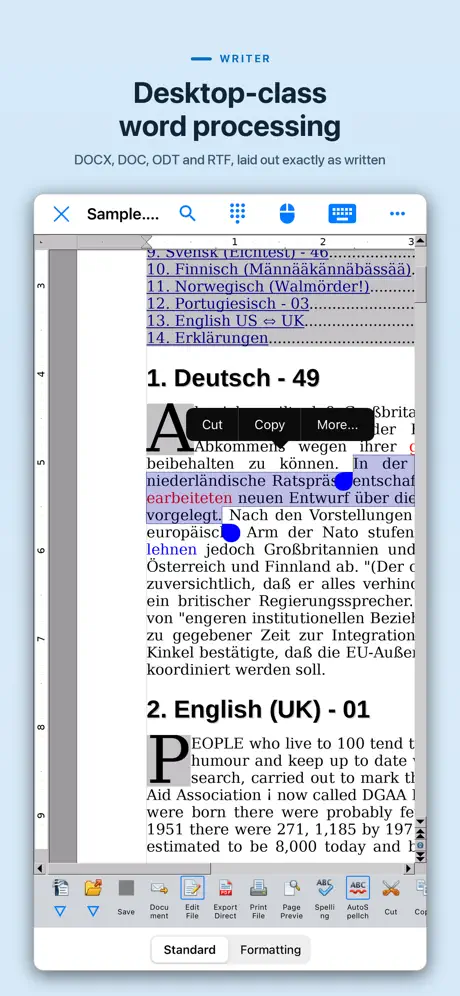
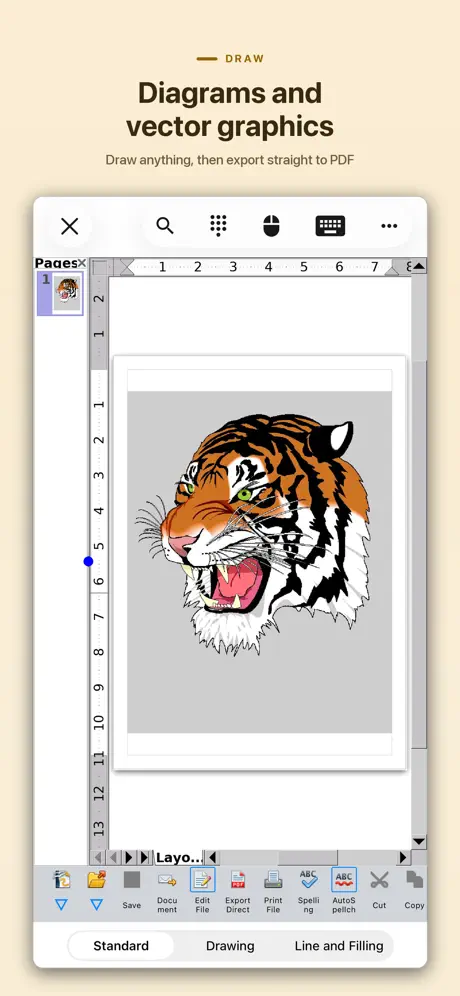
AOOffice on iPad gives me the functionality that I need to work with documents that I create on my main computer.
Absolutely horrendous
1. Opened an ODT document, which I had edited earlier on a computer without any issues, and was greeted to over six thousand pages of unknown characters. Sent the file back to the computer, opened it again, it was normal. Long story short, AO Office failed to decipher a very basic document. Every other doc I tried did the same thing. 2. Asked me if I wanted to install each individual font, instead of giving me a checkbox selection or a button to install them all. No option to stop it from asking, made my battery drain while plugged in to a high power charger. Do not recommend, you're better off using Preview.
Lo que necesitaba
Trabajar con esta App es como hacerlo desde el ordenador, sólo que con la pantalla del móvil. Para ediciones rápidas del documento que hayas hecho en el ordenador viene estupendo
AO (OpenOffice for IPad)
It works pretty well, but the VERY LARGE them menu and the symbols opening automatically and taking up 1/3 the page - it’s a distraction. I can’t find any information to get rid of it. Nothing I’ve tried in settings allows me to change this setting.
Text is overlapping?
When I open a Word document for editing, the text appears all congested and overlapping. I have to space out my entire resume again. On the other hand, starting a new blank Word document is easy; I can type and save it without any issues. I just wish that my existing documents would open up looking the same way I saved them in MS Word. I don't think that's too much to ask.
A Proper Text Editor
No frills, no baloney, worth the $20.00 upgrade. Works even better, with a keyboard.
Unbelievable
Simple word processing——can’t make auto spell turn completely off, can’t stop it from adding a capital letter to new phrases or sentences, it randomly adds the last word of one phrase to the next phrase. SUPER Buggy. I would PAY for Microsoft Office for an iPad. This is not it
Good so far
Good on iphone 14 pro max , AO office version 5.4.3
Pro version
I downloaded AO Office and then upgraded to Pro within the app. I want to get the AO Office Pro app but it wants me to pay $19.99 again. Please, I need assistance on how to proceed. Thank you.
I cannot tell if it works or not
I downloaded and signed up for the free trial. Well the free trail is nothing more than examples of what it can do. Using the free trail you cannot do ANYTHING. I have no idea if it works or not because I’m not paying $50 to see if it works.
Great app, and it woks perfectly
I have been using AO Office since Microsoft switched to monthly subscriptions and it has worked perfectly fine for me. I removed Microsoft office and solely use AO. Thank you
Help!
How do I open a spreadsheet in my file?
This may be the app I’ve been looking for!
Admittedly, I have barely any experience yet with this app, just a short test run. But it may be the app I’ve been looking for! Initially, I was unable to select text with my iPad. After submitting a review, the developer reached out to me and suggested double tapping the text. This worked to highlight a word. Handles appear, which one can drag to encompass more text. By tapping the left handle, I was able to open a small menu which includes the option to Copy. From there, I needed to experiment a bit before finding that it was then possible to single tap at the point I wished to paste text. This app has many options to change font, text size, and other typical Word type functions, including word count, which is crucial for me. It doesn’t work exactly like Word for the iPad, which I can no longer use due to my iOS, so I anticipate a slight learning curve. I have not yet tried the other possibilities in this Office-type suite, but it looks quite similar to what I am used to in MS. I want to thank the developer for making this available and for being so responsive.
Problems
I purchased AO Office with high hopes, but it will not consistently open my LibreOffice documents, and is especially problematic with password-protected documents. Regret the purchase.
Disappointed yet glad it is here
I have been looking for an iPhone and Mac app combination that would allow me to edit and add spreadsheet entries using dictation on my iPhone and then process the data on my Mac. I rejected Excel because of the cost (this is for personal use, not a business). I rejected Numbers because of its huge file size overhead (an 18K XML file becomes a 168K Numbers file) and because of its obtuse user interface on the iPhone. I rejected Collabra Office because I couldn’t directly use the same iCloud file folder in both locations, I had to remember to manually sync (when attempting to sync with Google Drive, Google kept trying to convert my XML files to Sheets). AO Office is at least functional enough, but barely. Although it claims to be fully functional, AO Office spreadsheet is missing Libre Office functions that I rely on to parse my dictation input, such as REGEXP. When dictating text, it quite reliably duplicates the initial character, requiring a lot of tedious manual editing or just living with the glitches. The process of moving from cell to cell to dictate text requires closing the keyboard, re-opening the keyboard, turning on dictation, dictating, ending the dictation, telling the App to save the dictation, etc., six or eight clicks of overhead for each cell, all of which are required or the data is lost or combined into a single cell. editing data in a cell is problematical; frequently it only accepts a single key stroke in the middle of text and then move the cursor to the end of the cell data, so inserting a word in the middle of a string requires repeatedly positioning the cursor for each and every letter. Fortunately, I have found work arounds. For each line, I dictate all of the data into a single cell and then distribute that data into the various columns using REGEXP formulas.That radically minimizes the per cell overhead as well as the duplicated initial letter glitch. I can’t see or edit the formulas in AOO (I just see a NAME error), but I can see and edit the input cell. This at least allows me too work on my project, which is more than I could get out of Numbers or Collabra.
AO Office is the ONLY answer to freeing yourself from Microsoft on an IPad!
I recently uploaded some MS Word 2016 docx files to the IOS cloud and was bummed by not being able to edit any of them without being forced to pay a weekly or monthly fee to use an editor from the AppStore that advertised itself as free but after the download forced you to make a choice how to proceed. I finally found AO Office, (OpenOffice for Mobile) and downloaded and installed it FOR FREE. Very slick app, even in the free version. To be able to export to a PDF file, a simple $20 purchase was all that was required for a lifetime license. Anyone wanting to easily export a PDF can easily convert it back to a Word DOCX file without having MS stick its hand in your wallet.
Exporting as a pdf is a premium option
IM SICK OF EVERYTHING HAVING TO DO WITH PDF COSTING MONEY
No Autorecovery, No Positive Review
I’ve always enjoyed OpenOffice on the desktop, so I was glad to see it ported to IOS. Unfortunately I realized the hard way that, unlike the desktop version, the IOS version of OpenOffice has NO autorecovery/autosave system at all; I had to find that out by writing for a bit (thankfully not for very long) and then accidentally closing the app, only to realize when reopened the app later that my bit of writing was eaten when the app was closed. This is REALLY inexcusable, as autosaves/autorecoveries are standard for practically every other creative app that I can think of, and there’s no way I’m going to spend another minute using this app as soon as I find a satisfactory replacement.
Navigating issue
Imagine opening a document or report of around 400 pages and I want to edit the doc. Guess how long it takes on an iPad to scroll to the bottom of the document?
Nice!
Nice implementation.
Bought paid version, need to reinstall, now have to pay again!!
After I paid nearly $20 for the full version of AO Office, I ran into a problem and needed to uninstall it from my iPad for a moment and reinstall it. Now it is not letting me reinstall the full version. I would have to pay again! Can this be resolved?
App will not open
I use this app everyday as my expense tracker. I have at times struggle to find some functions but eventually they seem to always be there. I have gotten conversant with the functionality that I use. However, since the last upgrade I have not been able to open the app. It goes to open then flips back to my home screen. I have an older iPad with iOS 12+. Has your app lost it’s compatibility. In the App Store it says it works with this iPad. I have deleted it and reinstalled it twice with no improvement.
Can open .ods sheet OK
This app seems to be the only one (free) which can open an .ods spreadsheet on iPad. I have not used editing yet.
Review
It looks like this will work for me I enjoy new programs and there at first difficult but now I look and see that things will be OK with me I enjoy your program and thanks for the update I like using this for texts and storytelling poetry writing! I give it the kings reading A+.
OneDrive
Poor, poor, poor! Unable to save anything into Microsoft OneDrive. This app. Keeps crashing!
Paid $15, unusable!
I was excited to see there was a version of Open Office for my iPad, so I downloaded it, and went right to the print screen to see if it was free like the original version. I wasn’t surprised there was a pay wall in order to print, so I went right ahead and paid for it. I tried to make something with it, and I couldn’t get the Style dialogue box to close, and trying to place a horizontal rule was nothing short of a nightmare. After giving up and realizing that I just threw $15 down the toilet, I opened the free version of OO on my PC and did what I needed to do. Either this has a lot of potential, or I’m an idiot. (it could go either way). :) Tell you what, keep the $15 and make it more user friendly. I’ll still try and trip my way through it, Who knows, maybe I’ll come to like it, but so far, that’s a “NO”.
Strong features, lots of flexibility
Strong coverage of critical office features Plenty of flexibility in saving and loading docs Especially useful for privacy-conscious people
Not useful at all
Trying to use to read pdf files since adobe are.being prickly pears. I thought I was getting a presentation on how to open files and format them if needed but this has just been frustrating
Five Stars for sure!
At first I rated this 5 stars. Now I’m changing that to 2 stars and that’s being generous. Tryng to get access to files sets me on a confusing chain of events where it doesn’t open my file but opens the app with a new blank file, OR I can open a read only version of it OR a copy of it. Eventually I give up.
Has Extensions!!
I wanted to review this product, because I couldn’t find this answer under app information, but this was the most important aspect for me. The app supports Open Office extensions. I write in a language that does not have native spelling support on iOS, and I was able to install my custom dictionary to the app. If you are looking for extension support and the ability to install custom dictionaries in a word processor this is the app for you. The price is a bit steep, but I was worth it to me
HUGHE DATA Collection whether you like it or not
I have opted out 3 times of the HUGE list of data collection checks and every time a check it back on. Checkout their list below the Vendor preferences Huge list that even though you select not to collect, go back to it and its selected to yes afterwards. I will delete this App and look for another one, and from what I looked the paid version doesn’t mention about not collecting your data. Don’t get this APP
Easy to use
Thank you
Dead on arrival
Program said it would text my for varification. Did not receive text after 2 tries.
AO Office price by country
A one-time purchase costs $15.96 in the Philippines and $26.44 in the United Kingdom — 1.7× more for the same thing. Below is the going rate for each plan in every country that sells it — the middle price of what the app charges there, in the country's own currency with the dollar equivalent beneath it.
| Country | One-time |
|---|---|
| Afghanistan | $17.99 |
| Albania | $19.99 |
| Algeria | $17.99 |
| Angola | $17.99 |
| Anguilla | $17.99 |
| Antigua And Barbuda | $17.99 |
| Argentina | $17.99 |
| Armenia | $19.99 |
| Australia | A$29.99$20.83 |
| Austria | €19.99$22.49 |
| Azerbaijan | $19.99 |
| Bahamas | $19.99 |
| Bahrain | $19.99 |
| Barbados | $19.99 |
| Belarus | $19.99 |
| Belgium | €19.99$22.49 |
| Belize | $17.99 |
| Benin | $19.99 |
| Bermuda | $17.99 |
| Bhutan | $17.99 |
| Bolivia | $17.99 |
| Bosnia & Herzegovina | €19.99$22.49 |
| Botswana | $17.99 |
| Brazil | R$119.90$22.97 |
| British Virgin Islands | $17.99 |
| Brunei Darussalam | $17.99 |
| Bulgaria | €19.99$22.49 |
| Burkina Faso | $17.99 |
| Cambodia | $19.99 |
| Cameroon | $19.99 |
| Canada | CA$24.99$17.60 |
| Cape Verde | $17.99 |
| Cayman Islands | $17.99 |
| Chad | $17.99 |
| Chile | CLP 19,990$20.35 |
| China | CN¥128.00$19.05 |
| Colombia | COP 79,900$24.13 |
| Congo | $19.99 |
| Congo, Democratic Republic | $17.99 |
| Costa Rica | $17.99 |
| Cote Divoire | $19.99 |
| Croatia | €19.99$22.49 |
| Cyprus | €19.99$22.49 |
| Czech Republic | CZK 499.00$22.96 |
| Denmark | DKK 149.00$22.41 |
| Dominica | $17.99 |
| Dominican Republic | $17.99 |
| Ecuador | $17.99 |
| Egypt | EGP 999.99$19.15 |
| El Salvador | $17.99 |
| Estonia | €19.99$22.49 |
| Fiji | $17.99 |
| Finland | €19.99$22.49 |
| France | €19.99$22.49 |
| Gabon | $17.99 |
| Gambia | $17.99 |
| Georgia | $19.99 |
| Germany | €19.99$22.49 |
| Ghana | $19.99 |
| Greece | €19.99$22.49 |
| Grenada | $17.99 |
| Guatemala | $17.99 |
| Guinea-bissau | $17.99 |
| Guyana | $17.99 |
| Honduras | $17.99 |
| Hong Kong | HK$148.00$18.85 |
| Hungary | HUF 7,990$24.40 |
| Iceland | $19.99 |
| India | ₹1,999.00$20.75 |
| Indonesia | IDR 349,000$19.51 |
| Iraq | $17.99 |
| Ireland | €19.99$22.49 |
| Israel | ₪49.90$16.36 |
| Italy | €19.99$22.49 |
| Jamaica | $17.99 |
| Japan | ¥3,000$19.01 |
| Jordan | $17.99 |
| Kazakhstan | KZT 9,990.00$22.49 |
| Kenya | $19.99 |
| Kosovo | €19.99$22.49 |
| Kuwait | $17.99 |
| Kyrgyzstan | $19.99 |
| Lao Peoples Democratic Republic | $19.99 |
| Latvia | €19.99$23.24 |
| Lebanon | $17.99 |
| Liberia | $17.99 |
| Libya | $17.99 |
| Lithuania | €19.99$22.49 |
| Luxembourg | €19.99$22.49 |
| Macao | $17.99 |
| Macedonia | $17.99 |
| Madagascar | $17.99 |
| Malawi | $17.99 |
| Malaysia | MYR 79.90$19.58 |
| Maldives | $17.99 |
| Mali | $17.99 |
| Malta | €19.99$22.49 |
| Mauritania | $17.99 |
| Mauritius | $19.99 |
| Mexico | MX$399.00$21.91 |
| Micronesia | $17.99 |
| Moldova | $19.99 |
| Mongolia | $17.99 |
| Montenegro | €17.99$20.24 |
| Montserrat | $17.99 |
| Morocco | $19.99 |
| Mozambique | $17.99 |
| Myanmar | $17.99 |
| Namibia | $17.99 |
| Nauru | $17.99 |
| Nepal | $19.99 |
| Netherlands | €19.99$22.49 |
| New Zealand | NZ$29.99$16.85 |
| Nicaragua | $17.99 |
| Niger | $17.99 |
| Nigeria | NGN 29,900.00$22.48 |
| Norway | NOK 229.00$23.80 |
| Oman | $17.99 |
| Pakistan | PKR 4,900$17.70 |
| Palau | $17.99 |
| Panama | $17.99 |
| Papua New Guinea | $17.99 |
| Paraguay | $17.99 |
| Peru | PEN 79.90$23.23 |
| Philippines | ₱999.00$15.96 |
| Poland | PLN 79.99$20.56 |
| Portugal | €19.99$22.49 |
| Qatar | QAR 69.99$19.23 |
| Romania | RON 99.99$21.09 |
| Russia | RUB 1,490.00$17.85 |
| Rwanda | $17.99 |
| Sao Tome & Principe | $17.99 |
| Saudi Arabia | SAR 79.99$21.33 |
| Senegal | $19.99 |
| Serbia | €19.99$22.49 |
| Seychelles | $17.99 |
| Sierra Leone | $17.99 |
| Singapore | SGD 24.98$19.52 |
| Slovakia | €19.99$22.49 |
| Slovenia | €19.99$22.49 |
| Solomon Islands | $17.99 |
| South Africa | ZAR 399.99$24.01 |
| South Korea | ₩29,000$21.50 |
| Spain | €19.99$22.49 |
| Sri Lanka | $17.99 |
| St. Kitts and Nevis | $17.99 |
| St. Lucia | $17.99 |
| St. Vincent & The Grenadines | $17.99 |
| Suriname | $19.99 |
| Swaziland | $17.99 |
| Sweden | SEK 229.00$22.81 |
| Switzerland | CHF 15.00$18.09 |
| Taiwan | NT$590.00$18.52 |
| Tajikistan | $19.99 |
| Tanzania | TZS 49,900.00$18.84 |
| Thailand | THB 699.00$21.26 |
| Tonga | $17.99 |
| Trinidad and Tobago | $17.99 |
| Tunisia | $17.99 |
| Turkey | TRY 999.99$20.35 |
| Turkmenistan | $17.99 |
| Turks and Caicos | $17.99 |
| Uganda | $19.99 |
| Ukraine | $19.99 |
| United Arab Emirates | AED 69.99$19.07 |
| United Kingdom | £19.99$26.44 |
| United States | $19.99 |
| Uruguay | $17.99 |
| Uzbekistan | $19.99 |
| Vanuatu | $17.99 |
| Venezuela | $17.99 |
| Vietnam | ₫499,000$19.24 |
| Yemen | $17.99 |
| Zambia | $19.99 |
| Zimbabwe | $19.99 |
AO Office FAQ
- Is AO Office free?
- Yes. The app and its basic features are free, in all 175 countries it sells in. Premium features are paid: they start from $19.99 (US), across 1 one-time purchase.
- Does AO Office have a free trial?
- No. None of its offers (US) come with a free trial.
- Where is AO Office cheapest?
- A one-time purchase costs ₱999.00 (≈$15.96) in the Philippines and £19.99 (≈$26.44) in the United Kingdom, its cheapest and dearest countries.
- What are the best alternatives to AO Office?
- Polaris Office - PDF & Docs (4.4 from 108,626 reviews, premium from $3.99), PDFMaker: JPG to PDF converter (4.7 from 28,135 reviews, premium from $3.99) and PDF Reader – PDFelement (4.5 from 25,196 reviews).
AO Office download
Last updated 3 days ago.
AO Office sells in 175 countries. It was released 9 years and 10 months ago, on 21 Nov 2016. It holds a 4.3 rating from 12,170 reviews.
Supports 40 languages: English, Arabic, Basque, Bangla, Bulgarian, Khmer, Catalan, Czech, Danish, Dutch, Finnish, French, Scottish Gaelic, Galician, German, Greek, Hebrew, Hindi, Hungarian, Indonesian, Italian, Japanese, Korean, Lithuanian, Norwegian Bokmål, Persian, Polish, Portuguese, Romanian, Russian, Serbian, Chinese, Slovak, Slovenian, Spanish, Swedish, Tamil, Thai, Turkish, Vietnamese.
How much does AO Office make?
Third-party estimates for the last 30 days, worldwide — not the store's own figures, which Apple publishes for nobody.
Revenue by plan
- One-time 100%
Revenue by country
- Germany 35%
- United States 16%
- France 13%
- Italy 8%