PDF Reader & Editor | Xodo
Smart Scan & Edit Documents
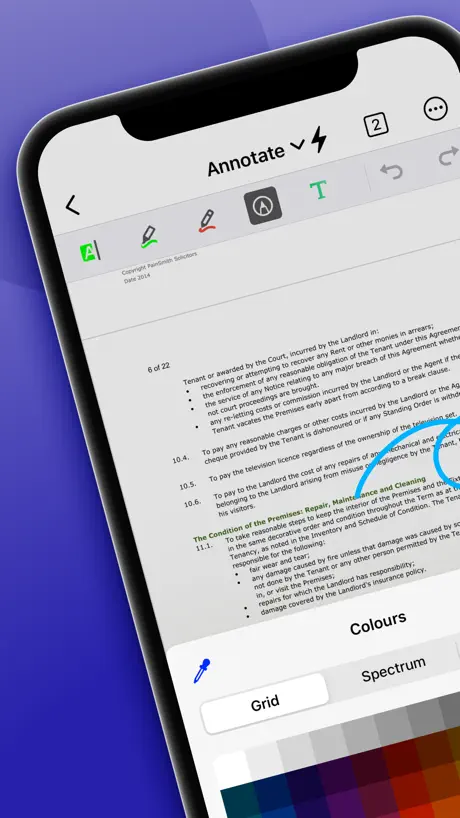
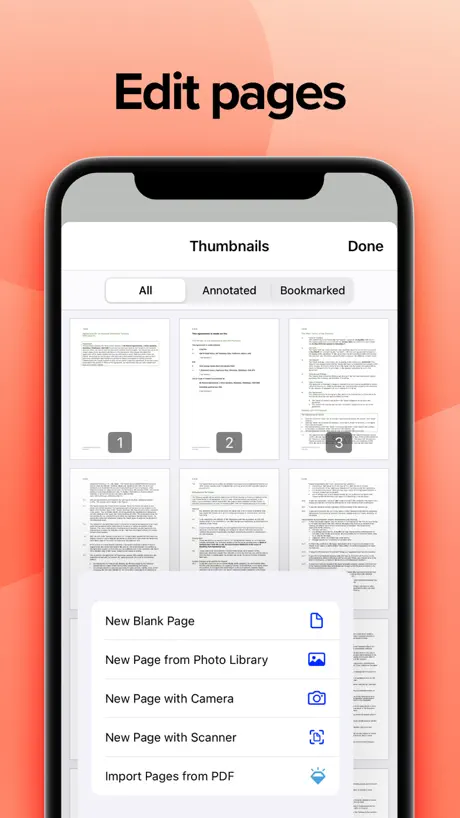
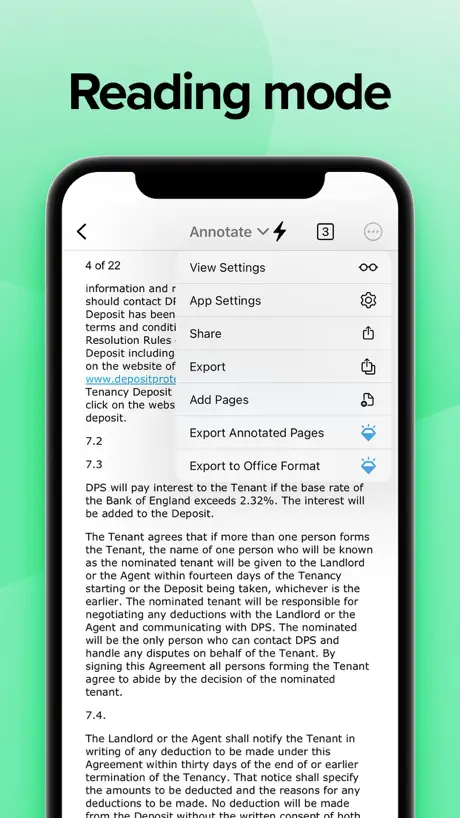
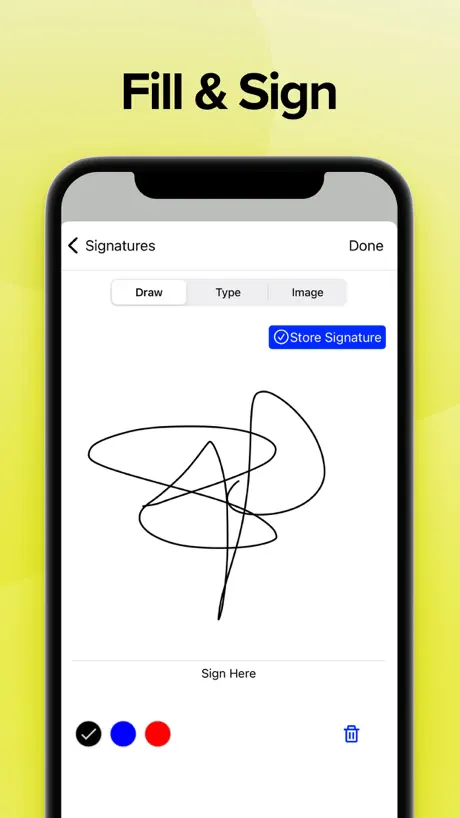
How much does PDF Reader & Editor | Xodo cost?
Prices are current as of 28 Sept 2026.
5 subscriptions from $11.99
In the United States, PDF Reader & Editor | Xodo has 5 subscriptions priced $11.99 – 107.99. Free trials run 3 days or 7 days.
| Subscription | Period | Price |
|---|---|---|
| Xodo Mobile (Monthly) | MonthlyTrial: 3 days | $11.99 |
| Xodo PDF Converter & Editor | MonthlyTrial: 3 days | $11.99 |
| Xodo PDF Converter & Editor | AnnualTrial: 3 days | $39.99 |
| Xodo Mobile (Yearly) | AnnualTrial: 7 days | $107.99 |
| Xodo Pro (Yearly) | AnnualTrial: 7 days | $107.99 |
See what PDF Reader & Editor | Xodo costs in all 171 countries →
10+ alternatives to PDF Reader & Editor | Xodo
| PDF Reader & Editor | Xodo |   PDF Expert: Editor & Reader PDF Expert: Editor & Reader |   PDF Pro - Reader Editor Forms PDF Pro - Reader Editor Forms |   Smallpdf: Scanner & PDF Editor Smallpdf: Scanner & PDF Editor |   Notes Writer: PDF, Voice, AI Notes Writer: PDF, Voice, AI |   PDFelement: PDF Editor, Viewer PDFelement: PDF Editor, Viewer |   PDF Gear - PDF Editor & Reader PDF Gear - PDF Editor & Reader |   PDF Viewer by Nutrient PDF Viewer by Nutrient |   LiquidText LiquidText |   PDF Hero - PDF Editor & Reader PDF Hero - PDF Editor & Reader |   Foxit PDF Editor Foxit PDF Editor | |
|---|---|---|---|---|---|---|---|---|---|---|---|
| Rating / 5 | 4.4 | 4.6 | 4.7 | 4.8 | 4.5 | 4.6 | 4.7 | 4.7 | 4.6 | 4.6 | 4.5 |
| Reviews | 9.2K | 816K | 122K | 62K | 59K | 46K | 42K | 41K | 41K | 31K | 29K |
| Released | 2014 | 2013 | 2011 | 2019 | 2018 | 2020 | 2023 | 2016 | 2015 | 2020 | 2012 |
| Monthly price | $11.99 | $9.99 | $3.99 | $11.99 | $3.99 | $6.99 | — | — | $10.90 | $10.99 | $6.99 |
| Annual price | $107.99 | $49.99 | $29.99 | $59.99 | $14.99 | $29.99 | — | $19.99 | $99.99 | $89.99 | $49.99 |
| One-time price | — | $9.99 | — | — | $14.99 | $39.99 | — | — | $89.99 | — | — |
The going rate for each plan in United States, in its own currency, shaded from the cheapest price on the row to the dearest. Plans fewer than four in ten of the priced apps sell are left out.
PDF Reader & Editor | Xodo reviews
4.4 out of 5, based on 9,218 reviews.
What people like
- Plenty of free features compared to Adobe
- Works seamlessly with Google Drive storage
- Side-by-side view is great for textbooks
What they complain about
- Annotations disappear when you switch apps
- App crashes frequently and loses your work
- Upsell popups interrupt your reading session constantly
Xodo is amazing everywhere
Been using xodo to read my files for years on android. Now that I moved on to ios, xodo makes it seamless.
Danny
App keeps crashing halfway through the process of editing a pdf and have to restart from zero this had happened multiple times and I am a paying subscriber
Better than Acrobat
This is way better than Acrobat and doesn't lag like most PDF readers do while viewing complicated documents like engineering textbooks. Unfortunately, the font color in dark mode is on the darker side and is harder to read than some other dark mode readers.
After years of happy use, finally quitting Xodo
Using Xodo free, b/c upgrade is too expensive for my use (reading and annotating only). Every two or three times I navigate away and return to Xodo, the Toolbox intrudes on my reading session to appeal to me to upgrade to Pro. The Files tab (where my PDFs are) is disabled for about 5 seconds. It’s incessant and interruptive. I can’t take it anymore. The cost on my attention and my free will (to stay on the free version) is too high.
good
Please add option to do full screen continues editing just like windows
Xodo
Muy útil
Doesn't work.
When I go to save my files it saves without any of the changes I make in the app.
Not working update version
Please do some thing My phone version Apple X ..ios 16.7
Mac version of the app???
Where’s the Mac version of the app that will sync with iCloud?? The free version
Is it possible to move ‘Define’ option at first after text is highlighted.
Can we move the option of define which comes after highlighting the text to view the definition possible. I believe many users would find easy this option available at first rather than second last option for quick definition viewing
Wish I found this sooner!
I’ve been in grad school for almost 2 years and only now am I finding this after looking for a good alternative to Apple’s in house pdf app which is constantly glitching on a way that loses all my annotations this is everything I wanted and everything I wished for you’ve pleased me greatly!
DO NOT SPEND ANY ONEY HERE
G A R B A G E
Crashing
Crashing when trying to bookmark page
Do not DL
I have had the app for 2 years. It’s SO GLITCHY. Takes a while to load on a iPad M2 processor. You will lose work when typing and have to start all over again. Such a head ache “free app”. Don’t do it.
Reliability and pricing
Drawing markups disappear right after hitting the complete button. Subscription pricing is too high and should be a single purchase for this kind of app. Otherwise (sadly), it is one of the best apps for working with architectural drawings.
best pdf app
broo it literally cured my trauma from other pdf apps like wdym my word doesn’t randomly disappear when everything is arranged wdym i can have all the tabs open at once i love ittttttt best app ever
Iv lost my files
My files is not found suddenly
Great app for displaying sheet music, BUT search feature broken
I only use the app for displaying sheet music and I’m happy it has the following features!: 1. Option to display 2 pages side by side (facing & cover facing) 2. Tabs to easily access multiple documents 3. Bookmarks (I use to jump to table of contents) 4. Hyperlinks all work well and jump quickly BUT I hope the search feature can be fixed Right now, I can search once (in my case a song name or #) and it displays, but after the first search, the other controls all disappear and I can’t go back or use the app at all anymore. I have to quit the app to use it again. Thank you app developers for the design and features! Please help restore the search function.
Really need to work of user friendliness
Very irritating 😠
Seems like a dead app
No Xodo drive, can’t sync with Gdrive. What does this app actually offer other than doing annotations.
Huge thanks
Very helpful app thanks from all who provide this
Finally convinced my company to switch to a better app
So happy that we are switching. Got tired of constantly having to redo paperwork because Xodo wouldn’t save anything or save a “flattened” copy that is completely blank. Absolutely a terrible app highly advice against using it. At the very least they don’t deserve your money.
Save option
Add save option on the tool bar, written data lost when close tab
annotation issues
i have been using this app ever since i have a smartphone but it is not at all upto the mark on ipad. (1) when annotation is on i cant swipe to the next page because of my pencil incompatibility but give atleast an option of an icon to click, it would be very convenient (2) if i use the classic apple notes tool for writing, underlining, when i turn off that tool and then use the xodo eraser then it erases all the annotations i did in that time period. i use the apple notes tool for writing and xodo’s highlight for highlighting and so i have to shift between the two and its super inconvenient when this happens. i m not using xodo’s pen tool because the least thickness is also too thick for me, so please either reduce the thickness further or remove this incompatibility issues UPDATE : i still have the same issues, it just randomly does not save my progress just because I switched to another app without closing the file, hell sometimes it doesnt save a few stuff even after manually closing the file. Either fix this glitch or give a manual save button that i can click how much ever i want
I like Xodo but
I like Xodo but can we get the feature to copy pages without inline? I just need to copy the pages to keep some info and edit others, not for them to include the same edits.
perfect
the best pdf reader I’ve ever experienced👌🏻👌🏻🤌🏻🤌🏻
Annoying
Occasionally it will randomly decide that I want to be in view-only mode, and the only way to get back out of it is to close the app entirely. It will let me automaticall crop documents *for viewing within the app*, but then when I try to export the documents it insists on padding them out so that all pages have the same proportions with the exact set of useless white margins I was trying to get rid of in the first place.
Light and robust app you have to be for PDFs
Light and robust app you have to be for PDFs
Unable to read pdf
Unable to read pdf. Icon are showing but not opening in application
Glitch
Recently it started glitching a lot eg. pdf would close automatically and after that if you try to open it would not open
Best for free use.
So many free options rather than adobe, foxit, so on.
Waste of money
It’s sucks it freeze a lot
Favorite app
This is my favorite PDF editing app. I haven’t found another one where you can view with two pages side by side, like a book, and scroll down to get to the next pages. I’m just annoyed at how it crashes sometimes. I use it anyways and export flattened versions regularly just to avoid everything disappearing (still happens sometimes). Every now and then I search for a better app but i still haven’t found one.
不适合复杂的工作
合并文件的时候 不能排序。选取文件的时候不能排序最近使用的文件列表不能清除 也不能排序。小打小闹还行 却做不了正经事情,不配这个价格
App keeping crashing file save issue
I am using this app in my ipad and i love this but sometimes it just crashes while making notes and when i again open this my work isn’t save
It was a fantastic app
It's very convenient, specially when I use iPad to take down notes. Also it integrates well with Google Drive.
Very limited. Same as other PDF apps
I need an app to edit existing text in an existing PDF and the internets said this was it. Well, it’s not. So if that’s what you need to do, keep looking
Good
Useful, handy app that does what I need. Only issue is occasionally a black box appears on a page and blocks me from being able to see the image on the page.
更新收费后软件突然变卡了
版本更新收费后,软件容易卡,而且,主页目录不再用系统的文件管理器,原来做星级标记的文件失效了。然后自己的文件怎么管理也没一个指示,一句话,又乱又卡,直接卸载。
My recent annotations disappears
I liked this app until I experienced a really annoying bug which is when I change some tabs or between apps my recent annotations suddenly disappears. I hope that in future updates this matters will resolve.
One of a kind special
Among all the pdf app I used, Xodo is more functional and economical.
Embarrassing to have an app in this condition actually out for public use
Used to be a genuinely good app and very useful for me as a student.But slowly it got worse and is downright unusable.Would not save files with hours of notes made or straight up crash the app and delete them.Even now when trying to write,words randomly disappear,reappear and become pixelated and are moved around.The developers should truly consider either seriously fixing all the issues by crowd testing this app or something or just remove it from App store entirely because as a computer science student ,it truly gives me second hand embarrassment from a developer perspective
Need to reinstall
App froze to open file reinstall fix the problem
Was great but recently something went wrong
I’ve used this app for years and it’s been amazing! But lately it’s crashing and when you swap to an app and go back it’s crashed and you have to reopen what files you had. Gets super annoying since the most recent updates.
Not working on ios17
Kindly update it ASAP
😍😍😍😍
I am addicted! I scan random things all day because it’s so fun!!!!!!!!!!!!!!!!!
Dysfunctional
I cannot open saved files using the link like you would other PDF programs.
Great free app!
This is not one of those apps that pretends to be free only to ask you to pay minutes later. It works really well and syncs with google drive which is a great plus! The only downside is that it sometimes freezes on my iPad Air 4th gen but it’s nothing that restarting the app won’t resolve. It has lots of features, I highly recommend for students or anyone not willing to pay for a pdf editor that allows adding, removing pages and annotations using a pen.
Awful Apple Pencil support
The default pencil functions are so limited it doesn’t support double tap to switch tools. And even if you enable apple markup, it makes it even more cumbersome draw. When using markup, the ink is permanent (you can’t erase it) until you exit out of markup and manually delete each object!
Saving content issue
Previously the app would automatically save my content after I had annotated or drawn or sketched, but since the past 3days I have to redo everything if I close the app without manually saving the content which is absolutely annoying…. Hours and hours of work to be redone is no joke!!! Please resolve the issue
PDF Reader & Editor | Xodo price by country
A monthly subscription costs $7.46 in Nigeria and $17.96 in Colombia — 2× more for the same thing. Below is the going rate for each plan in every country that sells it — the middle price of what the app charges there, in the country's own currency with the dollar equivalent beneath it.
| Country | Monthly | Annual |
|---|---|---|
| Afghanistan | $11.99 | $107.99 |
| Albania | $14.99 | $129.59 |
| Algeria | $11.99 | $107.99 |
| Angola | $11.99 | $107.99 |
| Anguilla | $11.99 | $107.99 |
| Antigua And Barbuda | $11.99 | $107.99 |
| Argentina | $11.99 | $107.99 |
| Armenia | $14.99 | $129.99 |
| Australia | A$19.99$13.98 | A$169.99$118.87 |
| Austria | €12.99$14.79 | €119.99$136.66 |
| Azerbaijan | $11.99 | $107.99 |
| Bahamas | $12.99 | $118.99 |
| Bahrain | $12.99 | $118.99 |
| Barbados | $14.99 | $124.99 |
| Belgium | €12.99$15.07 | €119.99$139.20 |
| Belize | $11.99 | $107.99 |
| Benin | $11.99 | $107.99 |
| Bermuda | $11.99 | $107.99 |
| Bhutan | $11.99 | $107.99 |
| Bolivia | $11.99 | $107.99 |
| Bosnia & Herzegovina | €12.99$14.79 | €119.99$136.66 |
| Botswana | $11.99 | $107.99 |
| Brazil | R$61.90$11.93 | R$549.90$105.95 |
| British Virgin Islands | $11.99 | $107.99 |
| Brunei Darussalam | $11.99 | $107.99 |
| Bulgaria | €12.99$14.79 | €114.99$130.97 |
| Burkina Faso | $11.99 | $107.99 |
| Cambodia | $12.99 | $118.99 |
| Cameroon | $14.99 | $129.99 |
| Canada | CA$14.99$10.86 | CA$139.99$101.44 |
| Cape Verde | $11.99 | $107.99 |
| Cayman Islands | $11.99 | $107.99 |
| Chad | $11.99 | $107.99 |
| Chile | CLP 12,700$13.20 | CLP 99,990$103.91 |
| China | CN¥88.00$13.10 | CN¥728.00$108.33 |
| Colombia | COP 59,900$17.96 | COP 529,900$158.92 |
| Congo | $11.99 | $107.99 |
| Congo, Democratic Republic | $11.99 | $107.99 |
| Costa Rica | $11.99 | $107.99 |
| Cote Divoire | $11.99 | $107.99 |
| Croatia | €12.99$14.79 | €119.99$136.66 |
| Cyprus | €12.99$14.79 | €119.99$136.66 |
| Czech Republic | CZK 299.00$13.97 | CZK 2,990.00$139.72 |
| Denmark | DKK 99.00$15.09 | DKK 959.00$146.19 |
| Dominica | $11.99 | $107.99 |
| Dominican Republic | $11.99 | $107.99 |
| Ecuador | $11.99 | $107.99 |
| Egypt | EGP 399.99$7.73 | EGP 1,999.99$38.65 |
| El Salvador | $11.99 | $107.99 |
| Estonia | €12.99$14.79 | €119.99$136.66 |
| Fiji | $11.99 | $107.99 |
| Finland | €12.99$14.79 | €119.99$136.66 |
| France | €12.99$14.79 | €119.99$136.66 |
| Gabon | $11.99 | $107.99 |
| Gambia | $11.99 | $107.99 |
| Georgia | $14.99 | $124.99 |
| Germany | €12.99$15.09 | €119.99$139.36 |
| Ghana | $14.99 | $107.99 |
| Greece | €12.99$14.79 | €119.99$136.66 |
| Grenada | $11.99 | $107.99 |
| Guatemala | $11.99 | $107.99 |
| Guinea-bissau | $11.99 | $107.99 |
| Guyana | $11.99 | $107.99 |
| Honduras | $11.99 | $107.99 |
| Hong Kong | HK$88.00$11.22 | HK$848.00$108.16 |
| Hungary | HUF 4,990$15.55 | HUF 49,990$155.77 |
| Iceland | $14.99 | $129.99 |
| India | ₹1,199.00$12.50 | ₹9,900.00$103.20 |
| Indonesia | IDR 199,000$11.10 | IDR 1,799,000$100.38 |
| Iraq | $11.99 | $107.99 |
| Ireland | €12.99$14.79 | €119.99$136.66 |
| Israel | ₪39.90$13.08 | ₪369.90$121.28 |
| Italy | €12.99$14.79 | €119.99$136.66 |
| Jamaica | $11.99 | $107.99 |
| Japan | ¥1,800$11.43 | ¥14,800$93.97 |
| Jordan | $11.99 | $107.99 |
| Kazakhstan | KZT 5,990.00$13.53 | KZT 49,990.00$112.94 |
| Kenya | $14.99 | $124.99 |
| Kosovo | €12.99$14.79 | €119.99$136.66 |
| Kuwait | $11.99 | $107.99 |
| Kyrgyzstan | $12.99 | $119.99 |
| Lao Peoples Democratic Republic | $11.99 | $107.99 |
| Latvia | €12.99$14.79 | €119.99$136.66 |
| Lebanon | $11.99 | $107.99 |
| Liberia | $11.99 | $107.99 |
| Libya | $11.99 | $107.99 |
| Lithuania | €12.99$14.79 | €119.99$136.66 |
| Luxembourg | €12.99$14.79 | €119.99$136.66 |
| Macao | $11.99 | $107.99 |
| Macedonia | $11.99 | $107.99 |
| Madagascar | $11.99 | $107.99 |
| Malawi | $11.99 | $107.99 |
| Malaysia | MYR 59.90$14.83 | MYR 499.90$123.74 |
| Maldives | $11.99 | $107.99 |
| Mali | $11.99 | $107.99 |
| Malta | €12.99$14.79 | €119.99$136.66 |
| Mauritania | $11.99 | $107.99 |
| Mauritius | $11.99 | $107.99 |
| Mexico | MX$249.00$14.04 | MX$2,299.00$129.59 |
| Micronesia | $11.99 | $107.99 |
| Moldova | $14.99 | $129.99 |
| Mongolia | $11.99 | $107.99 |
| Montenegro | €9.99$11.38 | €99.99$113.88 |
| Montserrat | $11.99 | $107.99 |
| Morocco | $11.99 | $107.99 |
| Mozambique | $11.99 | $107.99 |
| Namibia | $11.99 | $107.99 |
| Nauru | $11.99 | $107.99 |
| Nepal | $11.99 | $107.99 |
| Netherlands | €12.99$14.79 | €119.99$136.66 |
| New Zealand | NZ$19.99$11.29 | NZ$199.99$112.99 |
| Nicaragua | $11.99 | $107.99 |
| Niger | $11.99 | $107.99 |
| Nigeria | NGN 9,900.00$7.46 | NGN 49,900.00$37.60 |
| Norway | NOK 149.00$15.67 | NOK 1,290.00$135.65 |
| Oman | $11.99 | $107.99 |
| Pakistan | PKR 3,500$12.64 | PKR 22,900$82.70 |
| Palau | $11.99 | $107.99 |
| Panama | $11.99 | $107.99 |
| Papua New Guinea | $11.99 | $107.99 |
| Paraguay | $11.99 | $107.99 |
| Peru | PEN 49.90$14.72 | PEN 399.90$117.96 |
| Philippines | ₱699.00$11.19 | ₱5,890.00$94.32 |
| Poland | PLN 64.99$16.92 | PLN 589.99$153.64 |
| Portugal | €12.99$14.79 | €119.99$136.66 |
| Qatar | QAR 39.99$10.99 | QAR 394.99$108.51 |
| Romania | RON 69.99$15.12 | RON 599.99$129.59 |
| Rwanda | $11.99 | $107.99 |
| Sao Tome & Principe | $11.99 | $107.99 |
| Saudi Arabia | SAR 49.99$13.33 | SAR 469.99$125.33 |
| Senegal | $11.99 | $107.99 |
| Serbia | €12.99$14.79 | €119.99$136.66 |
| Seychelles | $11.99 | $107.99 |
| Sierra Leone | $11.99 | $107.99 |
| Singapore | SGD 17.98$14.16 | SGD 149.98$118.09 |
| Slovakia | €12.99$14.79 | €119.99$136.66 |
| Slovenia | €12.99$14.79 | €119.99$136.66 |
| Solomon Islands | $11.99 | $107.99 |
| South Africa | ZAR 249.99$15.32 | ZAR 1,999.99$122.55 |
| South Korea | ₩17,000$12.54 | ₩149,000$109.88 |
| Spain | €12.99$14.79 | €119.99$136.66 |
| Sri Lanka | $11.99 | $107.99 |
| St. Kitts and Nevis | $11.99 | $107.99 |
| St. Lucia | $11.99 | $107.99 |
| St. Vincent & The Grenadines | $11.99 | $107.99 |
| Suriname | $11.99 | $107.99 |
| Swaziland | $11.99 | $107.99 |
| Sweden | SEK 149.00$15.02 | SEK 1,379.00$139.01 |
| Switzerland | CHF 12.00$14.85 | CHF 100.00$123.76 |
| Taiwan | NT$390.00$12.33 | NT$3,490.00$110.34 |
| Tajikistan | $13.99 | $123.99 |
| Tanzania | TZS 34,900.00$13.13 | TZS 249,900.00$94.05 |
| Thailand | THB 399.00$12.05 | THB 3,990.00$120.51 |
| Tonga | $11.99 | $107.99 |
| Trinidad and Tobago | $11.99 | $107.99 |
| Tunisia | $11.99 | $107.99 |
| Turkey | TRY 399.99$8.17 | TRY 2,399.99$49.03 |
| Turkmenistan | $11.99 | $107.99 |
| Turks and Caicos | $11.99 | $107.99 |
| Uganda | $14.99 | $124.99 |
| Ukraine | $14.99 | $129.99 |
| United Arab Emirates | AED 49.99$13.62 | AED 399.99$108.99 |
| United Kingdom | £11.99$15.86 | £99.99$132.26 |
| United States | $11.99 | $107.99 |
| Uruguay | $11.99 | $107.99 |
| Uzbekistan | $12.99 | $119.99 |
| Vanuatu | $11.99 | $107.99 |
| Vietnam | ₫299,000$11.50 | ₫2,499,000$96.09 |
| Yemen | $11.99 | $107.99 |
| Zambia | $11.99 | $107.99 |
| Zimbabwe | $14.99 | $129.99 |
PDF Reader & Editor | Xodo FAQ
- Is PDF Reader & Editor | Xodo free?
- Yes. The app and its basic features are free, in all 171 countries it sells in. Premium features are paid: they start from $11.99 (US), across 5 subscriptions.
- How much does PDF Reader & Editor | Xodo cost per month?
- Xodo Mobile (Monthly) is $11.99 (US). The annual plan works out cheaper per month: $39.99 – 107.99 a year.
- Does PDF Reader & Editor | Xodo have a free trial?
- Yes — free trials of 3 days or 7 days (US), depending on the plan.
- Where is PDF Reader & Editor | Xodo cheapest?
- A monthly subscription costs NGN 9,900.00 (≈$7.46) in Nigeria and COP 59,900 (≈$17.96) in Colombia, its cheapest and dearest countries.
- What are the best alternatives to PDF Reader & Editor | Xodo?
- PDF Expert: Editor & Reader (4.6 from 816,175 reviews, premium from $9.99), PDF Pro - Reader Editor Forms (4.7 from 121,792 reviews, premium from $2.99) and Smallpdf: Scanner & PDF Editor (4.8 from 61,581 reviews, premium from $7.99).
PDF Reader & Editor | Xodo download
Last updated 12 days ago.
PDF Reader & Editor | Xodo sells in 171 countries. It was released 12 years and 8 months ago, on 30 Jan 2014. It holds a 4.4 rating from 9,218 reviews.
Supports 12 languages: English, Dutch, French, German, Hindi, Indonesian, Italian, Japanese, Korean, Portuguese, Chinese, Spanish.
How much does PDF Reader & Editor | Xodo make?
Third-party estimates for the last 30 days, worldwide — not the store's own figures, which Apple publishes for nobody.
Revenue by plan
- Monthly 53%
- Annual 47%
Revenue by country
- United States 34%
- Saudi Arabia 7%
- Germany 6%
- Canada 3%