
Smallpdf: Scanner & PDF Editor
compress, convert, ocr, sign
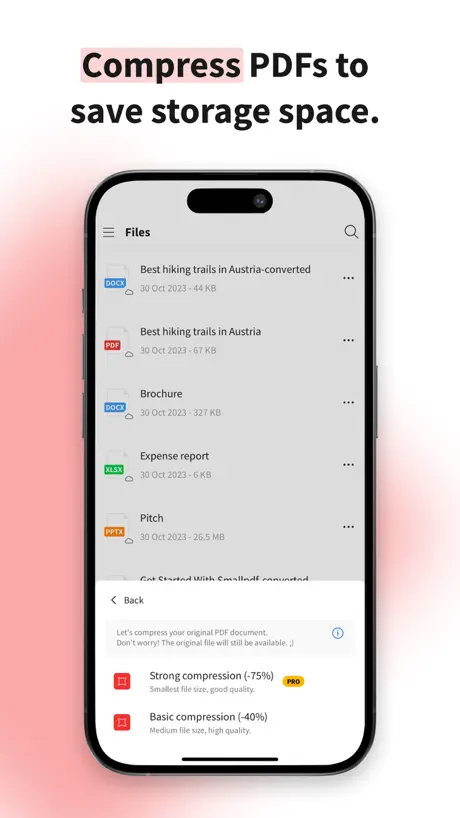
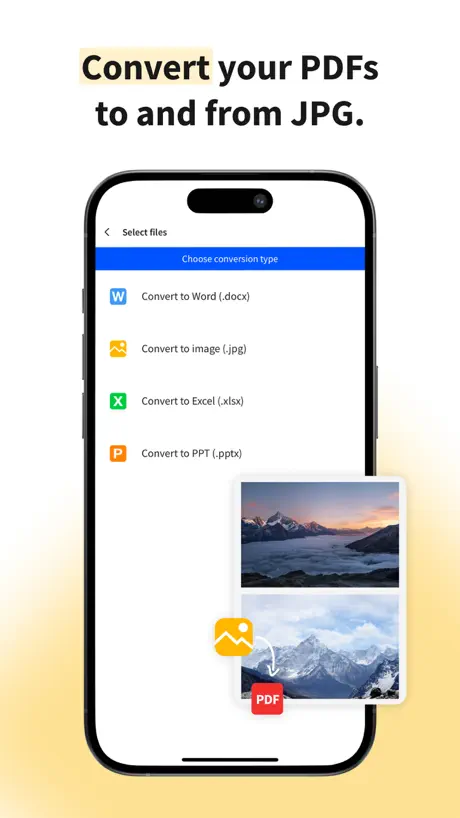
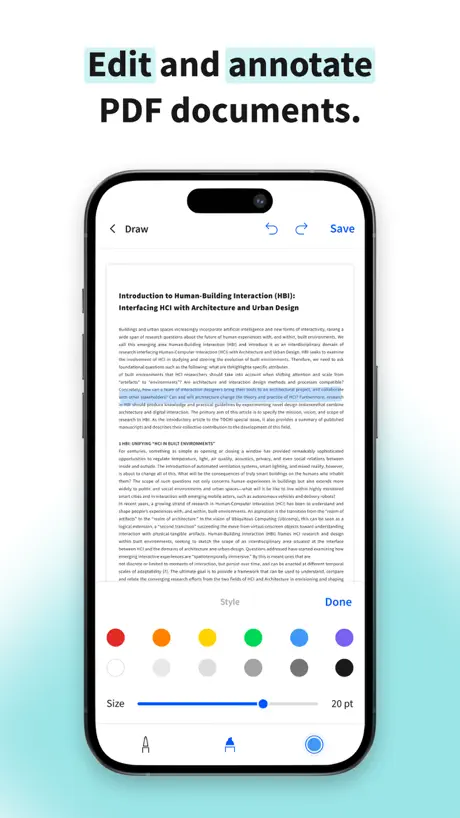
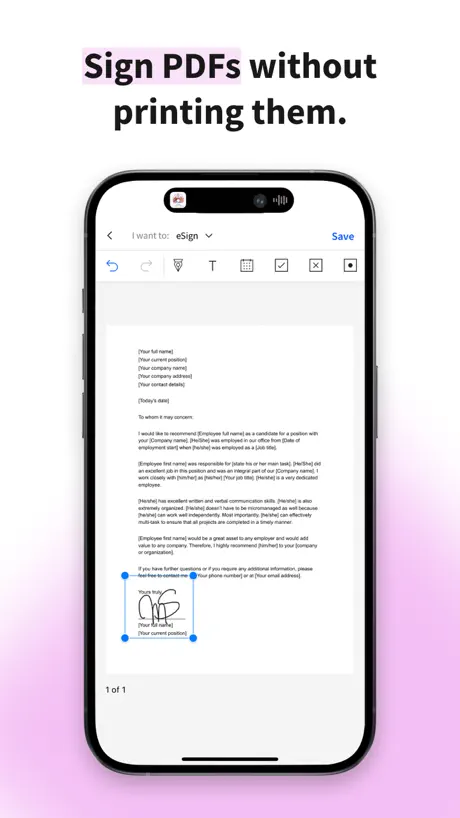
How much does Smallpdf: Scanner & PDF Editor cost?
Prices are current as of 28 Sept 2026.
3 subscriptions from $7.99
In the United States, Smallpdf: Scanner & PDF Editor has 3 subscriptions priced $7.99 – 119.99. It comes with a 7 days free trial.
| Subscription | Period | Price |
|---|---|---|
| Monthly Plan | MonthlyTrial: 7 days | $7.99 – 14.99 |
| Yearly Plan | AnnualTrial: 7 days | $49.99 |
| Yearly Plan | AnnualTrial: 7 days | $59.99 – 119.99 |
See what Smallpdf: Scanner & PDF Editor costs in all 175 countries →
10+ alternatives to Smallpdf: Scanner & PDF Editor
| Smallpdf: Scanner & PDF Editor |   PDF Expert: Editor & Reader PDF Expert: Editor & Reader |   iLovePDF - PDF Editor & Scan iLovePDF - PDF Editor & Scan |   Photos PDF : Scanner Converter Photos PDF : Scanner Converter |   PDF Pro - Reader Editor Forms PDF Pro - Reader Editor Forms |   PDFelement: PDF Editor, Viewer PDFelement: PDF Editor, Viewer |   MobiPDF・PDF Text Editor・Reader MobiPDF・PDF Text Editor・Reader |   Foxit PDF Editor Foxit PDF Editor |   PDFMaker: JPG to PDF converter PDFMaker: JPG to PDF converter |   PDF Reader – PDFelement PDF Reader – PDFelement |   Image to PDF Converter · Edit Image to PDF Converter · Edit | |
|---|---|---|---|---|---|---|---|---|---|---|---|
| Rating / 5 | 4.8 | 4.6 | 4.8 | 4.8 | 4.7 | 4.6 | 4.7 | 4.5 | 4.7 | 4.5 | 4.2 |
| Reviews | 62K | 816K | 766K | 295K | 122K | 46K | 32K | 29K | 28K | 25K | 19K |
| Released | 2019 | 2013 | 2017 | 2017 | 2011 | 2020 | 2021 | 2012 | 2019 | 2016 | 2022 |
| Monthly price | $11.99 | $9.99 | $5.49 | — | $3.99 | $6.99 | $9.99 | $6.99 | — | — | $9.99 |
| Annual price | $59.99 | $49.99 | $44.99 | — | $29.99 | $29.99 | $49.99 | $49.99 | — | — | $29.99 |
| One-time price | — | $9.99 | — | $9.99 | — | $39.99 | — | — | $3.99 | — | — |
The going rate for each plan in United States, in its own currency, shaded from the cheapest price on the row to the dearest. Plans fewer than four in ten of the priced apps sell are left out.
Smallpdf: Scanner & PDF Editor reviews
4.8 out of 5, based on 61,581 reviews.
What people like
- Very easy and simple to use.
- Great for business owners and daily tasks.
- Supports Arabic language nicely.
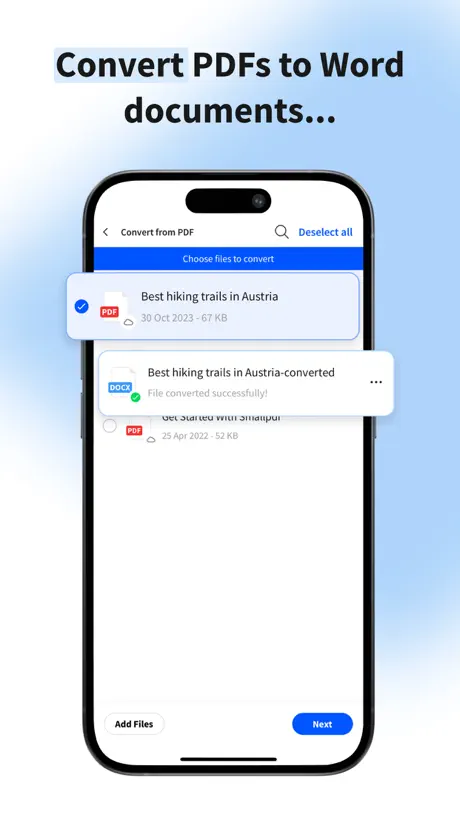
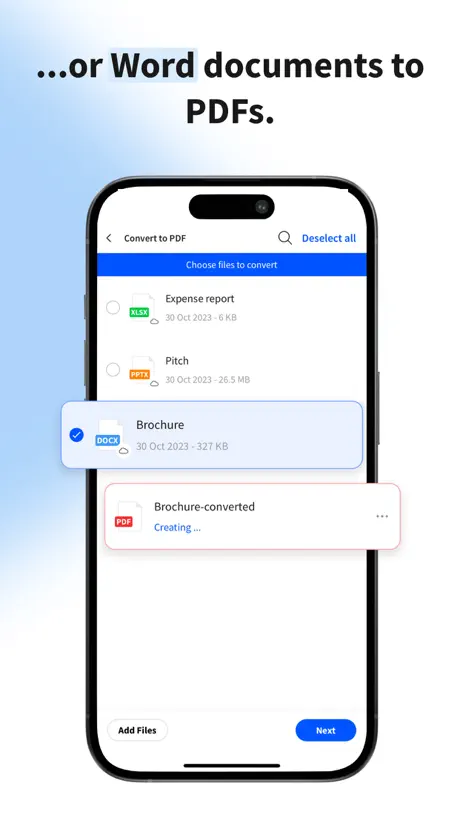
- Makes converting images to PDF very easy.
What they complain about
- Forces you to update your phone OS.
- Some tools simply do not work at all.
- Hard to cancel the subscription once bought.
- Converted files often come out corrupted or broken.
ممتاز
ممتاز وسهل جداً
Very bad
I can’t compress. And you need to add your credit card
High prices
I want to rate it 5 stars but the price is very high Why you dont allow one time purchase even for 50 $ i will buy it No need for this high subscription
I have a problem with free trial
I tried all tools. But nothing works in this application 🙄
السعودية
تطبيق جدا ممتاز ومفيد
رااائع
يدعم اللغة العربية
سيء
الملف المحول يطلع تالف ولا يمكن المحاولة مرة ثانية
جميل
جميييل
الرياض
فيه اشياء بفلوس وقروشه لكن تطبيق رهيب صراحه
I’M SAD
Why Why Why update just for iOS 13 or later Really It’s bad news,I’m appreciate if you can back it for iOS 12.5 Thanks.
عملي جدًا
مفيد جدًا لأصحاب الأعمال.
زقق
زقين
ممتاز
تطبيق جميل يقوم بتحويل الصور إلى ملف pdf توجد سلبية واحدة فقط لاحظتها: بعد تحويل الصورة إلى pdf تقل جودة الصورة.
برنامج جميل جداً ويختصر عليك كثير وقت
شكراً
Unfortunately, it was free but they changed it
Delete
باختصار رائع
برنامج رائع يخدم العمل الالكتروني لدرجة كبيرة ومتميزة وباللغة العربية وله تطبيق على الايفون وقد سهل لي العمل
رررررررائع رررررررائع جدا جدا جدا
جميل و سهل الاستخدام عكس البرامج الأخرى
مشكله
كيف الغي الاشتراك اشتركت بالغلط
Very nice app
Useful in businesses
الرياض
زي الزفتت أسوا تطبيق وأسوأ برنامج شوفته فحياتي
⭐️⭐️⭐️⭐️⭐️⭐️⭐️⭐️
جميل جدا 😍🥰 good very good
لا تحملونه
زفـ-ـت حاط الضغط الي اقل من ١ قيقا بفلوس يلا بس على ايش محملينك اجل
Baraa
The best
تطبيق تصغير ملفات بي دي اف
لا انصح بشراء نسخة اشتركت بمقابل مالي ثم الغيت الاشتراك ولم يلغى للاسف من 6 شهور تأتيني رسالة محاولة الخصم من بطاقة الفيزا !! لا يوجد طريقة لالغاء الاشتراك المدفوع وسأضطر لالغاء بطاقتي الفيزا من أجله!
ممتاز
ممتاز مره وكان فيه عطل وصلحوه كذا قلتشان ويعلق بس الحين ممتاج جدا
File loading failed. Please check you connection
It says when i try to share the compressed pdf to someone. And it constantly saying this despite i have good internet connection.
جمييييل
جميل وافضل تطبيق ماتستغني عنه بس لو يضيفون الختم مثل التوقيع
٢٠٢٢....
لماذا لايمكنني التعديل على الملف؟؟؟ او حذف نص ؟؟ لماذا؟؟؟؟
Smallpdf: Scanner & PDF Editor price by country
A monthly subscription costs $7.16 in Turkey and $15.63 in Poland — 2× more for the same thing. Below is the going rate for each plan in every country that sells it — the middle price of what the app charges there, in the country's own currency with the dollar equivalent beneath it.
| Country | Monthly | Annual |
|---|---|---|
| Afghanistan | $7.99 | $59.99 |
| Albania | $14.39 | $129.99 |
| Algeria | $11.99 | $107.99 |
| Angola | $11.99 | $107.99 |
| Anguilla | $7.99 | $59.99 |
| Antigua And Barbuda | $7.99 | $59.99 |
| Argentina | $11.99 | $107.99 |
| Armenia | $11.99 | $129.99 |
| Australia | A$19.49$13.73 | A$179.99$126.75 |
| Austria | €12.99$14.79 | €119.99$136.66 |
| Azerbaijan | $11.99 | $107.99 |
| Bahamas | $11.99 | $119.99 |
| Bahrain | $11.99 | $119.99 |
| Barbados | $11.99 | $129.99 |
| Belarus | $11.99 | $129.99 |
| Belgium | €12.99$14.79 | €119.99$136.66 |
| Belize | $7.99 | $59.99 |
| Benin | $11.99 | $129.99 |
| Bermuda | $7.99 | $59.99 |
| Bhutan | $7.99 | $59.99 |
| Bolivia | $11.99 | $107.99 |
| Bosnia & Herzegovina | €8.99$10.24 | €69.99$79.72 |
| Botswana | $11.99 | $107.99 |
| Brazil | R$49.90$9.61 | R$299.90$57.78 |
| British Virgin Islands | $7.99 | $59.99 |
| Brunei Darussalam | $11.99 | $107.99 |
| Bulgaria | €12.49$14.23 | €114.99$130.97 |
| Burkina Faso | $11.99 | $107.99 |
| Cambodia | $11.99 | $119.99 |
| Cameroon | $11.99 | $129.99 |
| Canada | CA$14.99$10.63 | CA$149.99$106.38 |
| Cape Verde | $7.99 | $59.99 |
| Cayman Islands | $11.99 | $107.99 |
| Chad | $11.99 | $107.99 |
| Chile | CLP 9,990$10.37 | CLP 119,990$124.60 |
| China | CN¥58.00$8.62 | CN¥398.00$59.14 |
| Colombia | COP 49,900$15.32 | COP 499,900$153.48 |
| Congo | $11.99 | $107.99 |
| Congo, Democratic Republic | $11.99 | $107.99 |
| Costa Rica | $11.99 | $107.99 |
| Cote Divoire | $11.99 | $129.99 |
| Croatia | €12.99$14.79 | €119.99$136.66 |
| Cyprus | €12.99$14.79 | €119.99$136.66 |
| Czech Republic | CZK 299.00$13.99 | CZK 2,990.00$139.85 |
| Denmark | DKK 99.00$15.42 | DKK 999.00$155.61 |
| Dominica | $7.99 | $59.99 |
| Dominican Republic | $11.99 | $107.99 |
| Ecuador | $11.99 | $107.99 |
| Egypt | EGP 399.99$7.73 | EGP 5,999.99$115.94 |
| El Salvador | $11.99 | $107.99 |
| Estonia | €12.99$14.79 | €119.99$136.66 |
| Fiji | $7.99 | $59.99 |
| Finland | €12.99$14.79 | €119.99$136.66 |
| France | €12.99$14.79 | €69.99$79.72 |
| Gabon | $11.99 | $107.99 |
| Gambia | $11.99 | $107.99 |
| Georgia | $11.99 | $129.99 |
| Germany | €12.99$14.79 | €69.99$79.72 |
| Ghana | $11.99 | $129.99 |
| Greece | €12.99$15.09 | €119.99$139.36 |
| Grenada | $7.99 | $59.99 |
| Guatemala | $11.99 | $107.99 |
| Guinea-bissau | $7.99 | $59.99 |
| Guyana | $11.99 | $107.99 |
| Honduras | $11.99 | $107.99 |
| Hong Kong | HK$88.00$11.22 | HK$888.00$113.27 |
| Hungary | HUF 4,690$14.63 | HUF 49,990$155.96 |
| Iceland | $14.87 | $129.99 |
| India | ₹999.00$10.42 | ₹5,900.00$61.54 |
| Indonesia | IDR 169,000$9.44 | IDR 1,999,000$111.69 |
| Iraq | $11.99 | $107.99 |
| Ireland | €12.99$14.79 | €119.99$136.66 |
| Israel | ₪39.90$13.13 | ₪399.90$131.55 |
| Italy | €12.99$14.79 | €119.99$136.66 |
| Jamaica | $11.99 | $107.99 |
| Japan | ¥1,300$8.26 | ¥10,000$63.51 |
| Jordan | $11.99 | $107.99 |
| Kazakhstan | KZT 4,690.00$10.58 | KZT 49,990.00$112.82 |
| Kenya | $11.99 | $129.99 |
| Kosovo | €12.99$14.79 | €119.99$136.66 |
| Kuwait | $11.99 | $59.99 |
| Kyrgyzstan | $11.99 | $119.99 |
| Lao Peoples Democratic Republic | $8.99 | $69.99 |
| Latvia | €12.99$14.79 | €119.99$136.66 |
| Lebanon | $11.99 | $107.99 |
| Liberia | $11.99 | $107.99 |
| Libya | $7.99 | $59.99 |
| Lithuania | €12.99$14.79 | €119.99$136.66 |
| Luxembourg | €12.99$14.79 | €119.99$136.66 |
| Macao | $11.99 | $107.99 |
| Macedonia | $11.99 | $107.99 |
| Madagascar | $7.99 | $59.99 |
| Malawi | $7.99 | $59.99 |
| Malaysia | MYR 52.90$12.97 | MYR 299.90$73.50 |
| Maldives | $11.99 | $107.99 |
| Mali | $11.99 | $107.99 |
| Malta | €12.99$14.79 | €119.99$136.66 |
| Mauritania | $7.99 | $59.99 |
| Mauritius | $11.99 | $107.99 |
| Mexico | MX$239.00$13.51 | MX$2,299.00$129.96 |
| Micronesia | $7.99 | $59.99 |
| Moldova | $11.99 | $129.99 |
| Mongolia | $11.99 | $107.99 |
| Montenegro | €6.99$7.96 | €59.99$68.33 |
| Montserrat | $7.99 | $59.99 |
| Morocco | $11.99 | $107.99 |
| Mozambique | $11.99 | $107.99 |
| Myanmar | $7.99 | $59.99 |
| Namibia | $11.99 | $107.99 |
| Nauru | $7.99 | $59.99 |
| Nepal | $11.99 | $129.99 |
| Netherlands | €12.99$14.79 | €69.99$79.72 |
| New Zealand | NZ$19.99$11.29 | NZ$199.99$112.99 |
| Nicaragua | $11.99 | $107.99 |
| Niger | $11.99 | $107.99 |
| Nigeria | NGN 12,900.00$9.71 | NGN 179,900.00$135.39 |
| Norway | NOK 139.00$14.62 | NOK 799.00$84.02 |
| Oman | $11.99 | $107.99 |
| Pakistan | PKR 2,200$7.94 | PKR 29,900$107.94 |
| Palau | $7.99 | $59.99 |
| Panama | $11.99 | $107.99 |
| Papua New Guinea | $7.99 | $59.99 |
| Paraguay | $11.99 | $107.99 |
| Peru | PEN 40.90$12.21 | PEN 399.90$119.37 |
| Philippines | ₱629.00$10.06 | ₱5,990.00$95.82 |
| Poland | PLN 57.99$15.63 | PLN 599.99$161.72 |
| Portugal | €12.99$14.79 | €119.99$136.66 |
| Qatar | QAR 39.99$10.99 | QAR 399.99$109.89 |
| Romania | RON 62.99$13.60 | RON 599.99$129.59 |
| Russia | RUB 949.00$11.26 | RUB 9,990.00$118.55 |
| Rwanda | $11.99 | $107.99 |
| Sao Tome & Principe | $7.99 | $59.99 |
| Saudi Arabia | SAR 47.99$12.80 | SAR 249.99$66.66 |
| Senegal | $11.99 | $129.99 |
| Serbia | €12.99$14.79 | €119.99$136.66 |
| Seychelles | $11.99 | $107.99 |
| Sierra Leone | $11.99 | $107.99 |
| Singapore | SGD 17.98$14.05 | SGD 149.98$117.17 |
| Slovakia | €12.99$14.79 | €119.99$136.66 |
| Slovenia | €12.99$14.79 | €119.99$136.66 |
| Solomon Islands | $7.99 | $59.99 |
| South Africa | ZAR 209.99$12.87 | ZAR 1,199.99$73.57 |
| South Korea | ₩16,000$11.79 | ₩149,000$109.80 |
| Spain | €12.99$15.07 | €119.99$139.20 |
| Sri Lanka | $11.99 | $107.99 |
| St. Kitts and Nevis | $7.99 | $59.99 |
| St. Lucia | $7.99 | $59.99 |
| St. Vincent & The Grenadines | $7.99 | $59.99 |
| Suriname | $8.99 | $69.99 |
| Swaziland | $7.99 | $59.99 |
| Sweden | SEK 149.00$15.04 | SEK 1,495.00$150.86 |
| Switzerland | CHF 12.00$14.48 | CHF 60.00$72.38 |
| Taiwan | NT$390.00$12.28 | NT$3,490.00$109.89 |
| Tajikistan | $9.99 | $69.99 |
| Tanzania | TZS 27,900.00$10.50 | TZS 299,900.00$112.90 |
| Thailand | THB 369.00$11.05 | THB 1,990.00$59.60 |
| Tonga | $7.99 | $59.99 |
| Trinidad and Tobago | $11.99 | $107.99 |
| Tunisia | $7.99 | $59.99 |
| Turkey | TRY 349.99$7.16 | TRY 3,999.99$81.78 |
| Turkmenistan | $7.99 | $59.99 |
| Turks and Caicos | $11.99 | $107.99 |
| Uganda | $11.99 | $129.99 |
| Ukraine | $11.99 | $129.99 |
| United Arab Emirates | AED 44.99$12.26 | AED 399.99$108.99 |
| United Kingdom | £11.49$15.22 | £99.99$132.44 |
| United States | $11.99 | $59.99 |
| Uruguay | $11.99 | $59.99 |
| Uzbekistan | $11.99 | $119.99 |
| Vanuatu | $7.99 | $59.99 |
| Venezuela | $7.99 | $59.99 |
| Vietnam | ₫279,000$10.75 | ₫1,499,000$57.76 |
| Yemen | $7.99 | $59.99 |
| Zambia | $11.99 | $129.99 |
| Zimbabwe | $11.99 | $129.99 |
Smallpdf: Scanner & PDF Editor FAQ
- Is Smallpdf: Scanner & PDF Editor free?
- Yes. The app and its basic features are free, in all 175 countries it sells in. Premium features are paid: they start from $7.99 (US), across 3 subscriptions.
- How much does Smallpdf: Scanner & PDF Editor cost per month?
- Monthly Plan is $7.99 – 14.99 (US). The annual plan works out cheaper per month: $49.99 – 119.99 a year.
- Does Smallpdf: Scanner & PDF Editor have a free trial?
- Yes — a 7 days free trial (US).
- Where is Smallpdf: Scanner & PDF Editor cheapest?
- A monthly subscription costs TRY 349.99 (≈$7.16) in Turkey and PLN 57.99 (≈$15.63) in Poland, its cheapest and dearest countries.
- What are the best alternatives to Smallpdf: Scanner & PDF Editor?
- PDF Expert: Editor & Reader (4.6 from 816,175 reviews, premium from $9.99), iLovePDF - PDF Editor & Scan (4.8 from 765,881 reviews, premium from $5.49) and Photos PDF : Scanner Converter (4.8 from 295,346 reviews, premium from $9.99).
Smallpdf: Scanner & PDF Editor download
Last updated 22 days ago.
Smallpdf: Scanner & PDF Editor sells in 175 countries. It was released 6 years and 9 months ago, on 13 Dec 2019. It holds a 4.8 rating from 61,581 reviews.
Supports 23 languages: English, Arabic, Danish, Dutch, French, German, Hindi, Indonesian, Italian, Japanese, Korean, Malay, Norwegian Bokmål, Polish, Portuguese, Russian, Chinese, Spanish, Swedish, Thai, Turkish, Ukrainian, Vietnamese.
How much does Smallpdf: Scanner & PDF Editor make?
Third-party estimates for the last 30 days, worldwide — not the store's own figures, which Apple publishes for nobody.
Revenue by plan
- Monthly 74%
- Annual 26%
Revenue by country
- United States 22%
- Saudi Arabia 19%
- Germany 6%
- Brazil 4%