
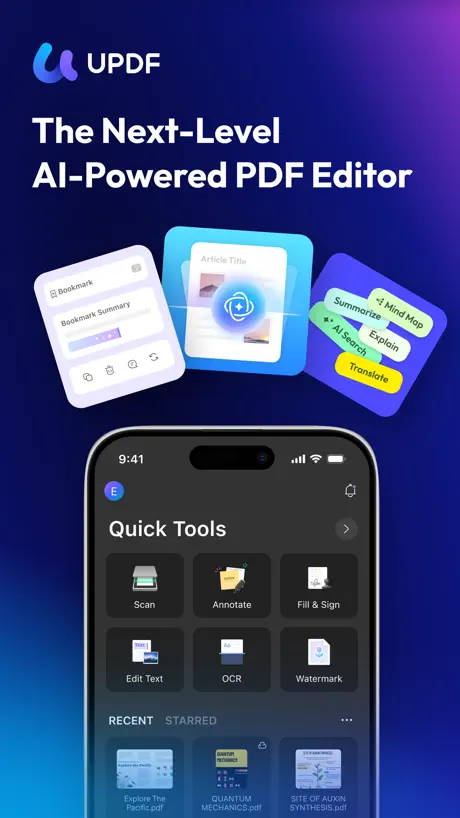
UPDF - AI-Powered PDF Editor
AI Chat, Convert & Sign PDF
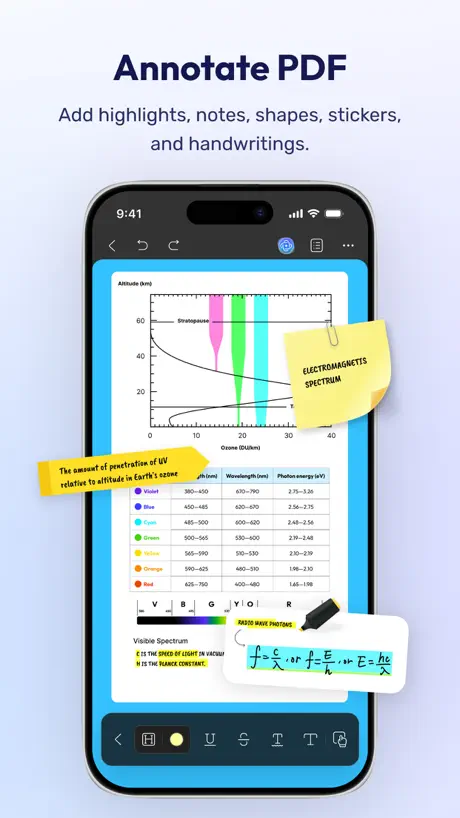
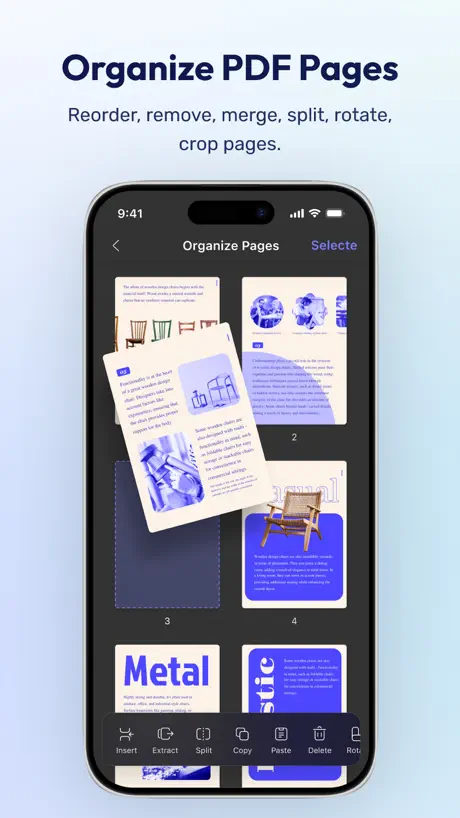
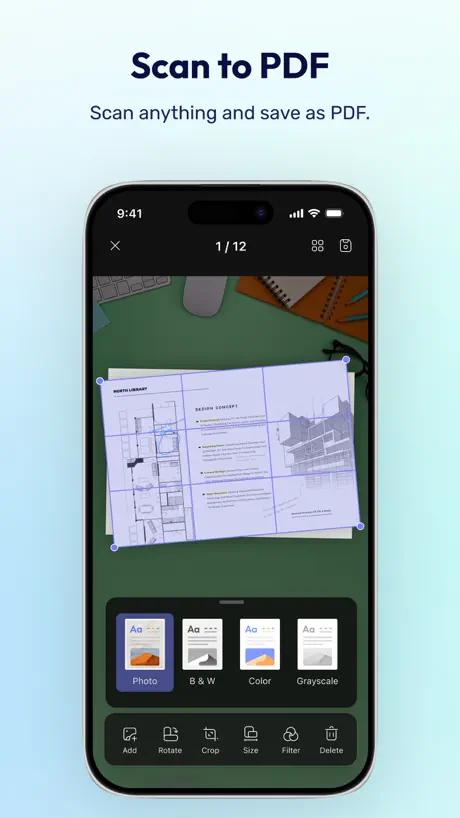
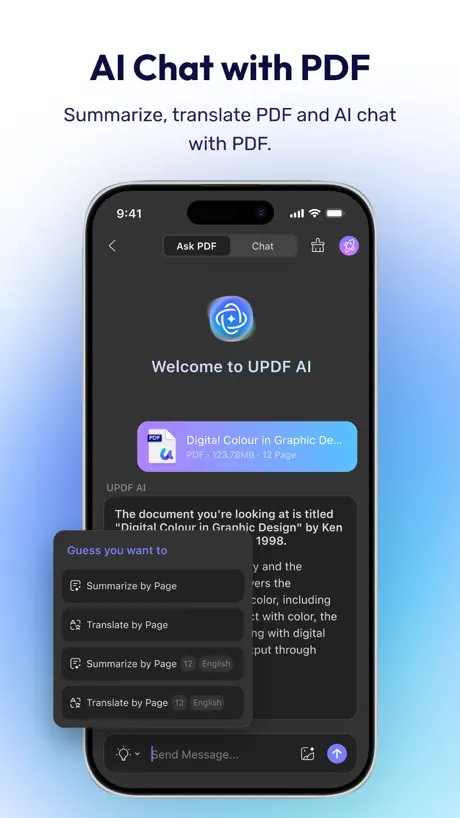
How much does UPDF - AI-Powered PDF Editor cost?
Prices are current as of 27 Sept 2026.
8 subscriptions from $9.99
In the United States, UPDF - AI-Powered PDF Editor has 8 subscriptions priced $9.99 – 79.00.
| Subscription | Period | Price |
|---|---|---|
| Monthly Subscription | Monthly | $9.99 |
| UPDF AI Standard | Monthly | $15.00 |
| UPDF AI Unlimited | Monthly | $15.00 |
| UPDF Pro + AI Unlimited | Monthly | $18.99 |
| Quarterly Subscription | 3 months | $19.00 |
| Annual Subscription | Annual | $49.99 |
| UPDF AI Standard | Annual | $69.00 |
| UPDF AI Unlimited | Annual | $79.00 |
2 one-time purchases from $79.99
In the United States, UPDF - AI-Powered PDF Editor has 2 one-time purchases priced $79.99 – 148.99.
| Product | Price |
|---|---|
| Perpetual License | $79.99 |
| UPDF & AI Add-on for iOS | $148.99 |
See what UPDF - AI-Powered PDF Editor costs in all 175 countries →
10+ alternatives to UPDF - AI-Powered PDF Editor
| UPDF - AI-Powered PDF Editor |   PDF Expert: Editor & Reader PDF Expert: Editor & Reader |   Xmind: AI Mind Map, Brainstorm Xmind: AI Mind Map, Brainstorm |   MarginNote 3 MarginNote 3 |   PDF Pro - Reader Editor Forms PDF Pro - Reader Editor Forms |   Smallpdf: Scanner & PDF Editor Smallpdf: Scanner & PDF Editor |   Notes Writer: PDF, Voice, AI Notes Writer: PDF, Voice, AI |   PDFelement: PDF Editor, Viewer PDFelement: PDF Editor, Viewer |   PDF Viewer by Nutrient PDF Viewer by Nutrient |   LiquidText LiquidText |   Foxit PDF Editor Foxit PDF Editor | |
|---|---|---|---|---|---|---|---|---|---|---|---|
| Rating / 5 | 4.7 | 4.6 | 4.8 | 4.7 | 4.7 | 4.8 | 4.5 | 4.6 | 4.7 | 4.6 | 4.5 |
| Reviews | 8.1K | 816K | 295K | 195K | 122K | 62K | 59K | 46K | 41K | 41K | 29K |
| Released | 2021 | 2013 | 2017 | 2018 | 2011 | 2019 | 2018 | 2020 | 2016 | 2015 | 2012 |
| Monthly price | $15.00 | $9.99 | $10.00 | $0.99 | $3.99 | $11.99 | $3.99 | $6.99 | — | $10.90 | $6.99 |
| Annual price | $69.00 | $49.99 | $59.00 | $9.49 | $29.99 | $59.99 | $14.99 | $29.99 | $19.99 | $99.99 | $49.99 |
| One-time price | $79.99 | $9.99 | — | $12.99 | — | — | $14.99 | $39.99 | — | $89.99 | — |
The going rate for each plan in United States, in its own currency, shaded from the cheapest price on the row to the dearest. Plans fewer than four in ten of the priced apps sell are left out.
UPDF - AI-Powered PDF Editor reviews
4.7 out of 5, based on 8,110 reviews.
What people like
- Works great on all devices
- Easier to use than Adobe
- Good value for the price
What they complain about
- Syncing between devices is broken
- Ads pop up after you pay
- Missing basic form filling features
Fast, reliable, and great value
UPDF is everything you want in a pdf reader: it is cross platform, ultra fast, reliable. I use it on iPad and MacOS. It is also a great value.
Sucks
Not working
Initial Use
I just started using UPDF, and so far it is much better than I expected. It’s much easier to use than other apps, such as Acrobat. My rating could go up after more use.
Good, but syncing is bad
This app has so much potential to be one of the best PDF apps out there. But the syncing is awful. I’ve tried this on their proprietary cloud system and on iCloud, but I have a PDF document that keeps losing it’s bookmarks and place where I left off. Over and over! I keep adding bookmarks back, and leave reading on one device, go to the other, no synced bookmarks, no synced location. But worse, when I got back to my original device, the document opens in the wrong spot AND my bookmarks are gone. This has happened countless times, and makes it unusable for me. I really need this fixed, and if it does get fixed, this will be my permanent PDF app.
Pretty helpful
I like it but despise capitalism. Thx
LOVEEEEEE
THE BEST APP
SCAMMERS
This app removed all my pdf files I had saved for years. They removed pdf off my computer. Gained control of my computer i can’t reset it back, they are scammers do not use thdm
OCR受限
很好的软件,但是 终身会员后,OCR不能用,或者受限使用?如何解决?
Not for plans
The rendering engine is hangs when zooming into plans. The annotation tool is a little buggy and measuring tool needs a little work
Als Archiv ungeeignet.
Komme von Goodreader, seit vielen Jahren, wollte etwas aktuelleres. Fehlanzeige. Die KI-Funktion hat mich begeistert.
Can I get a discount on individual license like 50%?
I really like this app on my phone and laptop. I would like to buy individual license for life time. Since I live in Myanmar, the price is so much higher compare to our currency. So, I can't afford it. So I am using free version now. It would be great if I get 50% discount or more 😁. Thank you.
验证码都输入不了
验证码输入不了,解决一下
Good
good. but subscription package is expensive
Bien sans plus
J’ai trouvé l’application assez intéressante dans l’ensemble. En revanche, j’ai rapidement rencontré des limites avec la fonction scanner, qui n’est pas assez développée. Dès que le document présente le moindre défaut (pliure, bosse, léger décalage), il devient alors impossible de scanner correctement quoi que ce soit.
Não sincroniza adequadamente
Não sincroniza adequadamente entre diferentes dispositivos mesmo na pasta da nuvem. Gera bugs, com dois documentos diferentes em cada aparelho, mesmo com conexão normal e mesmo após atualizar e recarregar a página
FA 12Step
Ok
买了专业版终身会员居然不能全文翻译!
真的很无语,如果不能全文翻译,那和其他免费软件有什么区别!我还顺便把推荐的博主拉黑!不建议下载和购买!!
应增加 PDF 导出为 MD 格式
我是终身付费用户 应增加 PDF 导出为 MD 格式,即 markdown,obsidian 支持的 markdown 格式。 此外联动功能太少,需要开发一些插件,和科研工具 Zotero、obsidian,知网等绑定,互通 如果有产品反馈群,烦请拉我入群
Verunreinigte Freeware Versionen bleiben nach Lizenz Kauf verunreinigt
Selbst wenn man die Lizenz kauft, bleiben die Versionen mit dem Free wäre Stempel oben, links im Eck verunreinigt. Das ist ein abschreckender Umgang mit seinen Kunden. Daher nur zwei Sterne.
zu viel AI
Auch mit gekaufter Lifetime Lizenz wird man seit kurzem ständig genervt eine Bewertung abzugeben. AI Funktionen und Cloud sind aufdringlich platziert - es soll halt ein zusätzliches Abo abgeschlossen werden. Teilweise wirkt so manches AI-Feature erzwungen. Die Basisfunktionalität ist noch unvollständig und tlw. fehlerhaft. So gibt es z.B. Probleme beim Rendern einiger PDFs oder fehlende Bookmarks. Aktuell steht bei neuen Updates der App nur noch AI im Fokus. Das Design der GUI gefällt mir sehr gut und Abstürze hatte ich auch noch keine.
Love it
Best pdf app ever!
Draw functionality got worse
Smth happened with app. It creates strange objects/sometimes it doesn’t recognize past drawings while I’m drawing on a pdf file. Could you take a look and make it seamless as before, please?
全文翻译功能只能中英文翻译吗?
在AI界面,有全文翻译功能,不过里面种选择上只有中文和英文,不能翻译韩国语、日语吗?也尝试设置,可是无法操作。请帮忙尽快解决这个问题。
Manca qualcosa di fondamentale
Buona app e in realtà stavo pensando all’acquisto…ma ad oggi manca una funzione x me fondamentale x chi lavora, la possibilità di salvare in cloud esterni come onedrive, googledrive, icloud apple… ecc. credo che sia la priorità avere la possibilità di farlo e non affidarsi solo ad un cloud prioritario limitato dell’applicazione. Spero in un futuro aggiornamento
Buon prodotto
Trovo questa applicazione molto più semplice e intuitiva di altre più blasonate; fa il lavoro che deve fare senza troppe complicazioni. La consiglio vivamente.
Like
👍
非常垃圾
1.误购不退款2.软件无法使用
A great pdf reader and editor tool with one time purchase option
This is a 5 star app. I understand the need for you to advertise your AI stuff, but also please give us the option to remove or disable it from the app, similar to what you have on your desktop version.
Mérité d’être peaufiné
Outil simple et puissant, mais avec des bémols d’interface. 1. Ergonomie et esthétique type « app chinoise » à revoir ; 2. Pop-ups et notifications de pub : inacceptable après l’achat d’une licencie à vie ; 3. Traduction française approximative, syntaxe laissant une impression d’inachevé. Mérite encore du travail pour s’imposer comme application de référence.
Bien dans l’ensemble mais toujours aussi faible avec le texte
Très mauvais dans le traitement de texte et de blocs texte à modifier
One of the most exceptional PDF tools!
The UPDF application stands out as one of the most exceptional PDF tools, delivering an outstanding user experience. I am thoroughly impressed with its features and functionality. Kudos to the UPDF Team for their excellent work and dedication.
全文翻译成中文用不了啊
为啥英译中,翻译后中文不显示啊
Good, but it needs an addition
The application is beautiful, but 1- Unfortunately, it does not support adding lines from outside the application 2- There are no symbols ✅ and X shapes are changed, only the shape is ready These things are simple, but important to me Searching for another app
ไม่แฟร์กับผู้ใช้งาน
ฉันซื้อแบบ perpetual license แล้ว แต่กลับไม่สามารถใช้งานได้เต็มที่ ยังต้องจ่ายเพิ่มอีกเพื่อปลดล็อกฟีเจอร์ รู้สึกว่ามันไม่ค่อยแฟร์และดูเน้นการเก็บเงินมากเกินไปหน่อย และควรชี้แจ้งให้ชัดเจนกว่านี้ตั้งแต่ต้นค่ะ ใช้ดีนะ ซึ่งทำแบบนี้มันดูไม่โปร่งใสเลย
Still missing essentials
A very good but expensive pdf reader. But missing Pencil pro fonctions, per exemple. A multiple pen option could be cool, so you can have différent pen configurations under your hand.
So much better than Adobe!
I was hesitant to ditch Adobe but I should have done it sooner!
Adobe is awful - this is worse
Scan - clunky. File editing - clunky. Waste of money - will get a refund. This product is terrible.
Excelente app
Fácil y completa
🫥🥲
I can’t type in Thai language in the app every time I try to write it’s like this ก ิ น when it’s supposed to be like this กิน
Pas mal
Pas mal
Awesome
Once you get use to the functions. This app is awesome
垃圾中的战斗机
什么垃圾玩意 花了那么多钱 然后同步永远有问题 三个设备打开永远都不一样 然后批注还全没了
一些建议
首先感谢你们打造了一款功能强大的PDF工具,使用体验非常出色。在使用过程中,我结合自己的需求和一些常见场景,整理了以下几点建议,希望能为产品的进一步优化提供参考: 1. 希望增加更多证件扫描类型 目前扫描功能支持的证件类型相对有限,建议扩充至户口本、护照、驾照等常用证件。这些证件本身具有隐私性与重要性,若能结合UPDF已有的“安全空间”功能进行加密存储和管理,将大幅提升使用便利性与安全性,也更贴合用户的实际办公和生活需求。 2. 建议支持“家庭共享”功能 UPDF现已支持Apple ID绑定,且属于付费软件。如果能够推出家庭共享(Family Sharing)选项,让多名家庭成员在各自设备上便捷使用,将能显著提升订阅的实用性和性价比,也更符合苹果生态用户的使用习惯。 3. 增加“长截图分割为多页”功能 在处理长截图生成PDF时,目前只能保存为单页长图,查看和打印都不太方便。如果能够提供“自动/手动分割为多页”的选项,将长图按内容或高度裁剪为多个标准页面,会更利于后续浏览、整理与打印,提升办公效率。 感谢你们持续优化产品,期待UPDF越来越好!
資料夾無法同步
updf cloud windows和mac os版資料夾無法同步
Manca compilazione moduli
App ben fatta su molte cose, ma poi le manca una funzione fondamentale per qualsiasi lettore PDF, ovvero la compilazione dei moduli. Pure pagando l’abbonamento questa funzione non è presente.
Love it
Works great and includes everything needed.
Didn’t convert my handwritten notes
This app advertises that it can convert handwritten notes to text, but I tried multiple times and it would not convert my handwriting notes text and I can’t get a refund. And that feature is only available with and upgrade to the paid version. So it’s like they’re getting $18 without you verifying that it can even convert your notes, I’m assuming it only converts very cleanly printed handwriting.
No text to PDF support
I purchased the lifetime license. But was disappointed to find that there is no text to PDF functionality. I just wanted to take the text from the clipboard, put it into a editor, set margins if necessary, and then save and share a PDF file. I hope this is added in a future release.
Super - da avere….ma migliorabile.
Uso da anni UPDF all posto di Acrobat DC sia su Mac, iPhone e iPad. Ho la versione perpetua con AI e mi trovo benissimo. Superconsigliata. Aggiornamento del 3 giugno 2025 Peccato che da poco abbiano rilasciato la versione 2 ma solo per Mac……io uso prevalentemente il programma su iPad e quindi tutte le novità non le posso sfruttare. Peccato per questa limitazione, per questo rivedo la mia valutazione iniziale da 5 a 3 stelle.
UPDF - AI-Powered PDF Editor price by country
A monthly subscription costs $5.00 in Chad and $22.99 in Iceland — 5× more for the same thing. Below is the going rate for each plan in every country that sells it — the middle price of what the app charges there, in the country's own currency with the dollar equivalent beneath it.
| Country | Monthly | 3 months | Annual | One-time |
|---|---|---|---|---|
| Afghanistan | $10.00 | — | $69.00 | $118.99 |
| Albania | $19.00 | — | $119.00 | $179.99 |
| Algeria | $18.99 | — | $69.00 | $118.99 |
| Angola | $10.00 | — | $69.00 | $118.99 |
| Anguilla | $15.00 | — | $99.00 | $148.99 |
| Antigua And Barbuda | $15.00 | — | $99.00 | $148.99 |
| Argentina | $10.00 | — | $45.99 | $79.99 |
| Armenia | $19.00 | — | $119.00 | $179.99 |
| Australia | A$23.00$16.20 | — | A$76.99$54.22 | A$199.99$140.84 |
| Austria | €15.00$17.08 | — | €69.00$78.59 | €89.99$102.49 |
| Azerbaijan | $10.00 | — | $69.00 | $118.99 |
| Bahamas | $10.00 | — | $79.00 | $138.99 |
| Bahrain | $10.00 | — | $45.99 | $138.99 |
| Barbados | $19.00 | — | $119.00 | $179.99 |
| Belarus | $10.00 | — | $98.99 | $118.99 |
| Belgium | €15.00$17.40 | — | €69.00$80.05 | €89.99$104.40 |
| Belize | $15.00 | — | $99.00 | $148.99 |
| Benin | $22.99 | — | $99.00 | $179.99 |
| Bermuda | $15.00 | — | $99.00 | $148.99 |
| Bhutan | $15.00 | — | $99.00 | $148.99 |
| Bolivia | $12.00 | — | $45.99 | $79.99 |
| Bosnia & Herzegovina | €17.00$19.36 | — | €99.00$112.76 | €179.99$205.00 |
| Botswana | $15.00 | — | $126.99 | $148.99 |
| Brazil | R$59.90$11.54 | — | R$354.90$68.38 | R$619.00$119.27 |
| British Virgin Islands | $15.00 | — | $99.00 | $148.99 |
| Brunei Darussalam | $15.00 | — | $99.00 | $148.99 |
| Bulgaria | €19.99$22.77 | — | €89.99$102.49 | €138.99$158.30 |
| Burkina Faso | $15.00 | — | $99.00 | $148.99 |
| Cambodia | $19.99 | — | $69.00 | $89.99 |
| Cameroon | $6.00 | — | $11.99 | $179.99 |
| Canada | CA$19.00$13.48 | CA$25.00$17.73 | CA$95.00$67.38 | CA$99.99$70.91 |
| Cape Verde | $10.00 | — | $69.00 | $118.99 |
| Cayman Islands | $5.00 | — | $99.00 | $148.99 |
| Chad | $5.00 | — | $99.00 | $148.99 |
| Chile | CLP 9,990$10.71 | — | CLP 59,990$64.34 | CLP 99,990$107.24 |
| China | CN¥78.00$11.59 | — | CN¥148.00$21.99 | CN¥338.00$50.22 |
| Colombia | COP 49,900$15.32 | — | COP 199,900$61.37 | COP 399,900$122.78 |
| Congo | $10.00 | — | $69.00 | $118.99 |
| Congo, Democratic Republic | $18.99 | — | $39.99 | $79.99 |
| Costa Rica | $12.00 | — | $45.99 | $79.99 |
| Cote Divoire | $15.00 | — | $49.99 | $148.99 |
| Croatia | €12.00$13.67 | €22.00$25.06 | €45.99$52.38 | €138.99$158.30 |
| Cyprus | €9.99$11.38 | — | €79.00$89.98 | €148.99$169.69 |
| Czech Republic | CZK 349.00$16.32 | — | CZK 1,580.00$73.90 | CZK 1,990.00$93.08 |
| Denmark | DKK 129.00$19.66 | — | DKK 399.00$60.82 | DKK 699.00$106.55 |
| Dominica | $12.00 | — | $89.00 | $148.99 |
| Dominican Republic | $10.00 | — | $45.99 | $79.99 |
| Ecuador | $10.00 | — | $45.99 | $79.99 |
| Egypt | EGP 499.99$9.66 | — | EGP 1,999.99$38.65 | EGP 3,999.99$77.29 |
| El Salvador | $18.99 | — | $69.00 | $79.99 |
| Estonia | €9.99$11.38 | — | €49.99$56.94 | €148.99$169.69 |
| Fiji | $15.00 | — | $99.00 | $148.99 |
| Finland | €15.00$17.08 | — | €49.99$56.94 | €148.99$169.69 |
| France | €15.00$17.08 | — | €69.00$78.59 | €138.99$158.30 |
| Gabon | $9.99 | — | $69.00 | $118.99 |
| Gambia | $15.00 | — | $99.00 | $148.99 |
| Georgia | $15.00 | — | $79.00 | $148.99 |
| Germany | €15.00$17.08 | — | €69.00$78.59 | €138.99$158.30 |
| Ghana | $12.00 | — | $98.99 | $99.99 |
| Greece | €19.99$22.77 | — | €69.00$78.59 | €89.99$102.49 |
| Grenada | $10.00 | — | $69.00 | $118.99 |
| Guatemala | $12.00 | — | $45.99 | $79.99 |
| Guinea-bissau | $10.00 | — | $69.00 | $118.99 |
| Guyana | $15.00 | — | $99.00 | $148.99 |
| Honduras | $10.00 | — | $79.00 | $79.99 |
| Hong Kong | HK$118.00$15.05 | HK$228.00$29.08 | HK$588.00$75.00 | HK$588.00$75.00 |
| Hungary | HUF 4,990$15.57 | — | HUF 19,990$62.37 | HUF 34,990$109.16 |
| Iceland | $22.99 | — | $79.00 | $148.99 |
| India | ₹999.00$10.42 | — | ₹6,900.00$71.96 | ₹11,900.00$124.11 |
| Indonesia | IDR 169,000$9.44 | — | IDR 699,000$39.05 | IDR 1,499,000$83.75 |
| Iraq | $10.00 | — | $98.99 | $79.99 |
| Ireland | €15.00$17.08 | — | €118.99$135.52 | €89.99$102.49 |
| Israel | ₪49.90$16.69 | — | ₪179.90$60.17 | ₪299.90$100.30 |
| Italy | €15.00$17.08 | — | €69.00$78.59 | €128.99$146.91 |
| Jamaica | $18.99 | — | $39.99 | $79.99 |
| Japan | ¥2,380$15.12 | — | ¥10,800$68.59 | ¥22,000$139.73 |
| Jordan | $10.00 | — | $15.99 | $148.99 |
| Kazakhstan | KZT 4,990.00$11.26 | — | KZT 22,990.00$51.88 | KZT 49,990.00$112.82 |
| Kenya | $10.00 | — | $69.00 | $118.99 |
| Kosovo | €17.00$19.36 | — | €99.00$112.76 | €179.99$205.00 |
| Kuwait | $14.99 | — | $48.00 | $79.99 |
| Kyrgyzstan | $17.00 | — | $99.00 | $149.99 |
| Lao Peoples Democratic Republic | $15.00 | — | $99.00 | $149.99 |
| Latvia | €15.00$17.08 | — | €79.00$89.98 | €148.99$169.69 |
| Lebanon | $15.00 | — | $118.99 | $148.99 |
| Liberia | $15.00 | — | $99.00 | $148.99 |
| Libya | $15.00 | — | $69.00 | $148.99 |
| Lithuania | €15.00$17.08 | — | €79.00$89.98 | €148.99$169.69 |
| Luxembourg | €15.00$17.08 | — | €49.99$56.94 | €89.99$102.49 |
| Macao | $15.00 | — | $99.99 | $79.99 |
| Macedonia | $15.00 | — | $99.00 | $148.99 |
| Madagascar | $18.99 | — | $69.00 | $118.99 |
| Malawi | $15.00 | — | $99.00 | $148.99 |
| Malaysia | MYR 49.90$12.23 | — | MYR 299.90$73.50 | MYR 399.90$98.01 |
| Maldives | $10.00 | — | $69.00 | $118.99 |
| Mali | $10.00 | — | $69.00 | $118.99 |
| Malta | €9.99$11.38 | — | €79.00$89.98 | €148.99$169.69 |
| Mauritania | $15.00 | — | $99.00 | $148.99 |
| Mauritius | $9.99 | — | $98.99 | $99.99 |
| Mexico | MX$219.00$12.38 | — | MX$1,149.00$64.95 | MX$2,249.00$127.13 |
| Micronesia | $15.00 | — | $99.00 | $148.99 |
| Moldova | $22.99 | — | $119.00 | $179.99 |
| Mongolia | $15.00 | — | $99.00 | $148.99 |
| Montenegro | €14.00$15.95 | — | €99.00$112.76 | €129.99$148.05 |
| Montserrat | $15.00 | — | $99.00 | $148.99 |
| Morocco | $10.00 | — | $39.99 | $99.99 |
| Mozambique | $10.00 | — | $39.99 | $118.99 |
| Myanmar | $18.99 | — | $99.00 | $79.99 |
| Namibia | $10.00 | — | $69.00 | $118.99 |
| Nauru | $15.00 | — | $99.00 | $148.99 |
| Nepal | $10.00 | — | $69.00 | $118.99 |
| Netherlands | €9.99$11.60 | — | €69.00$80.14 | €89.99$104.52 |
| New Zealand | NZ$29.00$16.38 | — | NZ$99.99$56.49 | NZ$149.99$84.74 |
| Nicaragua | $10.00 | — | $69.00 | $118.99 |
| Niger | $10.00 | — | $69.00 | $118.99 |
| Nigeria | NGN 14,900.00$11.21 | — | NGN 69,900.00$52.60 | NGN 129,900.00$97.76 |
| Norway | NOK 199.00$20.93 | — | NOK 599.00$62.99 | NOK 999.00$105.05 |
| Oman | $15.00 | — | $49.99 | $79.99 |
| Pakistan | PKR 4,900$17.69 | — | PKR 19,900$71.84 | PKR 29,900$107.94 |
| Palau | $15.00 | — | $99.00 | $148.99 |
| Panama | $12.00 | — | $45.99 | $79.99 |
| Papua New Guinea | $10.00 | — | $71.99 | $148.99 |
| Paraguay | $10.00 | — | $45.99 | $138.99 |
| Peru | PEN 39.90$11.74 | — | PEN 249.90$73.50 | PEN 349.90$102.91 |
| Philippines | ₱499.00$7.98 | — | ₱3,990.00$63.83 | ₱4,990.00$79.83 |
| Poland | PLN 49.99$13.02 | — | PLN 169.00$44.01 | PLN 399.99$104.16 |
| Portugal | €10.00$11.39 | — | €69.00$78.59 | €89.99$102.49 |
| Qatar | QAR 49.99$13.73 | — | QAR 199.99$54.94 | QAR 299.99$82.41 |
| Romania | RON 49.99$11.06 | — | RON 249.99$55.31 | RON 399.99$88.49 |
| Russia | RUB 899.00$10.67 | — | RUB 3,490.00$41.41 | RUB 6,990.00$82.95 |
| Rwanda | $10.00 | — | $69.00 | $118.99 |
| Sao Tome & Principe | $10.00 | — | $69.00 | $118.99 |
| Saudi Arabia | SAR 39.99$10.66 | — | SAR 299.99$80.00 | SAR 349.99$93.33 |
| Senegal | $10.00 | — | $39.99 | $99.99 |
| Serbia | €12.00$13.67 | — | €45.99$52.38 | €138.99$158.30 |
| Seychelles | $10.00 | — | $79.00 | $138.99 |
| Sierra Leone | $15.00 | — | $99.00 | $148.99 |
| Singapore | SGD 19.98$15.61 | — | SGD 99.98$78.11 | SGD 99.98$78.11 |
| Slovakia | €12.00$13.67 | — | €45.99$52.38 | €89.99$102.49 |
| Slovenia | €15.00$17.08 | — | €79.00$89.98 | €148.99$169.69 |
| Solomon Islands | $15.00 | — | $99.00 | $148.99 |
| South Africa | ZAR 199.99$12.26 | — | ZAR 1,499.99$91.97 | ZAR 1,499.99$91.97 |
| South Korea | ₩20,000$14.74 | — | ₩94,000$69.27 | ₩199,000$146.64 |
| Spain | €10.00$11.39 | — | €69.00$78.59 | €128.99$146.91 |
| Sri Lanka | $5.00 | — | $9.99 | $148.99 |
| St. Kitts and Nevis | $15.00 | — | $99.00 | $148.99 |
| St. Lucia | $15.00 | — | $99.00 | $148.99 |
| St. Vincent & The Grenadines | $10.00 | — | $69.00 | $118.99 |
| Suriname | $15.00 | — | $99.00 | $149.99 |
| Swaziland | $15.00 | — | $99.00 | $148.99 |
| Sweden | SEK 199.00$20.08 | — | SEK 599.00$60.44 | SEK 1,995.00$201.31 |
| Switzerland | CHF 15.00$18.09 | — | CHF 70.00$84.44 | CHF 70.00$84.44 |
| Taiwan | NT$490.00$15.43 | — | NT$2,290.00$72.10 | NT$3,990.00$125.63 |
| Tajikistan | $19.00 | — | $119.00 | $149.99 |
| Tanzania | TZS 29,900.00$11.26 | — | TZS 199,900.00$75.25 | TZS 349,900.00$131.72 |
| Thailand | THB 399.00$11.95 | — | THB 2,490.00$74.57 | THB 2,990.00$89.55 |
| Tonga | $15.00 | — | $99.00 | $148.99 |
| Trinidad and Tobago | $18.99 | — | $45.99 | $79.99 |
| Tunisia | $10.00 | — | $79.00 | $138.99 |
| Turkey | TRY 449.99$9.20 | TRY 699.99$14.31 | TRY 1,999.99$40.89 | TRY 5,999.99$122.67 |
| Turkmenistan | $15.00 | — | $99.00 | $148.99 |
| Turks and Caicos | $15.00 | — | $99.00 | $148.99 |
| Uganda | $19.00 | — | $119.00 | $179.99 |
| Ukraine | $10.00 | — | $69.00 | $99.99 |
| United Arab Emirates | AED 59.99$16.35 | — | AED 249.99$68.12 | AED 499.99$136.24 |
| United Kingdom | £12.00$15.89 | — | £54.00$71.52 | £111.99$148.33 |
| United States | $15.00 | $19.00 | $69.00 | $79.99 |
| Uruguay | $10.00 | — | $39.99 | $118.99 |
| Uzbekistan | $17.00 | — | $99.00 | $149.99 |
| Vanuatu | $15.00 | — | $99.00 | $148.99 |
| Venezuela | $10.00 | — | $69.00 | $118.99 |
| Vietnam | ₫249,000$9.59 | — | ₫1,199,000$46.20 | ₫2,499,000$96.29 |
| Yemen | $18.99 | — | $69.00 | $148.99 |
| Zambia | $22.99 | — | $99.00 | $179.99 |
| Zimbabwe | $19.00 | — | $119.00 | $179.99 |
UPDF - AI-Powered PDF Editor FAQ
- Is UPDF - AI-Powered PDF Editor free?
- Yes. The app and its basic features are free, in all 175 countries it sells in. Premium features are paid: they start from $9.99 (US), across 8 subscriptions and 2 one-time purchases.
- How much does UPDF - AI-Powered PDF Editor cost per month?
- Monthly Subscription is $9.99 – 18.99 (US). The annual plan works out cheaper per month: $49.99 – 79.00 a year.
- Does UPDF - AI-Powered PDF Editor have a free trial?
- No. None of its offers (US) come with a free trial.
- Where is UPDF - AI-Powered PDF Editor cheapest?
- A monthly subscription costs $5.00 in Chad and $22.99 in Iceland, its cheapest and dearest countries.
- What are the best alternatives to UPDF - AI-Powered PDF Editor?
- PDF Expert: Editor & Reader (4.6 from 816,175 reviews, premium from $9.99), Xmind: AI Mind Map, Brainstorm (4.8 from 294,999 reviews, premium from $10.00) and MarginNote 3 (4.7 from 194,991 reviews, premium from $0.99).
UPDF - AI-Powered PDF Editor download
Last updated 3 months ago.
UPDF - AI-Powered PDF Editor sells in 175 countries. It was released 4 years and 10 months ago, on 5 Dec 2021. It holds a 4.7 rating from 8,110 reviews.
Supports 11 languages: English, Dutch, French, German, Italian, Japanese, Korean, Portuguese, Russian, Chinese, Spanish.
How much does UPDF - AI-Powered PDF Editor make?
Third-party estimates for the last 30 days, worldwide — not the store's own figures, which Apple publishes for nobody.
Revenue by plan
- Monthly 65%
- One-time 21%
- Annual 14%
- 3 months 0%
Revenue by country
- United States 17%
- China 13%
- France 9%
- Germany 8%