
Bitwarden Authenticator
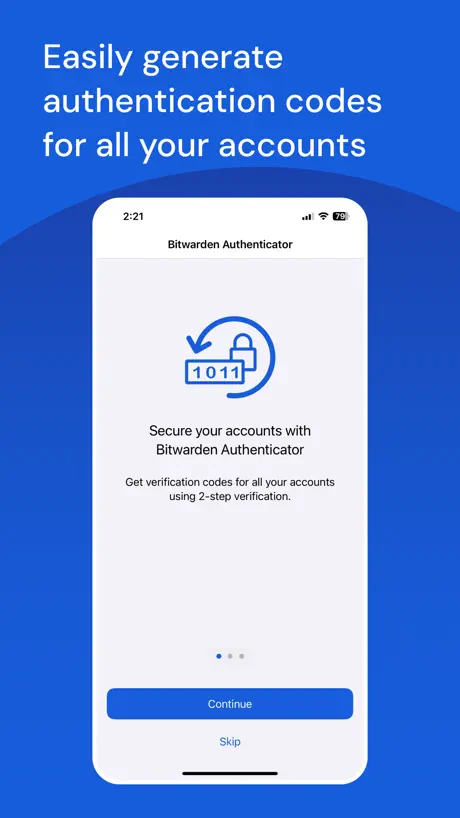
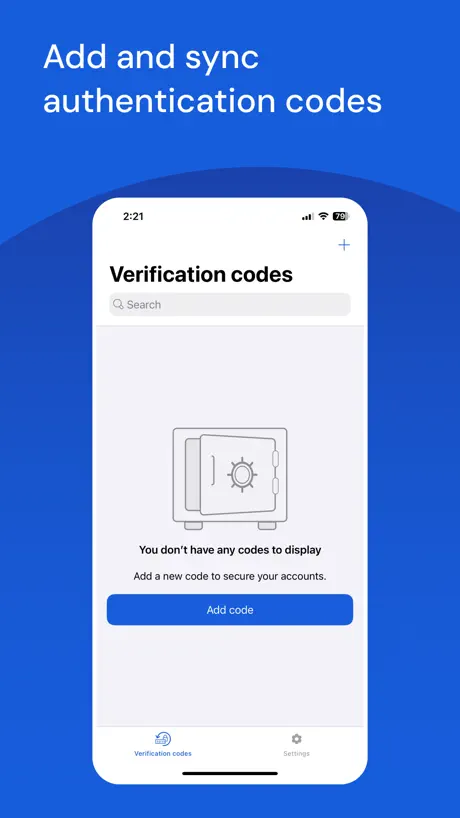
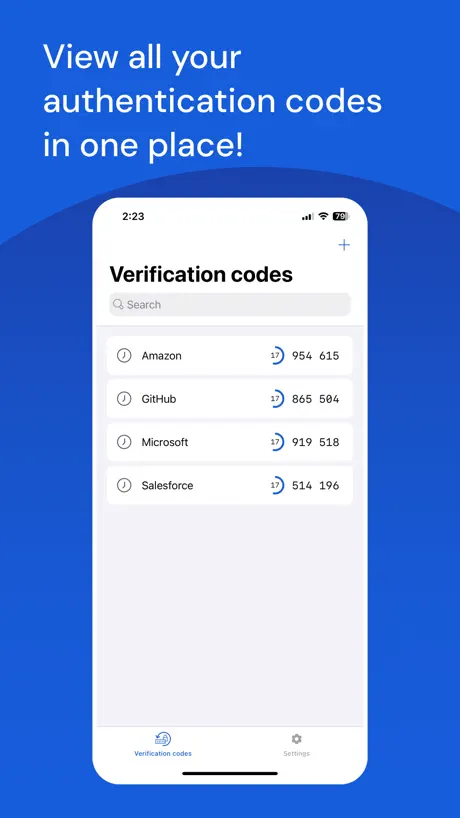
Generate 2FA on your device
How much does Bitwarden Authenticator cost?
Prices are current as of 7 Nov 2026.
Bitwarden Authenticator has no in-app products on record in the United States.
10+ alternatives to Bitwarden Authenticator
| Bitwarden Authenticator | 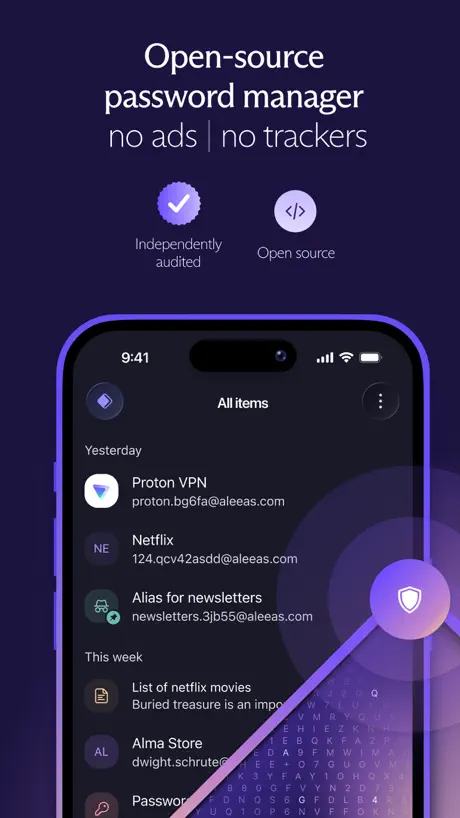  Proton Pass - Password Manager |   Tuta Mail: Secure Email | 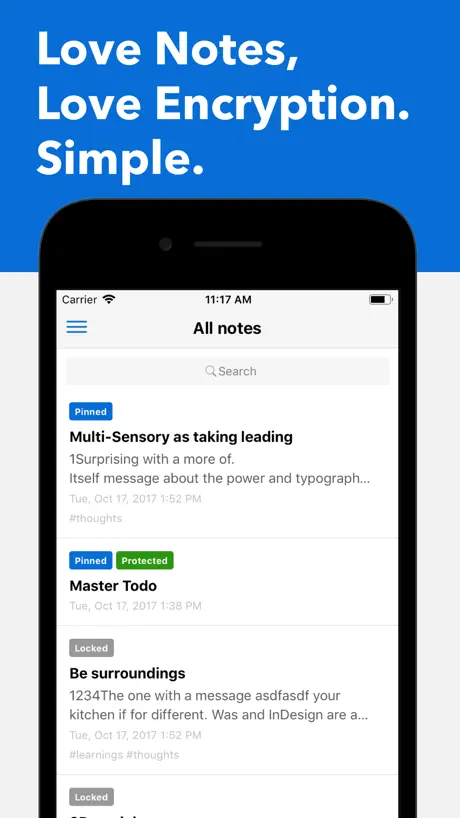  Standard Notes | 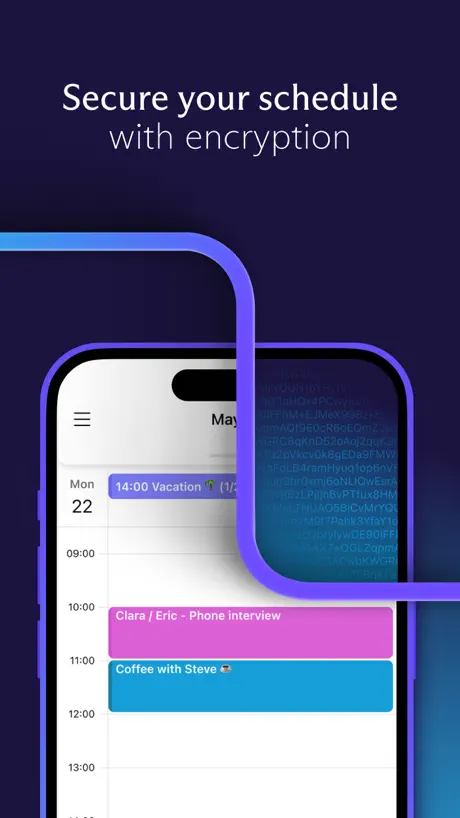  Proton Calendar: Secure Events |   Proton Drive: Cloud Storage |   Lumo AI by Proton |   Proton Authenticator & 2FA |   KDE Connect |   Anytype - The Everything App |   Yubico Authenticator | |
|---|---|---|---|---|---|---|---|---|---|---|---|
| Rating / 5 | 3.9 | 4.8 | 4.7 | 4.7 | 4.0 | 4.1 | 3.9 | 4.5 | 4.3 | 4.5 | 3.7 |
| Reviews | 397 | 25K | 15K | 8.4K | 4.5K | 4.4K | 1.8K | 1.8K | 1.3K | 1.3K | 892 |
| Released | 2024 | 2023 | 2014 | 2017 | 2022 | 2022 | 2025 | 2025 | 2022 | 2023 | 2019 |
| Monthly price | — | — | $3.99 | — | — | $9.99 | $12.99 | — | — | $9.99 | — |
| Annual price | — | $35.90 | $39.99 | $119.99 | — | $95.99 | $119.99 | — | — | $119.00 | — |
The going rate for each plan in United States, in its own currency, shaded from the cheapest price on the row to the dearest.
Bitwarden Authenticator reviews
3.9 out of 5, based on 397 reviews.
What people like
- Trustworthy company with strong privacy focus
- Easy to import from other authenticator apps
- Clean interface without unnecessary features
What they complain about
- Search shows fake codes instead of real ones
- App crashes on launch or freezes completely
- Backup fails and you can lose all codes
- QR code scanner often rejects valid codes
Functional 2FA app
Works well, syncs with the main Bitwarden app, I’m happy with it.
Face ID stopped working and I’m locked out
I changed my settings to ask for Face ID and now it does not trigger when I press the “Use Face ID To Unlock” button. Totally locked out and unacceptable
Wish that exporting QR codes auto added to bitwarden logins
Exporting QR codes from a old phone app, when saving to bitwarden, requires opening the camera again within the bitwarden app. Why can’t the bitwarden authenticator just send the info over to the password app?
Crashes on app start
To date I have not been able to find out what this Bitwarden extra actually does. I open and get nothing but a dead surface. The link gor face ID is dead and the app useless. IPhone 14 Pro Max, latest iOS 26++
totp 保存到现有账号时,不能保存
当我想把我导入的 totp 复制到密码管理器的现有账号时,不能保存成功
Surprised…
I’m surprised this has low stars! It’s a great app that hasn’t failed me since they rolled it out! I just deleted all of my old authenticator one by one though, so maybe other people had a harder time? Anyway, the app is perfect. Thanks developers! :)
Use main Bitwarden app and/or 2FAS app for OTPs
*EDIT 12/1/2025: I still wouldn't recommend this app for handling your 2FA codes—it simply isn't reliable enough for such a critical task. I was able to import codes from the Bitwarden app however this app nows hangs indefinitely on the blue launch screen when starting... Fortunately I have everything that was stored in this app backed up. Not even sure why the devs made this other than it being simple to code—you'd think they'd focus on pushing usrts towards the main Bitwarden app given it already handles any/all 2FA needs. I'm a huge fan/long-time user of Bitwarden's password manager & other services but this app is a dud. The import/export/backup options have been added so no glaring issues there at the moment. This app is pretty no frills as far as 2FA authentication apps go—and while that’s generally seen as a positive in the Bitwarden community—this app looks rushed out the door rather than elegantly simple. Personally one thing I NEED is icons/logos for the myriad of services with 2FA out there… the UI is a wall of text at the moment. I have faith in Bitwarden to make this app as great as the main one by listening to the community & soliciting feedback.
Add Next OTP Near Timeout & Option to Hide OTPs
I really like the simple compact design and how the Edit Item page is setup. I’m trying to move away from LastPass Auth as I use Bitwarden, however, the following two things are keeping me using LastPass Auth over Bitwarden Auth: 1. In the last five seconds, it will show the next OTP. 2. It hides all OTPs until one is tapped. Having both as toggle-able options would be ideal, with the latter further selecting how long to reveal.
使いにくい
Bitwardenアプリと同期をオンにしていますが(まだ無料プランのまま利用中)、名前の表示されない項目が一つだけ表示されます。表示される番号からどのアカウントのものかを探しましたが該当するアカウントは無し。なんなんでしょうか? ------以下前回の評価------ 最低限の機能だけで、見方によってはそれでいいのかもしれないけど、何もやらせてもらえません。表示名を変えたり。 そしてBitwardenにキーを登録して同期しておくとこちらに全部表示してくれるのはいいのだけど、Bitwardenで修正を加えてもこちらに反映されない。これは最悪。 だったら一度アプリを削除して入れ直せば最新の状況になるかといえばならない。しかもこれまで表示していたものとも最新とも異なる古いIDを表示。どこからデータを持ってきてるの?どこに保存してるの?わけがわからない仕様です。セキュリティは大丈夫なのか不安になってきますね。 まぁBitwardenの方に課金予定で あちらで2FAも管理できるようになるので構わないのですが、こちらを使おうとしている方にとってはめちゃくちゃ使いにくいアプリかと。
Functional, but limited as of Nov 2025
I’m not gonna tell the dev team what to do, but I think they should consider downloading competing authenticators, and implementing some of their features. Some needed app specific features of the top of my head: 1. Option to obfuscate codes until tapped. 2. Option to batch save local imported codes to Bitwarden account (and vice-versa to local, saving to the account right now is painful). 3. Some authenticators are encrypting the totp urls and they should consider that as well. iOS version is slow to sync account codes vs the android version
Privacy focused and useful!
As someone who uses this app for authentication codes from many websites, I can say it absolutely nails privacy and core functionality. I have not needed to backup or transfer authentication codes yet, so I cannot speak to that. However, for daily usage, it works perfect. Not many companies will respect your privacy like Bitwarden so you have to give credit where credit is due. Absolutely keep up the great work this is my first Bitwarden software and its flawless for my use case.
Sync to main Bitwarden app is broken
I’ve read your documentation several times, and it doesn’t make any sense at all. You can’t change how Authenticator stores OTPs. They are all “Local Codes”. I reached out to support and was directed to make a forum post. YOUR USERS ARE NEITHER YOUR BETA TESTERS NOR YOUR QA STAFF. I hate it when tech companies treat their users this way. Fix your GD product.
Good start
I like the Bitwarden brand as a major company hasn’t bought them out yet and destroyed it. Hoping they add icon support soon. I imported my 2FAS backup but there’s no icons. Otherwise it’s perfect. Thank you!
Doesn’t work with iOS backup
I recently reset and restored my OS and found that the app simply gets stuck on the launch screen after data recovery. There is no other way to recover the codes either apart from iCloud, so I have lost all my 2FA codes due to a buggy app.
Barebones but functional
The only use case for this app is if you are an existing Bitwarden Free user and already have all your 2FA secrets stored in Bitwarden. That makes it slightly more functional for me than Ente Auth, so I use it on my work phone where I don’t have BW Premium. This is exactly as secure and functional as just using the (premium) TOTP generation in Bitwarden. Why develop a separate app which is just the free version of a paywalled feature? I would NOT use it otherwise or rely on it as a single source to store any 2FA codes. The “Backup” depends on you still having access to an iPhone and your iCloud, which is a recipe for circular lockout. Save your recovery codes, people. Lack of website icons is a bummer since that’s my favorite feature of the main BW app.
Does the job
Would be nice if supported autofill and automatic set up of 2FA codes. I like that the app doesn’t tie you into their ecosystem and the secret can be easily exported to another app. But it would be better if they added an additional layer of authentication (e.g. a master password) in order to access the secrets.
You will lose your data
Recommend you export all of your weekly. There are no recovery keys and no separate backups. My bitwarden app stopped working on my iphone and if you delete it, theres no recovery unless you restore from icloud backup. Recommend another product.
Is there going to be back-up?
Is a back-up system (iCloud Drive or something) going to be put in place? Why does it not just directly connect to Bitwarden to sync those stored there? Why the export and import process for Bitwarden? How about an export and import for Twilio’s authenticator app? UPDATE JAN 4, 25: Bitwarden waited until they had actually added some of this functionality before responding to my review. We (my wife and I) have been big proponents and supporters of Bitwarden for several years now so this feels a little dirty and disappointing that they would do this. Keeping the review at the same four stars I had it at because of it.
Can Not Read Code
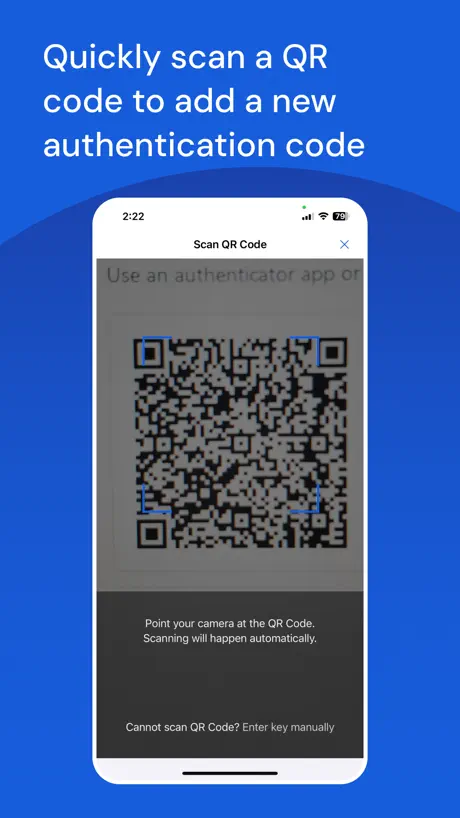
Trying to migrate from Google Authenticator results in "Can not read code". If it can't process a qr code, this app is useless.
CAN’T USE WITH IOS 15.8
I tried to use this app with an older IPhone that uses IOS 15.8 and Bitwarden but it just keeps asking for me to SCAN QR or MANUALLY Enter the KEY. But the APP doesn’t tell me where to find either piece of information?! Says app can be used with IOS 12 and up? Does it need an update or bug fixe, or am I just being blocked from using it? Thank you 🙏🏼!
Simple 2FA app
Since my last review, Bitwarden has fixed the issue with search. So it’s a no-frills 2FA app. Note that I haven’t tested the import and restore capabilities of this application yet.
stuck loading forever
this app was amazing when it worked, but I imported a back up and then tried to copy some of them to my bw account and after doing five or six it completely broke my app and uninstalling or nothing else has been able to fix it.
Allow import from photos!!
Needs to allow importing QR codes from photos. Otherwise, awesome!
Stuck at loading
I opened the app and I see this loading icon turning. No codes no nothing. I even reinstalled the app. Same thing.
Please update the app…
Please update the app. I’ve noticed recently when I search for my specific 2FA code… it does not populate the actual code #, but just a string of numbers in order…almost like placeholder numbers To help I have to scroll through my 2FA list and input the code that way instead. Also consider adding in iCloud backup options and options to hide the code # as well. Thank you.
TOTP With Export From Trusted Company
Now that the search bug has been squashed, this app does everything I want in a one time password tool. The export functionality is highly welcome and the app works great. Keep up the good work guys. Thank you
The worst
This is not syncing with Bitwarden and I can’t get into my account.
Good but needs several features
Works with all my 2fa accounts, unlike some other authenticators. Just needs features like timed log out, larger text options, and manual encrypted backup. Overall a solid app from a trusted company.
Unfortunately crashes when launching
I’m not much of a reviewer of things but I wanted to voice my frustration. This app was working great when I first downloaded it in November 2024 but something happened early Jan 2025 and now it crashes when opening the application. I’m extremely surprised a resolution hasn’t come about as I thought highly of Bitwarden products. Plus, I always send the report Apple generates thinking the developer(s) would deploy a patch, but after almost 30+ days and nothing? That’s rough.
Fix the search results
Like people here said before me that the codes go to 123 456 when filtering the names. When there is a large list of codes a search bar needs to do its job. I have to scroll through my long list of 6 digit codes just to find the one I need.
Great alternative but still needs some work
Love the fact this is now a dedicated app and the fact it does not need an account linked to use like other apps available. Importing was super easy coming from Aegis on Android and the UI looks nice and minimalist. A few suggestions that might make this app better are: having the option of adding custom icons from a GitHub repository, showing the previously expired code, immediate lock option like the password manager has and also pinning favorites at the top. Finally a current bug in the app is that when searching for an entry its code shows up as 123 456 and it copies as that also. Overall loving this app and can’t wait to see it reach its full potential. Keep it up!
Non-functional, threatening account lockout
This app has started crashing at launch, which is a major problem without cloud backup. I tried to restore it, but after restoring my entire iPhone from its backup it still crashes. I could have been locked out of many accounts if I hadn’t had backup codes. You need to do that if you want to use this app, though I recommend another app that supports cloud backup (not just iCloud).
Good, simple authenticator, but bug fixes seem few and far between
It’s a good simple app and I like that it backs up to iCloud, but it’s been almost 5 months since an update was available even though there’s a reported bug with search that means search is useless.
Cross-platform, open source, but only alpha-level quality
This isn't the first cross-platform open source TOTP app with iCloud backup support, but it has a great roadmap and is privacy-first... so it will be the only TOTP app I may ever need if they add push login, account recovery, and vault sync. It's a great tool for users on older devices that can't install the Passwords app on iOS/iPadOS 18. I've dropped my rating to two stars because Bitwarden hasn't fixed its most glaring issues (such as backup not working) over the past six months.
Good, but needs fixes
As others have pointed out, the search functionality is currently not usable, as the code for each search match will display as “123 456”. Additionally, whenever TOTP codes renew, the sort order changes for me. This forces me to do a manual refresh (drag/pull down) to get the entries back in alphabetical order, as I have well over 40 entries, which makes the correct entry difficult to find due to the broken search and random sort after code renewal.
Deserves more stars
It does everything you need and nothing you don’t. It looks nice enough. It’s backed by a solid, trustworthy company. Can’t ask for much else!
Do not recommend
As a paid user of Bitwarden it’s only natural I got excited after seeing the release of their authentication and authy going downhill. I’ve tried this software and I was disappointed. This does not have cloud sync so my iPad will not have the Totp like my iPhone. He backup feature also didn’t work for me as it is part of the iPhone device backup and I didn’t have enough capacity for iCloud since I wasn’t a paid user. It’s a shame Bitwarden released this app with so many flaws.
Thank you for creating this
This is a great addition to your platform. I already have several TOTP codes setup in bitwarden. It would be nice to be able to somehow sync them to this application automatically without having to re-create them. I looked for a way to export TOTP codes alone from Bitwarden so that I could import them to this Authenticator app, but I could not find any options to do that.
😳
Ist „NICHT“ in Deutsch!!!.
Likely to Be Excellent!
(Minor bug at the end. NOT a security issue.) ~Leaving 3 stars *temporarily* for now only because: • Only very recently switched after learning about Authy’s latest MASSIVE breach (worse than 2022) that occurred as a result of a careless mistake that should have never happened with a company developing a 2FA app. (33 Million phone numbers were scraped by exploiting an unsecured API endpoint.) Twilio is not primarily a security company like BW is. Twilio merely acquired Authy from another developer. • Still in the process transferring keys to BW Authenticator and have not had enough time to use and test in order to give it 5 stars with any certainty. So far, no major issues, and no vulnerability or security issues I have noticed or am currently aware of. • Security through obscurity as BWA builds their user base, giving them time to fix any *potential* vulnerabilities. I am in NO way implying any exist. I am currently not aware of any, nor have I noticed any with the relatively little use I have had so far. • (High praise) While I am aware of 2FAS, and its high ratings, I am not at all familiar with them like I am with BW. Authy also once had 5 stars. Not throwing any digs at 2FAS. I personally am just not familiar enough with them and already use and trust BW. ~High Praise~ I have used Bitwarden’s password manager for years without issue, and I have the utmost respect for them. They are primarily a security company, unlike Twilio. BW’s integrity speaks volumes, given the quality of their password manager and their incredibly reasonable price point. (Much of the functionality most people would ever need is already available for free). I was happy to pay the $10/year, regardless. They absolutely earned and deserve it. Plus, there ARE a few premium features worth having (for their PM) for the more security-conscious individuals. The price very clearly comes from the additional overhead required to maintain these features. I am always happy to support devs with integrity who are building quality products, given how rare that is becoming. Even if I didn’t use any of the extra features, I still would have paid the $10 just to support the team. ♥️ 🦟🪳🦟 ~Likely bug, but not a vulnerability issue There is a minor issue I came across that in no way affected this review or poses any security threat as far as I know. I just wanted to bring it to the dev team’s attention while I’m here (as well as anyone else having the same issue): When pasting keys that have spaces in them, BWA throws an error saying something like “Key cannot be read,” requiring one to manually delete the spaces in order to get it to save. This feels like a bug since the error doesn’t explain what the issue is, but it may be by design due to potential security vulnerabilities I am not aware of when it comes to copying/pasting keys manually. So I’m not going to make any assumptions and instead let the devs respond to what the issue is.
Happy to see an Authenticator app by this company
Apple watch compatibility would be awesome!
Hot mess!
I have wasted an hour of my life re entering my master passcode into this app and the bitwarden password keeper and getting locked out and crashed over and over. This is not functional yet guys - go back and correct it as well as your minimal directions. And to not have a dual auth to messaging is a pain in the @s$.
Good but…
Recently came to iPhone from Samsung. Used to use Aegis but it’s not available on iOS sadly. I already use Bitwarden so when I seen their new Auth app I had to try it. 2FAS and now this one I think are the 2 best Auth apps on here. I do like it and it’s pretty good for being new but I’d like to see the whole UI match between their 2 apps and for each of my tokens to have it’s corresponding providers icon instead of all of them having a globe icon. Also I agree with another persons review, I think it should require my Face ID every time I go back into it not just after the whole app is closed.
Search doesn't work
If you search for a website, it's codes will always be 123 456. Which isn't helpful. It looks like this is fixed upstream on GitHub for some time now.
Needs improvement
It has a lot of potential but is not perfect. You can’t search by any field. I often search by username. You also can’t reorder items. And a big problem is that it only shows a small portion of the account name. I have probably 70 accounts in mine, and many appear with the exact same name by default. The two things I really like about it are that each entry only takes up a small amount of space on the screen, and that I can import from other authenticators.
Decent Replacement for Raivo
Came to this app from the Raivo debacle. Had no issues with it and I trust the Bitwarden brand. Has backup to json, and import from several other authenticator apps.
Won’t scan QR Code
Planned to switch to BW Auth as my primary Auth app but went to scan first key on computer screen without success. Camera view pops open long enough to see the code but closes immediately with an error that it can’t read the code. iPhone 14 Max Pro, latest iOS version.
Some features are missing but support the OSS
Features like importing TOTPs from other apps like Raivo and Bitwarden would be nice. The UI needs some tweaking. Like when copying a code, it should give an input or indication near the code itself. Also none of my icons are showing up for any of the codes, microsoft, google etc. nothing. Probably because I added codes manually instead of scanning so now I have no icons on any of my codes. This needs to be fixed or atleast add an option to fetch the icons from a git or something. If these are fixed. Its a 5 star app. Coming from a Premium Bitwarden user.
Backup Doesn't work
I got a new iPhone this past weekend and migrated the data from the old phone to the new. The data in this app did NOT restore. Thankfully the Apple store rep hadn't wiped my old phone yet and I was able to export and import the data. But, if he had wiped that phone, I would have been in a world of hurt. Between that and the lack of handoff, i'm losing faith in the app.
Bitwarden Authenticator FAQ
- Is Bitwarden Authenticator free?
- Yes. The app is free, in all 175 countries it sells in, and it sells nothing inside it.
- Does Bitwarden Authenticator have a free trial?
- No. None of its offers (US) come with a free trial.
- What are the best alternatives to Bitwarden Authenticator?
- Proton Pass - Password Manager (4.8 from 24,726 reviews, premium from $35.90), Tuta Mail: Secure Email (4.7 from 14,808 reviews, premium from $3.99) and Standard Notes (4.7 from 8,366 reviews, premium from $119.99).
Bitwarden Authenticator download
Last updated 22 days ago.
Bitwarden Authenticator sells in 175 countries. It was released 2 years and 6 months ago, on 1 May 2024. It holds a 3.9 rating from 397 reviews.
Supports 57 languages: English, Afrikaans, Arabic, Azerbaijani, Basque, Belarusian, Bangla, Bosnian, Bulgarian, Burmese, Catalan, Croatian, Czech, Danish, Dutch, Estonian, Finnish, French, Galician, Georgian, German, Greek, Hebrew, Hindi, Hungarian, Indonesian, Italian, Japanese, Kannada, Korean, Latvian, Lithuanian, Malayalam, Marathi, Nepali, Norwegian Bokmål, Norwegian Nynorsk, Odia, Persian, Polish, Portuguese, Romanian, Russian, Serbian, Chinese, Sinhala, Slovak, Slovenian, Spanish, Swedish, Tamil, Telugu, Thai, Turkish, Ukrainian, Vietnamese, Welsh.