
Community Banks of Colorado
Personal and business banking
How much does Community Banks of Colorado cost?
Prices are current as of 12 Sept 2026.
Community Banks of Colorado has no in-app products on record in the United States.
10+ alternatives to Community Banks of Colorado
| Community Banks of Colorado |   Wings CU (prev. Ent) Wings CU (prev. Ent) | 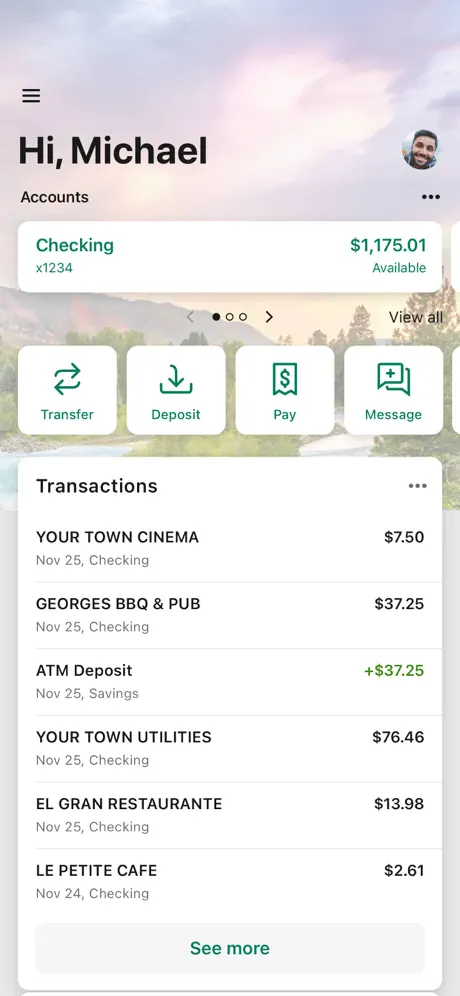  Alpine Bank - Alpine Mobile Alpine Bank - Alpine Mobile |   Bank of Colorado Bank of Colorado |   MyCOBenefits MyCOBenefits |   TBK Bank Mobile App TBK Bank Mobile App |   Credit Union of Colorado Credit Union of Colorado |   FSWB Mobile Banking FSWB Mobile Banking |   ANB Bank ANB Bank | 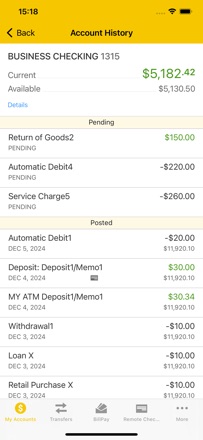  PB&T Anywhere PB&T Anywhere |   Colorado PERA Colorado PERA | |
|---|---|---|---|---|---|---|---|---|---|---|---|
| Rating / 5 | 4.3 | 4.8 | 4.8 | 4.8 | 4.5 | 4.7 | 4.7 | 4.7 | 2.8 | 2.7 | 5.0 |
| Reviews | 549 | 58K | 18K | 5.7K | 5.5K | 3.6K | 2.5K | 636 | 59 | 18 | 15 |
| Released | 2024 | 2011 | 2021 | 2012 | 2018 | 2015 | 2010 | 2023 | 2023 | 2025 | 2023 |
Community Banks of Colorado reviews
4.3 out of 5, based on 549 reviews.
Love this bank and their App
This app works great and is very user friendly.
How is this bank still in business..
Seriously.. everything about banking with these idiots is inconvenient, inaccurate, and INFURIATING. The app NEVER shows the accurate and current amount of money in your account, you have to go through and check it all yourself. The charges show as pending FOREVER. Or just long enough to overdraft your account because you’d think “why wouldn’t the amount be current” because it’s community banks of Colorado. That’s why.
Face recognition
Need to allow facial recognition to log on. I have clicked on the facial recognition button but it doesn’t work.
Signing in
Keeps making me have to sign in instead of Face ID and it’s really getting annoying
Signing in
I’ve been having to sign in every time I want to see bank account after putting on fingers print id on
Makes banking a breeze
Love the app. I can monitor, freeze, or set up each of my accounts and cards with ease. Has information handy for transferring and check deposits too!
New app needs work
Login credentials are never saved so you have to type in username and password every time you want to open the app and Face ID is always checked off even though I have turned it on every time I log in. Mobile check depositing is inconsistent checks constantly won’t scan.
CMB review
Passwords are stupidly long. Not seeing any facial recognition. All in all, not near as easy to use as before.
Images are way too small
The new app is great except for the fact when viewing the images of checks the image is far too small on the mobile app and online on a computer.
Saved my bacon
I was successfully able to transfer money from my Vectra Bank account to Community banks, thereby saving me 100 miles and two or three hours round trip. Thanks CBOC
Bill pay issues
I’ve had problems for the last 4 months using bill pay. I’ve reached out numerous times to the support team with phone calls and emails but it’s still not fixed.
Auto Capture
Not a big fan of the upgrades made to the banking app just yet… seems there are a few things to work out, specifically the auto capture feature when depositing a physical check. It flashes all kinds of alerts about needing precise conditions to capture the image and does not seem to recognize whether it is the front or back of the check… it’s meant to, you can see where it tries to find the check number in capture and the account information, but it sends errors even when one has the proper side displayed. Anyway, I waited it out until it allowed me to manually submit the check but it would’ve been nice to have started with that option. Just a bit of a pain, something to improve upon, not the end of the world.
Extra nuisance
My deposit was rejected because I didn’t write mobile deposit on the back of the check. What a nuisance.
Great customer service!!
Small town bank with great customer service and all the options you need to do your business and banking!!
Can't deposit check, app crashes
Like others have said, the iOS version crashes when i take the first picture of my check. Poorly tested.... Hope it is fixed soon.
Comments
The previous app was simpler.
Needs adjustments
The iPad screen forces portrait orientation for transfers. Please fix. I wish I could see running balances for each transaction (like before) instead of having to click an extra time to get to transactions with balance on my iPad.
Easy to use !!
I’m not tech savvy but the online banking you guys have is great and best of all …easy ! So glad I bank with your institution .. thank you!!
Review
Asks me for username and password every time I try to login even though I enable the faceID every single time I log in. Also, setting the alerts is not user friendly. I used to be able to get a text with my balance daily. I have not been able to figure out how to set the alerts I had in the old app. This app is helping sway my decision to move banks, considering I have been unhappy with this bank for some time now - switching to this awful app is going to make the decision to move easier.
The old app had more
More functionality and more visibility. You guys got a step this thing up. Or I want the old one back.
New app
The new app is so easy to navigate & it makes banking on line top notch. I have been with this bank since 2004 & I have lived in 2 different states yet I keep my banking here. Thank you.
Manual Capture feature needs work
When trying to deposit checks, app automatically defaults to auto capture feature. This is terrible and frustrating, as auto detect feature does not work properly. Should allow manual capture every time. Manual capture of check image should be default, app does not work properly.
Excellent upgrade
This app is improved over the previous app in that it is much easier to read and navigate.
Downgrade
The older app was easier to navigate. Colors made more sense. Titles/descriptions of account activity were simpler on the older app. This newer app is not worth my time. Seriously considering changing my bank at this point with all of the issues aside and including the new app.
Better then the other app
Love the new updated app
Check deposit :(
I keep trying to deposit a check and when I take a picture of the check the app closes out
Effortless
The app works much like the previous. The switch over was easy. Good software development. Bugs are common when new code is developed so I was happily surprised to find that wasn’t the case here.
The worst.
Last weekend, I noticed that the Co Banks mobile app would not let me use my password to let me sign in. When I returned, I went to a physical location and was told that due to issues with the system, if you are an Outlook user you will likely not receive any app-related emails including password reset links. I spent close to an hour on the phone with their IT team to resolve the issue and reset my password, only for the app to continue to give me problems today with my new one. Whoever is in charge of their online banking platforms has got to get it together because at this point it should not be this difficult.
New version of app seems great!
Looks and feels easier to use than the previous app! Has a lot better appearance and easier to go to different sections
Bummer.
Really don’t like this new app, the older one was much easier to navigate, had better colors, and better organization. I really don’t understand why they changed everything.
Community Banks of Colorado FAQ
- Is Community Banks of Colorado free?
- Yes. The app is free, in all 1 country it sells in, and it sells nothing inside it.
- Does Community Banks of Colorado have a free trial?
- No. None of its offers (US) come with a free trial.
- What are the best alternatives to Community Banks of Colorado?
- Wings CU (prev. Ent) (4.8 from 58,408 reviews), Alpine Bank - Alpine Mobile (4.8 from 18,028 reviews) and Bank of Colorado (4.8 from 5,701 reviews).
Community Banks of Colorado download
Last updated 29 days ago.
Community Banks of Colorado sells in 1 country. It was released 2 years and 5 months ago, on 11 Apr 2024. It holds a 4.3 rating from 549 reviews.
Supports 1 language: English.
How much does Community Banks of Colorado make?
Third-party estimates for the last 30 days, worldwide — not the store's own figures, which Apple publishes for nobody.