
Code App
How much does Code App cost?
Prices are current as of 8 Nov 2026.
Code App has no in-app products on record in the United States.
Code App download price by country
| Country | Price |
|---|---|
| China | CN¥48.00 |
| United States | $6.99 |
| South Korea | ₩11,000 |
| Germany | €7.99 |
| Brazil | R$49.90 |
| United Kingdom | £6.99 |
| Italy | €7.99 |
| India | ₹699.00 |
| Taiwan | NT$220.00 |
| Russia | RUB 599.00 |
| Canada | CA$9.99 |
| Hong Kong | HK$58.00 |
| Mexico | MX$149.00 |
| Poland | PLN 29.99 |
| Turkey | TRY 399.99 |
| Ukraine | $7.99 |
| France | €7.99 |
| Australia | A$9.99 |
| Thailand | THB 249.00 |
| Japan | ¥1,100 |
| Israel | ₪19.90 |
| Czech Republic | CZK 199.00 |
| Saudi Arabia | SAR 29.99 |
| Spain | €7.99 |
| Austria | €7.99 |
| Switzerland | CHF 6.00 |
| Vietnam | ₫199,000 |
| Indonesia | IDR 149,000 |
| Malaysia | MYR 29.90 |
| Netherlands | €7.99 |
| Romania | RON 39.99 |
| Colombia | COP 29,900 |
| Singapore | SGD 9.98 |
| Hungary | HUF 2,990 |
| Kazakhstan | KZT 3,990.00 |
| Chile | CLP 7,990 |
| New Zealand | NZ$12.99 |
| Denmark | DKK 59.00 |
| Sweden | SEK 99.00 |
| Cambodia | $7.99 |
| Peru | PEN 29.90 |
| United Arab Emirates | AED 24.99 |
| Argentina | $6.99 |
| Finland | €7.99 |
| Philippines | ₱449.00 |
| Portugal | €7.99 |
| Slovakia | €7.99 |
| Greece | €7.99 |
| Guatemala | $6.99 |
| Croatia | €7.99 |
| Kuwait | $6.99 |
| South Africa | ZAR 149.99 |
| Armenia | $7.99 |
| Azerbaijan | $7.99 |
| Belgium | €7.99 |
| Belarus | $7.99 |
| Ecuador | $6.99 |
| Georgia | $7.99 |
| Ireland | €7.99 |
| Sri Lanka | $6.99 |
| Macao | $6.99 |
| Pakistan | PKR 1,900 |
| Qatar | QAR 24.99 |
| Uzbekistan | $7.99 |
| Bulgaria | €7.99 |
| Bolivia | $6.99 |
| Costa Rica | $6.99 |
| Cyprus | €7.99 |
| Estonia | €7.99 |
| Egypt | EGP 399.99 |
| Honduras | $6.99 |
| Jordan | $6.99 |
| Kenya | $7.99 |
| Kyrgyzstan | $7.99 |
| Lebanon | $6.99 |
| Luxembourg | €7.99 |
| Morocco | $7.99 |
| Mongolia | $6.99 |
| Malta | €7.99 |
| Nigeria | NGN 9,900.00 |
| Nepal | $7.99 |
| Panama | $6.99 |
| Serbia | €7.99 |
| Slovenia | €7.99 |
| El Salvador | $6.99 |
| Turkmenistan | $6.99 |
| Zambia | $7.99 |
| Afghanistan | $6.99 |
| Antigua And Barbuda | $6.99 |
| Anguilla | $6.99 |
| Albania | $7.99 |
| Angola | $6.99 |
| Bosnia & Herzegovina | €7.99 |
| Barbados | $7.99 |
| Burkina Faso | $6.99 |
| Bahrain | $7.99 |
| Benin | $7.99 |
| Bermuda | $6.99 |
| Brunei Darussalam | $6.99 |
| Bahamas | $7.99 |
| Bhutan | $6.99 |
| Botswana | $6.99 |
| Belize | $6.99 |
| Congo, Democratic Republic | $6.99 |
| Congo | $7.99 |
| Cote Divoire | $7.99 |
| Cameroon | $7.99 |
| Cape Verde | $6.99 |
| Dominica | $6.99 |
| Dominican Republic | $6.99 |
| Algeria | $6.99 |
| Fiji | $6.99 |
| Micronesia | $6.99 |
| Gabon | $6.99 |
| Grenada | $6.99 |
| Ghana | $7.99 |
| Gambia | $6.99 |
| Guinea-bissau | $6.99 |
| Guyana | $6.99 |
| Iraq | $6.99 |
| Iceland | $7.99 |
| Jamaica | $6.99 |
| St. Kitts and Nevis | $6.99 |
| Cayman Islands | $6.99 |
| Lao Peoples Democratic Republic | $7.99 |
| St. Lucia | $6.99 |
| Liberia | $6.99 |
| Lithuania | €7.99 |
| Latvia | €7.99 |
| Libya | $6.99 |
| Moldova | $7.99 |
| Montenegro | €6.99 |
| Madagascar | $6.99 |
| Macedonia | $6.99 |
| Mali | $6.99 |
| Myanmar | $6.99 |
| Mauritania | $6.99 |
| Montserrat | $6.99 |
| Mauritius | $7.99 |
| Maldives | $6.99 |
| Malawi | $6.99 |
| Mozambique | $6.99 |
| Namibia | $6.99 |
| Niger | $6.99 |
| Nicaragua | $6.99 |
| Norway | NOK 89.00 |
| Nauru | $6.99 |
| Oman | $6.99 |
| Papua New Guinea | $6.99 |
| Palau | $6.99 |
| Paraguay | $6.99 |
| Rwanda | $6.99 |
| Solomon Islands | $6.99 |
| Seychelles | $6.99 |
| Sierra Leone | $6.99 |
| Senegal | $7.99 |
| Suriname | $7.99 |
| Sao Tome & Principe | $6.99 |
| Swaziland | $6.99 |
| Turks and Caicos | $6.99 |
| Chad | $6.99 |
| Tajikistan | $7.99 |
| Tunisia | $6.99 |
| Tonga | $6.99 |
| Trinidad and Tobago | $6.99 |
| Tanzania | TZS 19,900.00 |
| Uganda | $7.99 |
| Uruguay | $6.99 |
| St. Vincent & The Grenadines | $6.99 |
| Venezuela | $6.99 |
| British Virgin Islands | $6.99 |
| Vanuatu | $6.99 |
| Kosovo | €7.99 |
| Yemen | $6.99 |
| Zimbabwe | $7.99 |
10+ alternatives to Code App
| Code App |   Git client - Working Copy |   Textastic Code Editor |   SSH Client - Secure ShellFish |   Python IDE & Jupyter – Juno |   Carnets - Jupyter |   Blink Shell, Build & Code |   Prompt 3 | 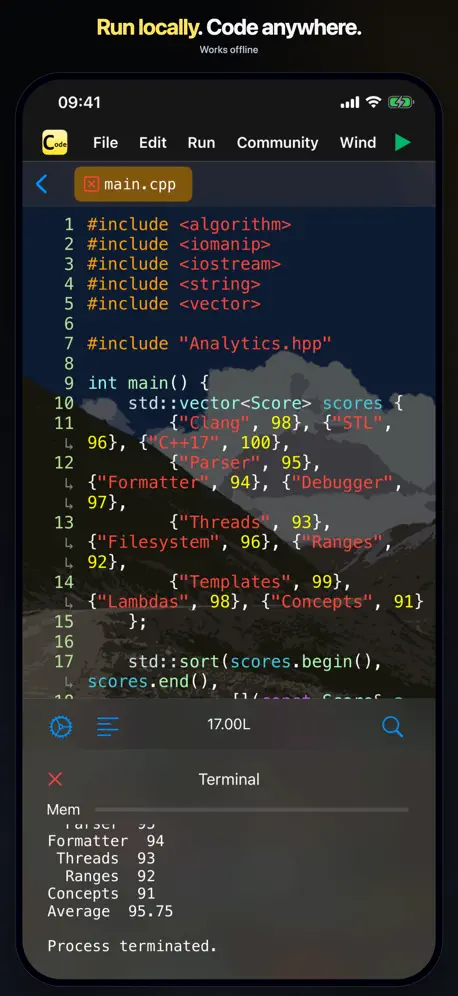  C Code Develop | 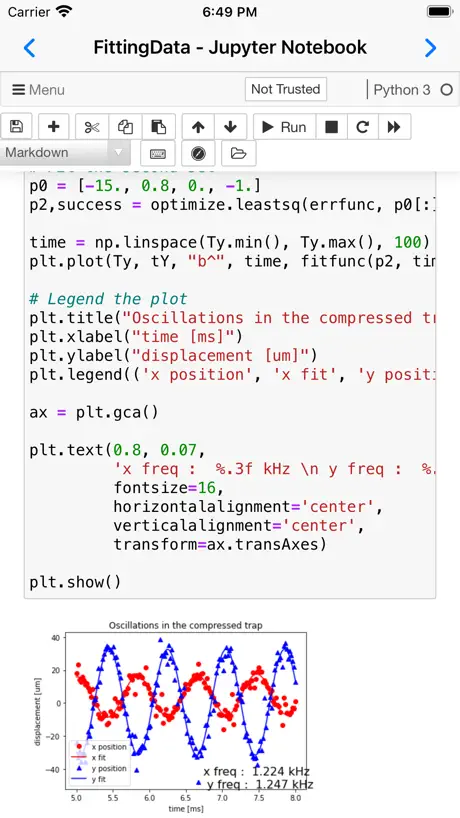  Carnets - Jupyter (with scipy) | 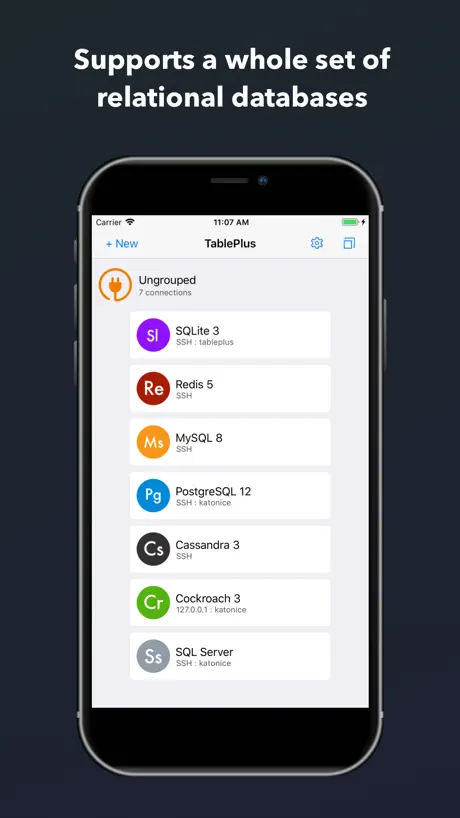  TablePlus - Database Client | |
|---|---|---|---|---|---|---|---|---|---|---|---|
| Rating / 5 | 4.1 | 4.8 | 4.7 | 4.8 | 4.5 | 4.6 | 3.0 | 4.1 | 4.6 | 4.7 | 4.4 |
| Reviews | 2.3K | 11K | 8.1K | 4.6K | 3.7K | 1.6K | 1.2K | 727 | 699 | 539 | 355 |
| Released | 2020 | 2014 | 2016 | 2019 | 2019 | 2019 | 2022 | 2024 | 2021 | 2021 | 2019 |
| Monthly price | — | — | $2.99 | $2.99 | — | — | $7.99 | — | — | — | $3.99 |
| Annual price | — | — | $19.99 | $14.99 | — | — | $19.99 | $9.99 | — | — | $39.99 |
| One-time price | — | $14.99 | $69.99 | $29.99 | $39.99 | — | — | $49.99 | — | — | $99.99 |
The going rate for each plan in United States, in its own currency, shaded from the cheapest price on the row to the dearest.
Code App reviews
4.1 out of 5, based on 2,327 reviews.
What people like
- Feels like VS Code on iPad
- Works great for remote development
- Supports many programming languages offline
- One-time payment with no subscriptions
What they complain about
- SSH connections often fail to work
- App crashes or loses unsaved data
- Terminal stops running code after a while
- Cannot select or copy text easily
Лучшее приложение для сенсорного экрана
Спасибо тебе разработчик что исправил баг со сенсорной клавиатурой;)
How I save the project
This app don’t have save option, why!
Good but room for improvement
Really like this app. I wish Monaco editor supported basic text operations like selection copy paste etc. I find myself going back and forth which is super annoying. Auto bracket closure often fails to auto close a bracket. “cout” often silently fails to output text to the console. Restarting the app fixes it but it’s constantly failing requiring constant restarts.
iphone ssh模式下碰到可怕闪退问题,清空了文件内的代码,剩下空py
首次使用是连上ssh打开了py文件,然后编辑完点击上方文件名那个区域,想跳出菜单,突然闪退,再次进入,该py为0B,幸好有备份。已邮件提交给团队。但吓到申请退款不敢用。按理来说有runestone模式是很好的了,但没办法。
Best iPadOS code editor I’ve found
I love this, but feel it would need robust quality control vetting for it to be viable as a reliable tool. Really hope to see that happen. Pain points for me at the moment are: 1.) SSH servers opening up at the root in file explorer instead of home (or any desired folder), hidden files showing even with the setting off, cluttering the file explorer, 2.) Issues with input not registering in the editor/terminal; generally have to click into another field and then back again to get it to resume working, 3.) files/file explorer not registering updates unless the app is restarted;
It's a useful app at a very fair price
I use this app everyday for both editing local text files and for remote development using the ssh option. I'm satisfied. Highly recommended.
its truly scam
Not even one part of this application works fine! It doesn’t have autocompletion, doesn’t revert changes in Git, and doesn’t even commit
Great App, but need a little more
This is one of the very few apps that I would say is as close to being a full IDE within the limits of iPadOS. I would really like to be able to easily adjust file and folder permissions. Being able to see PHP errors would be awesome. Setting the initial path for a connection would be great. I can’t seem to see where I can edit a saved connection. Would be very helpful to sync the connections and configurations via iCloud, so I don’t;t have to setup everything up for each device (iPad and iPhone). Being able to see file and folder info like created date, modified date, file size, and permissions would be helpful. Overall, this is an awesome app and on its way to being the best IDE for iPadOS.
Buggy app
So many issues present. Cannot run any bigger or real world projects with this. Waste of money and time.
Unable to activate python venv
Since “source” command not working in terminal, unable to activate the venv. Could you please fix it?
Does the Job of 3 apps prior
I had 1 app for cloning repos, 1 for writing the code, and had to remote into my desktop to run node.js to test scripts. This does all three in 1 app. 10/10 no notes.
Useful but Super buggy
For as much as it does work, it doesn’t work well. The “Hello World” default tends to override file changes when making new files…. so you have to open and close the app or rename the file a couple times for the state to save the actual changes, so it’s not advised to use this app for anything important until they fix that.
Fix the copy paste please
After setting allow other apps to paste still now working
When could this app support custom node and npm version?
Cannot use the latest node or npm version, then cannot start my work on pad, plz support this.
Java development problems
That is the best integration with the git that I have seen so far in the AppStore. It supports so many languages and there are so many opportunities that are lost. The main problem is the usage of old versions even for remote execution. Some other IDEs have already overcome this problem and compile/run Java 17 or higher locally despite AppStore’s limitations. I’m also not sure how to compile and run the whole project remotely and not just one file.
Just fantastic
The best there is. Perfect!
Unusable
Every view has a bug with something. It’s impressive the number of bugs this app has while being listed so high in the app store. I couldn’t get past them to use it much more than 30 minutes.
No support for local Rust
Can you add support for Rust to run locally on iPad? Hope this comes in future versions.
C++输入会闪退
C++输入会闪退
Ok for what it is
Firstly what the devs don’t tell you.. you cannot compile any code whatsoever on iPadOS itself, this program and all similar also terminal programs get round this by using ssh or ftp to remote this functionality. Secondly the server built into the app is flakey its up and down at random, so really you need to setup your own GitHub remote compile or similar, which essentially makes this a text editor, albeit one with some syntax functions.
Great!
Definitely the best code editing app available for iPadOS right now! Worth every penny.
连个基本的代码补全都没有
最基本的代码补全都做不到(python) 只能说,完全写不下去,和记事本编程有何区别?还卖这么贵
UPDATE PYTHON
If you could update Python to 3.11 that would be awesome. Also if you could do more things with the terminal, that would be cool. Otherwise, really enjoy this VS Code alternative.
Great UI Bad file updating
I actually want to rate this a 4/5 simply for the ease and similarity to VS. it really is impressive with how much is integrated into this app. There are issues with editing, and ease of selecting text but that’s not too big of an issue and just takes getting used to. There is a major problem though detailed below..or maybe I’m doing something wrong? When I attempt to run the HTML / JS / CSS code I’ve edited, it continuously does not update the file locally. It appears updated in the app but when I click the small safari symbol to run the code, it runs old code. For example when I create a new html, it adds default “hello world” to the file, and when I remove “hello world” and add something different, it remains as hello world when running it, but saves changes in the app. I might be missing something, or maybe it’s a local cache? I’m not sure. But this doesn’t seem like it should happen. I really want to use this app but this problem forces me to use “Koder” app instead. I hope I’m wrong and made a mistake and will gladly change this review, or hope it is fixed. Thanks for the hard work in developing this app. Very promising!
Frameworks and Compiler
Please add more framework support like(vite) and update nodejs to 18 LTS. And add Golang support
Best IDE for iPadOS
I don’t know of any other IDE as close to VScode as this app. The git integration could use some help, and maybe adding WOL, but I’m still giving this 5 stars because it beats everything else out there.
Hard to use, docs bad, no way to submit questions
I wasn’t able to check my project out of version control. Tried reading docs, but screens in my app are different than shown in docs. No way to email dev for help.
BUG
Please fix this. On IPad Pro I can’t copy without Apple Pencil. I just can’t select area for cope the pointer doesn’t work
Not for students
I was initially very pleasantly surprised to see this offline IDE for the iPad, but it is unfortunately quite buggy and the compiler output is not accurate. So, if you are studying programming, I think that this app in its current state is not a good option, as you can easily get confused. This app certainly has a lot of potential, so hopefully, it will get more love from the developer.
Amazing concept, but the experience is poor
The first time I fired up the app, everything worked well and I was sure that I’d discovered my favorite new tool. The next time I opened my iPad, ssh didn’t work. Unfortunately, “unknown error” appears to be a known issue and there’s no way to troubleshoot it.
CS Masters Student
This app has been amazing for helping me get through my classes. Developers are quick to respond to any issue I’ve had and being able to program on my iPad is super convenient. Adding support for python 3.13.x would be my only request at this point as some of my classes require that now.
!Attackers not well at heart
I experience my command list no longer functioning and the know aslant was c/c++ and is open to sever attacks thereby llvm-link help and the lead pressure llvm-ld to who is theirs. So china am get hub or GitHub sell you out every Timeline you arnt right curesey and type
Worth the $5.99
I remember when Pythonista was released. I was working a dead end job and wanted to learn to code. I paid $4.99 for an app that changed my whole career trajectory and now I’m a full stack developer. This app reminds me if that time. Now, I have to learn Java for work and this supports Java! Thank you! I also appreciate the one-time payment pricing model. I’ll be recommending this to everyone I come across.
No typescript code error!
I bought this app to code on ts language but I can’t see my errors in code. If I use JS I can see errors but not with TS. Can you do that?
Needs More Languages
Like Rust and Go
Works Great in 2025
Judging by the reviews, this app may have had a rough start a few years ago, but as of 2025, it works great for me. I use it almost daily for programming in Python, both locally and on a remote server. One suggestion would be to update the Python version to 3.13 and refresh the built-in packages.
No Python 3.10 support!
I really had high hopes for this app. I downloaded it today and wish I could get my $6 back. Honestly if they can just get support for modern language versions like Python 3.10 then I’d gladly stay.
Great app! Only Needs shortcuts support !
Works offline!! 🤯, Supports tons of languages even php 😮💨, Take my money now please 🙏 Only thing missing from bringing 1000s of downloads is “app intents” for Siri integration and shortcuts, plus in open in code share sheet option. Since ai is the next thing. Shortcuts and app intents will soon be extremely popular, you app will really benefit from this update. Also please fix the keyboard glitch on 15 pro
Crashes on Launch iPadOS16
Kindly update the app I am unable to use it after updating to iPadOS 16. It crashes immediately as click on the app icon to launch.
Meets a need - but needs some improvements!
There’s no other app on iOS that theoretically allows you to SSH onto a server and have all your files accessible and editable (as with VS Code). Basically, an all-in-one IDE or text editor. However, the major issue is that I cannot seem to connect via SSH (the connection seems to register in the terminal, but the app doesn’t actually open a remote session by displaying my files). My server files are already mounted on my phone, so I can still use the app. But that’s a big issue for the app which would be great to see fixed. If it were I’d definitely use the app regularly. The other main thing that stops me from properly using the app is the scroll! I’ve toggled the ‘Smooth Scroll’ setting on and off, and no matter what I do the scrolling is not the same experience as scrolling anywhere else on my phone. Scrolling is not as responsive, and it doesn’t behave in the ways I’m used to in my daily user experience. If the devs fixed those two issues I reckon I’d be a daily user (if not hourly!) One thing that isn’t of course an essential, but which I would love to see, is support for org-mode. I just love org-mode. But I suppose what would make that possible is support for extensions and plugins, which I know is a feature (more than just a feature) which wouldn’t be implemented unless quite a few requirements are met (a huge active user base developing plugins etc.). I just love org-mode that much that I thought I’d say so. Anyway, a GREAT app in theory. Just a step or two away from being GREAT in practice! But it is still really good, and I’m glad I found it. I’m only a couple of tweaks away from being a more regular user.
It’s really great!
It work so smoothly, I completely don’t have any laptop I use this app instead
npm doesn’t work
I tried few npm commands, for example creating vue ‘npm create vue@latest’ , or ‘npm run dev’ on a cloned project. It didn’t work saying permissions error and such stuff, I checked GitHub repo and others complaining from this too for a while. It was my bad I bought it from App Store description and reviews without checking unfixed issues.
C is a bit buggy
Bought it for C, and it really works well when it works. But, the ^C button doesn’t work, and if it get stuck in an infinite loop, there’s no way to exit the loop without closing the app and reopening it. Don’t know if i missed a setting or not…
Lovely design, not a full-fledged IDE yet
I was really hopeful that I might be able to work on my blog using Code App but unfortunately I can’t NPM install all of the required packages. For example, Eleventy errors when trying to install. I’ll keep an eye on the app’s updates and perhaps in future it’ll have more features and support and I’ll be able to dev on it :)
Nearly there!
I can see that this app does a lot, however for my purposes it’s just not quite there - but it’s close! For me there are few issues I faced: 1. The reason I eventually refunded this was that I was simply unable to successfully authenticate a connection to an AWS EC2 instance over SSH - it works just fine in Termius and other SSH clients, but I simply couldn’t get it to work. (NB: I only tried public key authentication) 2. When showing a folder structure for a remote host, it would be great to be able to specify the path to the specific directory you would like to show, just as you can in VSCode, for me I sometimes connect to a host and then use a keyword argument to change to a completely directory, however I could only get this app to show the initial folder structure. 3. It would be good if you could automatically run a script upon connecting to a host, for example to navigate to a particular directory or start a particular set of processes.
Why would you use anything else
I had been using textastic for a while but honestly you have to constantly jump through hoops with multiple apps and sacrifice a lot of features youd have in vscode. This app is literally pretty much VS Code for ipad. Its unreal. Please dont use anything else
Running error
The app looks good and is overall great to write the code but if you stay in the terminal for like 30 seconds running a code the code just stops running and even if you run it again it won’t work, you have to close the app and try again but the same problem keeps occurring.
No other choice for local C++ compilation
Unless I am mistaken this is the only game in town for iOS if you want to write some C++ snippets and test ideas when away from your computer. The app is generally fine but lacking some major features for text editing without a Bluetooth keyboard. You can’t even select text, not to even think about Select All. The workaround is to use ANOTHER text editor and then paste (use the “Toolbar”) the code into this app. Android has two or three app options for this but those are also not super ideal anyway. And you have to use the crappy Android OS 😆 so I just use this app on iOS. If you use a keyboard with iPad, this app is actually quite good and convenient. Just swipe it to force quit sometimes and refresh if you see it not compiling properly.
Can’t delete files on mobile
I tried everything to try deleted a testing file, but after those things (dragging and dropping, swiping, finding a edit menu, etc) I still couldn’t do it. Other than that, it’s a fairly good app if you want to make code on the go. Suggestions: Make a console so that we can type commands in because I need to install npm packages.
Poor tap targets on iPad Mini 6
Just had a quick play committing some changes, 10 or more attempts to hit the commit button. The idea of this app is great but I can only imagine the experience is better with an external mouse.
Code App FAQ
- Is Code App free?
- No. Code App costs $6.99 (US) to download.
- Does Code App have a free trial?
- No. None of its offers (US) come with a free trial.
- What are the best alternatives to Code App?
- Git client - Working Copy (4.8 from 10,833 reviews, premium from $1.99), Textastic Code Editor (4.7 from 8,107 reviews, premium from $2.99) and SSH Client - Secure ShellFish (4.8 from 4,557 reviews, premium from $2.99).
Code App download
Last updated 2 months ago.
Code App sells in 175 countries. It was released 6 years and 5 months ago, on 28 May 2020. It holds a 4.1 rating from 2,327 reviews.
Supports 7 languages: English, German, Japanese, Korean, Russian, Chinese, Turkish.
How much does Code App make?
Third-party estimates for the last 30 days, worldwide — not the store's own figures, which Apple publishes for nobody.