
StaffPad
Music Notation and Composition
How much does StaffPad cost?
Prices are current as of 2 Oct 2026.
10 one-time purchases from $0.00
In the United States, StaffPad has 10 one-time purchases with no price on record yet.
| Product | Price |
|---|---|
| Muse Brass | $0.00 |
| Muse Choir | $0.00 |
| Muse Guitars Vol. 1 | $0.00 |
| Muse Harp | $0.00 |
| Muse Keys | $0.00 |
| Muse Percussion | $0.00 |
| Muse Strings | $0.00 |
| Muse Woodwinds | $0.00 |
| StaffPad Essential Guitars | $0.00 |
| Toy Glockenspiel | $0.00 |
StaffPad download price by country
| Country | Price |
|---|---|
| United States | $49.99 |
| Italy | €59.99 |
| China | CN¥328.00 |
| Germany | €59.99 |
| France | €59.99 |
| Spain | €59.99 |
| United Kingdom | £49.99 |
| Canada | CA$69.99 |
| Mexico | MX$999.00 |
| Brazil | R$299.90 |
| Switzerland | CHF 40.00 |
| Thailand | THB 1,990.00 |
| Turkey | TRY 2,499.99 |
| Netherlands | €59.99 |
| Russia | RUB 4,490.00 |
| Chile | CLP 59,990 |
| Japan | ¥8,000 |
| Australia | A$79.99 |
| Taiwan | NT$1,490.00 |
| Poland | PLN 229.99 |
| Colombia | COP 229,900 |
| Malaysia | MYR 229.90 |
| Belgium | €59.99 |
| Israel | ₪149.90 |
| Sweden | SEK 599.00 |
| Austria | €59.99 |
| Philippines | ₱2,990.00 |
| Greece | €59.99 |
| India | ₹4,999.00 |
| Argentina | $49.99 |
| South Korea | ₩77,000 |
| Hong Kong | HK$388.00 |
| Ukraine | $59.99 |
| Vietnam | ₫1,499,000 |
| Indonesia | IDR 999,000 |
| Portugal | €59.99 |
| Romania | RON 299.99 |
| Denmark | DKK 399.00 |
| Finland | €59.99 |
| Ecuador | $49.99 |
| United Arab Emirates | AED 199.99 |
| Czech Republic | CZK 1,290.00 |
| Guatemala | $49.99 |
| Singapore | SGD 69.98 |
| Hungary | HUF 22,990 |
| Norway | NOK 599.00 |
| Peru | PEN 229.90 |
| South Africa | ZAR 999.99 |
| Moldova | $59.99 |
| Slovakia | €59.99 |
| Ireland | €59.99 |
| Luxembourg | €59.99 |
| Saudi Arabia | SAR 199.99 |
| Slovenia | €59.99 |
| Dominican Republic | $49.99 |
| Croatia | €59.99 |
| Iceland | $59.99 |
| Kazakhstan | KZT 29,990.00 |
| Mongolia | $49.99 |
| New Zealand | NZ$99.99 |
| Panama | $49.99 |
| Armenia | $59.99 |
| Bulgaria | €59.99 |
| Egypt | EGP 2,499.99 |
| Lithuania | €59.99 |
| Malta | €59.99 |
| Albania | $59.99 |
| Bahrain | $49.99 |
| Costa Rica | $49.99 |
| Estonia | €59.99 |
| Kuwait | $49.99 |
| Macedonia | $49.99 |
| Nigeria | NGN 79,900.00 |
| Nicaragua | $49.99 |
| Paraguay | $49.99 |
| Serbia | €59.99 |
| Uruguay | $49.99 |
| Bosnia & Herzegovina | €59.99 |
| Brunei Darussalam | $49.99 |
| Bolivia | $49.99 |
| Cyprus | €59.99 |
| Dominica | $49.99 |
| Fiji | $49.99 |
| Georgia | $59.99 |
| Iraq | $49.99 |
| Kenya | $59.99 |
| Kyrgyzstan | $49.99 |
| Cambodia | $49.99 |
| Lebanon | $49.99 |
| Sri Lanka | $49.99 |
| Latvia | €59.99 |
| Montenegro | €49.99 |
| Macao | $49.99 |
| Mauritius | $59.99 |
| Nepal | $59.99 |
| Oman | $49.99 |
| El Salvador | $49.99 |
| Trinidad and Tobago | $49.99 |
| Afghanistan | $49.99 |
| Antigua And Barbuda | $49.99 |
| Anguilla | $49.99 |
| Angola | $49.99 |
| Azerbaijan | $59.99 |
| Barbados | $59.99 |
| Burkina Faso | $49.99 |
| Benin | $59.99 |
| Bermuda | $49.99 |
| Bahamas | $49.99 |
| Bhutan | $49.99 |
| Botswana | $49.99 |
| Belarus | $59.99 |
| Belize | $49.99 |
| Congo, Democratic Republic | $49.99 |
| Congo | $59.99 |
| Cote Divoire | $59.99 |
| Cameroon | $59.99 |
| Cape Verde | $49.99 |
| Algeria | $49.99 |
| Micronesia | $49.99 |
| Gabon | $49.99 |
| Grenada | $49.99 |
| Ghana | $59.99 |
| Gambia | $49.99 |
| Guinea-bissau | $49.99 |
| Guyana | $49.99 |
| Honduras | $49.99 |
| Jamaica | $49.99 |
| Jordan | $49.99 |
| St. Kitts and Nevis | $49.99 |
| Cayman Islands | $49.99 |
| Lao Peoples Democratic Republic | $49.99 |
| St. Lucia | $49.99 |
| Liberia | $49.99 |
| Libya | $49.99 |
| Morocco | $59.99 |
| Madagascar | $49.99 |
| Mali | $49.99 |
| Myanmar | $49.99 |
| Mauritania | $49.99 |
| Montserrat | $49.99 |
| Maldives | $49.99 |
| Malawi | $49.99 |
| Mozambique | $49.99 |
| Namibia | $49.99 |
| Niger | $49.99 |
| Nauru | $49.99 |
| Papua New Guinea | $49.99 |
| Pakistan | PKR 12,900 |
| Palau | $49.99 |
| Qatar | QAR 199.99 |
| Rwanda | $49.99 |
| Solomon Islands | $49.99 |
| Seychelles | $49.99 |
| Sierra Leone | $49.99 |
| Senegal | $59.99 |
| Suriname | $49.99 |
| Sao Tome & Principe | $49.99 |
| Swaziland | $49.99 |
| Turks and Caicos | $49.99 |
| Chad | $49.99 |
| Tajikistan | $49.99 |
| Turkmenistan | $49.99 |
| Tunisia | $49.99 |
| Tonga | $49.99 |
| Tanzania | TZS 149,900.00 |
| Uganda | $59.99 |
| Uzbekistan | $49.99 |
| St. Vincent & The Grenadines | $49.99 |
| Venezuela | $49.99 |
| British Virgin Islands | $49.99 |
| Vanuatu | $49.99 |
| Kosovo | €59.99 |
| Yemen | $49.99 |
| Zambia | $59.99 |
| Zimbabwe | $59.99 |
10+ alternatives to StaffPad
| StaffPad |   forScore forScore |   Notation Pad-Sheet Music Score Notation Pad-Sheet Music Score | 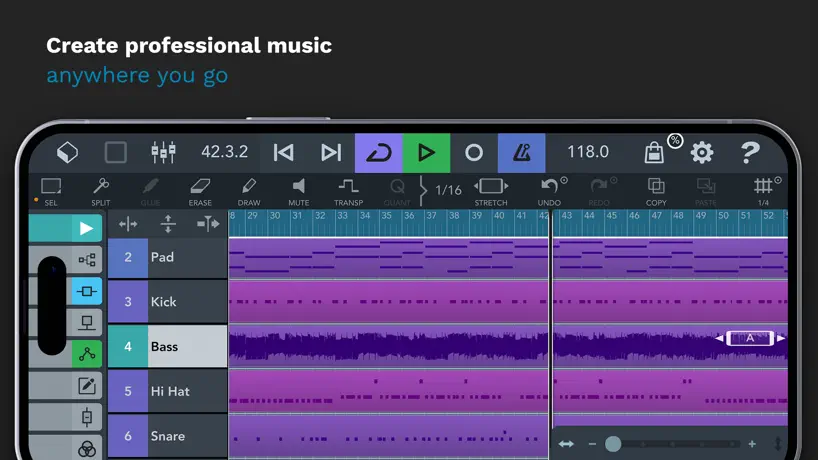  Cubasis 3 - DAW & Music Studio Cubasis 3 - DAW & Music Studio |  Dorico - Compose Music Dorico - Compose Music | 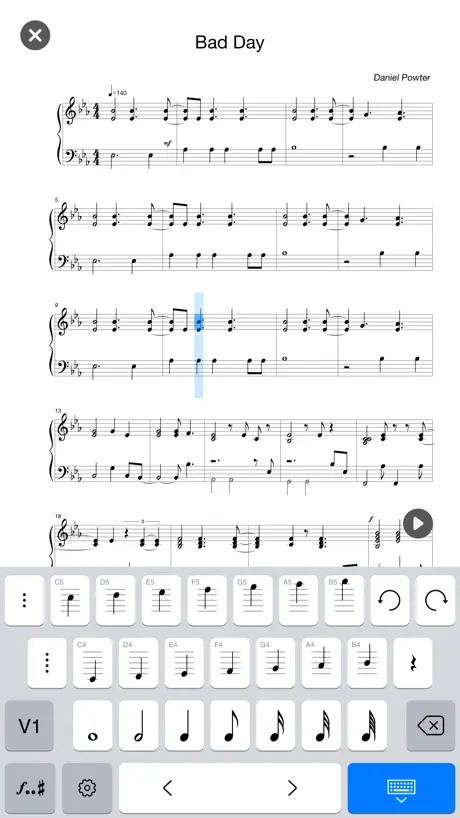  Composer Pro-Sheet Music Maker Composer Pro-Sheet Music Maker |   nkoda: sheet music nkoda: sheet music | 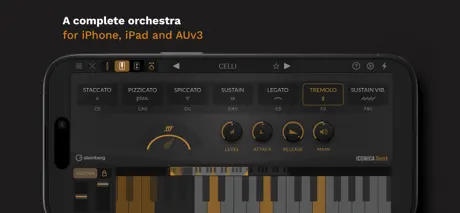  Iconica Sketch - Orchestra app Iconica Sketch - Orchestra app | 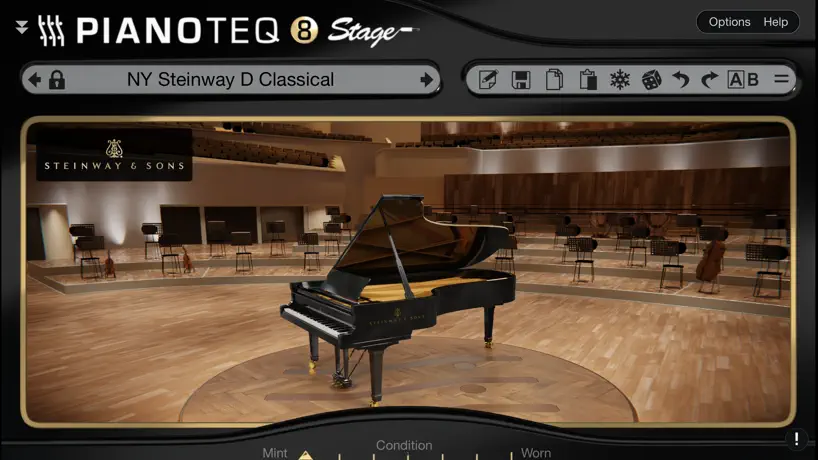  Pianoteq 8 Pianoteq 8 |   Henle Library Henle Library |   Pianoteq 9 Pianoteq 9 | |
|---|---|---|---|---|---|---|---|---|---|---|---|
| Rating / 5 | 4.1 | 4.8 | 4.3 | 4.6 | 4.6 | 4.5 | 4.2 | 4.7 | 4.7 | 3.2 | 4.8 |
| Reviews | 2.6K | 92K | 16K | 12K | 7.3K | 3.8K | 1.3K | 555 | 530 | 362 | 243 |
| Released | 2020 | 2010 | 2016 | 2019 | 2021 | 2021 | 2018 | 2024 | 2023 | 2016 | 2025 |
| Monthly price | — | — | $14.99 | — | $4.99 | $9.99 | $14.99 | — | — | — | — |
| Annual price | — | $14.99 | — | — | $49.99 | $49.99 | $149.99 | — | — | — | — |
| One-time price | — | $0.99 | $0.99 | $6.99 | $119.99 | — | — | — | $49.99 | $9.99 | $49.99 |
The going rate for each plan in United States, in its own currency, shaded from the cheapest price on the row to the dearest. Plans fewer than four in ten of the priced apps sell are left out.
StaffPad reviews
4.1 out of 5, based on 2,588 reviews.
What people like
- Sounds great on iPad
- Composing feels natural and fast
- Great for sketching ideas
- Unique handwriting input method
What they complain about
- Handwriting recognition fails often
- Customer support ignores messages
- App crashes and loses work
- No updates in two years
Amazing. I Wish There was a New Update.
This is the greatest workflow for easy sketches and traditional scores. StaffPad’s brush stroke counting solution has been *the* solution to using a pen to do notation. Other writing notation apps like Notion’s have awful solutions where someone has to make musical notation somehow recognizable to the program. This is the frontier of notation software in my opinion. For drawbacks, the need for an Apple Pen where third-party pens only work on the tutorial is annoying, but not impossible. There’s capability for traditional, common scores, but then not much yet for contemporary scores with graphic notation without other programs like photoshop or so. I love this app and use it every day. I hope that there’s room for more updates but there hasn’t been anything in two years now. I recommend it in its current state to anybody needing *the* quickest notation software. Super easy to pick up as well.
Stopped Supporting This App??
I paid a small fortune for this app and the moment you acquired this company you stopped working on it. Leaving it to wither. Shame on you.
Abandoned?
I really like this app but it seems to have been abandoned. I just wish it were possible to change the layout instead of having one long staff that trails vertically. I do my exercises in this app and having to swipe for a long time to get to where I need to be is a bit inconvenient.
No longer functional
I haven’t used this app in a while. When I launched it last week it keeps crashing as soon as you are on the apps home screen and try to do anything. I’ve tried every suggestion I could find online but still can’t make it work. I love this app so I hope I can get some help. 5 stars if I can get it working. 12.9 inch iPad Pro 5th gen. iOS 26.
Huge potential, usable but unsatisfactory product
The idea behind this app is brilliant and it is executed well to an extent. I could work with it, but £50 is not worth having to redraw things until you seem to have luck. Generally the handwriting recognition is good. However, I find I have consistent failures. I will concede my handwriting is generally poor but there are instances where I have carefully drawn accidentals which are very clear to a human eye but the software just ignores it or inputs an unrelated note. Leger lines also tend to be a nightmare. Being able to drag notes to the correct line/space feels good as I accept that you will inevitably make some mistakes. This feature also saves the app from being useless given the frequency of failed inputs. I wish there were more buttons to tell the software what I’m inputting, eg notes and accidentals, not just the extra details. Declutterring is clearly a good thing (cough, cough Sibelius) but I’d still prefer too much rather than too little. The tutorial is helpful but not representative of how the software works. I inputed things which weren’t the clearest in the tutorial which ‘passed’ but then drew far clearer inputs in a proper score only for them to be rejected. I bought a third-party pen to use primarily with this product. Given that it doesn’t have touch sensitivity it is definitely worse than using an apple pen. The extra pressure to rub out I’m sure is a great feature. I’m sure others would be interested in doing the same as me, so if third party pens are known to be worse performers with this app (which I doubt), then this should be made very clear. I tested the recording feature. This worked, again, to an extent. It struck me as a gimmick rather than a tool. You probably could manage to use it for simple note inputs (4 part harmony in closed, piano score) but you’d likely have to fix a significant proportion of what you’d recorded. I had my dad download the reader app on his windows laptop to test the pairing. This did work and is a great feature. The ability to produce clear music (despite it possibly taking a while to actually input it as you wrestle with things) and share it quickly is why I am giving this app 3 stars rather than 2. The free sound libraries are identical to those in Muse hub (musescore). Despite their huge file sizes, they are excellent. I fear the lack of updates indicates this project has been abandoned which given the potential is a shame. The app has some really interesting features. For instance being able to input audio and video alongside a score is an interesting concept. Sharing music quickly is powerful but the lack of basic functionality sadly lets this project down.
Amazing App – Please Add Persian Accidentals
StaffPad is an incredible application and, in my opinion, one of the best music notation apps available. As a composer working with Persian music, I have one sincere feature request. Please consider adding support for the Persian accidentals Koron (quarter-flat) and Sori (quarter-sharp), including proper notation and playback. I imagine this would be a relatively small addition for such a professional team, but it would make a huge difference for those of us who compose and perform Persian music. As microtonal harmony and world music continue to gain wider recognition, adding this support would help preserve and empower an important musical tradition while making StaffPad even more versatile. Thank you for creating such an outstanding application, and I sincerely hope you’ll consider adding this feature in a future update.
Brilliant idea, but not usable in its current state.
I really wanted this app to work because the concept is brilliant. Being able to write music by hand and have it converted into engraved notation would be a dream workflow for composers. However, the handwriting recognition is very unreliable, even with basic notation. I completed the tutorial multiple times and tried to match the examples exactly, but the app still misinterprets notes, rhythms, and articulations far too often. Instead of speeding up the composing process, it slowed it down because I was constantly fixing recognition errors. At its current state, I unfortunately cannot use this app in any practical way. The idea is fantastic, but the recognition engine needs significant improvement.
Amazing
Amazing that they can even pull something like this off. Still improvements to be made, but awesome.
Abandoned
So sad to see this app abandoned, after many of us have sunk a great deal of money into it. Truly disappointing.
Accidentals
I find it incredibly hard to write accidentals using this very expensive app. I love the tone and quality of this app and the free ability to draw, however I wish there were an on screen keyboard option to make writing easer, or even an ‘accidental’ button that changes a highlighted notes pitch as I find the software is quite picky with picking up how you write.
Can’t live without it…
There is nothing out there that does this, sounds great , works great with picture…no key switch nonsense…just music…keep going u guys…
Good when it works, frustrating when it doesn't
I had high hopes, but the inconsistency of performance is too great for a good review. Too many issues with the Apple Pencil not working, complete lack of technical support. The app seems to have been abandoned, no updates in 2 years.
Great app, instrumental mechanics aren’t that great
This app is very good however some certain articulations and playing mechanics are noticeably broken. For example, tying notes is big problem for me. When I have a note tied to another note, they don’t actually tie, and the instrument I’m writing for tongues the notes instead (keep in mind two of the same note pitches with the curvy line tie). Please fix this! It really annoys me that the instruments keep tonguing the same note instead of tying it like it should in the first place.
Unintuitive
This app feels very unintuitive to me, and the handwriting recognition is just not very good. When I first got the app I tried diving in to test editing sheet music. It completely failed to recognize what I wrote. When I went to create some sheet music from scratch it walked me through a tutorial where I had to enter very specific marks for it to understand what I wrote. Not a great sign for how intuitive your app is. I was surprised how many instruments are also only available as additional downloads. Though this is forgivable to reduce download size, and to their credit many essential instruments come free. So far I’m having a lot of trouble getting the hang of this app, I’d rather compose in a notes app like GoodNotes then transcribe to MuseScore Studio on a computer, I feel like this app has a ways to go. Lastly, I know this isn’t the main focus of the app, but I’d love it if support for tablatures could someday be added. As well as support for my primary instrument, the banjo 🪕
Not working on iPad mini with pencil pro
I loved this app but have just updated my hardware and sadly it has a bug that means when you touch the screen to write, the app shuts down.
It works but you have to figure it out
Basically anyone who claims the recognition sucks is bad at it. It is VERY clear on how to use this. If you want to write anything more complex, there are workarounds.
Very Bad app and Irresponsible
Software full of bugs with few features and no answers to questions in support. I have also purchased it for two years, but the updates and bugs that were reported have not been fixed.
Good app, but I have a few petitions
So far, I have really been liking staff pad. I’ve never liked notation softwares so I have always relied on paper. However, though it is intuitive and easy to use there are a few things missing for me that I bet if added could be perfect for A LOT of composers. Overall I just find it bit too traditional. As someone interested in experimenting and in avant-garde techniques, I find myself unable to use certain types of notation that are not even that uncommon in today’s age. Since I’ve never been interested in notation softwares for listening to my own music, I would love if microtonal accidentals could be added as an option even if it doesn’t change the audio. Another thing that would be great for me is being able to just write the note heads or neumes for the musician to improvise. Something else that I really wish would be added is cross staff notation and being able to hide time signatures and barlines. Or just be able to select no time signature as an option. As I said, this could make it perfect for more modern composers like me. Who are not too interested in listening back to their music but need these kinds of notation. One more suggestion would be being able to “format the score” my way. Not always trying to fit 4, 6, or 8 bars into each system. But to be able to really customize the end product of your score. I really hope these can soon be integrated! it would make it the best for me and many other composers and I think it doesn’t need too many changes. Keep up the good work
Big Decline in Performance
It had been working better than hoped. It’s great for sketching ideas. I really wanted to use the pen to write & I love that. However, recently, it’s been a real struggle and there is no customer service. The first problem is an “error saving.” The message said if this happens, contact us. I did. No reply for two weeks, so far. Every composers nightmare. I wrote something I was absolutely pleased with & poof. Gone. Today, it’s started to crash. I’ve written pieces of the 60 measure project I’m doing. I need to copy and paste from 3 drafts into the final project. It’s stopped pasting. I’ve spent an hour with it and bupkis. I’m going to have to reinstall - not a big deal, I did it once before when it was buggy; but that means reinstalling all the sound libraries which will take quite a while and is tedious. I shouldn’t have to work this hard. Somewhere on the web - and this is a rumor - it said that Musescore, which has no intention of integrating a handwriting option, bought it. If that’s tru, they may have done so to get it off the market & prevent competition. So they’ve no intention of making it work & providing customer service. I will try to uninstall, reinstall - that worked before to get rid of a bug & which should save all the work but I’ll back it up locally anyway. If it works, I’ll update the review. If I don’t it means I’ve moved on to Dorico.
Great idea
Reminds me of the Newton. It’s such a wonderful idea but even at a 90% recognition rate it’s still very frustrating. I’m going to keep practicing for a while, but entering rests is near impossible. Over and over and over again. I wish there was just a way to tap one in. I find that the time it takes to learn the new notation writing could be spent learning how to have better manuscript with a pencil. I’m giving it an optimistic three stars and if I get better, I can always add one or two.
Not bad at all
I can see the idea here, done pretty well, yes handwriting recognition is a bit bad at some times, but the general rule is: if a human without context cant read it, neither can staff pad. For the muse sounds that you can download, they are incredible for what they are. Overall 4.8/5
Beware
I purchased StaffPad and later made an in-app purchase. After that, the app stopped working entirely—even after deleting and reinstalling it. I reached out to the developers through email and available contact channels but received no response. This is very disappointing because I genuinely liked the concept. While the app wasn’t perfect, it did work before and showed real potential. Unfortunately, the lack of support and a broken app after purchase make it hard to recommend.
Great tool for arranging music
Strengths: -Lasso tool is a huge time saver once you learn how to use it -Recording and digital audio interface functions mended with notation Is game changer for getting together the desired sound. -instrument library sounds pretty great out of the box -changing note lengths and pitch by dragging Opportunities: -lyrics spacing should be given priority over note spacing on print at the individual parts -note stamp tool (just preset some lasso quarter/eighths/etc.) when you tap a button -hand recognition still needs work. Coming from original w8 StaffPad, there used to be an option to identify which piece is not recognized in the measure and allow for corrections with a “did you mean?” Prompt. This worked a lot better than the report function. (I’m sure there is not a lot of useful info coming from these reported bars and just creates white noise for the developers)
Music notation app for unserious music notators
Looking for a music notation app that is reliable and doesn’t lose your scores? Look further because this one lost all of mine, and doesn’t offer any solutions anywhere. I used this app back in 2018 and it worked really well while I wrote small scores in college. It only had minor bugs that I could work around, with its biggest issue being formatting at final export. I haven’t used the app for a while and recently started getting back into writing again, so I decided to try the app that I remembered so fondly. My experience? Disappointing. My old files are completely inaccessible and I can no longer see my old work. I scoured the web for answers and tried changing file location, updating the app, and my iPad, but had no success. Maybe it could be a change in file type, but I honestly have no idea because any research I did on the StaffPad website just brought on more confusion and unhelpful, redundant advice. Okay then, I accepted the loss and said oh well those scores are old any ways I’ll start anew. First bar I tried to write wouldn’t allow me to insert a simple sharp accidental know matter how many different methods I tried. Needless to say, I got frustrated, gave up, and came here to write about my experience. I regret my purchase and wish something could be done about this. I would have given one star, but I do remember it working well once upon a time. This app has such great potential, just no follow through, and for that I’m giving it a 2 star.
Always room for improvement
The App is great, but don’t try to write in Ternary or with Triplets, the app doesn’t recognize it. I think there should be an option to add the notes instead of drawing them to avoid this problem. Otherwise, sounds great.
Wonderful app for all levels of composers
I have been so happy, busy and excited since coming across this app. It’s been a lot more efficient when coming to compose, transcribe, or even arrange and mix a song. I would love to see an update where there is an option for the jazz font, also the ability to make time signatures BIGGER for the larger scores that require the tablet size paper. Oh, and also the ability to change the number of bars at the end of a piece so there isn’t just only 4 bars to add unnecessary bars or paper when printing, or even add more bars to the page by increasing from 8 measure a page to 10 - 12 measures a page or even more. But StaffPad regardless is a masterful app for all musicians. Keep up the good work!
Do not buy, it doesn’t work like it is advertised
Unfortunately like many others say here, the recognization of this app is just dismal. You can carefully write in the exact way they explain for you to write and it still won’t recognize what you write. Really I think this app is so bad it should be taken off the App Store. I spent so much time researching and finally pulled the plug to give it a try, very optimistic and with an open mind, but this app just is not it. Devs, this app is horrible and is a waste of time to use. I watched all your tutorials and demonstrations before going ahead and trying it. Either you are running a different app than the one sold here or you carefully spliced it together to make it look so seamless. Fix it and maybe I’ll consider it, but this is terrible.
Good but few flaws
StaffPad have few bugs and I had to restart the software many times especially when I want to insert a new bar. Also, the playback quality is not good with some wind instruments and make a weird noise But overall it’s a good tool
Frustrating
I read the reviews about the handwriting detection issues, but still bought the app. I’ve been working with the app now for weeks and still have to enter notes over and over to get it right. I’d put in the practice if I knew of a clear tutorial for getting better, but as it is I’m on the verge of giving up.
Really cool idea, poor pen detection
The app almost works….for $50 it should be flawless
Excellent app, minor pain points.
This app is very advanced and very helpful for composition. I love it and would recommend it wholeheartedly with the following notes: The reader app is somewhat unstable. The files have some inconsistency with MusicXML, making exporting for a proper notation app slightly difficult. There is essentially no way to collaborate with another composer, even using the reader app.
Kills creativity because interface.
Update your app! Fix the apple pencil experience!
Revolutionary
My original review is below, since then we finally received a long teased update, which included audio recognition. Unfortunately this feature doesn’t really work, with even fairly simple phrases being misunderstood by the engine. We did also get midi input, which is a nice feature, but there is now a problem with the metronome where, even turning it off, results in the count in still playing. This needlessly requires multiple gestures to turn off - and back on again when it is needed. These issues and disappointments, combined with almost zero feedback from devs and vague (if any) responses to queries have led to me using Staffpad less and less. It does remain a great bit of software but I can’t help but wonder what could be achieved in different circumstances. I was aware of StaffPad but didn’t try it as I’d heard about handwriting recognition issues. However, seeing a sale, I took the plunge and bought it with an Apple Pencil. I’m 54 and hadn’t tried to read sheet music since I was 15. I’ve never written on Staff paper, instead using a DAW. To my amazement and surprise in the first couple of hours of use I was able to write a very simple string piece. With more practise in the last 2 weeks I am getting more and more confident and am now putting together a fairly complex orchestral piece. At each step the process has been easier than I expected and often easier than it would have been in a DAW. The huge advantage of StaffPad to me is the ability to compose with high quality sample libraries on something as portable as an iPad. I can’t convey how amazing it is for me to be able to sit under a tree in the countryside, or anywhere else and compose. I find the Apple Pencil works really well and is certainly a lot easier to carry than a portable midi keyboard. However I do still struggle not being able to play things in. If I could have given half points I’d have awarded StaffPad 4.5 stars, but I couldn’t bring myself to reduce to 4 stars…. However there are improvements that could be made… I would really like an input for a midi controller, although the upcoming audio recognition will likely be a good replacement and better in some ways. I understand the engine isn’t suited to live playback. There needs to be an easier way to solo/mute tracks and sections. Better DAW integration for import/export options. I understand why it’s not available, but I would really like to see Staffpad able to host AUV3 plug-ins so we could have access to Fabfilter, Eventide, etc plugins. There is room for improvement in the handwriting recognition. I still makes mistakes and leave ‘ink’ all over the place. Overall though, an amazing app that I now can’t imagine being without. I’ve always loved to get out of my room/studio when composing and have used laptops and midi controllers but Staffpad blows everything else away. Apart from the portability, it’s just a really nice way to write and often seems to sounds better than the same full size libraries in a DAW.
Good app but often frustrating
For £79 I’m wanting a little more forgiveness for my handwriting. Seriously, sometimes, after needing to write the same bar time and time over, I’m left screaming “what the £#@% do you want from me !!”. Also, still a ton of glitches - ties and rests etc need deleting and rewriting for them to work. Needs to cater for more than only the neatest handwriters to be a truly great app. Also, touch shortcut control for more convenient menu access would be masterful.
PLEASE ADD ACCIDENTALS TO TOOL BAR
I really enjoy this app but it is excessively difficult to consistently draw the accidentals correctly. Flats in particular are especially hard to get right. It’s moments like this that can really kill the momentum of writing. Adding accidentals to the tool bar will be a very simple fix to this issue that way I can just toggle to the accidental I need instead of fighting with my iPad to draw the accidentals perfectly. You should also add note values to the tool bar. Just about every notation software has this option and will be a game changer for this app. Again, instead of fighting with my iPad to write out the notes perfectly, I can just select the note value I need and put it on the staff. In fact, why not combine both of those ideas. For example, if you need to draw quarter notes, just select the quarter note value in the tool bar before you draw the notes. That way, the software knows no matter how poorly the note is drawn that its supposed to recognize the notes as quarter notes. Same thing with tuplets. These two things alone will easily make this the best music notation software bar none. The interface is gorgeous and the sounds are phenomenal. However, all of that is useless if 99% of your time is spent fighting with the software. I am BEGGING you guys to please include these features in the next update.
Love it. Please add tablature for fretted instruments
I LOVE this app. My favorite notation app ever, but id love to have tablature for fretted instruments so I don’t have to go to another notation app to get this feature.
Do not purchase unless…
Do not purchase unless you have an Apple Pencil. Does not work with other pencils. Apple will it give you a refund.
Works as advertised
I had trouble writing music in Notion so I got StaffPad. Infinitely easier to predictable results writing music in StaffPad. There is a learning cure but I was up and running in about 2 hrs. Really like the sound fonts and that you can import and export your music to other programs.
Bad help and broken app
Staffpad used to be a dream to work with because it was easy to use. Out of nowhere, the app started to crash everytime I tried to edit any score. I emailed them for help to which they used to respond. Then they left me high and dry for no reason after contiguous back and forth emails. The issue still hasnt been fixed. Horrible sevice and broken app.
Poor recognition
3 stars for the idea, 0 for the software development. The playbacks are also awful compared to how expensive they are sold.
Incredible Composition Tool
I’m very happy with StaffPad as my primary composition tool. It has an a lot more depth than you might think when first looking at it. All the important features I need to compose are well developed, and comprehensive! The stock libraries are quite good, but the In-App purchase libraries are very realistic. I particularly like the Berlin Series. Buy it now! You won’t regret it!
Does not function — No support
Do not buy!! Does not function well enough to do anything. I can’t write half notes for example. They change to quarter notes no matter what I try. Customer support does not respond at all!
If only….
If it could only import from pdf it would be even better. I have so many old scores that I’d like to work on without having to start again. Hopefully there will be an update for that.
Probably great for iPad Pro users?
My rating is massively influenced by the inconvenience the app has recently caused me, otherwise It’d score a lot higher in my books. I was really impressed with StaffPad upon first use. I do a lot of composing work and so it’s been nice being able to walk the dog and do some of that work on the go however recently one of my projects got corrupted and I can no longer access the work which has cost me days of work. After reading through the forums, it seems that this is the case with a lot of lower spec iPad users. It doesn’t come up nearly as much for pro users, but I personally can’t justify throwing that kind of money just to feel more secure with this app. Outside of this, the app is pretty good. It takes a bit of getting used to and the handwriting recognition doesn’t always work straight away, but I’ve managed to get everything onto the score eventually with enough practice. My main issue here is the risk of losing your work if you don’t have the right specs for the app. StaffPad probably need to be more transparent about this before people throw their money at it considering the price and I will likely be requesting a refund because of this.
A bit frustrating but great support
It took quite some time for me to get the hang of this app and to be honest I was quite frustrated at first. I have to say that the support team were quick to get back to me and I have since come to really appreciate the app for what it’s trying to do.
Game changer for composing
StaffPad is a revolutionary app for professional composers and hobbyists like myself. The ability to handwrite notes and instantly hear them come to life is nothing short of magical. While there is a learning curve for using the Apple Pencil to write in notes, even someone like me with terrible handwriting was able to learn quite quickly. The user interface is intuitive, making the entire process from score creation to playback seamless and enjoyable. I purchased four of the 3rd party sound packs and all of them have an incredible sound for an even more incredible price. I hope to see a more expanded library of sound packs in the future. Overall, StaffPad is a must-have for anyone serious about music composition. Five stars, well-deserved!
Awful with Apple Pencil
What a waste of money. I tried about 50 times to enter a fairly simple measure and the handwriting recognition just would not work. And why is there no “erase measure” feature when you have to try over and over so much? I have to press so hard to get it to erase that I’m afraid I’ll damage the screen. And after a while, the pencil stops being recognized and just sputters a mess on the staff. I watched the demos and actual use is not even close to working like that.
Potentially great but currently flawed
There’s no doubt that Staffpad has dramatically raised the quality of orchestral sounds you can get out of an iPad. It’s great to hear the premium orchestral sample libraries working on iOS. The program’s major flaw is its central gimmick: handwriting recognition. It doesn’t work very well. You can spend several minutes unsuccessfully trying to establish a tie between two notes. And then your unrecognised handwriting has to be deleted. The erase mechanism requires you to put pressure on the pen (too much, in my opinion, and it should be configurable). And entering notes above or below the main staff is too difficult. No extra lines appear to help you and the program seems to insist on “recognising” your notes before you’ve finished drawing them, meaning they are recognised as the wrong thing. It would be so much easier if it would just let you select the notes you wanted to enter from a palette then touch the staff to input them. This is how other programs like Notion do it. Handwriting recognition could then be left as only one input option. Because it’s their central gimmick, however, they probably won’t give it up so easily. The other major problem is downloading the sample libraries from their store. I’ve spent the last 2 days and nights unsuccessfully trying to download the Berlin Brass library. It will download some then reset to 0% and start all over again, including from 92% at one point. This soul-destroying experience has left me reluctant to buy any more libraries. They really need some kind of download resume feature as well as some indication of how large the downloads are. Still, it’s potentially great software if they would only give up the obsession with the handwriting gimmick and offer other faster and more reliable note input options.
Good in parts
Staff Pad is a really good idea. However, it is not so good in the realisation. At the current development stage, as a 'tool for composers', it doesn't fulfil some of the most basic requirements of music notation. These are: Accidentals: you cannot place a natural sign before a note in a cautionary way in an atonal score, or where it contradicts a sharp or flat in a different octave. Also, hairpins are placed on one line so they drift far below the notes when a low note in a different place in the score displaces them. Plus very many other items that I would expect a notation programme to get right. At the moment, this app is too immature to be a replacement for other well-known notation programmes, despite the many 'features' it provides. My concern, as always with these tools, is that the software 'whizzbang' ideas get in the way of the important basics, as has happened here. This tool is still not usable for the modern composer writing in an extended tonal or non-tonal style. Update: Oct 2023 - there has been an update, but many of the issues I've raised are still not resolved.
Not there yet !
This should be great but very difficult to get any flow at this stage of development ! Recognition with pencil 1 and 2018 IPad Pro very haphazard,certain symbols just don’t translate ‘Forte’ particularly bad ! At the moment going back and trying to fix is just too time consuming. I know this is pretty much early days with this app and so I’m not going to get too irate, it needs a few updates to really be as good as it promises, that’s pretty much why I’m 3 starring it ........ It should be fantastic.
StaffPad price by country
A one-time purchase costs $4.69 in Pakistan and $27.08 in Kazakhstan — 6× more for the same thing. Below is the going rate for each plan in every country that sells it — the middle price of what the app charges there, in the country's own currency with the dollar equivalent beneath it.
| Country | One-time |
|---|---|
| Afghanistan | $4.99 |
| Albania | $5.99 |
| Algeria | $4.99 |
| Angola | $4.99 |
| Anguilla | $4.99 |
| Antigua And Barbuda | $4.99 |
| Argentina | $19.99 |
| Armenia | $22.99 |
| Azerbaijan | $5.99 |
| Bahamas | $4.99 |
| Barbados | $22.99 |
| Belize | $4.99 |
| Benin | $22.99 |
| Bermuda | $4.99 |
| Bhutan | $4.99 |
| Bolivia | $4.99 |
| Botswana | $4.99 |
| British Virgin Islands | $4.99 |
| Brunei Darussalam | $4.99 |
| Burkina Faso | $4.99 |
| Cameroon | $5.99 |
| Cape Verde | $4.99 |
| Cayman Islands | $4.99 |
| Chad | $4.99 |
| Chile | CLP 22,990$23.62 |
| Congo | $5.99 |
| Congo, Democratic Republic | $4.99 |
| Cote Divoire | $5.99 |
| Dominica | $4.99 |
| Dominican Republic | $19.99 |
| Estonia | €9.99$11.26 |
| Fiji | $4.99 |
| Gabon | $4.99 |
| Gambia | $4.99 |
| Ghana | $5.99 |
| Grenada | $4.99 |
| Guinea-bissau | $4.99 |
| Guyana | $4.99 |
| Honduras | $4.99 |
| Iceland | $5.99 |
| Indonesia | IDR 399,000$22.20 |
| Iraq | $4.99 |
| Jamaica | $4.99 |
| Jordan | $4.99 |
| Kazakhstan | KZT 11,990.00$27.08 |
| Kenya | $5.99 |
| Kosovo | €5.99$6.75 |
| Kyrgyzstan | $4.99 |
| Lao Peoples Democratic Republic | $4.99 |
| Latvia | €5.99$6.75 |
| Liberia | $4.99 |
| Libya | $4.99 |
| Macao | $4.99 |
| Madagascar | $4.99 |
| Malawi | $4.99 |
| Maldives | $4.99 |
| Mali | $4.99 |
| Malta | €22.99$25.92 |
| Mauritania | $4.99 |
| Mauritius | $5.99 |
| Micronesia | $4.99 |
| Mongolia | $4.99 |
| Montserrat | $4.99 |
| Morocco | $5.99 |
| Mozambique | $4.99 |
| Myanmar | $4.99 |
| Namibia | $4.99 |
| Nauru | $4.99 |
| Nepal | $5.99 |
| New Zealand | NZ$39.99$22.47 |
| Nicaragua | $4.99 |
| Niger | $4.99 |
| Nigeria | NGN 7,900.00$5.95 |
| Oman | $4.99 |
| Pakistan | PKR 1,300$4.69 |
| Palau | $4.99 |
| Papua New Guinea | $4.99 |
| Paraguay | $4.99 |
| Qatar | QAR 19.99$5.49 |
| Rwanda | $4.99 |
| Sao Tome & Principe | $4.99 |
| Senegal | $5.99 |
| Serbia | €22.99$25.92 |
| Seychelles | $4.99 |
| Sierra Leone | $4.99 |
| Solomon Islands | $4.99 |
| St. Kitts and Nevis | $4.99 |
| St. Lucia | $4.99 |
| St. Vincent & The Grenadines | $4.99 |
| Suriname | $4.99 |
| Swaziland | $4.99 |
| Tajikistan | $4.99 |
| Tanzania | TZS 14,900.00$5.63 |
| Tonga | $4.99 |
| Tunisia | $4.99 |
| Turkmenistan | $4.99 |
| Turks and Caicos | $4.99 |
| Uganda | $5.99 |
| Uruguay | $19.99 |
| Uzbekistan | $4.99 |
| Vanuatu | $4.99 |
| Venezuela | $4.99 |
| Yemen | $4.99 |
| Zambia | $5.99 |
| Zimbabwe | $5.99 |
StaffPad FAQ
- Is StaffPad free?
- No. StaffPad costs $49.99 (US) to download.
- Does StaffPad have a free trial?
- No. None of its offers (US) come with a free trial.
- Where is StaffPad cheapest?
- A one-time purchase costs PKR 1,300 (≈$4.69) in Pakistan and KZT 11,990.00 (≈$27.08) in Kazakhstan, its cheapest and dearest countries.
- What are the best alternatives to StaffPad?
- forScore (4.8 from 92,314 reviews, premium from $0.99), Notation Pad-Sheet Music Score (4.3 from 16,470 reviews, premium from $0.99) and Cubasis 3 - DAW & Music Studio (4.6 from 11,861 reviews, premium from $4.99).
StaffPad download
Last updated 2 years ago.
StaffPad sells in 175 countries. It was released 6 years and 8 months ago, on 4 Feb 2020. It holds a 4.1 rating from 2,588 reviews.
Supports 13 languages: English, Arabic, French, German, Italian, Japanese, Korean, Norwegian Bokmål, Polish, Portuguese, Russian, Chinese, Spanish.
How much does StaffPad make?
Third-party estimates for the last 30 days, worldwide — not the store's own figures, which Apple publishes for nobody.
Revenue by plan
- One-time 100%
Revenue by country
- United States 36%
- Italy 7%
- Germany 6%
- France 5%