
Dorico - Compose Music
Music Notation & Composer App
How much does Dorico - Compose Music cost?
Prices are current as of 2 Oct 2026.
2 subscriptions from $4.99
In the United States, Dorico - Compose Music has 2 subscriptions priced $4.99 – 49.99. Free trials run 7 days or 14 days.
| Subscription | Period | Price |
|---|---|---|
| Dorico Monthly Subscription | MonthlyTrial: 7 days | $4.99 |
| Dorico Annual Subscription | AnnualTrial: 14 days | $49.99 |
1 one-time purchase from $119.99
In the United States, Dorico - Compose Music has 1 one-time purchase priced $119.99.
| Product | Price |
|---|---|
| Dorico Lifetime Unlock | $119.99 |
See what Dorico - Compose Music costs in all 175 countries →
10+ alternatives to Dorico - Compose Music
| Dorico - Compose Music | 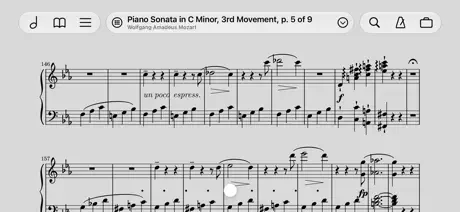  forScore forScore | 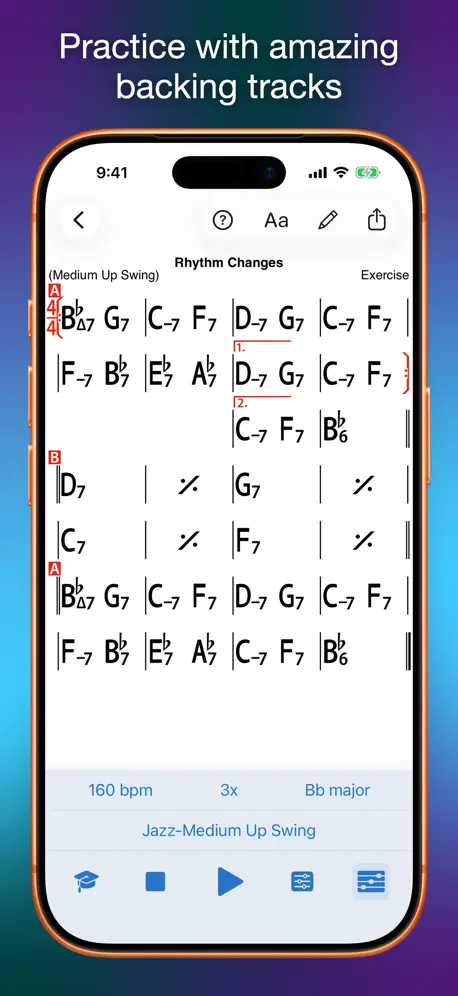  iReal Pro iReal Pro | 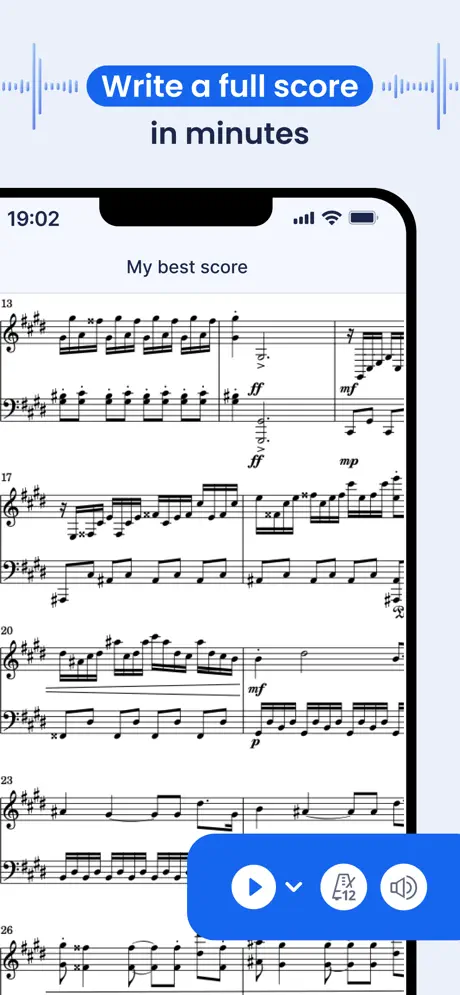  Flat: Sheet Music Maker & Tabs Flat: Sheet Music Maker & Tabs | 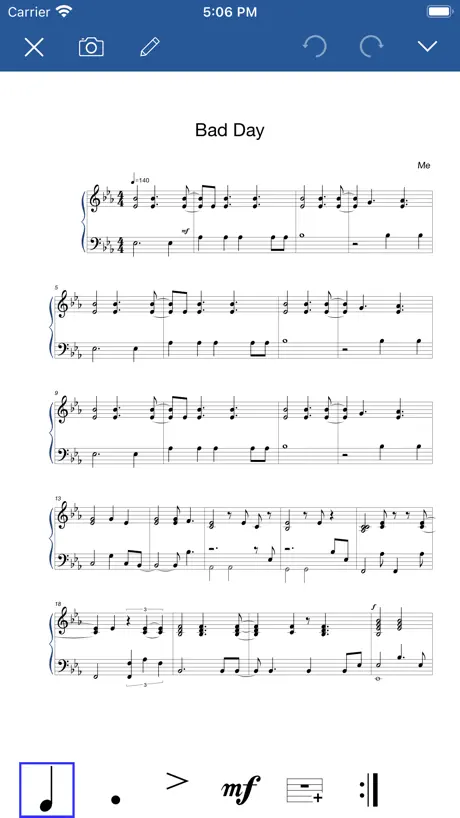  Notation Pad-Sheet Music Score Notation Pad-Sheet Music Score |   Sibelius Sibelius |   Newzik: Sheet Music Reader Newzik: Sheet Music Reader |   Composer Pro-Sheet Music Maker Composer Pro-Sheet Music Maker |  StaffPad StaffPad |   Score Creator: compose music Score Creator: compose music |   Maestro - Music Composer Maestro - Music Composer | |
|---|---|---|---|---|---|---|---|---|---|---|---|
| Rating / 5 | 4.6 | 4.8 | 4.8 | 4.5 | 4.3 | 4.3 | 4.6 | 4.5 | 4.1 | 3.6 | 4.1 |
| Reviews | 7.3K | 92K | 37K | 21K | 16K | 10K | 7.6K | 3.8K | 2.6K | 2K | 1K |
| Released | 2021 | 2010 | 2008 | 2017 | 2016 | 2021 | 2015 | 2021 | 2020 | 2013 | 2021 |
| Monthly price | $4.99 | — | — | $9.99 | $14.99 | $5.99 | $9.99 | $9.99 | — | $4.99 | — |
| Annual price | $49.99 | $14.99 | — | $39.99 | — | — | $44.99 | $49.99 | — | $17.49 | — |
| One-time price | $119.99 | $0.99 | $6.99 | $119.00 | $0.99 | — | $24.99 | — | — | $69.99 | $9.99 |
The going rate for each plan in United States, in its own currency, shaded from the cheapest price on the row to the dearest. Plans fewer than four in ten of the priced apps sell are left out.
Dorico - Compose Music reviews
4.6 out of 5, based on 7,254 reviews.
What people like
- It handles complex scores very well.
- The playback quality sounds realistic and good.
- You can easily sync files across devices.
- It teaches you music theory as you go.
What they complain about
- It crashes frequently and loses your work.
- The interface is confusing for beginners.
- Many features are missing compared to the desktop version.
- Apple Pencil support is poor or nonexistent.
Thank you dorico!
Nothing much to say other than i love this app
Müll
Sehr viel Müll
Come on a lot
Having not used dorico since version 3 I must say it’s come on a lot. Make sure to disable some Apple pen settings like scribble and hover though as you will need the pen - especially in the mixer. Talking of the mixer it would be nice if double tapping the pan control would set it to centre. Also the master fader needs a few slots for master fx ,but otherwise a good bit of kit!
Disappointing
kudos to Dorico for providing a free 7/day trial. That gave me a chance to try it out. It is not good at capturing live piano at all. The notation it produces is full of mistakes. The interface is very cumbersome , and imo it is overkill , so trying to clean up the poor engraving is so time consuming that it is not worth using this app.
unintuitive
lots of great features, but unintuitive and cumbersome… for simple jazz scores it’s way too complicated
Great App
This is a great piece of kit. The fact that the Development Team is made up of many developers from the Sibelius app is really cool. But they are not simply recreating that app - they have moved way beyond it. Do take a look at this application - it’s really good.
Grauenhaft
Unnachvollziehbares und willkürliches Verhalten der App. Kostete mich Nerven und Zeit. Leider für einen Monat abonniert. Zum Glück nicht für länger. Habe Dorico vor einiger Zeit schon mal ausprobiert und war damals auch völlig entnervt. Wollte ihr noch mal eine Chance geben, aber jetzt bin ich endgültig durch damit.
挿入モードは、唯一無二の便利な機能
Dorico の挿入モードは、他の譜面アプリにはない機能。 他のアプリでは、音符の挿入位置の後ろにある音符は、小節をまたいで後ろにずらすことができないのですが、Dorico は、小節の垣根を超えてずれてくれます。 これは、Dorico 独自の機能です。この機能のおかげで、例えば、先にメロディーの音高のみを16分音符など短い音符でざっくりと打ち込んでおいて、あとから、音符の長さを変更しながら、休符も入れていくということができます。リアルタイム入力をしない人にとっては、大変便利な機能です。(実は主要なPC用のDAWでもできない機能ですよ) ※左側のツールの上から5つ目にある「I と音符」のツールです。 2026/04/02 ver.6.2.10 画面の鍵盤が押されたままになる不具合が改善されました。 対応ありがとうございました。 iPad だけで楽譜の作成ができる環境になりました。
Tolles Konzept, allerdings komplett IPad-untauglich
Kann viel mehr als musescore etc., auf dem IPad allerdings beinah unmöglich zu gebrauchen. Alles verschiebt sich ständig, ständig hängt sich die App auf. Also lieber am Computer bleiben und hoffen, dass irgendein Entwickler in der Zukunft noch ein gutes IPad-Notations-Programm erfindet.
Crashing iOS 26
newer ipad air running ios 26 keeps crashing. I rarely can open a project for more than a few seconds. I’ve tried deleting the app and data and reinstalling it, still with no success.
So easy.
I have never been that good when it comes to music theory, this program has taught me a lot. It has encouraged me more to delve into Western Art Music composition and to really think about how I want a piece to sound. I have been using Steinberg products since Cubase SX2 and have never been disappointed.
Suddenly became Very Crashy.
Crashes when using, or when opening even after reinstalling.
その他はいいのに、、、
弦楽のピッチカートがそのまま弾いてる音になってちょっと使いにくいなー。でもその他は最高!
Painful
It is the replacement of Finale which I used for decades. But it can’t do what Finale did in the late 90s. The logic of all commands is strange and tiresome, it takes ages to get behind it. playback is spotty, the iPad version is rubbish. Hope this will be improved, I had a horrible time so far.
Great…but…periodic crashing
I have made a move to doing many of my projects and tasks on my iPad. Dorico is a very complete score writing package. I am duly impressed. I have paid for a subscription and the issue that is keeping me from paying the full price for “lifetime” purchase is that the app seems to go through periods of time where it crashes periodically. This usually occurs after an update. Bottom line - I’d like to move score projects to my iPad but I don’t yet have the confidence to do that.
An amazing app!
I used this app for all my arrangements for the Christmas Carol Service at my church and it was amazing to arrange all of the pieces! Five stars.
Does not support Apple Pencil
Does not support Apple Pencil. Hello… This is 2025.
Noteheads problem
The app is very good. I am using it on my Ipad, but there is a problem. I use pitched noteheads, but there is no German scale(AHCDEFG).Is there a possibility to add it?
After update to V6, immediately crashes on opening
My use of Dorico V5 had been completely fine up to now, and I never had any sort of problem. However, after performing the update to V6, it briefly shows the background screen before crashing.
Read Mode
Ich würde mir eine Option zum automatischen Start im Read Modus wünschen. Außerdem fehlen mir hier noch Zoom Gesten und evtl. eine abgespeckte iPhone Version. Da ich diese App zu 99 Prozent zum Lesen nutze und nicht zum Erstellen von Dokumenten, kann ich keine Bewertungen zu den Schreibfunktionen abgeben.
Excellent
Great integration and functionality for the iPad good features for touch and quick access to all key Dorico functionality (available in desktop applications) .added features for ease of use all round perfect integration with notations
Don’t recommend
The app is expensive, once you buy a subscription you have access to “super sound” which is POOR. The app lacks key options that are in the PC. In engrave you can't create a new page, you can't create new and edit vertical line for contemporary music, the app bugs and it feels like it is completely not adapted to ipad. I have the impression that the producers forgot that the Apple pencil also have a option “pressure” or double tap. With some options “Settings” ignores apple pencil, you can tap only finger. When I uplouge a full score on Big band in XML I can not edit it because the application shuts down. Abstract ! I asked for a refund but they refused me. I wrote to the support no one is responding. Really congratulate the customer contact and PR. Good job 😖
マジックトラックパッド使用時の問題
空白のプロジェクトが新規作成出来ない件は解消しました。 楽譜表示領域でマジックトラックパッドでピンチイン/アウトしてもズームイン/アウトが出来ないようです。
Not useful
I found it very difficult to learn how to use it, but when I did, I got a bit done. Eventually, after building around 10 bars of music, it gets incredibly glitchy and very difficult to use as I could only listen to the music all the way from the start, instead of the part that I clicked to listen to. I definitely recommend other music websites.
Leider noch nicht gut genug entwickelt, sonst toll
Es hat sehr viel Potential, aber leider gibt es noch sehr viele Bugs und Probleme von Dingen die nicht funktionieren. Wenn das behoben wird ist es ein gutes Programm
Dorico proved to be the best of them all for me
Over the years I have used Symphony Pro 6, Sibelius (1 month trial) and StaffPad. Each had their limitations and recently I moved to Dorico for iPad. Dorico proved to be the best of them all but with all its power came the challenge of its complexities to fathom out, having said that I was convinced it was the best for me and so I paid for the lifetime version. The only limitation |’ve encountered so far is the usage of unfamiliar terms, e.g. voltas are called repeat endings. The tutorial videos helped me get started and there are a lot of other helpful videos on YouTube. There is a forum at Steinberg.help where I have just found, and downloaded a useful manual which hopefully will help me get familiarised with the terminology.
Note input is infuriating
For a professional scoring app I was hoping to be able to easily input notes with Apple Pencil and put in complex syncopated rhythms straight away. Trying to do it on iPad is like pulling teeth. Dorico would be so much better with a Sibelius style keypad for note input. I wish these companies would end their stupid spat and combine the best of both programs.
Very good But....
The program is top But one thing bothers me a lot... and that is when I use the digital Dorico Keyboard, some keys always get stuck and the sound so the instrument just keeps sounding. Then I have to close the program and reopen it.
Sehr schön - nur nicht fürs iPad!
Vom Einsatz auf dem iPad Pro ist abzuraten! Zuviele Funktion sind nicht verfügbar oder fehlerhaft.
Good but there are some problems
This is in most ways, the best music-composing app I've tried, but there is an annoying problem, so I write some music, but when I listen to it, the dynamics I wrote are not played, the volume of notes is the same no matter what dynamic I put, please fix this. And also, when I try to create an account, when I enter the code that was emailed to me, it said invalid code even though I entered the exact code that I was emailed.
Great
Dorico on iPad is great for writing music quickly and accurately. It is very comprehensive, my main difficulty is finding the functions I need, but there are good teaching videos to help.
Unintuitive and unstable
Crashed several times while editing a very simple file. On recovery from crash nothing saved. Life is too short to persist with buggy software.
Freezes! Don’t buy
Great idea. Serves wonderfully musicians needs. However the app crashes from time to time.. And not in predictable pattern. Requires to exit to file page to force a manual save to keep your work. Never happened in Cubasis 3. Ps running on iPad Pro 12.9 5th generation with 1 Tb
Musescore does better
Unless you have some over standard work to edit, you will have to use so many workarounds that MuseScore will get the job done in a third of the time. Dorico’s support team will be impressively fast to reply to any question about how to do something. You’ll be told that what you are doing is a stupid idea and that a function to put that in a music score shouldn’t be implemented… even when it’s a standard notation for Mendelssohn and Schubert or even when it’s advised in Elaine Gould’s reference. They know better, but I’ll get back to Musescore.
Funktional und übersichtlich, aber äußerst instabil
Nach dem Umstieg von Sibelius (macOS und iOS) gefällt mir Dorico auf Anhieb wirklich gut, auf dem iPad („Pro“-Modell aus 2021 mit neuestem iOS) kommt es allerdings ständig zu Abstürzen. Es wäre schön, wenn sich die Stabilität verbessern ließe …
Perfect
incredible - does nearly everything you could possibly want for composing big band or other ensemble scores
Lovely little app, but too limited
I got my head around this fairly easily and it is very flexible and easier to use than my old, laptop based programme. However, I need to be able to compose for full orchestra and I need to be able to add “lyrics” (ie fingering indicators for string players) I didn’t manage to work out whether or not I could choose the number of bars per line but I would need to be able to do that too. All in all it’s a shame, but I need a lot more from it than it seems to be capable of.
Great App with lots of features
The app is amazing and provides a great host of features, even on the free tier. However, I have two problems with it: 1. Since the UI is mostly based on icons, as a beginner I have no idea what most of these do or mean, which makes it a bit hard to learn to use the program efficiently. 2. It seems that on my iPad Pro 2017, the keyboard does not work well as the multi-touch events are not always registered properly when playing some chords. Still a great app to be recommended!
Was ist passiert???
Lief Dorico bis vor einiger Zeit auf dem iPad noch recht gut, so ist es aktuell noch nicht einmal möglich ein vorhandenes Projekt zu öffnen (über die Datein-App und One Drive). Dorico friert hierbei sofort ein - auch eine Neuinstallation brachte keine Verbesserung. Auch davor gab es schon massive Probleme mit Einfrieren der GUI, unkoordinierte Programmreaktionen bei der Texteingabe etc. Aktuell ist das Programm auf dem iPad für mich unbrauchbar und somit das Abo rausgeworfenes Geld. Es ist schon schlimm genug, dass man als User der Desktop-Version noch einmal kräftig zahlen musste bzw. durch das Abomodell noch muss. Fazit: Desktop-Version ganz ok - iPad-Version derzeit leider in keinster Weise zu empfehlen! €39,99 einfach mal eben zum Fenster rausgeworfen. PS: Was mich am meisten nervt: Die verlorene Lebenszeit, die man verwendet, um irgendwelche Softwarebugs in den Griff zu bekommen! :o(((
Stürzt ab
Leider hängt sich die App auf, und „friert“ regelmäßig ein. Neustes iPad Pro und aktuelle Software 16.3.1. Keine Integration des Apple Pencil, selbst nicht bei der Texteingabe, z.B. bei den Infos für ein Projekt, das ist sehr (!) schade. Und für mich daher so aktuell noch nicht zu gebrauchen. Denn wenn ich z.B. am Klavier arbeite, möchte ich kein Magic Keyboard nutzen, sondern habe das Tablet auf dem Notenpult. Hoffe auf die Zukunft! Seitdem Update auf Version 5 toller Fortschritt. Magic Keyboard funktioniert und der Stift auch! So ist Dorico auch im Arbeitsalltag auf dem IPad am Instrument oder unterwegs ein toller Begleiter… wenn es nur nicht so oft abstürzen würde. Manche Dialoge dürften nicht mit dem Pencil berührt werden, sonst ist ein Neustart der App erforderlich. Zum Glück speichert Dorico engmaschig, so dass sich der “Verlust” in Grenzen hält.
A professional product at a bargain price!
I’ve been using this app for 9 months now & have been amazed at it’s power. If you have the least interest in this kind of product, then I urge you to give it a try. There has a been continuous improvement in the program since I first got it, & it is now not only more capable, but much more stable. Having the power to edit your score, much like text in a word processor is such a luxury. The desktop version of Dorico seems to be largely aimed at & used by professional musicians, but this app has much of its capability, & would be useful to anybody with a basic ability to read music. The documentation & YouTube tutorials have also improved a great deal since I wrote my initial review which I will leave below for information. This is obviously an enormously powerful program, but it’s crashed on me at least 6 times in the few hours that I’ve been playing around with it. I already own Notion & Cubasis 3 & I’m wondering whether the learning curve is going to be worth the effort. Help tutorials on YouTube seem to be aimed at users familiar with the desktop version. Here are some of my initial impressions: 1) Although based on keyboard commands, there doesn’t seem to be a list of them anywhere??? Not even start/stop transport controls. 2) Tempo control is very temperamental & sometimes reverts back to 120. A slider provides very rough control- if you can get it to appear that is. 3) The rewind button has no colour, or any indication that it has been pressed, which I find very irritating. Sometimes you can only return to the beginning of a piece while it’s playing, not while it’s paused. 4) Although it will play through a Bluetooth (musical) keyboard, there is no easy way to connect one in the settings. I googled it & found you have to connect it through GarageBand first. It will play then but seems to introduce significant delays. 5) The program itself seems very sluggish with delays between pressing buttons & the response (running on a brand new iPadPro). 6) It handles multiple voices & ties better than Notion. I really hope they continue developing this for iPad & I’ll persevere with it for a while, but at the moment it feels very much like a desktop application. So much potential to improve touch control & integrate with the Apple Pencil. I don’t have a problem with the subscription model as long as it pays for continuous development. After using for a few days… I’ve upped my rating from 3 to 4 stars as I’ve realised what massive capabilities the app has. I’m liking it a lot more after using it for several more hours. Finally found the keyboard shortcuts, but you have to search for ‘Quick reference card’ in the help. Not that obvious in my view. Also I have connected a Bluetooth mouse which makes navigating the touch screen a lot easier (it clearly wasn’t initially designed for iPad). I was really impressed with the way it handles grace notes. I’d never heard of Dorico before & I think a beginners guide might be an idea, for iPad users who are used to just dragging notes around on the screen. I’m intrigued enough to keep working at it & may well subscribe.
Bluetooth and Dorico v1.2 for iPad
Great to see that v1.2 includes a Bluetooth MIDI Devices button in the Preferences/Play menu. BUT, although my Yamaha BT-MD-101 Bluetooth wireless MIDI adapter is now ‘seen’ by Dorico in my 2021 iPad Pro, (and is now shown in it as being connected), my Yamaha Genos midi keyboard is still not working with it. I am using the ‘All Parts’ midi template on the Genos so it should have been ok I would have thought? The BT-MD-101 works fine with OnSong in the iPad Pro, but I cannot get Dorico to read in notes played in from the Genos?? Am I missing something?
出来れば、black midiを読み込めるようにしてほしい。
何故か、black midiが読み込めない状況が続いています、出来れば、直してほしいです。
Eigentlich ein gutes Programm
Wenn es nicht bei großen Partituren oder bei Übernahme von Dropbox oft abstürzen würde. Dann muss man das iPad neu starten und bei kleinen Stücken klappt es wieder. Aber Gottseidank gibt es auf dem Mac Alternativen.
Anwendung ist wohl nicht für ein iPad der 6.Generation geiegnet
Dorico ist an sich eine sehr gute Anwendung, ist aber wohl nicht mit dem iPad der 6. Generation kompatibel, obwohl das aktuelle iOS 16.2 installiert ist. Die Auflösung dieses iPad-Displays scheint für Dorico zu gering zu sein. Die obere Toolbar wird auch im Querformat rechts abgeschnitten und somit ist Dorico damit nicht bedienbar. Schade…. Neben den Anforderungen an das Betriebssystem sollte auch die Anforderungen an die Bildschirmauflösung des iPad mit in die App-Beschreibung aufgenommen werden.
Improvements in version 2.4
Now very easy to choose where to store projects, either on iCloud or local storage on iPad. Also easy to move project previously created on iPad to iCloud, and vice versa. Great version of Dorico for those working on the move.
Dorico for iPad
The App won’t open! I have Cubasis 3 which is fine.
Tolles Konzept; läuft leider noch nicht sehr stabil
Das Bedienkonzept der Desktopanwendung wurde sehr gut umgesetzt, man findet sich gut zurecht. Leider stürzt die Anwendung häufig ab, vor allem, wenn man im Eigenschaftenfenster ist. Die schränkt den Nutzwert der Software stark ein. Wenn diese Fehler behoben sind, werde ich das Programm wieder abonnieren, zumal der Preis für das Abo sehr fair ist.
Powerful program, lots of crashes on iPad
I’ve been using this application on an M1 iPad for the last 8 months. While it has a huge number of useful features, I find it seizes a lot, so much so that I have to close the program and reopen it. I have tried reloading the software from the App Store, but that did not eliminate the problem. And to add to my frustration, that process deleted the score I was working on, which annoyed me no end as I didn’t have a backup file. I restarted the scoring, but the program crashed and eliminated what little I had created. So I started again, and the same thing just happened. I was in the process of setting up a number of full scores with different instrument groups. Fortunately, I was not long into the process of composing, so I didn’t lose much music this time. I shall continue to use the program, but I am NOT happy with this bug.
Immature App but with much promise RECONSIDERED
Having received feedback from the developers I am not persuaded by their defence of Dorico. Other apps available in the App Store are in my experience much easier to use and meet most needs. The true benefits of Dorico (which I greatly admire) are found in the full blown desktop version which can export and import MusicXml. Prior to receiving feedback… I have spent more hours on this app. I largely stick by my previous conclusions but feel three rather than two stars better represents my observation. The main uptick is the outstanding excellence of the support for lyrics - beats the current competition easily and for the good quality of handling MusicXML files. I would still like to see more support for file directories within the iOS app sandpit and more support for importing snd exporting flows; there are some work arounds. Given the pricing model and app complexity I still think users without access to the desktop version (about £90-£450)will be at least as well served by the principal rival apps. Previous text…. The app greatly resembles the desktop version which people pay approx £90 to £450. I have found that many simple things I'd like to do on the iPad app are not possible and I must use the desktop. Thus using the iPad app must be considered as an investment over and above the big laptop version. The proposition must be that this is a convenient supplement to the big version. In practice the functionality is too reduced in relation to the big version. To illustrate the iPad version has select, copy and paste problems, there is no support for directories in which to organise sets of projects, the very useful (in big Dorico) ability to export and import flows is not enabled and the role of sharing layouts between projects is limited. All in all the idea is good but with current limitations and prices other lower priced music notation apps will probably be easier to use and be a more appropriate choice for iPad working. In time when the app improves I would hope to write a much more positive review.
Dorico - Compose Music price by country
A monthly subscription costs $2.94 in Nigeria and $9.55 in Colombia — 3× more for the same thing. Below is the going rate for each plan in every country that sells it — the middle price of what the app charges there, in the country's own currency with the dollar equivalent beneath it.
| Country | Monthly | Annual | One-time |
|---|---|---|---|
| Afghanistan | $4.99 | $49.99 | $119.99 |
| Albania | $5.99 | $59.99 | $149.99 |
| Algeria | $4.99 | $49.99 | $119.99 |
| Angola | $4.99 | $49.99 | $119.99 |
| Anguilla | $4.99 | $49.99 | $119.99 |
| Antigua And Barbuda | $4.99 | $49.99 | $119.99 |
| Argentina | $4.99 | $49.99 | $119.99 |
| Armenia | $5.99 | $59.99 | $149.99 |
| Australia | A$7.99$5.55 | A$79.99$55.55 | A$199.99$138.88 |
| Austria | €5.99$6.75 | €59.99$67.63 | €129.99$146.55 |
| Azerbaijan | $4.99 | $49.99 | $149.99 |
| Bahamas | $4.99 | $49.99 | $129.99 |
| Bahrain | $4.99 | $49.99 | $129.99 |
| Barbados | $5.99 | $59.99 | $149.99 |
| Belarus | $5.99 | $59.99 | $149.99 |
| Belgium | €5.99$6.75 | €59.99$67.63 | €129.99$146.55 |
| Belize | $4.99 | $49.99 | $119.99 |
| Benin | $4.99 | $49.99 | $149.99 |
| Bermuda | $4.99 | $49.99 | $119.99 |
| Bhutan | $4.99 | $49.99 | $119.99 |
| Bolivia | $4.99 | $49.99 | $119.99 |
| Bosnia & Herzegovina | €5.99$6.75 | €59.99$67.63 | €129.99$146.55 |
| Botswana | $4.99 | $49.99 | $119.99 |
| Brazil | R$24.90$4.80 | R$249.90$48.15 | R$799.90$154.12 |
| British Virgin Islands | $4.99 | $49.99 | $119.99 |
| Brunei Darussalam | $4.99 | $49.99 | $119.99 |
| Bulgaria | €4.99$5.63 | €49.99$56.36 | €129.99$146.55 |
| Burkina Faso | $4.99 | $49.99 | $119.99 |
| Cambodia | $4.99 | $49.99 | $129.99 |
| Cameroon | $5.99 | $59.99 | $149.99 |
| Canada | CA$6.99$4.92 | CA$69.99$49.29 | CA$149.99$105.63 |
| Cape Verde | $4.99 | $49.99 | $119.99 |
| Cayman Islands | $4.99 | $49.99 | $119.99 |
| Chad | $4.99 | $49.99 | $119.99 |
| Chile | CLP 4,990$5.13 | CLP 49,990$51.36 | CLP 129,990$133.56 |
| China | CN¥38.00$5.66 | CN¥328.00$48.88 | CN¥798.00$118.93 |
| Colombia | COP 29,900$9.55 | COP 299,900$95.74 | COP 599,900$191.52 |
| Congo | $4.99 | $49.99 | $149.99 |
| Congo, Democratic Republic | $4.99 | $49.99 | $119.99 |
| Costa Rica | $4.99 | $49.99 | $119.99 |
| Cote Divoire | $4.99 | $49.99 | $149.99 |
| Croatia | €5.99$6.75 | €59.99$67.63 | €129.99$146.55 |
| Cyprus | €5.99$6.75 | €59.99$67.63 | €129.99$146.55 |
| Czech Republic | CZK 129.00$5.94 | CZK 1,290.00$59.42 | CZK 2,990.00$137.72 |
| Denmark | DKK 39.00$5.89 | DKK 399.00$60.27 | DKK 999.00$150.91 |
| Dominica | $4.99 | $49.99 | $119.99 |
| Dominican Republic | $4.99 | $49.99 | $119.99 |
| Ecuador | $4.99 | $49.99 | $119.99 |
| Egypt | EGP 179.99$3.44 | EGP 1,799.99$34.42 | EGP 5,999.99$114.72 |
| El Salvador | $4.99 | $49.99 | $119.99 |
| Estonia | €5.99$6.75 | €59.99$67.63 | €129.99$146.55 |
| Fiji | $4.99 | $49.99 | $119.99 |
| Finland | €5.99$6.75 | €59.99$67.63 | €129.99$146.55 |
| France | €5.99$6.75 | €59.99$67.63 | €129.99$146.55 |
| Gabon | $4.99 | $49.99 | $119.99 |
| Gambia | $4.99 | $49.99 | $119.99 |
| Georgia | $5.99 | $59.99 | $149.99 |
| Germany | €5.99$6.75 | €59.99$67.63 | €129.99$146.55 |
| Ghana | $5.99 | $59.99 | $149.99 |
| Greece | €5.99$6.75 | €59.99$67.63 | €129.99$146.55 |
| Grenada | $4.99 | $49.99 | $119.99 |
| Guatemala | $4.99 | $49.99 | $119.99 |
| Guinea-bissau | $4.99 | $49.99 | $119.99 |
| Guyana | $4.99 | $49.99 | $119.99 |
| Honduras | $4.99 | $49.99 | $119.99 |
| Hong Kong | HK$38.00$4.84 | HK$388.00$49.43 | HK$888.00$113.12 |
| Hungary | HUF 1,990$6.09 | HUF 22,990$70.37 | HUF 49,990$153.02 |
| Iceland | $5.99 | $59.99 | $149.99 |
| India | ₹499.00$5.28 | ₹4,999.00$52.88 | ₹11,900.00$125.87 |
| Indonesia | IDR 89,000$4.95 | IDR 799,000$44.46 | IDR 2,299,000$127.93 |
| Iraq | $4.99 | $49.99 | $119.99 |
| Ireland | €5.99$6.75 | €59.99$67.63 | €129.99$146.55 |
| Israel | ₪17.90$5.81 | ₪179.90$58.41 | ₪399.90$129.84 |
| Italy | €5.99$6.75 | €59.99$67.63 | €129.99$146.55 |
| Jamaica | $4.99 | $49.99 | $119.99 |
| Japan | ¥700$4.43 | ¥7,000$44.33 | ¥20,000$126.65 |
| Jordan | $4.99 | $49.99 | $119.99 |
| Kazakhstan | KZT 2,490.00$5.62 | KZT 24,990.00$56.45 | KZT 69,990.00$158.09 |
| Kenya | $5.99 | $59.99 | $149.99 |
| Kosovo | €5.99$6.75 | €59.99$67.63 | €129.99$146.55 |
| Kuwait | $4.99 | $49.99 | $119.99 |
| Kyrgyzstan | $4.99 | $49.99 | $129.99 |
| Lao Peoples Democratic Republic | $4.99 | $49.99 | $129.99 |
| Latvia | €5.99$6.75 | €59.99$67.63 | €129.99$146.55 |
| Lebanon | $4.99 | $49.99 | $119.99 |
| Liberia | $4.99 | $49.99 | $119.99 |
| Libya | $4.99 | $49.99 | $119.99 |
| Lithuania | €5.99$6.75 | €59.99$67.63 | €129.99$146.55 |
| Luxembourg | €5.99$6.75 | €59.99$67.63 | €129.99$146.55 |
| Macao | $4.99 | $49.99 | $119.99 |
| Macedonia | $4.99 | $49.99 | $119.99 |
| Madagascar | $4.99 | $49.99 | $119.99 |
| Malawi | $4.99 | $49.99 | $119.99 |
| Malaysia | MYR 22.90$5.60 | MYR 229.90$56.21 | MYR 599.90$146.67 |
| Maldives | $4.99 | $49.99 | $119.99 |
| Mali | $4.99 | $49.99 | $119.99 |
| Malta | €5.99$6.75 | €59.99$67.63 | €129.99$146.55 |
| Mauritania | $4.99 | $49.99 | $119.99 |
| Mauritius | $4.99 | $49.99 | $149.99 |
| Mexico | MX$99.00$5.42 | MX$999.00$54.65 | MX$2,499.00$136.71 |
| Micronesia | $4.99 | $49.99 | $119.99 |
| Moldova | $5.99 | $59.99 | $149.99 |
| Mongolia | $4.99 | $49.99 | $119.99 |
| Montenegro | €4.99$5.63 | €49.99$56.36 | €99.99$112.73 |
| Montserrat | $4.99 | $49.99 | $119.99 |
| Morocco | $4.99 | $49.99 | $149.99 |
| Mozambique | $4.99 | $49.99 | $119.99 |
| Myanmar | $4.99 | $49.99 | $119.99 |
| Namibia | $4.99 | $49.99 | $119.99 |
| Nauru | $4.99 | $49.99 | $119.99 |
| Nepal | $4.99 | $49.99 | $149.99 |
| Netherlands | €5.99$6.75 | €59.99$67.63 | €129.99$146.55 |
| New Zealand | NZ$9.99$5.61 | NZ$99.99$56.17 | NZ$199.99$112.35 |
| Nicaragua | $4.99 | $49.99 | $119.99 |
| Niger | $4.99 | $49.99 | $119.99 |
| Nigeria | NGN 3,900.00$2.94 | NGN 39,900.00$30.05 | NGN 199,900.00$150.56 |
| Norway | NOK 59.00$6.13 | NOK 599.00$62.20 | NOK 1,490.00$154.72 |
| Oman | $4.99 | $49.99 | $119.99 |
| Pakistan | PKR 1,300$4.69 | PKR 12,900$46.55 | PKR 29,900$107.90 |
| Palau | $4.99 | $49.99 | $119.99 |
| Panama | $4.99 | $49.99 | $119.99 |
| Papua New Guinea | $4.99 | $49.99 | $119.99 |
| Paraguay | $4.99 | $49.99 | $119.99 |
| Peru | PEN 19.90$5.77 | PEN 199.90$57.94 | PEN 499.90$144.90 |
| Philippines | ₱299.00$4.76 | ₱2,990.00$47.59 | ₱7,990.00$127.17 |
| Poland | PLN 29.99$7.71 | PLN 299.99$77.12 | PLN 499.99$128.53 |
| Portugal | €5.99$6.75 | €59.99$67.63 | €129.99$146.55 |
| Qatar | QAR 19.99$5.49 | QAR 199.99$54.94 | QAR 399.99$109.89 |
| Romania | RON 29.99$6.41 | RON 299.99$64.10 | RON 699.99$149.57 |
| Russia | RUB 449.00$5.38 | RUB 4,490.00$53.81 | RUB 9,990.00$119.73 |
| Rwanda | $4.99 | $49.99 | $119.99 |
| Sao Tome & Principe | $4.99 | $49.99 | $119.99 |
| Saudi Arabia | SAR 19.99$5.33 | SAR 199.99$53.33 | SAR 499.99$133.33 |
| Senegal | $4.99 | $49.99 | $149.99 |
| Serbia | €5.99$6.75 | €59.99$67.63 | €129.99$146.55 |
| Seychelles | $4.99 | $49.99 | $119.99 |
| Sierra Leone | $4.99 | $49.99 | $119.99 |
| Singapore | SGD 6.98$5.45 | SGD 69.98$54.67 | SGD 179.98$140.61 |
| Slovakia | €5.99$6.75 | €59.99$67.63 | €129.99$146.55 |
| Slovenia | €5.99$6.75 | €59.99$67.63 | €129.99$146.55 |
| Solomon Islands | $4.99 | $49.99 | $119.99 |
| South Africa | ZAR 99.99$6.00 | ZAR 999.99$59.99 | ZAR 2,499.99$149.97 |
| South Korea | ₩6,600$4.85 | ₩66,000$48.52 | ₩199,000$146.30 |
| Spain | €5.99$6.75 | €59.99$67.63 | €129.99$146.55 |
| Sri Lanka | $4.99 | $49.99 | $119.99 |
| St. Kitts and Nevis | $4.99 | $49.99 | $119.99 |
| St. Lucia | $4.99 | $49.99 | $119.99 |
| St. Vincent & The Grenadines | $4.99 | $49.99 | $119.99 |
| Suriname | $4.99 | $49.99 | $129.99 |
| Swaziland | $4.99 | $49.99 | $119.99 |
| Sweden | SEK 69.00$6.87 | SEK 599.00$59.66 | SEK 1,495.00$148.90 |
| Switzerland | CHF 5.00$6.01 | CHF 50.00$60.10 | CHF 100.00$120.19 |
| Taiwan | NT$150.00$4.69 | NT$1,490.00$46.58 | NT$3,990.00$124.73 |
| Tajikistan | $5.99 | $59.99 | $129.99 |
| Tanzania | TZS 14,900.00$5.63 | TZS 149,900.00$56.60 | TZS 349,900.00$132.12 |
| Thailand | THB 199.00$5.91 | THB 1,990.00$59.10 | THB 3,990.00$118.50 |
| Tonga | $4.99 | $49.99 | $119.99 |
| Trinidad and Tobago | $4.99 | $49.99 | $119.99 |
| Tunisia | $4.99 | $49.99 | $119.99 |
| Turkey | TRY 149.99$3.05 | TRY 1,499.99$30.54 | TRY 5,999.99$122.15 |
| Turkmenistan | $4.99 | $49.99 | $119.99 |
| Turks and Caicos | $4.99 | $49.99 | $119.99 |
| Uganda | $5.99 | $59.99 | $149.99 |
| Ukraine | $5.99 | $59.99 | $149.99 |
| United Arab Emirates | AED 19.99$5.45 | AED 199.99$54.49 | AED 499.99$136.24 |
| United Kingdom | £4.99$6.59 | £49.99$66.04 | £119.99$158.51 |
| United States | $4.99 | $49.99 | $119.99 |
| Uruguay | $4.99 | $49.99 | $119.99 |
| Uzbekistan | $4.99 | $49.99 | $129.99 |
| Vanuatu | $4.99 | $49.99 | $119.99 |
| Venezuela | $4.99 | $49.99 | $119.99 |
| Vietnam | ₫129,000$4.97 | ₫1,299,000$50.07 | ₫3,999,000$154.16 |
| Yemen | $4.99 | $49.99 | $119.99 |
| Zambia | $4.99 | $49.99 | $149.99 |
| Zimbabwe | $5.99 | $59.99 | $149.99 |
Dorico - Compose Music FAQ
- Is Dorico - Compose Music free?
- Yes. The app and its basic features are free, in all 175 countries it sells in. Premium features are paid: they start from $4.99 (US), across 2 subscriptions and 1 one-time purchase.
- How much does Dorico - Compose Music cost per month?
- Dorico Monthly Subscription is $4.99 (US). The annual plan works out cheaper per month: $49.99 a year.
- Does Dorico - Compose Music have a free trial?
- Yes — free trials of 7 days or 14 days (US), depending on the plan.
- Where is Dorico - Compose Music cheapest?
- A monthly subscription costs NGN 3,900.00 (≈$2.94) in Nigeria and COP 29,900 (≈$9.55) in Colombia, its cheapest and dearest countries.
- What are the best alternatives to Dorico - Compose Music?
- forScore (4.8 from 92,314 reviews, premium from $0.99), iReal Pro (4.8 from 36,802 reviews, premium from $6.99) and Flat: Sheet Music Maker & Tabs (4.5 from 21,055 reviews, premium from $9.99).
Dorico - Compose Music download
Last updated 3 months ago.
Dorico - Compose Music sells in 175 countries. It was released 5 years and 2 months ago, on 27 Jul 2021. It holds a 4.6 rating from 7,254 reviews.
Supports 1 language: English.
How much does Dorico - Compose Music make?
Third-party estimates for the last 30 days, worldwide — not the store's own figures, which Apple publishes for nobody.
Revenue by plan
- Monthly 70%
- Annual 23%
- One-time 7%
Revenue by country
- United States 38%
- Germany 15%
- United Kingdom 6%
- Japan 5%