
Circle Parental Controls App
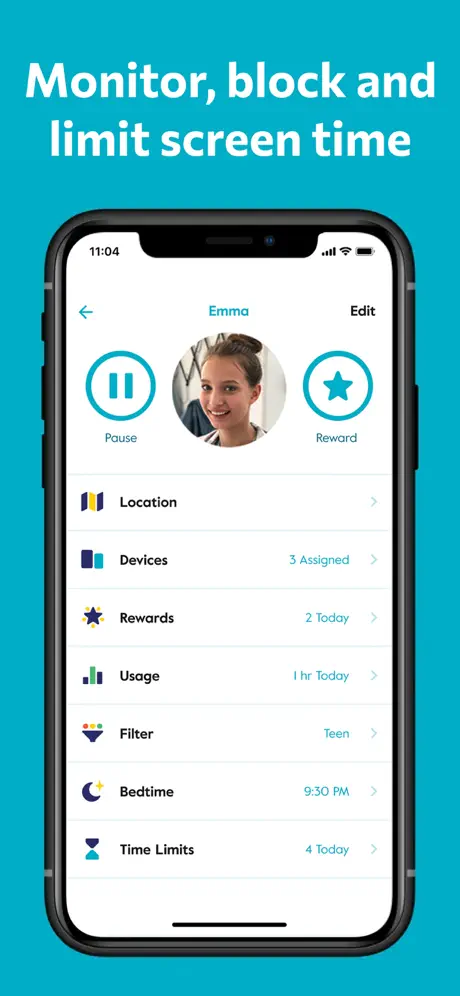
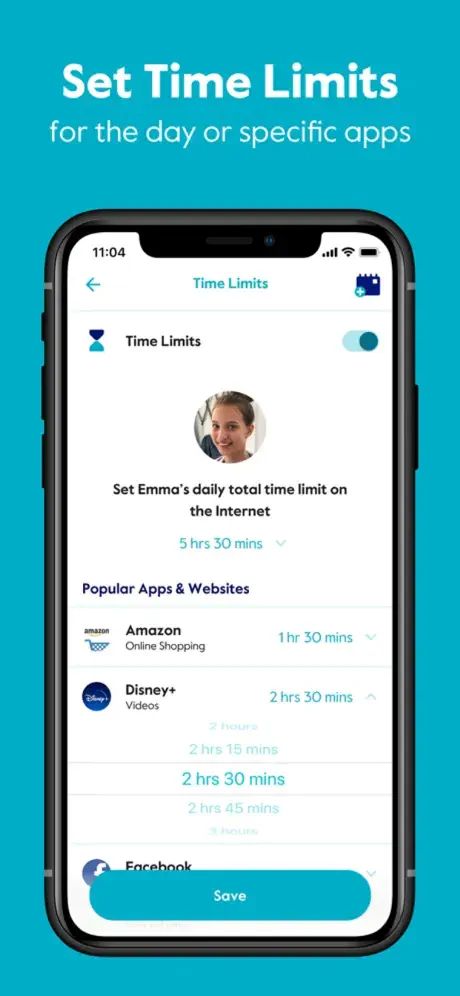
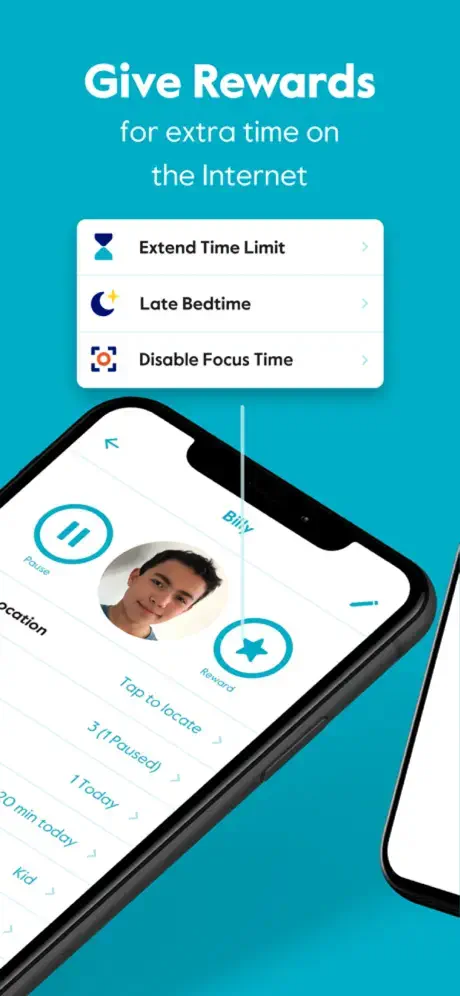
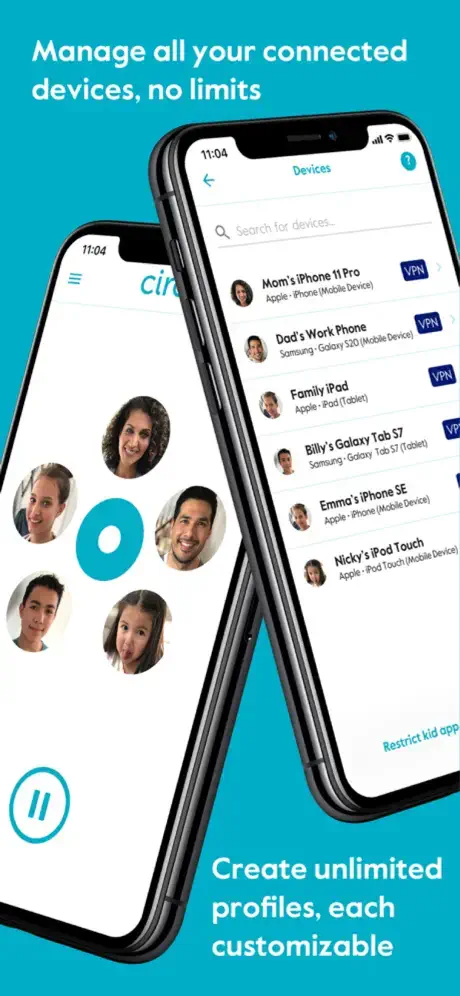
Block and limit screen time.
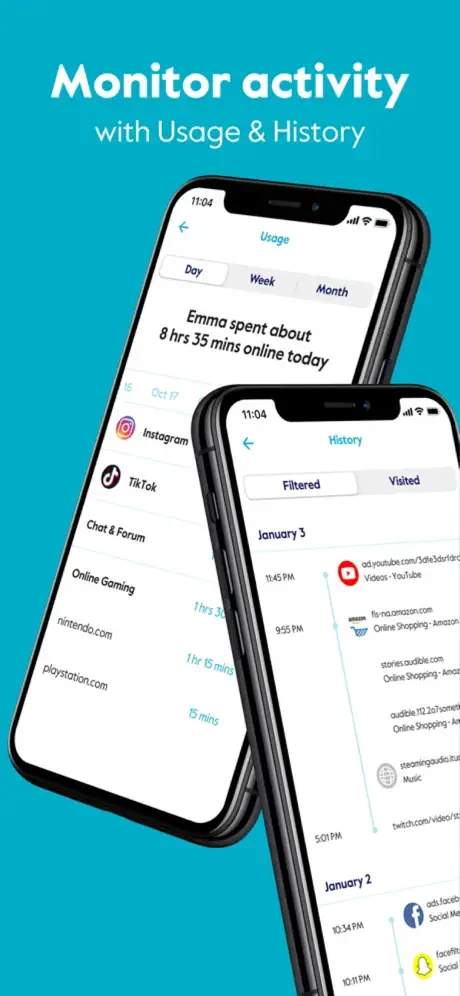
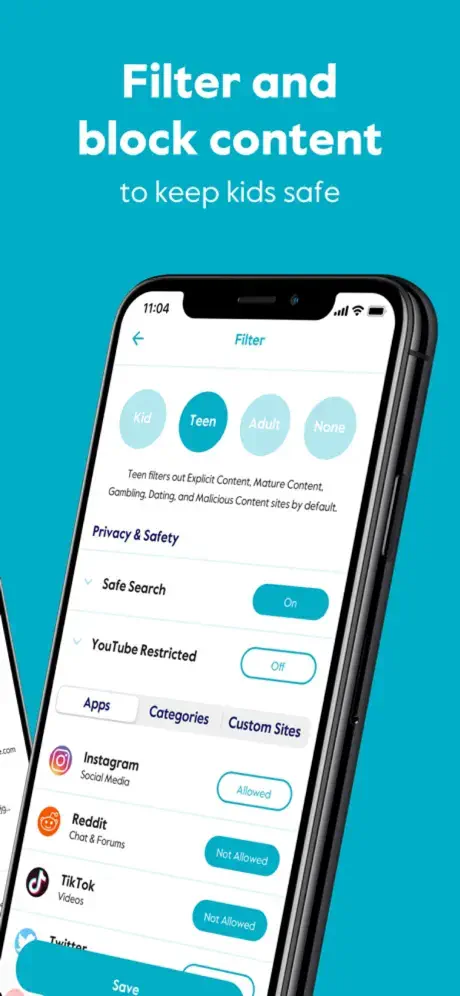
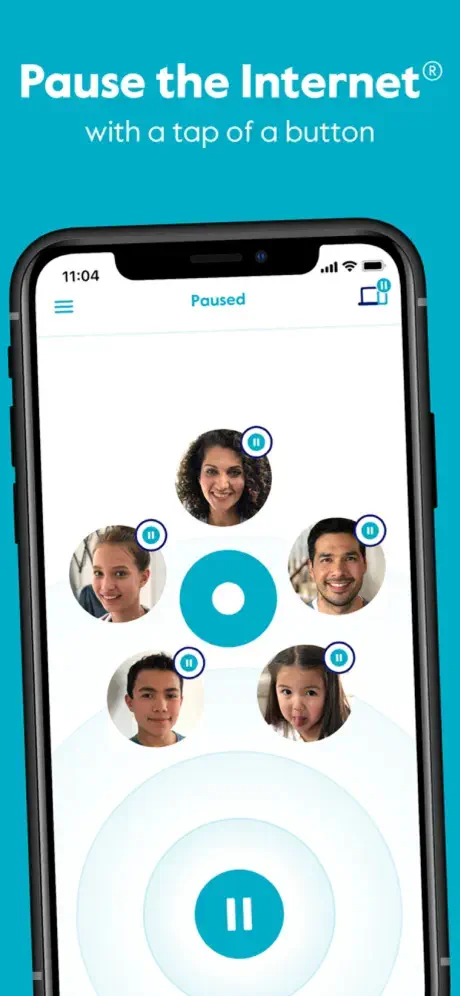
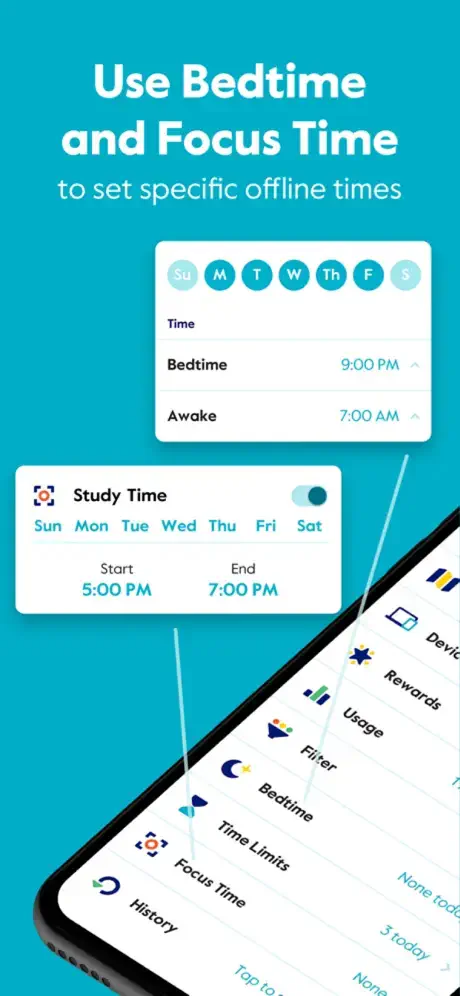
How much does Circle Parental Controls App cost?
Prices are current as of 5 Oct 2026.
3 subscriptions from $9.99
In the United States, Circle Parental Controls App has 3 subscriptions priced $9.99 – 89.99. It comes with a 14 days free trial.
| Subscription | Period | Price |
|---|---|---|
| Monthly | MonthlyTrial: 14 days | $9.99 |
| Annual | Annual | $89.99 |
| Yearly | AnnualTrial: 14 days | $89.99 |
See what Circle Parental Controls App costs in all 174 countries →
10+ alternatives to Circle Parental Controls App
| Circle Parental Controls App | 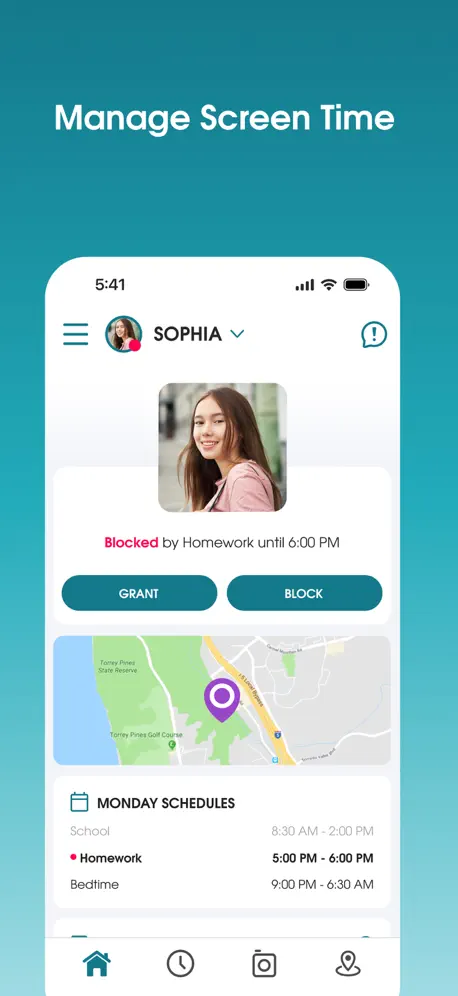  Parental Control App - OurPact Parental Control App - OurPact | 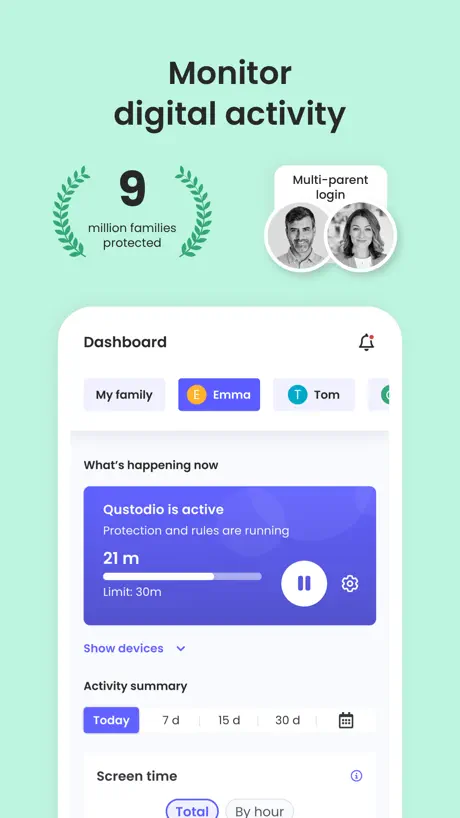  Qustodio Parental Control App Qustodio Parental Control App |   Kids App Qustodio Kids App Qustodio | 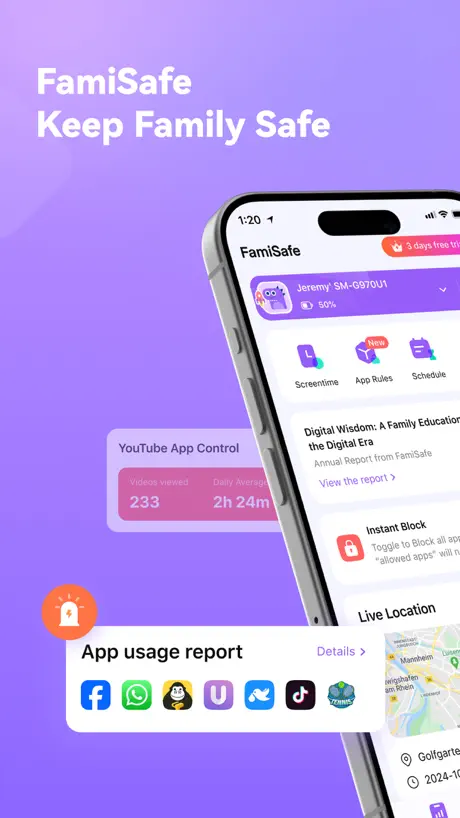  FamiSafe: Parental Control App FamiSafe: Parental Control App |   OurPact Jr. OurPact Jr. | 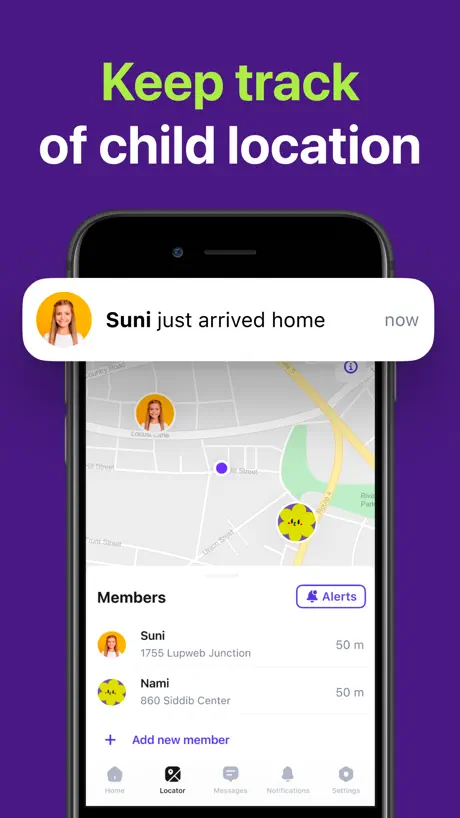  FamiGo: Parental Control App FamiGo: Parental Control App | 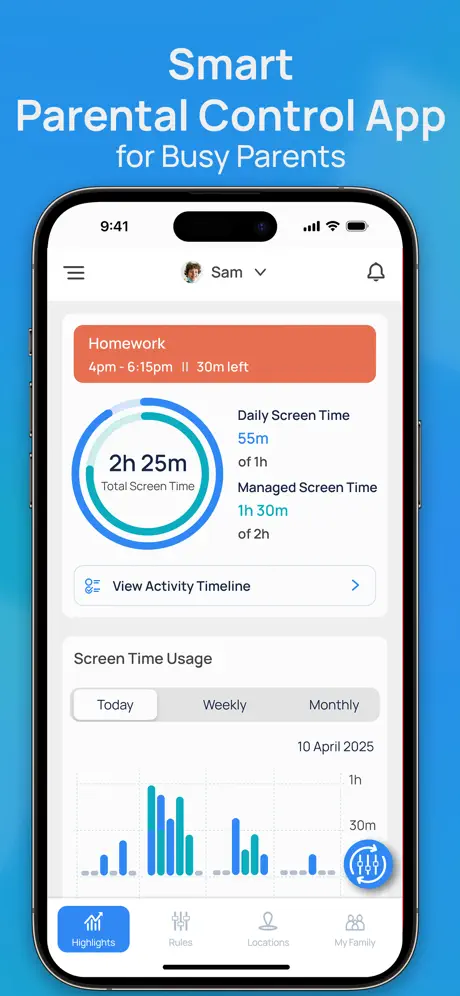  Parental Control App: Mobicip Parental Control App: Mobicip |   Parental Controls by Ohana Parental Controls by Ohana |   Canopy - AI Online Safety App Canopy - AI Online Safety App |   Fammy - Blocksite Fammy - Blocksite | |
|---|---|---|---|---|---|---|---|---|---|---|---|
| Rating / 5 | 4.2 | 4.4 | 4.2 | 2.1 | 4.1 | 1.3 | 4.4 | 3.3 | 4.1 | 3.8 | 1.5 |
| Reviews | 15K | 57K | 31K | 18K | 14K | 9.8K | 4.3K | 2.4K | 2.2K | 1.8K | 1.4K |
| Released | 2019 | 2015 | 2020 | 2015 | 2018 | 2017 | 2019 | 2009 | 2022 | 2020 | 2021 |
| Monthly price | $9.99 | $6.99 | — | — | $19.99 | — | $12.99 | $6.99 | $9.99 | $14.99 | — |
| Annual price | $89.99 | $69.99 | $94.99 | $54.99 | $79.99 | — | $29.99 | $59.99 | $59.99 | $119.99 | — |
The going rate for each plan in United States, in its own currency, shaded from the cheapest price on the row to the dearest. Plans fewer than four in ten of the priced apps sell are left out.
Circle Parental Controls App reviews
4.2 out of 5, based on 15,047 reviews.
What people like
- Blocks bad websites effectively
- Good for managing screen time
- One button stops everything
What they complain about
- Support is broken and unreachable
- App is slow and glitchy
- Kids easily bypass the controls
- Device list is confusing to manage
Yo chat, 17yr cyber security nerd
If you want to get this goofy app off yo phone I would recommend a few things. Get an VPN and yes ik it's prob disabled but few years back it worked for me and I just swaped it. if your parents don't look at their notifications then that would be good because it notifys them when you disconnect from wifi or vpn. Few VPN apps I would recommend would be ornet, xvpn, windscribe. Now if your dad works in the IT department that won't work you will have to find a VPN app in disguise. Now if that ain't work use the simple screen record and have them enter password on your phone. I'm lowk tired so like I'ma end it here but there are several ways. Just use that head of yours twin.
Garbage App
Company was sold and now the product and the company are useless, no support the new company has no idea
Update desperately overdue
Good and have it for many years but app needs an update as it’s slow to scroll on latest iOS
Not worth it
We had this for a while and just cannot depend on it.
Support chat does not work
I am having an issue. Websites that I have set to filter are not being filtered. The only way to get support is through a chatbot. I have tried filling out the form, but I keep getting an error message. How can a paying subscriber get help with an issue?
I HATE THIS SOOO MUCH
It’s I such a bad app I really do not like it my mom and dad love this i hate it!
Why I hate it
It’s bc it controls what I do and how I use my internet my internet, internet was made for kids to learn without having to have much money but companies like this one control that and I hate it. Have a nice day
Thanks
Thank you very much for this application and device; but before this update we can ( me and wife) both using the same account in two devices to follow up our kids; but after this update only one person can use the account; and if the other want to use it ; it will be disconnected from the 1st one, and need a new sign in; please solve this problem to be more flexible and comfortable. Thanks
App is suffering neglect
App is getting worse over time. The devices list takes forever to load or search. Desperately needs performance improvement
Review
Disclaimer: I am a 17-year-old whose parents have enabled Circle on my phone. I know that this is not the place to complain about my parents’ rules, and that is not what I am saying. Circle does a pretty good job of blocking potentially dangerous websites. It’s also pretty good at regulating screen time. However, it only notifies me that I’ve reached a time limit or other significant event about half the time. Also, several times in the past, it has stopped working. (For example, each day I am allowed 30 minutes on Pinterest. One day Circle allowed me to use it for over an hour.) Overall, Circle is good, but it has some problems.
Great for blocking devices
I use other software to manage apps and control screen time but this one is great for being able to just hit a button and turn everything off in the home
Paying user can’t reach support
I’ve been a paying user for several years. We are experiencing technical issues with the system no longer operating correctly. I have tried reaching support, to no avail. The contact form on the website gives an error repeatedly; the AI chat bot goes in an endless loop; and my emails to support remain unanswered. It is unacceptable to not be able to communicate with a human for a paid service. (Despite them responding below and asking me to email them — AGAIN — at the same email account, my multiple contact attempts still remain unanswered. This is truly unbelievable at this point!)
Laggin
Lagging and never work when I am in pause never have time and always change worst app
Can’t login
I literally cannot login on any device because there is a bug that does not allow you to reset your password. You cannot reach out to anyone at Circle for help. When you try to fill out a form, it says you have experienced a problem and cannot do anything about it. Extremely frustrating.
Meh kinda glitchy
It works for what its for but when you try to send time rewards it doesn't work that well and it doesn't send and also it resets every like 6 minutes but it works fine
Circle
Test
Stopped working
Trying to contact support on the website is not working (only AI responses) and there is no way to actually get in touch with anyone. The form on the website gives an error every time. I found an email address online but never got a response.
Helpful but becoming almost unusable
I really appreciate the functionality of this app…for limiting screen time and giving some rewards as necessary. But anything beyond that is absolutely horrible. Want to assign a device to a profile? Tap devices and plan to wait 30-60 seconds for it to list the first 5 devices. Want to scroll through the list of devices there or within a profile!? Probably just not going to happen. It will just freeze there for minutes. I want to love this app… I’ve paid for it for the last couple of years, but it’s basically becoming unusable
The idea is
I’m 17 I understand my parents want to make sure we’re staying away from corn and I respect that but the Circle messes up your WYFY it’s very frustrating but the concept of the app is good
The best parent control
I have tried several routers with parent control.. This is the best one that I know..
Kudos to the sadist who made this diabolical peice of technology!
“Just because you can doesn’t mean you should.” -Sherrilyn Kenyon Literally so terrible it’s funny
Identifying devices is impossible
Everything has either the same name, a duplicate name, or random letters meant to represent the device. I have up to 6 and 7 copies of devices but can’t tell which one needs to be put under a profile AND they add themselves back after deletion. I scroll forever, adding device after device and removing is impossible. This has been an issue from the start with this app.
No customer support?
I just uploaded this great app to mine and my daughters phone - it worked great until she deleted it and now I can’t add back the devices because the QR code to re-add the devices cannot be found after several hours of trying and also chatting online with their stupid chat bot. Nightmare!!! Some one please help me. Also there’s no email address for support so now I’m deleting the app and going to try to get a refund.
It doesn’t work those day
To be honest this app was great until few days I can’t open it and I deleted it and downloaded again but it doesn’t want to download
Scam
The app doesn’t work in my iPhone 16 and they charge you any way. Don’t waste your time and money in this app.
Parent user
Circle needs to invest in their app. It is extremely glitchy. When I go to search for a specific device, like our Samsung tv it will pull up all the Samsung products. Then, if I click the wrong one and the click back to choose the next in the list, it makes me restart the entire search. Normally that wouldn’t be a big deal, but the app moves like molasses! It’s ridiculously slow! We pay good money for this device and expect better. Disappointed.
It works ok
My mom still uses it. She tracks us and the app works nice and it’s very good at blocking what my mom wants blocked. It often has glitches and bugs that I would like to be fixed. Some random apps that my mom didn’t block can be blocked for no reason but they can start working again after a while.
I hate this app
By chance can you delete the screen time app permanently because I don’t like having my screen time limited at all
poor performance
The application performance is very poor. Too slow, no way to add general rules for all groups, no backup features or restore. Painful when adding site restrictions (blacklist) for all groups you have to do it manually. Top of that Circle does not work when any device has aVpn installed, it becomes useless.
Need a pin
Thought this was a great tool until our son figured out all he had to do was download the app himself and change the controls we have put in. I recommend the initial installer of the hardware be able to create a pin so that you have to enter the pin to make changes to the restrictions thereby eliminating this go around as he would need to the pin to be able to make the changes. Please make this change ASAP.
Won’t refund
Have tried multiple times to cancel this and it won’t let me. Just a monthly theft - don’t trust this app.
Only works part of the time
Half the time circle says it’s off-line. When it’s working it works well.
Not as user friendly
I am on my second circle and I found the 1st generation way more user friendly. I have had very frustrating moments with this new circle.
I hate it
When I was trying to do a FNCS it ruined it now $20,000 gone for my hands
The app hasn’t been updated in over 2 years the mobile part doesn’t work anymore
The app doesn’t work anymore to add mobile devices or choose devices to add to the profiles
No Warning About Subscription
There’s no warning before you download this app that it only works if you subscribe and pay a monthly or yearly fee. Any app that wastes my time by making me download it without saying upfront that it’s subscription-based will get one star from me. Enjoy the star
Significant breaches, hard to figure out
The main issue we have is filtering out categories while allowing certain sites to work. Some websites need multiple categories open, yet this leaves other undesired websites accessible. A simple whitelist approach would be more foolproof. And a way to hand pick and allow linked backend URL’s that feed content to those specific sites, would be a lifesaver. Instead we must do the reverse, with lots of trial and error leaving it to guesswork and a bucket load of frustration. And open breaches.
Circle Parental Controls App price by country
A monthly subscription costs $1.30 in Turkey and $12.84 in the Czech Republic — 10× more for the same thing. Below is the going rate for each plan in every country that sells it — the middle price of what the app charges there, in the country's own currency with the dollar equivalent beneath it.
| Country | Monthly | Annual |
|---|---|---|
| Afghanistan | $9.99 | $89.99 |
| Albania | $11.99 | $107.99 |
| Algeria | $9.99 | $89.99 |
| Angola | $9.99 | $89.99 |
| Anguilla | $9.99 | $89.99 |
| Antigua And Barbuda | $9.99 | $89.99 |
| Argentina | $9.99 | $89.99 |
| Armenia | $9.99 | $89.99 |
| Australia | A$15.49$10.76 | A$129.99$90.27 |
| Austria | €10.49$11.80 | €89.99$101.23 |
| Azerbaijan | $9.99 | $89.99 |
| Bahamas | $9.99 | $89.99 |
| Bahrain | $9.99 | $89.99 |
| Barbados | $9.99 | $89.99 |
| Belarus | $9.99 | $89.99 |
| Belgium | €10.49$11.80 | €89.99$101.23 |
| Belize | $9.99 | $89.99 |
| Benin | $9.99 | $89.99 |
| Bermuda | $9.99 | $89.99 |
| Bhutan | $9.99 | $89.99 |
| Bolivia | $9.99 | $89.99 |
| Bosnia & Herzegovina | €10.49$11.80 | €89.99$101.23 |
| Botswana | $9.99 | $89.99 |
| Brazil | R$37.90$7.26 | R$459.90$88.10 |
| British Virgin Islands | $9.99 | $89.99 |
| Brunei Darussalam | $9.99 | $89.99 |
| Bulgaria | €10.49$11.80 | €84.99$95.60 |
| Burkina Faso | $9.99 | $89.99 |
| Cambodia | $9.99 | $89.99 |
| Cameroon | $9.99 | $89.99 |
| Canada | CA$13.49$9.78 | CA$115.99$84.05 |
| Cape Verde | $9.99 | $89.99 |
| Cayman Islands | $9.99 | $89.99 |
| Chad | $9.99 | $89.99 |
| Chile | CLP 6,900$7.03 | CLP 77,900$79.32 |
| Colombia | COP 31,900$9.63 | COP 369,900$111.70 |
| Congo | $9.99 | $89.99 |
| Congo, Democratic Republic | $9.99 | $89.99 |
| Costa Rica | $9.99 | $89.99 |
| Cote Divoire | $9.99 | $89.99 |
| Croatia | €11.01$12.38 | €92.90$104.50 |
| Cyprus | €10.49$11.80 | €89.99$101.23 |
| Czech Republic | CZK 279.00$12.84 | CZK 2,350.00$108.15 |
| Denmark | DKK 85.00$12.78 | DKK 689.00$103.61 |
| Dominica | $9.99 | $89.99 |
| Dominican Republic | $9.99 | $89.99 |
| Ecuador | $9.99 | $89.99 |
| Egypt | EGP 159.99$3.06 | EGP 1,399.99$26.80 |
| El Salvador | $9.99 | $89.99 |
| Estonia | €10.49$11.80 | €89.99$101.23 |
| Fiji | $9.99 | $89.99 |
| Finland | €10.49$11.80 | €89.99$101.23 |
| France | €10.49$11.80 | €89.99$101.23 |
| Gabon | $9.99 | $89.99 |
| Gambia | $9.99 | $89.99 |
| Georgia | $9.99 | $89.99 |
| Germany | €10.49$11.80 | €89.99$101.23 |
| Ghana | $9.99 | $89.99 |
| Greece | €10.49$11.80 | €89.99$101.23 |
| Grenada | $9.99 | $89.99 |
| Guatemala | $9.99 | $89.99 |
| Guinea-bissau | $9.99 | $89.99 |
| Guyana | $9.99 | $89.99 |
| Honduras | $9.99 | $89.99 |
| Hong Kong | HK$78.00$9.94 | HK$698.00$88.92 |
| Hungary | HUF 3,590$10.96 | HUF 33,990$103.79 |
| Iceland | $12.39 | $111.59 |
| India | ₹819.00$8.50 | ₹7,900.00$81.99 |
| Indonesia | IDR 139,000$7.77 | IDR 1,399,000$78.21 |
| Iraq | $9.99 | $89.99 |
| Ireland | €10.49$11.80 | €89.99$101.23 |
| Israel | ₪35.90$11.77 | ₪289.90$95.05 |
| Italy | €10.49$11.80 | €89.99$101.23 |
| Jamaica | $9.99 | $89.99 |
| Japan | ¥1,080$6.84 | ¥9,300$58.93 |
| Jordan | $9.99 | $89.99 |
| Kazakhstan | KZT 3,790.00$8.53 | KZT 37,990.00$85.51 |
| Kenya | $9.99 | $89.99 |
| Kosovo | €10.49$11.80 | €89.99$101.23 |
| Kuwait | $9.99 | $89.99 |
| Kyrgyzstan | $9.99 | $89.99 |
| Lao Peoples Democratic Republic | $9.99 | $89.99 |
| Latvia | €10.49$11.80 | €89.99$101.23 |
| Lebanon | $9.99 | $89.99 |
| Liberia | $9.99 | $89.99 |
| Libya | $9.99 | $89.99 |
| Lithuania | €10.49$11.80 | €89.99$101.23 |
| Luxembourg | €10.49$11.80 | €89.99$101.23 |
| Macao | $9.99 | $89.99 |
| Macedonia | $9.99 | $89.99 |
| Madagascar | $9.99 | $89.99 |
| Malawi | $9.99 | $89.99 |
| Malaysia | MYR 40.90$10.02 | MYR 389.90$95.56 |
| Maldives | $9.99 | $89.99 |
| Mali | $9.99 | $89.99 |
| Malta | €10.49$11.80 | €89.99$101.23 |
| Mauritania | $9.99 | $89.99 |
| Mauritius | $9.99 | $89.99 |
| Mexico | MX$195.00$10.71 | MX$2,099.00$115.27 |
| Micronesia | $9.99 | $89.99 |
| Moldova | $9.99 | $89.99 |
| Mongolia | $9.99 | $89.99 |
| Montenegro | €10.49$11.80 | €89.99$101.23 |
| Montserrat | $9.99 | $89.99 |
| Morocco | $9.99 | $89.99 |
| Mozambique | $9.99 | $89.99 |
| Myanmar | $9.99 | $89.99 |
| Namibia | $9.99 | $89.99 |
| Nauru | $9.99 | $89.99 |
| Nepal | $9.99 | $89.99 |
| Netherlands | €10.49$11.80 | €89.99$101.23 |
| New Zealand | NZ$17.49$10.29 | NZ$144.99$85.29 |
| Nicaragua | $9.99 | $89.99 |
| Niger | $9.99 | $89.99 |
| Nigeria | NGN 3,600.00$2.71 | NGN 34,900.00$26.24 |
| Norway | NOK 109.00$11.33 | NOK 979.00$101.77 |
| Oman | $9.99 | $89.99 |
| Pakistan | PKR 1,400$5.06 | PKR 14,900$53.82 |
| Palau | $9.99 | $89.99 |
| Panama | $9.99 | $89.99 |
| Papua New Guinea | $9.99 | $89.99 |
| Paraguay | $9.99 | $89.99 |
| Peru | PEN 33.90$9.85 | PEN 329.90$95.90 |
| Philippines | ₱519.00$8.29 | ₱4,290.00$68.53 |
| Poland | PLN 47.99$12.34 | PLN 409.99$105.40 |
| Portugal | €10.49$11.80 | €89.99$101.23 |
| Qatar | QAR 36.99$10.16 | QAR 329.99$90.66 |
| Romania | RON 47.99$10.12 | RON 429.99$90.72 |
| Russia | RUB 799.00$9.57 | RUB 8,090.00$96.90 |
| Rwanda | $9.99 | $89.99 |
| Sao Tome & Principe | $9.99 | $89.99 |
| Saudi Arabia | SAR 39.99$10.66 | SAR 389.99$104.00 |
| Senegal | $9.99 | $89.99 |
| Serbia | €10.49$11.80 | €89.99$101.23 |
| Seychelles | $9.99 | $89.99 |
| Sierra Leone | $9.99 | $89.99 |
| Singapore | SGD 13.48$10.53 | SGD 128.98$100.77 |
| Slovakia | €10.49$11.80 | €89.99$101.23 |
| Slovenia | €10.49$11.80 | €89.99$101.23 |
| Solomon Islands | $9.99 | $89.99 |
| South Africa | ZAR 164.99$9.90 | ZAR 1,499.99$90.04 |
| South Korea | ₩12,500$9.27 | ₩109,000$80.82 |
| Spain | €10.49$11.80 | €89.99$101.23 |
| Sri Lanka | $9.99 | $89.99 |
| St. Kitts and Nevis | $9.99 | $89.99 |
| St. Lucia | $9.99 | $89.99 |
| St. Vincent & The Grenadines | $9.99 | $89.99 |
| Suriname | $9.99 | $89.99 |
| Swaziland | $9.99 | $89.99 |
| Sweden | SEK 115.00$11.45 | SEK 929.00$92.53 |
| Switzerland | CHF 10.50$12.67 | CHF 86.00$103.74 |
| Taiwan | NT$320.00$10.05 | NT$2,790.00$87.60 |
| Tajikistan | $9.99 | $89.99 |
| Tanzania | TZS 22,900.00$8.65 | TZS 209,900.00$79.24 |
| Thailand | THB 309.00$9.21 | THB 2,700.00$80.45 |
| Tonga | $9.99 | $89.99 |
| Trinidad and Tobago | $9.99 | $89.99 |
| Tunisia | $9.99 | $89.99 |
| Turkey | TRY 63.99$1.30 | TRY 899.99$18.31 |
| Turkmenistan | $9.99 | $89.99 |
| Turks and Caicos | $9.99 | $89.99 |
| Uganda | $9.99 | $89.99 |
| Ukraine | $9.99 | $89.99 |
| United Arab Emirates | AED 37.99$10.35 | AED 344.99$94.00 |
| United Kingdom | £9.49$12.55 | £80.99$107.13 |
| United States | $9.99 | $89.99 |
| Uruguay | $9.99 | $89.99 |
| Uzbekistan | $9.99 | $89.99 |
| Vanuatu | $9.99 | $89.99 |
| Venezuela | $9.99 | $89.99 |
| Vietnam | ₫229,000$8.83 | ₫2,099,000$80.92 |
| Yemen | $9.99 | $89.99 |
| Zambia | $9.99 | $89.99 |
| Zimbabwe | $9.99 | $89.99 |
Circle Parental Controls App FAQ
- Is Circle Parental Controls App free?
- Yes. The app and its basic features are free, in all 174 countries it sells in. Premium features are paid: they start from $9.99 (US), across 3 subscriptions.
- How much does Circle Parental Controls App cost per month?
- Monthly is $9.99 (US). The annual plan works out cheaper per month: $89.99 a year.
- Does Circle Parental Controls App have a free trial?
- Yes — a 14 days free trial (US).
- Where is Circle Parental Controls App cheapest?
- A monthly subscription costs TRY 63.99 (≈$1.30) in Turkey and CZK 279.00 (≈$12.84) in the Czech Republic, its cheapest and dearest countries.
- What are the best alternatives to Circle Parental Controls App?
- Parental Control App - OurPact (4.4 from 56,648 reviews, premium from $1.99), Qustodio Parental Control App (4.2 from 31,006 reviews, premium from $54.99) and Kids App Qustodio (2.1 from 17,839 reviews, premium from $39.99).
Circle Parental Controls App download
Last updated 2 months ago.
Circle Parental Controls App sells in 174 countries. It was released 7 years and 5 months ago, on 10 Apr 2019. It holds a 4.2 rating from 15,047 reviews.
Supports 3 languages: English, French, Spanish.
How much does Circle Parental Controls App make?
Third-party estimates for the last 30 days, worldwide — not the store's own figures, which Apple publishes for nobody.
Revenue by plan
- Monthly 87%
- Annual 13%
Revenue by country
- United States 92%
- Canada 5%
- Australia 1%
- United Kingdom 1%