
reMarkable mobile
Take focused notes anywhere
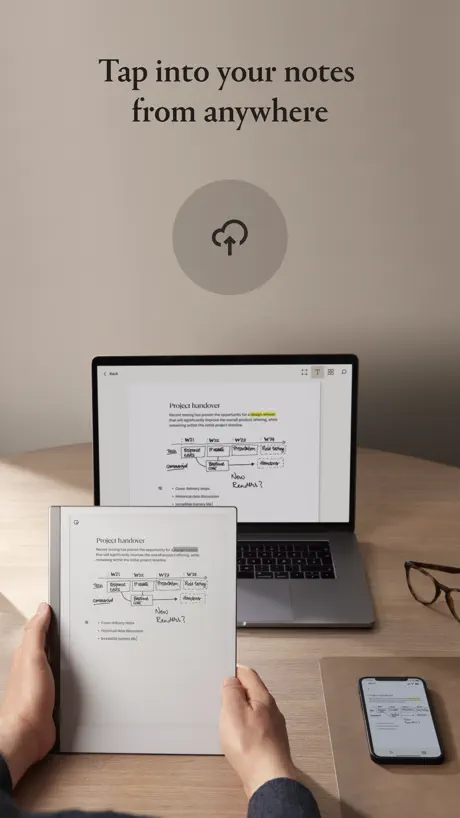
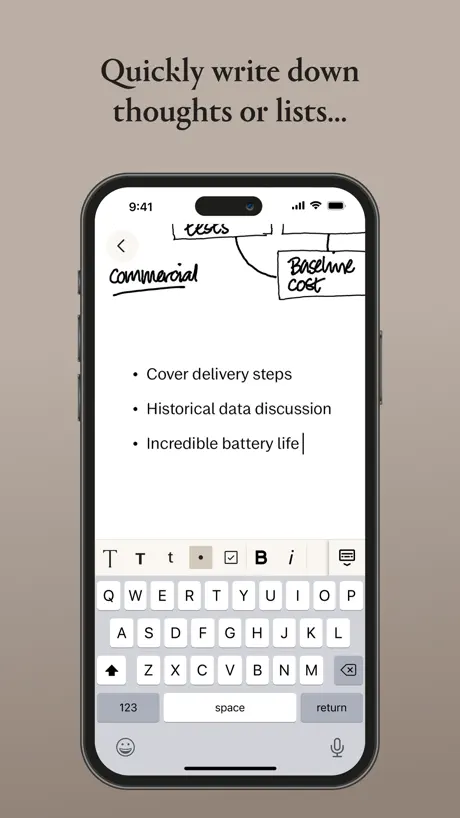
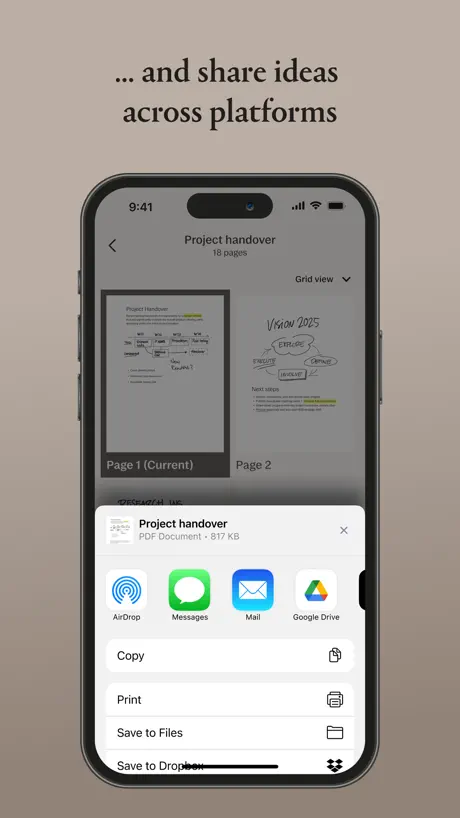
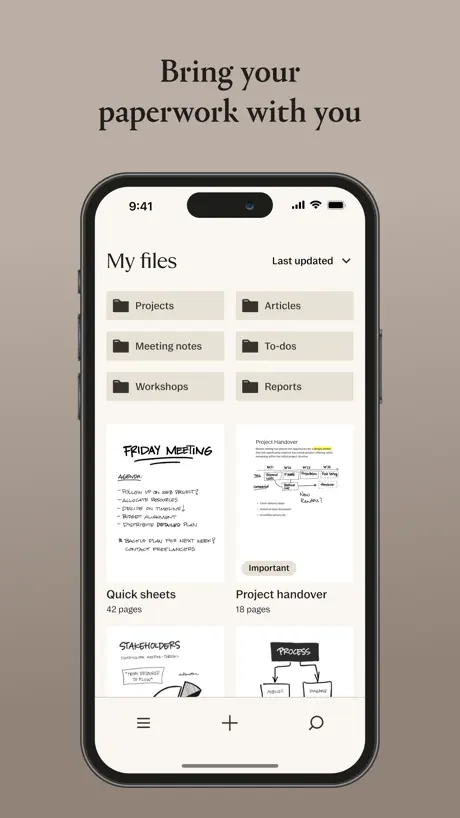
How much does reMarkable mobile cost?
Prices are current as of 10 Sept 2026.
reMarkable mobile has no in-app products on record in the United States.
10+ alternatives to reMarkable mobile
| reMarkable mobile |   Plaud: AI Note Taker Plaud: AI Note Taker |   Brick - Ditch Distractions Brick - Ditch Distractions |   Microsoft Planner Microsoft Planner |   Wispr Flow: AI Voice Keyboard Wispr Flow: AI Voice Keyboard |   Granola - AI Meeting Notes Granola - AI Meeting Notes |   Atoms - from Atomic Habits Atoms - from Atomic Habits |   Microsoft Loop Microsoft Loop |   Fireflies: AI notetaker Fireflies: AI notetaker |   Superhuman Mail Superhuman Mail |   Motion: Tasks & AI Scheduling Motion: Tasks & AI Scheduling | |
|---|---|---|---|---|---|---|---|---|---|---|---|
| Rating / 5 | 3.0 | 4.8 | 4.9 | 4.6 | 4.8 | 5.0 | 4.8 | 4.5 | 4.8 | 4.5 | 3.9 |
| Reviews | 1.6K | 87K | 65K | 54K | 40K | 22K | 21K | 17K | 15K | 5.5K | 3.3K |
| Released | 2017 | 2023 | 2023 | 2017 | 2025 | 2025 | 2024 | 2023 | 2023 | 2019 | 2021 |
| Monthly price | — | $17.99 | — | — | $7.49 | — | $4.99 | $9.99 | — | — | $44.99 |
| Annual price | — | $239.99 | — | — | $72.00 | — | $39.99 | $99.99 | — | — | $294.99 |
The going rate for each plan in United States, in its own currency, shaded from the cheapest price on the row to the dearest. Plans fewer than four in ten of the priced apps sell are left out.
reMarkable mobile reviews
3.0 out of 5, based on 1,566 reviews.
What people like
- Seamless sync between all your devices
- Clean interface with no distractions
- Easy to email PDFs directly in
- Good for quick typed notes on the go
What they complain about
- Syncing fails and causes endless loops
- App crashes immediately on older devices
- Support won't talk to real people
- External keyboards stop working after updates
Does exactly what you need it to do
I don’t understand why there are so many negative reviews. It does everything you would need a mobile app to do for you while you’re on the go: connect to your tablet to upload files, view files, download files, and even scan documents and edit text in notebooks. It has a clean, simple interface and is easy to use. And no it’s not suppose to be a tablet replacement so I’m not sure why people seem upset not every tablet feature is present in the app. Isn’t that what the physical tablet is for?
App will NOT synch
This product was gifted to me and I place it aside for awhile until I needed. Unfortunately I missed several updates and the app will not synchronize with the device. I cannot speak with customer service. I’m given a laundry list of things to do to update the clock??? Help! This device cost too much not be able to be functional.
Works
This app is great if you judge it by the intended use.
Bugs makes this unusable
This app might’ve been good if it worked, but I’ll never know because I’ve been trying to pair and sync with my tablet for two days. The tablet itself is a brilliant piece of technology, but its purpose is totally nulled due to the fact that this app just does not work. Whenever I try to open the app, it says the syncing has failed and points me to sign in, and upon signing in thru the link it gives me, nothing changes and it’s just an infinite loop. I’m leaving this review so that the developers of this applications may see it and hopefully work to fix these issues
Laggy after last update
The last version update has made the iPhone app super laggy. Here’s more details for developers to test and fix in the next version release: PDF when open in the app is very laggy when turned sideways from portrait to landscape. The app goes into laggy mode showing dots and only after several seconds the page displays. Even while scrolling in the same page of the PDF the app is very slow to respond. Shows dots and several seconds later renders the page view as if it were downloading it again. Although the page is already open.
No DARK MODE
I love it but there’s no dark mode
Can’t upload from my phone, essentially pointless to me
As the title says. I can’t upload a document to my phone through the app. Any other feature feels basically useless to me.
An excellent companion app
This app allows you to access and enhance material you have on your reMarkable tablet. Unlike the Amazon Kindle Scribe app, reMarkable’s app allows you to share notes in full or as individual pages. You can also type new pages and check items off lists. Again, you cannot do this on the Scribe app. If I had any requests, it would be for the app icon “long press” menu to have options for taking you to a quick note and another for scanning a document. Additionally, when typing in the app, there is no “double tap for full stop” function. Finally, the app would benefit from supporting dark mode.
App won’t open
Don’t know what’s going it pops up then disappears
.
.
Love remarkable
Great app!
Was really useful until it started crashing
I’m using this on an older iPad. Which supposedly is supported. But I can’t open the app anymore. It immediately crashes to home screen. Even after reboots and reinstall. Very sad!
Maybe a diary
I’ve recently purchased the paper pro move. The device is great and will most definitely prove useful for work, check and to do lists. Although now I have the device I’m thinking a calendar and/or diary would be really useful to have on the device
Will not sync
I have tried repeatedly to sync my iPhone with the Remarkable Paper Pro Move. The device is very nice.
App is a work in progress
I have the Remarkable Pro and I like it a lot. The Windows apps are really good. The app for the iPad is not great. I had to play with it a lot just to get basic editing right. Not sure how to use the short cut keys that are available on a PC. Further, I couldn't even figure out how to bold the typeface.
Great app for a Great product
Love being able to view my handwritten notes anywhere. Love that I can upload PDFs from my email right into the reMarkable app and they’ll show up on my device. I’ve also just been using the print function in the share menu on iOS. To create PDFs of articles, I want to read and just send that to my reMarkable.
App is useless without iPad external keyboard support
I love my reMarkable move device and the ecosystem to Mac, iPhone, and iPad WAS great. It is much faster to edit and cleanup using an iPad with keyboard or the Mac. The reMarkable app on iPad used to work great and now the external keyboard (at least with the Apple Magic Keyboard/Trackpad/Case used to work a year ago and now it has been broken for several months. I have reported the issue and don’t understand how they have not fixed it. I might need to reevaluate their system and eBay it all.
Quite vital
If you want to copy your text from the device to say a word file or almost any other format and crucially, maintain your line breaks etc and not just have it turn up as one block of text, then you need to copy the work from this app and paste it into whatever you’re using. Also, Easy way to get stuff onto he device too. And reference your work as you invariably will on the usual tablet, phone, desktop ecosystem. I do wish it could do the translation of text on the app too.
Very immature App on IOS
While I love the reMarkable2 device, sometimes I need my iPad and then prefer not to also carry the remarkable2, which is heavy. The app synchs fine, but trying to create, or use folders and notebooks is a bad experience, or not possible. I can read and type additional notes to existing notebooks, but that is it…less than basic.
No pen support
The app basically makes you able to organize and do a few things with content you create on your remarkable. Having no pen support, and no ability to add to notes or in a pinch take notes on an iOS device severely limits the usefulness of this app.
More than I thought possible
The reMarkable and companion app work seamlessly. When I am away from the tablet, I can still upload articles and ideas. PDF files from emails drop easily into place. It has been truly an asset for work performance.
Storage eater
This takes up a TON of storage. It seems to hold a copy of every document on your Remarkable so it was maxing out my phone storage. This is no “cloud” it’s just a glorified rsync tool. It also blew though my mobile data by syncing, even though I had iOS low data mode enabled.
Getting there
Simple app to allow you to access your notes remotely. Would be super useful to be able to search by tags in the app. I only use the app to quick access notes on the move and the lack of this search criterion is limiting.
Updates removing basic features
Useful to organize or scan documents but they have removed the ability to directly upload a file. They actively removed the basic functionality of uploading a file with this app…
Allow for writing
The app should allow for writing on the iPad and dual way sync between your remarkable device and the iPad. We clearly have your device and allowing the App on the AppStore to update the notebook in the could would take this app from 3 to 5 starts.
A key piece in the chain
One of the important parts of ReMarkable is that you have everything available on all your devices. I do a lot of traveling and used to have to carry files for each of the trips, now, not only do I have them on my tablet, but I have them on my desktop and most importantly on my phone. Access to everything that would be in your file cabinet on the go is indispensable!
App use with keyboard
until about a month ago, I would tell you I loved this device and this app and it made my life so much easier however about a month ago something changed and now if you use the app with your iPad, the keyboard return function doesn’t work - you cannot return to another line which makes the use of the app impossible if you’re typing, you cannot do it. You simply have to go back to handwritten notes. I loved the ability to do both and I’m extremely frustrated by this at this point. and it worked for a year so it is something that they changed in the app when they did the last app update. When contacting them, they tell you that that’s not their problem. They don’t have to make it work with an external keyboard.
Simple and works
Simple app that works well in my opinion. I’ve had no issues and it allows me to add to handwritten notes via the mobile using text. I’m new to e-scribes but I’m loving remarkable in so many ways. However hand gestures on the Remarkable, especially swiping up a continuous page, simply doesn’t work most of the time. Why is it so challenging on the remarkable in comparison to swiping on the mobile app? It works 1 in 10 times if I’m lucky.
Double space doesn’t automatically add a period
Hi, I love the app so much, but I’m so used to typing with shortcuts on my Apple mobile keyboard on my phone that it feels unnatural when these shortcuts no longer work as I type on the remarkable app when I’m on the move and can’t type with my folio. Since the device is expensive I don’t feel comfortable typing with it on the bus. To be precise, on my phone, after a punctuation, if I press space bar, I should come back to the letters and when I’m typing, if I press space bar twice, it adds a full stop - these two things don’t work this way on the app. It would be useful if you enabled the keyboard to continue to have all the shortcuts we normally have programmed. This would be so intuitive. Right now it feels like a break in my flow of writing. I’m working on using this app for all my journaling (in addition to typing and writing with the tablet) but the transition from my journaling app is hard because of these shortcuts not carrying forward!
Need an overhaul
Please add ability to sort with tags, ability to work with OCR of the notes. Selection of OCR languages per page for multilingual notes.
Exceptional app, great syncing
Not sure I understand the negative reviews, as Remarkable offers the most versatile partner app. You can edit notes (no handwritten text, but typewritten), which no other competitors’ apps offer; it syncs flawlessly, and the scanner function is great. It’s not a full-package app, but simply an excellent partner app.
When it works it works
I have a Color and a 2, so I like remarkable a lot. For a premium experience, the app and its sync issues are beyond subpar. At this point, fire the developers and just vibe code it with Copilot; it can’t get worse. I’ve been trying to get a crochet pattern that is a 6 page PDF on my remarkable for over an hour. Instead I had to sign into the website from Safari and upload it and wait 5 minutes.
Companion App is Improving
Since integrating with the remarkable and moving away from my iPad as a note taking device, I have become more reliant on the remarkable app to sync files and thankfully can now also type small notes. However, currently (April 2023) the app does not support my external keyboard properly - it will not let me type, though the touchpad still allows me to move around the screen. It works fine if the keyboard is disconnected. It feels like they are on the right track but I would like some more sophisticated editing to be available. Numbered bullets for instance. Or a change of font? It does the job now and I like the minimalist approach but there is a balance. I would really like the ability to move seamlessly between a note on my phone, some typed ideas on my iPad and then lots of thinking and annotating on my remarkable. I guess they see the new type folio as the answer, but currently I would like to keep the typing world away from the device. It is so nice to just open and pick up the stylus, knowing full well that it does nothing else. I have faith in you remarkable!
App Needs Work
I’m a new ReMarkable user. I bought the Move. After a week’s hard use, I like it: reads handwriting well, even my own bad handwriting; great tool for focus; best stylus I’ve used (bought the Plus); great screen. The app, unfortunately, is a different story: clunky, slow, medium-to-poor UI. It is MUCH harder to organize files than it should be. It feels like going backward a decade. On the plus side, ReMarkable works integrates with DropBox and Google Drive (One Drive too, I think, though I don’t use that). On the downside side, that integration through the app is time consuming and far from intuitive. I’d like to recommend ReMarkable. I’d like to use it more widely and buy it for my staff. It’s close. But it’s not there yet until focus is given to better tools to organize and nest notes, and easier, more efficient integration for storage and PDF reading.
Needs user friendly unified experience
Experience in the iPAD version is not following the mobile version, the App needs to be more user friendly leverage IPAD OS capabilities to enhance the experience
iPad editing please
I love the remarkable. I use continually in conjunction with my iPad and iPhone as the reality is all documents I use go through email at some point. I often review multiple documents in the remarkable app on the iPad while making a new separate handwritten note on the remarkable device. My main complaint is the lack of an ability to mark up the documents on the iPad that I am reviewing in the remarkable app. This is a basic pdf review function. The ability in the app to add an additional page at the end of the pdf is not that helpful. I want to be able to use my iPad pen to mark up the documents I am reviewing on the iPad and my remarkable pen to write my notes in remarkable - and then access them all on any device… we are so close… please update asap. Thanks
PDF Lag
Cannot use this with PDFs over 10MB or so, too laggy
Good for checking notes on the go
Frustrating that I can pin code lock my Remarkable device but not the app itself. I have a family computer at home that it’s linked to and would prefer being able to lock the app to prevent others being able to access or inadvertently delete work / private documents.
Difficult to sync
I love my remarkable tablet but the app is terrible. It always kicks me out and doesn’t sync to multiple devices. Typically takes several tries to sync. There is a lot of room for improvement. I would like to recommend having a designated email you can send pdfs to that automatically sync to the tablet like kindles do.
Get a Kobo instead
If I could go back in time I would not have bought this.
Great start to the app
I love that you have the ability to see your notes and also add typed notes in this app. It sinks perfectly and loads quickly. A couple of things that would be nice to see in future releases is. The ability to search tags, as this is not implemented yet. The ability to draw within the notes. The ability to place text anywhere on the page by selecting it and moving it. Carry on the great work. I’ve really love the reMarkable 2
App on iPad won’t open
Crashing. App won’t open. Flashes and disappears. Even after reinstalll. Can’t use app on iPad
Great tablet, useful app
I’m enjoying using the reMarkable tablet and the app enables me to send PDFs from Books (via share) to this app and hence to the tablet. However if I try to share a PDF email attachment, the reMarkable app doesn’t come up as a potential destination. Maybe it only requires a few adjustments to enable this to happen.
⭐️ 2/5 — The device is great, but the app and website are terrible.
I love the ReMarkable tablet itself, but the app and website experience feel years behind. The app is slow, buggy, and constantly freezes when trying to sync or organize files. Simple actions take way too many steps, and the interface feels clunky instead of clean. The website isn’t much better — it loads inconsistently, logs me out often, and navigating my documents is a headache. For a premium product, the software should work seamlessly. Instead, it feels like an afterthought. If ReMarkable ever updates the app and web dashboard to match the quality of the tablet, it would be an amazing ecosystem. But right now, the app and site are frustrating and take away from what should be a smooth experience.
Good but limited
Great you can view your notes. But can you please add: 1. Tag support 2. Importing documents 3. Search handwriting
Love it
It’s a simple and elegant companion app. Does what it says beautifully
Won’t Pair
Phone won’t Pair with the Tablet no matter how many times I’ve tried. I let the phone on over night Pairing and woke up to my phone dead and Not Paired…
Absolutely love Remarkable 2 device, but doesn’t always sync
So, I love the Remarkable 2 device but I don’t always carry it with me. When I go to check notes on the app they often aren’t synched. Both devices have a fast connection, and if I keep refreshing the app over-and-over it eventually downloads the correct version - but there’s definitely a glitch somewhere. The device is already 10/10, but synching to the app would be a great feature to have working.
Difficult to get support and can’t speak to a person. Having issues today -11/7/25
I had issues with the pen in the first year and issues with the device in the second. It’s impossible to speak to a person. Always wants photos and video to prove there is something wrong with device. Now they offer to replace mine but only after I ship mine back to them. Well that leaves me without any device that I now rely on. For $650 spend on this, I expect better support. Update: tags in alpha order as of 11/7/25! Thank you! However issues with moving pages today and device keeps rebooting. I suspect an update was pushed and has bugs. Update October 2025 the pen’s eraser has randomly stopped working. I have an email into support for help. It continues to be frustrating that you cannot speak to a person and that issues arise on such expensive tech. They sent replacement pen (2nd replacment in 2 years).
Dark mode
Please add dark option for night time. Also, not being able to zoom out notes in landscape is annoying.
reMarkable mobile FAQ
- Is reMarkable mobile free?
- Yes. The app is free, in all 175 countries it sells in, and it sells nothing inside it.
- Does reMarkable mobile have a free trial?
- No. None of its offers (US) come with a free trial.
- What are the best alternatives to reMarkable mobile?
- Plaud: AI Note Taker (4.8 from 86,615 reviews, premium from $12.99), Brick - Ditch Distractions (4.9 from 64,602 reviews) and Microsoft Planner (4.6 from 54,031 reviews).
reMarkable mobile download
Last updated 1 month ago.
reMarkable mobile sells in 175 countries. It was released 9 years ago, on 14 Sept 2017. It holds a 3.0 rating from 1,566 reviews.
How much does reMarkable mobile make?
Third-party estimates for the last 30 days, worldwide — not the store's own figures, which Apple publishes for nobody.