WorkOutDoors
Advanced Workout App with Maps
How much does WorkOutDoors cost?
Prices are current as of 1 Oct 2026.
5 one-time purchases from $0.99
In the United States, WorkOutDoors has 5 one-time purchases priced $0.99 – 19.99.
| Product | Price |
|---|---|
| Tip | $0.99 |
| Generous Tip | $1.99 |
| Very Generous Tip | $4.99 |
| Massive Tip | $9.99 |
| Fanatical Tip | $19.99 |
WorkOutDoors download price by country
| Country | Price |
|---|---|
| United States | $8.99 |
| Germany | €9.99 |
| France | €9.99 |
| United Kingdom | £8.99 |
| Spain | €9.99 |
| Italy | €9.99 |
| Netherlands | €9.99 |
| Canada | CA$11.99 |
| China | CN¥58.00 |
| Brazil | R$59.90 |
| Australia | A$14.99 |
| Switzerland | CHF 8.00 |
| Russia | RUB 799.00 |
| Czech Republic | CZK 249.00 |
| Poland | PLN 39.99 |
| Belgium | €9.99 |
| Sweden | SEK 119.00 |
| Austria | €9.99 |
| Norway | NOK 99.00 |
| Hungary | HUF 3,990 |
| Taiwan | NT$290.00 |
| Denmark | DKK 79.00 |
| Finland | €9.99 |
| Portugal | €9.99 |
| Slovakia | €9.99 |
| Turkey | TRY 499.99 |
| Hong Kong | HK$68.00 |
| Israel | ₪29.90 |
| Greece | €9.99 |
| Romania | RON 49.99 |
| Ukraine | $9.99 |
| South Korea | ₩15,000 |
| Ireland | €9.99 |
| New Zealand | NZ$14.99 |
| India | ₹999.00 |
| Mexico | MX$199.00 |
| Slovenia | €9.99 |
| Singapore | SGD 12.98 |
| Bulgaria | €9.99 |
| Japan | ¥1,500 |
| Malaysia | MYR 39.90 |
| Chile | CLP 9,990 |
| Argentina | $8.99 |
| Thailand | THB 299.00 |
| South Africa | ZAR 199.99 |
| Lithuania | €9.99 |
| Colombia | COP 39,900 |
| Luxembourg | €9.99 |
| Croatia | €9.99 |
| Philippines | ₱599.00 |
| Indonesia | IDR 179,000 |
| Vietnam | ₫299,000 |
| Estonia | €9.99 |
| Georgia | $9.99 |
| Latvia | €9.99 |
| Costa Rica | $8.99 |
| Cyprus | €9.99 |
| Ecuador | $8.99 |
| Kazakhstan | KZT 4,990.00 |
| Guatemala | $8.99 |
| Serbia | €9.99 |
| United Arab Emirates | AED 34.99 |
| Belarus | $9.99 |
| Dominican Republic | $8.99 |
| Malta | €9.99 |
| Peru | PEN 39.90 |
| Armenia | $9.99 |
| Brunei Darussalam | $8.99 |
| Honduras | $8.99 |
| Iceland | $9.99 |
| Kyrgyzstan | $9.99 |
| Cambodia | $9.99 |
| Morocco | $9.99 |
| Moldova | $9.99 |
| Macedonia | $8.99 |
| Oman | $8.99 |
| Panama | $8.99 |
| Saudi Arabia | SAR 39.99 |
| Bosnia & Herzegovina | €9.99 |
| Bahrain | $9.99 |
| Cote Divoire | $9.99 |
| Liberia | $8.99 |
| Macao | $8.99 |
| Nicaragua | $8.99 |
| Paraguay | $8.99 |
| Qatar | QAR 29.99 |
| Uruguay | $8.99 |
| Uzbekistan | $9.99 |
| Zimbabwe | $9.99 |
| Afghanistan | $8.99 |
| Antigua And Barbuda | $8.99 |
| Anguilla | $8.99 |
| Albania | $9.99 |
| Angola | $8.99 |
| Azerbaijan | $9.99 |
| Barbados | $9.99 |
| Burkina Faso | $8.99 |
| Benin | $9.99 |
| Bermuda | $8.99 |
| Bolivia | $8.99 |
| Bahamas | $9.99 |
| Bhutan | $8.99 |
| Botswana | $8.99 |
| Belize | $8.99 |
| Congo, Democratic Republic | $8.99 |
| Congo | $9.99 |
| Cameroon | $9.99 |
| Cape Verde | $8.99 |
| Dominica | $8.99 |
| Algeria | $8.99 |
| Egypt | EGP 499.99 |
| Fiji | $8.99 |
| Micronesia | $8.99 |
| Gabon | $8.99 |
| Grenada | $8.99 |
| Ghana | $9.99 |
| Gambia | $8.99 |
| Guinea-bissau | $8.99 |
| Guyana | $8.99 |
| Iraq | $8.99 |
| Jamaica | $8.99 |
| Jordan | $8.99 |
| Kenya | $9.99 |
| St. Kitts and Nevis | $8.99 |
| Kuwait | $8.99 |
| Cayman Islands | $8.99 |
| Lao Peoples Democratic Republic | $9.99 |
| Lebanon | $8.99 |
| St. Lucia | $8.99 |
| Sri Lanka | $8.99 |
| Libya | $8.99 |
| Montenegro | €7.99 |
| Madagascar | $8.99 |
| Mali | $8.99 |
| Myanmar | $8.99 |
| Mongolia | $8.99 |
| Mauritania | $8.99 |
| Montserrat | $8.99 |
| Mauritius | $9.99 |
| Maldives | $8.99 |
| Malawi | $8.99 |
| Mozambique | $8.99 |
| Namibia | $8.99 |
| Niger | $8.99 |
| Nigeria | NGN 14,900.00 |
| Nepal | $9.99 |
| Nauru | $8.99 |
| Papua New Guinea | $8.99 |
| Pakistan | PKR 2,500 |
| Palau | $8.99 |
| Rwanda | $8.99 |
| Solomon Islands | $8.99 |
| Seychelles | $8.99 |
| Sierra Leone | $8.99 |
| Senegal | $9.99 |
| Suriname | $9.99 |
| Sao Tome & Principe | $8.99 |
| El Salvador | $8.99 |
| Swaziland | $8.99 |
| Turks and Caicos | $8.99 |
| Chad | $8.99 |
| Tajikistan | $9.99 |
| Turkmenistan | $8.99 |
| Tunisia | $8.99 |
| Tonga | $8.99 |
| Trinidad and Tobago | $8.99 |
| Tanzania | TZS 24,900.00 |
| Uganda | $9.99 |
| St. Vincent & The Grenadines | $8.99 |
| Venezuela | $8.99 |
| British Virgin Islands | $8.99 |
| Vanuatu | $8.99 |
| Kosovo | €9.99 |
| Yemen | $8.99 |
| Zambia | $9.99 |
10+ alternatives to WorkOutDoors
| WorkOutDoors |   Polar Flow Polar Flow |   Streaks Streaks | 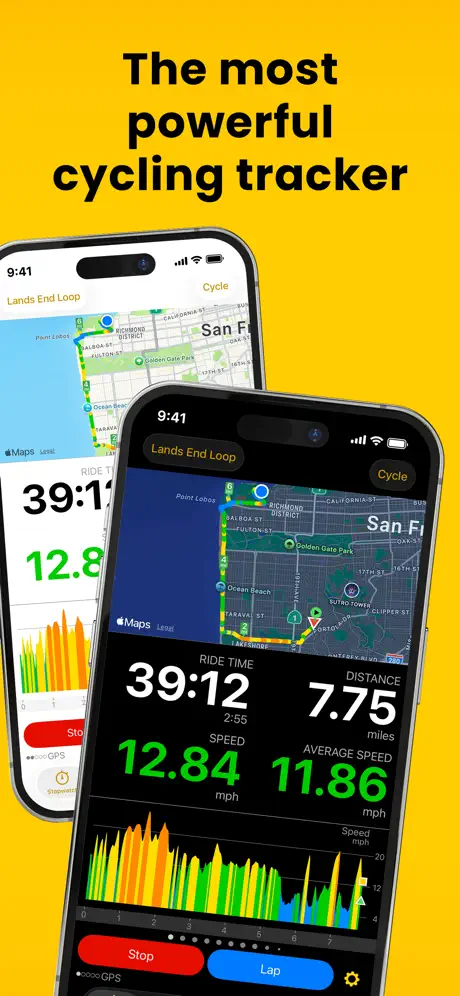  Cyclemeter Cycling GPS Tracker Cyclemeter Cycling GPS Tracker | 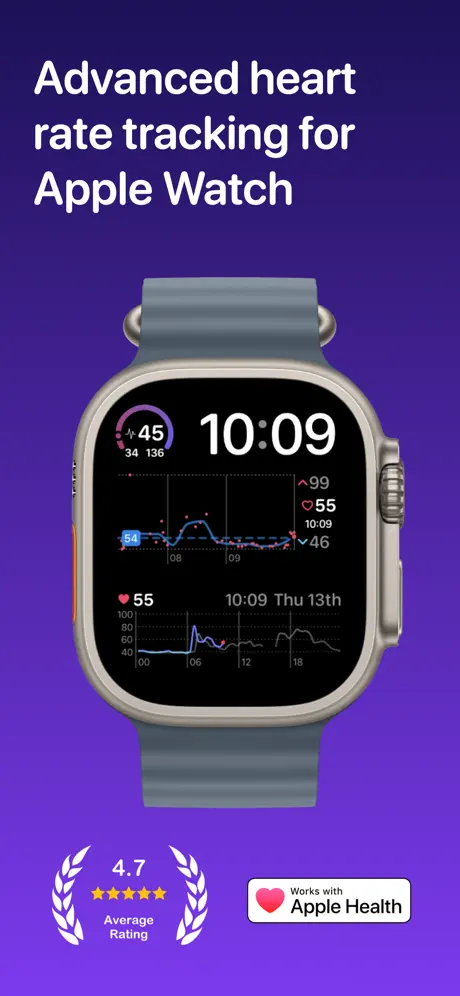  Heart Analyzer: Pulse Tracker Heart Analyzer: Pulse Tracker | 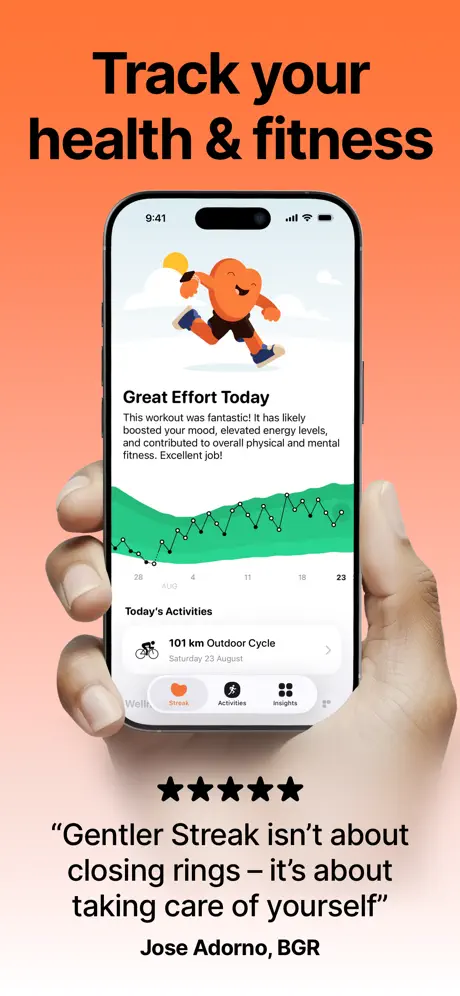  Gentler Streak Workout Tracker Gentler Streak Workout Tracker | 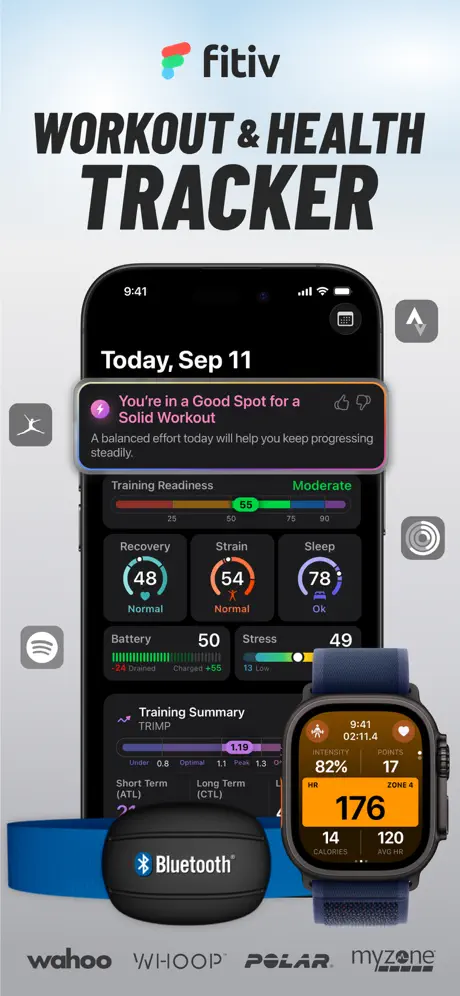  FITIV Pulse - Workout Tracker FITIV Pulse - Workout Tracker |   Favero Assioma Favero Assioma |   COROS COROS |   Bluetooth Heart Rate Monitor++ Bluetooth Heart Rate Monitor++ |   Kotcha - Running & Trail Kotcha - Running & Trail | |
|---|---|---|---|---|---|---|---|---|---|---|---|
| Rating / 5 | 4.7 | 4.5 | 4.8 | 4.7 | 4.7 | 4.7 | 4.6 | 4.9 | 4.5 | 4.4 | 4.6 |
| Reviews | 8.9K | 928K | 68K | 54K | 50K | 30K | 22K | 9.6K | 7K | 5K | 2.3K |
| Released | 2017 | 2013 | 2015 | 2009 | 2015 | 2021 | 2015 | 2017 | 2017 | 2020 | 2025 |
| Monthly price | — | $8.99 | — | $4.99 | $3.99 | $8.99 | $4.99 | — | — | — | $19.99 |
| Annual price | — | — | — | $14.99 | $19.99 | $35.99 | $29.99 | — | — | — | $99.99 |
| One-time price | $4.99 | — | — | $9.99 | $9.99 | $89.99 | $4.99 | — | — | $9.99 | — |
The going rate for each plan in United States, in its own currency, shaded from the cheapest price on the row to the dearest. Plans fewer than four in ten of the priced apps sell are left out.
WorkOutDoors reviews
4.7 out of 5, based on 8,853 reviews.
What people like
- Lets you customize every screen
- Voice coach fades music nicely
- One time payment for life
What they complain about
- Drains watch battery extremely fast
- Stops working after Apple updates
- Terrible documentation for settings
Fantastic!
Incredible and actually fully free!
Useless for bicycle
In 7 years this app exists and asks for a payment, out of all the options and features this has, developers still haven’t thought of an obvious fact that you don’t look at your tiny watch screen during a 40kmph ride. No data on the iPhone screen. Hoping for a refund from Apple…
Please fix
Cycling Active calories are at least 20% higher bs Garmin and Apple Watch. Same sensors. Also cycling sensors are not immediately connecting via Bluetooth. Buggy. Love everything else.
Aufzeichnen top Auswerten flop
Sehr vielseitig beim Aufzeichnen eines Trainings. Das ist wirklich toll. Wo die App aber komplett flopt ist die Auswertung. Nicht die einfachste Statistik wird angeboten. z.B. gelaufene km im letzten Jahr o.ä. Dazu kommt, dass die Files im iOS unauffindbar sind und die App keine Option bietet, alle Trainings auf einmal zu exportieren. Man kann lediglich das eine ausgewählte Training exportieren. Bei inzwischen ein paar hundert Trainings nicht machbar. Was auch sehr schlecht ist, sind die Sensitivity Settings für Auto-Pause und Resume. Total un-intuitiv. Die Erklärung unter der jeweiligen Einstellung bedeutet das konkrete Gegenteil vom Namen der Einstellung, und ganz unten drunter steht nochmal eine allgemeine Erklärung, die wieder den Einzel-Erklärungen wiederspricht. Die Ranges der Slider sind offensichtlich deutlich zu klein. Ich habe bisher jedenfalls noch keine zufriedenstellende Einstellung gefunden. Warum kann man nicht einfach die Einheiten dazuschreiben?! m/s und sec und alles wäre easy.
Leider Benennung der Power-Zonen falsch
Leider sind die Zonen für Leistung falsch Benannt und der Entwickler möchte es nicht korrigieren. In der App beginnen die Leistungszonen mit „Zone 0“ welche als „Active Recovery“ bezeichnet wird. Active Recovery muss aber Zone 1 sein. Alle anderen Zonen sind auch um eins verschoben.
Perfectly powerful
Use it for cycling and it’s magic.
Does a million things — most terribly
Simplify the app! Make it more responsive.
Great Workout App
1000 options to set up as YOU like. Widgets would be great (5 stars)!!
Support for series 3 ended
Bought this app a few months ago to get more out of my Apple Watch. Especially the hart rate zones were important to me. A few weeks ago I couldn’t find the app on my watch anymore. Apparently the developers dropped support for the series 3. Therefore it has no use for me anymore.
Naja
Die App ist nicht schlecht hat aber heute beim ersten Einsatz (Walking bei Regen mit Regenjackenärmel über der Watch) zweimal von selbst auf Pause geschaltet und so die Hälfte der Strecke nicht protokolliert
This is the best app!
You don’t need to worry about getting another app ever, very easy to customize and has all you need.
Updated
I would think it would clue in on when the workout is over !!! Sat on a charging and calculated a 8 hour overnight workout becuase I forgot to end the workout! Apple native app at least ask me if the workout is ended when I’m not doing anything. In response to the developer I updated the Rating to reflect it is outdated and being outpaced by other apps. The map feature is nice but other apps are more streamlined. Also I don’t get asked to “tip” on the other apps and they were free! The app used to be five stars and used to be the best app, maybe it the developer focused more on the feed back and less on word structure this would still be the best app to use!
Supporting older watchOS
I’ve been using this app for a few years now. I found it originally because I wanted an app to speak pace to me, and this fulfilled that perfectly. However, I’m so disappointed that now you nolonger support my older watch 3. I’m going to have to hunt for another app now.
Dropped support on watch 3
All was working fine until one day I open my watch interface and the app is no longer working. A perfectly working app on a perfectly working watch. Programmed obsolescence either from Apple, developers or both. I would have understood the support stop on updates on old watches but to have the app removed is a complete different disaster Extremely disappointed!
Macht was sie soll
Bitte unbedingt ins deutsche übersetzen!
Apple Watch Would Be Incomplete Without It
If this app didn’t exist, the Apple Watch would not be that useful for anybody who enjoys outdoor activities. Hard to believe that much of this isn’t included on the watch, but I’m glad it’s not because WOD probably does it better.
Waste of money
What a waste of money. Doesn’t even work. Tried to download maps. Nothing. Followed instructions. Nothing. £8.99 down the drain.
Works well but battery drain
I have an Apple Watch SE and wanted to use an external heart rate monitor. The app paired right away and I was off and running. After a 3 hour run, the battery was down to 30%. I’m now wondering if it will last for a marathon, especially if I also play music. Overall I really like the design and hope it can become my regular running app.
Super app, mais les parcours ne s’envoient plus sur la montre …
J’adore cette application que j’utilise régulièrement depuis des mois. Mais elle est inutilisable depuis quelques temps car les parcours ne s’exportent plus sur ma montre. Je suis donc bloqué en vacances sans pouvoir avoir de guidage sur mon Apple Watch Ultra 2 …
Can’t connect to strava
Can’t connect to strava after repurchase the app.
Simply Outstanding
If you want an inexpensive app ($8.99, one time payment, for life) that lets you 100% configure your watch to show exactly the data you want in the format you want it, then get a step-by-step post-run summary overlayed on a map of your run, this is the app for you. There are a million ways to configure this thing and it only took me about 10 min of playing around with it to settle on what I wanted. For example, I do zone training, so I need heart rate at the top in big numbers. But I don’t like doing math while running, so I use the option of HR color coding by HR zone. I like to know my average speed (mph) not my pace (min/mi), and guess what? It’s an option. I like to know the steepness of the grade (eg +9%), so I selected that and which screen cell to put it. Being in CO, knowing the current elevation is very useful, too. Check. I rounded out the display with total distance and total workout time. But that’s just my take on it. I wanted voice coaching, but not lengthy summaries that break my concentration, so I just have it ping me every 1/4 mile with my avg speed and distance covered. When running, there’s a haptic and the robot quickly says “2.5 miles, speed 6.4” in my earbuds. HR zone changes also feature a quick haptic (and the HR display changes color) so I know if I need to speed up or slow down. There’s an onscreen map with alerts for trail waypoints. Super handy on the mazes of Front Range trails. It took just a couple of minutes to create a route in the app and send it to my watch. If I’m on a new trail, the map is handy. If I’m running a familiar favorite, I just tap the screen so I only see the metrics. Also, I use AllTrails a lot. I can build routes there and send them to the WorkOutSide app in one step. I haven’t used the interval workouts yet, but it seems intuitive to program those. After the run, I can pull the workout up on the app and drag the slider to see nearly step by step metrics like pace, HR, power, zone, etc. along with the elevation profile. Visually, it’s STUNNING as the trail is overlayed with color codes like red/yellow/green reflecting slow, moderate, and faster paces at every point on the trail. As I drag the slider, a little chevron appears on the map indicating where I was on the trail. The native Workout app on the Apple watch is fine if I just want basics, and there are screens to choose from. But for $9.00 I get every bit of data I want and it is completely configurable on my watch face. And the post run data overlayed on the map crushes the Apple Workout app. I was intimidated by all the options at first. But once I realized that I could delete all the screens I didn’t like, then create screens I do like, including the size/readability of each, I was locked in. That intimidation lasted about 10 min. Once I learned how to configure the cells on the display, the rest of the time was just me deciding what data I needed to see while running. There is an instruction manual, and you’ll get prompted to look at it. But honestly, I’m pretty good with tech, so it was just a matter of pushing buttons to figure things out. This is just a runners review. But there are similar sport modes for biking, swimming, snow sports, even golf, lol. Highly recommend!
Charged $8.99 without my permission
Apple just sent me an email with my subscription charges. WorkOutDoors charged me $8.99 and I did NOT sign up for a subscription nor did I choose any of the “Tip Jar” options. I haven’t even used the app.
Best workout app. period.
i can’t say enough good about this app! Any workout. it’s there. Any metric you want during a workout, it’s there. Numerous watch faces to swipe through because you need to see more metrics; they’re there. Amazing functionality, you just need to do a deep dive when you first download the app - there are a ton of settings. My only request, add Shortcuts integration? 🙏 i have a shortcut for the action buttons doing various things based on my focus mode and location. it would be great to have a workout started right from an action button press. Besides that request, download this app! —— Edit: No response or Shortcuts integration.. kinda bummed as it adds more steps before i can start my workouts. It would be great to use a custom shortcuts so i can only choose from the workouts i do from a menu and have it start immediately. i just have it open the app currently, then i scroll to find my workout so i can start it. It’s a bit frustrating, but works. 🤞 To hoping this gets built in to the app. (still the best workout app!)
Español
Me encanta. La aplicación está increíble pero le doy 2 estrellas para que pronto la ponga en más idiomas y le dé 5.
Sehr gute App
Bietet alles was das Herz begehrt. Wechsel zwischen den Screens etwas hakelig und langsam. Und leider, bei dem Preis, keine Familienfreigabe.
Top tier app
This app is amazing. One of the best (if not the best) apps on my Apple Watch. I get such great information from it and I only use a fraction of the available options. I just love it.
Useless App for serious hikes
Impossible to see , switch or make sense of data screens on mountain hikes. Let me down big time , should have used apple workout
Missing some workout types
Nice app for hiking and running. I don't understand why it limits the number of workout types though. This would be my main workout tracker, but I have to use another app to track my fencing workouts because for some reason fencing workouts aren't an option in this app (though they are in the default Apple fitness app, Gentler Streak, and others).
手表记录没办法听不到手机软件上
今天的徒步记录手表端没办法听不到手机
Crashes repeatedly on Watch Ultra 3
I used to take an Apple Watch 4 to my runs and really enjoyed the App. Since I upgraded to an Ultra 3 I experienced several crashes during my runs. This is of course very annoying. I don’t see many development on the app either which is fine. But the app should be rock solid stable. For now I use the Apple Training App until I see an update.
Best Running App For Apple Watch
This app is amazing. Lets you customize your screen and workouts as much as you want. Never thought I’d find an app like this that gives me more freedom than I thought I’d want. Best Apple Watch running app out there, no question.
App sucks
Where do I start zero stars
Garmin Killer
A great app that gives you all the power of Garmin on your Apple Watch, endlessly customisable and easy to read on the move. The only issue I’ve found is that the watch app occasionally freezes which leaves me unable to keep track of what I’m doing.
Very confusing
I’ve used WOD for a month now and have yet to get it work like I want it to. I don’t consider myself computer illiterate but this app has so many settings without any documentation saying what a setting does is mind boggling. Every time I make a change I have to do a run to test it out, if it doesn’t work like I expected I have to wait for the next day to test again. The developer knows in his mind what a setting does but there’s no documentation as to what the setting abbreviations mean. The only way to find out is to try it, this means another run to see what a setting does. There’s so many settings it would take a lifetime of test runs to figure them all out. I’m sure the app is great but without documentation the app is close to useless. At least I get benefit from the basic Apple Workout app, so far over the past month I haven’t received any useful info from WOD. I spend most of my running time stopping to screw with settings when I should be running. I’ll let my monthly subscription run out and cancel it and go back to the Apple Workout app. At least that app gives me useful info and I’m not spending all my time tweaking settings. My frustration level with WOD is maxed out
Xc skiing use
I’m a cansi level 2 instructor. I ski skate and classic about 55-70 days a year. I’m 71, so physiological profiling is important to me. I’ve been using the app for two years. In many ways I love it, but it drains my Apple Watch battery way faster than I’d like, and when it dies, the data is lost. Better energy consumption would help. I also find occasionally it is falling to pick up my vitals…I get periods of zero activity when I was active - no heart rate record, no distance tracked.
Versatile and powerful
I was going to return my AW Ultra 3 until I found this app. It offers the kind of versatile, customizable tracking for a full range of outdoor activities. The app remedies some of the shortcomings of Apple Watch by providing the kind of powerful, customizable outdoor tracking that should be standard. Thank you.
Really terrible UX
If an early prototype of Windows95 met a first generation Apple Watch and had a child that was accidentslly dropped on its head, this would be the interface it produce
Impressed !
Really happy with this as an alternative to Apple fitness. Huge customisations and screens available. Would like to see ambient weather details included in data . Otherwise fantastic !!
Pool swimming
There is no data tracking in pool swimming. Only time. No cadence, no length.
War bisher sehr gut, im Moment eher semi
Ich nutze diese App seit Jahren und war immer zufrieden. Die Anpassbarkeit der Screens war einfach hervorragend. Momentan hat die App aber scheinbar ein Problem mit dem Pulssensor der Ultra 1. Wenn ich ein Training starte, wird mir der Puls nicht mehr angezeigt. Manchmal geht es, wenn ich die App neu starte, seit gestern gar nicht mehr. Wenn ich jedesmal vor dem Training erstmal gucken muss, ob die App funktioniert oder nicht, dann habe ich keine Lust mehr. Am Sensor kann es nicht liegen, die Trainings-App von Apple zeigt alles an. Wenn das mit dem Puls wieder funktioniert, gibt’s auch wieder 5 Sterne.
Best running app
I love that I can set up intervals in the app for running. It’s mostly intuitive and you can get pretty granular with your targets, etc. The best part though is the ability to set the cadence for voice notifications. I never have to look at my watch. I can set it to tell me when a new interval starts, what my targets are, and my current metrics. Bonus: it never cuts off my music. It fades it back, tells me the info I’ve asked it for, and then fades my music back up. The post workout analysis is rich and helpful for planning your next workout and refining/updating your targets. It’s almost like I have my running coach from high school on my wrist and in my ear.
Developer replied to my support request by directing me for a refund.
I contacted developer for an issue with heart rate reading and they suggested I get a refund, dismissing my case.
Comprehensive and detailed
Great app. Hope they add some functions, like autosave before the watch dies, auto pause when you stop a workout and auto resume.
Muito bom
Falta a tradução para português
Route-Auswahl-Defekt
Wenn man eine andere Route auswählen möchte (Select a Route >) stürzt die App immer ab !!!
The very best app
This app is stellar. You can completely customize it for your needs. It’s reliable. There are no ads. It just works. It integrates with your health data. It’s just the best.
Not loading Apple Watch Ultra. 3
Just bought this but it’s stuck at loading screen unable to get passed the screen on watch at all. Not sure if it’s iOS 26 issue or ultra 3.
This app is awesome but it needs the waypoints feature to be perfect
!
Pecca
Non rileva il cardio nel mio apple ultra
Great features but extreme power drain
The features and the UI are great and I’ve found no other app to match them. Live map view on the watch is excellent as is interoperability with formats such as GPX for trail import and offline map downloads. But: beware that the app will drain your watch’s battery extremely quickly I’ve got an Ultra 2 and its battery typically lasts me about 2 days even when recording multi-hour workouts. However, with WorkOutDoors running, the battery went from 95% to 8% in 3 hours, all the while the in-app battery indicator showing full bars (seems like a bug).
WorkOutDoors price by country
A one-time purchase costs $4.70 in Pakistan and $7.40 in Colombia — 1.6× more for the same thing. Below is the going rate for each plan in every country that sells it — the middle price of what the app charges there, in the country's own currency with the dollar equivalent beneath it.
| Country | One-time |
|---|---|
| Afghanistan | $4.99 |
| Albania | $5.99 |
| Algeria | $4.99 |
| Angola | $4.99 |
| Anguilla | $4.99 |
| Antigua And Barbuda | $4.99 |
| Argentina | $4.99 |
| Armenia | $5.99 |
| Australia | A$7.99$5.75 |
| Austria | €5.99$6.79 |
| Azerbaijan | $5.99 |
| Bahamas | $4.99 |
| Bahrain | $4.99 |
| Barbados | $5.99 |
| Belarus | $5.99 |
| Belgium | €5.99$6.79 |
| Belize | $4.99 |
| Benin | $5.99 |
| Bermuda | $4.99 |
| Bhutan | $4.99 |
| Bolivia | $4.99 |
| Bosnia & Herzegovina | €5.99$6.79 |
| Botswana | $4.99 |
| Brazil | R$29.90$5.77 |
| British Virgin Islands | $4.99 |
| Brunei Darussalam | $4.99 |
| Bulgaria | €5.99$6.79 |
| Burkina Faso | $4.99 |
| Cambodia | $4.99 |
| Cameroon | $5.99 |
| Canada | CA$6.99$4.92 |
| Cape Verde | $4.99 |
| Cayman Islands | $4.99 |
| Chad | $4.99 |
| Chile | CLP 5,990$6.19 |
| China | CN¥38.00$5.65 |
| Colombia | COP 24,900$7.40 |
| Congo | $5.99 |
| Congo, Democratic Republic | $4.99 |
| Costa Rica | $4.99 |
| Cote Divoire | $5.99 |
| Croatia | €5.99$6.79 |
| Cyprus | €5.99$6.79 |
| Czech Republic | CZK 129.00$5.99 |
| Denmark | DKK 39.00$5.92 |
| Dominica | $4.99 |
| Dominican Republic | $4.99 |
| Ecuador | $4.99 |
| Egypt | EGP 249.99$4.80 |
| El Salvador | $4.99 |
| Estonia | €5.99$6.79 |
| Fiji | $4.99 |
| Finland | €5.99$6.79 |
| France | €5.99$6.79 |
| Gabon | $4.99 |
| Gambia | $4.99 |
| Georgia | $5.99 |
| Germany | €5.99$6.79 |
| Ghana | $5.99 |
| Greece | €5.99$6.96 |
| Grenada | $4.99 |
| Guatemala | $4.99 |
| Guinea-bissau | $4.99 |
| Guyana | $4.99 |
| Honduras | $4.99 |
| Hong Kong | HK$38.00$4.84 |
| Hungary | HUF 1,990$6.38 |
| Iceland | $5.99 |
| India | ₹499.00$5.19 |
| Indonesia | IDR 99,000$5.52 |
| Iraq | $4.99 |
| Ireland | €5.99$6.79 |
| Israel | ₪14.90$4.85 |
| Italy | €5.99$6.79 |
| Jamaica | $4.99 |
| Japan | ¥800$5.08 |
| Jordan | $4.99 |
| Kazakhstan | KZT 2,990.00$6.80 |
| Kenya | $5.99 |
| Kosovo | €5.99$6.79 |
| Kuwait | $4.99 |
| Kyrgyzstan | $4.99 |
| Lao Peoples Democratic Republic | $4.99 |
| Latvia | €5.99$6.79 |
| Lebanon | $4.99 |
| Liberia | $4.99 |
| Libya | $4.99 |
| Lithuania | €5.99$6.79 |
| Luxembourg | €5.99$6.79 |
| Macao | $4.99 |
| Macedonia | $4.99 |
| Madagascar | $4.99 |
| Malawi | $4.99 |
| Malaysia | MYR 22.90$5.61 |
| Maldives | $4.99 |
| Mali | $4.99 |
| Malta | €5.99$6.79 |
| Mauritania | $4.99 |
| Mauritius | $5.99 |
| Mexico | MX$99.00$5.86 |
| Micronesia | $4.99 |
| Moldova | $5.99 |
| Mongolia | $4.99 |
| Montenegro | €4.99$5.66 |
| Montserrat | $4.99 |
| Morocco | $5.99 |
| Mozambique | $4.99 |
| Myanmar | $4.99 |
| Namibia | $4.99 |
| Nauru | $4.99 |
| Nepal | $5.99 |
| Netherlands | €5.99$6.96 |
| New Zealand | NZ$9.99$5.64 |
| Nicaragua | $4.99 |
| Niger | $4.99 |
| Nigeria | NGN 7,900.00$5.95 |
| Norway | NOK 59.00$6.15 |
| Oman | $4.99 |
| Pakistan | PKR 1,300$4.70 |
| Palau | $4.99 |
| Panama | $4.99 |
| Papua New Guinea | $4.99 |
| Paraguay | $4.99 |
| Peru | PEN 22.90$6.66 |
| Philippines | ₱299.00$4.78 |
| Poland | PLN 24.99$6.74 |
| Portugal | €5.99$6.96 |
| Qatar | QAR 19.99$5.49 |
| Romania | RON 29.99$6.45 |
| Russia | RUB 449.00$5.34 |
| Rwanda | $4.99 |
| Sao Tome & Principe | $4.99 |
| Saudi Arabia | SAR 19.99$5.33 |
| Senegal | $5.99 |
| Serbia | €5.99$6.96 |
| Seychelles | $4.99 |
| Sierra Leone | $4.99 |
| Singapore | SGD 6.98$5.45 |
| Slovakia | €5.99$6.79 |
| Slovenia | €5.99$6.79 |
| Solomon Islands | $4.99 |
| South Africa | ZAR 99.99$6.20 |
| South Korea | ₩7,700$5.69 |
| Spain | €5.99$6.79 |
| Sri Lanka | $4.99 |
| St. Kitts and Nevis | $4.99 |
| St. Lucia | $4.99 |
| St. Vincent & The Grenadines | $4.99 |
| Suriname | $4.99 |
| Swaziland | $4.99 |
| Sweden | SEK 69.00$6.91 |
| Switzerland | CHF 4.00$4.80 |
| Taiwan | NT$150.00$4.71 |
| Tajikistan | $4.99 |
| Tanzania | TZS 14,900.00$5.70 |
| Thailand | THB 199.00$5.93 |
| Tonga | $4.99 |
| Trinidad and Tobago | $4.99 |
| Tunisia | $4.99 |
| Turkey | TRY 249.99$5.10 |
| Turkmenistan | $4.99 |
| Turks and Caicos | $4.99 |
| Uganda | $5.99 |
| Ukraine | $5.99 |
| United Arab Emirates | AED 19.99$5.45 |
| United Kingdom | £4.99$6.74 |
| United States | $4.99 |
| Uruguay | $4.99 |
| Uzbekistan | $4.99 |
| Vanuatu | $4.99 |
| Venezuela | $4.99 |
| Vietnam | ₫149,000$5.75 |
| Yemen | $4.99 |
| Zambia | $5.99 |
| Zimbabwe | $5.99 |
WorkOutDoors FAQ
- Is WorkOutDoors free?
- No. WorkOutDoors costs $8.99 (US) to download, and its premium features are extra: 5 one-time purchases starting from $0.99.
- Does WorkOutDoors have a free trial?
- No. None of its offers (US) come with a free trial.
- Where is WorkOutDoors cheapest?
- A one-time purchase costs PKR 1,300 (≈$4.70) in Pakistan and COP 24,900 (≈$7.40) in Colombia, its cheapest and dearest countries.
- What are the best alternatives to WorkOutDoors?
- Polar Flow (4.5 from 928,017 reviews, premium from $8.99), Streaks (4.8 from 67,624 reviews) and Cyclemeter Cycling GPS Tracker (4.7 from 53,724 reviews, premium from $4.99).
WorkOutDoors download
Last updated 3 months ago.
WorkOutDoors sells in 175 countries. It was released 9 years and 2 months ago, on 13 Jul 2017. It holds a 4.7 rating from 8,853 reviews.
Supports 1 language: English.
How much does WorkOutDoors make?
Third-party estimates for the last 30 days, worldwide — not the store's own figures, which Apple publishes for nobody.
Revenue by plan
- One-time 100%
Revenue by country
- United States 25%
- Germany 15%
- France 9%
- United Kingdom 7%