
Confluence Cloud
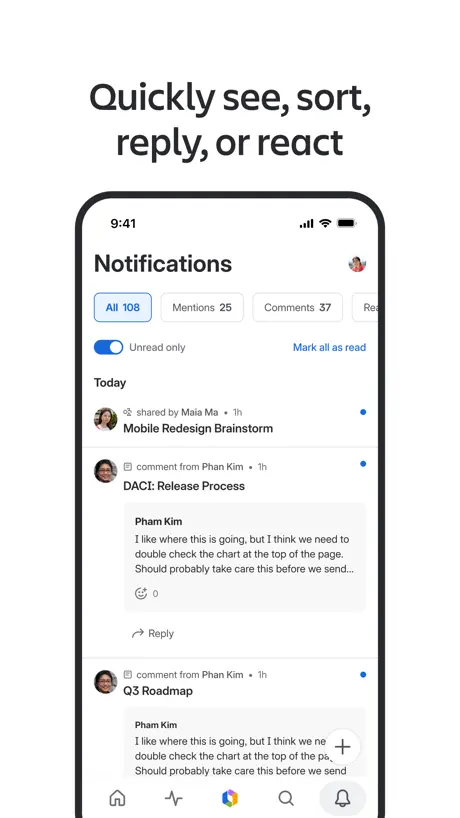
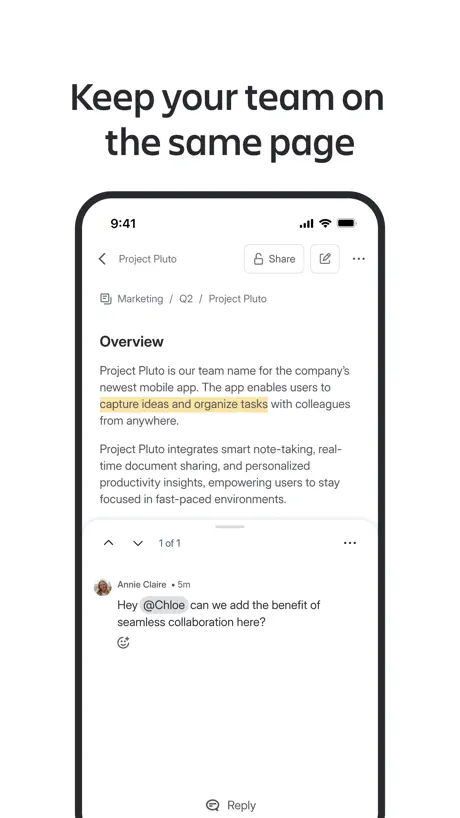
Collaborate on the go



How much does Confluence Cloud cost?
Prices are current as of 11 Sept 2026.
Confluence Cloud has no in-app products on record in the United States.
10+ alternatives to Confluence Cloud
| Confluence Cloud |   1Password: Password Manager 1Password: Password Manager |   Microsoft Planner Microsoft Planner |   Airtable Airtable |   Miro: your visual workspace Miro: your visual workspace |   Granola - AI Meeting Notes Granola - AI Meeting Notes |   Microsoft 365 Admin Microsoft 365 Admin |   Microsoft Loop Microsoft Loop |   Lucidchart Lucidchart |   Google Cloud Google Cloud |   Glean Work Glean Work | |
|---|---|---|---|---|---|---|---|---|---|---|---|
| Rating / 5 | 4.6 | 4.6 | 4.6 | 4.8 | 4.7 | 5.0 | 4.6 | 4.5 | 4.5 | 3.4 | 4.8 |
| Reviews | 12K | 80K | 54K | 49K | 40K | 22K | 21K | 17K | 14K | 392 | 78 |
| Released | 2016 | 2022 | 2017 | 2014 | 2017 | 2025 | 2013 | 2023 | 2013 | 2015 | 2021 |
| Monthly price | — | $7.99 | — | — | — | — | — | $9.99 | — | — | — |
| Annual price | — | $71.99 | — | — | — | — | — | $99.99 | — | — | — |
The going rate for each plan in United States, in its own currency, shaded from the cheapest price on the row to the dearest.
Confluence Cloud reviews
4.6 out of 5, based on 11,513 reviews.
What people like
- Great for quick access on the go
- Very easy to use and manage
- Helps teams communicate and stay connected
What they complain about
- Editing pages often freezes or crashes
- Missing basic features like table editing
- Cursor jumps around while typing text
Muy buenos
Calidad y precio- excelente
Confluence
Very confusing and overly complicated
Great, but annoying bug
So far confluence seems great so far. There is a bug on ios 16 that when you try to insert on the last word before a wrap, it automatically puts you down onto the next lines wrap ending. Like [0, 1, 2, 3, 4] if wrapped at 1 and 3, if I go to 1 it auto puts me at 3.
App is clunky
Takes you multiple times to enter something into a line. Same with adding a file/photo. Sometimes itll jump you to a different line when typing
No Support for Calendars
Doesn’t support viewing calendars. Argh!!!
Simple and easy
Very easy to use and manage.
Scam
Won’t let me delete my account
Great app but search within page not available
Are there any plans to add a search feature within a page? That would be more helpful
Parity between Desktop and Mobile
Why would there not be a way to see your assigned tasks or action items on the mobile app? That’s an oversight that makes absolutely no sense.
Uprighttech
Sportlite Entertainment
Thank you
Barry Whyte
Severely limited and corrupts data
I’ve been using the Confluence App on iPhone for 4.5 years both for work and personal. It keeps getting worse (or maybe I just keep finding unaddressed bugs). Only some of my most recent gripes - Cursor jumps around when editing documents. You may be typing a word or adding a new line and suddenly your cursor jumps and is editing in the middle of a URL 100 lines above your intended location. - Creating new documents on mobile is limited to pages and live docs only. - Documents created on mobile unreadable on web apps. I’ve created and written entire documents for work on the go just to find a blank page on web apps. Not a connection issue, as I had internet connectivity and the page was confirmed as saved in the mobile app. - Severely limited element selection on mobile. No excerpts, tables, tables of contents, child page list, etc. - Pauses on everything. Just opening a note for editing takes a few seconds on recent iPhone. I guess there is a server call for doing anything and everything on the app. - Random edits. I have multiple headers and URLs with a stray character in front. - Variety of annoying glitches. Just today, I tapped on return to insert a newline between two words in a bullet point. Every other text editor will create a new bullet point with the text after the cursor; Confluence created a new bullet point and stripped the first few characters of the new bullet point. I tried several times to make sure it was not my mistake… it was definitely Confluence. And like this, there are many, many others that cannot even remember right now. Still using out of necessity but I am actively looking for an alternative for personal use.
Mehrsprachigkeit nur teilweise vorhanden
Es fehlt ein vollintegriertes PlugIn, welches eine Seite auf eine andere Sprache übersetzt, ohne dass eine neue Seite entsteht und auch ohne dass in der übersetzten Version das Layout verändert wird.
Too much distracting AI slop
The app itself is fine, if a bit buggy. But it is completely covered in AI slop generating buttons and panels that just get in the way. Including one that hovers over the lower right corner of the screen at all times
Average app
Average app. Pointless release notes.
Great App - Suggestion
Suggestion it would be nice to be able to view linked looms natively on the page without it shifting the the loom app/ browser. What I mean is that Smart Link Items can work natively on the app! That would be great
Way too much of my time wasted on re-typing, re-commenting
Every single comment I tried to put down prompts me a connectivity/network issue that it cannot be commented. I’m 100% certain I have full service with 5G. Can the team please check the connectivity issue and explore caching as potential resolution?
Great for Staff and Managers
Great connection to your Confluence home. Don’t try to create too many new pages with many widgets; some just don’t render on mobile. And that’s okay. This is supposed to be Confluence Light. I would appreciate an iOS stackable widget or Command Center widget, though, of my teams most recently updated pages, or my @ mentions.
Bad app
Cant find all my spaces. Unwanted AI integration. Web app is better but they keep wrecking the UI there, too.
Couldn't use the app because of freezing up. But the last update killed it cmpletely.
Confluence IOS app freezing IPhone 8 plus, IOS 16.7.10 (latest) No iCloud, no Siri configured I can not use Confluence App for editing pages, only for viewing. If I edit any page, the App mostly freezes, I still can type on that page, but nothing else works, like clicking on Update, Undo, Redo... If I close the App, even after restarting the phone, the App always opens up on the same page with the same symptoms: can type on the page, but nothing else works. Only when I delete the App from the phone completely AND only if I Clear up Usage Data in the Settings >> App Store >> Personalized Recommendations and then: Install the App again, the App starts normally and works for viewing content, until I edit another page, then this problem starts again. Hope this would be fixed in the next update.
World class
Great app, love it so useful for working on the go
Edit mode is unusable on mobile
Edit mode is unusable on mobile. Why when scrolling a page not in edit mode does it bring me back to the top when I enter edit mode? And in edit mode, scrolling on mobile is near impossible
Missing the settings tab
Not sure why but I don’t see the settings tab in my App.
Needs Feature Parity
Lacks critical features that I need for my workflow. IN particular jira work item lists display as a number instead of a table like they do in the browser. I would understand if editing was limited, but this not displaying the same visual inhibits me from presenting or using the app in any meanful way beyond small edits and plain notes. One of the major benefits of confluence over other offerings in the jira integration - it’s not there on iPad.
Very buggy
Every time I try to edit a page it doesn’t let me scroll down further and just gets stuck scrolling over and over again. This has been the case for months, I wish they would address this!
Solid and reliable
My company is using Confluence extensively and it really helps communicating between people and teams! All pages are open, we tag people and they get notified… The UI may not be perfect but Confluence is really a solid choice and the mobile app is very convenient for quick access on the go!
Miserable iPad Experience
This is easily one of the most frustrating apps I have ever used. I get more writing functionality out of this Review section text box than I do using the app that is supposedly designed to write and update documentation. Almost all keyboard shortcuts do not work on iPad. Dead simple things like Command+Z to undo do not work, you have to lift your finger and hit the ‘undo’ button on the screen. The iPad app is clearly a port of the iOS app and it shows. What makes this truly miserable is Confluence is wonderful in its web-native environment. However, on iPad Atlassian claims “unsupported browser” and will not let you use the web interface for anything, forcing you to use this terrible app. Either make this app near 1:1 parity with your web features or let your users use WebKit engines to access your site. The current solution is completely broken.
Dark Mode
Please enable Dark More.. just like JIRA App. Switching back and forth between two apps - is a strain in the eyes... Thanks
Too buggy of late
I’ve been using this iOS app in connection with the browser-based app for about 3 years. Over the last 9 months, the iOS app has become so buggy, that I’m considering switching to Notion. I like to brainstorm on mobile, but page updates do not save consistently (serious formatting errors that require significant cleanup when back at the browser.) Just recently, the app stopped saving entirely on mobile. I’ve submitted bug reports, but haven’t heard anything back. Please Atlassian; I really want to like this!!
Hoping for whiteboard support
It’s a shame that the mobile app doesn’t support whiteboards yet. Having my iPad nearby I’d be using whiteboards a lot more with the Apple Pencil. Maybe then it would make sense to upgrade for more active whiteboards
Great app
Like all the functionalities and haven’t come across any major bugs yet.
App launches and unresponsive
When I dismiss the intro sheet none of the elements on screen are interactive. 👎🏻
Getting better and better
Reoccurring review theme. Very pleased Atlasssian are investing here, it makes such a huge difference to the performance of our teams and ultimately productivity and profitability. One big one though - I hope I have not missed this in the app - I can’t switch teams. In Jira I can, between two companies, but not Confluence. Please please add this basic one asap. Thanks
Glitchy
I was skeptical about downloading an iPad app for Confluence, but thought if Atlassian has 4.7 stars for this, it’s probably worth checking out. Unfortunately, the user experience does not match in-browser. As I was editing a page, I noticed at least three things that didn’t work right off the bat: typing in * for a bullet point doesn’t do anything, typing in ## for an H2 produces a bizarre experience where you wind up at the end of the document, and iOS autocomplete suggestions are not tabable. I went back to the browser and was able to do all of these without issue. I give it an extra star because it did feel a little less cluttered than using the browser, but the editing experience is not good enough.
Good for basic use, but add on support is problematic
The app is very useful if you have a very basic confluence setup using only the default confluence content formatters. Unfortunately it’s lack of support for displaying content using 3rd party formatters is very irritating if you use them (requiring the content in the addon to be viewed in a separate “pop up” the is disconnected from the actual content. Sometime this is ok, but if you use basic 3rd party addons like table formatting, numbered headings and diagram viewers, this can make the app next to useless for you use.
Faster than the desktop website!
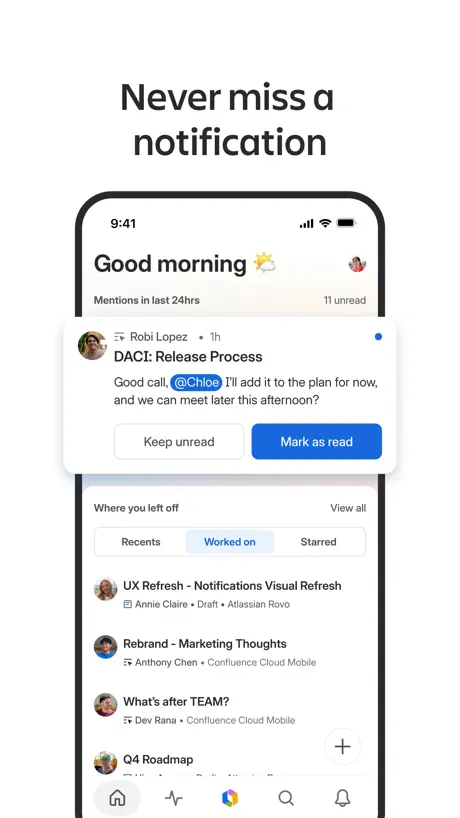
Never miss any notifications after installing this app.
What is the purpose of this app
They sent me a device with absolutely no written instructions. Upon downloading the app from the Apple Store there was still no clear instructions on how to use this app for its ultimate functionality. Furthermore, it’s almost impossible to contact customer service and support. Seeing as those I highly doubt that there are 20 year olds with government contracts or applications to be vendors for the department of veterans affairs you Woolf or should automatically assume your customers would retire more instructional training on how to use your device. I know I’m not the only one who thinks this. I am willing to bet that more than half the people you send this piece of junk to don’t even use it and especially to his highest potential and that should tell you something but if you weren’t so busy trying to out do your other colleagues on who can come up with the most complicated piece of junk you’d tap into your customer base and create something that’s user friendly for everyone.
SSO
How can I login from my Oracle ID. I want to use my confluence account provided my company.
Virtually unusable on IPad
I have disliked the Confluence App from almost day one. I need to use it on the go, but the page formatting regularly gets corrupted, images take forever to show up and there is no obvious way to revert a page to the previous version like on the web version. I really can’t recommend this app and the regular frustrations I have with it are leading me to look for alternatives.
Limited functionality, but look forward to when it’s ready
It has a good layout and works fast, but it’s missing major features (correct me if i’m wrong) - Create from a template. This is my most used feature for our documents, when pressing the + it only open a new black page - Can’t create tables - No coloring and limited editing options
Fantastic !!!
This is an absolutely awesome product.
Sucks
Trash
Agtech Startup
As a new regional startup with team members everywhere the structure, layout and ease of creative creation with Confluence is fantastic. Great job love the platform
Not sufficient
What is there works great - and better than the desktop client. Nice and fast and a refreshingly nice UX. But too many basic features are missing to the point that you can’t use this app alone. For example - you can’t duplicate a page.
Limited
Limited functionality using the app. For example can't add to a table in a confidence page. Almost there but just needs a few extra features to be fully usable.
Great app!!
Good interoperability
Generates swamps of data with no meaning
Confluence is years old and may have started with purpose, but now just serves as a swamp of words with little meaning. For example, they allow me to see ‘recent’ documents, but don’t show the date. The newest could be from the 70’s, but they don’t want you to know. The search feature doesn’t let you pick a time range. A coworker could write a doc on how to do something, but your results would never show it unless you can guess the exact title. I think it sorts by the most viewed which could have been 10-100 years ago. Retrieving anything from Confluence seems to be a waste of resources.
Getting better all the time
It used to have to link off to the main website a lot but with every release it becomes a better product.
Undo doesnt work
Make sure you dont accidently select your entire page (somehow) and delete the content (by not even pressing delete) otherwise you might lose all your edits as the undo method just doesnt work at all.
Great app, but doesn’t work with your blog posts
Very good for pages. But won’t let you create, or browse, your blog posts. If you use blog boats a lot (which Atlassian promote you do) then this app is effectively useless to you. Fingers crossed they will fix this oversight soon, and when the do I will revise my rating to 5 stars.
Confluence Cloud FAQ
- Is Confluence Cloud free?
- Yes. The app is free, in all 173 countries it sells in, and it sells nothing inside it.
- Does Confluence Cloud have a free trial?
- No. None of its offers (US) come with a free trial.
- What are the best alternatives to Confluence Cloud?
- 1Password: Password Manager (4.6 from 79,664 reviews, premium from $4.99), Microsoft Planner (4.6 from 54,031 reviews) and Airtable (4.8 from 49,428 reviews).
Confluence Cloud download
Last updated 28 days ago.
Confluence Cloud sells in 173 countries. It was released 10 years and 9 months ago, on 4 Jan 2016. It holds a 4.6 rating from 11,513 reviews.
Supports 19 languages: English, Czech, Danish, Dutch, Finnish, French, German, Hungarian, Italian, Japanese, Korean, Norwegian Bokmål, Polish, Portuguese, Russian, Chinese, Spanish, Swedish, Turkish.
How much does Confluence Cloud make?
Third-party estimates for the last 30 days, worldwide — not the store's own figures, which Apple publishes for nobody.