Google Cloud
How much does Google Cloud cost?
Prices are current as of 11 Sept 2026.
Google Cloud has no in-app products on record in the United States.
10+ alternatives to Google Cloud
| Google Cloud |   ASUS Router ASUS Router |   IFTTT - Automate work and home IFTTT - Automate work and home |   My CenturyLink My CenturyLink |   Jira Cloud by Atlassian Jira Cloud by Atlassian | 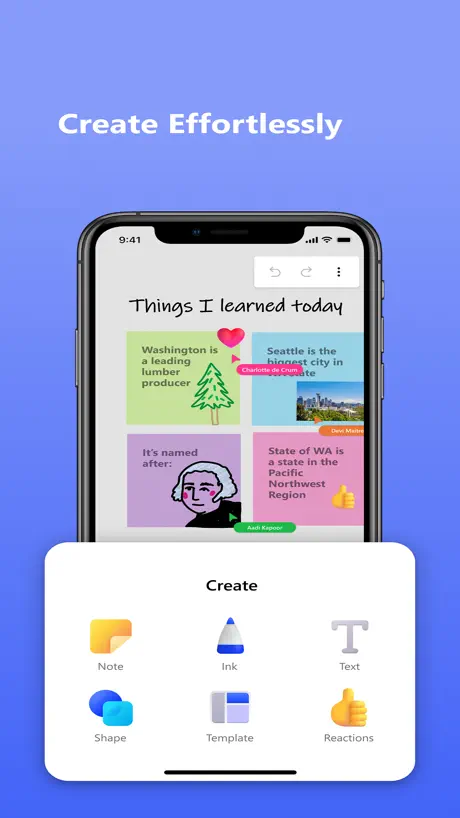  Microsoft Whiteboard Microsoft Whiteboard | 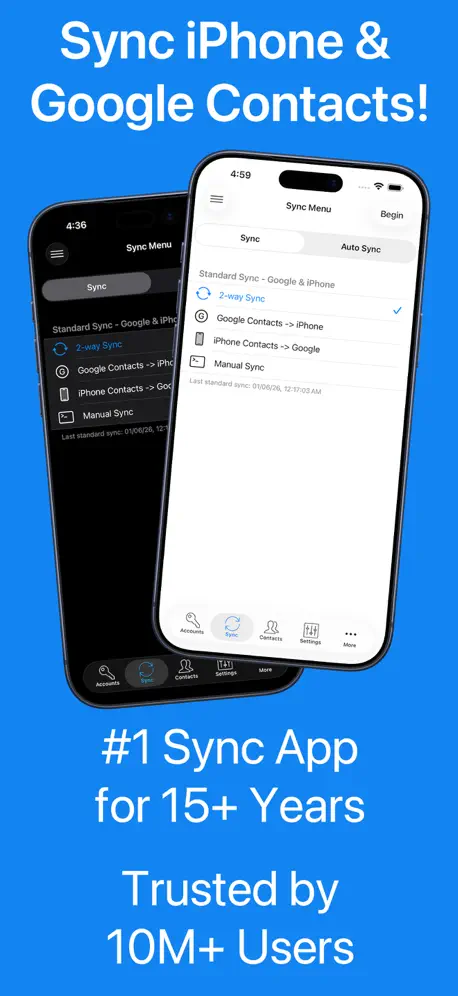  Contacts Sync: Google & More Contacts Sync: Google & More |   Microsoft 365 Admin Microsoft 365 Admin |   Microsoft Loop Microsoft Loop |   Confluence Cloud Confluence Cloud |   Off The Record: Ticket Lawyer Off The Record: Ticket Lawyer | |
|---|---|---|---|---|---|---|---|---|---|---|---|
| Rating / 5 | 3.4 | 4.6 | 4.6 | 4.4 | 4.7 | 4.5 | 4.5 | 4.6 | 4.5 | 4.6 | 4.6 |
| Reviews | 392 | 222K | 159K | 137K | 127K | 55K | 41K | 21K | 17K | 12K | 9.7K |
| Released | 2015 | 2015 | 2013 | 2016 | 2016 | 2018 | 2011 | 2013 | 2023 | 2016 | 2015 |
| Monthly price | — | — | $3.99 | — | — | — | $2.99 | — | $9.99 | — | — |
| Annual price | — | — | $34.99 | — | — | — | $9.99 | — | $99.99 | — | — |
The going rate for each plan in United States, in its own currency, shaded from the cheapest price on the row to the dearest. Plans fewer than four in ten of the priced apps sell are left out.
Google Cloud reviews
3.4 out of 5, based on 392 reviews.
What people like
- Great for monitoring VMs on the go
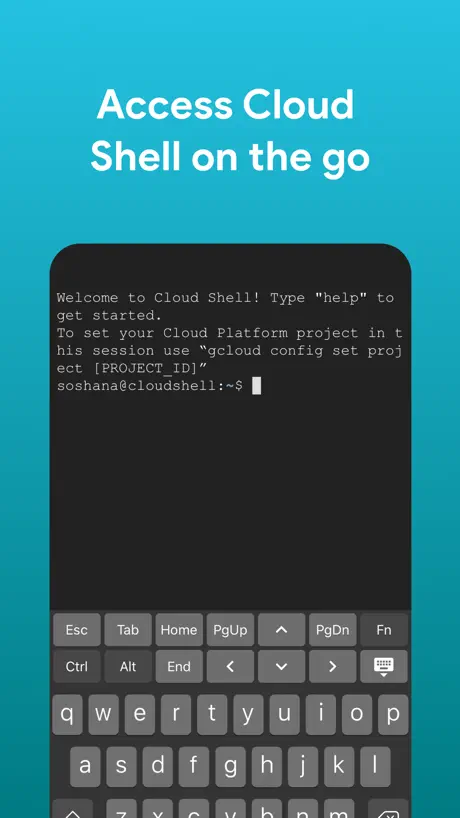
- Useful for quick SSH sessions
- Affordable storage space for documents
What they complain about
- Cloud shell disconnects constantly
- Missing Cloud Run management features
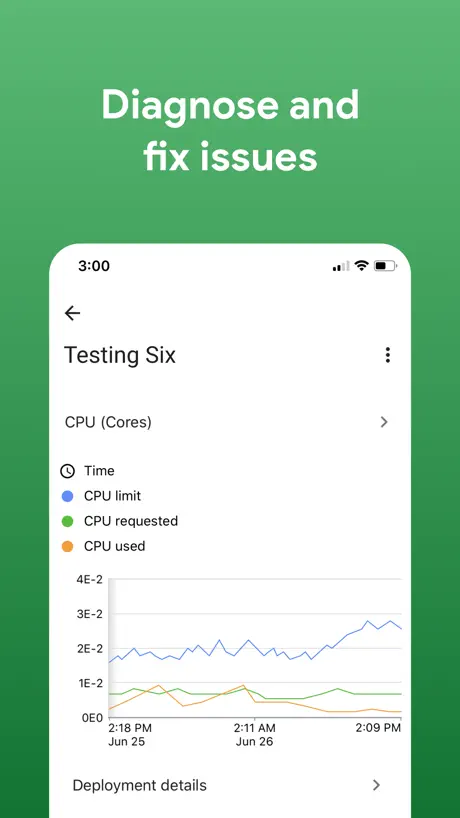
- Dashboards do not show custom metrics
- App crashes when viewing errors
Wow wow wow
Wow ok ok ok
It doesn’t work
You’re better off trying it with a browser
Ultimate app
This app offers premium services and features that allow users to access their favorite content
SSH to VMs no longer works
SSH stopped working which was the best feature of the app
It’s ok
Seems a bit buggy. Initially it couldn’t find my dashboards or saved queries. Now it can find the dashboards, but only one saved query (I know there are more). Overall it has value as long as the dashboards continue to work. Strange that you can’t go to cloud run functions in the resources tab. I would mostly do that in order to see more metrics and logs for specific cloud run functions.
Excellent App
Google Cloud is an excellent platform with powerful tools and reliable performance. It offers great scalability, strong security, and seamless integration with modern development workflows. The services are well-documented, easy to manage, and highly suitable for both small projects and large-scale applications. As a developer, I really appreciate the flexibility, performance, and continuous improvements. Overall, a top-tier cloud solution that I highly recommend.
Works terribly - plenty of bugs
Useless- disappointed by Google on this one
Keys are not working in app
Keys are not working on sah session when i touch twice then it work. Might be its bug kindly fix this.
Logs page keeps refreshing
Not able to use the logs or the AI tools on the observability->logs. Please fix the refresh issue
Lacking Features
Why can’t I view more than just a handful of resources being offered? Cloud Run services are not available to just look at? I don’t understand that. It’s the main serverless capability of GCP and I can’t see into our applications.
Awesome app!
Allows me to monitor and control resources over the phone, in a organised hassle free app!!! Thank you team!! 🙇🏻♂️
Constant connection loss
Súper annoying app! Connections get lost every single time! U hop from one app to the next for half a second and the app forces us to start from scratch hella inconvenient
Only 62 ratings??
Sort of weird only 62people wrote a review. Seems like a useful tool any cloud developer would use while remote.
Lacks basic functions.
No cloud tasks no cloud build.
Okay for a Quick Glance
The app is loading all my resources correctly. The issue I found is when I looked at the billing section it says the view is for the current month, but is displaying spend for the entire year. Really threw me off for a minute! We need more controls over what dates we’re looking at and pull correct information for the range.
Cloud Google
Awesome Yr over year
Shell will NEVER connect
The shell is stuck on the preparing to connect screen.
Can’t switch between projects?
Seems like the app is broken — can switch between projects in my acct Update: by some miracle the app is now fixed, justifying the half mil salaries of those googlers :)
Feels like a minimum viable product
One would expect more from a titan, especially considering the premium we pay for cloud vs colocation. There’s zero observability data for postgres sql instances.
Add Google Cloud Run support
I upgraded to the latest and there still no support for manage Google cloud run services.
save documents / sow
Using it to save my sow and other important documents. Affordable space.
Why even have the app?
Might as well should just shut it down. The app basically showing you nothing, no cloud run, bigquery usage etc. should just shut it down
Really helpful. Need more resources like pub/sub...
Need more monitoring features like pub/sub, cloud build, etc...
Monitoring too limited
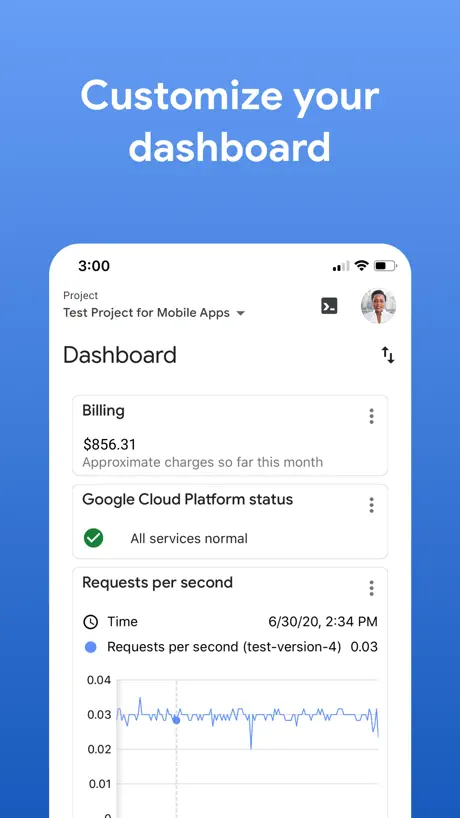
The app is good at what it does, but it doesn’t do a lot. I personally want to be able to access all of my monitoring info on the go. It’s a huge disappointment that you can’t view your dashboards based on custom metrics in the app. The advertising / screenshots for the app are very misleading. The only dashboard you can view is requests per second like it shows in the screenshot. I don’t need to be able to edit or set up graphs on mobile, but you should really be able to see them. Would love if this gets added soon!
Needs Custom Dash Access
Cannot believe you can’t access your custom dashboards. How does that help when you get an alert and need to check the dashboards? Please fix!
*******
*******
Cloud Shell issues
Cloud Shell is the most useful feature, but it disconnects as soon as you switch to a different app (you know, to copy commands) and often fails to authenticate gcloud.
Like it now, will love it later I hope.
Like most other reviews I like this tool for when I’m in a bind or need to get a quick sense of things, or what not. I know I will love it when services like Endpoints and Cloud Run are supported.
Incident notifications are not working
What I believe it’s the most important feature of this app is broken since days ago. Also the device registering process is poorly implemented, failing for days
Crash
It's a nice app but it keeps crashing everytime I leave the app. (connection timeout) fix it as soon as possible thanks
Mattolina Loves Google Cloud
When I use Google Cloud it works both on my IPhone 12 Mini and I created a website using Google Cloud. I thankful Google gave me the opportunity to network with their wonderful Engineering teams. As a Software Engineer I love programming so much and glad Google Pioneer the internet. Than you Jessica from AT&T to help me get to Google Cloud team. 😊😊😊😊😍😍😍😍😍🥰🥰🥰🥰🥰
What is the point of this app?
If this app is going to be unsupported, just take it down. Nothing works, cant monitor cloud run services, cant add permissions for a user, etc.
useful app. especially the could shell access
as an apple magic keyboard user, i want to see an option for full screen mode like how blink and ivim.
Poor external keyboard support in ssh/cloud console
When using an external keyboard on iPad (e.g. Apple Magic Keyboard, external USB keyboard), the additional on-screen specific to this app (esc, tab, home, pgup, etc) does not minimize and covers the last lines of the shell (where the cursor and input text are). Pushing the keyboard minimize icon displays the ssh menu bar above the terminal and does not allow text input to the terminal. This makes it impossible to type and see what you are typing, restricting an otherwise valuable use-case to manage VMs on a mobile device.
Unable to ssh on vm instances
App is good for one who needs monitoring but from past 4-5 months I am trying to ssh on VM instances it fails
Permission problems
Used to be a useful app, a subset of the web console functionality. Then a month or so ago, it began throwing a number of errors about permissions. Tried deleting app and reinstalling, logging out and back in, no change. Essentially useless now. Judging by other reviews, problem is cropping up for many users. Update: Permissions problem resolved. App once again quite useful for Google Cloud users.
4th best cloud aka last
Worst UI for all of cloud. Dysfunctional UX org and a culture that breeds theft of each other’s work, leading to no launches
Good for quick glance
Better if we can have monitoring agent view (e.g. memory, etc) in the dashboards.
Glaring flaw
There is no way to change your logged in gmail account in the app. What google developer only has one account? Kind of a joke
Language mismatch
I am not sure if that is a bug, despite choosing the language English and currency as INR, it shows like Arab slang at my iOS device, any idea ? I did all possible ways but nothing worked.
Great app but needs some improvements
To improve please bring in the dark mode to ipad. I have used the app to edit codes and do some runs on my bed. I really love that.
cloud shell is no longer working
was a great app, i could use in production by now the cloud shell just loads….after months and an update. still nothing. Cloud shell is broken.
App is good but limited functionality
I can easily see my vm’s and monitor them when I’m away from my mac. This app is is smooth and quite good but I feel this as limited functionality. I was trying to edit disk size, but there was no option to edit.
Several problems
First, there’s no way to manage iOS notifications for this app. Super irritating. But even more irritating, incidents that are marked resolved on the console website linger forever in the app with a “new” marker. I was hoping to use this app for monitoring purposes but for that it’s functionally useless.
Useful and awkward
I appreciate having a CLI interface for Google Cloud on my iPad. It's great for "small" and ad hoc tasks, and gives me access to features otherwise restricted on my tablet. The application is immature, and the console is awkwardly unresponsive to touch commands---you can't copy text printed to the console, no scrolling support in Vim, and a few other items which "aren't too bad" but will get in the way of work. I'd be less critical if applications like Blink and a-Shell hadn't already addressed many usability features for CLIs on iPads.
Bug viewing log entry details
This is a bug viewing log entry details when in dark mode. Could you please fix. Thanks
Dashboards
Please, invest in the dashboards
Room for improvement
Displays some important a bits of information and allows to open an ssh session. I would like to see more of GCE’s features included in the app as well as an iPad UI that makes better use of the available screen estate.
Shell should support hardware keyboard
Although my Bluetooth keyboard has all the modifiers and function keys, Cloud Shell can’t seem to receive fancier input, such as Ctrl+A or Ctrl+E, and the like.
Crashes when looking at Error Console detail.
Very helpful app, but if I try to tap into an error in the Error Console, the app crashes.
Google Cloud FAQ
- Is Google Cloud free?
- Yes. The app is free, in all 174 countries it sells in, and it sells nothing inside it.
- Does Google Cloud have a free trial?
- No. None of its offers (US) come with a free trial.
- What are the best alternatives to Google Cloud?
- ASUS Router (4.6 from 222,462 reviews), IFTTT - Automate work and home (4.6 from 158,824 reviews, premium from $3.49) and My CenturyLink (4.4 from 137,200 reviews).
Google Cloud download
Last updated 28 days ago.
Google Cloud sells in 174 countries. It was released 11 years and 2 months ago, on 23 Jul 2015. It holds a 3.4 rating from 392 reviews.
Supports 10 languages: English, French, German, Italian, Japanese, Korean, Polish, Portuguese, Chinese, Spanish.
How much does Google Cloud make?
Third-party estimates for the last 30 days, worldwide — not the store's own figures, which Apple publishes for nobody.