
True Key™ by McAfee
How much does True Key™ by McAfee cost?
Prices are current as of 14 Nov 2026.
True Key™ by McAfee has no in-app products on record in the United States.
10+ alternatives to True Key™ by McAfee
| True Key™ by McAfee |   mSecure: Password Manager |   RoboForm Password Manager |   Microsoft 365 Admin |   Total Drive - Cloud Storage |   Yubico Authenticator |   T-Mobile DIGITS |   Webroot Mobile Security |   Turn Off the Lights for Safari |   Total Password for Mobile |   NordLocker: Private Cloud | |
|---|---|---|---|---|---|---|---|---|---|---|---|
| Rating / 5 | 4.4 | 4.8 | 4.7 | 4.6 | 4.2 | 3.7 | 1.5 | 2.9 | 4.2 | 3.4 | 3.6 |
| Reviews | 4.5K | 83K | 73K | 21K | 2.8K | 892 | 731 | 342 | 192 | 184 | 45 |
| Released | 2015 | 2017 | 2009 | 2013 | 2024 | 2019 | 2016 | 2011 | 2017 | 2023 | 2021 |
| Monthly price | — | $1.99 | — | — | — | — | — | — | — | — | — |
| Annual price | — | $19.99 | $29.99 | — | — | — | — | — | — | — | — |
The going rate for each plan in United States, in its own currency, shaded from the cheapest price on the row to the dearest.
True Key™ by McAfee reviews
4.4 out of 5, based on 4,452 reviews.
What people like
- Easy to use and reliable for many
- Strong security makes users feel safe
- Conveniently saves all passwords in one spot
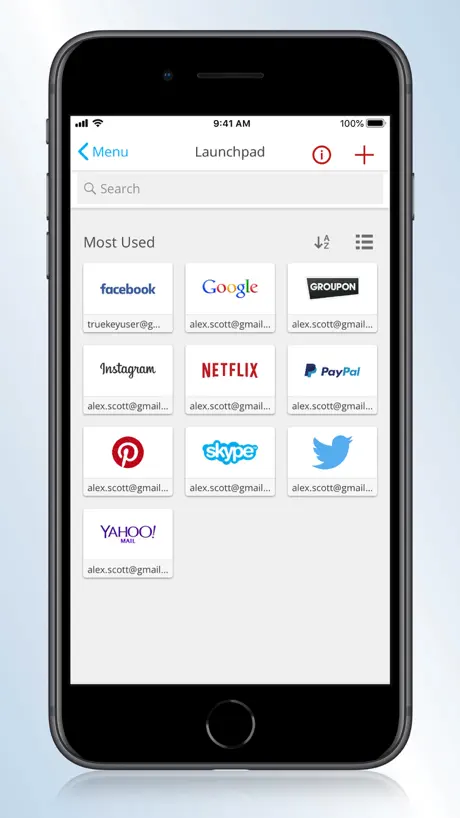
- Nice interface with images for logins
What they complain about
- App crashes constantly and won't open
- Keeps signing you out way too often
- Auto-fill fails or overwrites your passwords
- Customer support is useless and unhelpful
Excellent Application!
The McAfee True Key app operates flawlessly on my iPhone XS. I only wish this standalone version of the app would offer unlimited password credentials instead of the limited 15 entries. Nevertheless, the app does allow unlimited NOTES entries.
Quit Working
No longer autofills with LastPass password app. Now it’s telling me to update my browser on my phone. ITS UP TP DATE. PLEASE FIX THIS APP
Sign on
On my Apple 12 mini after logging into Truekey and copying a password from the launch pad, then finding the app to enter the password, when going back to Truekey it always makes me sign in again. Why won’t it stay signed in until I sign out? Well a support call got me to change the Auto sign out time from one hour to 2 hours. It immediately fixed my sign out issues on my iPhone and iPad (gen. 5, air two.) But it doesn’t stay that way. Every time you log into TruKey you have to change the log out time.
Doesn’t work any longer
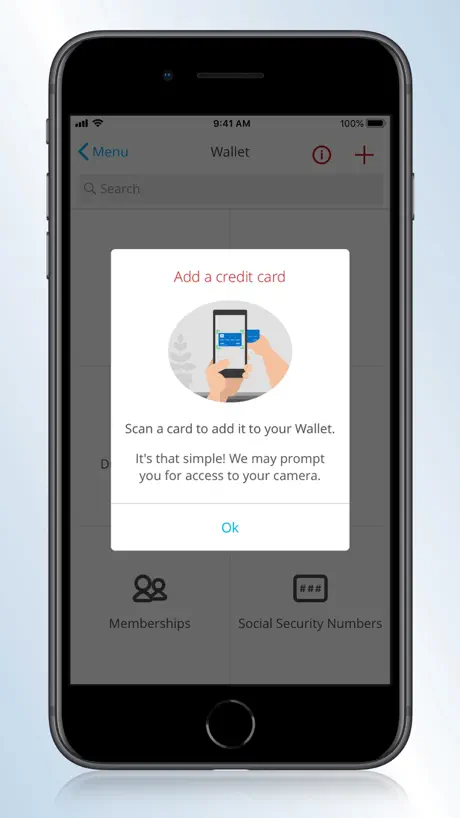
I just purchased a new iPhone and now the app keep closing and is useless. I have reloaded it and checked for updates. But I cannot add a new credit card or use the app
Crashes on Opening
I've been using True Key for about a decade now and love this app for my password and information locker. The new-ish feature to auto fill gives me peace of mind that a company focused on security can auto fill and not have to switch back and forth. I did just get a new iPhone 18 with all the newest updates, and the app crashes within 5 seconds of opening every time. September 28, 2026
Great experience
I’ve been using True Key as my primary password box for years and years and years now. It’s funny to say, but the first password I ever put in it was for gaming. And since then, I’ve used it for all my needs as I navigate adulthood. You can’t go wrong with it.
Auto login didn’t work
Once upon a time (I believe) True Key would log in to my apps and websites automatically on the phone. Now that never works. Sometimes I get an error message. Sometimes I get asked to create a new log in. On the other hand, Apple’s password vault works every time. Not sure why I still have True Key.
App close right after I log in
Love the app, but lately have been unable to use it because it closes upon login. Please help.
Importing Passwords
I tried to import my passwords from Norton Password Manager but it’s not an option. I find it lame that this app can only import passwords from web browsers and 2 other password managing apps.
App not working correctly
Fix need ASAP. App is unable to be opened and keeps closing on it own, not sure if it’s a crash because iPhone show it is still running in background.
Works great!!!!
Love ❤️ True Key 🔑 it’s very safe & great!!!
Keeps crashing
Won’t open anymore. Keeps crashing over and over.
Not enough flexibility!
Password storage is great, but syncing across multiple devices is not as reliable as I would like. The other shortcomings of the service/ app include the inability to change one’s default email and not being allowed to change the master password.
Loved it when it worked well
Somewhere with the past year the app began functioning differently. I can’t click on saved sites to view passwords or manually add a new one because of the same issue: I click a button and nothing happens. I reinstalled about 6 months ago and it still doesn’t work right. I contacted them about it. I should go back to view their response. Maybe I didn’t finish the troubleshooting. Will update this review then.
OK, But Could Be Better
I have been a “True Key(tm) by McAfee” subscriber for several years. I’ve stuck with the product long after my family found it cumbersome. The product comes exclusively bundled with the subscription-based McAfee Antivirus family of products. I cannot take it with me as a standalone application when I choose to cancel my McAfee Antivirus subscription in favor of going back to Microsoft’s antivirus service.
Trustable
Always reliable and easy to use. Keep the good work.
Zero customer service
My phone was destroyed, and it was my only trusted device. For over a year, I’ve struggled with customer support to regain access to my account—with no success. I’ve canceled my account.
Good so far
Seems to be good just wish it had a face verification for password
Won’t work
I’ve had this app on my iPhone for years,does this app work anymore? I haven’t been able to sign in for a while now. It asks to send a email or code so I can login but when it does I go back to the app to login and it does the same thing over and over again. Is this app discontinued now and not supported now?
Constantly signs out
It’s great having an app that remembers and even autofills my passwords. However, I find that it signs itself out far too often. I have it set to automatically sign out after a week, but after a couple days, I already have to sign back in. Several times I have even signed in, returned to the app, only to find that it already signed itself out again. This is extremely frustrating!
Mcafee Truekey
I am not totally clear how it works, but I feel this password manager is more secure than the other 2 I have used for years. It still has some little bugs, generating new passwords is a little clunky, that could be user error though. Today, I feel it is more secure then what’s out there
can't update
says i can't use the app unless i update but there's no update!!!
Great app, but please fix how long password are cut off
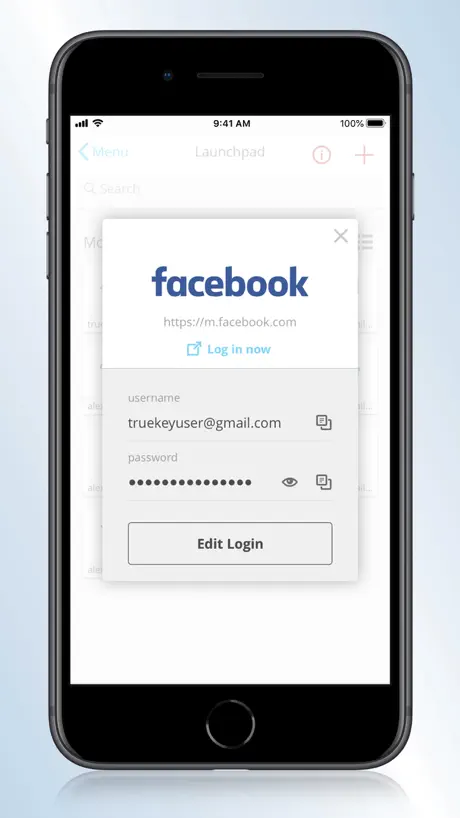
Love the app the only gripe i have with it is when you go to view longer passwords they get cut off. Even if you could just slide it over to see the end. Instead you have to go to edit mode and view the whole password that way. Which is a little risky if you somehow delete and save it then its gone. Starts cutting off the passwords around 18 characters and I like to make mine 20-22 characters. Other than that I love the app.
Version mobile laisse à désirer
La version mobile de true key se déconnecte constamment. C’est un problème que j’ai toujours rencontré avec l’application mobile et ce sur mes précédents iPhone et sur toute les version iOS sur lequel je l’ai utilisé. Changer d’application pour ensuite retourner à l’application true key nécessite généralement de se reconnecter, ça devient frustrant à la longue.
Meh
Not that good but honestly it’s ok but yea noticed it sometimes deletes password off on its own.
Can’t changed password
I’m not able to login into my account and I can’t change my password. I have been issue this it for like a month in a half
What is going on
Continuingly having issues with the app or the extension but also, this is not available on Mac why?
Great program
Never had a problem with this program. Easy to use and update when required.
Lost passwords
It’s a very noticeable downgrade in quality if you come from a password manager like LastPass or 1Password. Unfortunately given the complexity of some forms taking multi step authentication I’ve had many cases where the password has been overwritten automatically to be the OTP and without rollback or history there is no way of recovering passwords. As well as that, I have had multiple cases where the password manager just doesn’t work and provides some ambiguous message like ‘an unexpected error, please try again’ so I then have to manually go into the app find the password for the app I want and copy it over. 2 things that they need to improve on: 1. Allow a person to turn off auto save at the account level for every current and new password. 2. Fix the password fill prompt
Buyer Beware hidden restrictions and costs
I recently purchased the “Total Protection” bundle for McAfee, which if you go by the misleading details on their website looks like you get the use of the bundle across 10 devices. After purchase I contacted McAfees helpdesk to then be informed that the bundle only includes the use of the ‘Password Manager” app on 5 devices. None of the information on McAfees sales website explained this. After much discussion they admitted that they had not provided this information prior to purchase preventing an informed purchase from being made. They then offered an additional 2 months subscription free, but still only with the 5 device limit which totalled ~£4 which does not seem reasonable, considering you would have to purchase additional licences for True Key at £25/yr for a maximum of 2 additional Devices. Not a great experience and would expect better from a company like McAfee. Posting this to help prevent others falling for this hidden commercial trap.
Love the App
I love using the App! Once I learned how to use the launch pad protecting my passwords became so much easier and convenient.
Disappointment After Two Years with TrueKey – Needs Improvement
I’ve been a TrueKey user for over two years, and while the concept of the app initially appealed to me, my experience has been far from satisfactory. The promise of seamless sign-ins is great, but in reality, it falls short. Every attempt to use TrueKey on my iPhone, whether for web or app logins, results in the same frustrating error message: “Unexpected error has occurred. Please try again.” Selecting TrueKey over iCloud Keychain should be a smooth process, but it’s anything but. The app only signs me in half the time, and its inconsistency is a major drawback. Its buggy and faulty nature makes me question its reliability compared to other password managers. With my subscription nearing its end, I’m seriously considering switching to a different service. A product should deliver on its promises, and unfortunately, TrueKey doesn’t. It fails to function properly, even in basic tasks like opening. For an app designed to simplify access, these issues are more than just minor inconveniences—they undermine the entire purpose of the app. My advice to potential users: consider other options that might offer a more reliable experience.
Great password organizer and generator
Had this password manager for over ten years and it is the best by far.
Will not show wallet items browser on iPad awful
Indicates that 9 items in wallet but not show them. When open a login the back and forward icons are rediculous. I have to sharpen the end of my finger to hit these. Make em bigger, tell me how to display wallet items on iPad. Works on iPhone and iMac . Problem seems to be with iPad . It would be useful if opening login was done via chrome app.
Problems
I’ve got a licence key for this product but I’m unable to apply the code this has caused issues
Security
Gives me security…….
Update your app—insecure!
Why was your TrueKey security app’s last update three years ago? Version 6.1.3 Please explain to me how a security app is supposed to be secure if you haven't made any updates in three years. The app experiences a glitch so often I'm beginning to think someone hacked the app.
Mostly, but not quite.
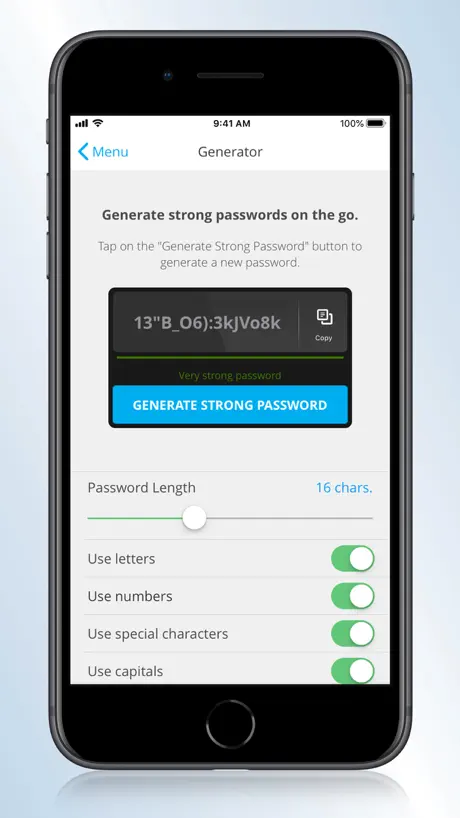
The majority of sign-ins work flawlessly. There are a few where passwords don’t auto fill, so I have to cut and paste or type manually, This is a minor issue. The password auto-generator produces passwords so convoluted that I would never remember them, nor is it likely that anyone would ever guess them, so that’s great. Some websites don’t accept the auto generated passwords, but most do. I have been able to use this app across platforms (PS and iPads) so the MK password is the only one I need to know. Works for me. It’s the convenience of having everything under a single password without the associated security risk. Overall very pleased.
Doesn’t support dark mode
Beware. With dark mode, you can’t see your notes within the app. Took me ages to figure out why couldn’t see them in the app but could on the desktop. Other than that decent app but needs fixing!
No idea how to upgrade
The app is fine. A bit clunky, signs me out a bit too often, but perfectly functional and has definitely encouraged me to more security-focused. I got it free with BT broadband, but I’ve since left and want to upgrade to the premium service. For the life of me I can’t work out how to do it. I’ve tried pretty much everything - on the iPad app, on the desktop app, on my phone. I’ve never had to try so hard to give someone my money!
Saves me
Love this app. Don’t know how I would keep up with all the different passwords with it!
Less Security by using this?
I have not tried the app but it seems to me that because the app has one login for every login then doesn’t that make it easier, say for a domestic partner gone bad, to get into every single thing and in addition create new accounts in your name more conveniently because of the auto fill? So, isn’t this a step backwards in security?
More storage in Launchpad
We need more than 20 spaces for passwords! 25-30 would suffice.
Mediocre password manager
As a login manager it's adequate, but the absence of really basic stuff like bank accounts (yes, really, really basic) let alone more customisable forms means this is a very limited app. The field I seem to use as much as any is 'Notes' so that I can record, at least, much information that minimal investment in this product would cater for. I'm not holding my breath as bank accounts (for example) is one thing customers have been asking for since Intel bought the system. Viewing passwords is a joke - you get little tablets in no particular order it seems. I have tried sorting them but can’t get it to display anything meaningful. I think they order on username which is almost always your email so .... 100 passwords with same sort name? When you set up a password it asks for a title but the app never uses or displays the title unless you edit it. So I have four password for one organisation so if I search I get 4 identical logos and email addresses and the only way to work out which is the one I need is to edit each one till I get the one I want. This service is free with my ISP/telecoms service, but I wouldn't pay for it.
Good
Ok, I’ve used dashlane for a few years and fancied a change Areas for improvement: Import could be better (doesn’t work for me and helpline can’t assist) Main one is no secure password sharing which I miss
Please change age restriction
Please change age restriction. My son would like to use your app again but he is restricted because of app’s setting on IOS App Store. I do not see any risk with your app for 9 year old. My son have iOS parental control turned on and he is restricted because of apps age restriction settings. He used to used your app but because of apple’s parental control changes, the app was removed. The only way he will use it if apps age restriction is lowered to anything below 9 years old. Thank you.
Bad application
That doesn’t work at all
Secure & Easy To Use!
The app’s interface is what first appealed to me. The way it looked and the fact it had images that go along with your logins. Not only are your passwords secure but you can save notes, images and other docs.
If only they would implement multitasking!
Still no multitasking. I am going to migrate back to 1password even though I prefer this one but it is missing key features: - Slide over - split screen - two-factor codes within the app
The app needs to be in sync with the website.
It keeps asking me to verify my phone so when I do it via email, it takes me to a web page that says it’s verified and when I return to the app to log in, it asks to verify my phone again. Bloody annoying.
True Key™ by McAfee FAQ
- Is True Key™ by McAfee free?
- Yes. The app is free, in all 172 countries it sells in, and it sells nothing inside it.
- Does True Key™ by McAfee have a free trial?
- No. None of its offers (US) come with a free trial.
- What are the best alternatives to True Key™ by McAfee?
- mSecure: Password Manager (4.8 from 82,698 reviews, premium from $1.49), RoboForm Password Manager (4.7 from 72,720 reviews, premium from $29.99) and Microsoft 365 Admin (4.6 from 20,601 reviews).
True Key™ by McAfee download
Last updated 2 years ago.
True Key™ by McAfee sells in 172 countries. It was released 11 years and 8 months ago, on 25 Feb 2015. It holds a 4.4 rating from 4,452 reviews.
Supports 23 languages: English, Croatian, Czech, Danish, Dutch, Finnish, French, German, Greek, Hungarian, Italian, Japanese, Korean, Norwegian Bokmål, Polish, Portuguese, Russian, Serbian, Chinese, Slovak, Spanish, Swedish, Turkish.
How much does True Key™ by McAfee make?
Third-party estimates for the last 30 days, worldwide — not the store's own figures, which Apple publishes for nobody.