
mSecure: Password Manager
Secure Storage Digital Wallet
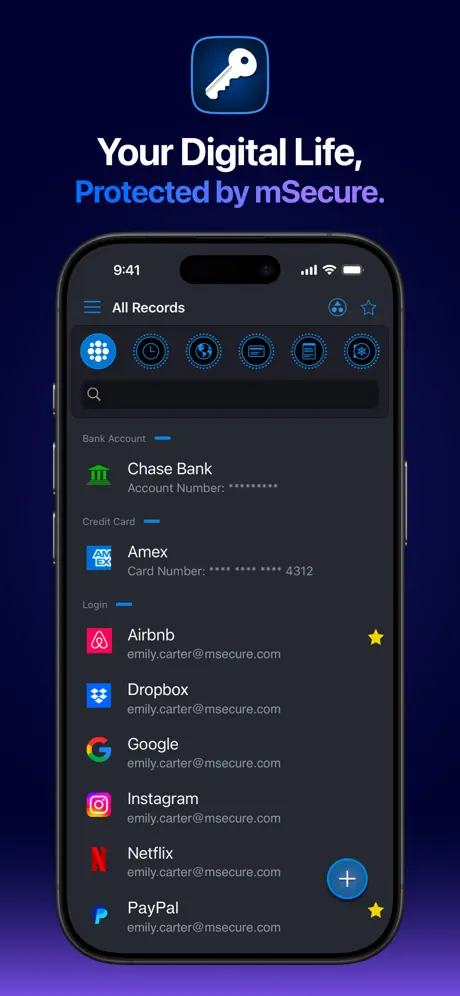
How much does mSecure: Password Manager cost?
Prices are current as of 6 Oct 2026.
8 subscriptions from $1.49
In the United States, mSecure: Password Manager has 8 subscriptions priced $1.49 – 59.99.
| Subscription | Period | Price |
|---|---|---|
| Premium Monthly Upgrade | Monthly | $1.49 |
| Essentials Monthly | Monthly | $1.99 |
| Premium Monthly | Monthly | $2.99 |
| Family Monthly | Monthly | $5.99 |
| Premium Yearly Upgrade | Annual | $14.99 |
| Essentials Yearly | Annual | $19.99 |
| Premium Yearly | Annual | $29.99 |
| Family Yearly | Annual | $59.99 |
See what mSecure: Password Manager costs in all 175 countries →
10+ alternatives to mSecure: Password Manager
| mSecure: Password Manager |   Keeper Password Manager Keeper Password Manager |   Dashlane Password Manager Dashlane Password Manager |   SecureSafe Password Manager SecureSafe Password Manager |   RoboForm Password Manager RoboForm Password Manager |   Password Manager - Safe Lock Password Manager - Safe Lock |   Password Manager' Password Manager' |   Password Manager: Safe Password Manager: Safe |   Enpass Password Manager Enpass Password Manager |   My Passwords Manager My Passwords Manager |   Password Safe Manager & Vault Password Safe Manager & Vault | |
|---|---|---|---|---|---|---|---|---|---|---|---|
| Rating / 5 | 4.8 | 4.9 | 4.8 | 4.8 | 4.7 | 4.4 | 4.4 | 4.7 | 4.3 | 4.7 | 4.7 |
| Reviews | 82K | 309K | 220K | 77K | 72K | 60K | 26K | 20K | 9.6K | 9.5K | 8.7K |
| Released | 2017 | 2019 | 2012 | 2010 | 2009 | 2019 | 2015 | 2014 | 2011 | 2018 | 2018 |
| Monthly price | $1.99 | — | $6.99 | — | — | $9.99 | — | $4.99 | — | — | $1.49 |
| Annual price | $19.99 | $42.99 | $64.99 | — | $29.99 | $29.99 | — | $23.99 | $23.99 | — | $11.99 |
| One-time price | — | — | — | — | — | — | $5.99 | $7.99 | $49.99 | $9.99 | $29.99 |
The going rate for each plan in United States, in its own currency, shaded from the cheapest price on the row to the dearest. Plans fewer than four in ten of the priced apps sell are left out.
mSecure: Password Manager reviews
4.8 out of 5, based on 82,141 reviews.
What people like
- Seamless sync across all your devices
- Highly secure and reliable for years
- Modern interface with great customization options
What they complain about
- Forced subscription model angers past buyers
- Sync via Dropbox no longer supported
- Many features locked behind paywall now
Muy buena app para contraseñas
La he usado por años en MacOs, iOS, Windows y Android. Bastante útil y segura. La recomiendo mucho.
Ya NO la recomiendo
Tenia la PRO 5, ahora ya no se que tengo, “essentials acount”, “30 Premium TRIAL”. La app se actualizo ya a la version 6, me cambiaron la interface y ahora ademas pretenden seguir la politica de “rentar la app” ? . Saquen otra version de renta en lugar de meter a todos los q compramos su app, en su modo PREMIUM TRIAL y pongan las diferencias que hay entre los que COMPRAMOS la version PRO 5 y su servicio de renta. Aaa y ademas me cambian la interface. 😒
Excelente App
Está genial la app, tengo el registro de todas mis cuentas y contraseñas
Opciones limitadas
Muchas cosas solo están disponibles con la versión de paga
Muy práctica y segura
Me ha resultado ser una socia práctica y segura
No suscripciones
Hubieran creado una nueva app y no una actualización de la ya existente para que los que habíamos comprado la app no tuviéramos que estar usando un producto con funcionalidades “premium” que están ahí visibles pero no podemos usar hasta pagar extra. PÉSIMA DECISIÓN DE CARA AL USUARIO. En esta caso será mejor 1password.
Queja
Tenía una versión que adquirí hace algunos años, quiero poner en la nube, pero ahora me dicen que compré la pro, antes no era así
Indispensable
Es una herramienta necesaria en el control de datos y seguridad de cuentas.
Pesimo que vuelvan a cobrar
Tenía mi app msecure comprada y ahora con esta nueva actualización me quieren volver a cobrar es un robo.
Muy funcional
Me encanta la aplicación es muy funcional, muy segura y me da todas las variables que necesito para guardar información confidencial
Cuantas veces la van a vender ???
Esta aplicación ya se había comprado y Ahora la VUELVEN A VENDER. A los usuarios que ya pagamos por ella no se vale que tengamos que pagar otra vez por ella, ya que es muy fácil decir que una aplicación ya no va a recibir actualizaciones y volverla a vender. Que poca seriedad de los desarrolladores y de quienes manejan la tienda de apple. This application had already been purchased and Now they ARE SELLING IT AGAIN. To users who already pay for it it is not worth that we have to pay again for her, since it is very easy say that an application will no longer receive updates and resell it. That little seriousness of the developers and of those who run the Apple store.
Confiable y práctica
Esta es mi aplicación preferida para guardar y organizar las contraseñas con la gran ventaja de poderlas pasar del dispositivo anterior al nuevo (con el respaldo de iCloud) comprando la versión PRO. Llevo años usándola, pasando de un iPhone a otro y no me ha fallado ni una vez. La recomiendo mucho.
No piensan en sus clientes
Compre la versión 4 y ya no puedo bajarla de nuevo, tengo que volver a comprar su pago “único”, seguro así será cuando salga la versión 6
BUENÍSIMA APP
Es una forma muy segura y confiable para tener toda mi información confidencial.
Respuesta
Al principio guardaba fotografía y luego suspendió, si se compra otra nueva versión van hacer lo mismo, y no dice si el coste es total o cada mes???
Imprescindible.
En este mundo donde tenemos que generar cuentas y contraseñas para mil cosas, tenerlas en un sólo lugar, de forma segura y bien organizada es indispensable. La sincronización entre diversos dispositivos ayuda mucho a tener siempre actualizada la información. Muy buena relación de costo-beneficio.
No guarda los datos
Compré hoy la “App”,cuesta $596 pesos y como nota.... NO guarda todos los datos ingresados.Cuando ya habia “guardado” porlonenos 15 de los 48 restantes me doy cuenta que SOLO guarda los títulos de algúnos registros PERO NO LOS DATOS ingresados y tratando de reingresarlos no los guarda.Que mala “App” para lo que promete y cuesta para los usuarios YA EXISTENTES.....es un completo robo y fraude PORFAVOR NO LA COMPREN.La versión anterior que afortunadamente tengo funciona al 100%.
Great secure app
This version is awesome i use it every day. From now i have 3 years with the app. I use wifi sync thru my devices. For me its a must have!!
Se bloquea y sale
Se me ha bloqueado demasiado en mi nuevo Iphon XS no puedo accesar a mi información ya estando dentro de la aplicación y haber iniciado sesión.
Lo que buscaba
Lo mejor es la sincronización con la pc y la nube, y la interfase moderna. También permite anexar fotos y fácilmente modificar plantillas además con campos de diferentes tipos. He probado demasiadas aplicaciones y esta es la que mejor cumple con todo lo que quiero de esta aplicación de pwds
No se vale
Esta bien que se actualicen y tengan mejoras, sin embargo igual prometieron “pago único” con la versión pro anterior y la compré, y ahora habrá que seguir comprando actualizaciones. No se vale. Consideren la lealtad y antigüedad de los primeros clientes.
Excelente
Muy buena aplicación para manejar contraseñas y datos personales, muy recomendable.
No sync con Dropbox
Le quitaron la posibilidad de sincronizar via dropbox que era lo que la hacia atractiva, asi ya no me sirve para nada.
mSecure: Password Manager price by country
A monthly subscription costs $0.57 in Egypt and $2.89 in Colombia — 5× more for the same thing. Below is the going rate for each plan in every country that sells it — the middle price of what the app charges there, in the country's own currency with the dollar equivalent beneath it.
| Country | Monthly | Annual |
|---|---|---|
| Afghanistan | $1.99 | $19.99 |
| Albania | $2.39 | $23.99 |
| Algeria | $1.99 | $19.99 |
| Angola | $1.99 | $19.99 |
| Anguilla | $1.99 | $19.99 |
| Antigua And Barbuda | $1.99 | $19.99 |
| Argentina | $1.99 | $19.99 |
| Armenia | $1.99 | $19.99 |
| Australia | A$2.99$2.08 | A$30.99$21.52 |
| Austria | €1.99$2.31 | €21.49$24.99 |
| Azerbaijan | $1.99 | $19.99 |
| Bahamas | $1.99 | $19.99 |
| Bahrain | $1.99 | $19.99 |
| Barbados | $1.99 | $19.99 |
| Belarus | $1.99 | $19.99 |
| Belgium | €1.99$2.23 | €21.49$24.09 |
| Belize | $1.99 | $19.99 |
| Benin | $1.99 | $19.99 |
| Bermuda | $1.99 | $19.99 |
| Bhutan | $1.99 | $19.99 |
| Bolivia | $1.99 | $19.99 |
| Bosnia & Herzegovina | €1.99$2.23 | €21.49$24.09 |
| Botswana | $1.99 | $19.99 |
| Brazil | R$10.90$2.17 | R$112.90$22.49 |
| British Virgin Islands | $1.99 | $19.99 |
| Brunei Darussalam | $1.99 | $19.99 |
| Bulgaria | €1.99$2.23 | €20.99$23.53 |
| Burkina Faso | $1.99 | $19.99 |
| Cambodia | $1.99 | $19.99 |
| Cameroon | $1.99 | $19.99 |
| Canada | CA$2.49$1.74 | CA$25.49$17.83 |
| Cape Verde | $1.99 | $19.99 |
| Cayman Islands | $1.99 | $19.99 |
| Chad | $1.99 | $19.99 |
| Chile | CLP 1,900$1.92 | CLP 19,500$19.72 |
| China | CN¥13.00$1.94 | CN¥128.00$19.08 |
| Colombia | COP 9,500$2.89 | COP 94,900$28.88 |
| Congo | $1.99 | $19.99 |
| Congo, Democratic Republic | $1.99 | $19.99 |
| Costa Rica | $1.99 | $19.99 |
| Cote Divoire | $1.99 | $19.99 |
| Croatia | €2.25$2.52 | €22.56$25.29 |
| Cyprus | €1.99$2.23 | €21.49$24.09 |
| Czech Republic | CZK 59.00$2.71 | CZK 549.00$25.17 |
| Denmark | DKK 16.00$2.40 | DKK 165.00$24.74 |
| Dominica | $1.99 | $19.99 |
| Dominican Republic | $1.99 | $19.99 |
| Ecuador | $1.99 | $19.99 |
| Egypt | EGP 29.99$0.57 | EGP 309.99$5.91 |
| El Salvador | $1.99 | $19.99 |
| Estonia | €1.99$2.23 | €21.49$24.09 |
| Fiji | $1.99 | $19.99 |
| Finland | €1.99$2.23 | €21.49$24.09 |
| France | €1.99$2.23 | €21.49$24.09 |
| Gabon | $1.99 | $19.99 |
| Gambia | $1.99 | $19.99 |
| Georgia | $1.99 | $19.99 |
| Germany | €1.99$2.23 | €21.49$24.09 |
| Ghana | $1.99 | $19.99 |
| Greece | €1.99$2.23 | €21.49$24.09 |
| Grenada | $1.99 | $19.99 |
| Guatemala | $1.99 | $19.99 |
| Guinea-bissau | $1.99 | $19.99 |
| Guyana | $1.99 | $19.99 |
| Honduras | $1.99 | $19.99 |
| Hong Kong | HK$15.00$1.91 | HK$158.00$20.13 |
| Hungary | HUF 799$2.56 | HUF 8,290$26.52 |
| Iceland | $2.47 | $24.79 |
| India | ₹179.00$1.86 | ₹1,799.00$18.67 |
| Indonesia | IDR 29,000$1.62 | IDR 309,000$17.27 |
| Iraq | $1.99 | $19.99 |
| Ireland | €1.99$2.23 | €21.49$24.09 |
| Israel | ₪5.90$1.93 | ₪61.90$20.30 |
| Italy | €1.99$2.23 | €21.49$24.09 |
| Jamaica | $1.99 | $19.99 |
| Japan | ¥240$1.52 | ¥2,300$14.56 |
| Jordan | $1.99 | $19.99 |
| Kazakhstan | KZT 849.00$1.86 | KZT 8,490.00$18.61 |
| Kenya | $1.99 | $19.99 |
| Kosovo | €1.99$2.23 | €21.49$24.09 |
| Kuwait | $1.99 | $19.99 |
| Kyrgyzstan | $1.99 | $19.99 |
| Lao Peoples Democratic Republic | $1.99 | $19.99 |
| Latvia | €1.99$2.23 | €21.49$24.09 |
| Lebanon | $1.99 | $19.99 |
| Liberia | $1.99 | $19.99 |
| Libya | $1.99 | $19.99 |
| Lithuania | €1.99$2.23 | €21.49$24.09 |
| Luxembourg | €1.99$2.23 | €21.49$24.09 |
| Macao | $1.99 | $19.99 |
| Macedonia | $1.99 | $19.99 |
| Madagascar | $1.99 | $19.99 |
| Malawi | $1.99 | $19.99 |
| Malaysia | MYR 8.90$2.18 | MYR 89.90$21.98 |
| Maldives | $1.99 | $19.99 |
| Mali | $1.99 | $19.99 |
| Malta | €1.99$2.23 | €21.49$24.09 |
| Mauritania | $1.99 | $19.99 |
| Mauritius | $1.99 | $19.99 |
| Mexico | MX$49.00$2.71 | MX$499.00$27.55 |
| Micronesia | $1.99 | $19.99 |
| Moldova | $1.99 | $19.99 |
| Mongolia | $1.99 | $19.99 |
| Montenegro | €1.99$2.23 | €21.49$24.09 |
| Montserrat | $1.99 | $19.99 |
| Morocco | $1.99 | $19.99 |
| Mozambique | $1.99 | $19.99 |
| Myanmar | $1.99 | $19.99 |
| Namibia | $1.99 | $19.99 |
| Nauru | $1.99 | $19.99 |
| Nepal | $1.99 | $19.99 |
| Netherlands | €1.99$2.23 | €21.49$24.09 |
| New Zealand | NZ$3.49$1.95 | NZ$32.99$18.43 |
| Nicaragua | $1.99 | $19.99 |
| Niger | $1.99 | $19.99 |
| Nigeria | NGN 900.00$0.68 | NGN 8,900.00$6.69 |
| Norway | NOK 22.00$2.29 | NOK 225.00$23.46 |
| Oman | $1.99 | $19.99 |
| Pakistan | PKR 350$1.26 | PKR 3,500$12.63 |
| Palau | $1.99 | $19.99 |
| Panama | $1.99 | $19.99 |
| Papua New Guinea | $1.99 | $19.99 |
| Paraguay | $1.99 | $19.99 |
| Peru | PEN 7.90$2.30 | PEN 79.90$23.23 |
| Philippines | ₱99.00$1.58 | ₱999.00$15.95 |
| Poland | PLN 9.99$2.55 | PLN 102.99$26.34 |
| Portugal | €1.99$2.23 | €21.49$24.09 |
| Qatar | QAR 7.29$2.00 | QAR 72.99$20.05 |
| Romania | RON 9.99$2.10 | RON 104.99$22.06 |
| Russia | RUB 169.00$1.98 | RUB 1,790.00$21.02 |
| Rwanda | $1.99 | $19.99 |
| Sao Tome & Principe | $1.99 | $19.99 |
| Saudi Arabia | SAR 8.99$2.40 | SAR 84.99$22.66 |
| Senegal | $1.99 | $19.99 |
| Serbia | €1.99$2.23 | €21.49$24.09 |
| Seychelles | $1.99 | $19.99 |
| Sierra Leone | $1.99 | $19.99 |
| Singapore | SGD 2.98$2.33 | SGD 28.98$22.64 |
| Slovakia | €1.99$2.23 | €21.49$24.09 |
| Slovenia | €1.99$2.31 | €21.49$24.99 |
| Solomon Islands | $1.99 | $19.99 |
| South Africa | ZAR 34.99$2.10 | ZAR 369.99$22.22 |
| South Korea | ₩2,500$1.86 | ₩26,000$19.36 |
| Spain | €1.99$2.23 | €21.49$24.09 |
| Sri Lanka | $1.99 | $19.99 |
| St. Kitts and Nevis | $1.99 | $19.99 |
| St. Lucia | $1.99 | $19.99 |
| St. Vincent & The Grenadines | $1.99 | $19.99 |
| Suriname | $1.99 | $19.99 |
| Swaziland | $1.99 | $19.99 |
| Sweden | SEK 25.00$2.49 | SEK 229.00$22.81 |
| Switzerland | CHF 2.00$2.41 | CHF 20.00$24.07 |
| Taiwan | NT$60.00$1.89 | NT$600.00$18.87 |
| Tajikistan | $1.99 | $19.99 |
| Tanzania | TZS 4,500.00$1.70 | TZS 45,900.00$17.37 |
| Thailand | THB 69.00$2.05 | THB 669.00$19.86 |
| Tonga | $1.99 | $19.99 |
| Trinidad and Tobago | $1.99 | $19.99 |
| Tunisia | $1.99 | $19.99 |
| Turkey | TRY 32.99$0.67 | TRY 329.99$6.71 |
| Turkmenistan | $1.99 | $19.99 |
| Turks and Caicos | $1.99 | $19.99 |
| Uganda | $1.99 | $19.99 |
| Ukraine | $1.99 | $19.99 |
| United Arab Emirates | AED 7.99$2.18 | AED 77.99$21.25 |
| United Kingdom | £1.79$2.37 | £17.99$23.80 |
| United States | $1.99 | $19.99 |
| Uruguay | $1.99 | $19.99 |
| Uzbekistan | $1.99 | $19.99 |
| Vanuatu | $1.99 | $19.99 |
| Venezuela | $1.99 | $19.99 |
| Vietnam | ₫45,000$1.73 | ₫449,000$17.29 |
| Yemen | $1.99 | $19.99 |
| Zambia | $1.99 | $19.99 |
| Zimbabwe | $1.99 | $19.99 |
mSecure: Password Manager FAQ
- Is mSecure: Password Manager free?
- Yes. The app and its basic features are free, in all 175 countries it sells in. Premium features are paid: they start from $1.49 (US), across 8 subscriptions.
- How much does mSecure: Password Manager cost per month?
- Essentials Monthly is $1.49 – 5.99 (US). The annual plan works out cheaper per month: $14.99 – 59.99 a year.
- Does mSecure: Password Manager have a free trial?
- No. None of its offers (US) come with a free trial.
- Where is mSecure: Password Manager cheapest?
- A monthly subscription costs EGP 29.99 (≈$0.57) in Egypt and COP 9,500 (≈$2.89) in Colombia, its cheapest and dearest countries.
- What are the best alternatives to mSecure: Password Manager?
- Keeper Password Manager (4.9 from 308,673 reviews, premium from $13.99), Dashlane Password Manager (4.8 from 220,008 reviews, premium from $6.99) and SecureSafe Password Manager (4.8 from 76,824 reviews).
mSecure: Password Manager download
Last updated 1 month ago.
mSecure: Password Manager sells in 175 countries. It was released 9 years and 4 months ago, on 15 May 2017. It holds a 4.8 rating from 82,141 reviews.
Supports 5 languages: English, French, German, Italian, Spanish.
How much does mSecure: Password Manager make?
Third-party estimates for the last 30 days, worldwide — not the store's own figures, which Apple publishes for nobody.
Revenue by plan
- Monthly 60%
- Annual 40%
Revenue by country
- United States 69%
- United Kingdom 5%
- Canada 4%
- Australia 4%