
Epson DocumentScan
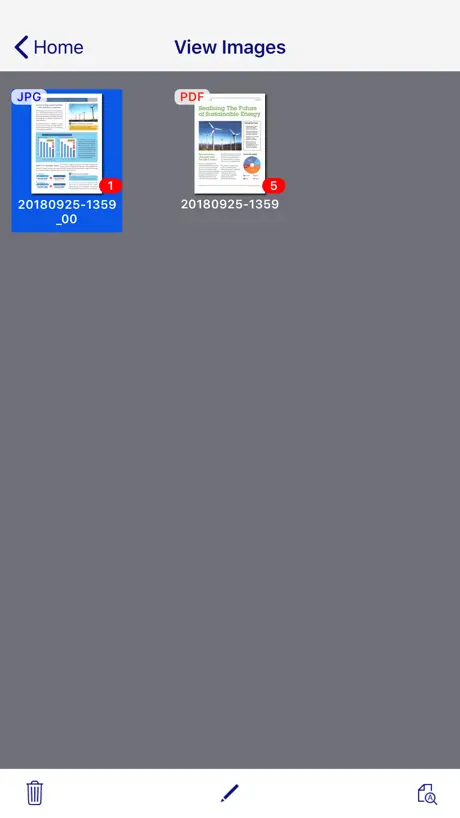
How much does Epson DocumentScan cost?
Prices are current as of 7 Sept 2026.
Epson DocumentScan has no in-app products on record in the United States.
10+ alternatives to Epson DocumentScan
| Epson DocumentScan |   My Cloud Home My Cloud Home |   RealVNC Viewer: Remote Desktop RealVNC Viewer: Remote Desktop |   Synology Drive Synology Drive | 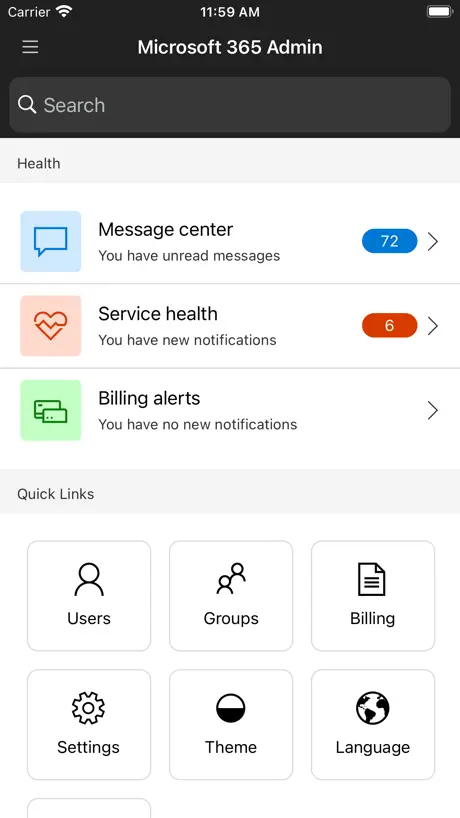  Microsoft 365 Admin Microsoft 365 Admin | 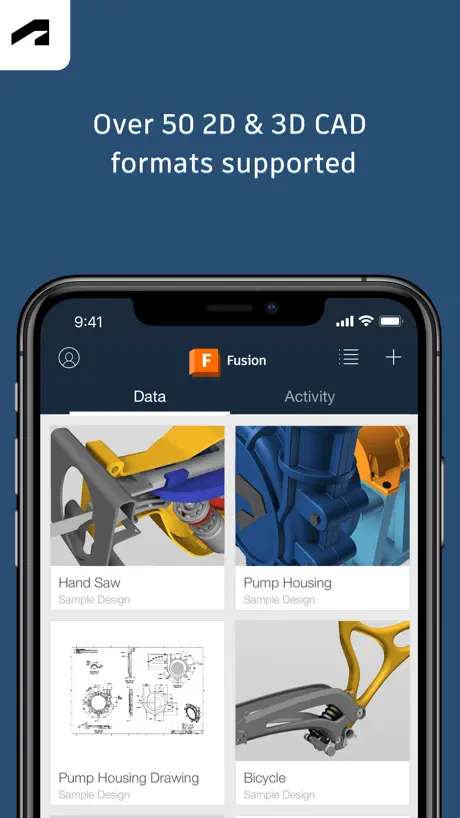  Autodesk Fusion Autodesk Fusion |   Air Printer App Air Printer App |   Yubico Authenticator Yubico Authenticator |   Xerox® Workplace Xerox® Workplace |  Logi Options+ Mobile Logi Options+ Mobile |   UniFi Design UniFi Design | |
|---|---|---|---|---|---|---|---|---|---|---|---|
| Rating / 5 | 2.0 | 4.7 | 4.8 | 4.5 | 4.6 | 4.6 | 4.2 | 3.7 | 4.1 | 2.5 | 4.3 |
| Reviews | 318 | 62K | 61K | 39K | 21K | 16K | 9.2K | 868 | 726 | 602 | 6 |
| Released | 2014 | 2017 | 2010 | 2017 | 2013 | 2015 | 2022 | 2019 | 2012 | 2020 | 2024 |
| Weekly price | — | — | — | — | — | — | $3.99 | — | — | — | — |
| Annual price | — | — | — | — | — | — | $19.99 | — | — | — | — |
| One-time price | — | — | — | — | — | — | $9.99 | — | — | — | — |
The going rate for each plan in United States, in its own currency, shaded from the cheapest price on the row to the dearest.
Epson DocumentScan reviews
2.0 out of 5, based on 318 reviews.
What people like
- Works great with compatible Epson scanners
- Connects easily without a router
- Saves time scanning documents quickly
What they complain about
- Hard to connect via WiFi
- Can't save directly to iCloud
- No bulk file selection or export
- Missing text recognition (OCR) feature
Funktionierte auf Anhieb
Ich verstehe die schlechten Bewertungen nicht. Die App funktionierte problemlos auf Anhieb mit meinem Epson ES-300W. Die App scheint speziell für die Dokumentenscanner von Epson gemacht zu sein. Der Link in der Beschreibung listet die unterstützten Modelle.
Improve connection stability
Es60w don’t work
悪くはないけど
仕事で資料のスキャンに使用しています。 主にiPadでアプリを使用しています。 2点、 1.スキャンした資料の複数選択ができるように改善をお願いしたいです。 PCや他の方に共有する際、1つ1つ共有しないと出来ないので、かなり面倒です。 2.スキャン中の資料の不要ページの削除をできるようにしてほしい。 使用してて気になったのは今のところこれくらいです。 改善されることを切に願います。
Skew & fill settings?
No way of choosing the fill colour for edges from black or correcting skew when using a portable scanner..
Ist ok
ES-60W mit iPad Pro Die Einrichtung per WPS ist gelungen. Es ist zwar ein wenig umständlich aber es funktioniert. Ich musste den Scanner mit dem beiliegenden „Calibration Sheet“ neu kalibrieren. Auch das geht in der App. Das man als Speicherort der Scans aber nur In-App wählen kann finde ich schlecht. Gerne würde ich die Scans direkt an einem anderen Speicherort speichern.
2 minutes set up
I need this app and scanner to scan art canvases and within minutes I had it up and running and my art is all now uploaded and ready for digital exploration amazing and easy to use
ES-60W
This used to work great. With my iPhone 17 Pro, it does not work, at all. It direct connects, but when trying to scan, it's looking for the scanner, and eventually says "cannot find scanner". When it takes me to the support page, it says iOS 14. What?!? We're on iOS 26. This might need to be updated!!
À quand une version pour macOS ?
Cela éviterait d’avoir à installer tout un tas de Drivers inutiles…
Not great on iPhone
Had to turn off cellular data for this app to make it work properly with an iPhone. Only figured this out reading someone else’s review
Works so far , missing key feature
I was hoping you wouldn’t need the desktop app. Unfortunately, there’s no way to OCR document here. Please Give it OCR support.
RR70W connection issues
I received my scanner thinking it will connect automatically. Not realizing I had to do several things to have it connected without the router from home or the Wi-Fi. It was very frustrating. The lack of instructions how to troubleshoot connectivity would make a person return the scanner and call it a day. Thank goodness for persistence. After reading some of the reviews that people are having the same issues with similar scanners and their troubleshooting attempts have helped me tremendously. Thank you!!! These should be added to the manual. I know this is not the Epson website but reading your reviews helped me to connect my scanner. Thank you again!!! Now to leave a review on Epson site..lol have a great day 😊
Garbage. Don’t bother
Won’t connect via WiFi or hardwired. Do yourself a favor and return the hardware.
Fonctionne très bien
J’ai acheté un mini scanner EPSON Wifi j’ai téléchargé cette application, très simple d’utilisation, mon iPhone a détecté immédiatement le wifi du scanner et je peux scanner de mon téléphone les fichier transformés en pdf sans avoir besoin de passer par un PC....
Horrible User Interface and Features
I scan everything! So I thought that the concept of being able to scan my work receipts and send them to Dropbox with any of my devices was a brilliant idea. NOT! The mechanics of scanning works fine. But the number of steps involved in just getting the document to be saved to this painfully inefficient apps is absurd. Once the scanning is done the files are essentially stuck in the Files section of the app unless you have a lot of time and patience to move them. And when I was trying to put them in Dropbox I was getting errors and had to resort to sending them by AirDrop to my MacBook and then to Dropbox. My motivation to stay with the Epson portable scanner just decreased monumentally. Epson can certainly make a more user friendly app to go with their hardware.
Once you turn off cellular it works
So a lot of people saying it’s not working. What works for my iPhone 13 max pro running 15.3.1 is to go into the settings tab then scroll down until you find the DocumentScan tab, turn off cellular. Then it should scan. Was very annoying cause you can connect to the scanner. But it would get stuck searching when you want to scan something.
EXCELLENT ignore low reviews.
I use this app 7-8 times each day without issue. I ❤️❤️❤️❤️❤️❤️❤️❤️❤️it!!! 1) I started using this app on a 7plus and just transitioned to an 11 Pro Max without issue. 2) I use this app on the road. The WiFi signal the scanner emits allows me to not need a hotspot #Yay 2a) So make sure you connect your phone to your scanner’s WiFi signal before trying to use it. The WiFi name is found on the back of your scanner. 3) Once you scan into the app, move the doc to Dropbox or some other similar app on your phone if you need to upload it. 4) I always buy Epson scanners and I tell everyone about this app! I do not work for Epson. This app is the THE best. 👍
Poorly Designed
Agree with other reviewers. This app is not useful. It is lacking several key features. I want to be able to save directly to the files app (vs saving each scan individually), I want to be able to use the full DPI settings on my scanner (FF-680W can do 600 DPI, this maxes out at 300), and I want the features from the desktop app like automatic double side detection, searchable PDFs, etc. Wish epson took this more seriously.
Funktioniert bisher
Es funktioniert für meinen neuen EPSON DS-80W, Die Funktionsumfang ist limitiert und könnte mehr sein. Aber was soll man sagen, ich kann am iPad einscannen und mit andere apps bearbeiten.
Pretty much useless
Don’t bother with the app unless they update it or you will spend countless hours for nothing! I purchased the fastfoto scanner to scan thousands of photos but it you use you choose to scan them to your ipad or iphone there is no way to share them with this app.
IOS Issues
Tried to use the App with my iPad and IPhone on two different ES300W scanners. I had the same issues everyone else is reporting. Was able to find the scanner and set up but unable to scan. The app would say that it was searching for scanner. Contacted Tech Support and they were unable to help offering a replacement. The Lady said that the only reason this issue happens is because of a VPN. Mine were turned off. Continued to troubleshoot on my own and found out finally that if you have a connected IPhone the cellular data disrupts the connection. Turned off Cellular data, and power cycled both devices and was able to connect both IPad and the IPhone. Once connected found that I could turn cellular data back on and go into settings - DocumentScan app and turn off Cellular data connection there. Issue resolved. Hope this helps. Now I completely love my ES-300W
좋음
잘작동됨
Does not work with iPhone 17
When will an update occur to work with new iPhone 17?
Funktioniert mit DS-360W
Also, in Anbetracht der zahlreichen negativen Bewertungen, die fast ausschließlich Beschwerden wegen fehlender Scanner-Unterstüzung darstellen, möchte ich die App mit ihren Funktionen kurz bewerten. Klar, es ist frustrierend, wenn nur wenige Scanner unterstützt werden, allerdings ist der DS-360W sicherlich kein völlig veraltetes Modell und ich wusste beim Kauf, dass es diese dafür passende App gibt. In den wichtigsten Punkten funktioniert sie super inkl. Doppelseiten-Scan mit Auslassen leerer Seiten. Es fehlen mir aber doch einige wichtige Funktionen, um wirklich produktiv und effizient damit arbeiten zu können: - Texterkennung (OCR), was mir arg fehlt und doch zig Foto-Scanner-Apps auch mitbringen. Sollte doch machbar sein, notfalls als In-App-Kauf. Geht somit leider nur am Rechner. - Qualitätseinstellungen für die PDF-/JPG-Ausgabe - Alternative Speicherorte (iCloud) zu nur In-App - Datei-Browser ist sehr rudimentär. Er sollte eine Mehrfachauswahl und direkte Weitergabe eines und mehrerer Dokumente an andere Apps aus der Übersichtsseite erlauben. Aktuell muss ein Dokument erst einzeln geöffnet werden, um es dann weiterleiten zu können, z.B. an andere Apps oder zum Speichern bspw. in der iCloud. Zu umständlich und zeitraubend... - Wünschenswert wären natürlich weitere aus Epson Scan am Rechner bekannte Funktionen wie die automatische Schräglagenkorrektur, Bildeinstellungen (Helligkeit, Gamma, Kontrast, Text optimiert...)
Please update for iPhone
My new iPhone 11 Pro Max don’t work with this apps. Got it to scan once and then it doesn’t find the scanner even though the scan is connected. Please update this apps please. Thank you
Very Limited. Not worth using.
Stable but that’s it. The app offers no image tweaking— if it guesses exposure or colors wrong, there’s no fixing it. For these reasons I ended up with a better “scan” using TurboScan and my iPhone’s camera.
Works very good!
Have no problem at all with this scaner and the APP. Every time it saves me time scanning my docs and saving in PDF format. Wish I could have bought it before expending in others scanners that I have thrown in the garbage.
Does not scan size set
ES-300W size set to 8 1/2 x 11. Dumb software still try’s to do auto scan and does not properly scan documents with black line or odd shaped with holes. Scan correct size when a size is specified, do not do an auto size
Just a few missing features
The app is a bit outdated but it does the main function - scanning. But I think there are just 2 minor features missing to dramatically improve batch scans: 1. Exporting multiple files at once. Storing photos one by one to a cloud storage is extremely painful 2. Adding an option to scan another document after saving scanned file. Now it jumps to files folder that adds multiple clicks to start scanning new document. Please add these features and I think the app would be well enough for all my needs.
Spinning ..
I have documents that I used through this scanner as library or something I can go back to. But if I delete and redownload the app I lose everything I scanned previously. I saw a comment from two years ago and very disappointed to see EPSON hasn’t rectified this defect/issue . I’m a Mobile Notary for the state of Pennsylvania and no having any options. I have docs that I NEED to scan back immediately and this cuts into my window time to scan back if it’s gets stuck. My experience starting was good , but this feature is a CON for my profession.
Works perfectly
Too easy with the 60W, connect WiFi and scan every page into a pdf on your phone, double tap the file and email to yourself or anyone.
It just doesn’t work.
My phone connects and then doesn’t let me scan anything
Readable PDF?
Warum kann vom Handy kein PDF mit erkennbarem Text erzeugt werden, auf dem pc kann man das als readable PDF einstellen. Wieso kann man den Speicherort in der App nicht auf iCloud oder eine andere Cloud abändern?
Works fine for me
Not sure what issues the other reviewers are having (or if they’re previous versions of the app) but it works ok on my iPhone & iPad. It’s quite basic & simple, but it works. One thing it does need is the ability to save to places other than the app itself. The interface suggests it should be possible, but I can’t find any setting that allows me to change the default or add new destinations, like Dropbox. I have to go into the files section, open the newly scanned document and then share it using the share sheet. Again, it works, but it’s clunky
Neue Version? Tut genau, was sie soll!
Vielleicht liegt’s an einer neuen Version: die App funktioniert bei mir perfekt! Scans auf iPhone per WLAN, super easy einzurichten, alle Parameter steuerbar inkl. Duplex, PDF, dpi... iPhone 6 iOS 10, DS -360W. Ok, die App sieht etwas oldfashioned aus, aber funktioniert!
Unreliable
I try using it as rarely as possible because it’s way too unreliable. Very frustrating. It can’t find the right wifi, I start and restart both devices (phone & scanner) multiple times. When it finally catches the wifi - it can’t find a scanner! I start and restart and reset it all again. No wifi or no scanner are found! Finally, 40 min later, I got them both working but then it stopped scanning after 4th page because I drained all the batteries while trying to get it to work although it was charging all night. What a garbage. Waist of time, waist of money, waist of my nerves.
ポンコツアプリ
アクセスポイントを経由しての接続は必ず失敗 機械は良くてもそれを扱うアプリがゴミで総合評価を下げる 本当に残念 時代に取り残されてる
파일 저장이 앱에만 가능하네요
아이패드 ios 12.1.1 로 올라간 뒤론 본체 저장이 안되네요.. 확인 부탁드려요.. Ds-40 사용 중입니다.
Seems fine
Check your scanner is on the list, follow instructions to link to wifi. Seems to work - so far. Maybe has changed since others reviewed poorly - scanner list is obvious; mine was there, pushed the right buttons at the right time.
Unbelievably bad
Really I don’t think it can get worse than this app and this scanner !!
L'idée est bonne, le résultat beaucoup moins
Application crash au moment ou je recherche mon scanner ! A revoir
Works but limited
Options to save to the app or camera roll is nice, but the app doesn't let you sort or manage the apps very well. It also doesn't let you do bulk operations. I bought the Ds-40 and on my Mac, it allows you to scan up to 1200 dpi, but on the mobile app, it only lets you go up to 300 dpi. Why limit this functionality for smart phones and tablets?
Works good (if you have the right scanner)
Only works with two scanners as I understand. Using this with a DS-560 it works well. Scans straight into your iPhone / iPad then into a cloud drive or whatever you want. Use only if you have a compatible scanner
Doesn’t work
I did the hokey pokey and turned things off and on and it simply doesn’t work.
Findet kein Scanner
Habe ein epson WF-2530 allinone, kann alles mit dem iPad und iPhone machen nur als Scanner wird's nicht erkannt!!!
Ok but iCloud Drive integration missing
Scan works, missing option to save files directly to icloud drive!
Epson DocumentScan FAQ
- Is Epson DocumentScan free?
- Yes. The app is free, in all 165 countries it sells in, and it sells nothing inside it.
- Does Epson DocumentScan have a free trial?
- No. None of its offers (US) come with a free trial.
- What are the best alternatives to Epson DocumentScan?
- My Cloud Home (4.7 from 62,158 reviews), RealVNC Viewer: Remote Desktop (4.8 from 60,752 reviews) and Synology Drive (4.5 from 38,918 reviews).
Epson DocumentScan download
Last updated 1 year ago.
Epson DocumentScan sells in 165 countries. It was released 12 years and 8 months ago, on 30 Jan 2014. It holds a 2.0 rating from 318 reviews.
Supports 11 languages: English, Dutch, French, German, Italian, Japanese, Korean, Portuguese, Russian, Chinese, Spanish.
How much does Epson DocumentScan make?
Third-party estimates for the last 30 days, worldwide — not the store's own figures, which Apple publishes for nobody.