
ZBrush - 3D Model Maker
Design, sculpt, blend & create
How much does ZBrush - 3D Model Maker cost?
Prices are current as of 16 Nov 2026.
5 subscriptions from $9.99
In the United States, ZBrush - 3D Model Maker has 5 subscriptions priced $9.99 – 89.99.
| Subscription | Period | Price |
|---|---|---|
| ZBrush Monthly | Monthly | $9.99 |
| Maxon Plus Starter | Monthly | $11.99 |
| Maxon Plus Creator | Monthly | $28.99 |
| Maxon Plus Pro | Monthly | $69.99 |
| ZBrush Annual | Annual | $89.99 |
See what ZBrush - 3D Model Maker costs in all 168 countries →
10+ alternatives to ZBrush - 3D Model Maker
| ZBrush - 3D Model Maker | 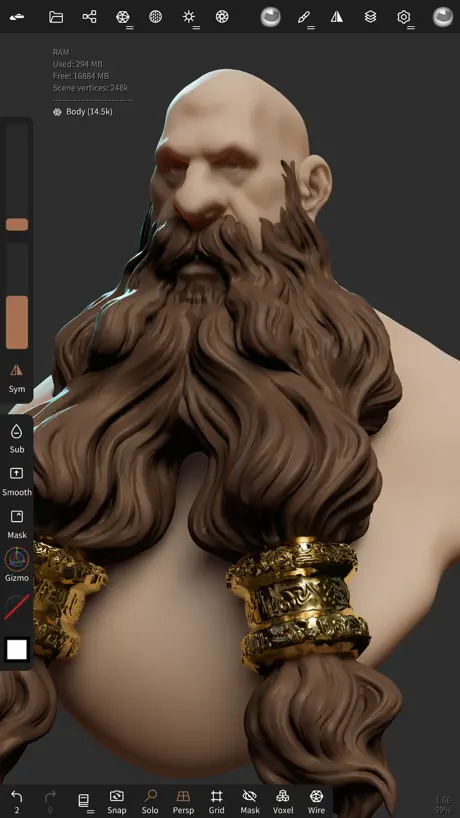  Nomad Sculpt | 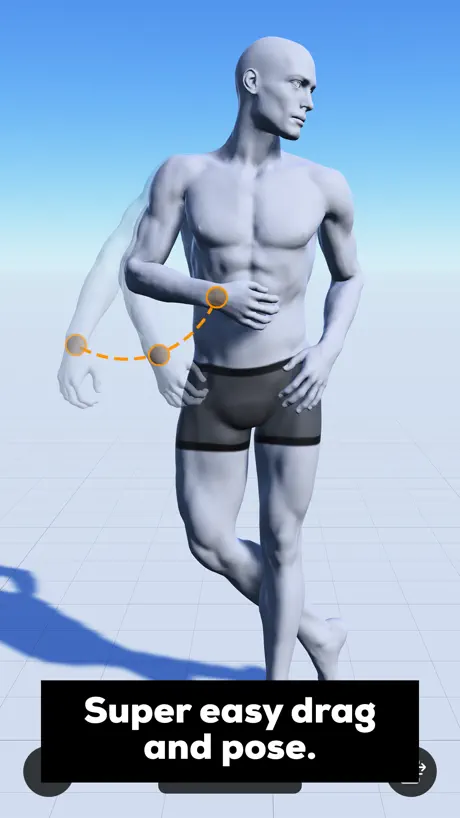  Magic Poser - Art Pose Tool |  Affinity Designer 2 for iPad |   3D Modeling: Blender Shapeyard |   Pixquare - Pixel Art Studio |   Head Model Studio - Art Study |   Resprite: pixel art studio |  ToonSquid |  Affinity by Canva |   AmberDraw: Animated Drawing | |
|---|---|---|---|---|---|---|---|---|---|---|---|
| Rating / 5 | 3.8 | 4.8 | 4.2 | 4.7 | 4.4 | 4.8 | 4.7 | 4.8 | 4.6 | 4.6 | 4.4 |
| Reviews | 1K | 65K | 56K | 22K | 14K | 10K | 9.4K | 5.6K | 3.2K | 1.5K | 1.2K |
| Released | 2024 | 2020 | 2016 | 2022 | 2018 | 2023 | 2020 | 2023 | 2022 | 2026 | 2024 |
| Monthly price | $11.99 | — | $14.99 | — | $14.99 | — | $9.00 | $1.99 | — | $18.00 | $1.99 |
| Annual price | $89.99 | — | — | — | $49.99 | — | $16.00 | $14.99 | — | $143.99 | $9.99 |
| One-time price | — | $15.99 | $4.99 | — | $99.99 | $12.99 | $23.00 | $24.99 | — | — | — |
The going rate for each plan in United States, in its own currency, shaded from the cheapest price on the row to the dearest. Plans fewer than four in ten of the priced apps sell are left out.
ZBrush - 3D Model Maker reviews
3.8 out of 5, based on 1,006 reviews.
What people like
- Full desktop power in a portable app
- Intuitive interface better than desktop version
- Great for sculpting anywhere on the go
What they complain about
- Keeps crashing and corrupting files
- Most features locked behind expensive subscription
- Exporting models requires paid upgrade
ZBrush is amazing
expensive but once you see its usage and capabilities you’ll get it. Still hurts every month for a hobbiest like me.
bugs
updated 8/24/26 - I have at least 30 corrupted files that refuse to open. Hours and hours of work that cannot be accessed due to these files just not opening. Autosave files often corrupt as well and is extremely unreliable. My ipad (M4 with 1tb of storage) overheats and dies within 4 hours of using the app. Good luck learning anything useful from the maxon zbrush support center or google because the desktop and ipad apps have the same name but different interfaces and capabilities, so you can't tell what any of the info pertains to. if you don't already use zbrush desktop, I would not recommend the ipad version. overall the app is a 0 star, simply because it does not work reliably and wastes endless time when your files wont even open anyway.
Wish they’d add…
Wish they’d add a panda to the game
Nice but too pricy
I got back to Nomad because finally, it doesn't offer more - and it's not cheap
Hard to use
It’s hard to use some of the items aren’t even labeled i DONT know how to but clothing and hair i DONT Know how to so anything really still good tho
Fantastic adaptation
ZBrush on iPad is so intuitive and fun to use. I’ve been addicted.
don’t get if you want to export it as a 3D file!!!
my macbook sucks and im trying to find alternative solutions to blender, and then i found this one. I wasted my time 3D modeling, downloaded it then i took it over to procreate then i realized.. I wasted my damn time for an image, maybe the actual export button is behind that paywall.
Really interesting but could be a little bit more user-friendly
Obviously, I know this isn’t nomad. This is supposed to be ZBrush and it has a much wider range of use cases and technical features and I really like that but often times a lot of the very fundamental features aren’t labeled I think if you just held over them and they would tell affect things that would be really helpful because sometimes I’m trying to tweak brush settings and I don’t really know what I’m doing
Good but not yet polished
A decent program that closely resembles the desktop version, which is a big advantage. However, there are several drawbacks that significantly affect the experience for me. The biggest issue is the subscription model. Since it is not a perpetual license, the app requires an internet connection to access all features. I specifically bought Portable ZBrush to use during long flights, so I was surprised to discover that many of the full features are unavailable offline. Another limitation is the inability to assign custom hotkeys to custom menus in the portable version. Custom menus simply do not appear in the list of assignable options. In addition, although you can assign hotkeys to existing menus, pressing the same hotkey again does not toggle the menu off, which feels very inconvenient. There is also an issue with selecting specific brushes while holding Ctrl or Ctrl+Shift on a keyboard. To choose a masking brush, you often need to tap it several times with the Apple Pencil before it works correctly. This problem does not occur when using the on-screen wheel or when selecting brushes with a finger. Overall, the app has strong potential and does a good job bringing the desktop ZBrush experience to iPad, but these usability issues make the workflow feel less polished than it could be.
Good but missing a lot of features needed for full workflow
Layers are missing and a lot of essential ZPlugins from the desktop version. Thought they would be patched in already but the app has been out for quite some time now.
Very nice.
Much easier and intuitive to use with a pro iPad than the desktop. Missing some features but hope those will come soon. Very good customization options (although the desktop is just as good in this respect). If you connect a keyboard you basically have a small desktop version. Being mobile is obviously the key advantage when using the iPad but the desktop does have some advantages. As iPads get more powerful and this app gets more features I can image the IPad version being preferable for many projects or workflows. As with the desktop version there is a big learning curve to using this app.
Horrible interface
No cloning option. No way to easily create instances. Can’t find anything I use in Nomad Sculpt. No way to subtract one object from another to create hollow object, etc., etc. Nonstandard terminology. Really hard to find useful tools and settings. Highly disorganized menus.
I really like this app! But..
This app is pretty fun and easy to use, but, how do I download the model as a stl??
Meh…medocrity be thy name.
Maxon has proven yet again that they rely on the name than providing features that make work efficient and still maintain high quality. Lack luster ui, confusing icons that explain nothing. Wonky haptic controls using your fingers. Combine that with an excessive subscription. Feels like a step backwards. I’ll stick to nomad which has a far more useful communicative ui and is priced well. Minus the need for a quad remesher as a separate purchase. Wake up, maxon, nomad is coming for you. Even the desktop is questionable with every iteration. I’m still using the desktop version of zbrush but that too is steadily coming to a close. Do better.
really adamant on having you buy a subscription
got the app for the sole purpose of making a model to upload into clip studio paint, but apparently you can't download your work as an actual model/file unless you pay $90 a year 😒 no thanks. other than that, it's fairly easy to use, and beginner-friendly
Amazing
I love this app, it has made learning Zbrush for the desktop an easier process and has helped me kick my learning and practice into overdrive. At first it was a lot of trial and error, same to be said for the desktop version, or any 3D software. Yet it has become second nature and something I use every day. I reach for my Ipad to sculpt and practice forms more than using my desktop lately. And when I do use the desktop version the same workflow, and options are all there, just a different UI for the most part. I am hyping this because though learning and practice with this app can be difficult and frustrating at times I have only benefitted from pushing through. I truly cannot sing its praises enough. As after going on a year now I am constantly learning new things and tools that compound and improve the use of it. Sure there are things I hope they improve, such as more customization, better documentation, and other minor things. However, if you work past the growing pains, if you are new or unfamiliar, you will be rewarded with S tier creative potential with this app. Happy sculpting!
Really!
Really you need to upgrade to color
Nearly there
I love sculpting in ZBrush. I’m fairly new to the app but am getting the hang of it. Selecting and deleting is slightly strange but this has always been the case in ZBrush. This is up there with the desktop software but is missing layers and tends to crash frequently when you push it (I have an M2 iPad Pro). It doesn’t like it if you select and isolate a section then try to save. All in all a good start.
Good but glitchy and annoying
Was making a character, then my entire Gizmo 3d glitched, and one object dragged everything.. I couldn’t move or place anything and move it without everything moving. how do I fix this??? I just lost all my progress because of the this one annoying bug, very sad
Needs fixed
It crashes constantly and has a lot of little bugs that need to be fixed. I have lost multiple sculpts that I’ve spent days on! If it weren’t for these issues, this app would be amazing!
The best, ignore the negative reviews.
As a desktop user of zbrush, this is next level, way more intuitive, having fun with zbrush again. Hope they keep supporting the app. I don’t understand the negative reviews, i don’t think they need to simplify, there is a learning curve but that does not justify the bad reviews, it’s an industry standard sculpting program, and will say its much more intuitive then most 3d programs that are not on iPad. If you don’t find it intuitive please dont leave bad reviews because your not willing to put in the time to learn, as a professional i want to see this keep getting supported and don’t wanna see this loose support because of peoples miss understanding of what this programs is.
Incredibly glitchy
Lost several hours of work due the crashes and inability to reload quick saves. Lost over 6 hours and will absolutely never trust this program or company. This is beyond unprofessional and a the tricks and tools are useless without basic file handling. This is like a bad beta can’t believe it’s public and subscription based?
Almost there
Needs Layers, and more features from the desktop version. Development seems a little slow for a subscription app, I've been paying $10 a month but haven't seen much improvement at all from initial release
A glorified trial
This is an amazing app that I enjoyed greatly, but I didn’t know that most of the important features are behind a paywall. I wanted to use this app to make 3-D models, that I can export to blender and unity to use in VR chat, but I can’t even export them to blender let alone export them at all, I can’t use crucial features like live boleen. this is essentially a 3-D scribble pad, not a program used for 3-D modeling creation.
No zmodler
Nice but no zmodller brush . Strange to leave out , it’s a very important tool
This app shocked me
This app is amazing in many different ways. First, it supports high polygon counts which is good if you import from Nomad to here. Second, I like the options (materials and brushes) and a little Lasso tool. However, I would like it if you added an option to import animations and edit it there. Thank you :)
Subscription model, made by the greedy to suck the artist dry
I tried looking for a permanent license for tablet, tried looking on desktop, none there either , there is none I do not recommend this app simply because of the subscription , this wasn’t made by artist for artists, if it was there would be a permanent license access. Easy to find easy to get. This isn’t a review for functionality since the free version doesn’t give you a full experience. So try it, but be warned it’s a subscription based model.
Great App
Hi, I actually like the app. Many of the features from the desktop version have been nicely adapted to the iPad version as well. It would be great if a layer feature could be added in the future. Besides that, I think there’s sometimes an issue with the two-finger undo gesture. Even if you tap twice, it may rotate the model or interact with the brush instead. It requires a very precise tap. Maybe I just haven’t mastered it yet. Other than that, I believe the app has great potential. It's clear that it will become much more stable over time. I’ll definitely be following its progress.
Reviews won’t work.
I spent 3 hours on a 3d sculpt of my mom for her birthday, then I had to do something. I pressed the save button, it said it saved, then closed the app. It did NOT save, and all my progress was gone. I had great faith in this app.
Very cool, but crashes.
I’ve been a graphic artist for a long time, but I’m new to digital sculpting. I thought I’d try this app because the price point is right and I read that the interface is easier to learn. I was experimenting with it for a day and suddenly it crashed and I had to reinstall the app because it wouldn’t open again. I’d like to upgrade, but I’m hesitant to pay for it until it becomes more stable.
ZBrush is great…sort of.
It’s nice, love how mostly everything works. I was able to make a model, but unfortunately I will no longer be using the mobile version. This has happened twice now, it refused to let me save. After trying many times, I had thought it saved, and went to the homepage. Next thing I know the entire project was gone, I was able to grab it back through a quick save that was old and I have lost basically all of my progress. Very frustrating.
Can’t export with free version, pointless
I really wish this app was more transparent about the features that are available for the free version. I downloaded this app when I saw that there was a free version. I spent multiple hours sculpting a model, and was extremely disappointed to learn that you are unable to export your model as a 3D file without paying for the subscription. This is absolutely ridiculous, and it makes the app completely pointless unless you have the paid version. Whole app is very not user friendly. Would not recommend.
Amazing but crashes a lot
I have the newest generation IPad with the highest memory. When getting into more detailed work, it tends to crash unexpectedly, specially when merging objects. Unfortunately, many times over it would crash when it saves progress, leading to a loss of work and or a corrupted file. Unsure how to fix this on my end, as I’ve tried to delete autosave data as this program will eat your memory away with all the auto saving it does. I have a pretty large model I’m still working on, but cannot finish as it constantly crashes when I want to merge or even move certain objects.
Would love to give this a higher Rating… But
This app crashes more often than not whenever I try to open lager sized files. It doesn’t matter if I turn off preloading, or anything. Even files that are only like a gigabyte in size causes it to crash when I try to load them. I have plenty of space on my iPad, so that is not the issue. The interface is also really difficult to navigate, and not super user friendly, in terms of explaining what stuff is supposed to do. I basically just use it at this point to open SMALL ZBrush files to export them as NOT ZBrush, since this app is booty.
Great App, But Missing a Key Feature for Sculpting
The app runs really smoothly and new ui is user friendly. I’ve been using ZBrush on desktop for 7 years and was excited for it to come to the iPad Pro. However, I’m disappointed that I can’t find the layers feature to record my sculpting or edit pre-recorded layers from my previous files. I rely on this for my daily workflow and hope to see it in future updates.
Worth It!
Really enjoy sculpting on the iPad! I can just pick it up and sculpt anytime, anywhere. Not quite as full-featured as the PC version (yet), but particularly with the addition of ZModeler it has pretty much everything I ever need. The interface is also very well designed. In fact I’m starting to prefer it over the PC interface.
Make boolean does nothing
“Make Boolean” does nothing making it impossible create a hole in an object. The process to make a hole in an object is ridiculously convoluted if it did work. Why is this so difficult to implement? I can easily put a hole in an object in Nomad Sculpt in an instant. On desktop it is easily done in Blender and 3d Coat in a second. Canceling my subscription. The devs response verifies how absurdly complex it is to do something that is simple in Zbrush alternatives.
They fixed a lotta bugs and added zmodeller!
Really love this app now, especially after the recent update adding most of the missing features from desktop. Mostly use this now, good stuff! hoping they imprive the texturing side of things, or add sculpting layers for non-destructive modelling.
Basic tools locked behind an expensive subscription
Good software however the fact that so many essential tools are put behind the subscription paywall limits learning and creativity severely. I would definitely be willing to pay a reasonable one off payment like nomad sculpt, but not £84.99 annually. Subscription bloat these days is very real and is a major turnoff.
Great but buggy
the app seems great but keeps crashing constantly using some of the in-app brushes like ScribeStandard and a few others on not even that high poly geo (800k), and keeps deleting my progress rendering it very much unreliable for me atm, so given this just got released i’m gonna hold off and wait until a few updates with hopes issues like constant random crashing get fixed in the future.
ZBrush on IPad
Getting ZBrush on my iPad Pro is exhilarating! I've been dreaming of this moment since my first encounter with it at Columbia College Chicago. Now, having ZBrush right at my fingertips on my iPad is a game changer—no more lugging around my Wacom tablet! It's been a while since I've delved into sculpting, and maintaining my groove as a character designer has been challenging. But now, with ZBrush on my iPad, I can take my creativity anywhere! I’ll never have to say, “I can't wait to finish my project” again! I’m sculpting anytime, anywhere! Huge shoutout and thanks to the team for bringing ZBrush to the iPad—this is a whole new level of artistic freedom! 🔥🔥🔥🔥🔥🔥❤️❤️❤️
Terrible just terrible
Bro I couldn’t even use the app or sign in don’t waist your time
It’s zbrush…
Transpose master randomly breaks but it’s pretty good.
Crash fest
Keeps crashing and is impossible to get work done, lack of support for this app too… I regret parting with my Wacom.
Going to be great, but not today.
It’s plain to see this is going to be fantastic but currently it’s buggy as hell
The creative app I’ve been waiting for!
ZBrush on iPad is quickly becoming my go-to modeling app. I’m using it more than the desktop version these days, and I’m loving the portability—it’s great being able to sculpt on the go. It’s incredible how the ZBrush team managed to bring the full power of the desktop experience to the iPad. It truly feels like ZBrush!
Subscriptions and can’t export files
Why is this even marked as free, call it a trial version since you basically can’t even use it for anything without paying for a subscription. I’m going to give nomad sculpt a try at least they offer a one time payment.
Smoking
I started learning 3D sculpting in Blender around September and switched to ZBrush when their iPad app launched. As a student, I got a full-year license for both the iPad and PC versions and followed Pablo Munoz’s Ultimate ZBrush Guide. I was blown away—I could do 99.99% of the tutorial on my iPad. The app is nearly identical to the full program, with features like DynaMesh, ShadowBox, ZRemesher, and Live Booleans, though ZModeler is still pending. Unlike using my iPad as a drawing tablet for Blender, I can sculpt entirely on my iPad and transfer projects to my PC if needed. My only gripe is that GoZ isn’t working; I’ve pinged my iPad from my PC and tested other apps, so it seems to be a server-side issue. For now, it’s a 4/5, but once fixed, it’s an easy 5/5
Works well but overpriced for basic features
Works great with better ui than desktop. Unfortunately it costs 50$ a month to use zmodeler brush and if you just buy ZBrush for iPad you can’t extrude a basic face. Bought an iPad just for ZBrush sculpting on my desktop sculpts while traveling but will likely return it as Maxon is way too greedy after buying pixologic as 50$ a month is insane unless you’re doing just random concept sculpting then you’d be fine with the 10$ a month sub I guess.
Good but buggy
Early day review but the 5 issues I’ve encountered so far are as follows: 1 - app kept crashing when subdiving a sphere to test subdiving limits. After multiple crashes I gave up. 2- UI menus kept glitching out and jump around in the screen.(restarting fixes the issue) 3 - sending files to desktop takes a few attempts to find my computer even with a high speed internet connection. ( after a few taps of export and closing the window it eventually shows ) 4 - after painfully importing multiple custom brushes 1 by 1, I closed the app, only to discover all the custom brushes had disappeared while displaying “unavailable” in the menu bars. ( By going through the tedious process of reimporting the brushes again and again and opening the menu customisation window it re-adds them to the bar… ) 5 - I keep getting asked to “upgrade” to use features like gos to pc, etc. even though I have the ZBrush pc bundle. ( Forcing me to logout of my account, and logging back in)
ZBrush - 3D Model Maker price by country
A monthly subscription costs $9.07 in Brazil and $18.06 in Colombia — 2× more for the same thing. Below is the going rate for each plan in every country that sells it — the middle price of what the app charges there, in the country's own currency with the dollar equivalent beneath it.
| Country | Monthly | Annual |
|---|---|---|
| Albania | $14.99 | $99.99 |
| Algeria | $11.99 | $89.99 |
| Angola | $11.99 | $89.99 |
| Anguilla | $11.99 | $89.99 |
| Antigua And Barbuda | $11.99 | $89.99 |
| Argentina | $9.99 | $89.99 |
| Armenia | $11.99 | $99.99 |
| Australia | A$19.99$13.51 | A$149.99$101.34 |
| Austria | €12.99$14.32 | €99.99$110.24 |
| Azerbaijan | $14.99 | $89.99 |
| Bahamas | $12.99 | $99.99 |
| Bahrain | $12.99 | $99.99 |
| Barbados | $14.99 | $99.99 |
| Belgium | €12.99$14.32 | €99.99$110.24 |
| Belize | $11.99 | $89.99 |
| Benin | $14.99 | $99.99 |
| Bermuda | $11.99 | $89.99 |
| Bhutan | $11.99 | $89.99 |
| Bolivia | $11.99 | $89.99 |
| Bosnia & Herzegovina | €12.99$14.32 | €99.99$110.24 |
| Botswana | $11.99 | $89.99 |
| Brazil | R$49.90$9.07 | R$499.90$90.89 |
| British Virgin Islands | $11.99 | $89.99 |
| Brunei Darussalam | $11.99 | $89.99 |
| Bulgaria | €12.99$14.32 | €99.99$110.24 |
| Burkina Faso | $11.99 | $89.99 |
| Cambodia | $12.99 | $99.99 |
| Cameroon | $14.99 | $99.99 |
| Canada | CA$14.99$10.48 | CA$119.99$83.91 |
| Cape Verde | $11.99 | $89.99 |
| Cayman Islands | $11.99 | $89.99 |
| Chad | $11.99 | $89.99 |
| Chile | CLP 12,990$13.05 | CLP 79,990$80.36 |
| China | CN¥68.00$10.18 | CN¥598.00$89.52 |
| Colombia | COP 59,900$18.06 | COP 399,900$120.57 |
| Congo | $14.99 | $89.99 |
| Congo, Democratic Republic | $11.99 | $89.99 |
| Costa Rica | $11.99 | $89.99 |
| Cote Divoire | $14.99 | $99.99 |
| Croatia | €12.99$14.32 | €99.99$110.24 |
| Cyprus | €12.99$14.32 | €99.99$110.24 |
| Czech Republic | CZK 299.00$13.51 | CZK 2,490.00$112.52 |
| Denmark | DKK 99.00$14.62 | DKK 799.00$118.02 |
| Dominica | $11.99 | $89.99 |
| Dominican Republic | $11.99 | $89.99 |
| Ecuador | $11.99 | $89.99 |
| Egypt | EGP 599.99$11.16 | EGP 4,999.99$93.04 |
| El Salvador | $11.99 | $89.99 |
| Estonia | €12.99$14.32 | €99.99$110.24 |
| Fiji | $11.99 | $89.99 |
| Finland | €9.99$11.15 | €99.99$111.60 |
| France | €9.99$11.15 | €99.99$111.60 |
| Gabon | $11.99 | $89.99 |
| Gambia | $11.99 | $89.99 |
| Georgia | $14.99 | $99.99 |
| Germany | €9.99$11.15 | €99.99$111.60 |
| Ghana | $14.99 | $99.99 |
| Greece | €12.99$14.32 | €99.99$110.24 |
| Grenada | $11.99 | $89.99 |
| Guatemala | $11.99 | $89.99 |
| Guinea-bissau | $11.99 | $89.99 |
| Guyana | $11.99 | $89.99 |
| Honduras | $11.99 | $89.99 |
| Hong Kong | HK$88.00$11.21 | HK$688.00$87.64 |
| Hungary | HUF 4,990$15.08 | HUF 39,990$120.86 |
| Iceland | $14.99 | $99.99 |
| India | ₹999.00$10.50 | ₹9,900.00$104.04 |
| Indonesia | IDR 229,000$12.57 | IDR 1,499,000$82.26 |
| Ireland | €12.99$14.32 | €99.99$110.24 |
| Israel | ₪39.90$12.43 | ₪299.90$93.43 |
| Italy | €12.99$14.32 | €99.99$110.24 |
| Jamaica | $11.99 | $89.99 |
| Japan | ¥1,500$9.47 | ¥13,000$82.11 |
| Jordan | $11.99 | $89.99 |
| Kazakhstan | KZT 4,990.00$11.02 | KZT 49,990.00$110.45 |
| Kenya | $14.99 | $99.99 |
| Kosovo | €12.99$14.32 | €99.99$110.24 |
| Kuwait | $11.99 | $89.99 |
| Kyrgyzstan | $12.99 | $99.99 |
| Lao Peoples Democratic Republic | $12.99 | $89.99 |
| Latvia | €12.99$14.32 | €99.99$110.24 |
| Lebanon | $9.99 | $89.99 |
| Liberia | $11.99 | $89.99 |
| Libya | $11.99 | $89.99 |
| Lithuania | €12.99$14.32 | €99.99$110.24 |
| Luxembourg | €12.99$14.32 | €99.99$110.24 |
| Macao | $11.99 | $89.99 |
| Macedonia | $11.99 | $89.99 |
| Madagascar | $11.99 | $89.99 |
| Malawi | $11.99 | $89.99 |
| Malaysia | MYR 59.90$14.65 | MYR 399.90$97.78 |
| Maldives | $11.99 | $89.99 |
| Mali | $11.99 | $89.99 |
| Malta | €12.99$14.32 | €99.99$110.24 |
| Mauritania | $11.99 | $89.99 |
| Mauritius | $14.99 | $89.99 |
| Mexico | MX$199.00$10.67 | MX$1,999.00$107.18 |
| Micronesia | $11.99 | $89.99 |
| Moldova | $14.99 | $99.99 |
| Mongolia | $11.99 | $89.99 |
| Montenegro | €9.99$11.01 | €79.99$88.19 |
| Montserrat | $11.99 | $89.99 |
| Morocco | $14.99 | $89.99 |
| Mozambique | $11.99 | $89.99 |
| Namibia | $11.99 | $89.99 |
| Nauru | $11.99 | $89.99 |
| Nepal | $14.99 | $99.99 |
| Netherlands | €12.99$14.32 | €99.99$110.24 |
| New Zealand | NZ$19.99$11.04 | NZ$149.99$82.87 |
| Nicaragua | $11.99 | $89.99 |
| Niger | $11.99 | $89.99 |
| Nigeria | NGN 19,900.00$14.72 | NGN 149,900.00$110.86 |
| Norway | NOK 149.00$15.57 | NOK 999.00$104.39 |
| Oman | $11.99 | $89.99 |
| Pakistan | PKR 3,500$12.64 | PKR 24,900$89.92 |
| Palau | $11.99 | $89.99 |
| Panama | $11.99 | $89.99 |
| Papua New Guinea | $11.99 | $89.99 |
| Paraguay | $11.99 | $89.99 |
| Peru | PEN 49.90$14.63 | PEN 349.90$102.61 |
| Philippines | ₱799.00$12.50 | ₱4,990.00$78.08 |
| Poland | PLN 49.99$12.50 | PLN 499.99$125.00 |
| Portugal | €12.99$14.32 | €99.99$110.24 |
| Qatar | QAR 39.99$10.99 | QAR 299.99$82.41 |
| Romania | RON 69.99$14.46 | RON 499.99$103.30 |
| Rwanda | $11.99 | $89.99 |
| Sao Tome & Principe | $11.99 | $89.99 |
| Saudi Arabia | SAR 49.99$13.33 | SAR 399.99$106.66 |
| Senegal | $14.99 | $89.99 |
| Serbia | €12.99$14.32 | €99.99$110.24 |
| Seychelles | $11.99 | $89.99 |
| Sierra Leone | $11.99 | $89.99 |
| Singapore | SGD 17.98$13.94 | SGD 129.98$100.76 |
| Slovakia | €12.99$14.32 | €99.99$110.24 |
| Slovenia | €12.99$14.32 | €99.99$110.24 |
| Solomon Islands | $11.99 | $89.99 |
| South Africa | ZAR 249.99$14.77 | ZAR 1,999.99$118.13 |
| South Korea | ₩19,000$14.22 | ₩129,000$96.56 |
| Spain | €9.99$11.15 | €99.99$111.60 |
| Sri Lanka | $11.99 | $89.99 |
| St. Kitts and Nevis | $11.99 | $89.99 |
| St. Lucia | $11.99 | $89.99 |
| St. Vincent & The Grenadines | $11.99 | $89.99 |
| Suriname | $12.99 | $99.99 |
| Swaziland | $11.99 | $89.99 |
| Sweden | SEK 149.00$14.80 | SEK 1,195.00$118.67 |
| Switzerland | CHF 10.00$11.92 | CHF 90.00$107.27 |
| Taiwan | NT$390.00$11.85 | NT$2,990.00$90.83 |
| Tajikistan | $12.99 | $99.99 |
| Tanzania | TZS 34,900.00$13.22 | TZS 249,900.00$94.66 |
| Thailand | THB 399.00$11.82 | THB 2,990.00$88.57 |
| Tonga | $11.99 | $89.99 |
| Trinidad and Tobago | $11.99 | $89.99 |
| Tunisia | $11.99 | $89.99 |
| Turkey | TRY 599.99$11.91 | TRY 3,499.99$69.49 |
| Turkmenistan | $11.99 | $89.99 |
| Turks and Caicos | $11.99 | $89.99 |
| Uganda | $14.99 | $99.99 |
| Ukraine | $14.99 | $99.99 |
| United Arab Emirates | AED 49.99$13.62 | AED 349.99$95.37 |
| United Kingdom | £11.99$15.84 | £89.99$118.88 |
| United States | $11.99 | $89.99 |
| Uruguay | $11.99 | $89.99 |
| Uzbekistan | $12.99 | $99.99 |
| Vanuatu | $11.99 | $89.99 |
| Vietnam | ₫399,000$15.52 | ₫2,299,000$89.40 |
| Zambia | $14.99 | $99.99 |
| Zimbabwe | $14.99 | $99.99 |
ZBrush - 3D Model Maker FAQ
- Is ZBrush - 3D Model Maker free?
- Yes. The app and its basic features are free, in all 168 countries it sells in. Premium features are paid: they start from $9.99 (US), across 5 subscriptions.
- How much does ZBrush - 3D Model Maker cost per month?
- Maxon Plus Creator is $9.99 – 69.99 (US). The annual plan works out cheaper per month: $89.99 a year.
- Does ZBrush - 3D Model Maker have a free trial?
- No. None of its offers (US) come with a free trial.
- Where is ZBrush - 3D Model Maker cheapest?
- A monthly subscription costs R$49.90 (≈$9.07) in Brazil and COP 59,900 (≈$18.06) in Colombia, its cheapest and dearest countries.
- What are the best alternatives to ZBrush - 3D Model Maker?
- Nomad Sculpt (4.8 from 65,388 reviews, premium from $15.99), Magic Poser - Art Pose Tool (4.2 from 56,440 reviews, premium from $0.99) and Affinity Designer 2 for iPad (4.7 from 21,985 reviews).
ZBrush - 3D Model Maker download
Last updated 24 days ago.
ZBrush - 3D Model Maker sells in 168 countries. It was released 2 years and 2 months ago, on 10 Sept 2024. It holds a 3.8 rating from 1,006 reviews.
Supports 8 languages: English, French, German, Japanese, Korean, Portuguese, Chinese, Spanish.
How much does ZBrush - 3D Model Maker make?
Third-party estimates for the last 30 days, worldwide — not the store's own figures, which Apple publishes for nobody.
Revenue by plan
- Monthly 73%
- Annual 27%
Revenue by country
- United States 49%
- United Kingdom 8%
- Canada 7%
- Turkey 2%