
Affinity Designer 2 for iPad
Vector graphics & illustration
How much does Affinity Designer 2 for iPad cost?
Prices are current as of 2 Oct 2026.
1 one-time purchase from $0.00
In the United States, Affinity Designer 2 for iPad has 1 one-time purchase with no price on record yet.
| Product | Price |
|---|---|
| Designer 2 for iPad License | $0.00 |
10+ alternatives to Affinity Designer 2 for iPad
| Affinity Designer 2 for iPad |   Adobe Fresco: Draw & Paint App Adobe Fresco: Draw & Paint App |   Concepts Concepts |  Adobe Illustrator: Graphic Art Adobe Illustrator: Graphic Art |   Linearity Curve Graphic Design Linearity Curve Graphic Design |   Brushes for Procreate Brushes for Procreate |   Adobe Capture: Illustrator, Ps Adobe Capture: Illustrator, Ps |   Nomad Sculpt Nomad Sculpt |   Vector & SVG Maker - Assembly Vector & SVG Maker - Assembly |   Artstudio Pro: Draw, Paint Artstudio Pro: Draw, Paint | 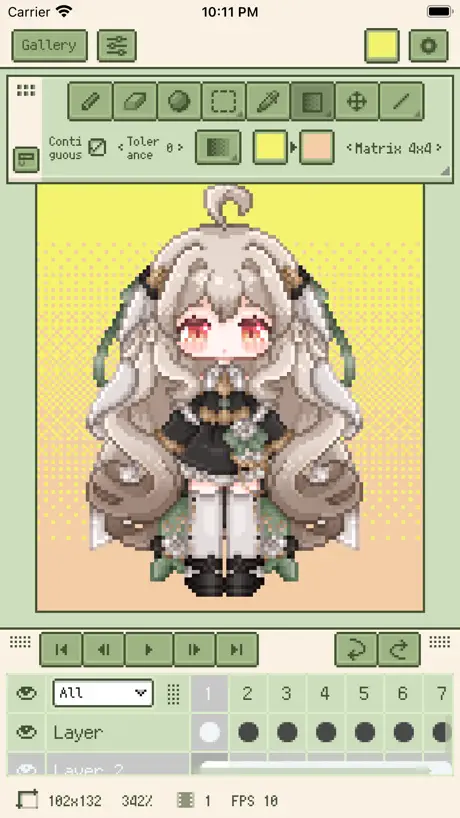  Resprite: pixel art studio Resprite: pixel art studio | |
|---|---|---|---|---|---|---|---|---|---|---|---|
| Rating / 5 | 4.7 | 4.7 | 4.7 | 4.5 | 4.6 | 4.7 | 4.8 | 4.8 | 4.5 | 4.6 | 4.8 |
| Reviews | 21K | 230K | 182K | 128K | 77K | 68K | 68K | 63K | 44K | 23K | 5.4K |
| Released | 2022 | 2019 | 2012 | 2020 | 2017 | 2020 | 2015 | 2020 | 2015 | 2017 | 2023 |
| Monthly price | — | $7.99 | $4.99 | $9.99 | $14.99 | $9.99 | $1.99 | — | $4.99 | — | $1.99 |
| Annual price | — | $69.99 | $29.99 | $79.99 | $74.99 | $29.99 | — | — | $29.99 | $3.49 | $14.99 |
| One-time price | — | — | $3.99 | — | — | — | — | $15.99 | $9.99 | $14.99 | $19.99 |
The going rate for each plan in United States, in its own currency, shaded from the cheapest price on the row to the dearest. Plans fewer than four in ten of the priced apps sell are left out.
Affinity Designer 2 for iPad reviews
4.7 out of 5, based on 21,347 reviews.
What people like
- You pay once with no monthly subscription fees.
- Works great on iPad and syncs with desktop.
- It runs very smoothly on newer iPads.
- It feels just like the powerful desktop version.
What they complain about
- It crashes constantly and loses your work.
- The interface is confusing and hard to learn.
- Missing useful tools like image tracing or eraser.
- Text is too small and hard to read.
Love it
Paired with the Magic Keyboard this is great. Not quite as intuitive as the MacOS version but hoping Affinity 3 will be closer.
OMG! The worst ever
I cannot begin to say how bad this piece of software. It closely resembles the contents of my dogs lower bowel. It is so glitchy it is now unusable. The interface is terrible with keyboards continually changing size for no reason at all. The list is endless of issues. Go spend your money on electrocution therapy…much more fun!
Power Duplicate功能不够用
希望 Power Duplicate 增加“固定中心距,递进缩放”功能。目前位移和缩放绑定,导致阵列时中心距不断变化,不利于工业设计中的渐变阵列。
Unusable as there is no light mode option
I wanted to try a vector graphics program on my ipad, and Affinity had good reviews. Unfortunately I can’t use interfaces in dark mode - the text blurs and moves, and I get vertigo, then when I look away from the screen the image persists in my vision, obscuring what’s actually in front of my eyes for a fair few seconds. Please offer a light mode alternative as an access option. You’re not a scrappy startup running on a shoestring, you can afford to meet a pretty basic access need that I’m not alone in - search “affinity ipad light mode” and you’ll see others with similar issues.
软件不稳定
希望开发者能改善下稳定性,导入复杂的四位循环图做效果就容易卡和闪退,比1的版本稳定性差太多了,强烈建议更新版本来修复下稳定性。
Everything
I wouldn’t be with out it
A complex programme
I find that the Affinity suite is totally different to the earlier Serif programmes. The Serif programmes I was easily able to navigate and use. The Affinity programmes are extremely complex and for the “Professional” not home user. One glaring problem for me is the undo button. Where is it. In Serif it was possible to undo the last 10 moves. Here if you make a mistake you are stuffed and have to delete the project entirely or start a new one with a different name. Clearly a different suite for a different set of users.
Very well made
All I ask is for a vector eraser brush for mobile
Slowly getting worse
This app prior to v2.5.0 was great. After v2.5.0 I have been see issues where the app gets stuck and crashes when trying to change things. From change the font or font size or even just trying to save a file. I’m sure some bugs were introduced after v2.5.0. I would make it a priority to fix those if I were on the dev team that handles building the iPadOS app
增加位图转换矢量图工具
希望软件创始者能再增加个位图转换矢量图工具项就再完美点了。
Struggling to learn
Fantastic software! But struggling to learn . Maybe give me a month I should now & understand the basic.
Steep learning curve and learning resources are very poor
I read amazing things about this and it looks like it will be good but the resources to learn it are terrible and 7 day free trial is not enough to even get to understand if you can use this or not. It’s a shame as I would love to learn this but the support is just not there. Also not sure if this is newbie error or glitches but on the resources i did use I followed directions precisely and it would not work. No use - deleting and not buying.
内存是唯一问题
用它经常会出现爆内存的情况,譬如我会出现开设计一个多图片的项目时候,iPad内存不足,结果一看affinity design这个占用50-70GB,很多时候要关闭缓存项目能解决,但有时候即便全部缓存项目都关了还剩下10GB的软件,很奇怪
For godsake add a lasso selection tool
its not 1985 anymore
Lots of problems with latest update
Unable to load files from Drive and some files when loaded from Dropbox seem to be getting corrupted for some reason. I’ve tried offloading the app and reinstalling but it’s still happening. Might have to uninstall the app completely and reinstall but I’ve got loads of fonts etc installed so I’d have to reinstall them too which is a bit of a pain.
I came for the vector graphics and kind of stayed because of the pixel art…
This is some very interesting software I’ve only really just started scratching the surface of, but £17.99 is a pretty good price for a full software purchase, definitely worth the learning curve and really looking forward to see what I can get done in the next few months. No problems so far, everything’s pretty intuitive assuming your used to illustrator. I just really want to get on with some work, looking forward to see how that works out. I’ve a feeling I’m going to find this indispensable.
Poorly functioning app
If i could leave 0 stars i would. The app functions terribly, the interface is set up to never work & when it does - it’s a nightmare to use because things aren’t accessible. Stick with alternative options and save your money
Brilliant, but…
Absolutely love using this on the iPad. However, it does crash every now and then, luckily, it autosaves.
Adds some missing basic vector functions, looses file stability
Adds some of the missing transformations that make vector work functional. Still awkward and incomplete, but much better than v1. *But* I can’t open even a simple file created in it, or save files, without designer crashing. Which completely destroys any benefit of all the improvements. I expected with people complaining about this from v.2.0, that it would be fixed by 2.5, but sadly I was mistaken. Prioritizing flash over stability makes the app useless.
Most useful feature missing - brush cursor
How can you omit a universal feature like brush cursor from your iPad software when it is available on desktop. Freehand drawing and erasing is a pain without it. If you plan on doing just freehand drawing instead of vector art use procreate instead. The cursor feature works there.
Amazing stuff, and the price is unbeatable.
Used to be a designer (layout for print) and also designed cutters for packaging. Now I just do bits for friends and family and occasionally some print stuff for work. Designer is fantastic, virtually all the mouse/keyboard combos I have stuck in my muscle memory from AI, Freehand, PS etc work here too, exactly the same. Nice and slick, performance is superb on iPad Pro. I got the bundle in a Black Friday sale with designer, photo, and the layout one for desktop and iPad for a very low price. I have sent plenty of Affinity Designer documents to professional printers and never had any issues at all so I really would be happy using these for a business. Nice bit of software, if you can get the bundle, do it!
Was 5star, now it regularly crashes.
As title says, regularly crashes out even after reinstalling.
The best
Wow!!!
Not user friendly
Adobe was easier to figure out then this program. I just wanna sketch.😑
Lacking Some Features
I have the full suite of Affinity Apps and use them as part of my professional artistic workflow. There's no doubt that Designer is a powerful app; it's great for working on the iPad and not being tied to a desk and I appreciate the lack of a subscription model. But there are a couple of features missing which really hold it back from its full potential - there's no image tracer to automatically vectorize imported sketches, for example, which is a huge pain if you regularly scan in hand draw art.
Very impressed
Having bought Clip Studio Pro to find you need a licence for each operating system - grrrr - I was so very impressed to see I can run Affinity on my new IPAD AND my windows laptop and files can be accessed on either! So so happy I was an Affinity buyer before and used it on Windows but now have flexibility for both! Very smooth on the IPad too. Actually couldn’t be happier 😍
Lost work
Crashes all the time and what’s worse…once I close the app (even though I ‘save’ the work which closes the app automatically) it goes back with artwork that I have modified for more than 2 hours. I really wanted to give this app a go as I needed some very nice brushes developed for A.Designer but…I think I will go for another app on the market. It’s simply insane. I lost work of a few hours and I have to start all over. I am using the view version of Affinity D. For iPad
Updated review
My previous review was 1-star because I experienced a ton of bugs during my free trial when the app launched. I wanted to try it again but the app didn’t offer an option to take another free trial, even after more than a year of many new updates fixing optimization issues. Thankfully, the Affinity support helped me to obtain a new free trial and I see that the app works much better than how it was at launch. It’s not perfect but as I’m playing around with it, I feel more and more like I’m going to buy it at the end of the trial. It’s great for the price.
Crash crash crash
Both Affinity on iPad AND on mac seems to crash on a frighteningly frequent basis. Version 1 was MUCH more reliable. I really don’t like using this at all.
Good drawing app, but no external monitor support
Affinity Designer is my favourite line drawing app for the iPad. However, I ad really hoped to be able to use it with my iPad Pro and external monitor, but no dice. All you get is a image preview. No support for Stage Manager either. So, huge potential being missed. I guess Affinity are trying to upsell you to the Mac version. Fine, unless you use an iPad Pro as your primary computer…
The Best
The Best Vector Art app available at the time of writing. Get the entire set of Affinity apps and they all combine to make a formidable tool kit. It seems the competition have been napping! 🛌
So unintuitive
Impossible to use. I’ve spent over an hour trying to make a simple invitation and I can barely work out how to select and move things about. A shame as I like the pc version.
Layers unmanageable
I have been searching everywhere to find how to turn off the ridiculous amount of layers formed when you draw in vector. The old version you could go into UI and switch off selection of layers in the studio. Where is it now? Driving me crazy. And the manual is less than helpful. It is a great app, don’t get me wrong, worth the money but it is not user friendly. You have to fight to find anything. I’m at the point of giving up.
Great app but needs bug fix
Love it but the app keep crashing every now and then. Please fix the bugs so I can work on my iPad Pro 12.9 (6th generation) as well. Thanks so much Affinity team 🙂
Shockingly bad in comparison to V1
It’s a real shame, Affinity is my go to app for all my professional work and I rely on it being fast, feature heavy and not crash all the time. Unfortunately all these things seem to be the opposite to what v2 has turned out to be. It is riddled with bugs, there have been documents I have to literally save after every stroke before it crashes (which is insane) and others that will randomly just crash with no warning. The feature list in comparison to v1 is really woeful. So many people have very highly requested features they need, yet it seems to be like pulling teeth to get any decent features updates, where is image trace? Where is vector eraser? Where’s the same features for the iPad that feature on the desktop version? I think I, like many, thought v2 was going to be amazing, but have been left very underwhelmed. Just look at what the team at Procreate have been doing, they have their new animation app releasing soon, which looks to be a game changer for pixel based artwork. Yet nothing near that for those of us using vector based programs. It would be good to have some real improvements made to the affinity app, and soon! But so far it seems to get worse as each week goes on. Still holding out hope things will improve.
Complete vector editing on the go!
I find this a very impressive app because it's pretty much just like using the desktop pc version. You can design and edit some pretty sophisticated diagrams, including through importing SVG files. And if you can't find an icon or function you need then it's probably because you're using it with the ipad portrait, as it condenses the UI compared to landscape mode, as I found out the hard way. Anyway, overall an excellent way to keep vector editing away from a PC.
V1 is a superior app
V2 has no undo or redo buttons, no duplicate doc option, V2 feels like a retrograde, V1 feels so supremely crafted and grownup in comparison. And why remove V1 from the App Store? Please reinstate.
Great app but missing recolouring artwork tool
I love working on my iPad. The only thing I’m missing in affinity designer is the recolour artwork tool from illustrator. I find it very difficult to try different colour palettes. Please introduce a feature like recolour artwork tool in affinity designer soon.
Slow loading
Now since I create more drawings,sketches,designs, I started having to wait 5-7 seconds to be able to acces documents or to be able to see them….
Can’t shake the disappointment at the moment
Been using this since it came out, after having had v1 since it was released. There’s no denying it’s a fantastic creation app, and I salute the decision to refrain from the Adobe rental scheme. But there are so many issues regarding the UI for me, and how things that were easy to find in v1 are now buried in sub-menus on v2 that I find myself using v1 more than v2. If it wasn’t for some YouTube tutorials I’d be very often utterly stumped. But I remain optimistic for its evolution.
Amazing Value!
I’m only just getting going with the full suite. But so far I am simply blown away by what I have just bought. Affinity are not greedy like those money grabbing bar stewards at Adobe. Much respect guys!
Shockingly bad
To say this is from the same people that made design software good enough to move away from Adobe is shocking. The app UI could be far better executed. Why move so far away from the desktop version? Been using AD since it launched and this app version is so different to the desktop version you have to start again learning where everything is. Simple buttons missing, tools not where you’d expect and not to mention how buggy it is. Total car crash.
Great app but v2.0 crashes a lot.
As always, this is an excellent drawing software however, v2.0 crashed a lot. Bug fixes are required.
Illegible UI
This app promises to be amazingly good. But to use the UI for menus and panels you need sharp eyesight, which I do not have. Once you know where everything is and what it does, I am sure the app is a dream to use. But the learning process is painfull and time consuming for me. I have hunted online for remedies, but found none. Is is possible to increase the text contrast, increase text size, increase contrast between the on and off grey icon backgrounds, change from night to day mode, or do anything else to make it more legible?
Keeps crashing
I love the Mac version so brought iPad version to work on the move. Saved my projects to iCloud but when I try and open it on iPad. The app crashes and shuts off.. can’t work out how to fix it
Really good
This is a very well designed app. I have it on desktop too but I prefer the iPad version as it’s easier to use and I think more logically implemented.
The app is keep freezing
The app is keep on freezing and crashing on different file size please sort this out as I can’t do anything on the app thank you
There’s a problem with the top bar buttons in Affinity Designer for iPad
In my 2018 iPad Pro 12.9”, the top buttons displayed while editing nodes (to close a path) are extremely hard to tap on (with finger or pencil) as it’s in the same location as the … for the iPadOS multitasking (window management) functionality. Please fix ASAP. Current version: Affinity Designer 2.0.1.
Crashing and Not Saving
I was so excited to purchase Affinity Designer after watching what the software could do. Sadly, cannot use it as it’s constantly crashing and not saving on my iPad Pro. What’s the deal? Are the developers working on a fix? I would still totally embrace it but fix it already!
Export crashes the whole app
export interface opens then the whole app crashes (no problem on Desktop version). Update needed....
Affinity Designer 2 for iPad FAQ
- Is Affinity Designer 2 for iPad free?
- Yes. The app is free, in all 168 countries it sells in, and it sells nothing inside it.
- Does Affinity Designer 2 for iPad have a free trial?
- No. None of its offers (US) come with a free trial.
- What are the best alternatives to Affinity Designer 2 for iPad?
- Adobe Fresco: Draw & Paint App (4.7 from 229,624 reviews, premium from $7.99), Concepts (4.7 from 181,890 reviews, premium from $1.99) and Adobe Illustrator: Graphic Art (4.5 from 127,888 reviews, premium from $9.99).
Affinity Designer 2 for iPad download
Last updated 1 year ago.
Affinity Designer 2 for iPad sells in 168 countries. It was released 3 years and 11 months ago, on 1 Nov 2022. It holds a 4.7 rating from 21,347 reviews.
Supports 8 languages: English, French, German, Italian, Japanese, Portuguese, Chinese, Spanish.
How much does Affinity Designer 2 for iPad make?
Third-party estimates for the last 30 days, worldwide — not the store's own figures, which Apple publishes for nobody.
Revenue by plan
- One-time 100%
Revenue by country
- United States 35%
- Germany 9%
- Japan 6%
- United Kingdom 6%